Scan Cam: Docs PDF Scanner App
ダウンロード: App Store

このページはアプリまたはその開発者の公式ページではなく、情報提供および論評を目的として作成された独立した編集出版物です。明示的に別段の記載がない限り、アプリおよびその開発者は、MWM、Apple、Google Play、アプリのパブリッシャー、またはアプリの開発者と提携、承認、後援、認可、またはその他の公式的な関係はなく、このページのいかなる内容も、アプリがMWMのサービスを使用して開発されたことを意味するものではありません。すべての商標、ロゴ、スクリーンショット、その他のコンテンツはそれぞれの所有者の財産です。

ロゴ: Scan Cam: Docs PDF Scanner App
ダウンロード: App Store

Scan Cam: Docs PDF Scanner App

iPhoneをプロフェッショナルなスキャニングパワーハウスに変えましょう。スマートな自動補正と安全なストレージにより、数秒で複数ページのPDFを簡単にスキャン、署名、共有できます。

主要数値

ダウンロード

1K+

ユーザー評価

5.0/5

評価数

0

開発元

CODEBAKER BILISIM HIZMETLERI VE TICARET LIMITED SIRKETI

カテゴリ

Productivity

対応言語

30

最新バージョン

1.2.3

サイズ

87.4 MB

リリース日

2023年9月8日
機能

ペーパーレス化に必要なすべて

iPhoneを高性能ポータブルオフィスに変えましょう。プロフェッショナルグレードの品質で、数秒でドキュメントをスキャン、署名、整理できます。

プログレードのスマートスキャン

自動クロッピングと補正で、クリアなPDFをキャプチャします。複雑な契約書や複数ページのレポートに最適です。

インスタント電子署名

印刷せずに、その場で契約書やNDAに署名できます。数回のタップで、あらゆるドキュメントに安全なデジタル署名を追加できます。

以下のスクリーンショットと説明は、アプリの公式ストアリスティングから直接取得されたものであり、アプリ開発者の所有物です。

アプリストア

スクリーンショット
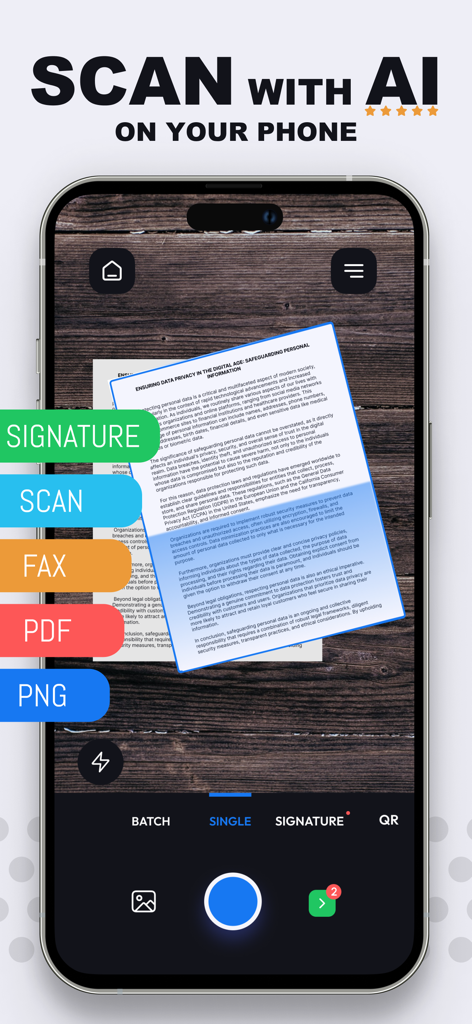
Scan Cam: Docs PDF Scanner App - スマートフォンで高品質なAIドキュメントスキャンとデジタル署名を行うScan Camアプリのインターフェイス。
スマートフォンで高品質なAIドキュメントスキャンとデジタル署名を行うScan Camアプリのインターフェイス。

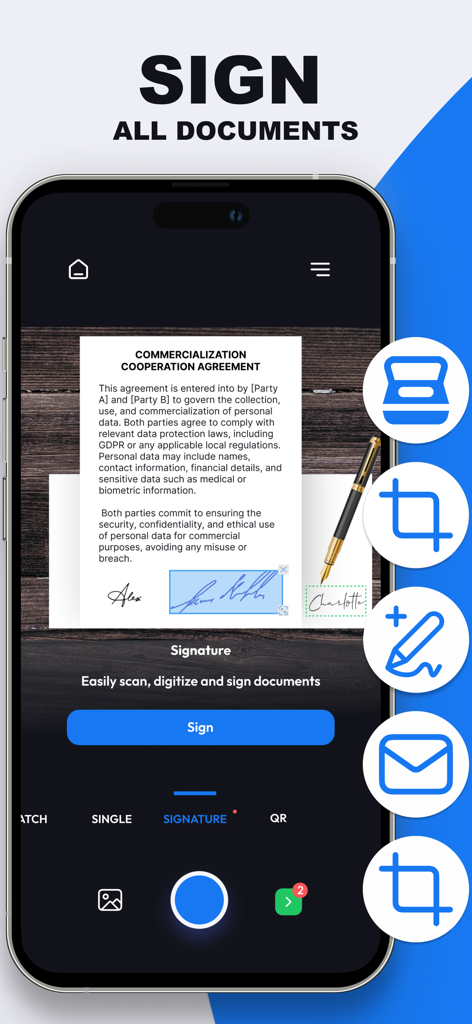
Scan Cam: Docs PDF Scanner App - Scan Camアプリ内で商用ドキュメントにデジタル署名が適用されていることを示すスマートフォンの画面。
Scan Camアプリ内で商用ドキュメントにデジタル署名が適用されていることを示すスマートフォンの画面。

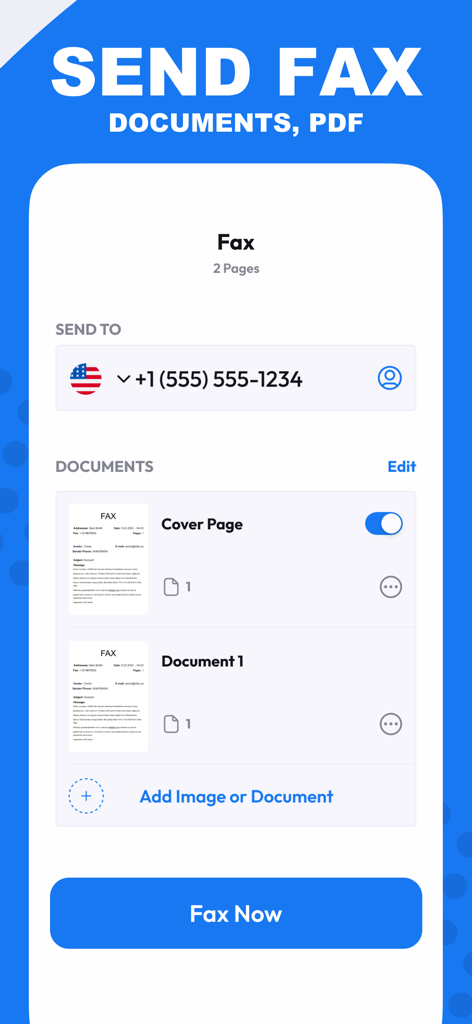
Scan Cam: Docs PDF Scanner App - Scan Camアプリのファックス送信画面。

Scan Camアプリのファックス送信画面。

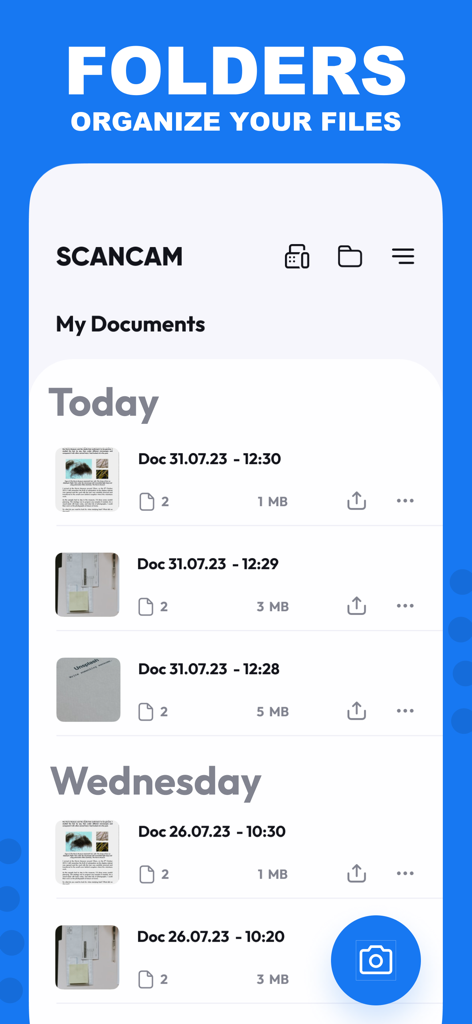
Scan Cam: Docs PDF Scanner App - Scan Camアプリのインターフェイスで、日付順にソートされた整理されたPDFドキュメントのリストを表示。
Scan Camアプリのインターフェイスで、日付順にソートされた整理されたPDFドキュメントのリストを表示。

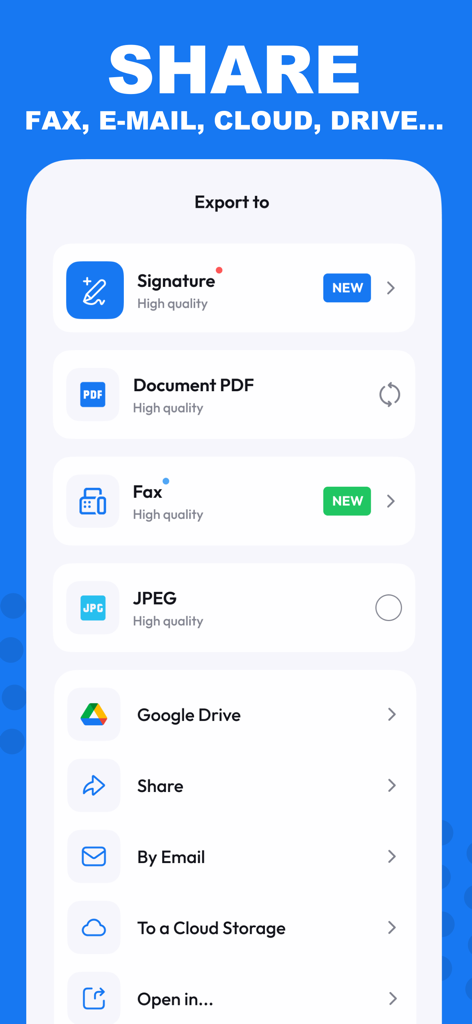
Scan Cam: Docs PDF Scanner App - Scan Camアプリのインターフェイスで、PDF、JPEG、または電子メールやクラウドサービス経由でのエクスポートオプションを表示。
Scan Camアプリのインターフェイスで、PDF、JPEG、または電子メールやクラウドサービス経由でのエクスポートオプションを表示。

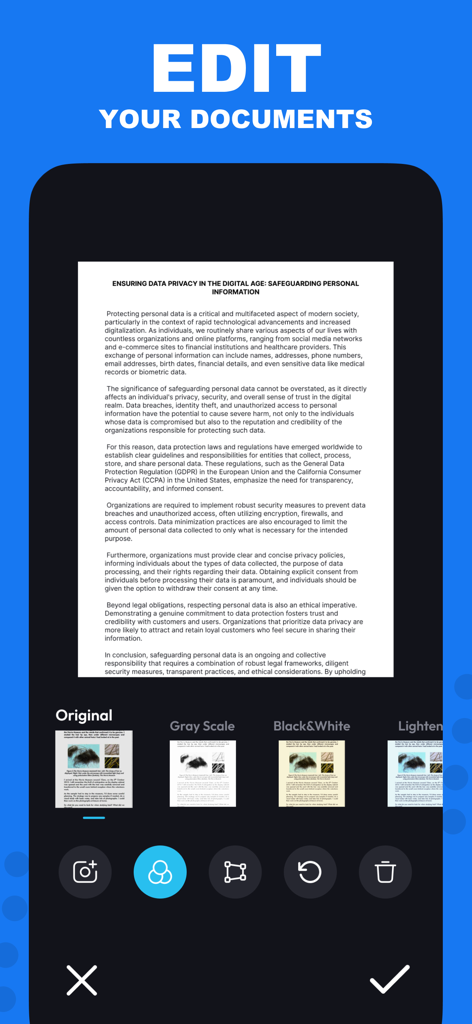
Scan Cam: Docs PDF Scanner App - iPhoneインターフェイスで、Scan Camアプリのドキュメント編集フィルターを表示。
iPhoneインターフェイスで、Scan Camアプリのドキュメント編集フィルターを表示。

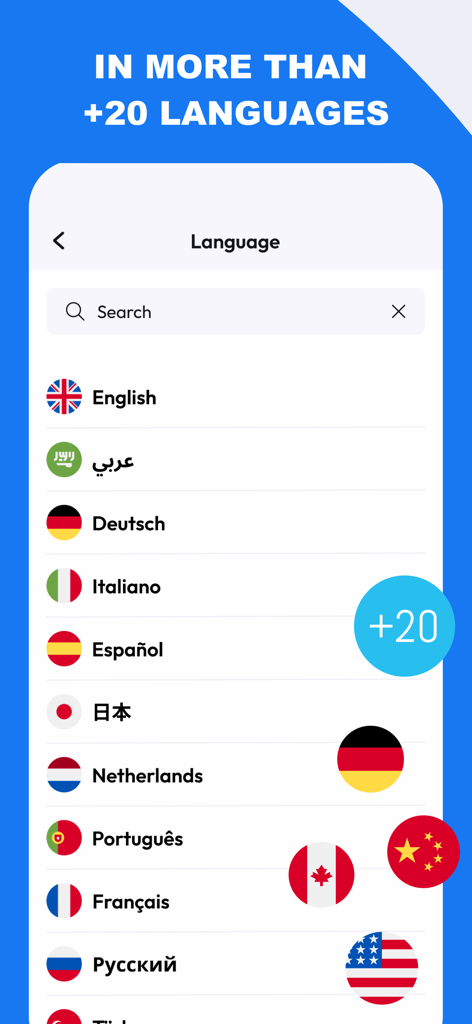
Scan Cam: Docs PDF Scanner App - Scan Camアプリの画面で、国旗付きの20以上のサポート言語のリストを表示。
Scan Camアプリの画面で、国旗付きの20以上のサポート言語のリストを表示。

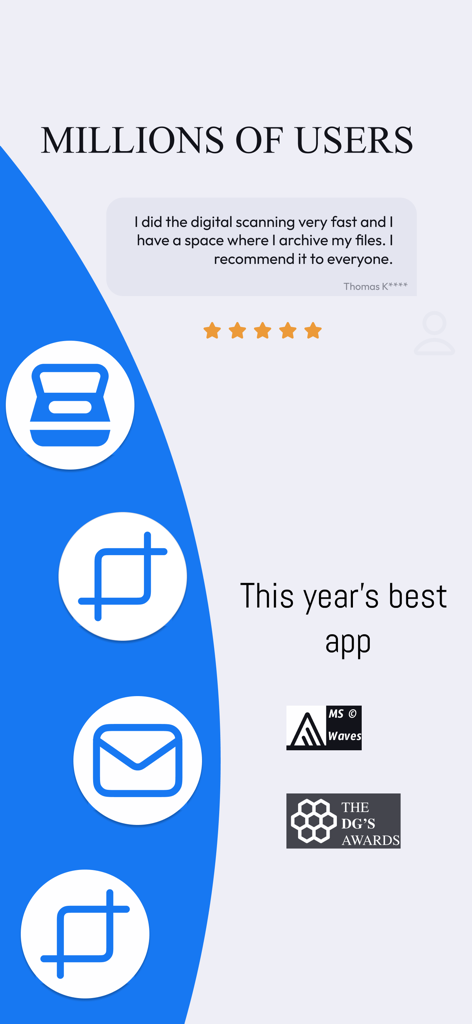
Scan Cam: Docs PDF Scanner App - Scan Cam PDFスキャナーアプリの肯定的なユーザーレビューと受賞歴のハイライト。

Scan Cam PDFスキャナーアプリの肯定的なユーザーレビューと受賞歴のハイライト。

説明

Need a handy scanner app? Give ScanCam a try! Turn your phone into an efficient scanning powerhouse with ScanCam's swift and user-friendly smart scan feature. It helps you work faster and saves you time. Download ScanCam to scan, save, edit, convert and share files in PDF and PNG formats in a flash. Why should you pick ScanCam Pro Subscription? * Fast Scanning: Scan your papers, pictures, and notes in seconds. ScanCam saves you time. * Signature: Digitally sign your documents with ease. ScanCam lets you add secure and professional signatures in seconds. * High Quality: Scan and store your papers in high resolution. ScanCam keeps your documents clear and readable without losing quality. * PDF Conversion: Turn your scanned papers into PDF files for sharing with ease. * Multi-Page Document Support: Effortlessly compile multiple scans into a single document with ScanCam, making it perfect for handling comprehensive reports, lengthy articles, and extensive contracts. * User-Friendly: ScanCam is easy to use for quick scanning. FEATURES * Fast Document Scanning This scanner app is a must-have for students and professionals alike. Scan anything you need - from receipts and contracts to paper notes and even books. You can save your scans as multi-page PDF or PNG files. * Innovative PDF Scanner Scan papers and pictures to PDF or PNG. You can even scan many pages into one document easily. * E-Signature Effortlessly add your digital signature to documents with ScanCam. Sign contracts, forms, and paperwork securely in just a few taps—no printing required. * Best Scan Quality Smart cropping and auto-enhancement make sure your scans are sharp and colourful, with top quality. * Easy Document Sharing Share documents in PDF or PNG on social media, in email attachments, or download links. You can print PDF files like contracts and invoices directly from the app. * Fast Document Search & Folder Management Can't find your documents? Tag your documents in the ScanCam app for easy searching. Find your document fast, manage your files with folders, and order them with drag & drop. * Secure and Private Your scans and data are always secure. We value your privacy and ensure your documents are stored safely. * Quick support with live chat is now available! We're here to assist you promptly through our live chat. If there's a delay in our response, enjoy a game of Crispy Bird while you wait. Speed up your scanning with ScanCam. Give it a go and discover the remarkable efficiency and simplicity of scanning, saving, and sharing your documents! With just a few taps, you can transform your iPhone into a scanning powerhouse, making it easier than ever to digitize and distribute your important papers, photos, and notes. Experience the convenience of ScanCam today and streamline your document management like never before. ABOUT SUBSCRIPTION –You can subscribe to get unlimited access to all features of the scanner app. –Payment will be charged to iTunes Account at confirmation of purchase. –Subscription renews automatically unless auto-renew is turned off at least 24 hours before the end of the current period. –Account will be charged for renewal within 24 hours prior to the end of the current period. The cost depends on the selected plan. –Subscriptions may be managed by the user, and auto-renewal may be turned off by going to the user's Account Settings after purchase. –Any unused portion of the free-trial will be forfeited when the user purchases a subscription. For Terms of Use, please visit https://static.scancamapp.com/page/ios/terms For Privacy Policy, please visit https://static.scancamapp.com/page/ios/privacy

Download

ダウンロード: App Store

このページはアプリまたはその開発者の公式ページではなく、情報提供および論評を目的として作成された独立した編集出版物です。明示的に別段の記載がない限り、アプリおよびその開発者は、MWM、Apple、Google Play、アプリのパブリッシャー、またはアプリの開発者と提携、承認、後援、認可、またはその他の公式的な関係はなく、このページのいかなる内容も、アプリがMWMのサービスを使用して開発されたことを意味するものではありません。すべての商標、ロゴ、スクリーンショット、その他のコンテンツはそれぞれの所有者の財産です。