
このページはアプリまたはその開発者の公式ページではなく、情報提供および論評を目的として作成された独立した編集出版物です。明示的に別段の記載がない限り、アプリおよびその開発者は、MWM、Apple、Google Play、アプリのパブリッシャー、またはアプリの開発者と提携、承認、後援、認可、またはその他の公式的な関係はなく、このページのいかなる内容も、アプリがMWMのサービスを使用して開発されたことを意味するものではありません。すべての商標、ロゴ、スクリーンショット、その他のコンテンツはそれぞれの所有者の財産です。

ScanGuru: Document PDF Scanner
ScanGuruは、ユーザーのスマートフォンを、あらゆる物理書類を掌握する究極のデジタル指令室へと昇華させる。このアプリが提供するのは、紙の制約を打ち破り、どこでもドキュメントを瞬時にデジタル化し、編集し、保護する、まさに「ポケットの中の絶対的な情報主権」である。
ダウンロード
25M+ユーザー評価
評価数
595.6K開発元
カテゴリ
Business対応言語
14最新バージョン
2.32.2サイズ
132.3 MBリリース日
2015年9月30日ScanGuru: Document PDF Scanner アプリ分析
プロフェッショナルな文書管理のための主要機能評価
モバイルスキャン
スマートフォンを高性能なポケットスキャナーへと変貌させ、場所を選ばずに文書のデジタル化を可能にします。
光学文字認識 (OCR)
スキャンされたあらゆる文書のテキストを認識し、検索可能なテキストデータに変換することで、情報の再利用と編集を可能にします。
統合された文書管理
スキャンした文書をPDFまたはJPEG形式で編集、電子署名、そして共有まで一貫して行えるため、効率的な文書処理が実現します。
電子署名機能
スキャンした文書に数タップで電子署名を追加でき、契約書や合意書の迅速な承認プロセスをサポートします。
強固なセキュリティ
Touch/Face IDまたはPINコードを使用してスキャンを保護し、機密文書のプライバシーと安全性を確保します。
複数ページスキャン
必要なだけ多くのページを一度にスキャンでき、長文の文書や書籍全体のデジタル化を効率的に行えます。
文書翻訳
スキャンした文書を翻訳することで、異なる言語の情報を理解し、国際的なコミュニケーションや学習を支援します。
多様な共有オプション
スキャンした文書をメールやメッセンジャーで共有したり、Wi-Fiプリンターで印刷したり、カメラロールに保存したりするなど、柔軟な配布と保存が可能です。
自動検出機能
あらゆるスキャン可能なオブジェクトに対して、自動シャッターと境界線検出を行い、高品質なスキャンを迅速に実現します。
Wordへのエクスポート
スキャンした文書をワンタップでWord形式にエクスポートできるため、コンテンツの編集や再利用が容易になります。
よくある質問
について知っておくべきこと ScanGuru: Document PDF Scanner
What is ScanGuru and what does it do?
ScanGuru is a document scanner app that transforms your phone into a portable scanner. It allows users to scan, edit, sign, and share documents as PDF or JPEG files directly from their device.
Does ScanGuru require an internet connection to scan documents?
No, ScanGuru does not require an internet connection for scanning. All scanned documents are stored locally on your device, ensuring functionality even offline.
Can I sign documents directly within the ScanGuru app?
Yes, ScanGuru allows you to sign documents electronically. You can add your signature to scanned documents with just a few taps using the e-sign feature within the app.
Does ScanGuru offer OCR (Optical Character Recognition) functionality?
Yes, ScanGuru includes OCR (Optical Character Recognition) functionality. This feature allows users to convert any scanned document into editable text. OCR is also available as a premium feature.
How can I protect my scanned documents in ScanGuru?
ScanGuru allows you to protect your scanned documents. You can secure your files with Touch ID, Face ID, or a PIN code for enhanced privacy and security.
What file formats can ScanGuru convert scanned documents to?
ScanGuru can convert scanned documents into high-quality PDF, JPEG, or TXT formats. This provides flexibility for various document uses and sharing needs.
Can ScanGuru translate scanned documents?
Yes, ScanGuru offers the ability to translate scanned documents. This feature is listed among the advanced scanner capabilities of the app.
What documents can ScanGuru digitize?
ScanGuru can digitize a wide range of documents including IDs, business documents, agreements, invoices, receipts, notes, sketches, articles, book pages, and business cards.
How does the auto-renewal for ScanGuru subscriptions work?
ScanGuru subscriptions automatically renew unless turned off 24 hours before the period ends. Users manage auto-renewal in Account Settings. Payment charges to the iTunes Account at purchase confirmation.
Can I annotate PDF files with ScanGuru?
Yes, ScanGuru allows you to annotate PDFs. You can highlight text within your documents, and annotation is also included as a premium feature.
以下のスクリーンショットと説明は、アプリの公式ストアリスティングから直接取得されたものであり、アプリ開発者の所有物です。
アプリストア
スクリーンショット
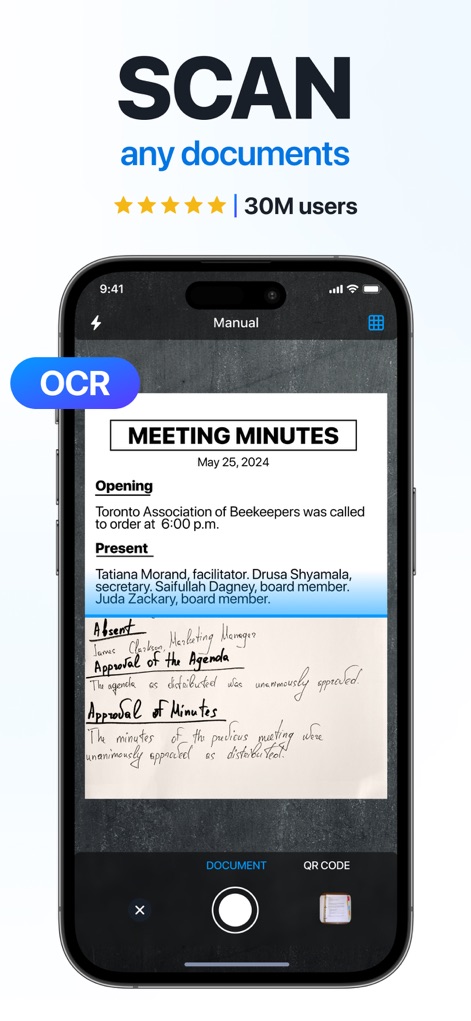
スマートスキャン
このアプリは、自動境界線検出とOCR機能により、紙のドキュメントを瞬時にデジタル化し、3000万以上のユーザーに信頼されています。

PDFを編集
スキャンしたPDFファイルに新しいテキストフィールドを追加したり、既存のドキュメントに署名を挿入したりできます。

多形式で出力
請求書などの書類を、PDF、JPG、TXTの主要なファイル形式に簡単に変換し、必要に応じてワンタップで出力できます。
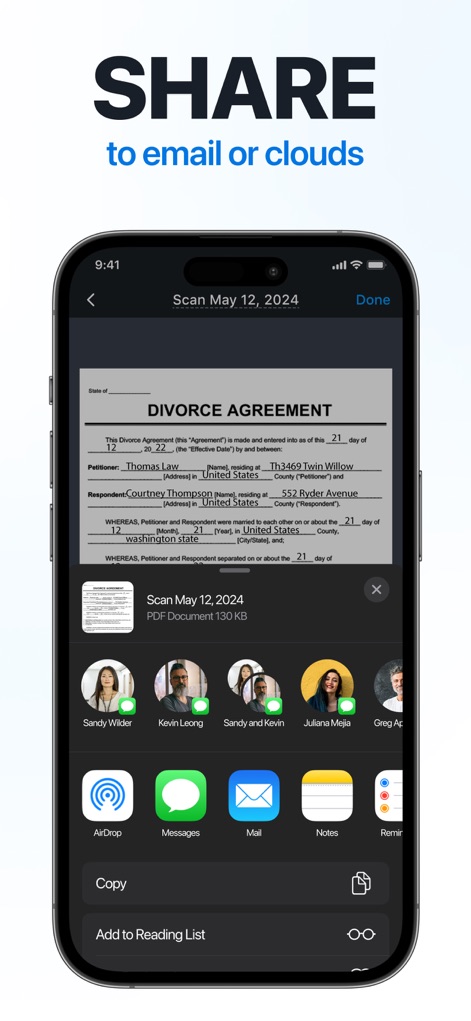
ドキュメントを共有
離婚合意書のような重要書類を、メールやメッセンジャーを通じて安全かつ迅速に共有し、AirDropなどの機能で手軽に送信できます。

どこでも署名
外出先でもインボイスなどのドキュメントに電子署名を簡単に追加し、署名位置を自由に調整して確認できます。
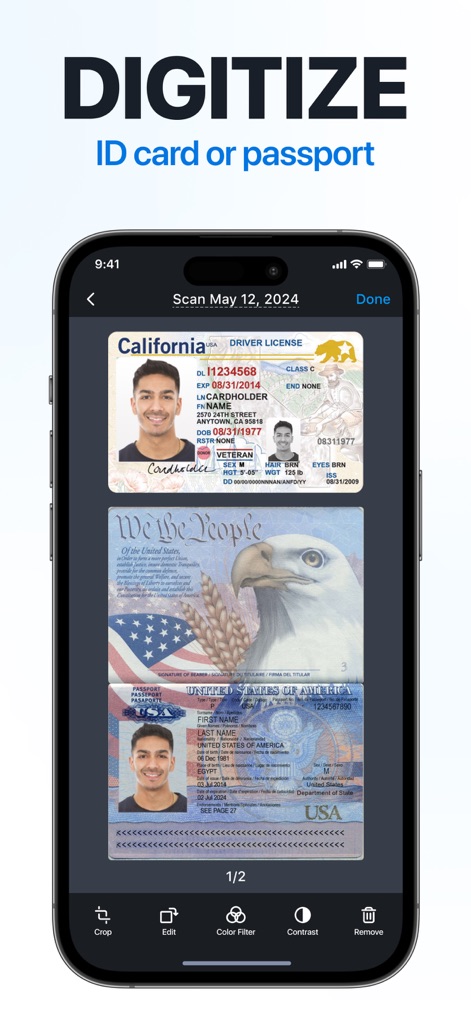
身分証明をデジタル化
運転免許証やパスポートといった身分証明書を高品質でスキャンし、クロップやカラーフィルターで画像を最適化できます。

ファイルを保護
スキャンした重要なドキュメントを、PINコードまたはTouch/Face IDで保護し、機密情報の漏洩を防ぎます。
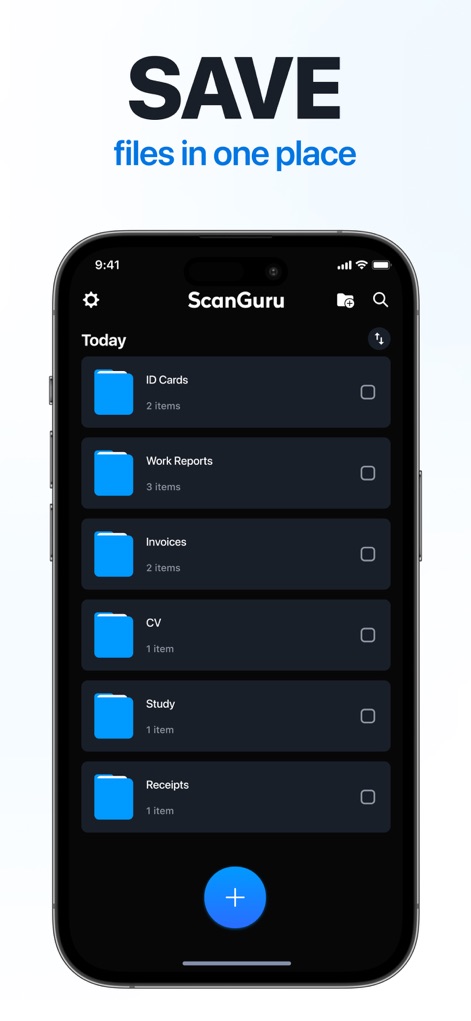
一か所に保存
IDカード、請求書、レシートなど、様々な種類のドキュメントをフォルダ別に整理し、すべてを一元的に管理できます。

注釈を追加
ドキュメント内の重要な情報をテキストハイライトで強調し、下線や取り消し線など豊富な注釈ツールで詳細をマークアップできます。
説明
Download
類似アプリ
似た機能とユーザー体験を持つアプリ

PDF PRO Scan Image & Documents
Balzo srl

The PDF Scanner, PDF editor HQ
NEXT K.U.M. LTD

CamScanner - PDF Scanner App
INTSIG Information Co., Ltd

Adobe Scan: PDF & OCR Scanner
Adobe Inc.

WPS Office: PDF, Docs, Sheets
KINGSOFT OFFICE SOFTWARE CORPORATION LIMITED

iLovePDF - PDF Editor & Scan
ILOVEPDF S.L.

Scanner App: Genius Scan
The Grizzly Labs

Microsoft Lens: PDF Scanner
Microsoft Corporation

Clear Scan: Doc Scanner App
INDY MOBILE APP COMPANY LIMITED
このページはアプリまたはその開発者の公式ページではなく、情報提供および論評を目的として作成された独立した編集出版物です。明示的に別段の記載がない限り、アプリおよびその開発者は、MWM、Apple、Google Play、アプリのパブリッシャー、またはアプリの開発者と提携、承認、後援、認可、またはその他の公式的な関係はなく、このページのいかなる内容も、アプリがMWMのサービスを使用して開発されたことを意味するものではありません。すべての商標、ロゴ、スクリーンショット、その他のコンテンツはそれぞれの所有者の財産です。