
このページはアプリまたはその開発者の公式ページではなく、情報提供および論評を目的として作成された独立した編集出版物です。明示的に別段の記載がない限り、アプリおよびその開発者は、MWM、Apple、Google Play、アプリのパブリッシャー、またはアプリの開発者と提携、承認、後援、認可、またはその他の公式的な関係はなく、このページのいかなる内容も、アプリがMWMのサービスを使用して開発されたことを意味するものではありません。すべての商標、ロゴ、スクリーンショット、その他のコンテンツはそれぞれの所有者の財産です。

Scanner App - Scan PDF & Docs
デバイスを高速プロフェッショナルスキャナーに変える400万人以上のユーザーに参加しましょう。高度なOCRでドキュメントを簡単にスキャン、署名、変換できます。データは100%プライベートで、デバイス上に保持されます。
ダウンロード
4M+ユーザー評価
評価数
64K+開発元
カテゴリ
Business対応言語
20最新バージョン
2.9.9サイズ
158.6 MBリリース日
2021年12月7日オールインワンデジタルオフィス
モバイルデバイスを高性能ドキュメントハブに変えましょう。かさばるプリンターなしで、ファイルに即座にスキャン、署名、保護できます。
100%プライベート&安全
機密データはデバイス上に保持されます。ローカル処理で、クラウドへのアップロードなしで、IDや契約は常に保護されます。
数秒で署名&送信
契約を迅速に締結しましょう。画面から直接、署名を描画するか、スタンプをインポートして、契約、請求書、フォームを完成させましょう。
よくある質問
について知っておくべきこと Scanner App - Scan PDF & Docs
Scanner App - Scan PDF & Docs とは何ですか?
Scanner App - Scan PDF & Docs は、お使いのモバイルデバイスを強力でポータブルなスキャナーに変えます。自動文字認識(OCR)機能を備えており、ユーザーはさまざまな形式のドキュメントをスキャン、編集、署名、保存、共有できます。
Scanner App - Scan PDF & Docs は文字(OCR)を認識しますか?
はい、Scanner App - Scan PDF & Docs は自動的に文字(OCR)を認識します。この機能により、スキャンされたドキュメントを、アプリの組み込みエディタ内で直接、編集可能で検索可能なテキストに変換できます。
Scanner App - Scan PDF & Docs はどのドキュメント形式をサポートしていますか?
Scanner App - Scan PDF & Docs は、保存用に PDF、JPG、Word、TXT をサポートしています。また、DOC、DOCX、XLS、XLSX、CSV、PPT、PPTX 形式との相互変換も処理します。
Scanner App - Scan PDF & Docs は無料のアプリケーションですか?
はい、Scanner App - Scan PDF & Docs は無料でダウンロードできます。無制限アクセスメンバーシップサブスクリプションをご利用いただくと、アプリ内のすべての高度な機能をアンロックできます。
Scanner App - Scan PDF & Docs は広告なしですか?
はい、Scanner App - Scan PDF & Docs は広告なしのアプリケーションです。これにより、すべてのユーザーに広告なしでクリーンで中断のないスキャン体験を提供します。
Scanner App - Scan PDF & Docs はドキュメントを外部サーバーに保存しますか?
いいえ、Scanner App - Scan PDF & Docs はドキュメントを外部サーバーに保存しません。すべてのスキャンされたドキュメントは、ユーザーのデバイス上でのみ安全に保存および処理されるため、100% のデータプライバシーが保証されます。
Scanner App - Scan PDF & Docs はスキャン品質をどのように最適化しますか?
Scanner App - Scan PDF & Docs は、スマートトリミングと自動強調機能を使用してスキャン品質を最適化します。これらのツールにより、すべての写真スキャンが鮮明でシャープに見え、プレミアムな色と解像度を持つことが保証されます。
Scanner App - Scan PDF & Docs で ID カードやパスポートをスキャンできますか?
はい、Scanner App - Scan PDF & Docs には専用の ID カード&パスポートスキャナーモードが含まれています。これにより、身元確認書類をアプリ内で直接、素早く簡単にデジタル化できます。
Scanner App - Scan PDF & Docs でドキュメントに署名するにはどうすればよいですか?
Scanner App - Scan PDF & Docs でドキュメントに署名するには、署名またはスタンプを描画、スキャン、またはインポートできます。その後、アプリで署名を適用し、ドキュメントを PDF に変換できます。
Scanner App - Scan PDF & Docs はバッチスキャンを提供しますか?
はい、Scanner App - Scan PDF & Docs は効率的なバッチスキャンモードを提供しています。この機能により、ユーザーは複数のページまたはドキュメントを同時にスキャンでき、生産性が大幅に向上し、時間を節約できます。
Scanner App - Scan PDF & Docs で利用できる編集ツールは何ですか?
Scanner App - Scan PDF & Docs には、トリミング、明るさ調整、コントラスト調整、テキスト抽出、テキスト編集などのツールを備えた組み込み PDF エディタがあります。署名や透かしの追加もサポートしています。
Scanner App - Scan PDF & Docs のサブスクリプションはどのように管理しますか?
Scanner App - Scan PDF & Docs のサブスクリプションは、iTunes アカウント設定を通じて管理します。現在の期間が終了する少なくとも 24 時間前までに自動更新をオフにしないと、キャンセルできません。
Scanner App - Scan PDF & Docs は画像を PDF に変換できますか?
はい、Scanner App - Scan PDF & Docs は画像を PDF に変換します。ユーザーは写真を撮ったり、既存の画像や写真を直接アップロードしたりして、PDF ファイルに即座に変換できます。
以下のスクリーンショットと説明は、アプリの公式ストアリスティングから直接取得されたものであり、アプリ開発者の所有物です。
アプリストア
スクリーンショット
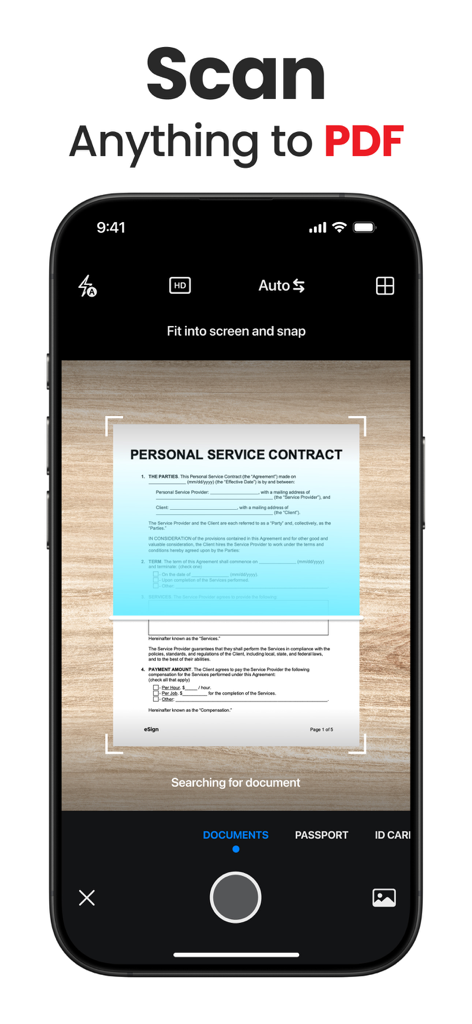
サービス契約をPDFドキュメントとしてスキャンしているスマートフォンのインターフェース
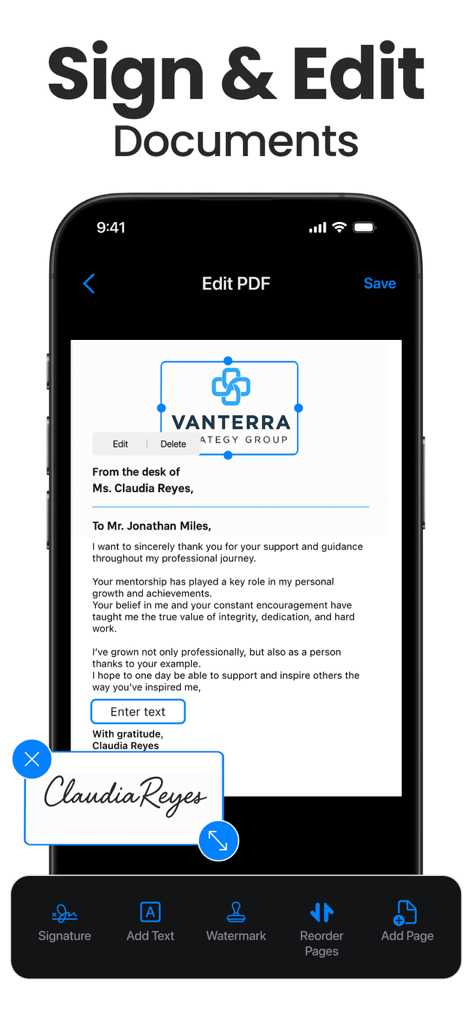
デジタル署名でPDFドキュメントに署名し、プロフェッショナルツールで編集しているモバイルアプリのインターフェース。
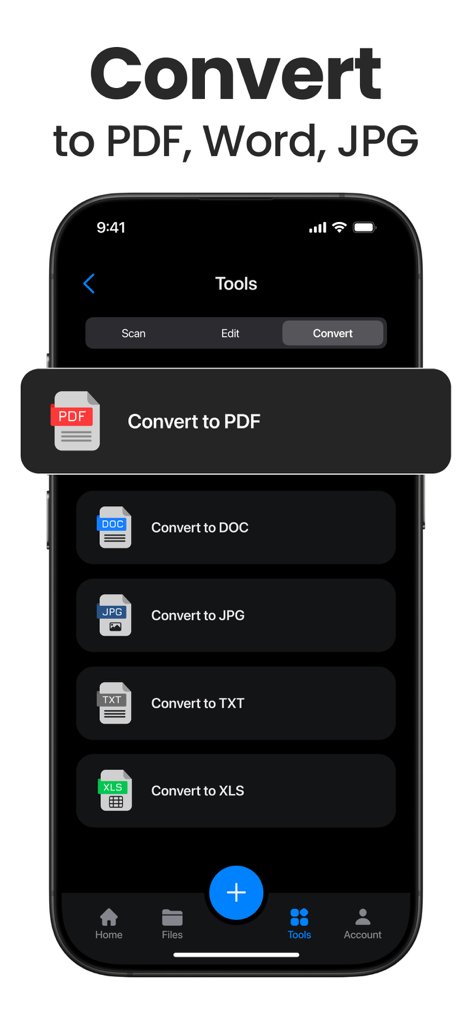
ドキュメントをPDF、Word、JPG、TXT、XLS形式に変換するオプションを表示するモバイルアプリのインターフェース
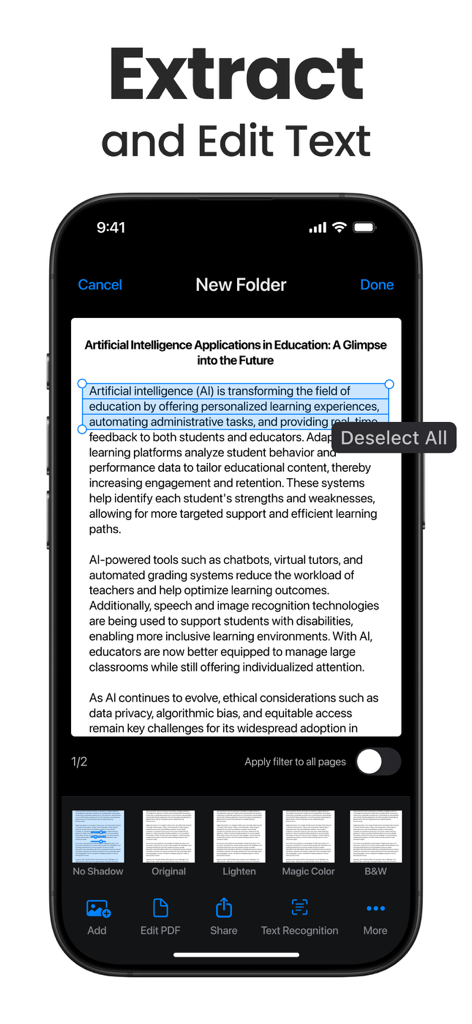
Scanner Appのテキスト認識および抽出機能を示すスマートフォンの画面。
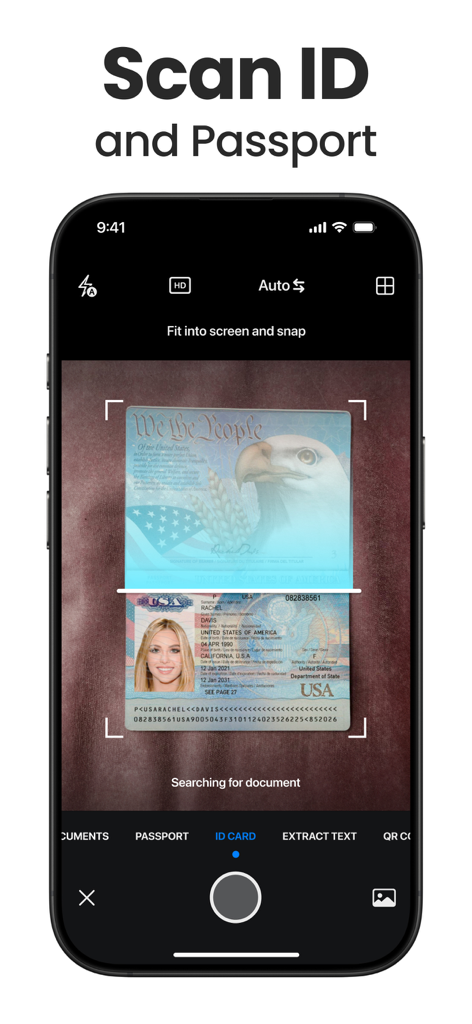
Scanner AppのIDおよびパスポートスキャン機能を示すスマートフォンのインターフェース
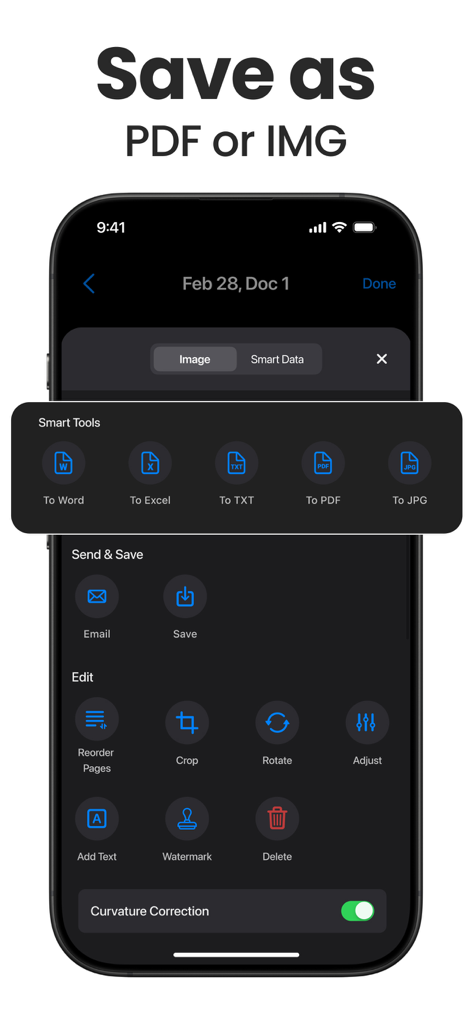
Scanner Appのインターフェースで、iPhone上のドキュメントエクスポート形式と編集ツールを表示。
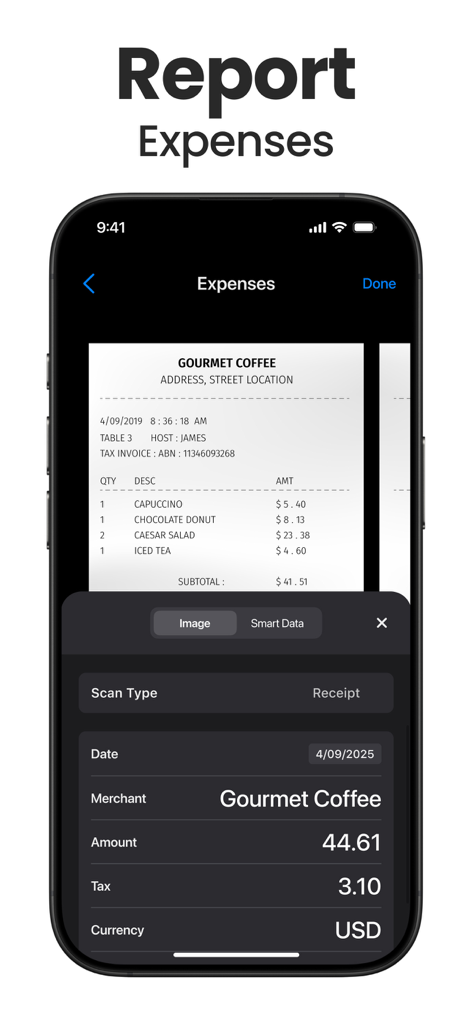
Scanner Appのインターフェースで、コーヒーショップのレシートからデータを抽出し、経費を報告しているスマートフォンを表示
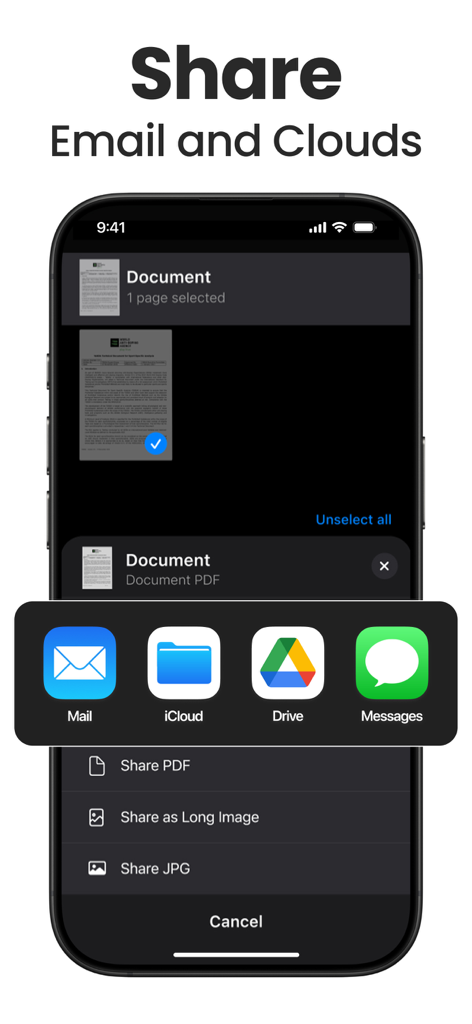
電子メールやクラウドサービス経由でスキャン済みドキュメントを共有するためのインターフェース。
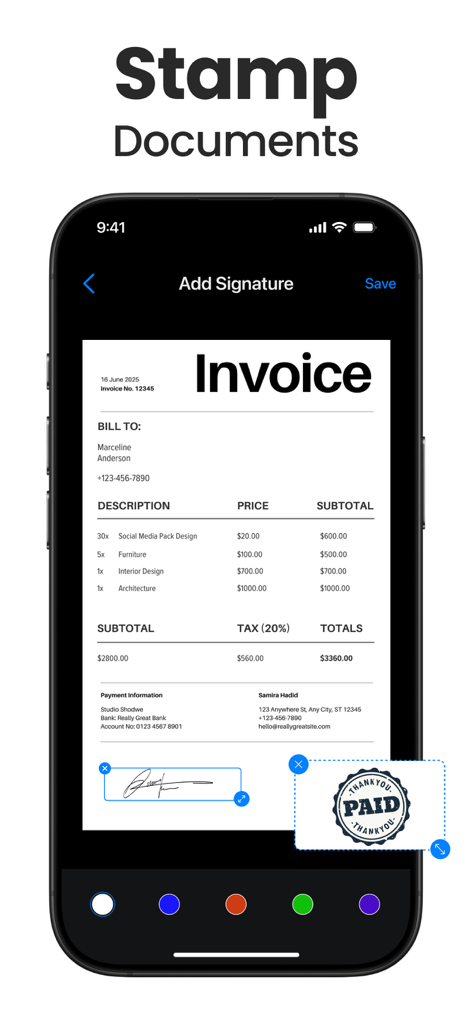
スキャナーアプリのインターフェース内で請求書にデジタル署名と支払い済みスタンプを追加しているスマートフォンの画面。
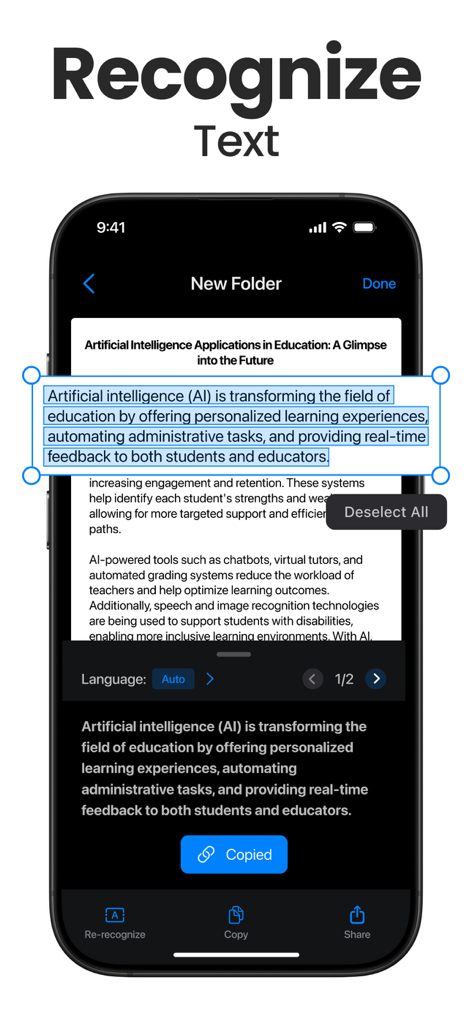
スキャナーアプリのOCR機能がドキュメントからテキストを抽出しているモバイル画面。
説明
Download
類似アプリ
似た機能とユーザー体験を持つアプリ

PDF PRO Scan Image & Documents
Balzo srl

The PDF Scanner, PDF editor HQ
NEXT K.U.M. LTD

CamScanner - PDF Scanner App
INTSIG Information Co., Ltd

Adobe Scan: PDF & OCR Scanner
Adobe Inc.

WPS Office: PDF, Docs, Sheets
KINGSOFT OFFICE SOFTWARE CORPORATION LIMITED

iLovePDF - PDF Editor & Scan
ILOVEPDF S.L.

Scanner App: Genius Scan
The Grizzly Labs

Microsoft Lens: PDF Scanner
Microsoft Corporation

Clear Scan: Doc Scanner App
INDY MOBILE APP COMPANY LIMITED
このページはアプリまたはその開発者の公式ページではなく、情報提供および論評を目的として作成された独立した編集出版物です。明示的に別段の記載がない限り、アプリおよびその開発者は、MWM、Apple、Google Play、アプリのパブリッシャー、またはアプリの開発者と提携、承認、後援、認可、またはその他の公式的な関係はなく、このページのいかなる内容も、アプリがMWMのサービスを使用して開発されたことを意味するものではありません。すべての商標、ロゴ、スクリーンショット、その他のコンテンツはそれぞれの所有者の財産です。