
このページはアプリまたはその開発者の公式ページではなく、情報提供および論評を目的として作成された独立した編集出版物です。明示的に別段の記載がない限り、アプリおよびその開発者は、MWM、Apple、Google Play、アプリのパブリッシャー、またはアプリの開発者と提携、承認、後援、認可、またはその他の公式的な関係はなく、このページのいかなる内容も、アプリがMWMのサービスを使用して開発されたことを意味するものではありません。すべての商標、ロゴ、スクリーンショット、その他のコンテンツはそれぞれの所有者の財産です。


Screen Recorder,Video Recorder
このアプリは、デジタル世界の出来事を完璧に掌握する能力をユーザーに与える。記録し、変形し、支配する。
ダウンロード
10M+ユーザー評価
評価数
287.7K開発元
カテゴリ
Photo & Video対応言語
18最新バージョン
3.2.1.0サイズ
297.2 MBリリース日
2019年12月24日主要機能の徹底分析とターゲットユーザーへの影響度評価
「Screen Recorder,Video Recorder」アプリの機能評価
オンライン会議音声録音とAI文字起こし
このアプリは、オンライン会議の音声を明瞭に捉え、AIによる文字起こしと要約を組み合わせることで、重要な詳細を見逃すことなく、効率的なレビューとフォローアップを可能にします。
高度な動画編集機能
本ツールは、動画にフィルター、トランジション、音楽、ステッカー、字幕を適用したり、カット、トリミング、分割、回転、逆再生、速度調整を行ったりすることで、録画したコンテンツをプロフェッショナルな品質に向上させます。
4K HD高画質録画
ユーザーは、4Kの高品質なスクリーン録画をサポートし、録画するビデオのカスタム設定(解像度とFPS)を柔軟に調整することが可能です。
AIノイズリダクション
このアプリは、高度なAI技術により背景ノイズを除去し、ユーザーの音声をクリアに保つことで、あらゆる環境での高品質な音声録音を実現します。
フェイスカムと音声解説
ユーザーは、スクリーンコンテンツをキャプチャしながらフェイスカムを同時に録画し、リアルタイムのマイク解説を追加することで、魅力的なゲームプレイ、チュートリアル、またはリアクションビデオを作成できます。
AIスマート字幕
本ツールは、AIを活用した音声認識機能により、録画に自動的に字幕を追加し、コンテンツのアクセシビリティと理解度を向上させます。
無制限スクリーン録画
このアプリは、オンラインビデオ、チュートリアル、ライブストリーム、オンライン会議の録画、またはサウンド付きのゲームレコーダーとしての使用に理想的な、無制限のスクリーン録画機能を提供します。
シームレスなソーシャル共有
ユーザーは、複数のアスペクト比と4K HDエクスポートをサポートし、ゲームプレイ、ビデオ、特別な瞬間をソーシャルプラットフォームに簡単に共有することが可能です。
フローティングテレプロンプター
このアプリは、調整可能なフォントサイズと速度で任意のアプリケーション上にトランスクリプトを表示するフローティングテレプロンプターを提供し、プレゼンテーション、会議、Vlogに役立ちます。
AIボイストランスフォーマー
本ツールは、AIボイスチェンジャーによりユーザーの声を変更し、楽しくクリエイティブな効果を加えて、ビデオ録画をより魅力的にする機能を提供します。
よくある質問
について知っておくべきこと Screen Recorder,Video Recorder
What is V Recorder - VideoShow Screen Recorder?
V Recorder - VideoShow Screen Recorder is a free, all-in-one app for high-quality screen, video, and voice recording. It features a game recorder, voice-to-text transcriber, and professional video editor with 4K HD output capabilities.
Does V Recorder support online meeting audio recording?
Yes, V Recorder - VideoShow Screen Recorder supports online meeting audio recording. It captures complete meeting audio, integrating AI noise reduction, voice-to-text transcription, and AI summaries for clear records.
Can Screen Recorder, Video Recorder record in 4K resolution?
Yes, Screen Recorder, Video Recorder supports 4K high-quality screen recording. Users customize resolution, bit rate, and frame rate settings for their recorded videos to ensure optimal quality.
Does V Recorder - VideoShow Screen Recorder include a video editor?
Yes, V Recorder - VideoShow Screen Recorder features a professional video editor. Users can cut, trim, split, rotate, add filters, stickers, text, music, and smooth transitions to enhance their recordings.
Can I record my face and voice with V Recorder during screen capture?
Yes, V Recorder - VideoShow Screen Recorder offers Face Cam and Audio Commentary. This allows users to record their reactions and add real-time microphone commentary while capturing screen content for tutorials or gameplay.
Does Screen Recorder, Video Recorder use AI for noise reduction?
Yes, Screen Recorder, Video Recorder provides advanced AI noise reduction. This feature effectively removes background noise, ensuring recorded voices remain crystal clear in any environment.
Can V Recorder - VideoShow Screen Recorder transcribe voice to text?
Yes, V Recorder - VideoShow Screen Recorder transcribes voice to text. It uses AI-powered speech recognition to automatically add subtitles to recordings and generates AI summaries for quick review.
What voice modification features does V Recorder offer?
V Recorder - VideoShow Screen Recorder features an AI Voice Transformer. This allows users to modify their voice with various fun and creative effects, enhancing their video recordings and commentaries.
Is the V Recorder - VideoShow Screen Recorder app free?
Yes, V Recorder - VideoShow Screen Recorder is a powerful and free screen recorder. It offers high-quality screen, video, and voice recording functionalities without any cost.
How can I share recordings from Screen Recorder, Video Recorder?
Screen Recorder, Video Recorder enables seamless social sharing. Users can export their gameplay, videos, and moments in multiple aspect ratios and 4K HD, then instantly share them to various social platforms.
Does V Recorder - VideoShow Screen Recorder offer a teleprompter function?
Yes, V Recorder - VideoShow Screen Recorder includes a Floating Teleprompter. This feature displays transcripts on any application, with adjustable font size and speed, ideal for presentations or vlogs.
Where can I find the privacy policy for V Recorder - VideoShow Screen Recorder?
The privacy policy for V Recorder - VideoShow Screen Recorder is available at https://d10nkoc3mu17gd.cloudfront.net/privacy/VRecorder_iOS_Privacy_Policy.html. Users should review it for information on data handling.
以下のスクリーンショットと説明は、アプリの公式ストアリスティングから直接取得されたものであり、アプリ開発者の所有物です。
アプリストア
スクリーンショット
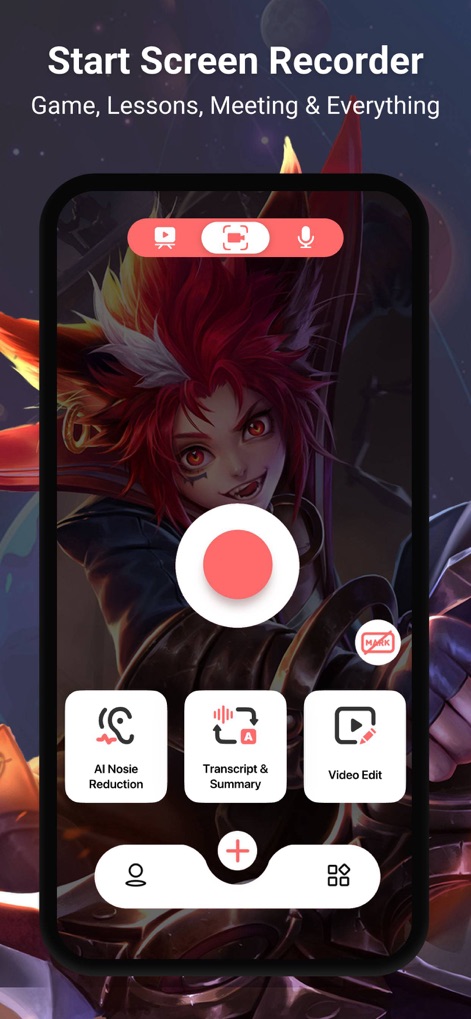
本アプリは、中央の赤いボタンによるワンタップ録画開始と、AIノイズリダクションやビデオ編集など主要機能への素早いアクセスを提供します。
簡単録画開始

ユーザーは、ゲームプレイ映像の上に自身のフェイスカムを重ねて記録し、リアルタイムの反応を共有できます。
反応を記録

このアプリは、4K解像度での録画に対応し、16Mbpsのビットレートと60fpsの高フレームレートで、クリアで滑らかな映像を記録できます。
高品質録画設定
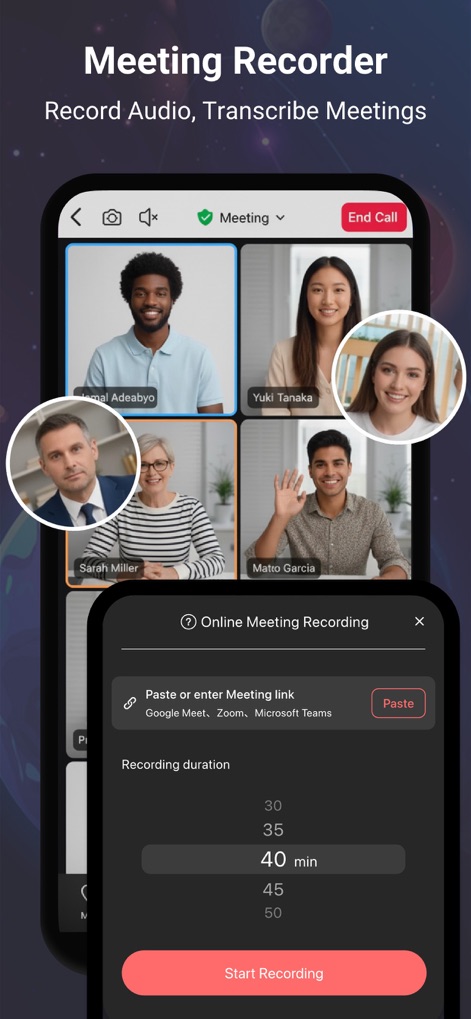
オンライン会議中に、ユーザーは会議リンクを貼り付けて録画を開始し、40分など詳細な録画時間のカスタマイズオプションを設定できます。
会議を記録

録画した映像は、フェイスカメラやフィルター、テキストなどの多彩な編集ツールと、直感的なタイムラインベースの編集インターフェースでプロフェッショナルに加工できます。
高度な動画編集

このアプリは、音声波形表示で録音状況を視覚化し、録音された音声から文字起こしとAI要約を生成する機能を提供します。
音声録音と分析
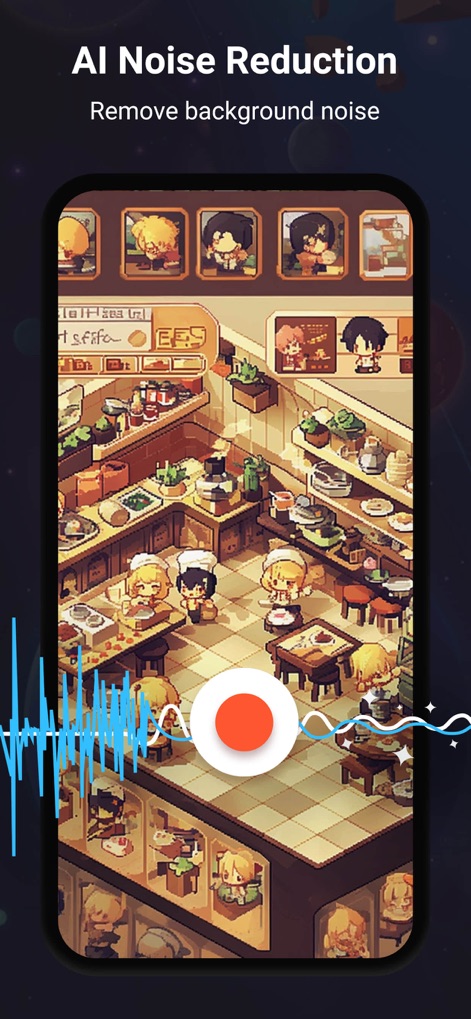
本ツールは、高度なAIノイズリダクション機能を搭載しており、マイクアイコンと波形表示で、クリアな音声を維持しつつ背景ノイズを効果的に除去します。
AIノイズ除去

ユーザーは、AIボイスチェンジャー機能を通じて、音声チャット中に自身の声を様々なキャラクターの音声に変換する多様なオプションを利用できます。
AIボイス変換

このアプリは、AIを活用した自動字幕生成機能を提供し、英語や日本語を含む多言語選択オプションで、録画内容に簡単に字幕を追加できます。
自動字幕追加

ユーザーは、ゲームプレイ映像に対してマイクアイコンとリアルタイム音声オーバーレイを使用し、解説やナレーションを後から追加できます。
録画に音声追加
説明
Download
類似アプリ
似た機能とユーザー体験を持つアプリ

Medal - Game Clipping
Medal B.V.

Screen Recorder
App of the Year LLC

Record it! :: Screen Recorder
DIGISET LLC

Screen Recorder Voice & Video
Arthur Eduardo Skaetta Alvarez Desenvolvimento de Software LTDA.

Screen Recorder ®
Poster App LLP

Super Screen Recorder: Full HD
Dream United, Ltd.

Screen Recorder: Go Record
Torqued Studios LLC

Screen Recorder-Video & Voice
Danila Ianushev

Screen recorder - video
Mark Thomas
このページはアプリまたはその開発者の公式ページではなく、情報提供および論評を目的として作成された独立した編集出版物です。明示的に別段の記載がない限り、アプリおよびその開発者は、MWM、Apple、Google Play、アプリのパブリッシャー、またはアプリの開発者と提携、承認、後援、認可、またはその他の公式的な関係はなく、このページのいかなる内容も、アプリがMWMのサービスを使用して開発されたことを意味するものではありません。すべての商標、ロゴ、スクリーンショット、その他のコンテンツはそれぞれの所有者の財産です。