
このページはアプリまたはその開発者の公式ページではなく、情報提供および論評を目的として作成された独立した編集出版物です。明示的に別段の記載がない限り、アプリおよびその開発者は、MWM、Apple、Google Play、アプリのパブリッシャー、またはアプリの開発者と提携、承認、後援、認可、またはその他の公式的な関係はなく、このページのいかなる内容も、アプリがMWMのサービスを使用して開発されたことを意味するものではありません。すべての商標、ロゴ、スクリーンショット、その他のコンテンツはそれぞれの所有者の財産です。


Simple Screenshot Pro
Appleエコシステムに必須のSafari拡張機能。プロフェッショナルな全ページキャプチャ、スマートな整理機能、完全なプライバシーにより、長文記事、領収書、リサーチをアーカイブ。すべて買い切りです。
ダウンロード
1K+ユーザー評価
評価数
0開発元
カテゴリ
Productivity対応言語
1最新バージョン
3.0サイズ
1.2 MBリリース日
2023年7月18日プロフェッショナルなキャプチャでウェブをマスター
複数のスクリーンショットを繋ぎ合わせるのはもうやめましょう。Simple Screenshot Proは、iPhone、iPad、Mac全体で、長文ウェブコンテンツを高画質で完璧に整理されたファイルに、ワンタップで変換します。
インテリジェントな全ページスクロール
長文記事、領収書、デザインのインスピレーションを数秒で保存。スマートテクノロジーが、手作業なしでページ全体を上から下までキャプチャします。
インスタントなクロスデバイスワークフロー
Appleエコシステム全体に対応した、シームレスなSafari拡張機能。すべてのスクリーンショットは、サイトタイトルとタイムスタンプで自動命名され、完璧に整理されたアーカイブを作成します。
よくある質問
について知っておくべきこと Simple Screenshot Pro
Simple Screenshot Proとは何ですか?
Simple Screenshot Proは、Mac、iPhone、iPadデバイスでワンクリックでウェブページ全体または表示されているコンテンツをキャプチャするSafari拡張機能です。高品質のスクリーンショットを素早く保存します。
Simple Screenshot Proはどのデバイスをサポートしていますか?
Simple Screenshot Proは、Mac、iPhone、iPadを含むすべてのAppleデバイスをサポートしています。これらのプラットフォームではSafari拡張機能としてシームレスに統合されます。
Simple Screenshot Proはウェブページ全体をキャプチャできますか?
はい、Simple Screenshot Proはスマートスクロール技術を使用して、トップからボトムまでのウェブページ全体をキャプチャします。画面外のコンテンツを取得するための「フルページ」モードを提供します。
Simple Screenshot Proはキャプチャしたファイルをどのように命名しますか?
Simple Screenshot Proは、ウェブサイトとタイムスタンプを使用してキャプチャしたファイルに自動的に名前を付けます。例えば、ファイル名は「amazon-com_2024-08-03_14-30-45.png」のように表示されます。
Simple Screenshot Proは買い切り型ですか?
はい、Simple Screenshot Proは買い切り型です。生涯アクセス、新機能の無料アップデートが含まれており、サブスクリプションや隠れた料金はありません。
Simple Screenshot Proは個人データを収集しますか?
いいえ、Simple Screenshot Proは個人データを収集しません。すべてデバイス上でローカルに処理され、スクリーンショットがアップロードまたは保存されることはなく、アカウントやサインインは不要です。
Simple Screenshot Proでスクリーンショットを撮るにはどうすればいいですか?
スクリーンショットを撮るには、Safariの設定でSimple Screenshot Pro拡張機能を有効にし、そのアイコンをクリックして「表示領域」または「フルページ」モードを選択してから、「スクリーンショットを撮る」をクリックします。
Simple Screenshot Proは表示されているコンテンツのみをキャプチャできますか?
はい、Simple Screenshot Proはウェブページ上の表示されているコンテンツのみをキャプチャできます。「表示領域」モードを使用して、現在画面に表示されているものを正確にキャプチャできます。
Simple Screenshot Proはスクリーンショットにウォーターマークを追加しますか?
いいえ、Simple Screenshot Proはスクリーンショットにウォーターマークを追加しません。変更することなく、完璧な品質で鮮明なスクリーンショットを提供します。
Simple Screenshot Proアプリは誰が開発しましたか?
Simple Screenshot Proは、Coffee and Fun LLCによって開発されました。この会社がソフトウェアの作成と専門的なサポートの提供を担当しています。
以下のスクリーンショットと説明は、アプリの公式ストアリスティングから直接取得されたものであり、アプリ開発者の所有物です。
アプリストア
スクリーンショット
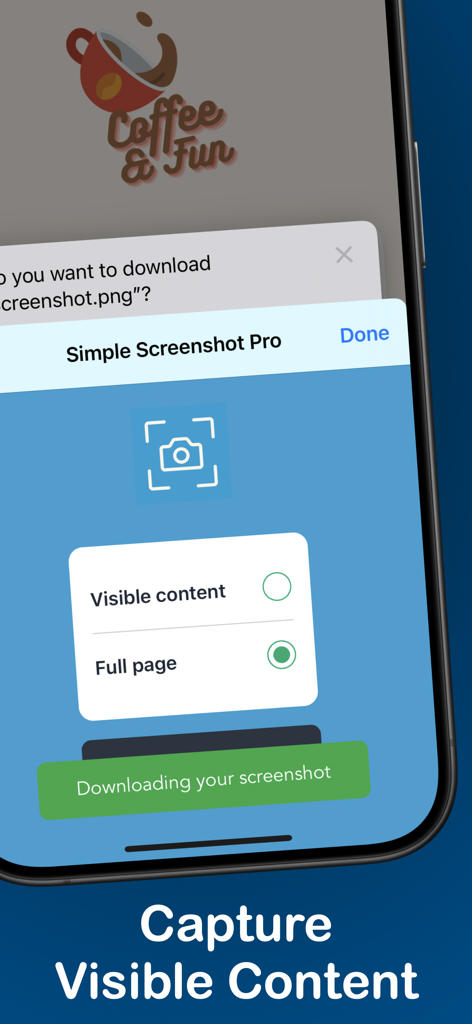
iPhone上のSimple Screenshot Proアプリインターフェイス。表示されているコンテンツと全ページスクリーンショットをキャプチャするオプションを表示
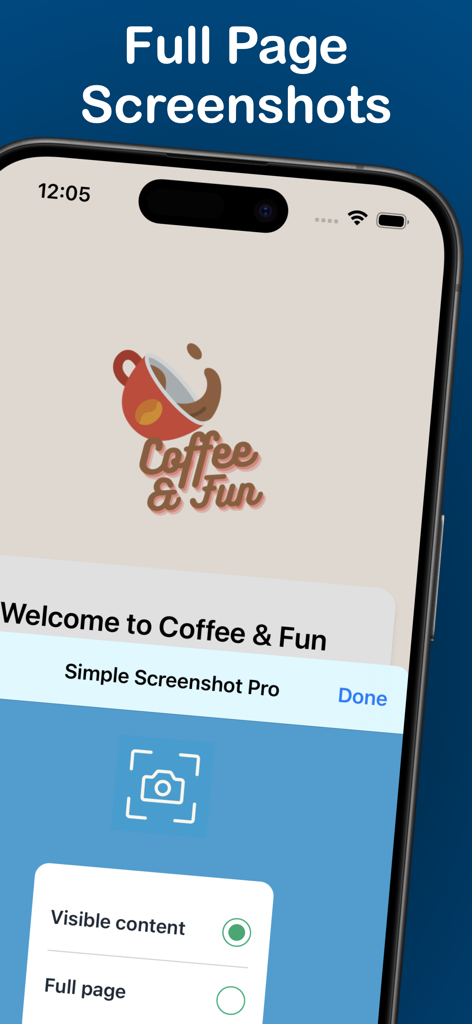
iPhone上のSimple Screenshot Proアプリインターフェイス。表示されているキャプチャと全ページキャプチャのオプションを表示
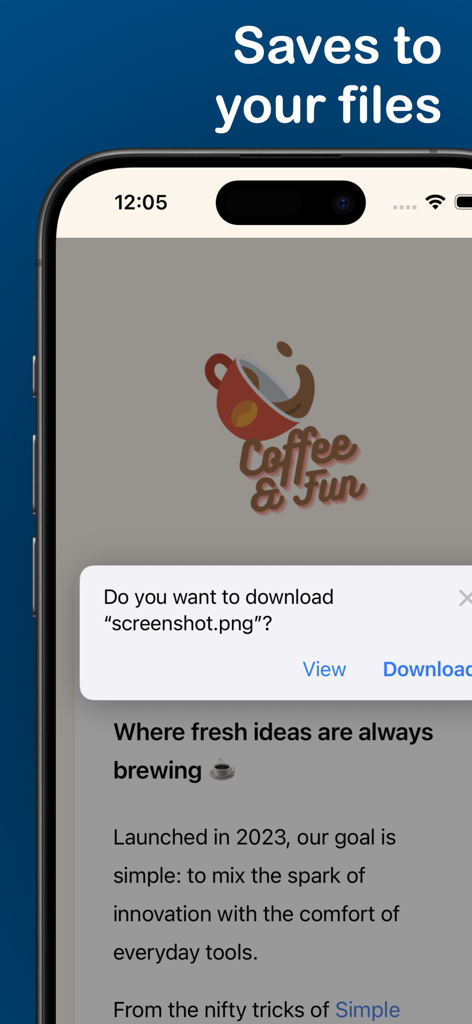
ローカルファイルに保存するためのウェブスクリーンショットのダウンロード確認画面を表示しているiPhone画面
説明
Download
類似アプリ
同じカテゴリのトップランクアプリ

ChatGPT
OpenAI OpCo, LLC

Google Gemini
Google LLC

Grok
X.AI Corporation

Gmail - Email by Google
Google LLC

千问 - 阿里最强大模型官方AI助手
Shanghai Zhixin Puhui Technology Co., Ltd.

Google Drive
Google LLC

Microsoft Authenticator
Microsoft Corporation

Google Sheets
Google LLC

Google Docs
Google LLC
このページはアプリまたはその開発者の公式ページではなく、情報提供および論評を目的として作成された独立した編集出版物です。明示的に別段の記載がない限り、アプリおよびその開発者は、MWM、Apple、Google Play、アプリのパブリッシャー、またはアプリの開発者と提携、承認、後援、認可、またはその他の公式的な関係はなく、このページのいかなる内容も、アプリがMWMのサービスを使用して開発されたことを意味するものではありません。すべての商標、ロゴ、スクリーンショット、その他のコンテンツはそれぞれの所有者の財産です。