Slogger: Pro Slow Motion
ダウンロード: App Store

このページはアプリまたはその開発者の公式ページではなく、情報提供および論評を目的として作成された独立した編集出版物です。明示的に別段の記載がない限り、アプリおよびその開発者は、MWM、Apple、Google Play、アプリのパブリッシャー、またはアプリの開発者と提携、承認、後援、認可、またはその他の公式的な関係はなく、このページのいかなる内容も、アプリがMWMのサービスを使用して開発されたことを意味するものではありません。すべての商標、ロゴ、スクリーンショット、その他のコンテンツはそれぞれの所有者の財産です。

ロゴ: Slogger: Pro Slow Motion
ダウンロード: App Store

Slogger: Pro Slow Motion

クリエイターやアスリート向けのプロフェッショナルなバッファベースカメラ。ストレージを節約し、手動ISOコントロール、シャッター精度、リモートトリガーで全てのフレームを完璧に。

主要数値

ダウンロード

400

ユーザー評価

1.0/5

評価数

0

開発元

Sami Sharafeddine

カテゴリ

Photo & Video

対応言語

16

最新バージョン

1.3.2

サイズ

14.9 MB

リリース日

2025年5月30日
機能

プログレードキャプチャ、無駄なスペースゼロ

ハイスピードバッファ録画と完全手動コントロールのパワーを解き放ち、毎回完璧なスローモーションショットをキャプチャしよう。

スマートプリトリガーバッファ

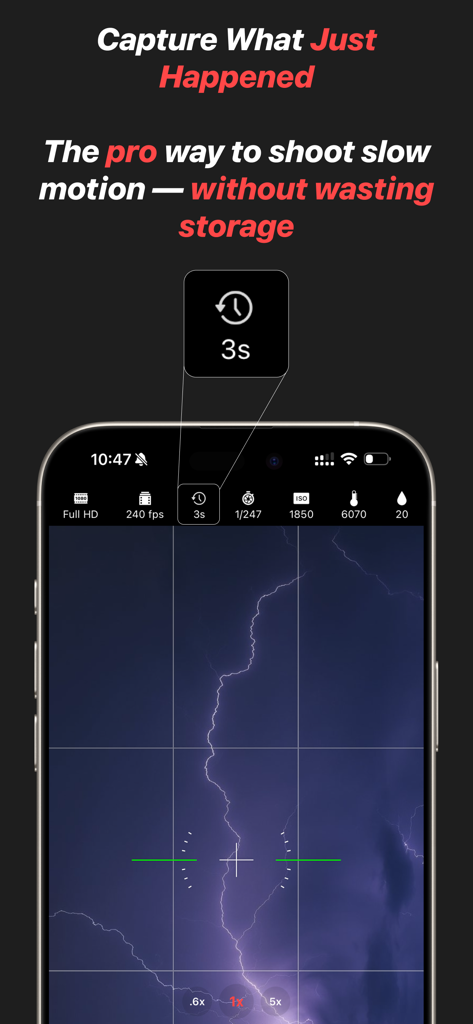
アクションがいつ始まるか推測するのはやめよう。Sloggerは継続的に録画しますが、トリガーを押す直前の瞬間だけを保存し、無駄な映像を排除します。

完全手動カメラスイート

ISO、シャッタースピード、ホワイトバランスの細かいコントロールでショットを完全に制御し、あらゆる照明条件で映画のような鮮明さを実現しよう。

以下のスクリーンショットと説明は、アプリの公式ストアリスティングから直接取得されたものであり、アプリ開発者の所有物です。

アプリストア

スクリーンショット
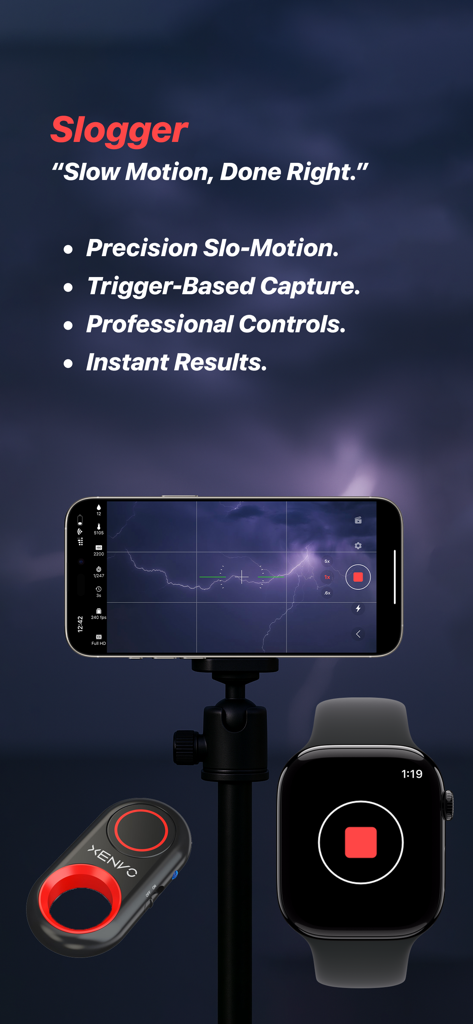
Slogger: Pro Slow Motion - iPhoneを三脚に置いた状態で、Apple Watchリモートトリガーで稲妻をキャプチャしているSloggerアプリの画面
iPhoneを三脚に置いた状態で、Apple Watchリモートトリガーで稲妻をキャプチャしているSloggerアプリの画面

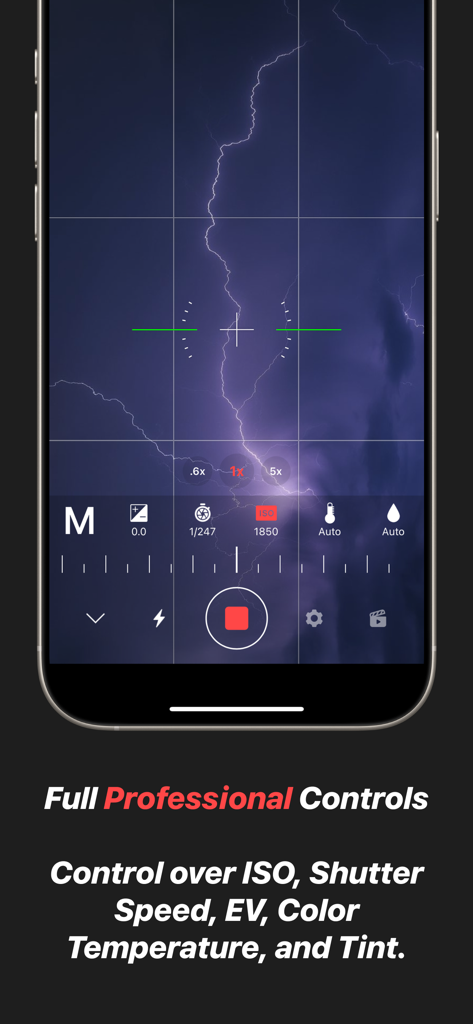
Slogger: Pro Slow Motion - ISO、シャッタースピード、ホワイトバランスのプロフェッショナルな手動カメラコントロールを表示するSloggerアプリのインターフェイス
ISO、シャッタースピード、ホワイトバランスのプロフェッショナルな手動カメラコントロールを表示するSloggerアプリのインターフェイス

Slogger: Pro Slow Motion - プロフェッショナルなスローモーション手動設定で稲妻をキャプチャしているSloggerアプリのインターフェイス
プロフェッショナルなスローモーション手動設定で稲妻をキャプチャしているSloggerアプリのインターフェイス

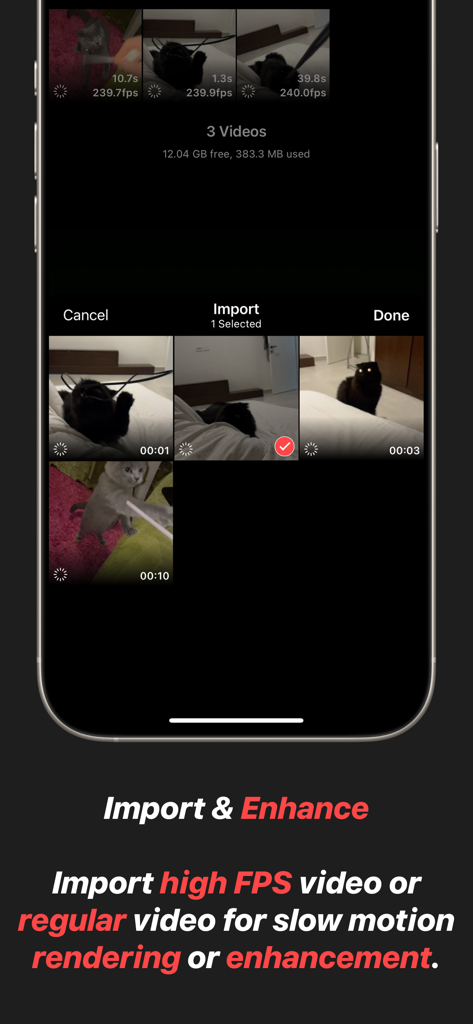
Slogger: Pro Slow Motion - Sloggerアプリのインターフェイスに、高FPSビデオのインポートとエンハンスメント機能が表示されています
Sloggerアプリのインターフェイスに、高FPSビデオのインポートとエンハンスメント機能が表示されています

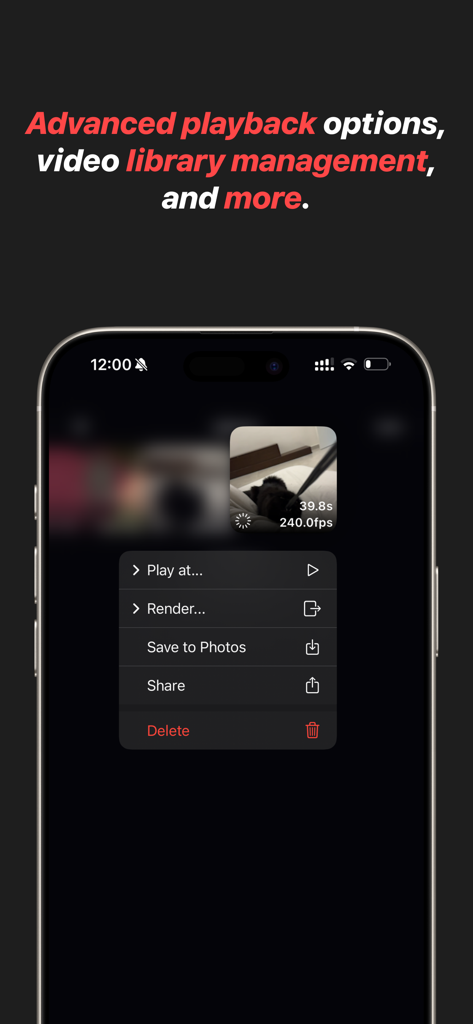
Slogger: Pro Slow Motion - Sloggerアプリのインターフェイスに、スローモーションビデオのための高度な再生とビデオライブラリ管理オプションが表示されています
Sloggerアプリのインターフェイスに、スローモーションビデオのための高度な再生とビデオライブラリ管理オプションが表示されています

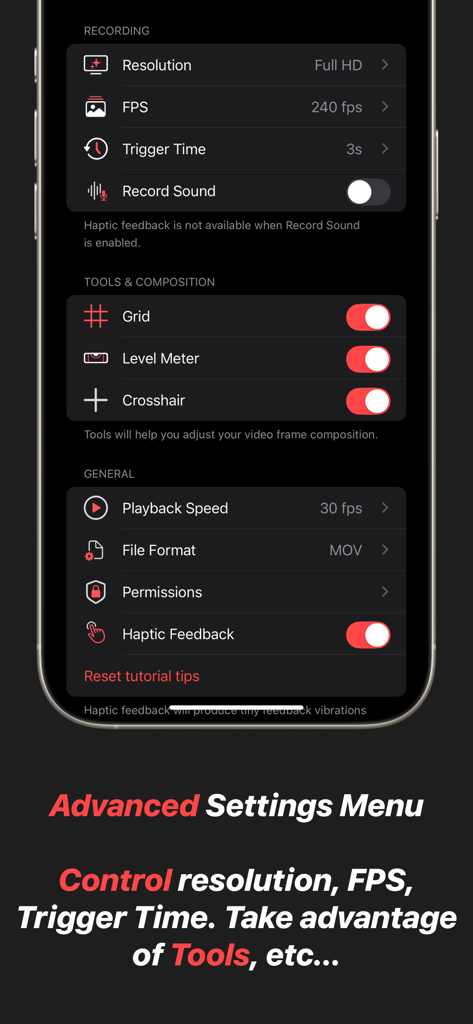
Slogger: Pro Slow Motion - Sloggerの高度な設定メニューのスクリーンショット。解像度、FPS、トリガー時間、グリッドやレベルメーターなどのコンポジションツール用のコントロールが表示されています。

Sloggerの高度な設定メニューのスクリーンショット。解像度、FPS、トリガー時間、グリッドやレベルメーターなどのコンポジションツール用のコントロールが表示されています。

説明

Slogger is a professional-grade slow-motion video camera designed for precision, efficiency, and complete creative control. Unlike traditional video recording, which continuously fills up storage with unnecessary footage, Slogger utilizes a buffer system — recording indefinitely but only saving the moments that matter. This is the same technique used in professional high-speed camera systems, ensuring an optimized workflow with minimal storage waste. - Capture the Moment — Before It Happens Standard video recording forces you to predict the perfect moment before pressing record, often resulting in long, unnecessary clips and excessive storage use. Slogger eliminates this problem with a trigger-based capture system. The app continuously records to a buffer, and when an event occurs, a simple tap saves only the crucial seconds before the trigger. No wasted storage, no missed opportunities — just perfect slow-motion clips, every time. - Total Manual Control for Cinematic Precision Slogger puts full control in your hands. Adjust every critical setting to match your environment and creative vision: * ISO & Shutter Speed – Achieve the perfect exposure, even in challenging lighting conditions. * White Balance & Tint – Fine-tune color accuracy for professional-quality footage. * Frame Composition Tools – Use advanced framing guides to ensure every shot is perfectly aligned. * Optimized Performance – Record at the highest quality with minimal impact on device storage and performance. - Precision Focus with Continuous Autofocus Capturing high-speed motion requires perfect focus, and Slogger delivers with continuous autofocus on a selected point. Simply tap on your subject, and the app will intelligently track and maintain sharp focus. This ensures every frame remains crisp and clear, ensuring reliability of captured footage. - Trigger Events Remotely with Bluetooth or Apple Watch For hands-free operation, Slogger supports remote triggering via Bluetooth shutter remotes and the Slogger Remote Apple Watch app. Whether you're setting up an action shot, capturing precise scientific motion, or simply need a more convenient way to trigger recording, these remote options ensure you never miss a critical moment. With a single press, instantly save the most important seconds before an event — without touching your device. - Instant Access from Control Center or Lock Screen Timing is everything in slow-motion capture, and Slogger ensures you're always ready. With a dedicated Control Center and lock screen access, you can instantly launch the app and start recording without delay. Whether you’re capturing a fast-moving action shot, an unpredictable moment, or a precise scientific event, having the app just a swipe away means you’ll never miss the shot. - Import and Enhance Existing Videos Already have slow-motion or regular videos in your Photos app? Slogger allows you to import and refine existing footage with the same powerful tools available for captured videos. Apply rendering, and utilize professional-grade slow-motion controls to enhance your videos like never before. - Efficient, High-Performance Slow Motion Slogger is engineered to provide the most efficient and professional slow-motion experience possible. By combining a real-time buffer with a precision-triggered capture system, it offers a storage-conscious solution that ensures you capture the right moment — without recording hours of unnecessary footage. This is how true slow-motion professionals work, and now, it’s available on your device. - Designed for Creators, Hobbyists, and Filmmakers Whether you're a filmmaker looking for cinematic slow-motion, an athlete analyzing fast movements, or a scientist capturing high-speed events, Slogger provides the tools you need for professional-grade results. With its intuitive interface, high-performance recording engine, and uncompromising quality, this app redefines how slow-motion should be captured.

Download

ダウンロード: App Store

このページはアプリまたはその開発者の公式ページではなく、情報提供および論評を目的として作成された独立した編集出版物です。明示的に別段の記載がない限り、アプリおよびその開発者は、MWM、Apple、Google Play、アプリのパブリッシャー、またはアプリの開発者と提携、承認、後援、認可、またはその他の公式的な関係はなく、このページのいかなる内容も、アプリがMWMのサービスを使用して開発されたことを意味するものではありません。すべての商標、ロゴ、スクリーンショット、その他のコンテンツはそれぞれの所有者の財産です。








