
このページはアプリまたはその開発者の公式ページではなく、情報提供および論評を目的として作成された独立した編集出版物です。明示的に別段の記載がない限り、アプリおよびその開発者は、MWM、Apple、Google Play、アプリのパブリッシャー、またはアプリの開発者と提携、承認、後援、認可、またはその他の公式的な関係はなく、このページのいかなる内容も、アプリがMWMのサービスを使用して開発されたことを意味するものではありません。すべての商標、ロゴ、スクリーンショット、その他のコンテンツはそれぞれの所有者の財産です。

Smart Printer App for HP ·
iPhone/iPadを、あらゆるプリンターを操る司令塔に変える。紙への出力を指先一つで支配する力を、このアプリは与えている。
ダウンロード
50k+ユーザー評価
評価数
108開発元
カテゴリ
Business対応言語
34最新バージョン
1.3.1サイズ
51.7 MBリリース日
2024年4月30日iPhoneおよびiPadユーザー向けの包括的な印刷ソリューション
Smart Printer App for HP · 機能分析
多様なファイル形式の印刷対応
ユーザーは、カメラロールの画像、iCloudのファイル、ウェブページ、メール、連絡先、PDF、テキストファイルなど、多種多様なデジタルコンテンツを直接アプリから印刷できるため、個人の用途からビジネス文書まで、あらゆる印刷ニーズに対応できます。
広範なプリンター互換性
ユーザーは、8000を超える幅広いプリンターモデルに対応しているため、既存のAirPrint対応プリンターをそのまま利用できます。これにより、新しい機器への投資なしに、手軽に印刷環境を構築することが可能になります。
内蔵ドキュメントスキャナー機能
アプリにはドキュメントスキャナーが内蔵されており、ユーザーは物理的な書類を簡単にデジタル化し、スキャンしたファイルを直接アプリ内で印刷または共有できます。これにより、外出先での書類管理が効率化されます。
iCloudとのシームレスな統合
本アプリはiCloudとシームレスに統合されているため、ユーザーはiCloudに保存されているファイルに直接アクセスし、簡単に印刷することが可能。これにより、デバイス間でのファイルの移動の手間が省け、作業の効率が向上します。
高品質なマルチページPDF変換
アプリは高品質なマルチページPDFへの変換機能を備えており、ユーザーは複数の画像をまとめてPDFにしたり、既存のドキュメントをよりプロフェッショナルな形式で管理・共有したりできます。
直感的な編集ツール
ユーザーは、印刷前にドキュメントや画像を直感的な編集ツールで調整することが可能。これにより、印刷物の見た目を最適化し、望む結果を得ることができます。
よくある質問
について知っておくべきこと Smart Printer App for HP ·
What is the Smart Printer App?
Smart Printer App is a solution for effortless document, photo, webpage, and text printing. It offers a seamless experience for users with iPhones and iPads.
Which devices are compatible with Smart Printer App?
The Smart Printer App is compatible with iPhones and iPads. It supports a vast array of printers by leveraging AirPrint technology for seamless integration.
How many printer models does Smart Printer App support?
The Smart Printer App supports over 8000 AirPrint printer models, ensuring comprehensive compatibility for a wide range of printing needs.
Does the Smart Printer App include a document scanner?
Yes, the Smart Printer App includes a built-in document scanner. Users can effortlessly scan documents, then share or print them with ease.
What types of content can I print using the Smart Printer App?
The Smart Printer App allows printing of photos, iCloud files, web pages, emails, attachments, clipboard contents, contacts, PDFs, text files, and even drawings.
Is the Smart Printer App free to use?
No, all features, tools, and functionalities within the Smart Printer App are paid digital goods. Access requires a purchase or subscription.
Can I share files using the Smart Printer App?
Yes, the Smart Printer App allows users to share files via email, SMS, Cloud, and social media. It also supports the conversion of high-quality, multi-page PDFs.
What printer brands are supported by Smart Printer App?
Smart Printer App supports a wide range of printer brands, including Canon, Dell, Epson, HP, and Samsung. It utilizes AirPrint technology for compatibility.
Where can I find the privacy policy for Smart Printer App?
The privacy policy for the Smart Printer App is located at https://loopmobile.io/privacy.html. This link provides detailed information on data handling practices.
以下のスクリーンショットと説明は、アプリの公式ストアリスティングから直接取得されたものであり、アプリ開発者の所有物です。
アプリストア
スクリーンショット
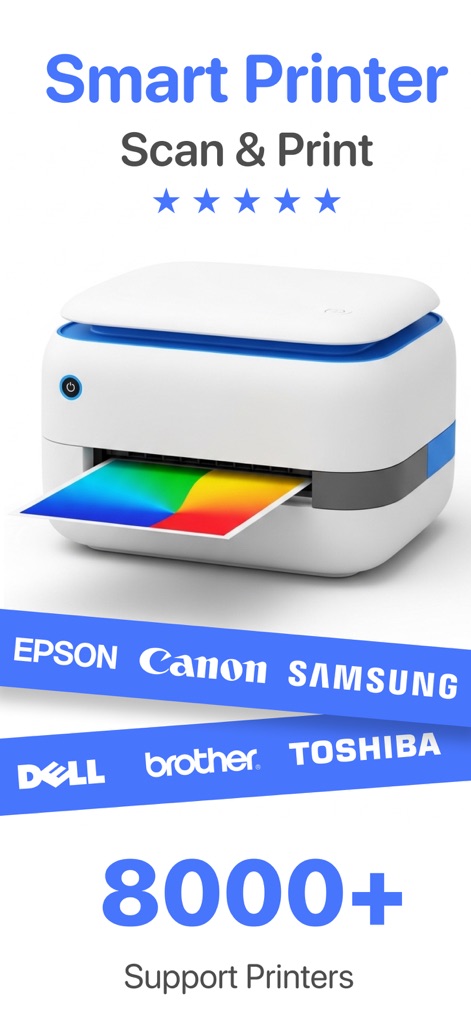
このアプリは8000以上のプリンターモデルに対応し、鮮やかな出力で高品質な印刷体験を提供します。
広範なプリンター対応
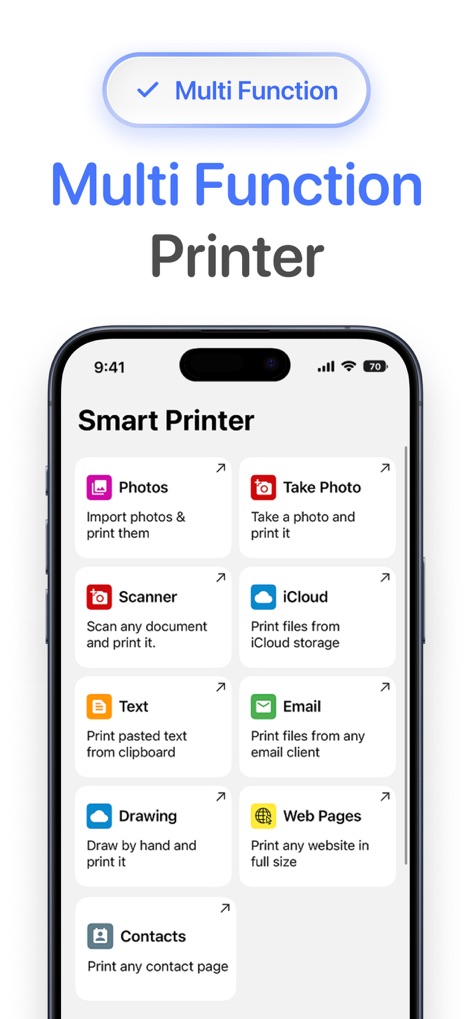
写真、iCloudファイル、ウェブページなど、多様なコンテンツを直接アプリから簡単に印刷できる多機能メニューを備えています。
多機能な印刷オプション
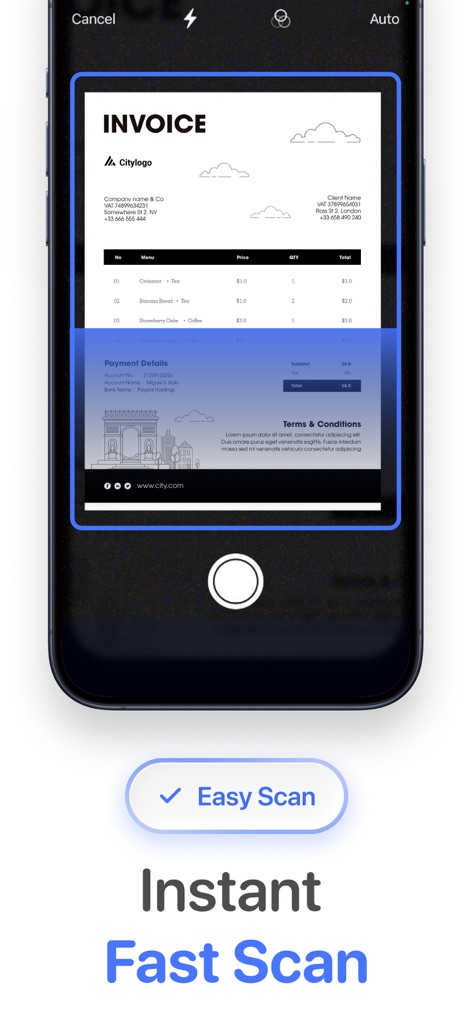
書類を瞬時にスキャンし、インボイスのような重要な文書も迅速に取り込むことができる高速スキャン機能が特徴です。
簡単スキャンで高速化
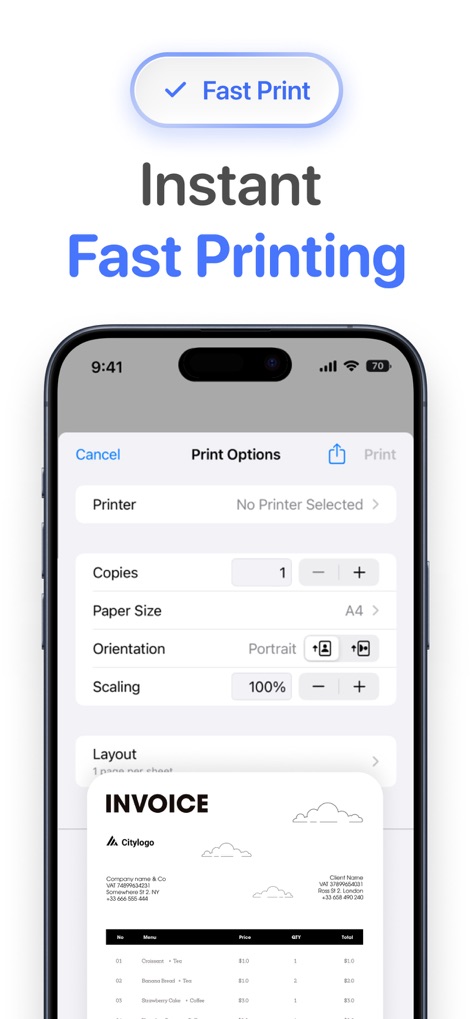
印刷部数や用紙サイズを詳細に設定でき、ユーザーは効率的なワークフローで文書を素早く出力できます。
瞬時の高速印刷
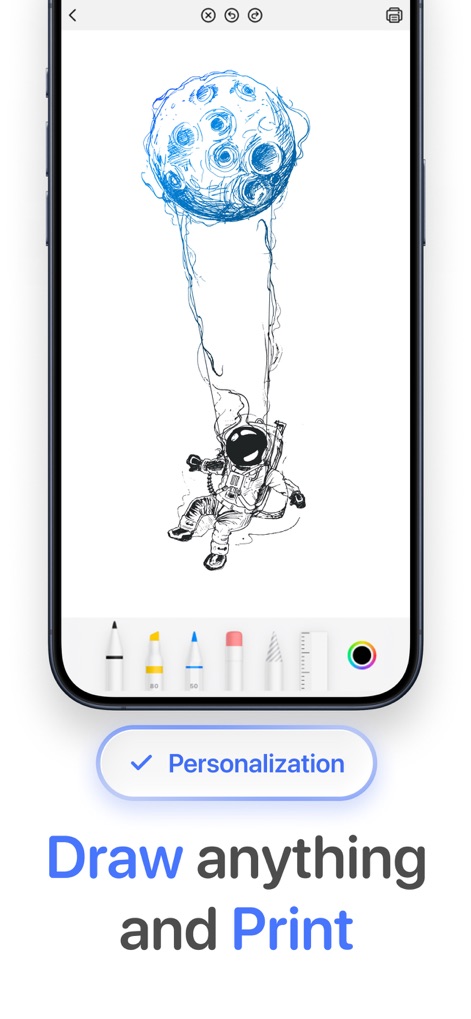
ユーザーはアプリ内で自由に絵を描き、宇宙飛行士のイラストのように個性を表現した作品を様々なペンツールで作成し印刷できます。
描いて、そのまま印刷
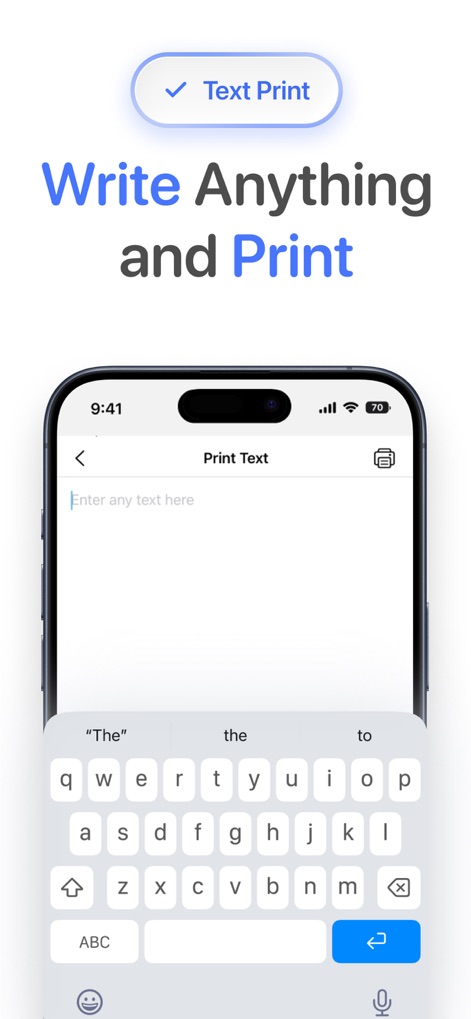
テキスト入力フィールドに文章を入力するだけで、必要な情報を素早く印刷できる、直感的で簡単なテキスト印刷機能を提供します。
テキストを即座に印刷
説明
Download
類似アプリ
似た機能とユーザー体験を持つアプリ

Docuslice - Poster Printing
Jeremiah Lachica

Printer Pro: Smart Printer App
Ivan Spyrydonov

HP
HP Inc.

Canon PRINT
Canon Inc.

Epson Smart Panel
Seiko Epson Corporation

Brother Mobile Connect
Brother Industries, LTD.

Epson iPrint
Seiko Epson Corporation

Printer App: Smart Print
Netpeak EOOD

Smart Printer App: iPrint
AppFusion OU
このページはアプリまたはその開発者の公式ページではなく、情報提供および論評を目的として作成された独立した編集出版物です。明示的に別段の記載がない限り、アプリおよびその開発者は、MWM、Apple、Google Play、アプリのパブリッシャー、またはアプリの開発者と提携、承認、後援、認可、またはその他の公式的な関係はなく、このページのいかなる内容も、アプリがMWMのサービスを使用して開発されたことを意味するものではありません。すべての商標、ロゴ、スクリーンショット、その他のコンテンツはそれぞれの所有者の財産です。