
このページはアプリまたはその開発者の公式ページではなく、情報提供および論評を目的として作成された独立した編集出版物です。明示的に別段の記載がない限り、アプリおよびその開発者は、MWM、Apple、Google Play、アプリのパブリッシャー、またはアプリの開発者と提携、承認、後援、認可、またはその他の公式的な関係はなく、このページのいかなる内容も、アプリがMWMのサービスを使用して開発されたことを意味するものではありません。すべての商標、ロゴ、スクリーンショット、その他のコンテンツはそれぞれの所有者の財産です。

Smart Printer App: Printer
8,000以上のプリンターモデルにシームレスに接続。ドキュメントや写真を数秒で簡単に印刷、スキャン、署名でき、スマートフォンを強力なポータブル生産性ハブに変えます。
ダウンロード
190K+ユーザー評価
評価数
100開発元
カテゴリ
Business対応言語
10最新バージョン
2.3サイズ
83.0 MBリリース日
2020年7月6日プロフェッショナル モバイル コマンドセンター
古いドライバーや複雑なセットアップでの格闘はもうやめましょう。当社のオールインワンユーティリティは、iPhoneと世界中の8,000以上のワイヤレスプリンターモデルとの間のギャップを埋めます。
ユニバーサル ワイヤレス印刷
HP、Epson、Canon、Brotherなどと即座に接続。ラップトップに触れることなく、ドキュメント、写真、メールを数秒で印刷できます。
スキャン、署名、変換
お使いの携帯電話をハイエンドコピー機に変えます。複数ページをバッチスキャンし、デジタル署名を追加し、ワンタップでファイルをPDFに変換します。
よくある質問
について知っておくべきこと Smart Printer App: Printer
スマートプリンターアプリ:プリンターとは何ですか?
スマートプリンターアプリ:プリンターは、スマートフォンからのドキュメントや写真の印刷を簡素化するモバイルアプリケーションです。8,000を超えるワイヤレスプリンターモデルをサポートし、スキャン、編集、ファイル変換、共有機能が含まれています。
スマートプリンターアプリで写真やドキュメントを印刷できますか?
はい、スマートプリンターアプリ:プリンターを使用すると、ユーザーはスマートフォンを使用してどこからでもプリンターに簡単に接続し、いつでもドキュメントや写真を印刷できます。
スマートプリンターアプリはいくつのプリンターモデルをサポートしていますか?
スマートプリンターアプリ:プリンターは8,000を超えるワイヤレスプリンターモデルをサポートしており、さまざまな印刷ニーズに対応する幅広い互換性を提供します。
スマートプリンターアプリにはスキャン機能がありますか?
はい、スマートプリンターアプリ:プリンターにはスキャン機能が含まれています。ユーザーは、印刷のために複数のファイルや写真をすばやくスキャンしたり、バッチドキュメントスキャンを実行したりできます。
スマートプリンターアプリでスキャンしたドキュメントを編集できますか?
はい、スマートプリンターアプリ:プリンターでドキュメントを一括スキャンした後、ユーザーは署名やその他の変更を追加して簡単に編集できます。
スマートプリンターアプリは写真からテキストへの変換にOCRをサポートしていますか?
はい、スマートプリンターアプリ:プリンターはスマートOCRテクノロジーを利用して、写真から直接テキストを抽出します。また、写真の多言語翻訳もサポートしています。
スマートプリンターアプリを使用してファイルをPDFに変換できますか?
はい、スマートプリンターアプリ:プリンターを使用すると、写真、Wordドキュメント、PowerPointプレゼンテーションをシームレスにPDFファイルに変換できます。JPGからPDFへの変換、およびその逆も可能です。
スマートプリンターアプリのサブスクリプションはどのように機能しますか?
スマートプリンターアプリのサブスクリプションの支払いは、購入時にiTunesアカウントに請求されます。現在の期間が終了する少なくとも24時間前に自動更新をオフにしない限り、サブスクリプションは自動的に更新されます。
スマートプリンターアプリのサブスクリプションはどのように管理できますか?
ユーザーは、購入後にアカウント設定に移動することで、スマートプリンターアプリ:プリンターのサブスクリプションを管理し、自動更新をオフにすることができます。
スマートプリンターアプリはファイル共有を許可していますか?
はい、スマートプリンターアプリ:プリンターを使用すると、ワンクリックで処理済みファイルを友人や家族と簡単に共有できます。
スマートプリンターアプリのプライバシーポリシーはどこにありますか?
スマートプリンターアプリ:プリンターのプライバシーポリシーは、https://textscanner.dpintelligence.com/privacy で入手できます。
スマートプリンターアプリは写真からテキストを翻訳できますか?
はい、スマートプリンターアプリ:プリンターの高度なOCRテクノロジーにより、写真からテキストを抽出し、多言語に翻訳できます。
スマートプリンターアプリは無料トライアル期間を提供していますか?
提供されている場合、ユーザーがその出版物へのサブスクリプションを購入すると、スマートプリンターアプリ:プリンターの無料トライアル期間の未使用部分は失効します。
以下のスクリーンショットと説明は、アプリの公式ストアリスティングから直接取得されたものであり、アプリ開発者の所有物です。
アプリストア
スクリーンショット
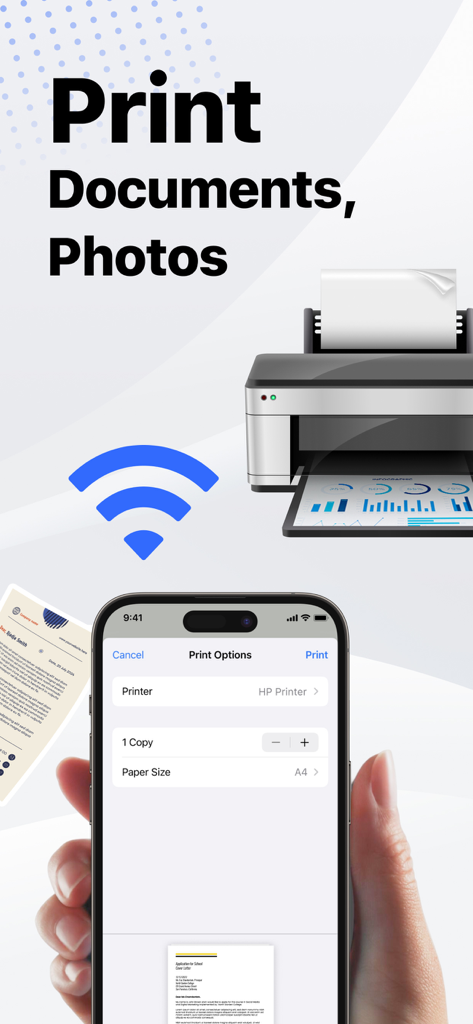
Smart Printer Appのインターフェース。iPhoneでドキュメントと写真のワイヤレス印刷オプションを表示。
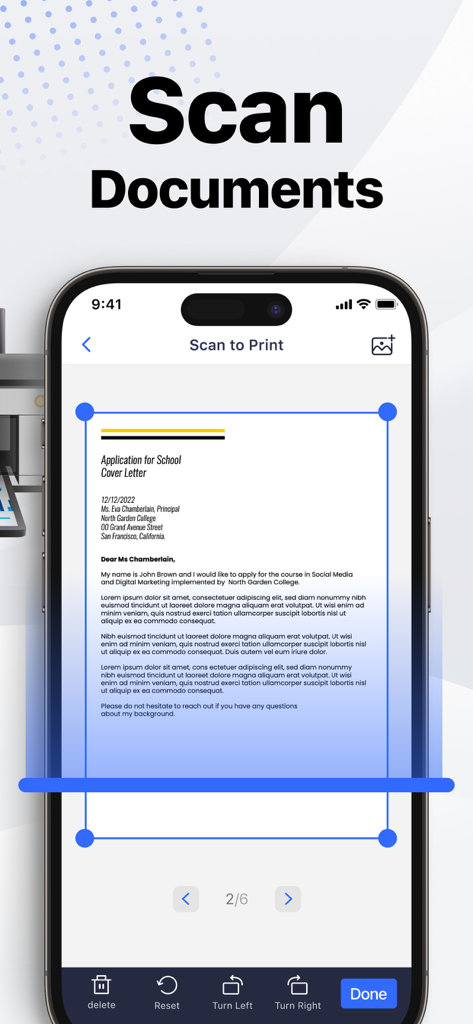
iPhone画面。Smart Printer Appのスキャンして印刷機能を表示。ドキュメントがスキャン用にトリミングされている。
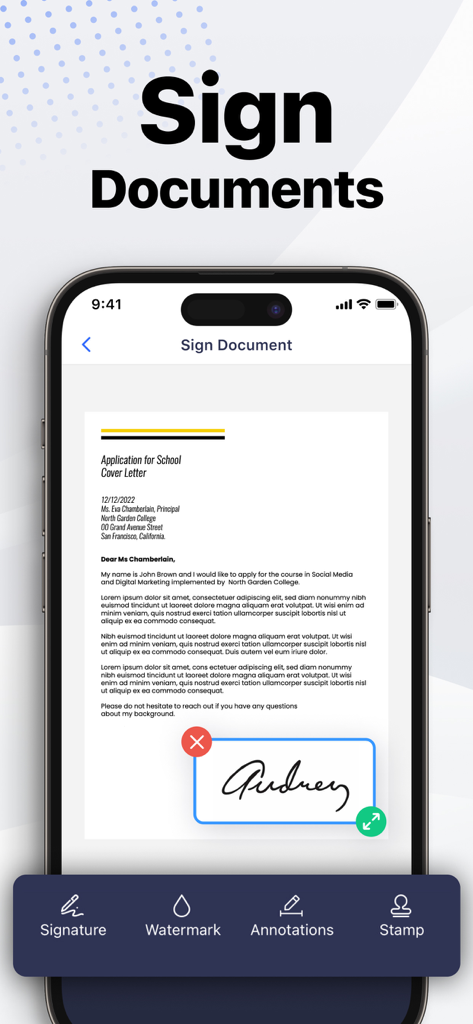
Smart Printer Appのモバイルインターフェース。iPhoneでカバーレター文書にデジタル署名を追加するユーザーを表示。
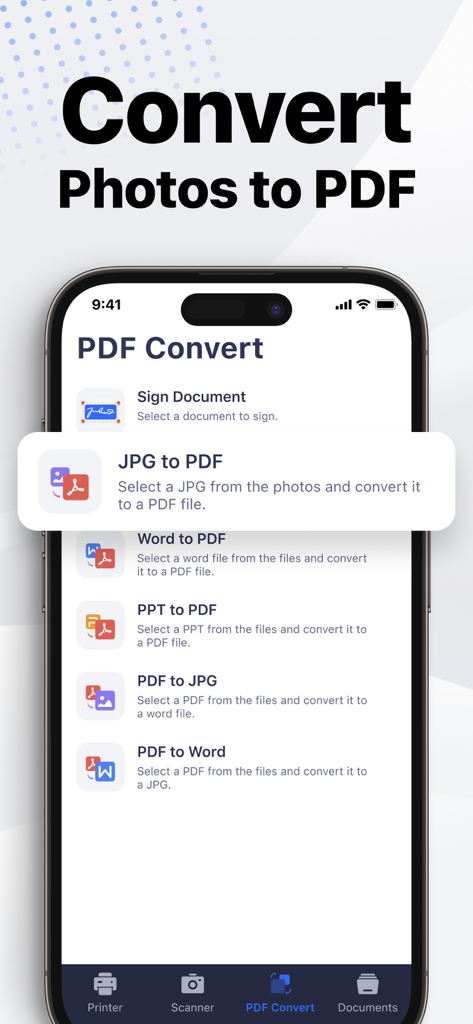
Smart Printer Appのスマートフォンインターフェース。写真やドキュメントをPDFに変換するオプションを表示。
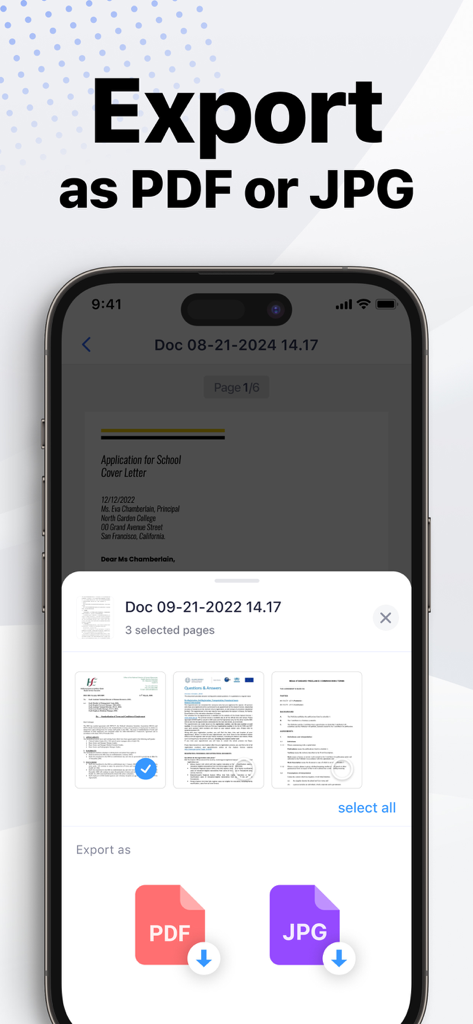
Smart Printer Appのインターフェース。スキャンしたドキュメントをPDFまたはJPGファイルとしてエクスポートするオプションを表示。
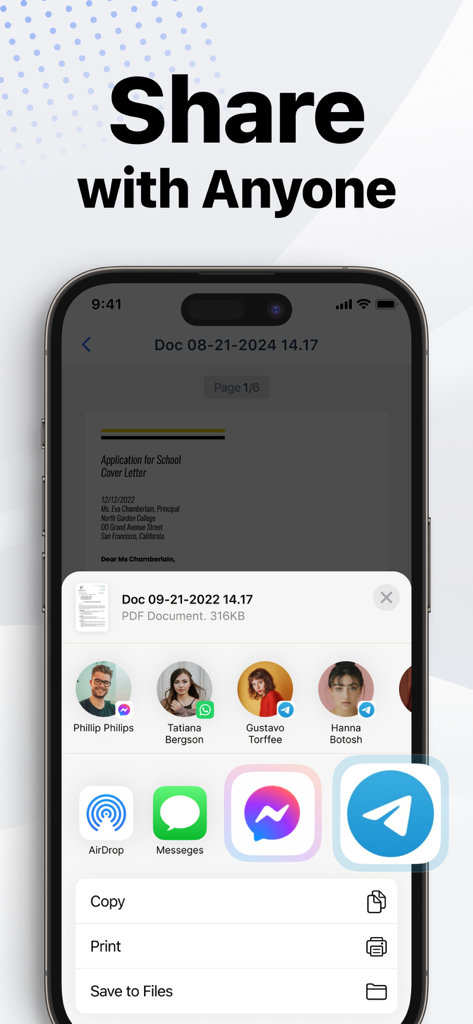
iPhone画面。Smart Printer App内で、メッセージングアプリやソーシャルメディア経由でドキュメントを送信するための共有シートを表示。
説明
Download
類似アプリ
似た機能とユーザー体験を持つアプリ

Docuslice - Poster Printing
Jeremiah Lachica

Printer Pro: Smart Printer App
Ivan Spyrydonov

HP
HP Inc.

Canon PRINT
Canon Inc.

Epson Smart Panel
Seiko Epson Corporation

Brother Mobile Connect
Brother Industries, LTD.

Epson iPrint
Seiko Epson Corporation

Printer App: Smart Print
Netpeak EOOD

Smart Printer App: iPrint
AppFusion OU
このページはアプリまたはその開発者の公式ページではなく、情報提供および論評を目的として作成された独立した編集出版物です。明示的に別段の記載がない限り、アプリおよびその開発者は、MWM、Apple、Google Play、アプリのパブリッシャー、またはアプリの開発者と提携、承認、後援、認可、またはその他の公式的な関係はなく、このページのいかなる内容も、アプリがMWMのサービスを使用して開発されたことを意味するものではありません。すべての商標、ロゴ、スクリーンショット、その他のコンテンツはそれぞれの所有者の財産です。