Smart Scanner: Convert PDF Doc
ダウンロード: App Store

このページはアプリまたはその開発者の公式ページではなく、情報提供および論評を目的として作成された独立した編集出版物です。明示的に別段の記載がない限り、アプリおよびその開発者は、MWM、Apple、Google Play、アプリのパブリッシャー、またはアプリの開発者と提携、承認、後援、認可、またはその他の公式的な関係はなく、このページのいかなる内容も、アプリがMWMのサービスを使用して開発されたことを意味するものではありません。すべての商標、ロゴ、スクリーンショット、その他のコンテンツはそれぞれの所有者の財産です。

ロゴ: Smart Scanner: Convert PDF Doc
ダウンロード: App Store

Smart Scanner: Convert PDF Doc

iPhoneをパワフルで高速なドキュメントスキャナーに変えよう。IDをスキャンし、高度なOCRでテキストを抽出し、プロ品質のPDFを作成して移動中のワークフローを効率化。

主要数値

ダウンロード

20K+

ユーザー評価

1.0/5

評価数

0

開発元

ZEE BROTHERS PVT. LIMITED

カテゴリ

Productivity

対応言語

31

最新バージョン

1.2

サイズ

66.5 MB

リリース日

2025年10月6日
機能

ポケットのために再考されたあなたのオフィス

かさばるスキャナーを探すのはもうやめよう。iPhoneを高性能な生産性ハブに変えて、あらゆるドキュメントを数秒でスキャン、変換、整理しよう。

スマートテキスト認識(OCR)

手入力の時間を節約。印刷されたページやメモからテキストを瞬時に抽出し、どこでもコピー、編集、共有できます。

プロ品質のスキャン

高度なエッジ検出がドキュメントを自動でトリミング・強調し、あらゆるPDFがシャープでプロフェッショナルに見えるようにします。

以下のスクリーンショットと説明は、アプリの公式ストアリスティングから直接取得されたものであり、アプリ開発者の所有物です。

アプリストア

スクリーンショット
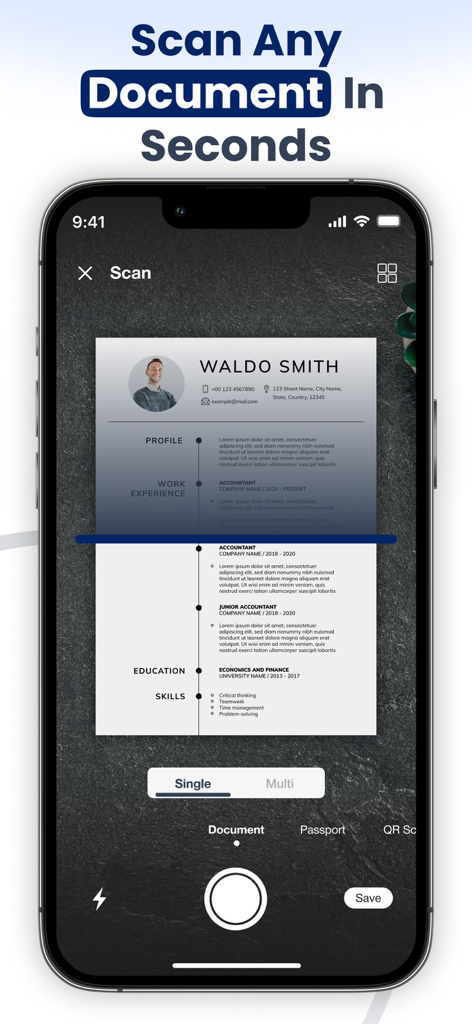
Smart Scanner: Convert PDF Doc - Smart Scannerアプリのインターフェースを使用して、履歴書のドキュメントをスキャンしているスマートフォン
Smart Scannerアプリのインターフェースを使用して、履歴書のドキュメントをスキャンしているスマートフォン

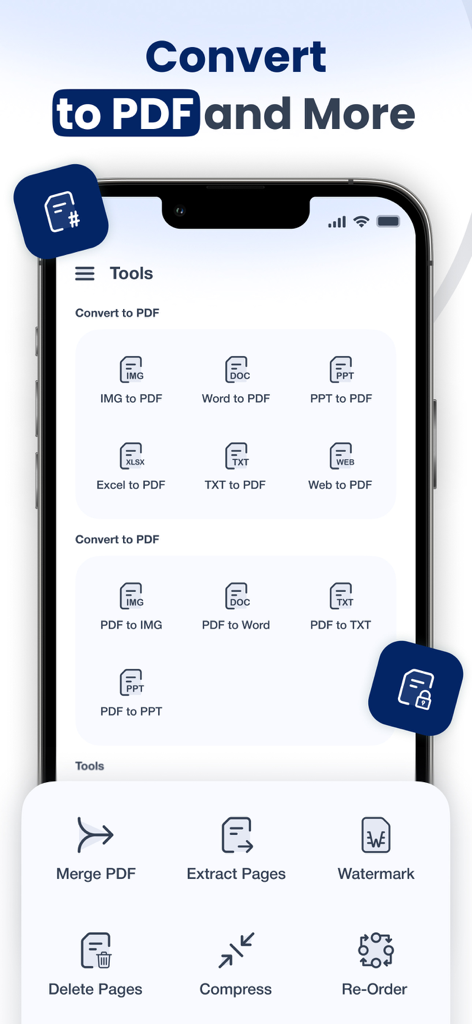
Smart Scanner: Convert PDF Doc - Smart Scannerアプリのインターフェースで、PDF変換ツールや、マージ、圧縮などのドキュメント管理機能が表示されている様子
Smart Scannerアプリのインターフェースで、PDF変換ツールや、マージ、圧縮などのドキュメント管理機能が表示されている様子

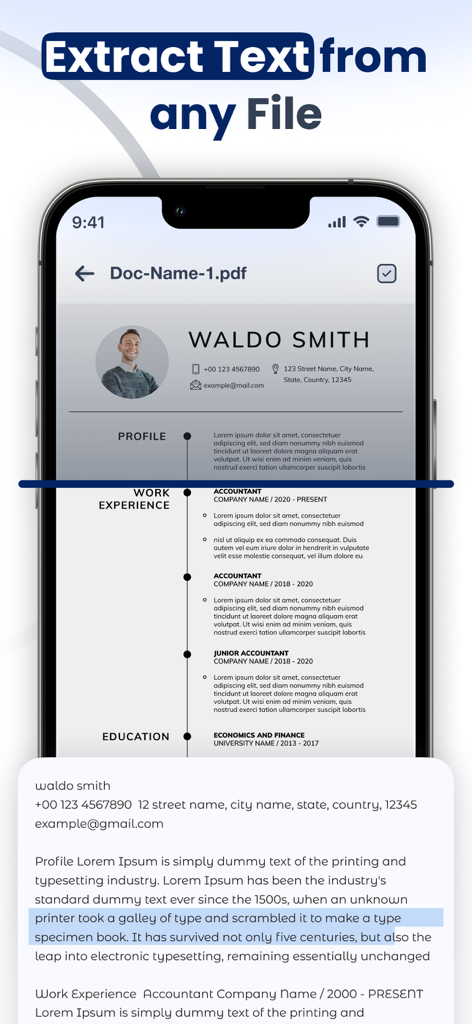
Smart Scanner: Convert PDF Doc - OCRを使用してPDFドキュメントからテキストを抽出しているSmart Scannerアプリが表示されているスマートフォンの画面
OCRを使用してPDFドキュメントからテキストを抽出しているSmart Scannerアプリが表示されているスマートフォンの画面

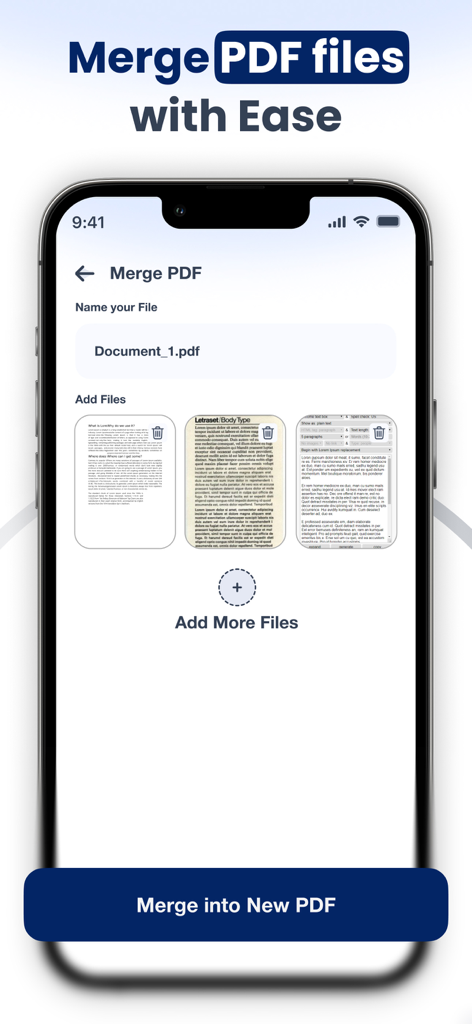
Smart Scanner: Convert PDF Doc - 複数のドキュメントを追加して新しいファイルに名前を付けるオプションが表示されている、PDFファイルをマージする機能が表示されたモバイルアプリのインターフェース
複数のドキュメントを追加して新しいファイルに名前を付けるオプションが表示されている、PDFファイルをマージする機能が表示されたモバイルアプリのインターフェース

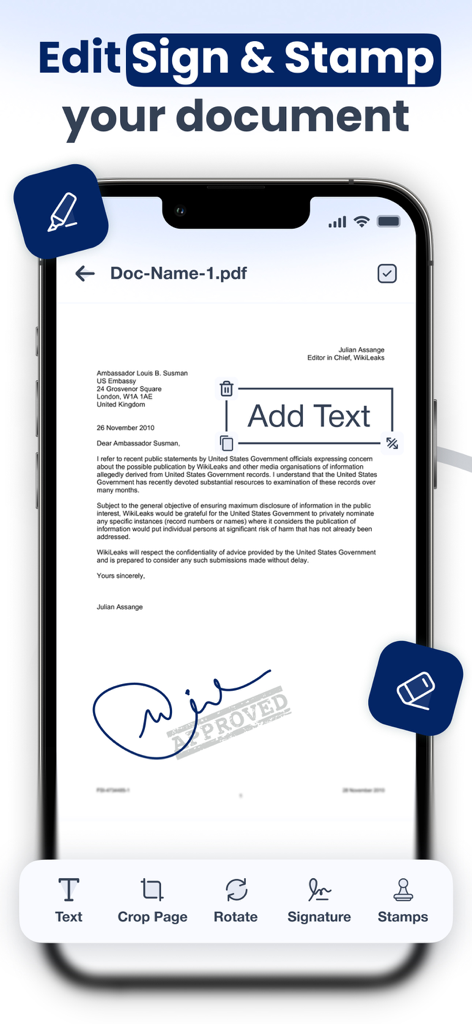
Smart Scanner: Convert PDF Doc - ドキュメントの編集、署名、スタンプ機能が表示されているSmart Scannerアプリのインターフェース
ドキュメントの編集、署名、スタンプ機能が表示されているSmart Scannerアプリのインターフェース

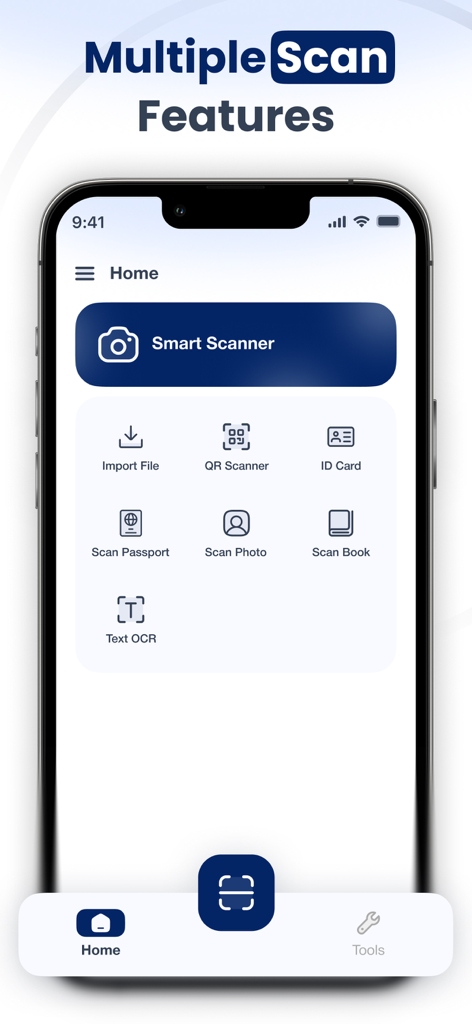
Smart Scanner: Convert PDF Doc - ドキュメント、ID、OCRテキスト認識のスキャンオプションが表示されているSmart Scannerアプリのホーム画面。

ドキュメント、ID、OCRテキスト認識のスキャンオプションが表示されているSmart Scannerアプリのホーム画面。

説明

Document Scanner: Scan PDF is your all-in-one mobile scanner & PDF converter. Easily transform your iPhone into a portable document scanner that can scan and convert documents anytime, anywhere. Whether you’re a student managing assignments, a professional handling contracts, or simply someone who wants to go paperless, this app has everything you need in one place. Why Choose a Document Scanner? Ultra-Fast & Accurate – Advanced edge detection makes every scan sharp and clear. All Documents Supported – Scan ID cards and passports, photos, books, receipts, notes, and more. Paperless Office Tool – Save space, stay organized, and share scanned documents instantly. Privacy First – Keep your personal and professional documents safe on your device. Key Features PDF Scanner Scan any document with automatic detection and convert it into crystal-clear PDF files. Text OCR (Optical Character Recognition) Perform text recognition from images and copy it anywhere. Perfect for students and professionals. ID & Passport Scan Easily scan ID cards and passports, licenses, and certificates. Book & Photo Scan Digitize books and photos with professional-quality results. QR Code Reader Scan QR codes and instantly access links, websites, or business cards. PDF Converter & Tools Convert images and files into PDF format, merge PDF documents, and share them quickly via email, cloud, or messaging apps. File Import Bring in files directly from your gallery, email, or cloud storage and convert them instantly. Who Is It For? Students: Scan notes, assignments, books, and handouts. Business Professionals: Digitize contracts, invoices, receipts, and ID proofs. General Users: Save passports, licenses, QR codes, and personal documents in one secure place. Go Paperless Today With Document Scanner: Scan PDF, you’ll never need a bulky scanner again. Carry your digital office in your pocket — scan and convert documents, recognise text, and manage your files faster than ever. Document Scanner: Scan PDF offers 3 auto-renewing subscription options: Weekly, Monthly and Yearly with 3 Days Free trial These prices are for United States customers. Pricing in other countries may vary and actual charges may be converted to your local currency depending on the country of residence. • Payment will be charged to the iTunes Account at confirmation of purchase • Subscription automatically renews unless auto-renewal is turned off at least 24 hours before the end of the current period • Account will be charged for renewal within 24 hours prior to the end of the current period, and the cost of the renewal • Subscriptions may be managed by the user, and auto-renewal may be turned off by going to the user's Account Settings after purchase • Any unused portion of a free trial period, if offered, will be forfeited when the user purchases a subscription to that publication, where applicable Privacy Policy https://documentscannerscanpdf.blogspot.com/2025/10/privacy-policy.html Terms & Conditions https://documentscannerscanpdf.blogspot.com/2025/10/terms-conditions.htmlDownload now and enjoy the smarter way to scan and convert documents.

Download

ダウンロード: App Store

このページはアプリまたはその開発者の公式ページではなく、情報提供および論評を目的として作成された独立した編集出版物です。明示的に別段の記載がない限り、アプリおよびその開発者は、MWM、Apple、Google Play、アプリのパブリッシャー、またはアプリの開発者と提携、承認、後援、認可、またはその他の公式的な関係はなく、このページのいかなる内容も、アプリがMWMのサービスを使用して開発されたことを意味するものではありません。すべての商標、ロゴ、スクリーンショット、その他のコンテンツはそれぞれの所有者の財産です。








