
このページはアプリまたはその開発者の公式ページではなく、情報提供および論評を目的として作成された独立した編集出版物です。明示的に別段の記載がない限り、アプリおよびその開発者は、MWM、Apple、Google Play、アプリのパブリッシャー、またはアプリの開発者と提携、承認、後援、認可、またはその他の公式的な関係はなく、このページのいかなる内容も、アプリがMWMのサービスを使用して開発されたことを意味するものではありません。すべての商標、ロゴ、スクリーンショット、その他のコンテンツはそれぞれの所有者の財産です。

Spreadsheet-xlsx&csv editor
モバイルファーストのテンプレートと一括処理ツールを使用して、ドキュメントをXLSまたはPDFとして数秒で作成、管理、エクスポートする400万人以上のプロフェッショナルに加わりましょう。ラップトップは不要です。
ダウンロード
4M+ユーザー評価
評価数
190K+開発元
カテゴリ
Productivity対応言語
7最新バージョン
5.12サイズ
82.6 MBリリース日
2020年6月16日外出先でのワークフローを強化
デスクトップ中心のソフトウェアでの苦労はやめましょう。当社のモバイルファーストエディタは、iPhoneとiPad専用に設計されたプロフェッショナルなスプレッドシートツールとすぐに使えるテンプレートを提供します。
すぐに使えるプロフェッショナルテンプレート
在庫、請求書、個人財務のためのテンプレートライブラリでセットアップをスキップしましょう。数分でタスクを開始および終了する必要があるソロプレナーに最適です。
モバイル効率のための最適化
素早い操作と忙しいスケジュールに対応するように設計されています。強力な一括操作と自動保存機能を使用して、従来の表計算ソフトの摩擦なしにデータを管理します。
よくある質問
について知っておくべきこと Spreadsheet-xlsx&csv editor
「Spreadsheet-xlsx&csv editor」アプリとは何ですか?
Spreadsheet-xlsx&csv editorは、ユーザーが迅速にフォームを作成し、テンプレートを利用し、テキストを編集し、挿入/結合などの操作を実行し、ドキュメントをXLSまたはPDFファイルとして出力できる効率的なオフィスソフトウェアです。
Spreadsheet-xlsx&csv editorは、どのようなファイル形式での出力をサポートしていますか?
Spreadsheet-xlsx&csv editorアプリは、フォームドキュメントをXLSまたはPDFファイルとして出力することをサポートしています。これにより、作成したスプレッドシートの互換性と共有が容易になります。
Spreadsheet-xlsx&csv editorアプリでフォームを作成できますか?
はい、Spreadsheet-xlsx&csv editorアプリでは、ユーザーが迅速にフォームを作成できます。また、さまざまな専門的なニーズに対応するために、多数のフォームテンプレートが提供されています。
Spreadsheet-xlsx&csv editorはドキュメント用のテンプレートを提供していますか?
はい、Spreadsheet-xlsx&csv editorは、さまざまな専門的なニーズに対応するために、多数のフォームテンプレートを提供しています。購入リスト、経費報告書、勤務スケジュールなどが例として挙げられます。
Spreadsheet-xlsx&csv editor VIPメンバーシップの自動更新はどのように機能しますか?
VIPメンバーシップは、現在の期間が終了する少なくとも24時間前にオフにされない限り、元のパッケージと同じ価格と期間で自動更新されます。更新料金は、期間終了前の24時間以内に請求されます。
Spreadsheet-xlsx&csv editorのサブスクリプション設定を管理できますか?
はい、ユーザーは購入後にiTunesアカウント設定にアクセスすることで、Spreadsheet-xlsx&csv editorのサブスクリプションを管理し、自動更新をオフにすることができます。
Spreadsheet-xlsx&csv editorはセルの挿入と結合を許可していますか?
はい、Spreadsheet-xlsx&csv editorアプリは、挿入、結合、およびバッチ操作をサポートしています。ユーザーはインターフェース内で直接行または列を挿入し、セルを結合できます。
Spreadsheet-xlsx&csv editorの無料トライアルをキャンセルするにはどうすればよいですか?
iTunesアカウントを通じてサブスクリプション設定から、Spreadsheet-xlsx&csv editorの無料トライアルをキャンセルできます。料金が発生しないようにするには、サブスクリプション期間終了の24時間前までにこれを行う必要があります。
Spreadsheet-xlsx&csv editorアプリ内で計算を実行できますか?
はい、Spreadsheet-xlsx&csv editorアプリは計算をサポートしています。加算、減算、乗算、除算、平均、最大値、最小値の関数が提供されています。
Spreadsheet-xlsx&csv editorアプリにはプライバシーポリシーがありますか?
はい、Spreadsheet-xlsx&csv editorアプリにはプライバシーポリシーがあります。ユーザーが確認できるように、アプリの説明内にリンクが提供されています。
以下のスクリーンショットと説明は、アプリの公式ストアリスティングから直接取得されたものであり、アプリ開発者の所有物です。
アプリストア
スクリーンショット
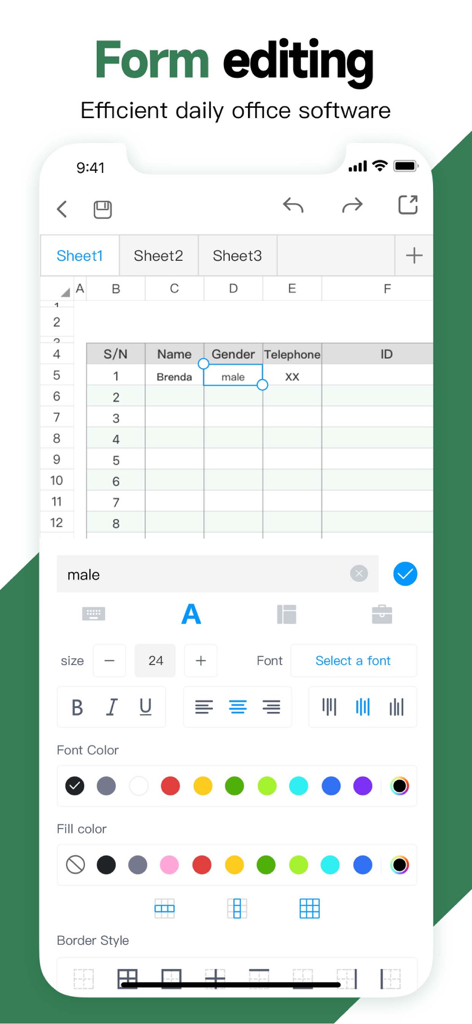
iPhone上のフォントスタイル、色、セルフォーマットのフォーム編集ツールを示すモバイルスプレッドシートアプリケーションインターフェイス
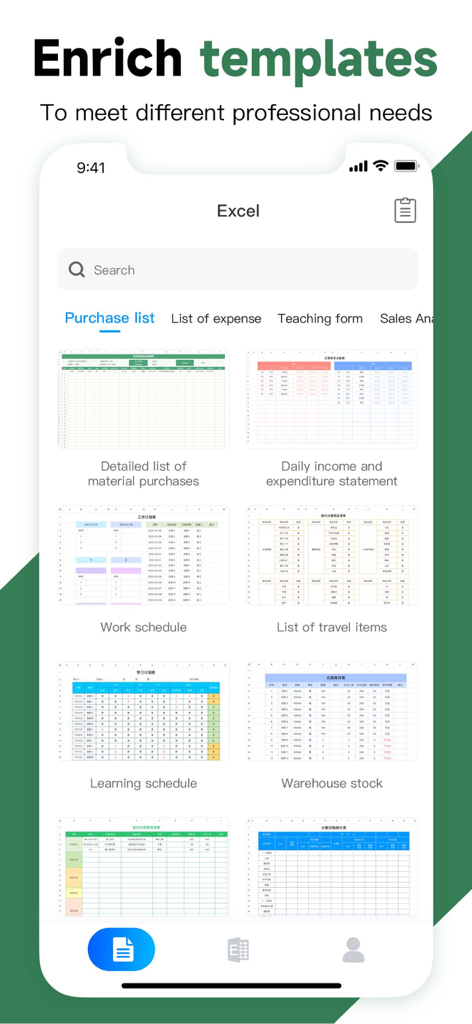
ビジネスや個人の使用のためのさまざまなプロフェッショナルフォームテンプレートを示すモバイルスプレッドシートアプリインターフェイス
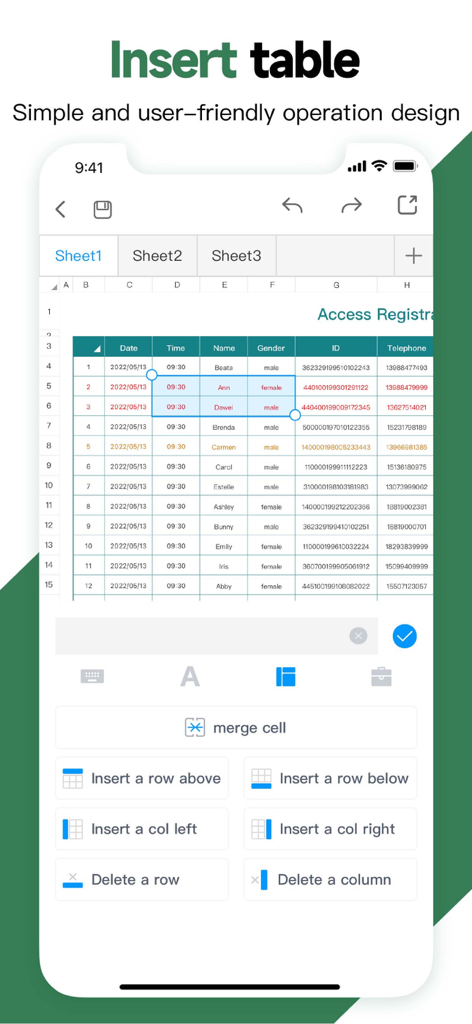
行と列の挿入と削除などのテーブル管理ツールを示すスプレッドシートエディタのモバイルインターフェイス
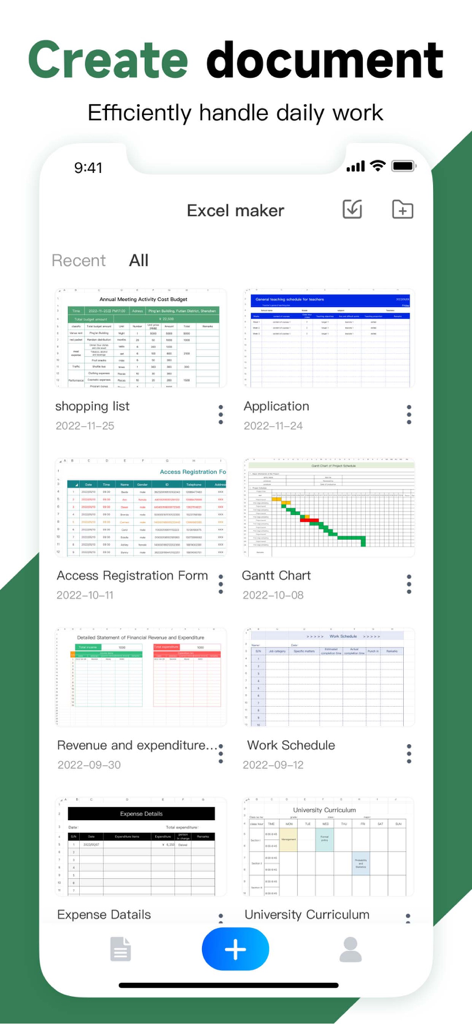
経費トラッカーや就業時間表などのさまざまなスプレッドシートテンプレートを表示するモバイルアプリインターフェイス
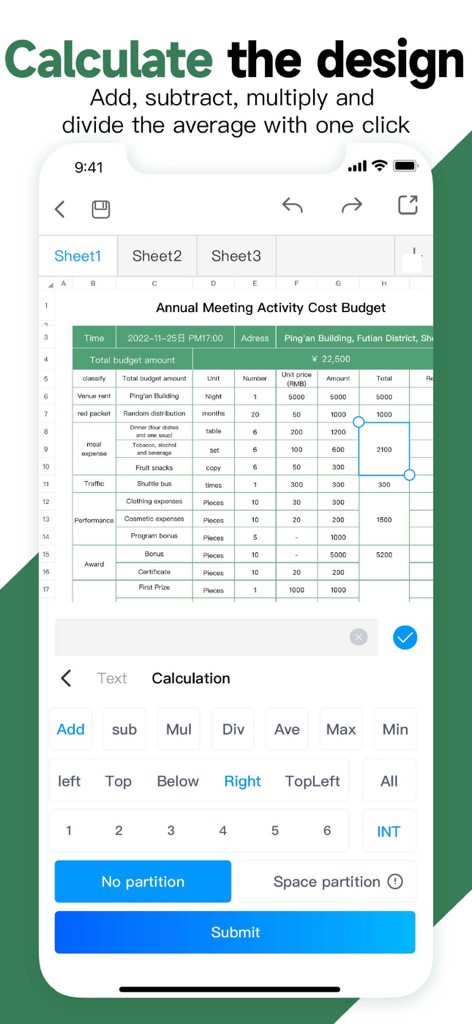
加算と除算のクイック計算ボタンを示す予算表を示すモバイルスプレッドシートアプリインターフェイス
説明
Download
類似アプリ
似た機能とユーザー体験を持つアプリ

Google Sheets
Google LLC

Table Notes Spreadsheet Excel
Vivek Agarwal

Microsoft Excel
Microsoft Corporation

Spreadsheets
SMM service, s.r.o.

XLSX Sheets: Edit Spreadsheet
Rhophi Analytics LLP

Sheets - Spreadsheet
CODE HARMONY LIMITED

Simple Spreadsheet:view & edit
WEN WU LI

Zoho Sheet: Spreadsheet App
Zoho Corporation

Numbers: Make Spreadsheets
Apple Inc.
このページはアプリまたはその開発者の公式ページではなく、情報提供および論評を目的として作成された独立した編集出版物です。明示的に別段の記載がない限り、アプリおよびその開発者は、MWM、Apple、Google Play、アプリのパブリッシャー、またはアプリの開発者と提携、承認、後援、認可、またはその他の公式的な関係はなく、このページのいかなる内容も、アプリがMWMのサービスを使用して開発されたことを意味するものではありません。すべての商標、ロゴ、スクリーンショット、その他のコンテンツはそれぞれの所有者の財産です。