
このページはアプリまたはその開発者の公式ページではなく、情報提供および論評を目的として作成された独立した編集出版物です。明示的に別段の記載がない限り、アプリおよびその開発者は、MWM、Apple、Google Play、アプリのパブリッシャー、またはアプリの開発者と提携、承認、後援、認可、またはその他の公式的な関係はなく、このページのいかなる内容も、アプリがMWMのサービスを使用して開発されたことを意味するものではありません。すべての商標、ロゴ、スクリーンショット、その他のコンテンツはそれぞれの所有者の財産です。

XLSX Sheets: Edit Spreadsheet
かさばるソフトウェアは捨てて、より速く、よりスマートなデータ管理方法を手に入れましょう。Excel互換ファイルを編集し、リアルタイムの提案で数式をマスターし、オフラインでもどこでも作業できます。
ダウンロード
2M+ユーザー評価
評価数
7K+開発元
カテゴリ
Productivity対応言語
18最新バージョン
1.1.29サイズ
231.1 MBリリース日
2023年2月23日移動中でもデータをマスター
かさばるものなしでパワーを必要とするプロフェッショナル向けに設計された、モバイルファーストの表計算エディタを体験してください。複雑なファイルをどこでも、いつでも処理できます。
スピードと正確性のために構築
リアルタイムの数式提案と、モバイルでの迅速な編集に最適化されたインターフェースで、複雑さを解消しましょう。
完全なオフライン生産性
地下鉄や飛行機の中でも、オフラインモードのおかげで、信号を気にせずに作業を続けられます。オンラインに戻るとすぐに進行状況が同期されます。
よくある質問
について知っておくべきこと XLSX Sheets: Edit Spreadsheet
XLSX Sheetsとは何ですか?
XLSX Sheetsは、Excel互換のスプレッドシートやスマートシートを作成、編集、管理するためのモバイルソリューションです。包括的な編集ツール、数式の習得、データ可視化、リアルタイム共同編集機能を提供します。
XLSX SheetsはExcelファイルを編集できますか?
はい、XLSX SheetsはExcel互換のスプレッドシートを作成、編集、管理できるように設計されています。包括的な編集ツールとExcel互換の数式を提供し、既存のExcelファイルとのシームレスな互換性を保証します。
XLSX Sheetsは数式をサポートしていますか?
はい、XLSX Sheetsは数式をサポートしています。簡単から高度なExcel互換関数ライブラリを提供し、リアルタイムで数式候補を表示します。これにより、スプレッドシート内での正確かつ効率的な計算が保証されます。
XLSX Sheetsを使用して他の人と共同編集できますか?
はい、XLSX Sheetsではリアルタイムでシートの共同編集が可能です。Google Drive、Dropbox、OneDriveなどの一般的なクラウドサービスを介してスプレッドシートやXLSファイルを共有することで、他の人とシームレスに共同作業できます。
XLSX Sheetsはオフラインで動作しますか?
はい、XLSX Sheetsではオフラインで作業できます。インターネット接続がない状態でも、スプレッドシートの編集を続けることができます。これにより、どこにいても中断なくデータにアクセスし、管理できます。
XLSX Sheetsはどのようなファイル形式のインポートとエクスポートをサポートしていますか?
XLSX Sheetsは、CSVファイル、Webテーブル、その他のXLSファイルからのデータのインポートをサポートしています。最大限の柔軟性と互換性のために、シートをPDF、CSV、またはXLS形式でエクスポートまたは変換できます。
XLSX Sheetsの料金はいくらですか?
XLSX Sheetsは、週次、月次、年次のサブスクリプションオプションを提供しています。ニーズに最適なプランを選択できます。サブスクリプション料金は、App Storeアカウントを通じて処理されます。
XLSX Sheetsのサブスクリプションをキャンセルするにはどうすればよいですか?
購入後、App Storeの「アカウント設定」でXLSX Sheetsのサブスクリプションをキャンセルできます。自動更新を防ぐために、現在の期間が終了する少なくとも24時間前までにキャンセルを完了してください。
XLSX Sheetsはテンプレートを提供していますか?
はい、XLSX Sheetsは、予算作成、ToDoリスト、会計、財務分析など、さまざまなタスクに対応するExcel互換テンプレートを提供しています。これにより、ワークフローが効率化され、時間を節約できます。
XLSX SheetsでXLSスプレッドシートをPDFに変換できますか?
はい、XLSX SheetsはXLSスプレッドシートをPDF形式に変換できます。また、CSVまたはXLS形式へのエクスポートも可能で、データ共有やアーカイブの目的に対して柔軟性を提供します。
以下のスクリーンショットと説明は、アプリの公式ストアリスティングから直接取得されたものであり、アプリ開発者の所有物です。
アプリストア
スクリーンショット
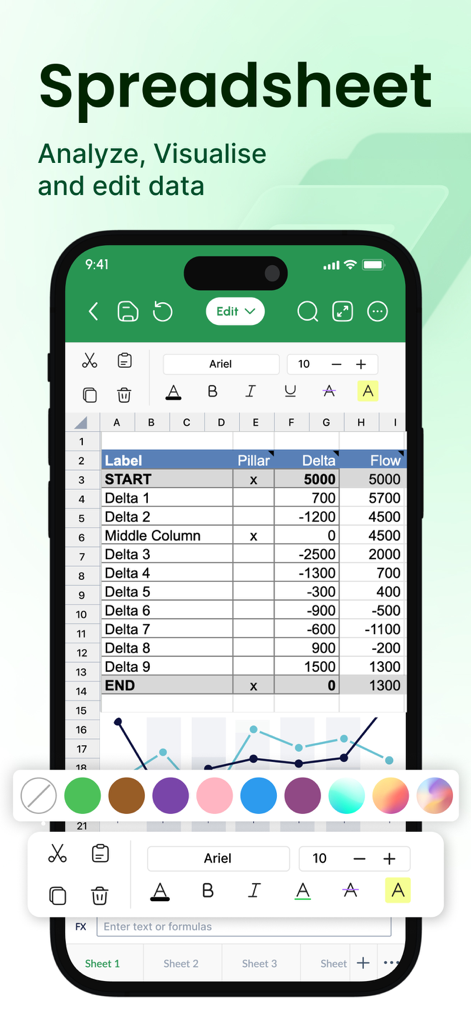
XLSX Sheetsアプリのインターフェース。モバイルデバイス上に表計算とグラフが表示されています。
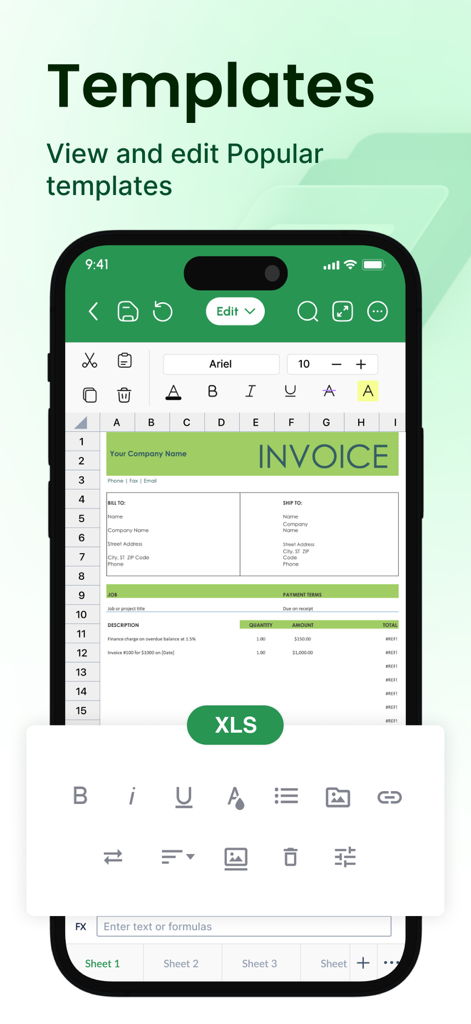
XLSX Sheetsアプリで編集可能な請求書テンプレートが表示された携帯電話。
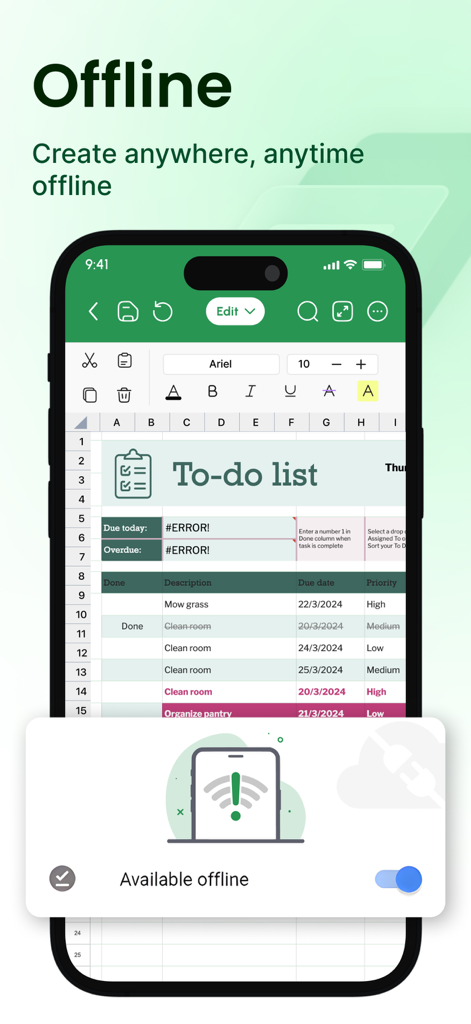
XLSX Sheetsモバイルアプリのインターフェース。オフライン編集モードが有効になったToDoリストが表示されています。
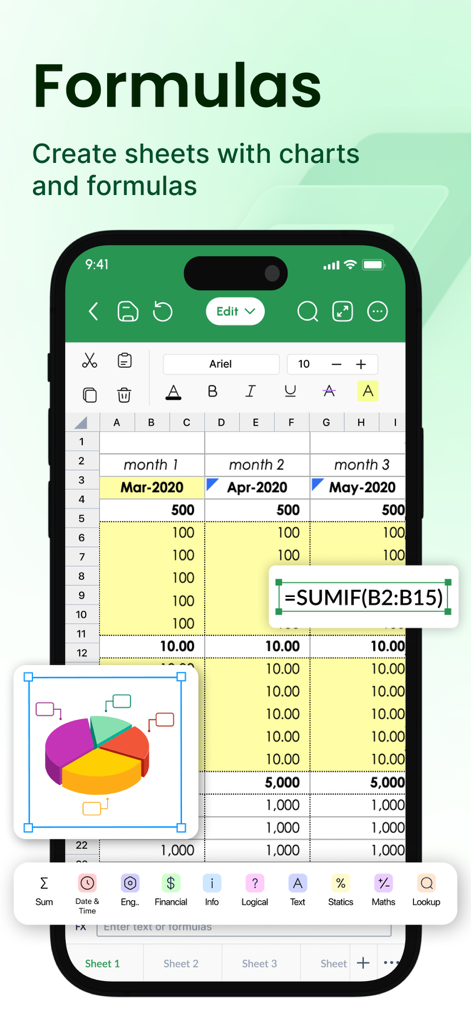
モバイル表計算インターフェース。SUMIF数式が編集され、3D円グラフが表示されています。
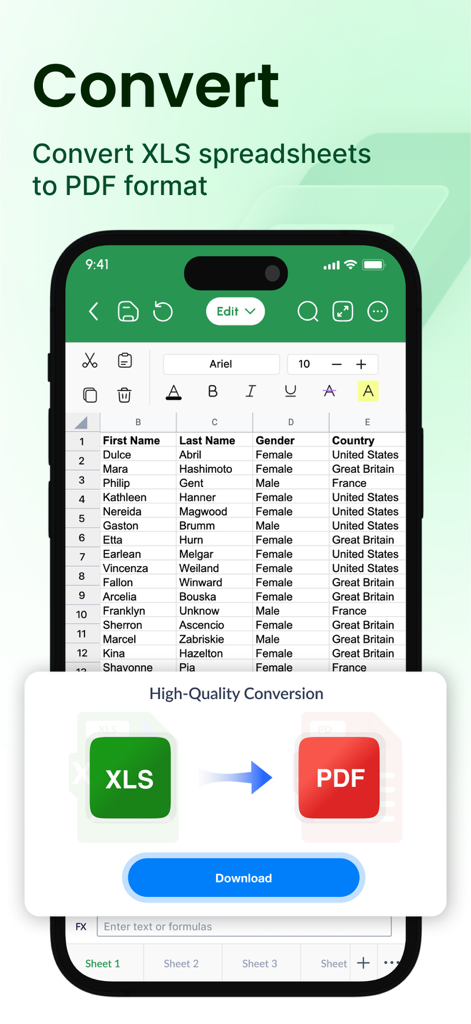
モバイルアプリのインターフェース。Excel表計算からPDFドキュメントへの変換が表示されています。
説明
Download
類似アプリ
似た機能とユーザー体験を持つアプリ

Google Sheets
Google LLC

Table Notes Spreadsheet Excel
Vivek Agarwal

Microsoft Excel
Microsoft Corporation

Spreadsheets
SMM service, s.r.o.

Spreadsheet-xlsx&csv editor
BEST MUSIC VIDEO & IMAGE MAKER LIMITED

Sheets - Spreadsheet
CODE HARMONY LIMITED

Simple Spreadsheet:view & edit
WEN WU LI

Zoho Sheet: Spreadsheet App
Zoho Corporation

Numbers: Make Spreadsheets
Apple Inc.
このページはアプリまたはその開発者の公式ページではなく、情報提供および論評を目的として作成された独立した編集出版物です。明示的に別段の記載がない限り、アプリおよびその開発者は、MWM、Apple、Google Play、アプリのパブリッシャー、またはアプリの開発者と提携、承認、後援、認可、またはその他の公式的な関係はなく、このページのいかなる内容も、アプリがMWMのサービスを使用して開発されたことを意味するものではありません。すべての商標、ロゴ、スクリーンショット、その他のコンテンツはそれぞれの所有者の財産です。