Table Notes  Spreadsheet Excel
Table Notes Spreadsheet Excel
ダウンロード: App Store

このページはアプリまたはその開発者の公式ページではなく、情報提供および論評を目的として作成された独立した編集出版物です。明示的に別段の記載がない限り、アプリおよびその開発者は、MWM、Apple、Google Play、アプリのパブリッシャー、またはアプリの開発者と提携、承認、後援、認可、またはその他の公式的な関係はなく、このページのいかなる内容も、アプリがMWMのサービスを使用して開発されたことを意味するものではありません。すべての商標、ロゴ、スクリーンショット、その他のコンテンツはそれぞれの所有者の財産です。


ロゴ: Table Notes  Spreadsheet Excel
ダウンロード: App Store

Table Notes Spreadsheet Excel

複雑なスプレッドシートに代わる、スマートなAI搭載ツール。米国の小規模企業や現場の専門家向けに、在庫追跡、プロジェクト管理、リアルタイムでの共同作業(オンラインまたはオフライン)を目的として構築されています。

主要数値

ダウンロード

16K+

ユーザー評価

4.8/5

評価数

900

開発元

Vivek Agarwal

カテゴリ

Business

対応言語

25

最新バージョン

11.0.2

サイズ

20.9 MB

リリース日

2017年7月24日
機能

スプレッドシートの力をモバイル向けに簡素化

複雑なデスクトップソフトウェアとの格闘をやめましょう。Table Notesは、どこからでも(オンラインでもオフラインでも)データを管理し、在庫を追跡し、共同作業を行う必要がある機敏なプロフェッショナル向けに構築されています。

シームレスな音声&フォーム入力

小さなセルとの格闘は忘れましょう。直感的なデジタルフォームと音声テキスト変換を使って、現場や移動中でもデータを即座に記録できます。

信頼性の高いオフライン生産性

電波の悪い場所で作業が止まる心配はありません。リモートの場所でもスプレッドシートにアクセス、編集、作成ができ、オンラインに戻ると自動的に同期されます。

以下のスクリーンショットと説明は、アプリの公式ストアリスティングから直接取得されたものであり、アプリ開発者の所有物です。

アプリストア

スクリーンショット
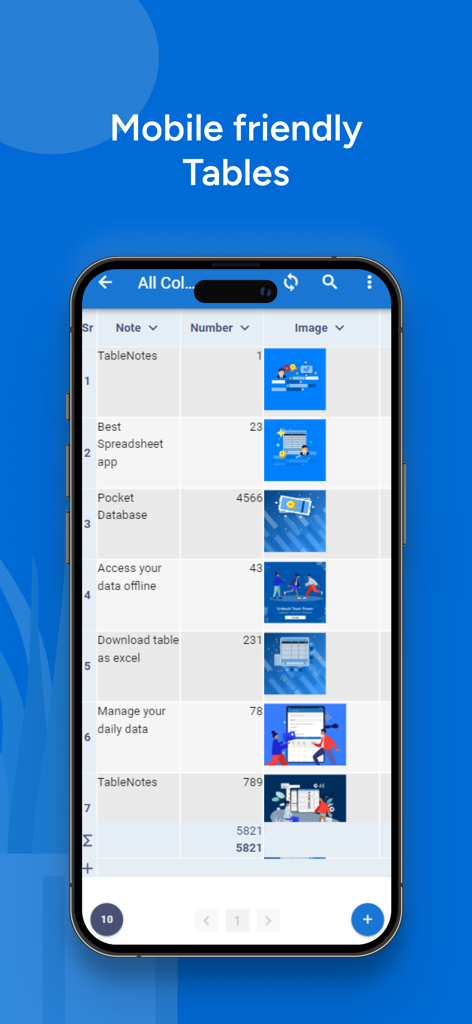
Table Notes  Spreadsheet Excel - Table Notesアプリで、メモ、数字、画像を含むモバイルフレンドリーな表が表示されているスマートフォンの画面
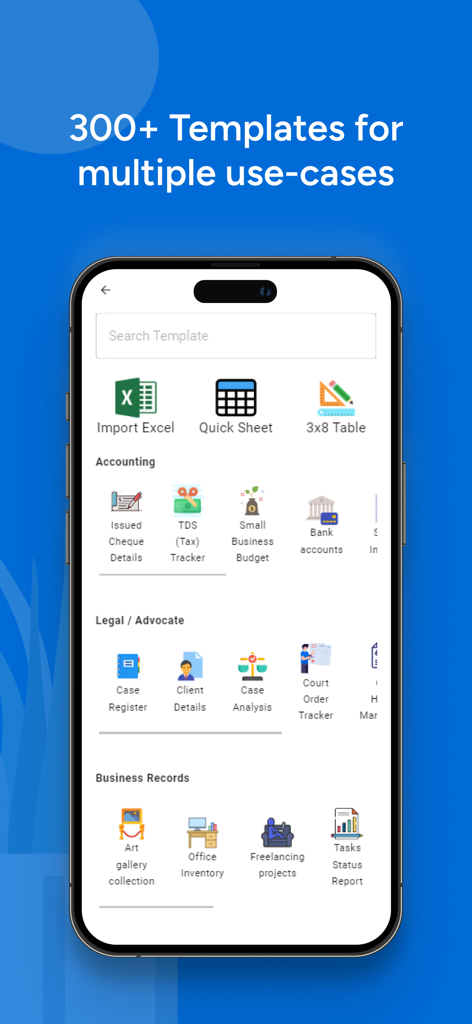
Table Notesアプリで、メモ、数字、画像を含むモバイルフレンドリーな表が表示されているスマートフォンの画面

Table Notes  Spreadsheet Excel - Table Notesアプリのスクリーンショット。会計、法律、ビジネス記録用の300以上のスプレッドシートテンプレートライブラリが表示されています。
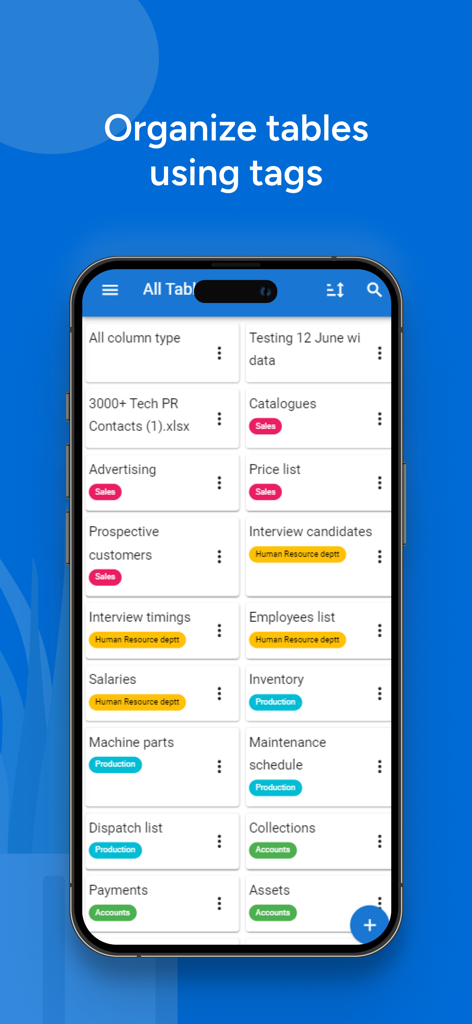
Table Notesアプリのスクリーンショット。会計、法律、ビジネス記録用の300以上のスプレッドシートテンプレートライブラリが表示されています。

Table Notes  Spreadsheet Excel - Table Notesアプリのインターフェース。販売や生産などの色付きカテゴリタグで整理されたスプレッドシートのリストが表示されています。
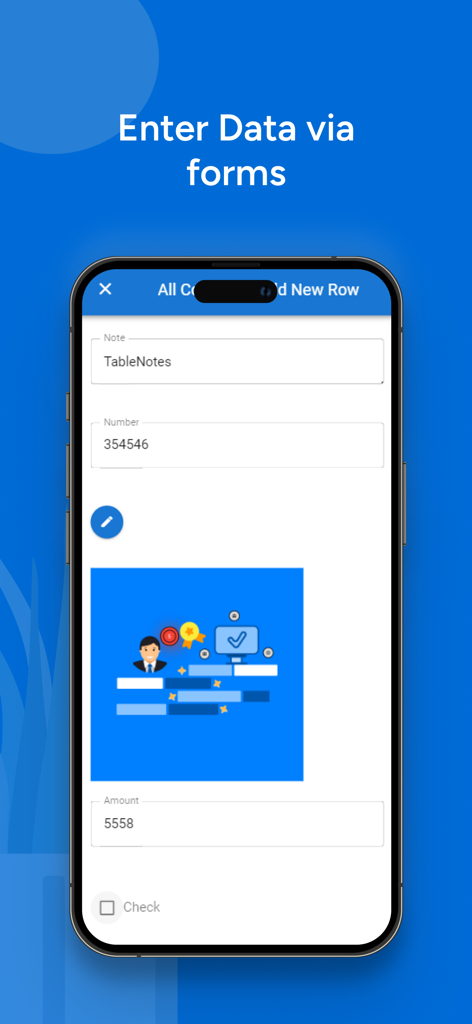
Table Notesアプリのインターフェース。販売や生産などの色付きカテゴリタグで整理されたスプレッドシートのリストが表示されています。

Table Notes  Spreadsheet Excel - スプレッドシートアプリで新しい行を追加するためのデータ入力フォームが表示されているモバイルインターフェース
スプレッドシートアプリで新しい行を追加するためのデータ入力フォームが表示されているモバイルインターフェース

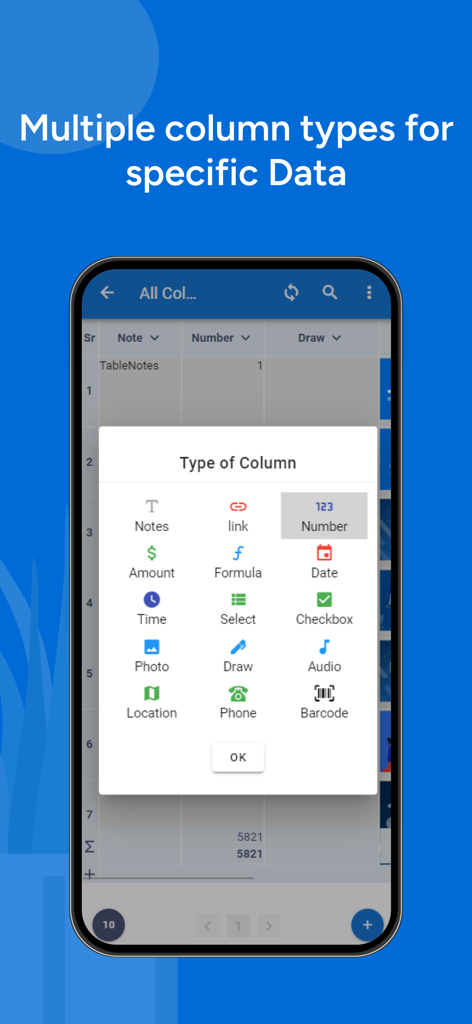
Table Notes  Spreadsheet Excel - Table Notesアプリのインターフェース。メモ、数式、バーコードを含む複数の列データタイプが表示されています。
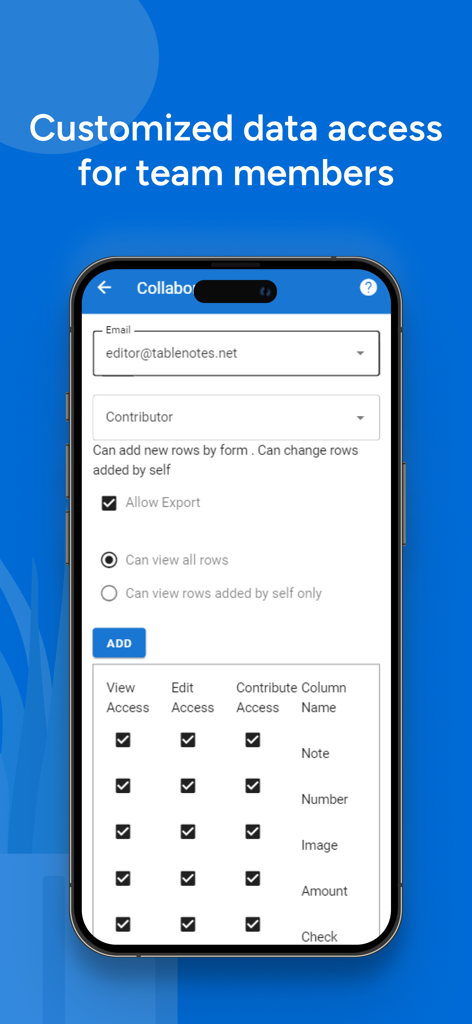
Table Notesアプリのインターフェース。メモ、数式、バーコードを含む複数の列データタイプが表示されています。

Table Notes  Spreadsheet Excel - Table Notesアプリの画面。チームメンバーのアクセス権とデータ権限を管理します。
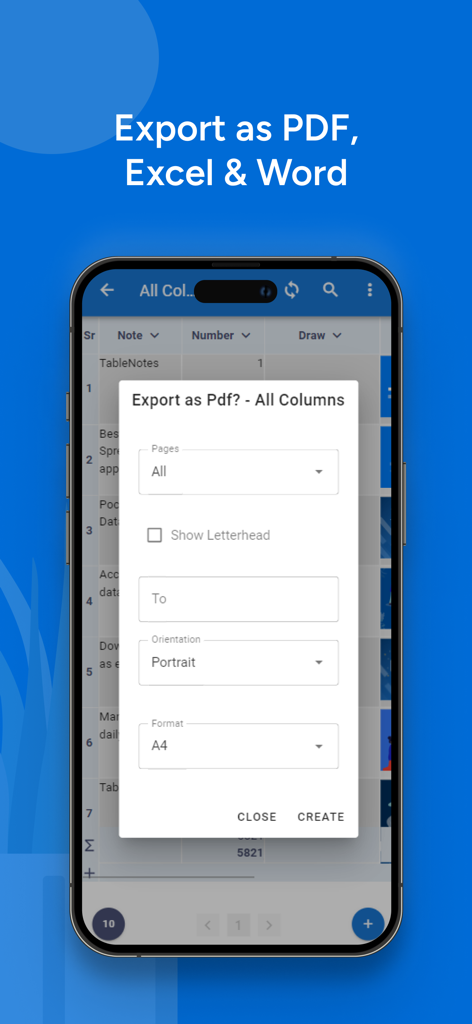
Table Notesアプリの画面。チームメンバーのアクセス権とデータ権限を管理します。

Table Notes  Spreadsheet Excel - Table NotesアプリでPDF、Excel、Wordへのエクスポートオプションが表示されているモバイル画面
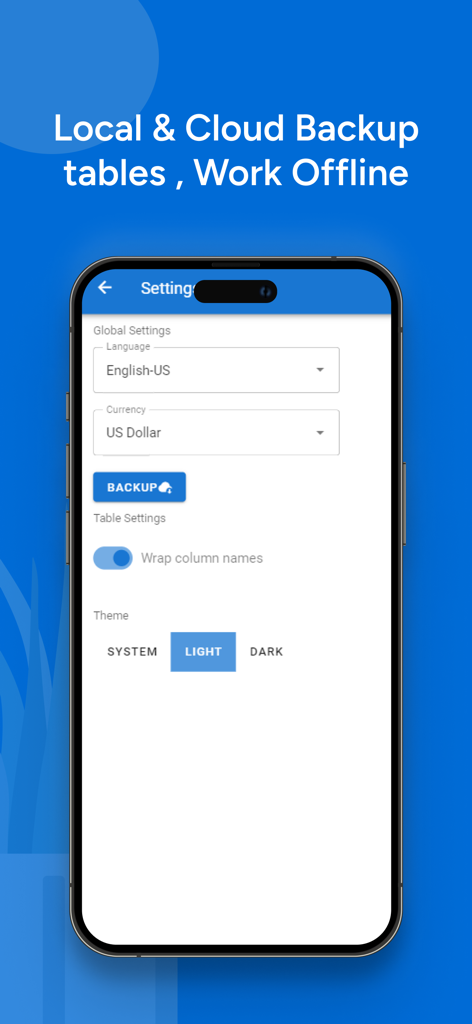
Table NotesアプリでPDF、Excel、Wordへのエクスポートオプションが表示されているモバイル画面

Table Notes  Spreadsheet Excel - Table Notesアプリの設定画面。ローカルおよびクラウドバックアップとオフライン作業のオプションが表示されています。
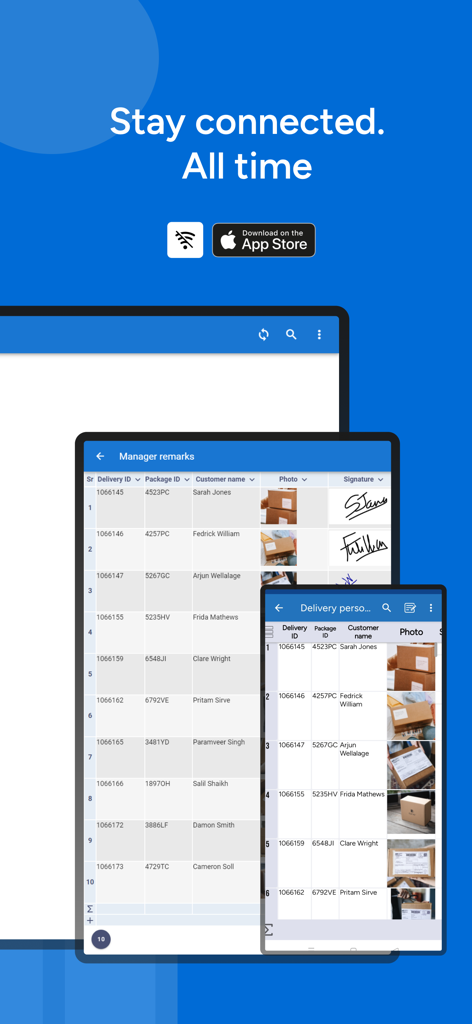
Table Notesアプリの設定画面。ローカルおよびクラウドバックアップとオフライン作業のオプションが表示されています。

Table Notes  Spreadsheet Excel - 電話とタブレットに表示されたTable Notesアプリ。オフラインスプレッドシートの同期と配送管理ログが表示されています。

電話とタブレットに表示されたTable Notesアプリ。オフラインスプレッドシートの同期と配送管理ログが表示されています。

説明

Unlock productivity with TableNotes - your portable powerhouse for seamless organization and collaboration. Tailored for small businesses, freelancers, students, and individuals seeking simplicity in complexity. Key Features: -Portable Productivity: Craft, edit, and refine tables and spreadsheets effortlessly, anytime, anywhere. -Real-time Collaboration: Collaborate effortlessly with others in the same spreadsheet, irrespective of your location. -Unleash Flexibility: Stay productive on or offline, accessing your sheets at your convenience. -Data Empowerment: Effortlessly import Excel sheets and files. Export your tables to PDF, Excel, or Word with ease. -Efficient Data Entry: Utilize Forms for swift data entry and voice input for a hands-free experience. -Customize Tables: Tailor tables to your exact needs with easy customization options. -AI-Driven Intelligence: Harness AI to create tables tailored to your unique needs. -Large Template Library: Explore a diverse collection of templates for various purposes. -Data Analysis at Your Fingertips: Decode data with sorting, filtering, basic formulas, and visual insights through graphs. -Presentations: Generate professional reports with custom headers and footers effortlessly. -Effortless Management: Seamlessly manage tables, excel sheets, and spreadsheets with an intuitive interface. For Entrepreneurs, Freelancers, and Scholars: -Precise Tracking: Monitor expenses, orders, clients, and projects with precision. -Versatile Applications: Ideal for inventory tracking, project planning, household budget, and daily organization tasks. -Daily Planning Simplified: Double up as a daily planner, to-do list, and task tracker. Set reminders with ease. -Multilingual Support: Break language barriers with support for 26 languages. On-the-Go Efficiency: -Digital Command Center: Manage product catalogs, technical data sheets, and price lists effortlessly. -Insights Anywhere: Track sales, marketing initiatives, and personal growth seamlessly. -Note-taking: Perfect for daily notes, reminders, and smooth transitions between office and home use. Important Links: Standard EULA - https://www.apple.com/legal/internet-services/itunes/dev/stdeula/ •Tutorial Videos: ◦Watch on YouTube: https://www.youtube.com/channel/UCvwYcYD48_gSla6ZLsDJylQ. •Social Media: ◦Facebook: Like on Facebook: https://www.facebook.com/tablenotes. ◦Twitter: Follow on Twitter: https://twitter.com/table_notes. •Website: ◦Visit the website at https://www.tablenotes.net. •Support & FAQ: ◦Find answers at https://www.support.tablenotes.net Contact Information: •Assistance or Inquiries: ◦Email: help@tablenotes.net. Request for User Feedback: •If you enjoy using our app, please take a moment to rate and motivate us! TableNotes offers a comprehensive solution for organizing and managing data, enhancing productivity across various domains. Standard EULA - https://www.apple.com/legal/internet-services/itunes/dev/stdeula/

Download

ダウンロード: App Store

このページはアプリまたはその開発者の公式ページではなく、情報提供および論評を目的として作成された独立した編集出版物です。明示的に別段の記載がない限り、アプリおよびその開発者は、MWM、Apple、Google Play、アプリのパブリッシャー、またはアプリの開発者と提携、承認、後援、認可、またはその他の公式的な関係はなく、このページのいかなる内容も、アプリがMWMのサービスを使用して開発されたことを意味するものではありません。すべての商標、ロゴ、スクリーンショット、その他のコンテンツはそれぞれの所有者の財産です。







