
このページはアプリまたはその開発者の公式ページではなく、情報提供および論評を目的として作成された独立した編集出版物です。明示的に別段の記載がない限り、アプリおよびその開発者は、MWM、Apple、Google Play、アプリのパブリッシャー、またはアプリの開発者と提携、承認、後援、認可、またはその他の公式的な関係はなく、このページのいかなる内容も、アプリがMWMのサービスを使用して開発されたことを意味するものではありません。すべての商標、ロゴ、スクリーンショット、その他のコンテンツはそれぞれの所有者の財産です。


Stop Motion Studio Pro
強力な手動コントロールで映画のような4Kフィルムを作成する2500万人のメーカーに加わりましょう。広告、追跡、サブスクリプションなし — 創造性だけを、1フレームずつ。
ダウンロード
729K+ユーザー評価
評価数
12K+開発元
カテゴリ
Photo & Video対応言語
17最新バージョン
25.12サイズ
179.6 MBリリース日
2013年7月6日指先でプロのアニメーションツール
iOSで最も強力なストップモーションメーカーで、あなたの想像力を現実に。サブスクリプションや広告の手間なく精度を求める真剣なクリエイターのために設計されています。
フレームごとの精度
オニオンスキンオーバーレイとインタラクティブなタイムラインで、すべての動きをマスターし、LEGOや粘土のアニメーションを完璧にスムーズでプロフェッショナルに仕上げます。
完全な手動カメラコントロール
ISO、フォーカス、ホワイトバランスの手動設定でセットを完全に制御します。Apple Watchをリモートシャッターとして使用し、カメラの揺れを防ぎます。
よくある質問
について知っておくべきこと Stop Motion Studio Pro
Stop Motion Studio Proとは何ですか?
Stop Motion Studio Proは、iPhone、iPad、Macでストップモーションアニメーションを作成するための、Appleのおすすめアプリです。初心者と経験豊富なアニメーターの両方にとって、使いやすく強力なクリエイティブツールを提供します。
Stop Motion Studio Proにはサブスクリプションや広告が含まれていますか?
いいえ、Stop Motion Studio Proには広告、トラッキング、サブスクリプションは含まれていません。このアプリは、「広告なし。トラッキングなし。サブスクリプションなし。」と謳い、ユーザーのプライバシーとクリエイティブな所有権を保証します。
Stop Motion Studio Proで効果音や音楽を追加できますか?
はい、Stop Motion Studio Proでは、ボイスオーバーの録音、効果音の追加、BGMの追加、またはライブラリからのオーディオのインポートが可能です。これらはアプリの編集インターフェースに直接統合されています。
Stop Motion Studio Proはどのようなカメラ制御機能を提供していますか?
Stop Motion Studio Proは、フォーカス、露出、ISO、ホワイトバランスを含む完全な手動カメラ制御を提供します。また、自動撮影のためのタイムラプスキャプチャモードも提供しています。
Stop Motion Studio Proはグリーンバック効果をサポートしていますか?
はい、Stop Motion Studio Proはグリーンバック効果をサポートしています。この機能により、ユーザーはアプリ内で直接、キャラクターやオブジェクトを異なる背景に配置して、映画のような結果を得ることができます。
Stop Motion Studio Proから高解像度で映画をエクスポートできますか?
はい、Stop Motion Studio Proは、完成した映画を4Kまたは1080p HD品質でエクスポートします。ユーザーは、YouTube、TikTokなどのプラットフォームに直接共有したり、GIFやiMessageステッカーとして保存したりすることもできます。
Stop Motion Studio Proはクロスデバイス互換性を提供していますか?
はい、Stop Motion Studio Proはクロスデバイス互換性を提供しています。ユーザーはiPhoneでプロジェクトを開始し、Macで完了することができ、デバイス間での作業のシームレスな同期を保証します。
Stop Motion Studio Proのチュートリアルはありますか?
はい、Stop Motion Studio Proには、ステップバイステップのチュートリアルとクリエイティブなヒントが含まれています。クイックガイダンスとインスピレーションのための組み込みマニュアルも利用可能で、初心者と経験豊富なユーザーの両方を支援します。
Stop Motion Studio Proでフレームを個別に編集できますか?
はい、Stop Motion Studio Proはインタラクティブなタイムラインを備え、フレームごとの編集をサポートしています。ユーザーは個々のフレームを簡単にコピー、ペースト、カット、挿入して、正確なアニメーションを実現できます。
Stop Motion Studio Proではキャラクターに表情を追加できますか?
はい、Stop Motion Studio Proでは、ユーザーはキャラクターに表情やレイヤーを追加できます。これは、ユニークなエフェクトを作成するための、アプリの包括的な組み込み描画ツールと編集機能の一部です。
以下のスクリーンショットと説明は、アプリの公式ストアリスティングから直接取得されたものであり、アプリ開発者の所有物です。
アプリストア
スクリーンショット
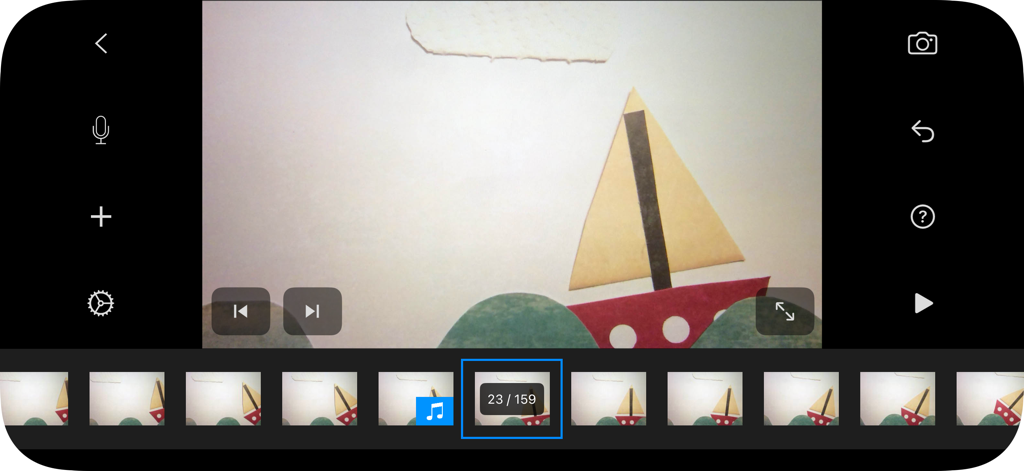
Stop Motion Studio Proのインターフェース。紙の船のアニメーションプロジェクトとフレームタイムラインが表示されています。
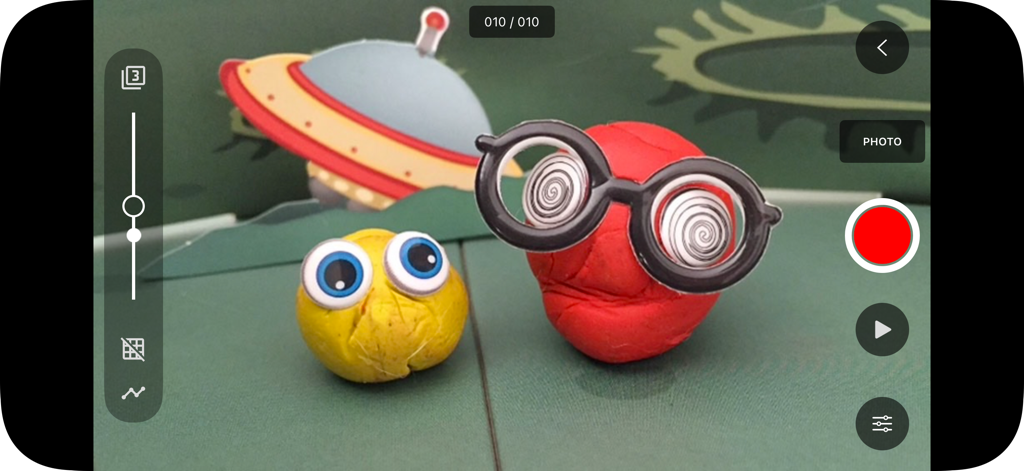
Stop Motion Studio Proのインターフェース。粘土のキャラクターとアニメーションキャプチャツールが表示されています。
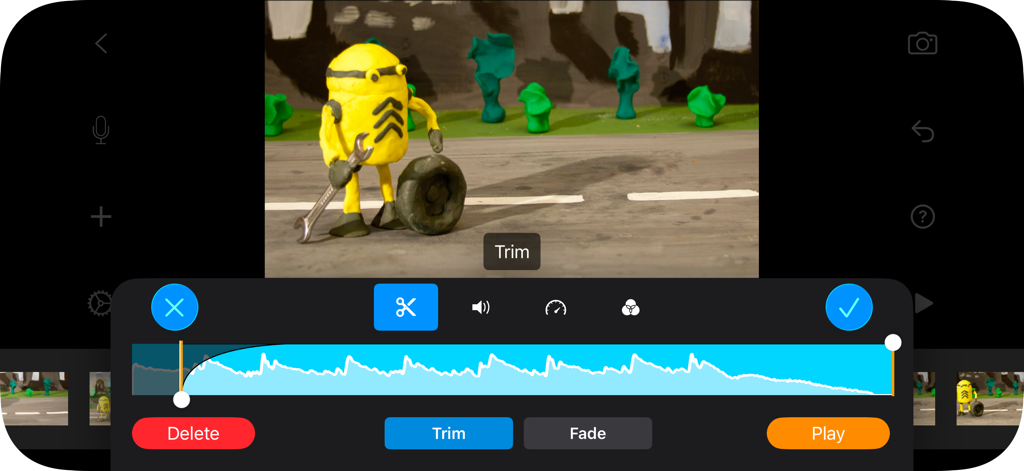
Stop Motion Studio Proの編集インターフェース。オーディオトリムと粘土アニメーションのキャラクターが表示されています。
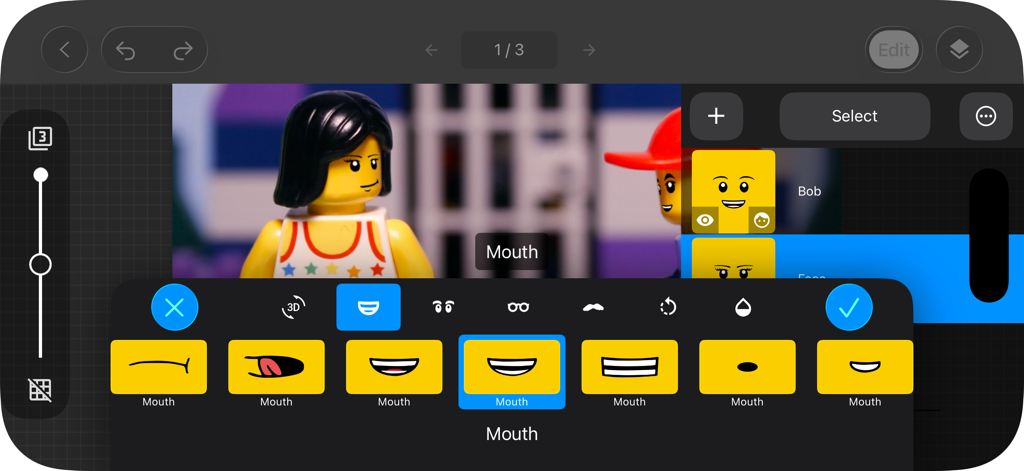
Stop Motion Studio Proのインターフェース。LEGOミニフィギュアの表情編集が表示されています。
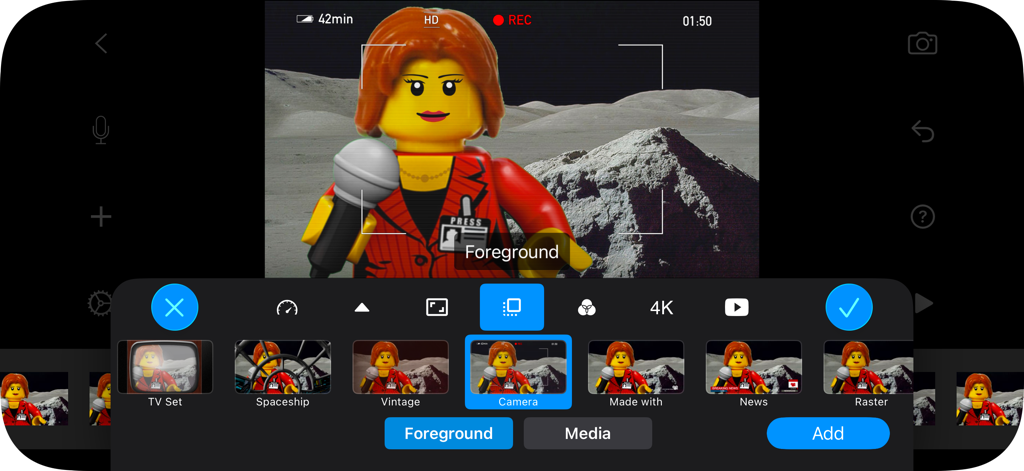
Stop Motion Studio Proのモバイルインターフェース。LEGOアニメーションのさまざまな前景オーバーレイオプションが表示されています。
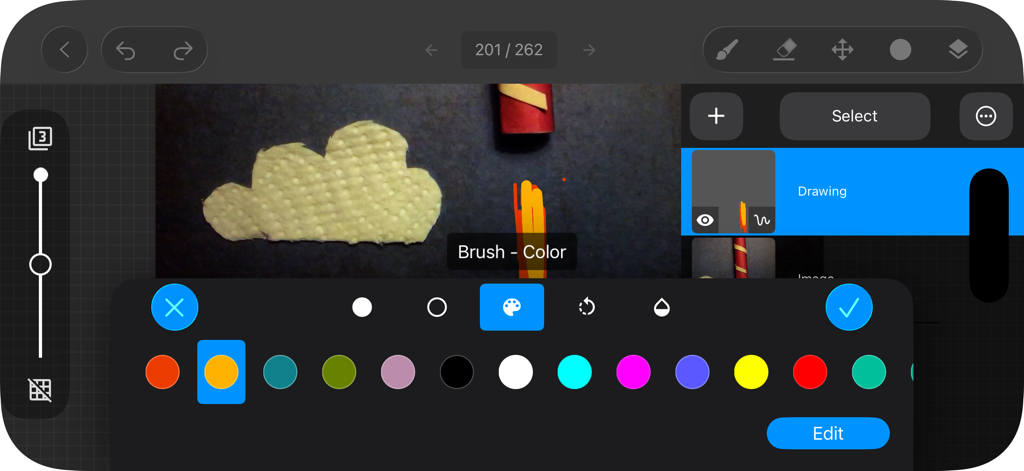
Stop Motion Studio Proアプリの描画およびロトスコープインターフェース。カラー選択パレットが表示されています。
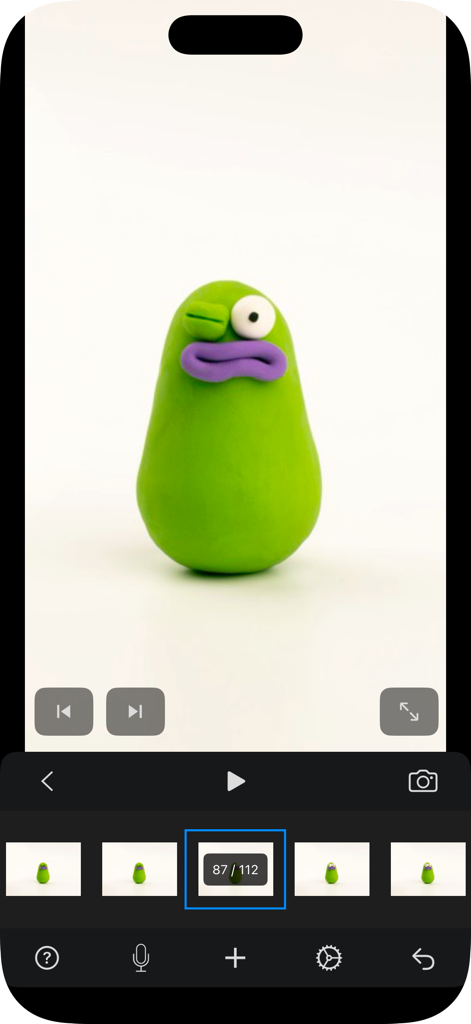
Stop Motion Studio Proアプリでの粘土アニメーションのキャラクターアニメーション。
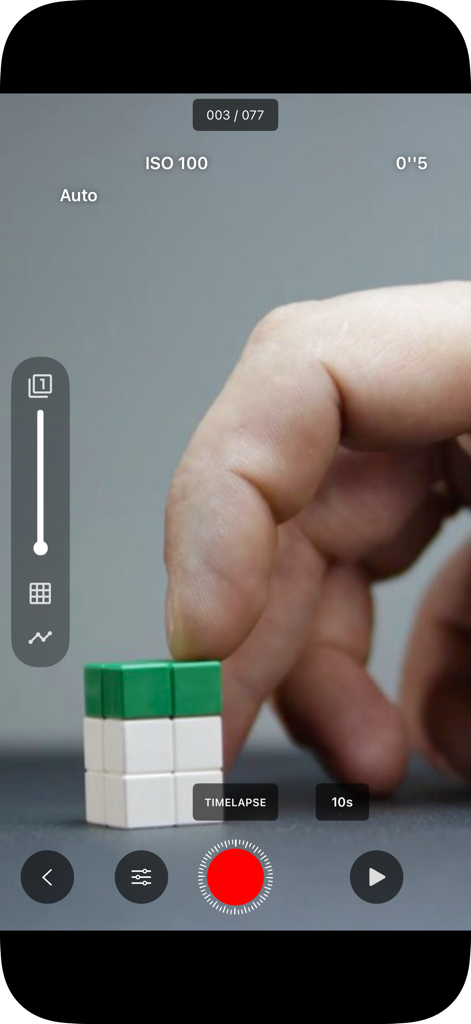
Stop Motion Studio Proのインターフェース。手動ISOコントロールでブロックをアニメートする手が表示されています。
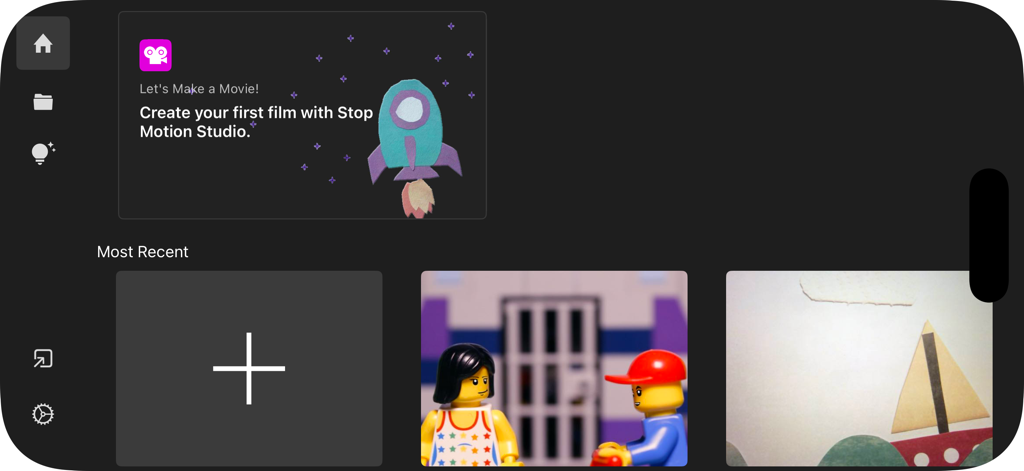
Stop Motion Studio Proのホーム画面。プロジェクトギャラリーと新規ムービー作成ボタンが表示されています。
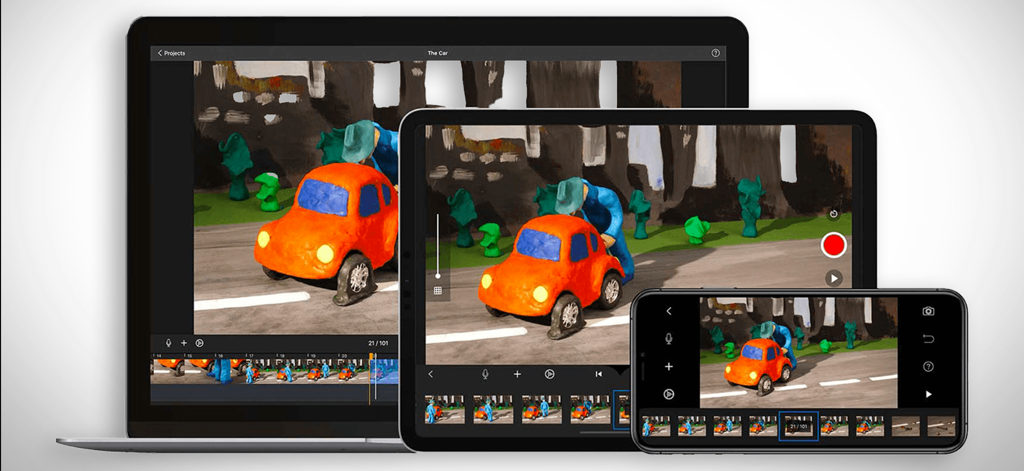
Stop Motion Studio Proアプリのインターフェースが、ラップトップ、タブレット、スマートフォンに表示され、粘土アニメーションプロジェクトを示しています。
説明
Download
類似アプリ
似た機能とユーザー体験を持つアプリ
Stick Nodes Pro - Animator
ForTheLoss Games, Inc

FlipaClip: Create 2D Animation
Visual Blasters, LLC

Stop Motion Studio
CATEATER, LLC
Stick Nodes - Animator
ForTheLoss Games, Inc
Animation Creator: Flipbook 2D
CEM SOFTWARE COMPANY LIMITED

2d animation creator, stickman
Trang Phi Thi

Stop Motion Factory
壮 董

FlipArtify - 2D Draw Animation
CEM SOFTWARE COMPANY LIMITED

MotionBook - Draw & Animate
亮 彭
このページはアプリまたはその開発者の公式ページではなく、情報提供および論評を目的として作成された独立した編集出版物です。明示的に別段の記載がない限り、アプリおよびその開発者は、MWM、Apple、Google Play、アプリのパブリッシャー、またはアプリの開発者と提携、承認、後援、認可、またはその他の公式的な関係はなく、このページのいかなる内容も、アプリがMWMのサービスを使用して開発されたことを意味するものではありません。すべての商標、ロゴ、スクリーンショット、その他のコンテンツはそれぞれの所有者の財産です。