
このページはアプリまたはその開発者の公式ページではなく、情報提供および論評を目的として作成された独立した編集出版物です。明示的に別段の記載がない限り、アプリおよびその開発者は、MWM、Apple、Google Play、アプリのパブリッシャー、またはアプリの開発者と提携、承認、後援、認可、またはその他の公式的な関係はなく、このページのいかなる内容も、アプリがMWMのサービスを使用して開発されたことを意味するものではありません。すべての商標、ロゴ、スクリーンショット、その他のコンテンツはそれぞれの所有者の財産です。


ダウンロード
10M+ユーザー評価
評価数
14.1K開発元
カテゴリ
Productivity対応言語
28最新バージョン
15.76.1サイズ
58.6 MBリリース日
2013年7月9日モバイルデバイス向けリモートサポートツールの主要機能評価
TeamViewer QuickSupport アプリケーション分析
包括的なリモートITサポート
ITプロフェッショナルは、ユーザーのデバイスに接続し、包括的なサポートを提供できます。これには、トラブルシューティング、設定変更、およびその他の技術支援が含まれます。
強固なセキュリティと明示的なアクセス制御
256ビットAESセッションエンコーディングにより接続が保護され、ユーザーはセッションの開始・終了、およびアクセス許可を完全に制御できます。
迅速なセッション開始
セッションコードを使用して、ユーザーはITパートナーとの接続を素早く確立し、即座にサポートを受けることができます。
デバイス情報とシステム診断の表示
ITプロフェッショナルは、デバイス情報やシステム診断データを取得でき、迅速かつ正確なトラブルシューティングを可能にします。
リアルタイム画面共有
サポート担当者は、デバイスのリアルタイムスクリーンショットを視覚的に確認し、問題の状況を正確に把握できます。
双方向ファイル転送
サポートセッション中に、ユーザーとサポートパートナー間でファイルを安全かつ効率的に送受信できます。
アプリ内チャット
ユーザーとサポートパートナーは、セッション中にアプリ内で直接テキストメッセージを交換し、円滑なコミュニケーションを図ることができます。
ダークモード対応
暗い環境での視認性を高め、デバイスのバッテリー消費を抑えることで、より快適な使用体験を提供します。
リモートアプリ管理
ITサポート担当者は、リモートでデバイス上のアプリケーションの起動やアンインストールを行うことができ、効率的な管理を実現します。
広範なクロスプラットフォーム対応
デスクトップ、ウェブブラウザ、または他のモバイルデバイスから接続リクエストを受信できるため、サポートを提供する側の柔軟性が高まります。
よくある質問
について知っておくべきこと TeamViewer QuickSupport
What is TeamViewer QuickSupport and its purpose?
TeamViewer QuickSupport is an app providing instant IT support for iPhones or iPads. It enables a trusted remote partner to connect to your device for assistance, facilitating tasks like file transfer and troubleshooting.
How do I initiate a remote support session with TeamViewer QuickSupport?
To start a support session, open the TeamViewer QuickSupport app. You either share your unique ID with your partner or enter a session code they provide. Then, you must accept the incoming connection request.
Can I transfer files using the TeamViewer QuickSupport app?
Yes, TeamViewer QuickSupport allows users to transfer files back and forth between their device and the remote partner. This feature is listed as a key capability for sharing data.
Does TeamViewer QuickSupport offer a dark mode feature?
Yes, TeamViewer QuickSupport includes a dark mode feature. This update provides a more comfortable visual experience and contributes to better battery life for your device.
Is using TeamViewer QuickSupport for remote connections safe and secure?
Yes, TeamViewer QuickSupport is secure. It uses 256 Bit AES Session Encoding and requires your explicit permission to accept every connection request, ensuring you always control access to your device.
Does TeamViewer QuickSupport allow me to control who connects to my device?
Yes, TeamViewer QuickSupport ensures you retain full control over sessions. It displays user details like name, email, country, and license type, allowing you to verify identity and explicitly grant or deny access.
Can TeamViewer QuickSupport connect from various types of devices?
TeamViewer QuickSupport supports receiving connection requests from any device, including desktops, web browsers, or other mobile devices, offering flexible remote support options.
Can I chat with my support partner during a TeamViewer QuickSupport session?
Yes, the TeamViewer QuickSupport app allows real-time communication via its integrated chat function during a support session. This enables instant interaction with your remote partner.
以下のスクリーンショットと説明は、アプリの公式ストアリスティングから直接取得されたものであり、アプリ開発者の所有物です。
アプリストア
スクリーンショット

ユーザーはID共有機能を通じて迅速にサポートを開始でき、視覚的に分かりやすいセッション接続UIで簡単に操作が可能です。
インスタント遠隔サポート
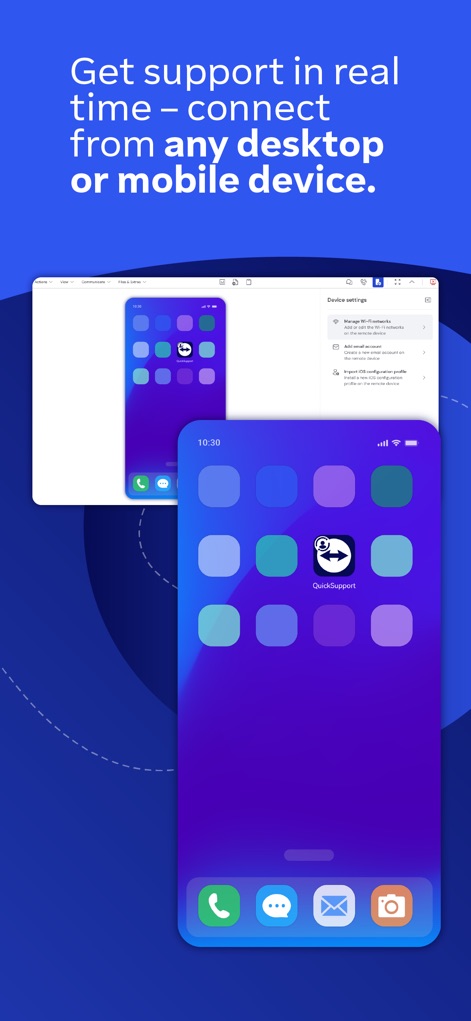
ユーザーは、デスクトップからのリアルタイムサポートを享受でき、モバイル画面のミラーリングで状況が明確に伝わります。
デバイスを選ばない接続
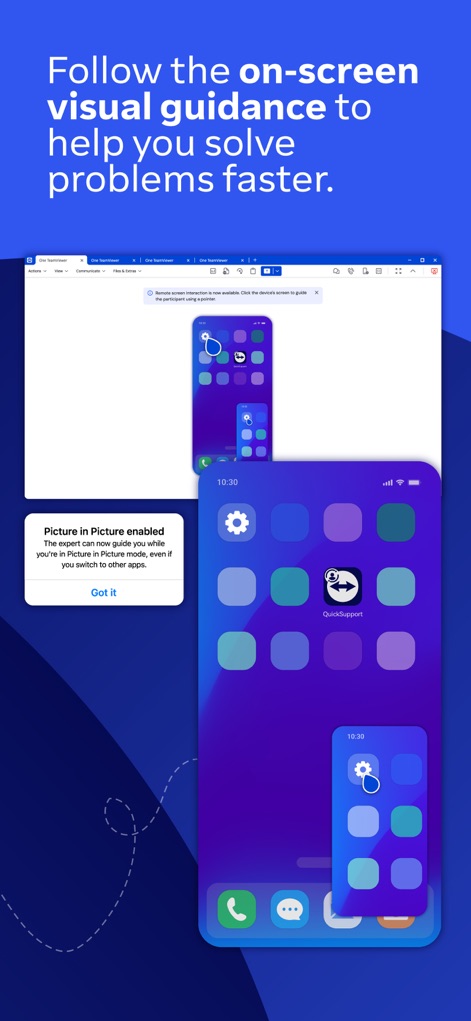
問題解決を加速するため、ユーザーは画面上の指示に従うことができ、ピクチャーインピクチャー機能により作業を中断せずにガイドを確認できます。
視覚的なガイダンス
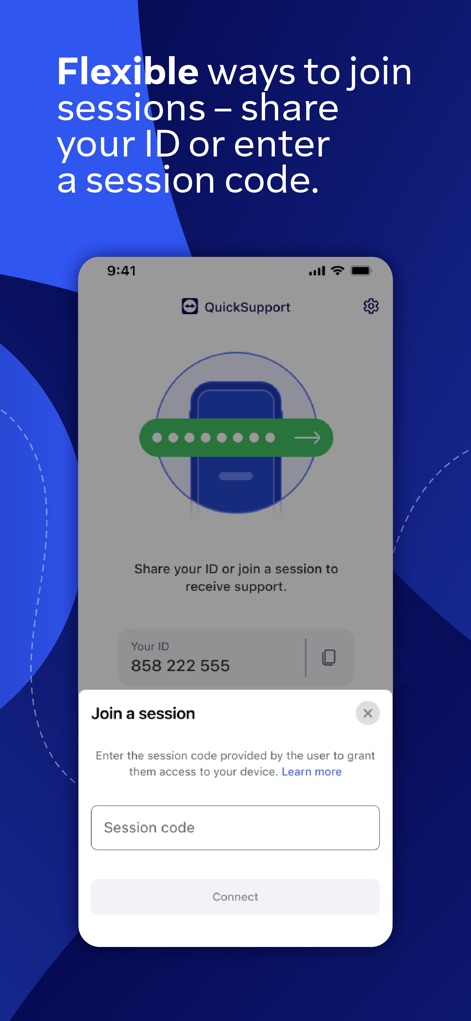
ユーザーはセッションIDの共有またはセッションコードの入力により、柔軟にサポートを開始でき、直感的な入力フォームでスムーズな接続が可能です。
柔軟なセッション参加
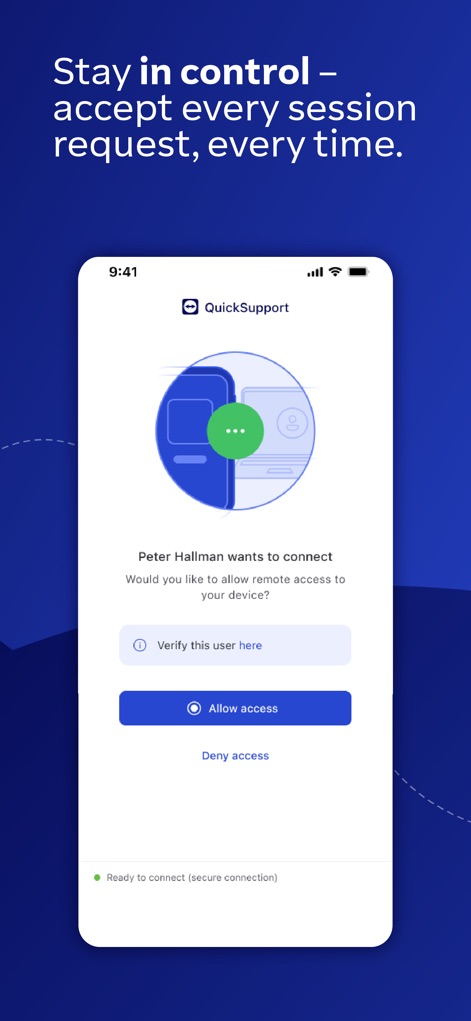
ユーザーは接続要求を常に承認/拒否でき、明示的なアクセス許可ボタンを通じてデバイスへの接続を管理します。
アクセスを完全に制御
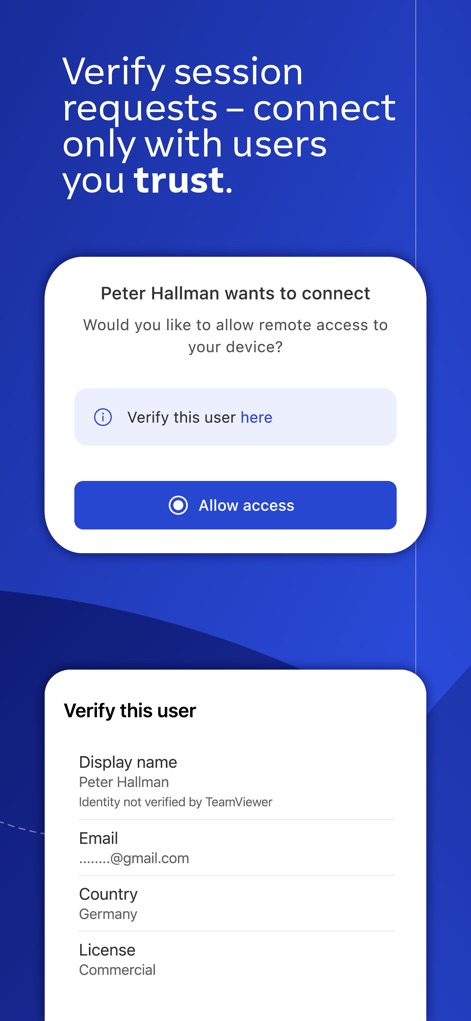
ユーザーは接続前にユーザー詳細情報(氏名やメールアドレスなど)を確認でき、ライセンスタイプ表示で相手の属性を把握できます。
信頼できるユーザー検証
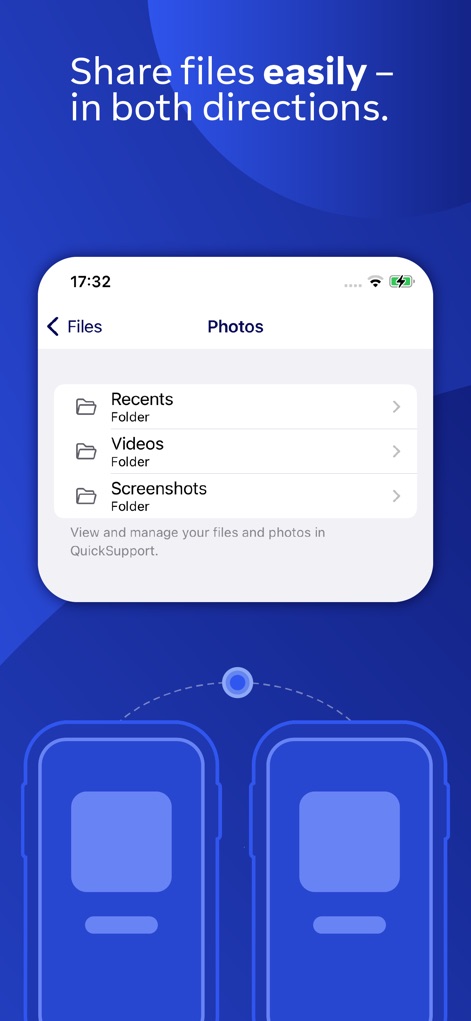
ユーザーはRecents、Videos、Screenshotsといったフォルダーを通じてファイルを簡単に参照でき、双方向のファイル転送インターフェースで効率的なやり取りが可能です。
簡単なファイル共有
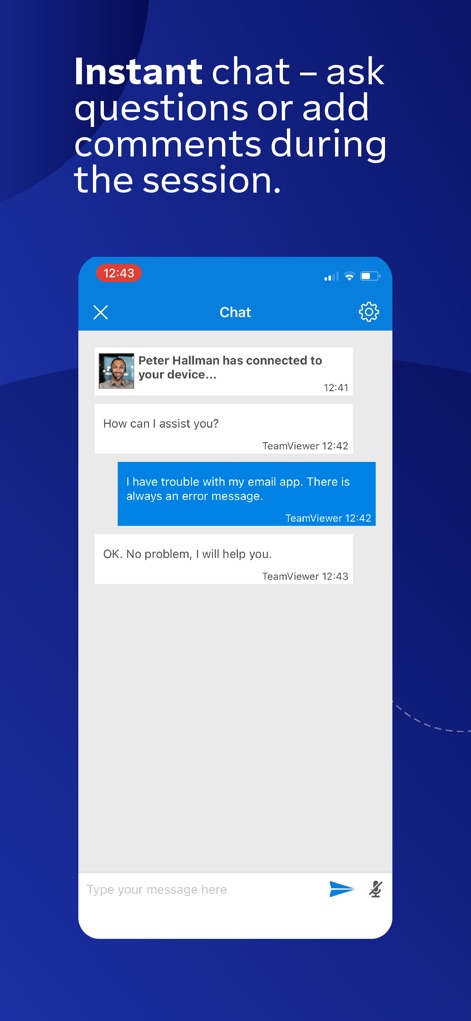
サポートセッション中にユーザーはインスタントチャット機能で質問やコメントを送信でき、分かりやすいチャット履歴表示で会話の流れを確認できます。
セッション中のチャット
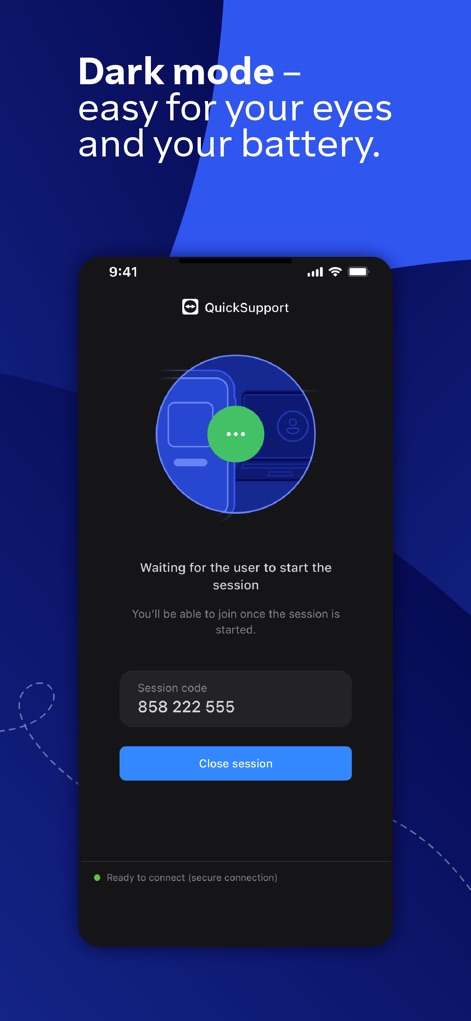
ユーザーは視認性の高いダークモードを利用でき、バッテリー消費を抑えるインターフェースデザインが特徴です。
快適なダークモード
説明
Download
類似アプリ
似た機能とユーザー体験を持つアプリ

向日葵远程控制-Sunlogin remotecontrol
Shanghai best oray information s&t co.,ltd

UU远程-远程办公/游戏串流
Guangzhou NetEase Computer System Co.Ltd

AweSun Remote Desktop
AWERAY PTE. LTD.

AnyDesk Remote Desktop
AnyDesk Software GmbH

TeamViewer Remote Control
TeamViewer Germany GmbH

ToDesk远程控制
Hainan Youqu Technology Co., Ltd.

DeskIn Remote Desktop
ZULER TECHNOLOGY PTE. LTD.

Termius - Modern SSH Client
Termius Corporation

RealVNC Viewer: Remote Desktop
RealVNC Limited
このページはアプリまたはその開発者の公式ページではなく、情報提供および論評を目的として作成された独立した編集出版物です。明示的に別段の記載がない限り、アプリおよびその開発者は、MWM、Apple、Google Play、アプリのパブリッシャー、またはアプリの開発者と提携、承認、後援、認可、またはその他の公式的な関係はなく、このページのいかなる内容も、アプリがMWMのサービスを使用して開発されたことを意味するものではありません。すべての商標、ロゴ、スクリーンショット、その他のコンテンツはそれぞれの所有者の財産です。