Teleprompter - Captions
ダウンロード: App Store

このページはアプリまたはその開発者の公式ページではなく、情報提供および論評を目的として作成された独立した編集出版物です。明示的に別段の記載がない限り、アプリおよびその開発者は、MWM、Apple、Google Play、アプリのパブリッシャー、またはアプリの開発者と提携、承認、後援、認可、またはその他の公式的な関係はなく、このページのいかなる内容も、アプリがMWMのサービスを使用して開発されたことを意味するものではありません。すべての商標、ロゴ、スクリーンショット、その他のコンテンツはそれぞれの所有者の財産です。


ロゴ: Teleprompter - Captions
ダウンロード: App Store

Teleprompter - Captions

クリエイターとプロフェッショナル向けの究極の動画スタジオ。シームレスなスクリプトで録画し、AI字幕を追加し、ワンタップでソーシャルメディア向けの動画を仕上げましょう。

主要数値

ダウンロード

120K+

ユーザー評価

4.0/5

評価数

100

開発元

卓 张

カテゴリ

Productivity

対応言語

20

最新バージョン

3.0.0

サイズ

100.7 MB

リリース日

2024年9月13日
機能

常にプロのように録画する

スクリプトを暗記するのをやめて、視聴者とのつながりを深めましょう。現代のクリエイターのために設計された、シームレスなモバイルワークフローで、1つのアプリで撮影、編集、キャプション付けを行います。

完璧なアイコンタクト

読みながらカメラに視線を合わせ続けましょう。スクロールするスクリプトはレンズの隣に表示されるため、一語も逃さずに自信と権威を持って話しているように見えます。

スマート自動キャプション

リーチを自動的に拡大しましょう。サウンドなしで動画を視聴するソーシャルメディアユーザーの80%を引きつける、正確な字幕を即座に生成します。

以下のスクリーンショットと説明は、アプリの公式ストアリスティングから直接取得されたものであり、アプリ開発者の所有物です。

アプリストア

スクリーンショット
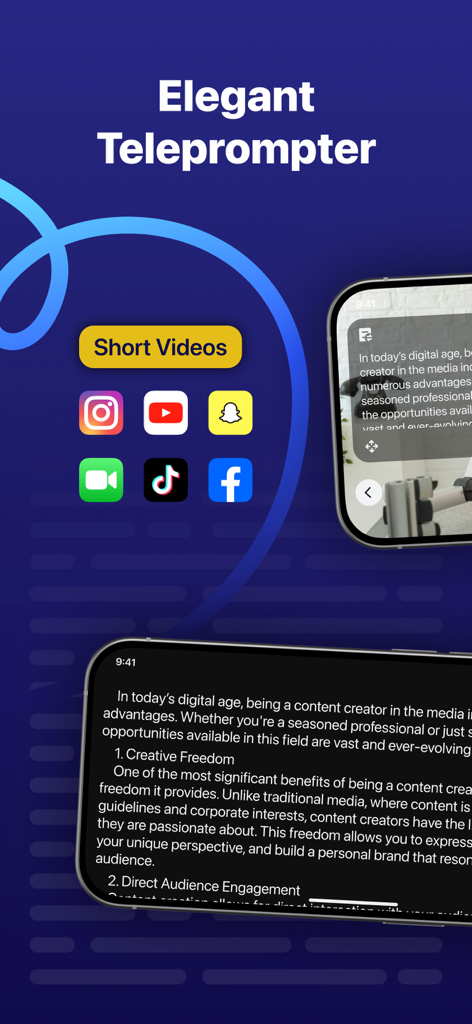
Teleprompter - Captions - TikTokやInstagramなどのソーシャルメディアプラットフォームでショート動画を作成するためのテレプロンプターアプリのインターフェース。
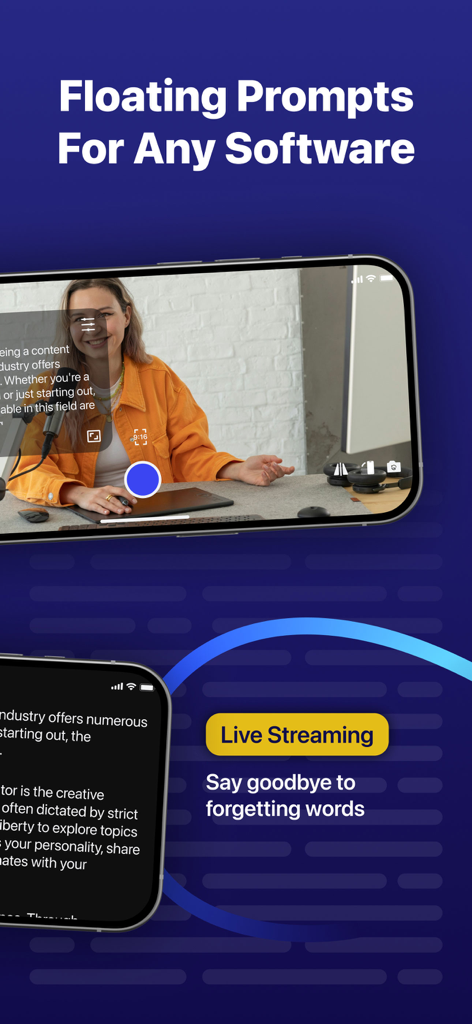
TikTokやInstagramなどのソーシャルメディアプラットフォームでショート動画を作成するためのテレプロンプターアプリのインターフェース。

Teleprompter - Captions - ライブストリーム録画中にフローティングテレプロンプタースクリプト機能を表示するiPhone画面
ライブストリーム録画中にフローティングテレプロンプタースクリプト機能を表示するiPhone画面

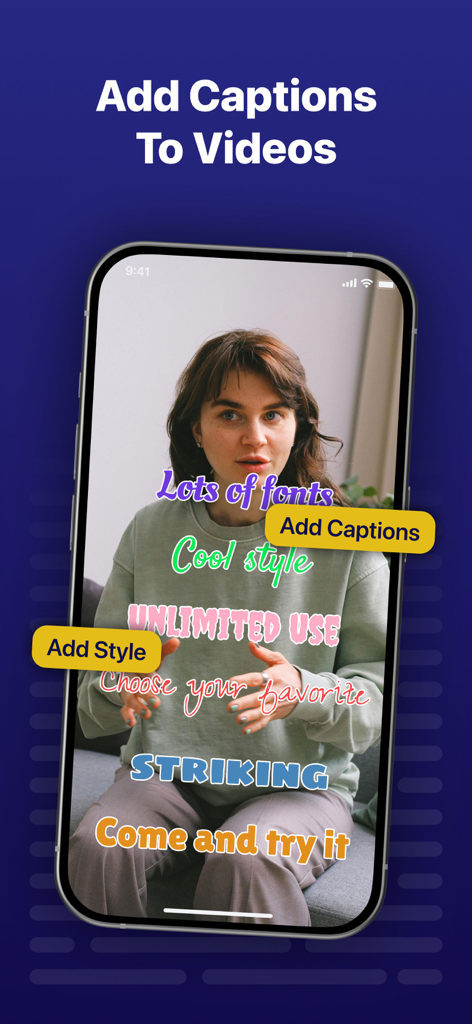
Teleprompter - Captions - 女性が話している動画に、様々​​なカラフルでスタイリッシュなキャプションが重ねて表示されているテレプロンプターアプリを示すスマートフォン画面。
女性が話している動画に、様々​​なカラフルでスタイリッシュなキャプションが重ねて表示されているテレプロンプターアプリを示すスマートフォン画面。

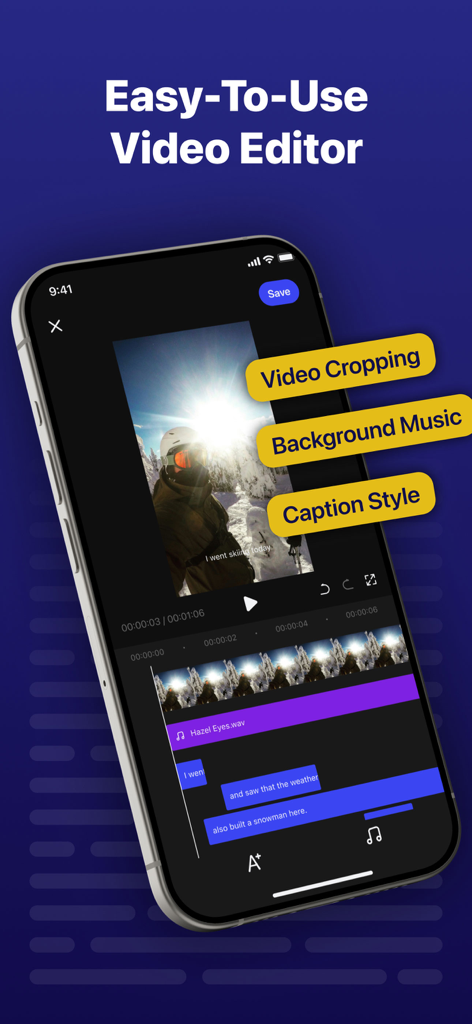
Teleprompter - Captions - クロッピング、BGM、キャプションスタイルツールを備えたテレプロンプターアプリのビデオエディターインターフェースを示すスマートフォンスクリーン。
クロッピング、BGM、キャプションスタイルツールを備えたテレプロンプターアプリのビデオエディターインターフェースを示すスマートフォンスクリーン。

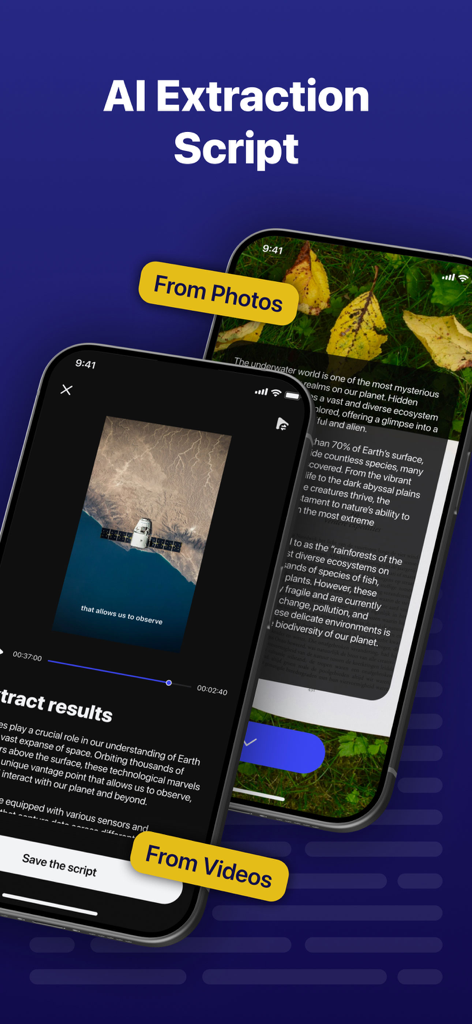
Teleprompter - Captions - 写真や動画からのAIスクリプト抽出を示すテレプロンプターアプリのインターフェース。
写真や動画からのAIスクリプト抽出を示すテレプロンプターアプリのインターフェース。

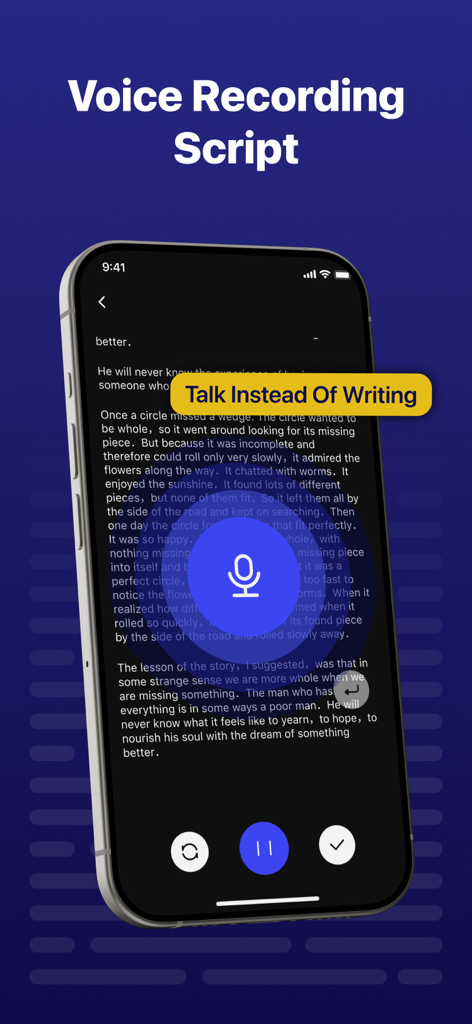
Teleprompter - Captions - テレプロンプターアプリのボイスレコーディングスクリプト機能を示すiPhone画面
テレプロンプターアプリのボイスレコーディングスクリプト機能を示すiPhone画面

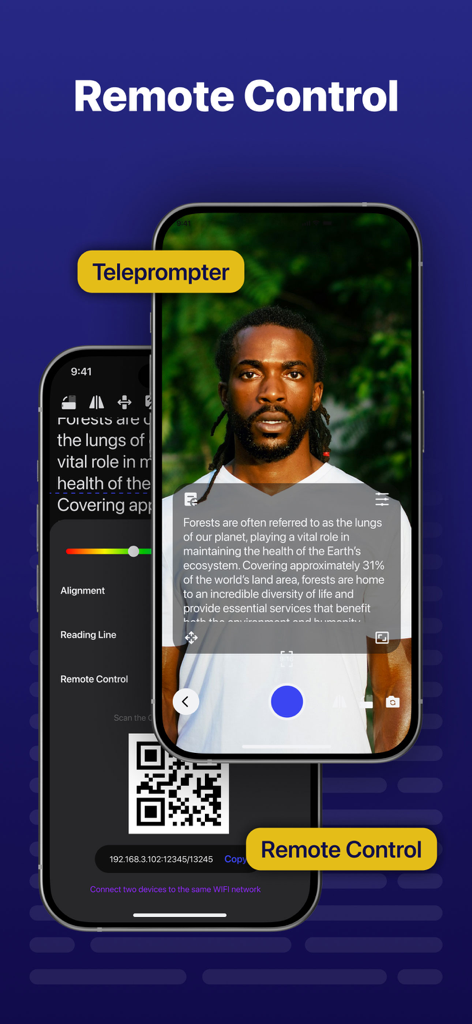
Teleprompter - Captions - QRコードとアクティブなビデオ録画画面を備えたリモートコントロール設定を表示するテレプロンプターアプリ
QRコードとアクティブなビデオ録画画面を備えたリモートコントロール設定を表示するテレプロンプターアプリ

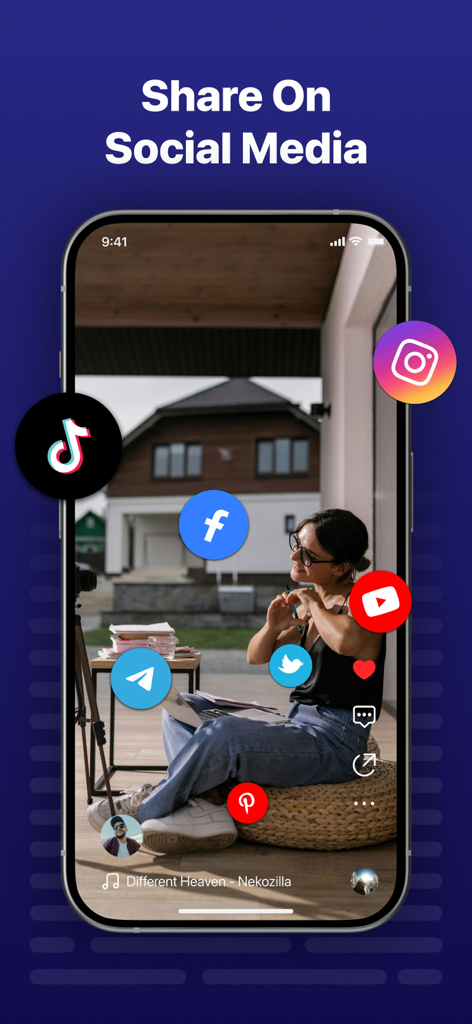
Teleprompter - Captions - ビデオコンテンツのTikTok、Instagram、YouTubeを含むソーシャルメディア共有オプションを表示するiPhone画面

ビデオコンテンツのTikTok、Instagram、YouTubeを含むソーシャルメディア共有オプションを表示するiPhone画面

説明

Video Teleprompter makes it easy to create professional videos on your iPhone. It's perfect for anyone who wants to record a video blog, practice a speech, or conduct business communications. The app helps actors film self-audition tapes, religious leaders deliver sermons, job seekers create video resumes, and more. How it works... You film yourself with an HD camera as you read from a script. The teleprompter script (or autocue) scrolls next to the camera lens, helping you make eye contact with your audience. They won't know you're reading from a script! Once you're done recording, you can edit your video - add a logo, resize for social media, add music, replace the background with a green screen, add text, and automatically subtitle your video using the time you recorded Here's a summary of all the great features: • Mirror text for on-camera teleprompter rigs • Script scrolls smoothly and clearly on the display • Record a video and read from the teleprompter • Full screen your script by hiding the controls while scrolling • Control the teleprompter from any web browser on the same WiFi network • Write and manage unlimited scripts with no script length limits • Customize the text size and color of your scripts • Customize the background color of your scripts • Adjustable margins • Add a countdown timer before the scroll starts • Rearrange scripts by title, date, or in a custom order • Quickly export and share your scripts with others • Use timed scrolling to have your script scroll from start to end in a specified amount of time • Easily export all scripts and settings to share with others, or as a backup file ... and more! Edit videos after recording * All videos are saved in the app for editing later. * Automatically add subtitles to your videos or export a file to import your subtitles into YouTube, Facebook, or other video platforms. * Resize your videos to landscape, portrait, or square for uploading to social media. * Add text to your videos. Here are some of the hundreds of customer reviews: 5 stars: "This app is amazing! I use it for school news and it really helps and works! 100% recommend this app!" 5 stars: "No other teleprompter comes close to this one in terms of features and flexibility. The owner is also very responsive!" 5 stars: "I am a professional musician. This app is great for rehearsing and storing lyrics. The best part is being able to back up my music library somewhere else through the app." 5 stars: "This app is a lifesaver and a time saver. A coworker told me about it and it has allowed me to finish my work faster." 5 stars: "This app is great, no word limit, stores data, no ads, and it's free! Would definitely recommend it to a friend." 5 stars: "I make videos at work explaining how to use various equipment and software to my employees, and this helps me plan out what I'm going to say in advance so I can record exactly what I need to say and then add the voiceover at the right time. Very useful and well d esigned." 5 Stars: "We needed an auto-cue app to help with our video editing and this app was perfect. It did exactly what we wanted and was so easy to use. Definitely recommend." 5 Stars: "I couldn't be more impressed with my Premium Teleprompter app! It was so easy to use and I would definitely recommend it!" What are you waiting for? Download it now and give it a try, I think you'll love it! Privacy Policy: https://sites.google.com/view/privacypolicy-teleprompter Terms: https://sites.google.com/view/terms-teleprompter

Download

ダウンロード: App Store

このページはアプリまたはその開発者の公式ページではなく、情報提供および論評を目的として作成された独立した編集出版物です。明示的に別段の記載がない限り、アプリおよびその開発者は、MWM、Apple、Google Play、アプリのパブリッシャー、またはアプリの開発者と提携、承認、後援、認可、またはその他の公式的な関係はなく、このページのいかなる内容も、アプリがMWMのサービスを使用して開発されたことを意味するものではありません。すべての商標、ロゴ、スクリーンショット、その他のコンテンツはそれぞれの所有者の財産です。








