
このページはアプリまたはその開発者の公式ページではなく、情報提供および論評を目的として作成された独立した編集出版物です。明示的に別段の記載がない限り、アプリおよびその開発者は、MWM、Apple、Google Play、アプリのパブリッシャー、またはアプリの開発者と提携、承認、後援、認可、またはその他の公式的な関係はなく、このページのいかなる内容も、アプリがMWMのサービスを使用して開発されたことを意味するものではありません。すべての商標、ロゴ、スクリーンショット、その他のコンテンツはそれぞれの所有者の財産です。


Teleprompter: Video Record AI
iPhoneひとつで、プロの演出を手の内に。このアプリが、あなたの視線を操り、メッセージを完璧に届ける。
ダウンロード
100k+ユーザー評価
評価数
21開発元
カテゴリ
Photo & Video対応言語
18最新バージョン
1.5.2サイズ
166.0 MBリリース日
2025年3月25日プロのビデオ制作を支援する主要機能の評価
Teleprompter: Video Record AI アプリ分析
エレガントなテレプロンプター
HD画質で撮影しながら台本を読み上げ、視線を維持できるため、自然でプロフェッショナルなビデオを作成できます。
スマートAIキャプションツール
AIが台本を自動生成し、多言語の字幕認識、テキストや表示時間のカスタマイズが可能で、AIによる視線修正機能も備わっています。
台本作成と編集
台本のサイズと位置の調整、コピー&ペースト、デバイス上での直接作成、カメラからのテキストインポートにより、効率的な台本作成と編集が可能です。
録画後のビデオ編集
録画後にソーシャルメディア向けにサイズ変更したり、背景を置き換えたり、テキストや自動キャプション、著作権フリーの音楽を追加したりして、ビデオを編集できます。
簡単な保存と共有
HDエクスポートにより高品質なビデオ出力が可能で、InstagramやTikTokなどへのワンクリック共有をサポートしています。
柔軟なビデオ録画機能
フロントカメラとリアカメラの切り替え、水平および垂直フォーマットでの録画、カスタムカウントダウンにより、多様なプラットフォームと録画ニーズに対応する柔軟なビデオ撮影が可能です。
テレプロンプターキャプション効果のカスタマイズ
キャプションのスクロール速度、フォントサイズ、色を調整でき、ユーザーの読書リズムや視認性の好みに合わせられます。
シームレスなコンテンツ作成
複数のアプリを切り替えることなく、中断なしでコンテンツ作成が可能です。
よくある質問
について知っておくべきこと Teleprompter: Video Record AI
How does the Teleprompter - Floating Script app work for recording videos?
The Teleprompter app allows users to read a scrolling script while filming in HD, maintaining eye contact. After recording, users can edit videos, resize for social media, replace backgrounds, add text, auto captions, and royalty-free music.
Can Teleprompter - Floating Script generate scripts automatically?
Yes, Teleprompter - Floating Script includes Smart AI Captions Tools. Users type one sentence to generate a complete 200+ word script based on a selected scene and tone. It also provides AI subtitle recognition.
What customization options are available for captions in Teleprompter - Floating Script?
Teleprompter - Floating Script offers extensive caption customization. Users adjust scrolling speed (1-50), font size (12pt-112pt), and font color. It also allows full customization of text and display duration for subtitles.
Does Teleprompter - Floating Script offer an eye contact correction feature?
Yes, Teleprompter - Floating Script features an AI eye contact fix. This capability ensures users maintain natural eye contact with the camera while reading their script, enhancing video professionalism.
How can users import scripts into Teleprompter - Floating Script?
Teleprompter - Floating Script offers diverse script import options. Users can copy/paste, write directly, or snap a photo to extract text. It also supports importing Word, PDF, AI scripts, and TXT files.
What platforms can Teleprompter - Floating Script videos be shared to?
Teleprompter - Floating Script supports one-click sharing of HD videos directly to popular platforms. These include Instagram, TikTok, and other social media to easily showcase created content.
How does the Teleprompter - Floating Script subscription work?
Teleprompter subscriptions via Apple automatically renew. Payment is charged to the App Store account upon confirmation. Auto-renewal must be turned off 24 hours before the current period ends, and can be managed in App Store settings.
What devices are compatible with Teleprompter - Floating Script?
Teleprompter - Floating Script is compatible with both iPhone and iPad devices. This ensures broad accessibility for users who want to create and edit videos on Apple's mobile platforms.
Does Teleprompter - Floating Script offer a floating script overlay?
Yes, Teleprompter - Floating Script offers a floating script feature that overlays on top of all other apps. This enables users to read scripts hands-free without switching applications.
Can users adjust the background of the teleprompter in Teleprompter - Floating Script?
Yes, Teleprompter - Floating Script provides background customization. Users select between white and black backgrounds and adjust transparency from 0% to 50%, suiting diverse recording environments and preferences.
以下のスクリーンショットと説明は、アプリの公式ストアリスティングから直接取得されたものであり、アプリ開発者の所有物です。
アプリストア
スクリーンショット
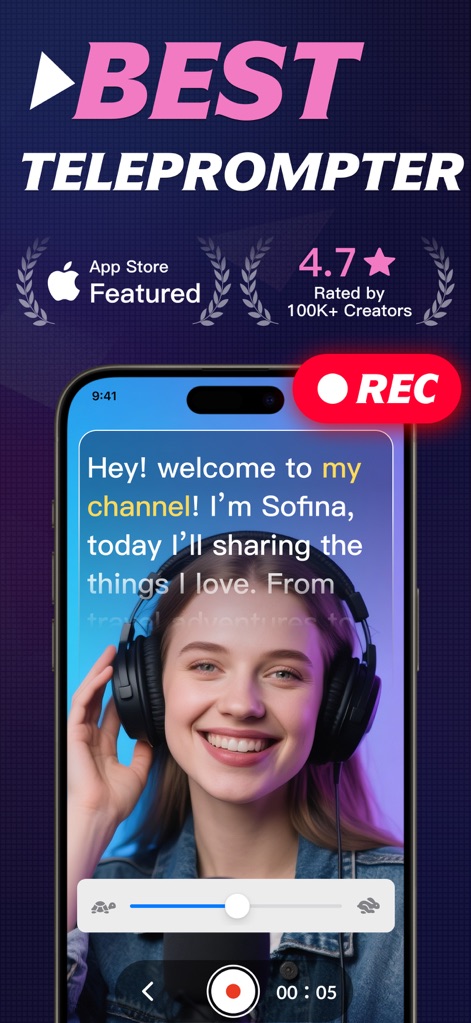
このアプリは、台本を読みながらプロフェッショナルなビデオ撮影を可能にし、画面上に表示されるスクロールするテキストと録画中のユーザーの自然な笑顔が特徴です。
プロ品質ビデオ撮影
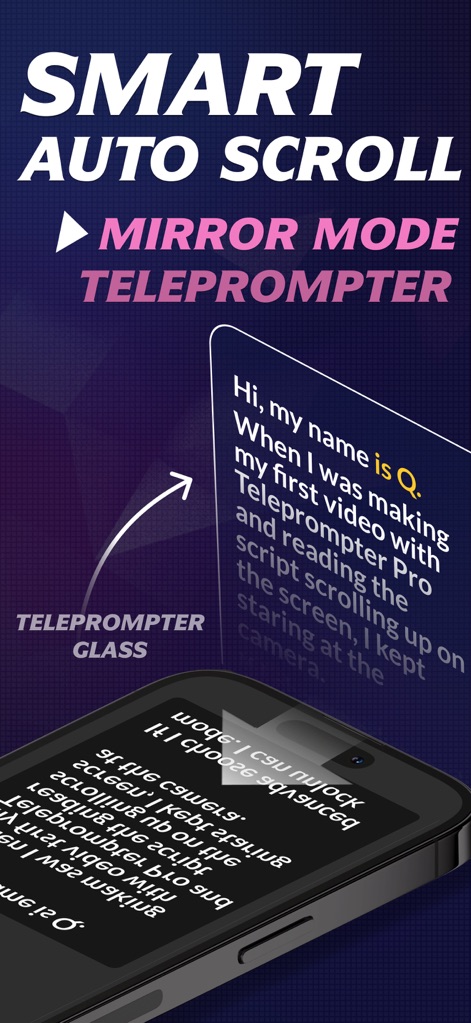
テレプロンプターグラスの使用を想定したミラーモード機能を搭載し、テキストの自動スクロールと鏡像表示の両方に対応することで、ユーザーは視線を固定したまま自然なスピーチが可能です。
ミラーモード対応
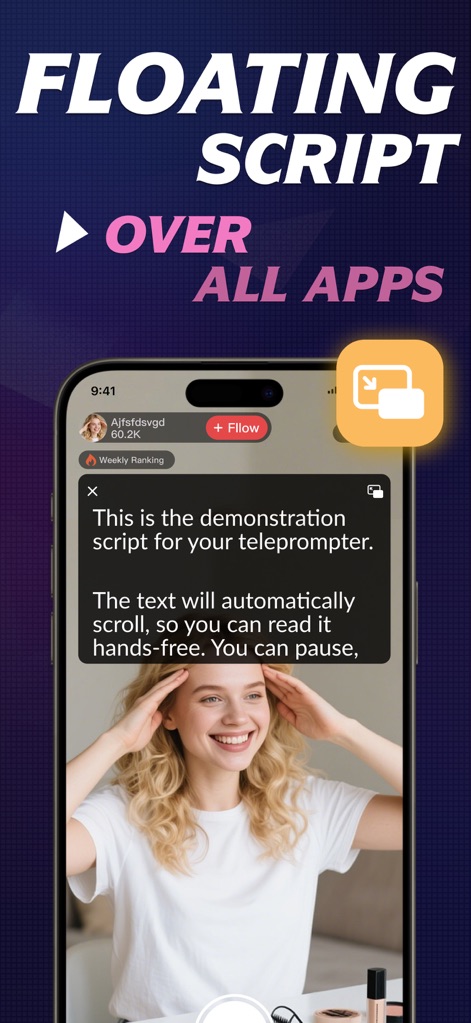
他のアプリの上にスクリプトをフローティング表示させる機能があり、ライブ配信中に台本を一時停止したり再生したりできるため、ユーザーはハンズフリーでスムーズな動画制作を行えます。
フローティングスクリプト
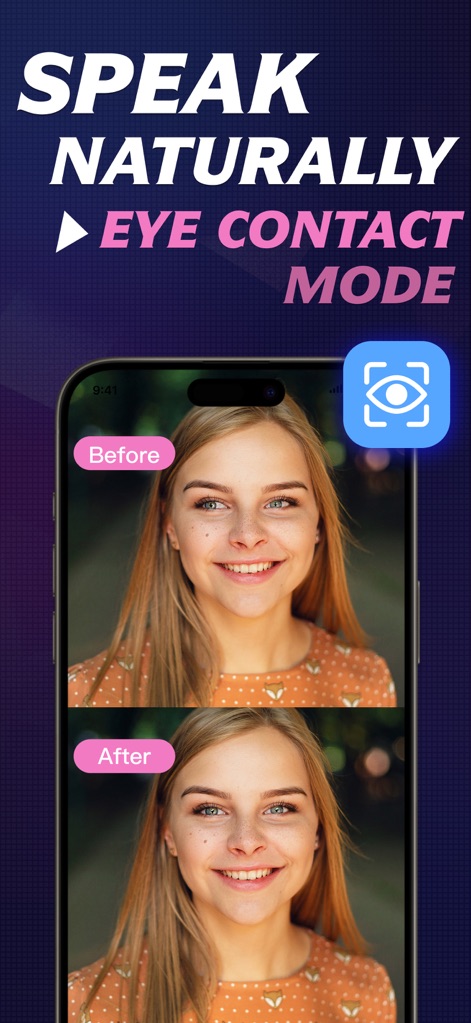
AIによるアイコンタクト修正機能が搭載されており、「Before」と「After」の比較により、ユーザーが台本を読んでいるにも関わらず、視聴者との自然なアイコンタクトが維持されることが視覚的に示されています。
自然なアイコンタクト
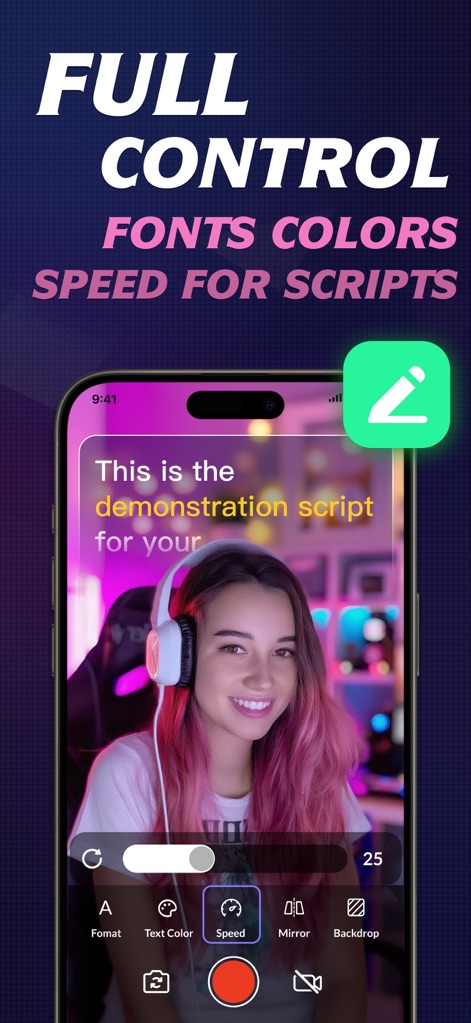
このアプリは、フォントサイズ、テキストの色、スクロール速度といった台本の詳細なカスタマイズ機能を備えており、ユーザーは自身の読書リズムに合わせて最適な表示設定を調整できます。
スクリプトを自在に
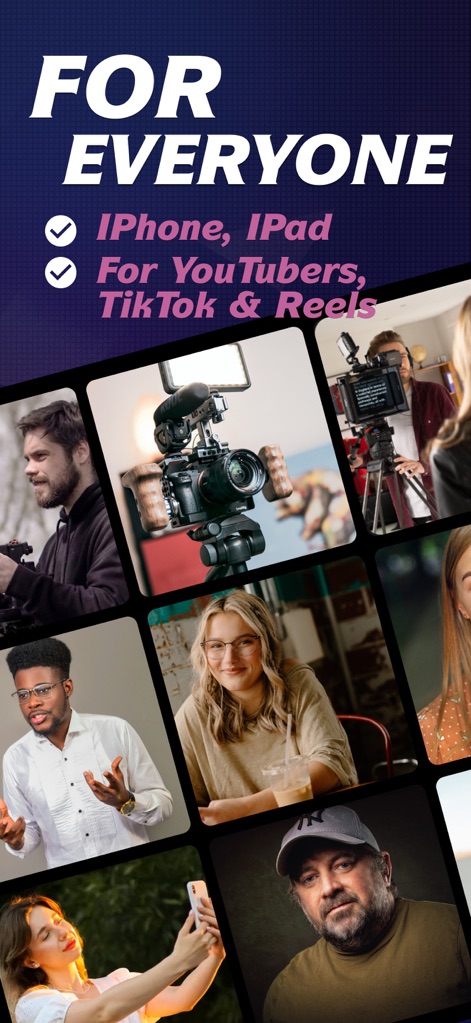
iPhoneやiPadを使用するYouTube、TikTok、Reelsのクリエイター向けに設計されており、様々な職業や世代のユーザーが本アプリを活用し、プロフェッショナルな動画コンテンツを作成できることを示唆しています。
あらゆるクリエイターへ
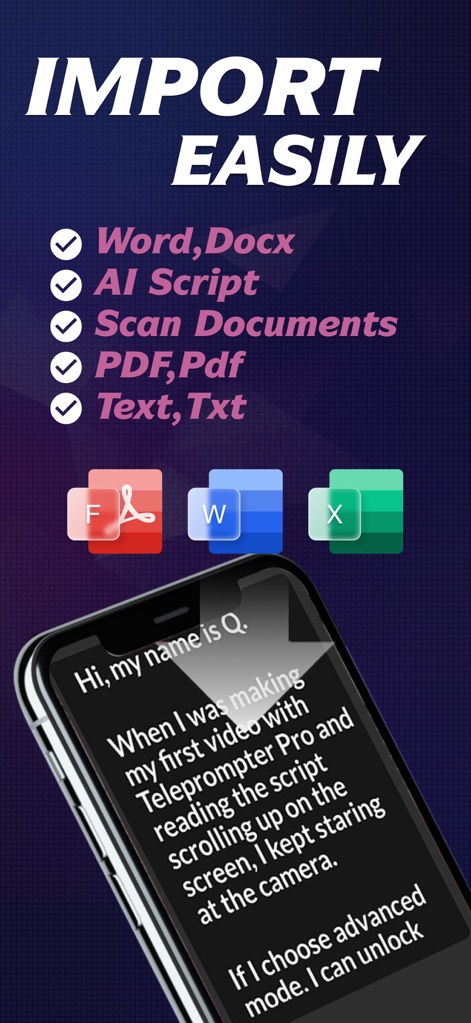
Word、PDF、Txtなどの複数のファイル形式からのスクリプトインポートに対応し、紙媒体や画面からのテキストスキャン機能も備えているため、ユーザーは多様なソースから簡単に台本を取り込めます。
簡単スクリプトインポート
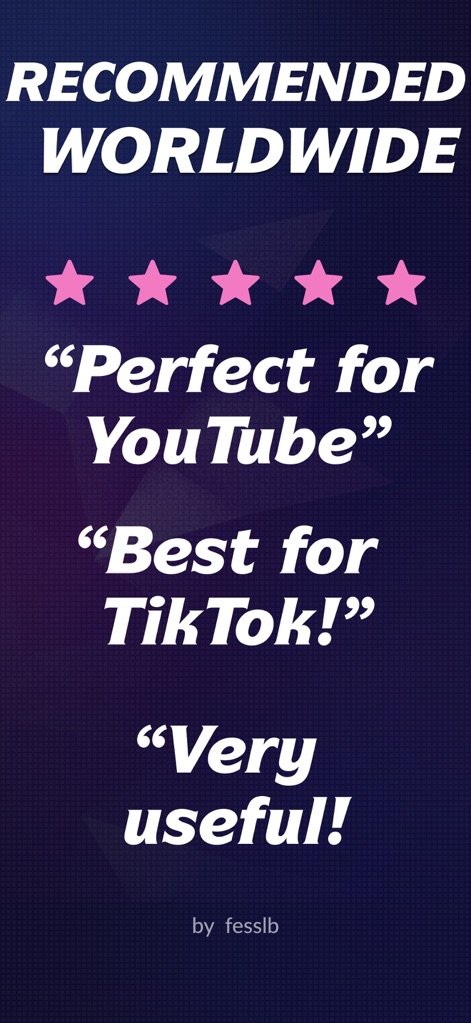
「Perfect for YouTube」や「Best for TikTok!」といった具体的なユーザーレビューと5つ星の評価が表示されており、世界中のクリエイターから高い満足度と推奨を得ていることが強調されています。
世界中で高評価
説明
Download
類似アプリ
似た機能とユーザー体験を持つアプリ

Teleprompter
Teleprompter Apps Ltd

BIGVU Teleprompter Captions AI
BIGVU INC

Teleprompter for Video
Norton Five Ltd

Teleprompter.com
Teleprompter LLC

Vmake: AI Talking Video Editor
Starii Tech Pty Ltd

说得AI提词器相机-全能的脚本创作提词拍摄快速剪辑口播神器
Hangzhou Gaishi Technology Co., Ltd.

Teleprompter-Record Script
晨铭 李

Verba: Captions & Video Editor
Verba Creative Inc.

Teleprompter: Video Recording
志威 王
このページはアプリまたはその開発者の公式ページではなく、情報提供および論評を目的として作成された独立した編集出版物です。明示的に別段の記載がない限り、アプリおよびその開発者は、MWM、Apple、Google Play、アプリのパブリッシャー、またはアプリの開発者と提携、承認、後援、認可、またはその他の公式的な関係はなく、このページのいかなる内容も、アプリがMWMのサービスを使用して開発されたことを意味するものではありません。すべての商標、ロゴ、スクリーンショット、その他のコンテンツはそれぞれの所有者の財産です。