Telepromptme Script Scroller
ダウンロード: App Store

このページはアプリまたはその開発者の公式ページではなく、情報提供および論評を目的として作成された独立した編集出版物です。明示的に別段の記載がない限り、アプリおよびその開発者は、MWM、Apple、Google Play、アプリのパブリッシャー、またはアプリの開発者と提携、承認、後援、認可、またはその他の公式的な関係はなく、このページのいかなる内容も、アプリがMWMのサービスを使用して開発されたことを意味するものではありません。すべての商標、ロゴ、スクリーンショット、その他のコンテンツはそれぞれの所有者の財産です。

ロゴ: Telepromptme Script Scroller
ダウンロード: App Store

Telepromptme Script Scroller

クリエイターやプロフェッショナル向けの多機能テレプロンプター。4K動画を撮影し、Appleデバイス間でスクリプトを同期し、すべてのセリフを完璧にこなしましょう—アカウント設定やインターネットは不要です。

主要数値

ダウンロード

1K+

ユーザー評価

4.4/5

評価数

0

開発元

Ian Stephenson

カテゴリ

Productivity

対応言語

1

最新バージョン

5.1.9

サイズ

8.1 MB

リリース日

2021年9月30日
機能

完璧なデリバリーで部屋を支配する

Telepromptmeは、クリエイターやプロフェッショナルが自信を持って話し、完璧なアイコンタクトを維持し、スクリプトを暗記するストレスをなくすことを可能にします。

完璧なアイコンタクトを維持

スクリプトを読みながら最大4Kで録画。下を向いてメモを見るのではなく、レンズを直接見て視聴者との間に即時の信頼を築きましょう。

AI搭載スクリプト編集

Apple Intelligenceを活用してメッセージを洗練させましょう。PDFをインポートするか、AIアシスタントを使用して、より権威のあるプロフェッショナルなプレゼンスのためにトーンと流れを磨きましょう。

シームレスなクロスデバイス同期

Macでスクリプトを作成し、iPhoneで録画。ハードウェアリグ用の専用ミラーモードにより、あらゆるセットアップに対応するプログレードのツールが利用できます。

以下のスクリーンショットと説明は、アプリの公式ストアリスティングから直接取得されたものであり、アプリ開発者の所有物です。

アプリストア

スクリーンショット
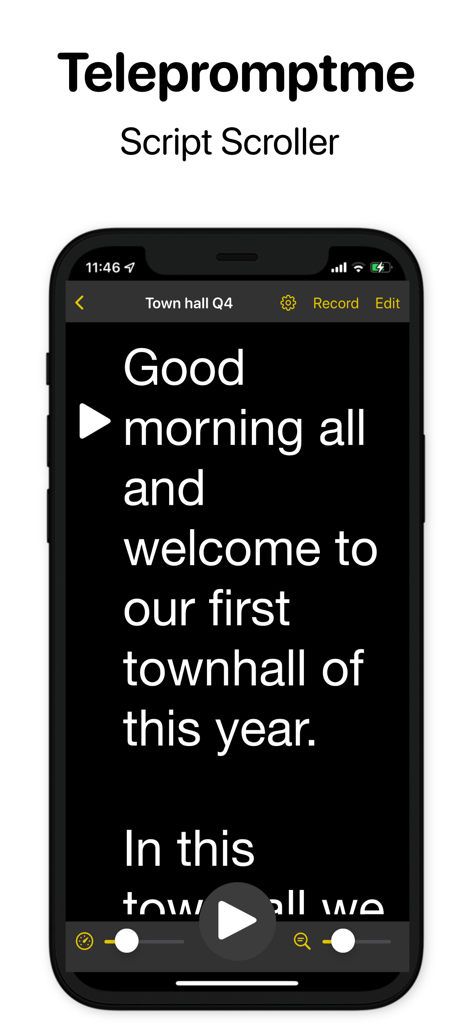
Telepromptme Script Scroller - Telepromptme Script ScrollerインターフェイスにiPhone上のスピーチスクリプトが表示されている
Telepromptme Script ScrollerインターフェイスにiPhone上のスピーチスクリプトが表示されている

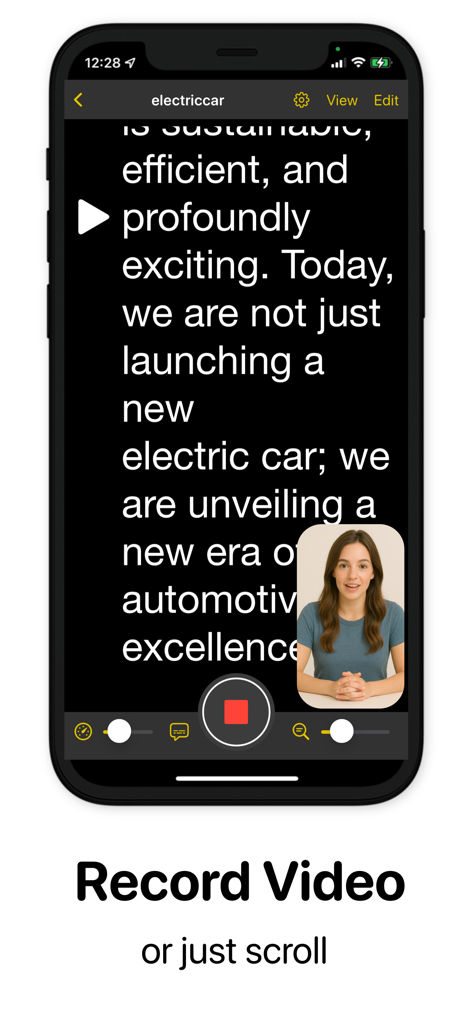
Telepromptme Script Scroller - Telepromptmeアプリのスクロールするスクリプトを読みながらビデオプレゼンテーションを録画している女性
Telepromptmeアプリのスクロールするスクリプトを読みながらビデオプレゼンテーションを録画している女性

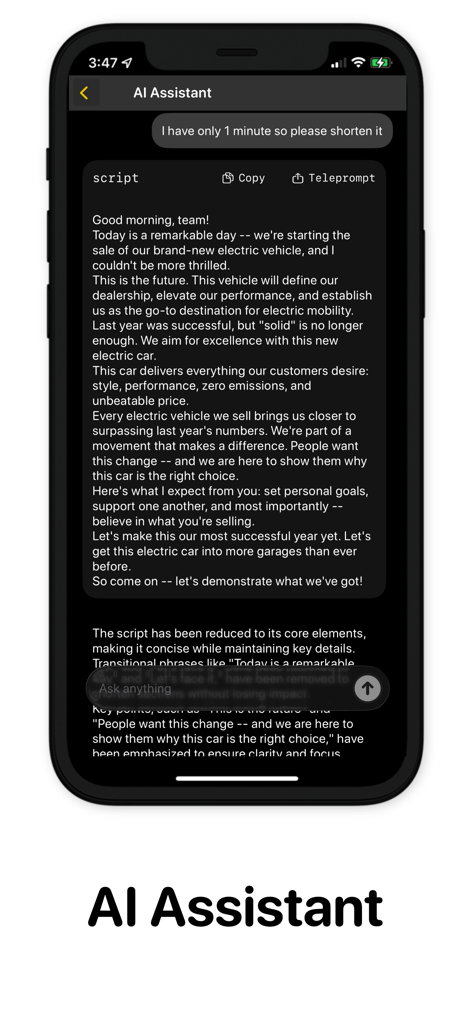
Telepromptme Script Scroller - ビデオ録画用にスクリプトを短縮および編集するために使用されるTelepromptme AIアシスタント機能のインターフェイス
ビデオ録画用にスクリプトを短縮および編集するために使用されるTelepromptme AIアシスタント機能のインターフェイス

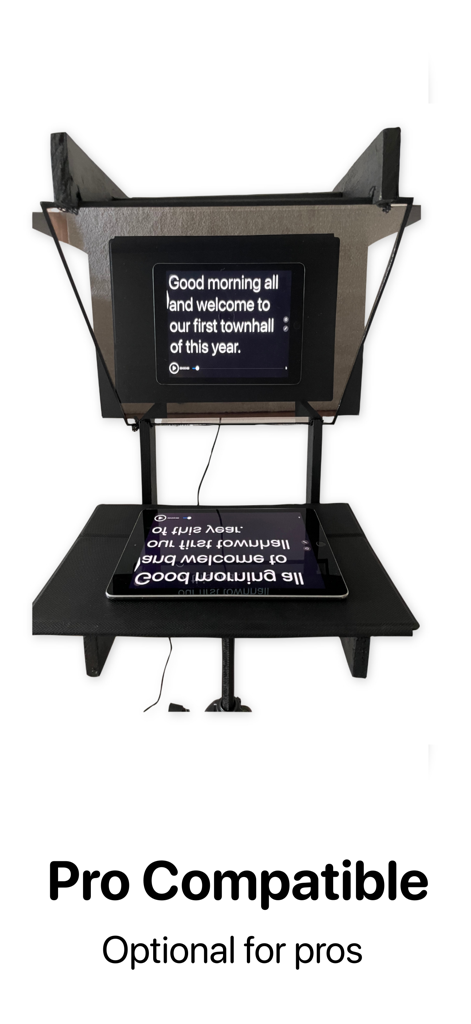
Telepromptme Script Scroller - iPadからミラーリングされたスクリプトを表示するプロフェッショナルテレプロンプターリグ
iPadからミラーリングされたスクリプトを表示するプロフェッショナルテレプロンプターリグ

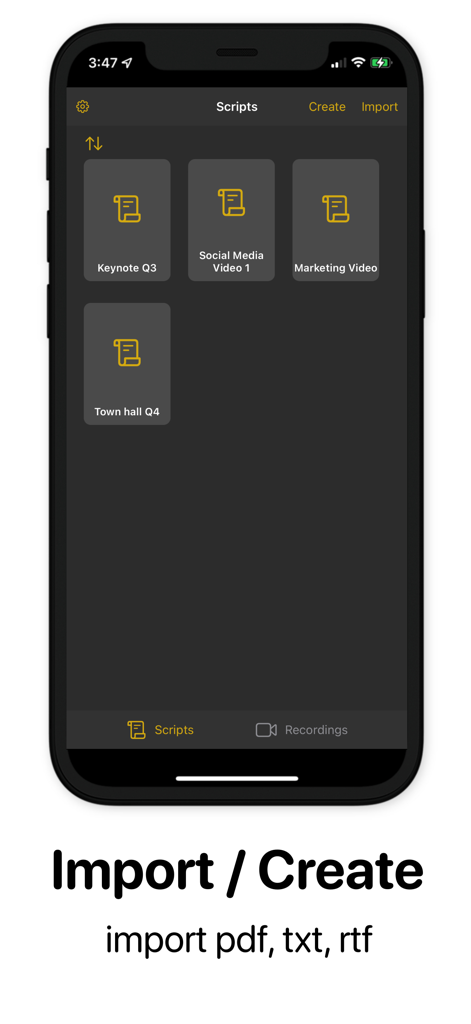
Telepromptme Script Scroller - Telepromptmeアプリインターフェイスに、ファイルをインポートまたは作成するオプションが表示されたスクリプトライブラリが表示されている
Telepromptmeアプリインターフェイスに、ファイルをインポートまたは作成するオプションが表示されたスクリプトライブラリが表示されている

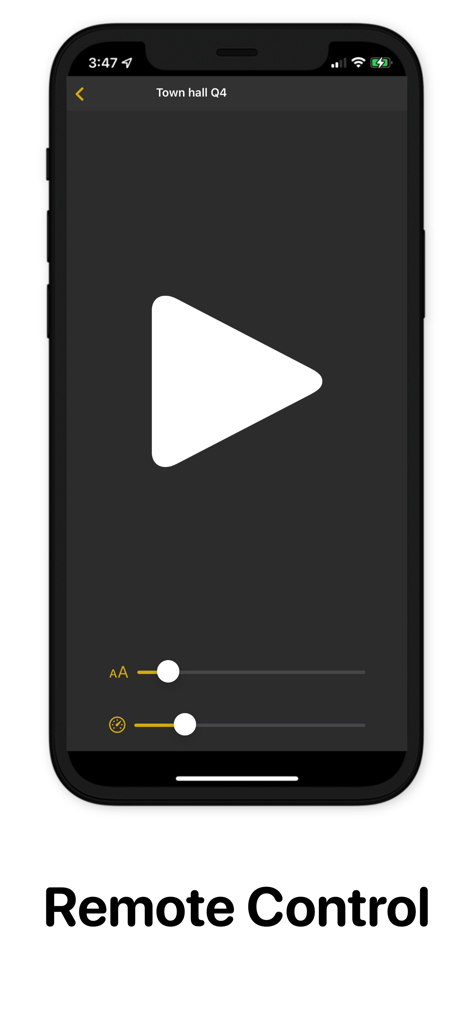
Telepromptme Script Scroller - 再生ボタンと調整スライダーが付いたTelepromptmeリモートコントロールインターフェイスを示すスマートフォンの画面

再生ボタンと調整スライダーが付いたTelepromptmeリモートコントロールインターフェイスを示すスマートフォンの画面

説明

Telepromptme: Prompting you to speech perfection. Never fluff your lines again Telepromptme scrolls your script while you read, so you deliver your lines flawlessly without looking down. Record yourself while reading the script for the illusion of great eye contact and script memory. Whether you are a casual creator, a professional with a teleprompt rig, or anything in between, Telepromptme is one of the most versatile apps to meet all your needs. This app gives you access to Lite (a trial version), Pro (requires an in-app purchase), and ProPlus (requires an in-app subscription) The trial gives you access to the app's full features but is limited to a one-minute script duration and one script/recording. Features include: ▪ Smooth Script Scrolling ⁃ Automatically scrolled at speed. ⁃ Set a timer for a specific duration. ⁃ manually page through the script. ▪ Script Queue ⁃ Configure queues to auto-play your scripts one after the other. ⁃ Loop scripts ▪ Record Video ⁃ Record yourself while reading for the illusion of great eye contact and script memory. ⁃ Record in up to 4k. ▪ Mirror Text ⁃ Flip text for display on hardware teleprompter rigs. ▪ Intelligent Script Import ⁃ Import TXT, RTF, and PDF files. ⁃ PDF filters extract text even from images. ⁃ Edit scripts directly within the app. ⁃ AI Assistant to improve your scripts* ▪ Script Sync ⁃ Synchronize your scripts across devices. ▪ Highly Customisable including... ⁃ Adjust speed and font size. ⁃ Set margins and pointer position. ⁃ Use a countdown timer and stopwatch. ⁃ Enable Dyslexia mode for easier reading. ▪ Remote Control (trial - requires ProPlus subscription) ⁃ Control via the Telepromptme iOS or MacOS app. ⁃ Compatible with most hardware remotes. ▪ Automatic Subtitling. (trial - requires ProPlus subscription) ⁃ Add your script as subtitles to recorded videos. ▪ Cross-Platform ⁃ iOS and MacOS versions are included with your purchase. ▪ Secure ⁃ No account setup required. ⁃ No internet is required (unless you turn on script sync). *AI capabilities only available on devices with Apple Intelligence Terms of Use (EULA): https://www.apple.com/legal/internet-services/itunes/dev/stdeula

Download

ダウンロード: App Store

このページはアプリまたはその開発者の公式ページではなく、情報提供および論評を目的として作成された独立した編集出版物です。明示的に別段の記載がない限り、アプリおよびその開発者は、MWM、Apple、Google Play、アプリのパブリッシャー、またはアプリの開発者と提携、承認、後援、認可、またはその他の公式的な関係はなく、このページのいかなる内容も、アプリがMWMのサービスを使用して開発されたことを意味するものではありません。すべての商標、ロゴ、スクリーンショット、その他のコンテンツはそれぞれの所有者の財産です。








