Text Scanner - Image to Text
ダウンロード: App Store

このページはアプリまたはその開発者の公式ページではなく、情報提供および論評を目的として作成された独立した編集出版物です。明示的に別段の記載がない限り、アプリおよびその開発者は、MWM、Apple、Google Play、アプリのパブリッシャー、またはアプリの開発者と提携、承認、後援、認可、またはその他の公式的な関係はなく、このページのいかなる内容も、アプリがMWMのサービスを使用して開発されたことを意味するものではありません。すべての商標、ロゴ、スクリーンショット、その他のコンテンツはそれぞれの所有者の財産です。

ロゴ: Text Scanner - Image to Text
ダウンロード: App Store

Text Scanner - Image to Text

写真から編集可能なテキストや高品質PDFへ瞬時に変換。外出先でスキャン、共有、ペーパーレス化するための、プロフェッショナル、学生、デジタルノマドに必須の生産性向上ツールです。

主要数値

ダウンロード

1M+

ユーザー評価

1.9/5

評価数

800

開発元

SINOSEA TECHNOLOGY PTE. LTD.

カテゴリ

Productivity

対応言語

25

最新バージョン

1.1.7

サイズ

83.2 MB

リリース日

2020年3月7日
機能

オフィス全体をポケットに

プロフェッショナルや学生が、外出先でドキュメントをデジタル化し、テキストを抽出し、整理を保つための究極のツール。

高精度OCR抽出

手入力に終止符を打ち、高精度な文字認識で画像を編集可能なTXTまたはPDFファイルに瞬時に変換します。

スマート自動補正

自動エッジ検出と背景除去によるプロフェッショナルグレードの結果で、クリアなドキュメントスキャンを実現します。

以下のスクリーンショットと説明は、アプリの公式ストアリスティングから直接取得されたものであり、アプリ開発者の所有物です。

アプリストア

スクリーンショット
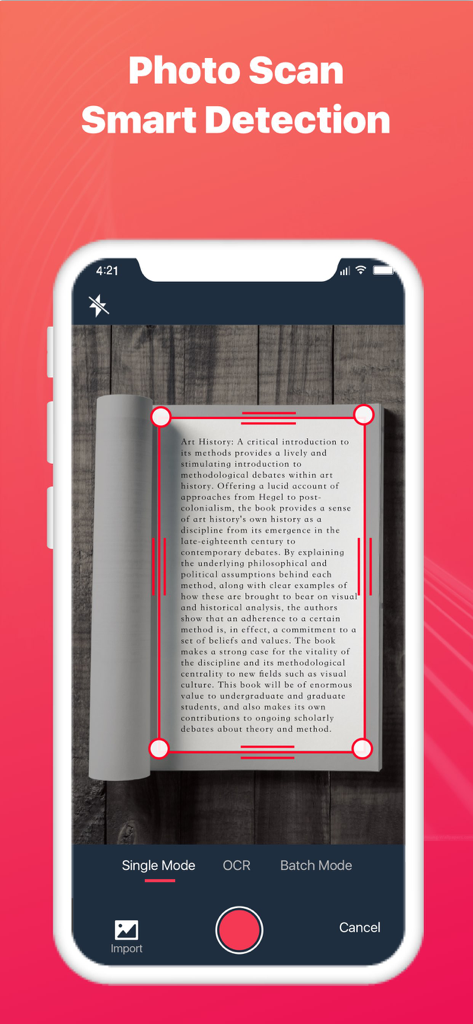
Text Scanner - Image to Text - Text Scannerアプリのインターフェースが、本のページをスキャン中にスマート検出とエッジクロッピングを示しています。
Text Scannerアプリのインターフェースが、本のページをスキャン中にスマート検出とエッジクロッピングを示しています。

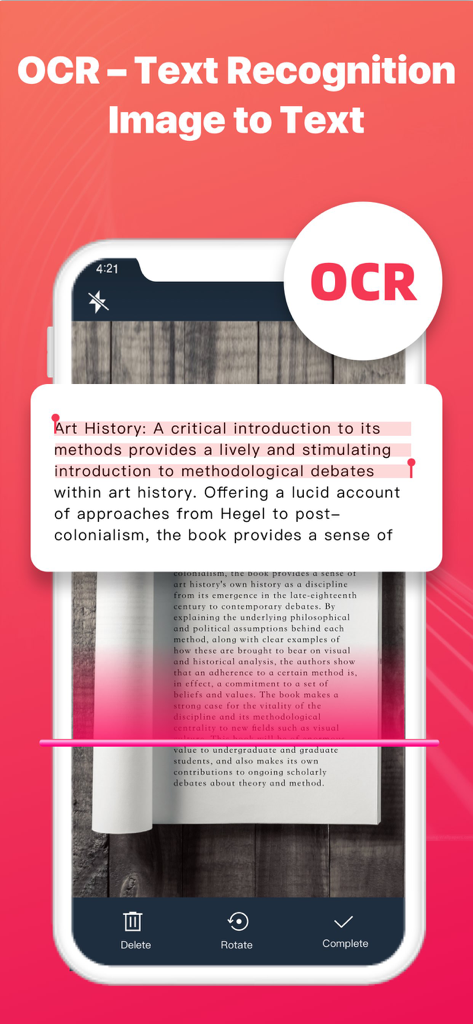
Text Scanner - Image to Text - 本のページをスキャンして画像をテキストに変換するOCRテキスト認識を示すモバイルアプリのインターフェース。
本のページをスキャンして画像をテキストに変換するOCRテキスト認識を示すモバイルアプリのインターフェース。

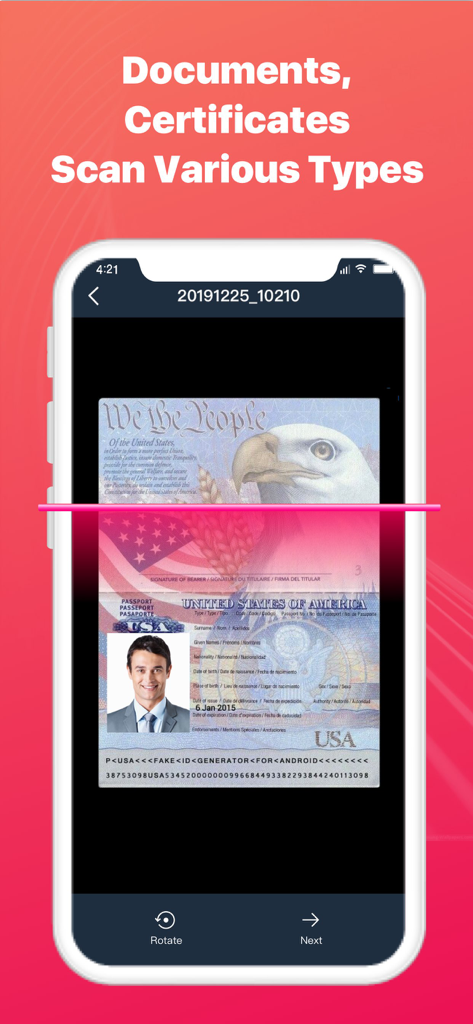
Text Scanner - Image to Text - OCR技術を使用してアメリカ合衆国のパスポートをスキャンしているスマートフォンの画面。
OCR技術を使用してアメリカ合衆国のパスポートをスキャンしているスマートフォンの画面。

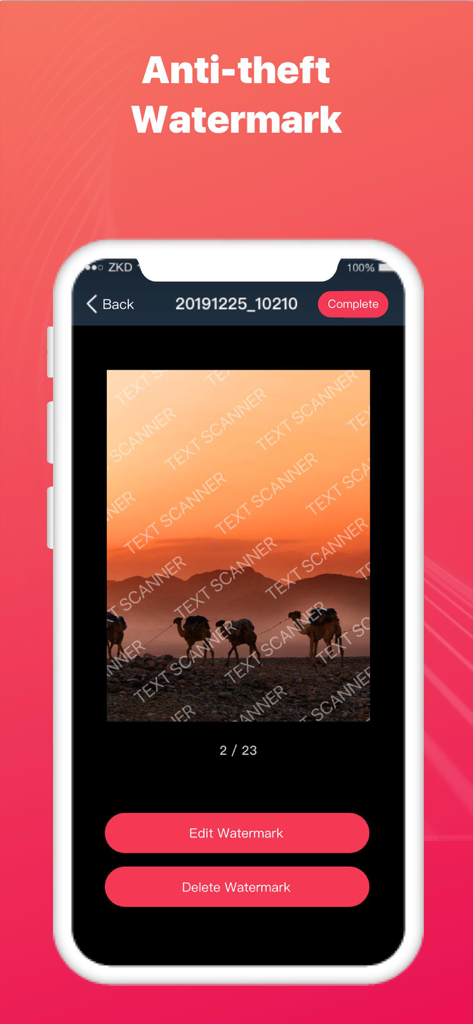
Text Scanner - Image to Text - 砂漠のラクダの写真に適用された盗難防止透かし機能を示すText Scannerのモバイルアプリインターフェース。
砂漠のラクダの写真に適用された盗難防止透かし機能を示すText Scannerのモバイルアプリインターフェース。

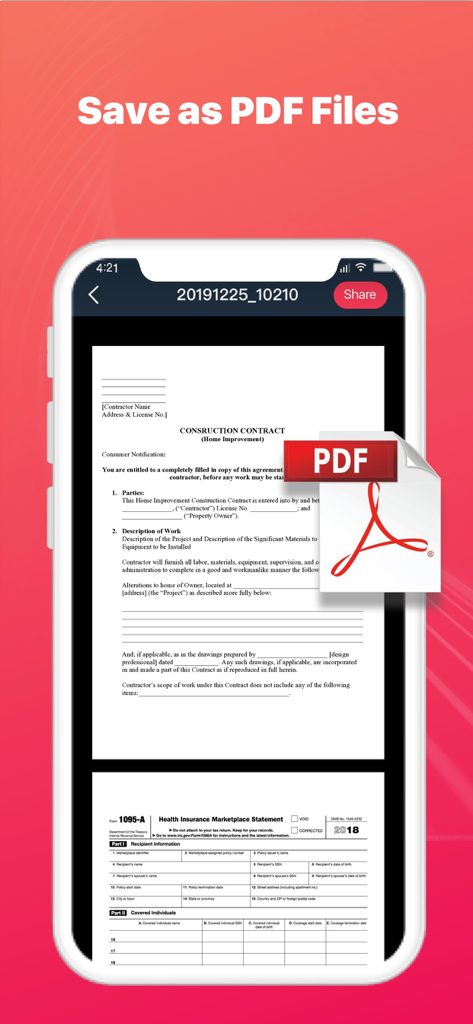
Text Scanner - Image to Text - スキャンされたドキュメントとPDFとして保存機能を示すモバイルアプリのスクリーンショット。
スキャンされたドキュメントとPDFとして保存機能を示すモバイルアプリのスクリーンショット。

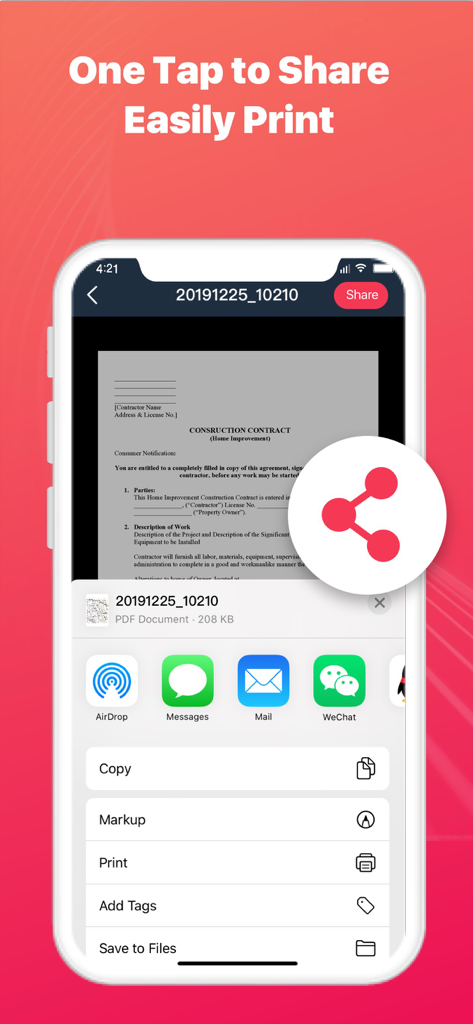
Text Scanner - Image to Text - スキャンされた契約書のドキュメント共有および印刷オプションを示すスマートフォンの画面。
スキャンされた契約書のドキュメント共有および印刷オプションを示すスマートフォンの画面。

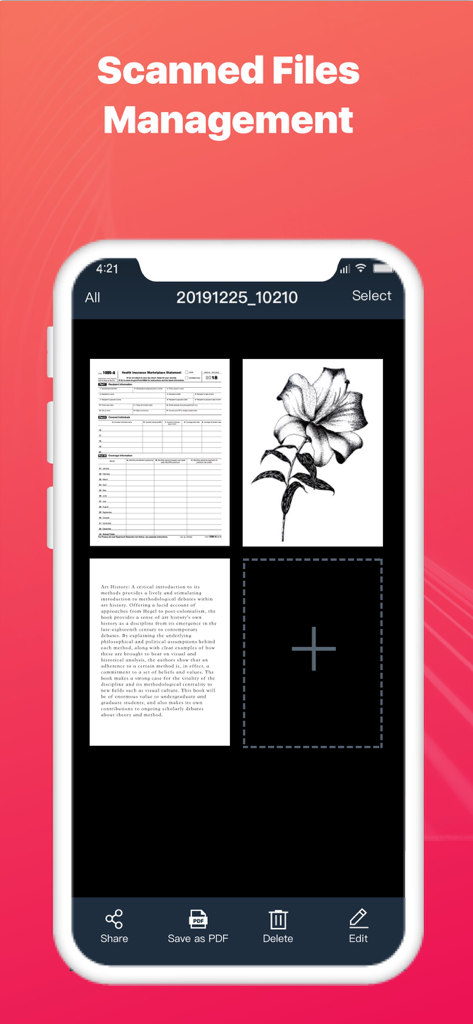
Text Scanner - Image to Text - デジタル化されたドキュメントのグリッドと編集ツールが表示されているスキャンされたファイル管理画面を示すText Scannerアプリのインターフェース。

デジタル化されたドキュメントのグリッドと編集ツールが表示されているスキャンされたファイル管理画面を示すText Scannerアプリのインターフェース。

説明

Text Scanner – Image to Text can turn your mobile phone into a scanner. Scan a variety of documents, certificates and contracts by taking a photo. Text Scanner can identify the texts on pictures, then copy and save it as a TXT file. It can also automatically cut off the background of documents and generate an HD file in PDF or JPG format. You can easily share scanned files via WhatsApp, Email, fax, etc., and connect to printer for file printing. Scan and recognize texts with Text Scanner now! Smart Scanner - Smartly detect the page edges and automatically remove the background - Automatically optimize the file quality, provide different filters, and make the scanned contents look clear and sharp - Support single mode/batch mode/select images from your device - Scan various types of contents, such as documents, contracts, certificates, receipts, invoices, notes, books, business cards, etc. Image to Text - Support OCR - Text recognition function. Take a photo to turn image to texts! - Support text copy / save as TXT file / save as PDF file - Support Chinese / English recognition with high accuracy Easily Share Scanned Files - Share scanned files in JPG and PDF format - Share scanned files via WhatsApp, Email, fax, etc. - Support wireless connection to printer and print the scanned files File Management - Add more pages to your scanned documents - Reorder or delete the scanned pages When you go out for a meeting, Text Scanner - Image to Text can help you scan contracts and share them in real time. In the spare time, you can use Text Scanner - Image to Text to scan class notes and view at any time. When traveling, you can use Text Scanner - Image to Text to scan ID cards, passports, and driving licenses in case of emergency. Use Text Scanner - Image to Text and manage your portable documents now! Subscribe to Text Scanner - Image to Text Premium - Subscribe to Text Scanner - Image to Text to enjoy all the features - Subscription fee will be charged monthly or yearly depending on the plan - Payment will be charged to iTunes Account at confirmation of purchase - Subscription automatically renews unless auto-renewal is turned off at least 24 hours before the end of the current period - Your account will be charged for your renewal plan within 24 hours prior to the end of the current period. Subscriptions may be managed by the user and auto-renewal may be turned off by going to the user’s Account Settings after purchase. For any suggestions and feedback, please contact us via textscanner@yandex.com. We appreciate your support for Text Scanner - Image to Text. Privacy Policy: https://sites.google.com/view/textscannerocrprivacy User Agreement: https://sites.google.com/view/textscannerocragreement

Download

ダウンロード: App Store

このページはアプリまたはその開発者の公式ページではなく、情報提供および論評を目的として作成された独立した編集出版物です。明示的に別段の記載がない限り、アプリおよびその開発者は、MWM、Apple、Google Play、アプリのパブリッシャー、またはアプリの開発者と提携、承認、後援、認可、またはその他の公式的な関係はなく、このページのいかなる内容も、アプリがMWMのサービスを使用して開発されたことを意味するものではありません。すべての商標、ロゴ、スクリーンショット、その他のコンテンツはそれぞれの所有者の財産です。








