Timestamp Camera Pro

Timestamp Camera Pro

ダウンロード: App Store
ロゴ: Timestamp Camera Pro

Timestamp Camera Pro:ミリ秒単位の精度によるプロフェッショナルな証拠

フィールドのプロフェッショナル向けの信頼できるドキュメントツール。自動GPS、住所、高精度タイムスタンプで各ショットを保護し、反論の余地のない作業証拠を提供します。

ダウンロード: App Store

開発元

玉彬 陈

カテゴリ

Photo & Video

ダウンロード

124K+

ユーザー評価

4.7/5

評価数

1K+

対応言語

16

すべてのフレームに精度を

このインターフェースを利用する 124K+ 人のユーザー.

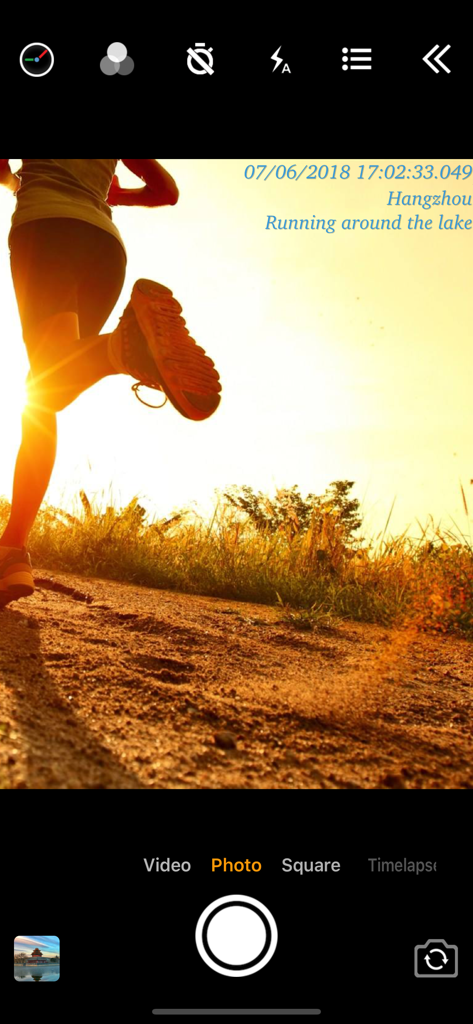
日付、時刻、位置データが表示されたランナーの写真を示すアプリインターフェースのスクリーンショット
日付、時刻、位置データが表示されたランナーの写真を示すアプリインターフェースのスクリーンショット

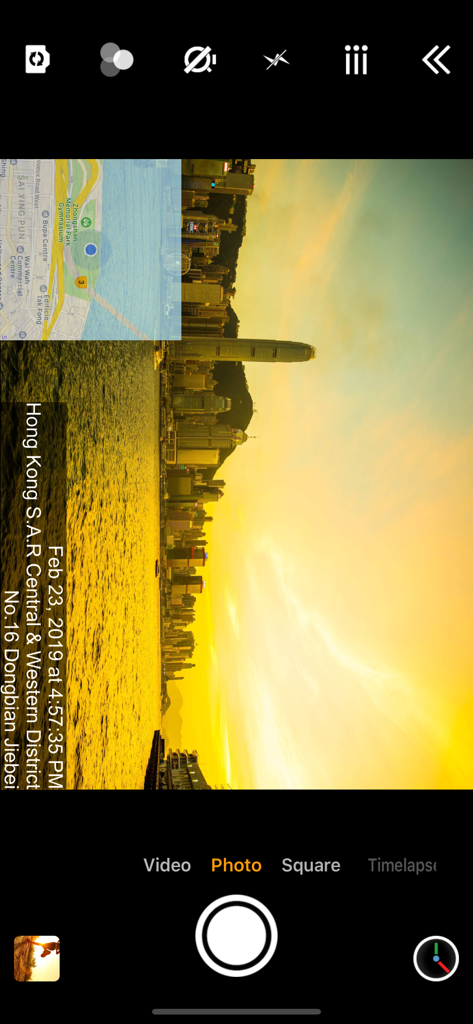
プロフェッショナルなドキュメント作成のために、タイムスタンプ、住所、GPSマップオーバーレイが表示された写真を示すカメラアプリインターフェース
プロフェッショナルなドキュメント作成のために、タイムスタンプ、住所、GPSマップオーバーレイが表示された写真を示すカメラアプリインターフェース

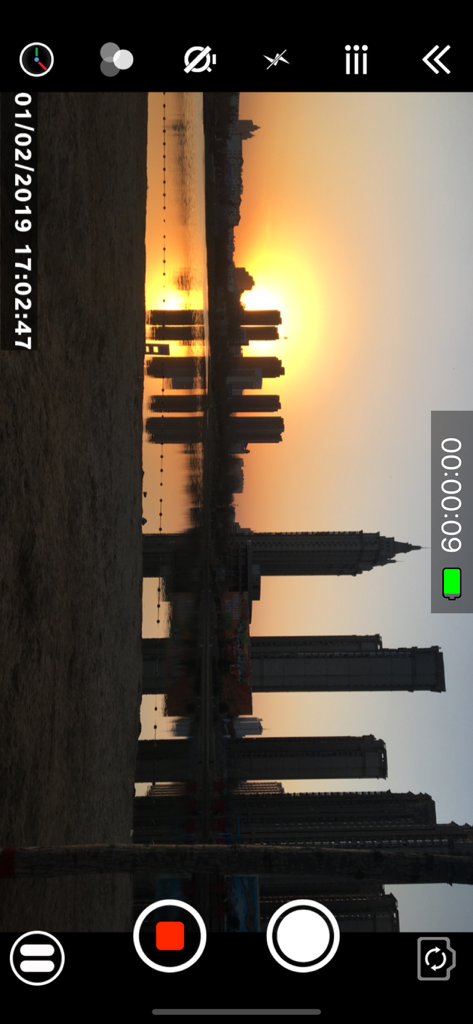
正確な日時ウォーターマークが表示された街の夕日を示す、Timestamp Camera Proのビデオ録画インターフェース
正確な日時ウォーターマークが表示された街の夕日を示す、Timestamp Camera Proのビデオ録画インターフェース

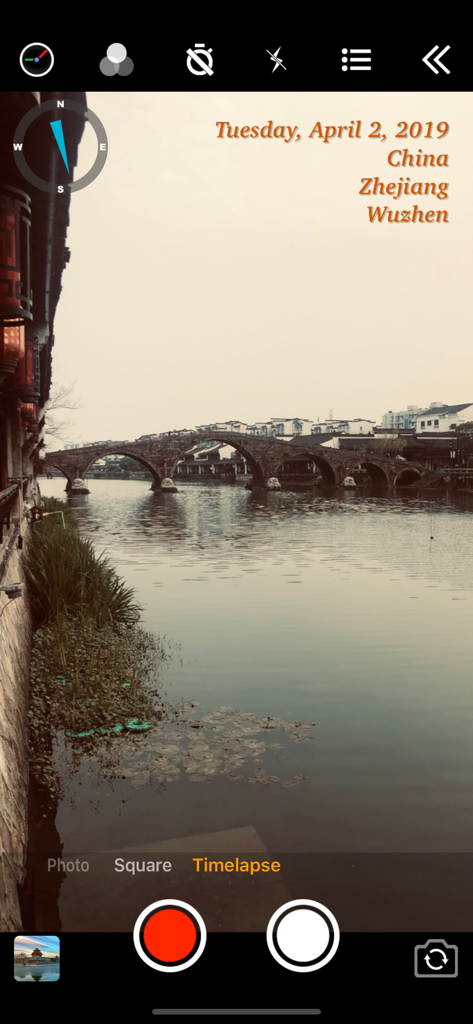
石橋のカメラビューに日付、位置、コンパスオーバーレイが表示されたTimestamp Camera Proアプリインターフェース
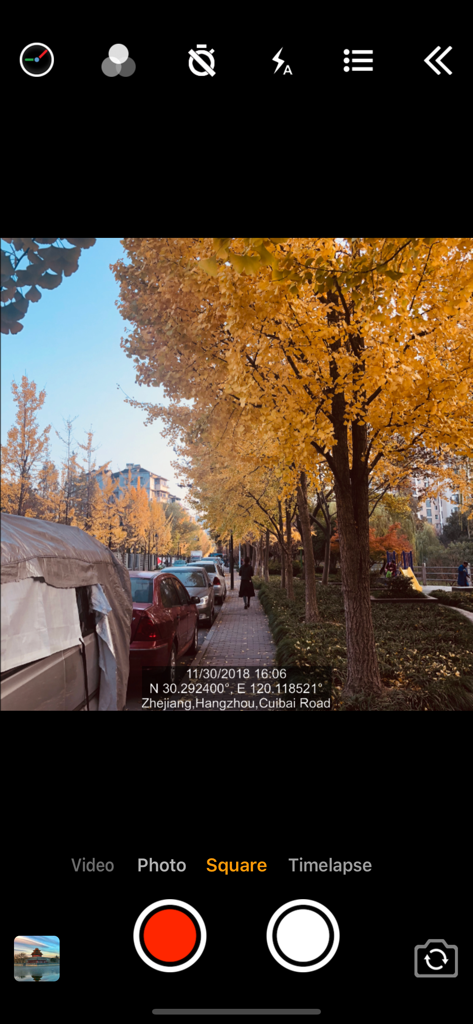
石橋のカメラビューに日付、位置、コンパスオーバーレイが表示されたTimestamp Camera Proアプリインターフェース

埋め込まれた日付とGPS位置データが表示された街の写真を示すTimestamp Camera Proのインターフェース
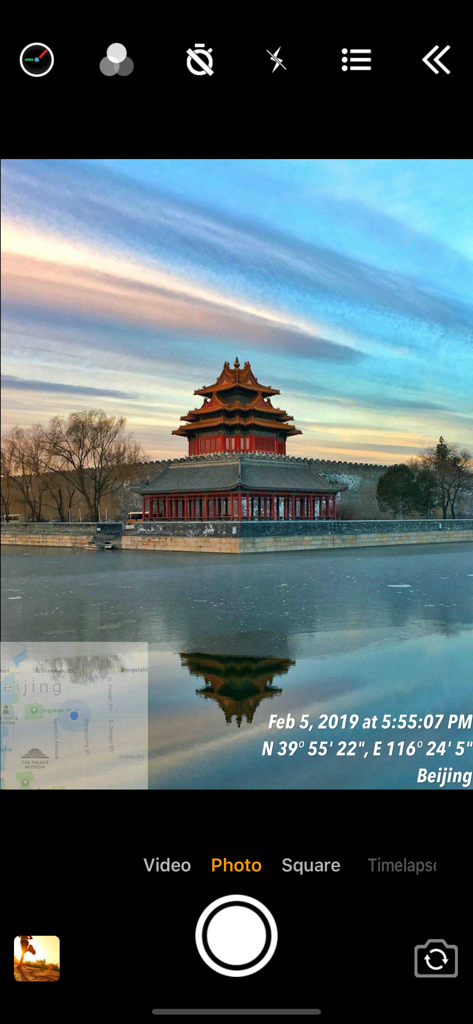
埋め込まれた日付とGPS位置データが表示された街の写真を示すTimestamp Camera Proのインターフェース

リアルタイムの日付とGPS位置メタデータが表示された写真を示すTimestamp Camera Proアプリインターフェース
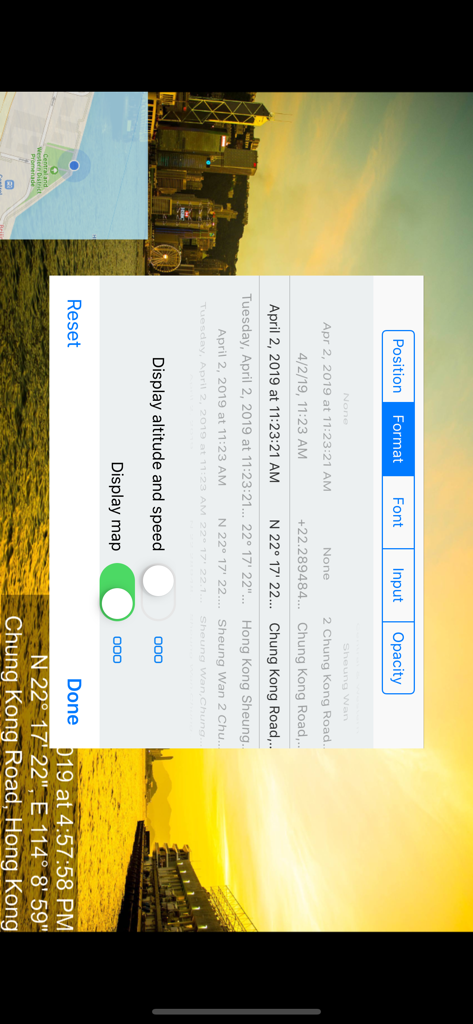
リアルタイムの日付とGPS位置メタデータが表示された写真を示すTimestamp Camera Proアプリインターフェース

さまざまな日時と位置のフォーマットオプションを示すTimestamp Camera Proアプリの設定メニュー
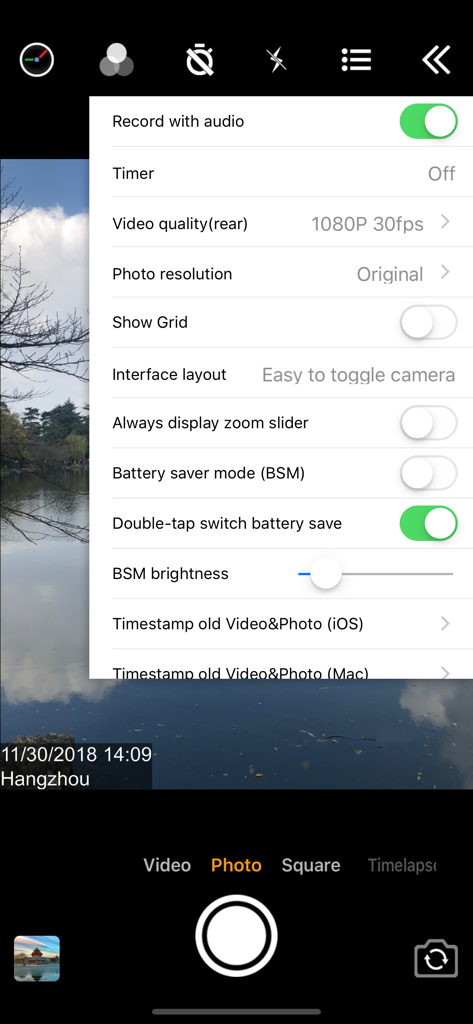
さまざまな日時と位置のフォーマットオプションを示すTimestamp Camera Proアプリの設定メニュー

日付と位置のタイムスタンプがオーバーレイされたカメラビューを示すTimestamp Camera Proアプリの設定メニュー
日付と位置のタイムスタンプがオーバーレイされたカメラビューを示すTimestamp Camera Proアプリの設定メニュー

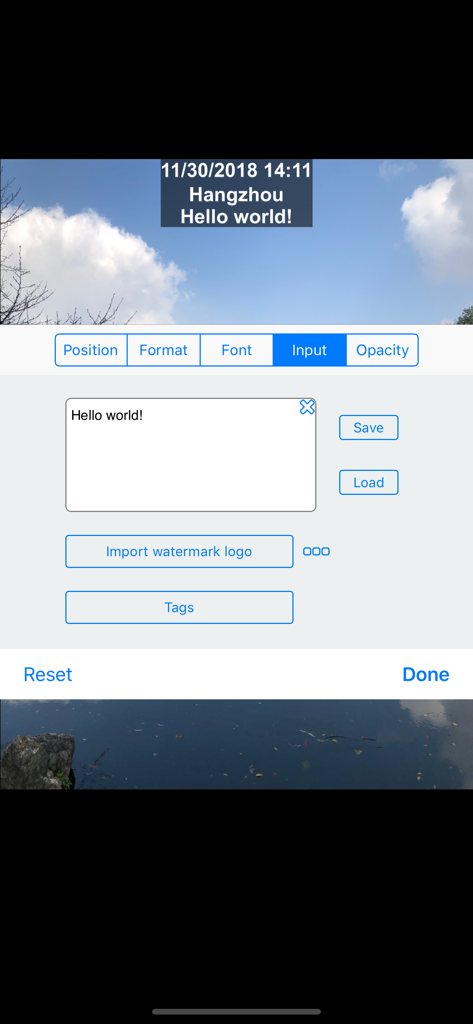
Timestamp Camera Proでカスタムテキストとウォーターマークロゴを追加するためのインターフェース

Timestamp Camera Proでカスタムテキストとウォーターマークロゴを追加するためのインターフェース

検証可能なドキュメントのためのプロフェッショナルスタンダード

このアプリを際立たせるツール、 124K+ 人のユーザーが選択.

🛡️

反論の余地のない作業証拠

ミリ秒単位の正確なタイムスタンプと自動GPS住所ウォーターマークでビジネスを保護します。配達、検査、タスク完了の鉄壁の証拠を提供します。

📊

自動メタデータレポート

カスタムプロジェクトタグとメモをEXIFデータに直接埋め込むことで、手動ファイリングを排除します。シャッターを押した瞬間に必要なすべての詳細をキャプチャして、ワークフローを合理化します。

🏗️

テクニカルフィールドオーバーレイ

プロフェッショナルロゴと並んで、リアルタイムの高度、速度、コンパス座標を表示します。説明責任に関する最高の業界標準を満たす、ブランド化されたデータリッチなレポートを作成します。

アプリについて

について知っておくべきこと Timestamp Camera Pro.

説明

Add timestamp watermark to camera in real time. • Automatically insert current time and address when taking photo or video in real time, you can change time format or select the address around easily. Timestamp Camera is the only App that can record video with the time watermark accurate to millisecond(0.001 second). - Support 81 timestamp formats. - Support change font, font color, font size. - Support set timestamp in 6 positions: top left, top center, top right, bottom left, bottom center, bottom right. - Support auto add address and GPS. - Support input and display custom text on camera. - Support input and display tag on camera and insert to the Exif. - Support change opacity of text and text background. - Support four text margin modes: no margin, one line margin, half line margin, suitable for printing • Support display altitude and speed. • Support display map on the camera. • Support display compass on the camera. • Support import watermark logo image to display on the camera. • Support change photo resolution, support the maximum resolution supported by the camera. • Support change video resolution(540P, 720P, 1080P, 4K) and fps(30fps, 60fps). • Support record video without audio. • Support pause and continue record fragments to one video. • Support timer to take picture (3, 5, 10 seconds with count down). • Has 4 modes. "Video", "Square", "Timelapse" support record video and capture photo. "Photo" mode only support capture photo with special optimization. • All the effects are real-time and can be used when taking photo or video. • Support change effect, toggle camera when recording. • Support "Battery saver mode", the brightness of screen can be changed when turn it on. • Support show 3x3 grid. • Support import photo as a virtual camera. • Support portrait and landscape. • Support both iPad and iPhone. • Photo and Video will be saved to Camera roll. Please mail us cybfriend@gmail.com if you have any problem or suggestions. Thank you.

最新バージョン

1.137

サイズ

10.6 MB

リリース日

2014年3月12日

プロフェッショナルな精度で細部までキャプチャ

反論の余地のないGPS証拠とミリ秒単位の正確なドキュメントのためにTimestamp Camera Proを信頼する124,000人以上のプロフェッショナルに加わりましょう。

ダウンロード: App Store

App information, icons, screenshots, and descriptions displayed on this page are sourced from the Apple App Store and are the property of their respective developers. Download estimates and rankings are based on MWM's proprietary models and may not reflect actual figures. This page is provided for informational and analytical purposes only.

Believe this page infringes your intellectual property? File a dispute