
このページはアプリまたはその開発者の公式ページではなく、情報提供および論評を目的として作成された独立した編集出版物です。明示的に別段の記載がない限り、アプリおよびその開発者は、MWM、Apple、Google Play、アプリのパブリッシャー、またはアプリの開発者と提携、承認、後援、認可、またはその他の公式的な関係はなく、このページのいかなる内容も、アプリがMWMのサービスを使用して開発されたことを意味するものではありません。すべての商標、ロゴ、スクリーンショット、その他のコンテンツはそれぞれの所有者の財産です。


ダウンロード
5M+ユーザー評価
評価数
28.6K開発元
カテゴリ
Photo & Video対応言語
1最新バージョン
3.7サイズ
33.0 MBリリース日
2016年6月2日主要機能とそのユーザー影響度評価
LG webOS向けTV Castの機能分析
ウェブ動画ストリーミング
このアプリは、ウェブ上のあらゆる動画、オンライン映画、ライブストリーム、ライブTV番組をLG Smart TVに直接ストリーミングします。Mp4、m3u8、HLSライブストリーム、およびHTTPS経由の動画もサポートしています。
ローカル動画のキャスト
iPhoneまたはiPadのカメラロールに保存されているMP4、M4V、MOV形式のローカル動画をLG Smart TVにキャストできます。個人のメディアコンテンツを大画面で楽しむことができます。
簡単なセットアップ
複雑なPlexのようなメディアサーバーやその他のサードパーティ製ソフトウェアをインストールする必要がなく、非常にシンプルかつ効率的な方法でストリーミングを開始できます。
広告ブロッカー
ほとんどのウェブサイト上の広告やポップアップをブロックし、アプリ内のスポンサー広告も排除することで、ユーザーは中断のないクリーンな視聴体験を得られます。
高度な再生コントロール
プレミアム版の「リモートプレイバー」により、動画のスクラブ、早送り、巻き戻し、再生、一時停止、停止といった高度な動画操作をウェブブラウジング中に実行できます。
時間制限なしの視聴
動画の長さに関わらず、2分でも2時間でも、制限なく自由に動画コンテンツを視聴できます。中断を心配する必要はありません。
LGリモコンでの操作
ユーザーは、LG Smart TVの既存のハードウェアリモコンを使用して、テレビアプリの操作や動画再生を直感的にコントロールできます。
ウェブサイトブックマーク
無制限にウェブサイトのブックマークを保存し、iCloud経由でのバックアップと復元機能を利用して、異なるTV CastアプリやiOSデバイス間で同期および転送が可能です。
デスクトップモード
この機能により、iPhone/iPadのユーザーエージェントを変更してデスクトップPCとして偽装し、モバイルサイトではなくウェブサイトのデスクトップ版をロードできます。
プレミアム機能のアンロック
プレミアムエディションへのアップグレードにより、このアプリの全ての機能と将来追加される新機能がアンロックされ、継続的に追加費用なしで利用できます。
よくある質問
について知っておくべきこと TV Cast for LG webOS
What is TV Cast for LG webOS?
TV Cast for LG webOS is an app that allows users to browse the web and stream web videos, online movies, livestreams, and live TV shows to their LG Smart TV (webOS and NetCast).
Does TV Cast for LG webOS support DRM-protected content like Netflix?
No, TV Cast for LG webOS does not support DRM-protected videos such as Amazon Prime, Netflix, Hulu, Vudu, DirecTV, Xfinity, and HBO now. It also does not support iTunes movies or Flash video.
How do I control video playback on my LG TV with TV Cast for LG webOS?
You control the TV app and video playback using the hardware remote of your LG TV. An in-app purchase for a Remote Playbar offers advanced controls like scrubbing, forward, rewind, play, pause, and stop.
Is a subscription required for TV Cast for LG webOS?
No, TV Cast for LG webOS does not require subscriptions. It offers in-app purchases for premium features like an Ad-Blocker, Remote Playbar, and Local Videos.
Can I cast local videos from my iPhone to my LG TV using TV Cast for LG webOS?
Yes, the "Local Videos" upgrade feature allows casting camera roll videos (mp4, m4v, mov) from your iPhone or iPad to your LG Smart TV.
What types of video formats does TV Cast for LG webOS support?
TV Cast for LG webOS supports Mp4, m3u8, hls livestreams, and video-over-https for web videos. For local videos, it supports mp4, m4v, and mov formats.
Does TV Cast for LG webOS mirror my iPhone or iPad screen?
No, TV Cast for LG webOS does not mirror your entire iPhone or iPad screen. It only streams the video part of a website to your LG Smart TV, not the whole website content.
How do I install the companion app for TV Cast for LG webOS on my TV?
To enable video casting, open the LG App Store (LG Smart World / LG Content Store) on your TV, search for 'TV Cast', and then install the companion app.
Does TV Cast for LG webOS have an ad-blocker?
Yes, an "Ad-Blocker" is available as an in-app purchase. It blocks ads and popups on most websites and removes sponsoring ads from the app.
Can I cast photos and music with TV Cast for LG webOS?
Yes, TV Cast for LG webOS can cast photos, files, and music in addition to videos. The app interface includes a 'Personal Media' option for casting media files.
What is the "Premium Edition" upgrade in TV Cast for LG webOS?
The Premium Edition is an in-app purchase that unlocks all listed upgrade features. It also includes future features without additional cost upon release in updated app versions.
Is there a time limit for videos streamed with TV Cast for LG webOS?
No, there is no time limit for videos streamed with TV Cast for LG webOS. Users can watch videos of any duration, whether two minutes or several hours.
以下のスクリーンショットと説明は、アプリの公式ストアリスティングから直接取得されたものであり、アプリ開発者の所有物です。
アプリストア
スクリーンショット

このスクリーンショットは、アプリの簡潔なホームインターフェースで「ウェブブラウザ」と「パーソナルメディア」へのアクセスを提示し、サブスクリプションなしで利用できる費用対効果の高さを強調しています。
機能の概要
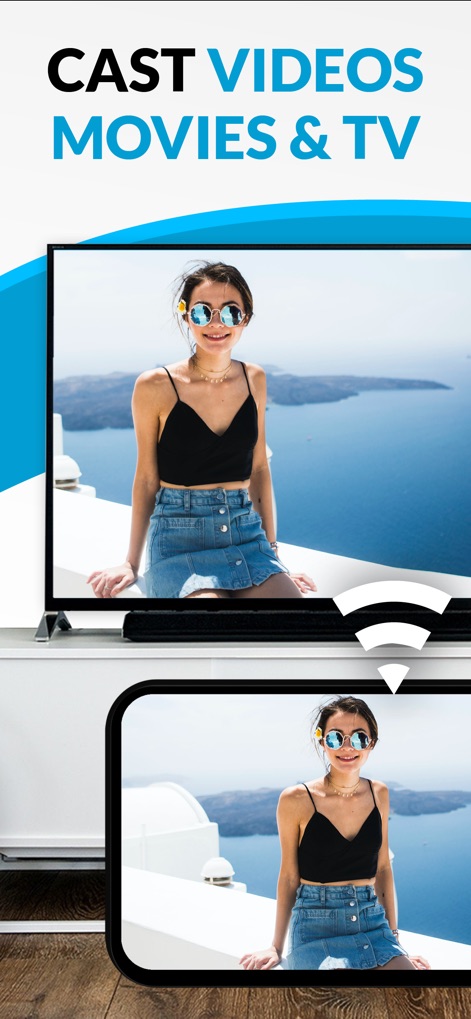
本アプリは、iOSデバイスからLG Smart TVへ動画コンテンツが投映される様子を明示しており、ユーザーがオンライン動画やライブストリームを大画面で楽しむことを可能にします。
動画コンテンツを投映

この画像は、写真や音楽といった多様なメディアファイルをLG Smart TVへキャストする本アプリの機能を強調しており、直感的なキャストアイコンが容易な操作性を示唆しています。
多様なメディアを共有
説明
Download
類似アプリ
似た機能とユーザー体験を持つアプリ

Video Lite
Video Lite, Inc.

TV Cast Pro for Chromecast
Kraus und Karnath GbR 2Kit Consulting

TV Cast Pro for Google Cast
Kraus und Karnath GbR 2Kit Consulting

Chromecaster: Get Streaming TV
TV Cast Pte. Ltd.

Castify : Screen Mirroring App
PIRON APPS

TV Cast Pro for Samsung TV
Kraus und Karnath GbR 2Kit Consulting

TV Cast Pro for LG webOS
Kraus und Karnath GbR 2Kit Consulting

TV Cast Pro for Sony TV
Kraus und Karnath GbR 2Kit Consulting

Smart View - Cast Device to TV
EXTREME SOLUTIONS APPS SL
このページはアプリまたはその開発者の公式ページではなく、情報提供および論評を目的として作成された独立した編集出版物です。明示的に別段の記載がない限り、アプリおよびその開発者は、MWM、Apple、Google Play、アプリのパブリッシャー、またはアプリの開発者と提携、承認、後援、認可、またはその他の公式的な関係はなく、このページのいかなる内容も、アプリがMWMのサービスを使用して開発されたことを意味するものではありません。すべての商標、ロゴ、スクリーンショット、その他のコンテンツはそれぞれの所有者の財産です。