
このページはアプリまたはその開発者の公式ページではなく、情報提供および論評を目的として作成された独立した編集出版物です。明示的に別段の記載がない限り、アプリおよびその開発者は、MWM、Apple、Google Play、アプリのパブリッシャー、またはアプリの開発者と提携、承認、後援、認可、またはその他の公式的な関係はなく、このページのいかなる内容も、アプリがMWMのサービスを使用して開発されたことを意味するものではありません。すべての商標、ロゴ、スクリーンショット、その他のコンテンツはそれぞれの所有者の財産です。


UE | BOOM
音の掌握者となれ。本アプリは、BOOMスピーカーを単なるデバイスから、150台連結の音の洪水、そして完璧にチューニングされた個人的空間へと変貌させる。
ダウンロード
12.5M+ユーザー評価
評価数
121.5K開発元
カテゴリ
Music対応言語
7最新バージョン
7.21.3(178)サイズ
194.0 MBリリース日
2013年5月21日UE | BOOMアプリの機能分析
Ultimate Earsスピーカー体験を最大化する主要機能の評価
PartyUp機能
本アプリは、PartyUp機能を通じて最大150台のスピーカーを接続することを可能にし、ユーザーは場所や状況を問わずパーティーの体験を劇的に向上させることができます。
カスタマイズ可能なEQ設定
このアプリは、内蔵のEQプリセットやカスタムオプションを提供し、ユーザーは低音の調整や特定の空間に合わせた音響設定を行うことで、好みに応じた音質を自由にコントロールできます。
スピーカーのリモートコントロール
本ツールは、ユーザーが離れた場所からスピーカーの電源をオン/オフしたり、音量調整や再生コントロールなどのその他の機能を操作したりすることを可能にします。
スピーカーのパーソナライゼーション
このアプリは、スピーカー名の変更やプリセットプレイリストの作成を通じて、ユーザーが自身のデバイスをよりパーソナルなものにカスタマイズすることを可能にします。
ファームウェアの迅速な更新
本アプリは、簡単なタップ操作でスピーカーのファームウェアを最新の状態に保つことを可能にし、ユーザーは常に最新の機能やパフォーマンス改善を利用できます。
最新情報と特別オファーの通知
このツールは、Ultimate Earsのニュースレターや特別オファーへの登録機能を提供し、ユーザーは新製品情報や限定的なプロモーションなどを見逃すことなく受け取ることができます。
よくある質問
について知っておくべきこと UE | BOOM
What is the BOOM app for Ultimate Ears?
The BOOM app by Ultimate Ears enhances your Ultimate Ears speaker experience. It unlocks features like PartyUp, customizable EQ, and remote control for BOOM series speakers.
How does PartyUp work with the BOOM app?
The BOOM app's PartyUp feature connects up to 150 Ultimate Ears speakers. This allows users to amplify their audio experience by synchronizing multiple speakers for large gatherings.
Can I control the sound equalizer with the BOOM app?
Yes, the BOOM app allows users to customize their sound. It offers built-in EQ and custom options, enabling adjustments like bass, mid, and treble to create the desired audio atmosphere.
Which Ultimate Ears speakers are compatible with the BOOM app's personalization features?
The BOOM app's personalization features, such as speaker name, EQ preferences, and preset playlists, are compatible with BOOM 3, MEGABOOM 3, BOOM 4, MEGABOOM 4, HYPERBOOM, EPICBOOM, and EVERBOOM speakers.
Can I update my Ultimate Ears speaker using the BOOM app?
Yes, the BOOM app allows users to update their Ultimate Ears speaker. A simple tap in the app updates the speaker with the latest features, ensuring optimal performance.
Does the BOOM app offer remote control capabilities for Ultimate Ears speakers?
Yes, the BOOM app provides remote control functionality for Ultimate Ears speakers. Users can use the app to power their speakers on and off, along with accessing other remote controls from a distance.
Can I create a stereo sound experience with two Ultimate Ears speakers using the BOOM app?
Yes, the BOOM app supports Stereo Mode with two identical Ultimate Ears speakers. This feature allows users to set up a dedicated left and right channel for an enhanced audio experience.
How can I access my playlists through the BOOM app?
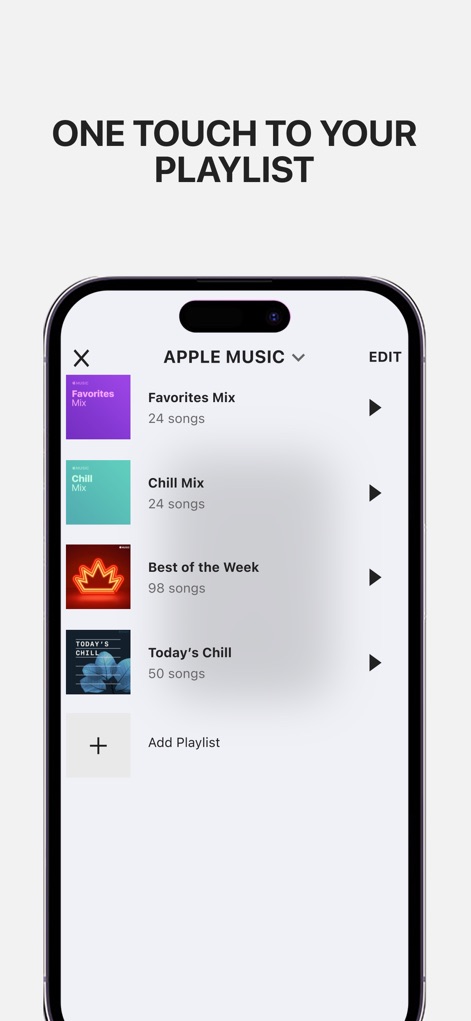
The BOOM app provides one-touch access to your playlists. It integrates with music services like Apple Music, allowing users to select and play their 'Favorites Mix' or other curated lists directly.
以下のスクリーンショットと説明は、アプリの公式ストアリスティングから直接取得されたものであり、アプリ開発者の所有物です。
アプリストア
スクリーンショット
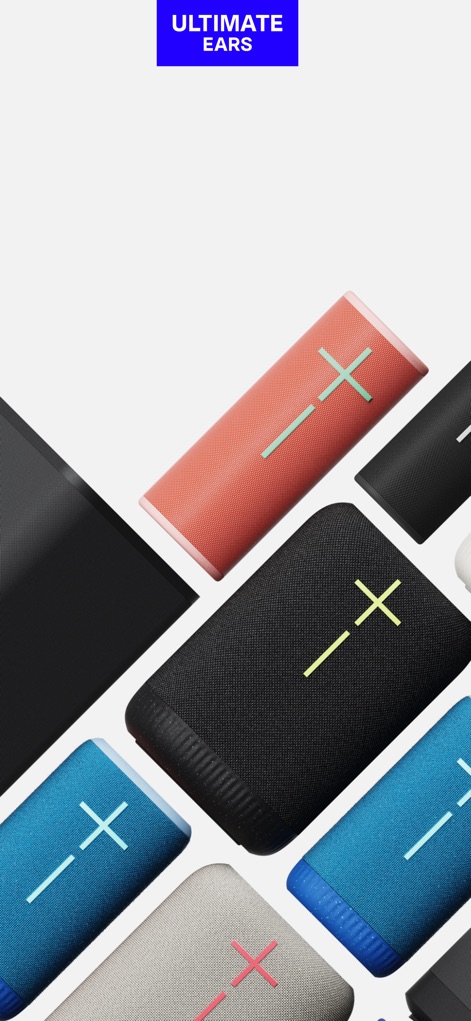
広がるUEの世界観
このアプリは、Ultimate Earsの多様なスピーカーラインナップに対応し、最高のオーディオ体験を提供します。Ultimate Earsのブランドロゴと共に、ユーザーは製品の可能性を最大限に引き出せます。
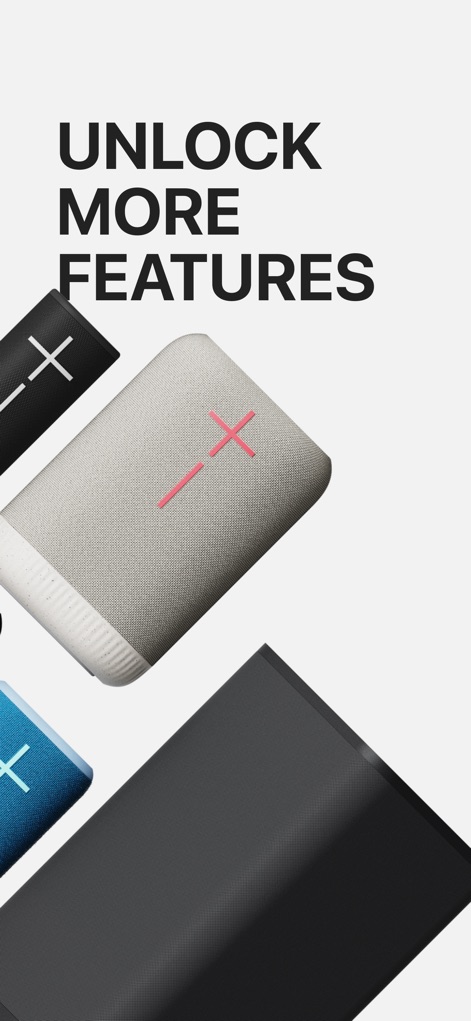
新機能を発見
このスクリーンショットは、「UNLOCK MORE FEATURES」というメッセージと共に、UE BOOMシリーズスピーカーの複数台表示を通じて、アプリが提供する豊富な機能へのアクセスを強調しています。ユーザーはスピーカーの隠されたポテンシャルを解放できます。
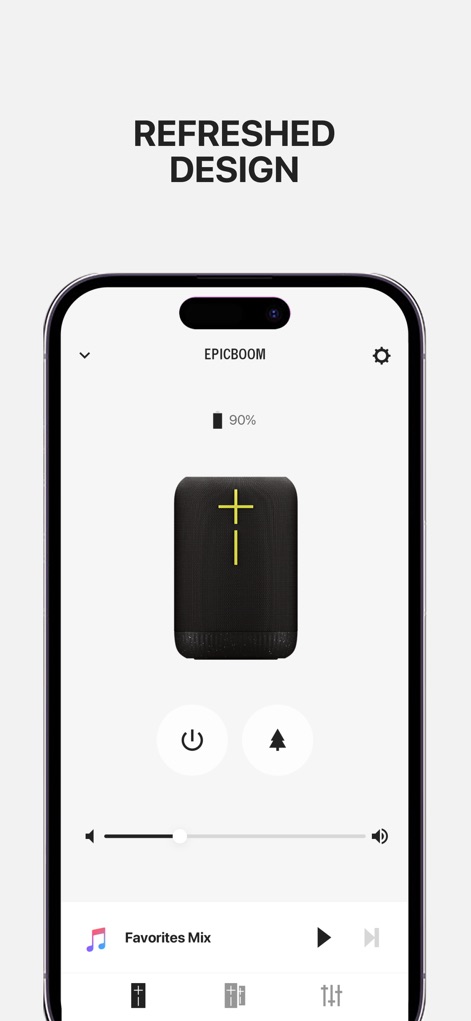
洗練されたデザイン
このリフレッシュされたデザインは、ユーザーがスピーカーの電源オン/オフや音量調整といった主要なコントロールを直感的に操作できるインターフェースを示しています。また、プレイリスト「Favorites Mix」の表示により、お気に入りの音楽に素早くアクセスできます。
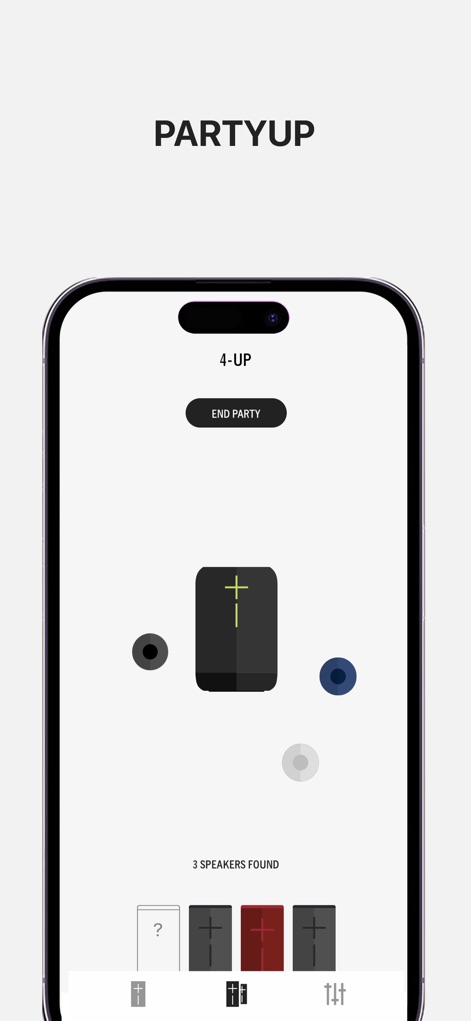
究極のPartyUp体験
PartyUp機能は、中央に表示されたスピーカーアイコンと、その周囲に接続された複数の丸いインジケーターによって、最大150台のスピーカー連携を視覚的に表現しています。画面下部の検出されたスピーカーアイコンのリストは、簡単に接続状態を管理できることを示します。

臨場感あふれるステレオ
この画面では、2つの同一スピーカーアイコンが並列に表示され、ユーザーが「DOUBLE」と「STEREO」のモードを切り替えることで、臨場感あふれるサウンド体験を実現できることを示します。これにより、空間全体を包み込むようなステレオサウンドが楽しめます。
プレイリストへ簡単アクセス
ユーザーは、この画面から「Favorites Mix」や「Chill Mix」といったプレイリスト一覧を閲覧し、ワンタッチでお気に入りの音楽を瞬時に再生できます。「APPLE MUSIC」との統合表示により、既存の音楽ライブラリをシームレスに利用可能です。

サウンドを自在に調整
この画面では、BASS、MID、TREBLEの調整スライダーを備えたEQグラフにより、ユーザーはサウンドプロファイルを自由にカスタマイズできます。また、「BASS BOOST」のようなプリセット選択表示により、手軽に最適な音質設定を適用可能です。
説明
Download
類似アプリ
似た機能とユーザー体験を持つアプリ

Bose
Bose Corporation

Marshall Bluetooth
Marshall Group AB (publ)

JBL PartyBox
Harman International Industries

Bose Connect
Bose Corporation

Bose QC Earbuds
Bose Corporation

JBL Headphones
Harman International Industries

soundcore
Power Mobile Life LLC

JBL Portable
Harman International Industries

Xiaomi Earbuds
Beijing Xiaomi Co., Ltd
このページはアプリまたはその開発者の公式ページではなく、情報提供および論評を目的として作成された独立した編集出版物です。明示的に別段の記載がない限り、アプリおよびその開発者は、MWM、Apple、Google Play、アプリのパブリッシャー、またはアプリの開発者と提携、承認、後援、認可、またはその他の公式的な関係はなく、このページのいかなる内容も、アプリがMWMのサービスを使用して開発されたことを意味するものではありません。すべての商標、ロゴ、スクリーンショット、その他のコンテンツはそれぞれの所有者の財産です。