Video Teleprompter

Video Teleprompter

ダウンロード: App Store
ロゴ: Video Teleprompter

ビデオテレプロンプター:自然なアイコンタクトでプロフェッショナルな動画を撮影

スクリプトを暗記するのはもうやめましょう。カメラをまっすぐ見てください。クリエイターやプロフェッショナルが、YouTube、LinkedInなどで完璧なワンテイク動画を配信するためのオリジナルのアプリです。

ダウンロード: App Store

開発元

Teleprompter Apps Ltd

カテゴリ

Photo & Video

ダウンロード

465K+

ユーザー評価

4.8/5

評価数

17K+

対応言語

10

プロフェッショナルのための優位性

このインターフェースを利用する 465K+ 人のユーザー.

スマートフォンの画面には、ビデオテレプロンプターアプリが表示されており、スクリプトテキストがカメラレンズの横に配置されてアイコンタクトが改善されています。
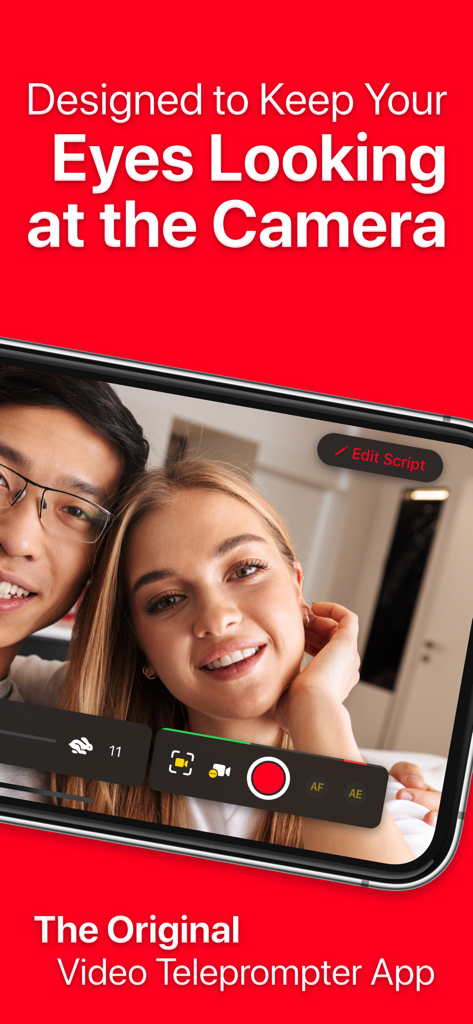
スマートフォンの画面には、ビデオテレプロンプターアプリが表示されており、スクリプトテキストがカメラレンズの横に配置されてアイコンタクトが改善されています。

ビデオテレプロンプターアプリを使用して、カメラとアイコンタクトを維持しながら動画を撮影している2人の人物。
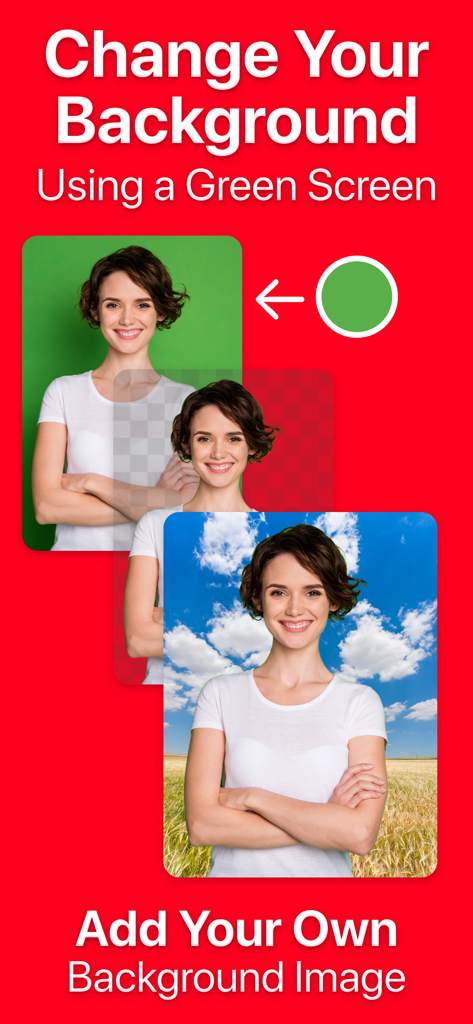
ビデオテレプロンプターアプリを使用して、カメラとアイコンタクトを維持しながら動画を撮影している2人の人物。

ビデオテレプロンプターアプリのグリーンバック機能を使用して動画の背景を変更する方法を示すインフォグラフィック。
ビデオテレプロンプターアプリのグリーンバック機能を使用して動画の背景を変更する方法を示すインフォグラフィック。

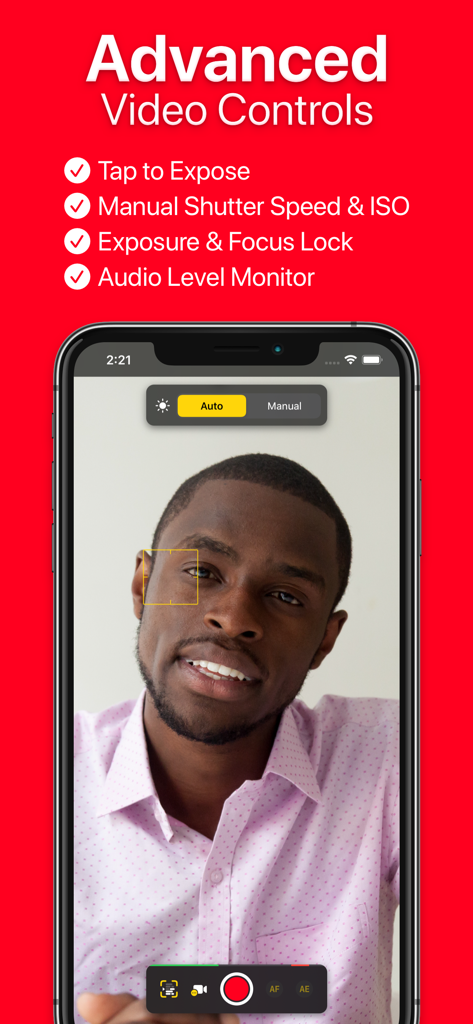
ビデオテレプロンプターアプリのインターフェース。手動カメラ設定と高度なビデオ録画コントロールが表示されています。
ビデオテレプロンプターアプリのインターフェース。手動カメラ設定と高度なビデオ録画コントロールが表示されています。

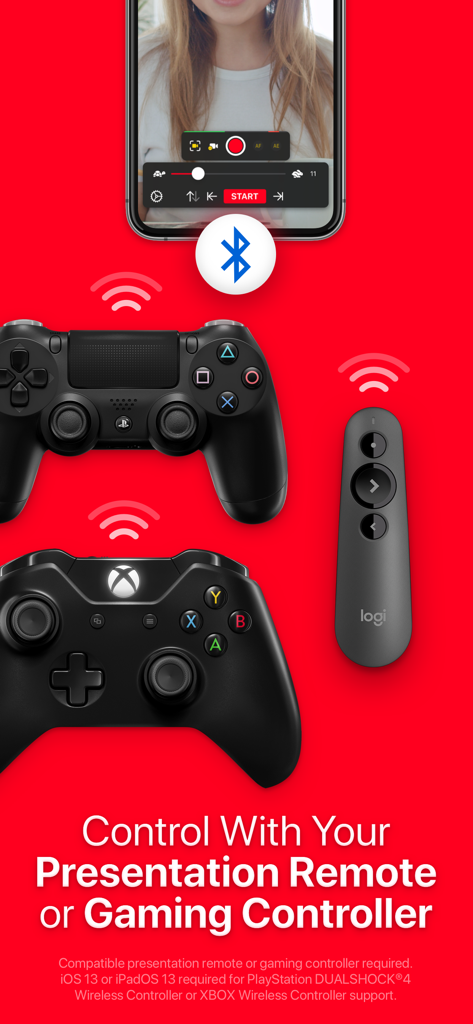
ビデオテレプロンプターアプリ。ゲームコントローラーやプレゼンテーションリモートとの互換性を示しています。
ビデオテレプロンプターアプリ。ゲームコントローラーやプレゼンテーションリモートとの互換性を示しています。

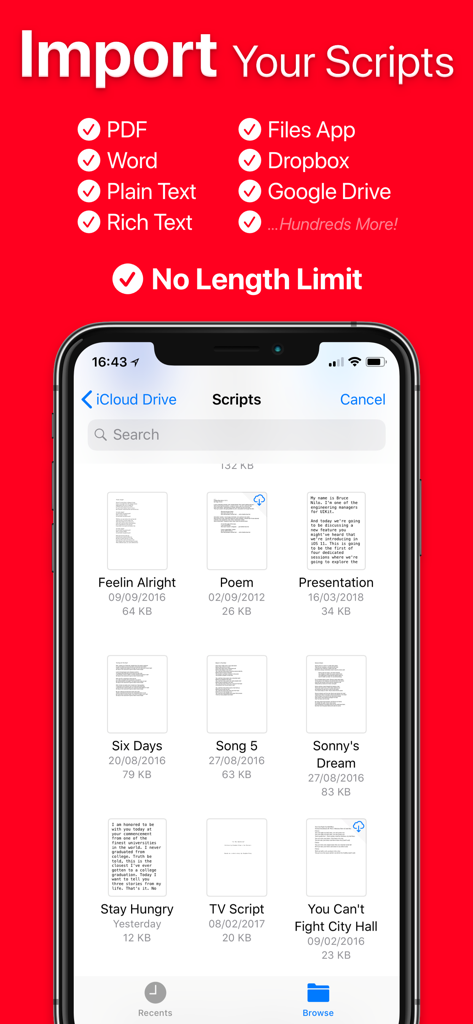
ビデオテレプロンプターのスクリプトインポートオプションを示す画面。クラウドストレージやさまざまなファイル形式が含まれています。
ビデオテレプロンプターのスクリプトインポートオプションを示す画面。クラウドストレージやさまざまなファイル形式が含まれています。

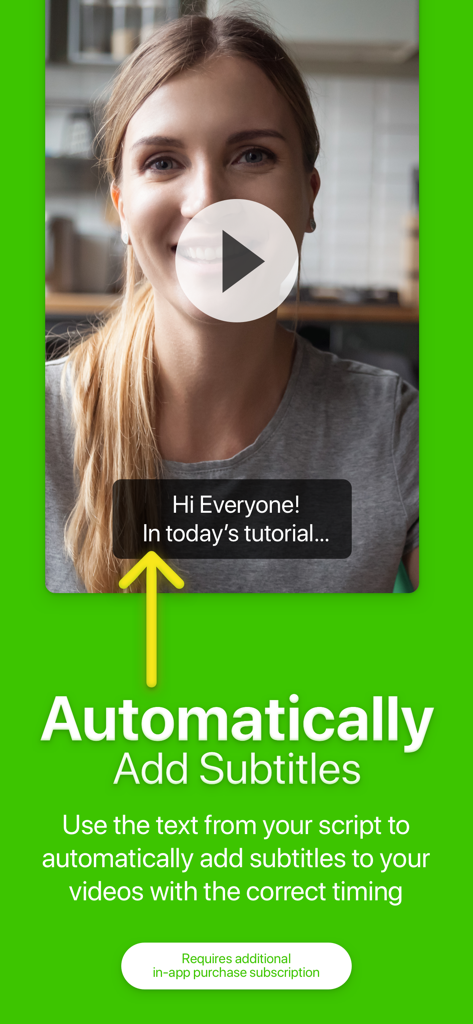
ビデオテレプロンプターアプリの機能。録画された動画に自動字幕が表示されています。
ビデオテレプロンプターアプリの機能。録画された動画に自動字幕が表示されています。

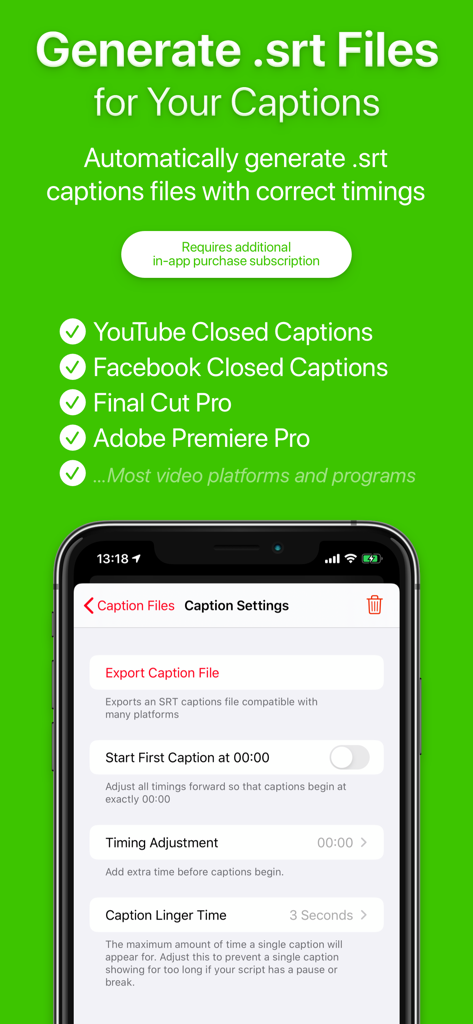
ビデオテレプロンプターアプリのSRTキャプション生成とエクスポート設定を表示する画面。
ビデオテレプロンプターアプリのSRTキャプション生成とエクスポート設定を表示する画面。

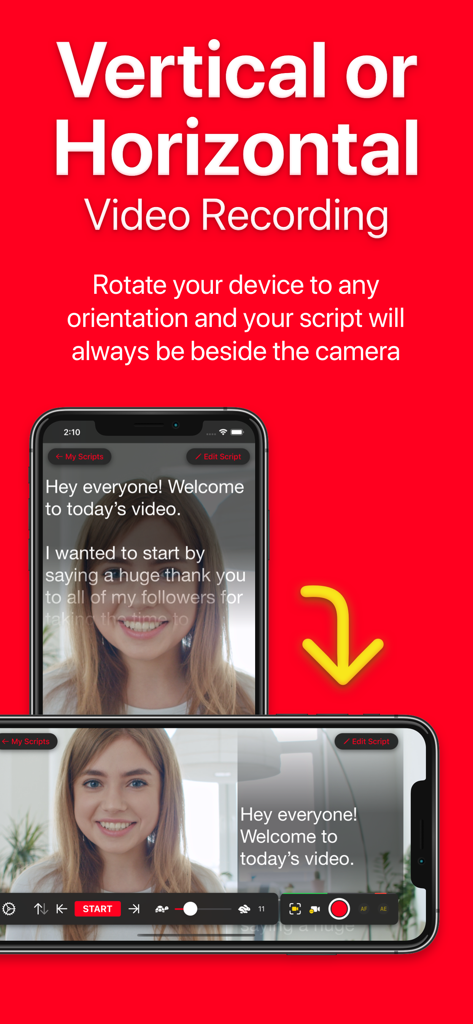
ビデオテレプロンプターアプリ。縦向きと横向きの両方の録画モードでのスクリプト配置を示しています。
ビデオテレプロンプターアプリ。縦向きと横向きの両方の録画モードでのスクリプト配置を示しています。

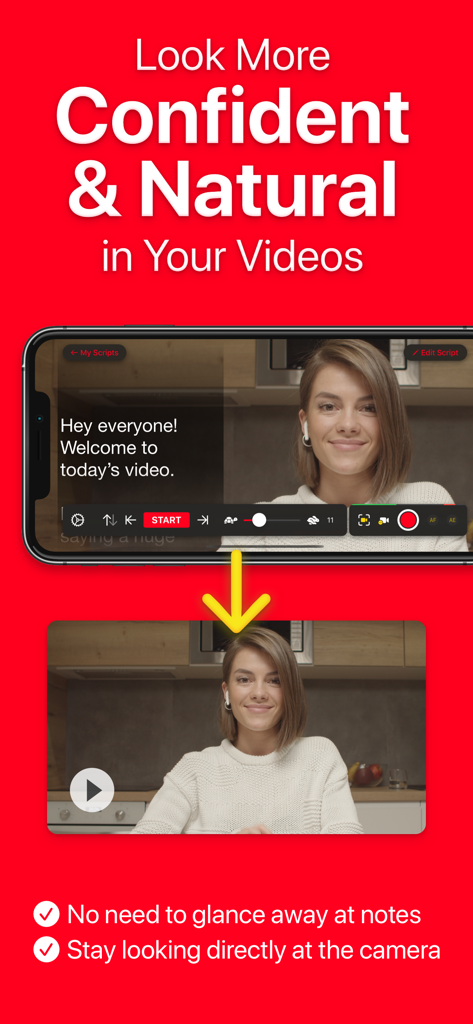
女性がビデオテレプロンプターアプリを使用し、スクリプトを読みながらカメラとアイコンタクトを維持しています。

女性がビデオテレプロンプターアプリを使用し、スクリプトを読みながらカメラとアイコンタクトを維持しています。

プロフェッショナルな動画を簡単に撮影

このアプリを際立たせるツール、 465K+ 人のユーザーが選択.

👁️

自然なアイコンタクトを維持

カメラレンズのすぐ隣にスクリプトを配置することで、視聴者にまっすぐ視線を送り、すべてのテイクで信頼とエンゲージメントを築きます。

🎮

一人でも安心のリモートコントロール

Apple Watch、ゲームコントローラー、フットペダルを使用して、遠隔から録画を管理できます。動画の最初と最後の気まずい姿勢をなくします。

☁️

シームレスなワークフロー連携

Google DriveまたはDropboxからWord、PDF、またはテキストスクリプトを即座にインポートし、4K録画と自動生成キャプションでコンテンツを完成させます。

アプリについて

について知っておくべきこと Video Teleprompter.

説明

Many other apps copy ours, but we're the original Video Recording Teleprompter! Perfect for video presentations, vlogging, video resumes, product explainer videos and much more! Video Teleprompter helps you to record professional and natural videos. Read your script beside the camera so that you're always looking towards the camera. No need to memorise lines or glance away at notes! Whichever way you position your device, Video Teleprompter will place your script directly beside the camera. Video Teleprompter is the original video recording teleprompter app to pioneer this idea! It's super easy... Just read your script! How can Video Teleprompter help you to record more professional and natural looking videos? • You'll be looking directly at the camera as you read your script • No more paper scripts or notes • No need to memorize what to say • No more glancing off-camera at your notes or prompts • Fewer mistakes • Fewer re-shoots Main Features & Benefits: • Present your videos just like a professional • Maintain better eye-contact with the camera • 4K video recording (for devices that support 4K video) • Green Screen feature to add your own background to your videos • Countdown timer to let you prepare for recording • Import your scripts from any location including Dropbox, Google Drive, iCloud Drive and any others • Import Word, txt, rtf and pdf documents • No character limit or script limit • Record in landscape or portrait orientation • Record with either the front-facing or rear-facing camera • Tap to focus and expose • Lock the autofocus and autoexposure • Custom shutter speed and ISO controls • Support for connected microphones • Audio level monitoring • Adjustable text window • Control Scrolling & Recording from any connected keyboard (customizable keys) • Control Scrolling & Recording from a media remote (customizable buttons) • Control Scrolling & Recording using a gaming controller including PlayStation and XBOX controllers • Control Scrolling & Recording from a connected foot pedal or page turner (customizable buttons) • Control Scrolling & Recording from Apple Watch on iPhone • Select between "Continuous" or "Paging" scroll modes • Create, import, edit, save and share unlimited scripts • Export your scripts as Rich Text (.rtf) files to edit on any computer, tablet of smartphone • Automatically add subtitles for your videos. (Auto Captions subscription required) • Automatically generate .srt captions and subtitles for your videos. (Auto Captions subscription required) ... and much more! Pro Upgrade: The Video Teleprompter Pro upgrade is available as a one-time in-app purchase forever, or as a subscription for extra features starting with a free trial. If you chose to subscribe (optional), you can cancel anytime within the app, or from your iTunes account settings. After your free trial ends, your subscription will automatically renew (does not apply to the one-time upgrade option) unless cancelled at least 24-hours before the end of the current period. Payment will be charged to your iTunes Account at confirmation of purchase. Your account will be charged for renewal within 24-hours prior to the end of the current period. Any unused portion of a free trial will be forfeited if you purchase a subscription. Terms of service are available at: https://joeallenpro.com/legal/ Video Teleprompter automatically scrolls your scripts on the side of display closest to the front-facing camera on your device. This means that when you read your script, you're looking closer to the camera, rather than off-camera.

最新バージョン

3.9.19

サイズ

102.8 MB

リリース日

2018年11月30日

完璧なテイクを撮影する準備はできましたか?

オリジナルのビデオテレプロンプターを使用して、完璧なアイコンタクトで自然な動画を配信している465,000人以上のプロフェッショナルやクリエイターに加わりましょう。

ダウンロード: App Store

App information, icons, screenshots, and descriptions displayed on this page are sourced from the Apple App Store and are the property of their respective developers. Download estimates and rankings are based on MWM's proprietary models and may not reflect actual figures. This page is provided for informational and analytical purposes only.

Believe this page infringes your intellectual property? File a dispute