
このページはアプリまたはその開発者の公式ページではなく、情報提供および論評を目的として作成された独立した編集出版物です。明示的に別段の記載がない限り、アプリおよびその開発者は、MWM、Apple、Google Play、アプリのパブリッシャー、またはアプリの開発者と提携、承認、後援、認可、またはその他の公式的な関係はなく、このページのいかなる内容も、アプリがMWMのサービスを使用して開発されたことを意味するものではありません。すべての商標、ロゴ、スクリーンショット、その他のコンテンツはそれぞれの所有者の財産です。


VidSub: Video Subtitle Creator
タイピングはやめて、話しましょう。AI音声入力でReels、TikTok、Shortsのキャプションを瞬時に作成。Googleフォントでブランドをカスタマイズし、字幕を動画に直接焼き付けるか、数秒でSRTファイルをエクスポートできます。
ダウンロード
1K+ユーザー評価
評価数
0開発元
カテゴリ
Photo & Video対応言語
1最新バージョン
25.6.1200サイズ
132.1 MBリリース日
2022年9月10日現代のクリエイターのためのプロフェッショナルツール
モバイルファーストのスイートで動画ワークフローを合理化し、コンテンツをアクセスしやすく、ブランドに合わせ、あらゆるソーシャルプラットフォームに対応できるように設計されています。
手間いらずの音声入力
タイピングに時間を無駄にするのはやめましょう。あなたの音声を瞬時に正確な字幕ラインに変換し、直感的で高速入力インターフェースで編集できます。
カスタムブランド&フォント
Googleフォントをインポートして、他とは違う存在感を示しましょう。色、アウトライン、影を完全にカスタマイズして、キャプションがブランドの美学に合っていることを確認してください。
よくある質問
について知っておくべきこと VidSub: Video Subtitle Creator
VidSub: Video Subtitle Creatorとは何ですか?
VidSubは、字幕作成・編集ツールです。ユーザーが字幕を作成または編集し、SRTファイルとして保存したり、ビデオに字幕トラックとして追加したりするのに役立ちます。
VidSub: Video Subtitle Creatorは、字幕作成のために音声認識(Voice to Text)をサポートしていますか?
はい、VidSubは、より高速な字幕入力のために音声認識(Voice to Text)をサポートしています。ユーザーは音声を録音して、効率的に字幕ラインを作成できます。
VidSub: Video Subtitle Creatorは、字幕をビデオファイルに焼き付ける(ハードコードする)ことができますか?
はい、VidSubを使用すると、字幕をビデオファイルに簡単に焼き付けたりハードコードしたりできます。ユーザーは字幕スタイルをカスタマイズし、ビデオ品質と焼き付け速度を制御できます。
VidSub: Video Subtitle Creatorでカスタマイズできる字幕スタイルにはどのようなものがありますか?
VidSubでは、色、アウトラインの色、アウトラインの太さ、テキストの影、配置、背景などの字幕スタイルをカスタマイズできます。
ユーザーはVidSub: Video Subtitle Creatorを使用してビデオにウォーターマークを追加できますか?
はい、VidSubの焼き付けツールを使用すると、ユーザーはYouTubeやTikTokなどのプラットフォームにアップロードする前に、署名やその他のコンテンツでビデオにウォーターマークを付けることができます。
VidSub: Video Subtitle Creatorは、焼き付け字幕にカスタムフォントをサポートしていますか?
はい、VidSubにはフォントダウンロードマネージャーがあります。ユーザーはGoogle Fontsからカスタムフォントをダウンロードし、ビデオ焼き付けツールで使用するためにインポートできます。
VidSub: Video Subtitle Creatorの組み込みプレーヤーは、どのビデオフォーマットをサポートしていますか?
VidSubの組み込みビデオプレーヤーは、MKVおよびその他の多くの一般的なビデオフォーマットをサポートしています。ギャラリーまたは選択したファイルからの再生が可能です。
VidSub: Video Subtitle Creatorは、ビデオから字幕トラックを抽出できますか?
はい、VidSubには、ビデオファイルから直接字幕トラックを抽出するツールが含まれています。この機能は、字幕ツールの1つです。
VidSub: Video Subtitle Creatorは、字幕ファイルを異なるフォーマットに変換できますか?
はい、VidSubは字幕ファイルを他のフォーマットに変換できます。変換に対応しているフォーマットには、SRT、VTT、ASSがあります。
VidSub: Video Subtitle Creatorは、既存の字幕ファイルの管理にどのように役立ちますか?
VidSubは、簡単で直感的なエディターを提供し、新しいSRTファイルを作成したり、既存のSRTファイルを編集したりできます。また、行の追加や削除、SRTとしての保存も可能です。
以下のスクリーンショットと説明は、アプリの公式ストアリスティングから直接取得されたものであり、アプリ開発者の所有物です。
アプリストア
スクリーンショット
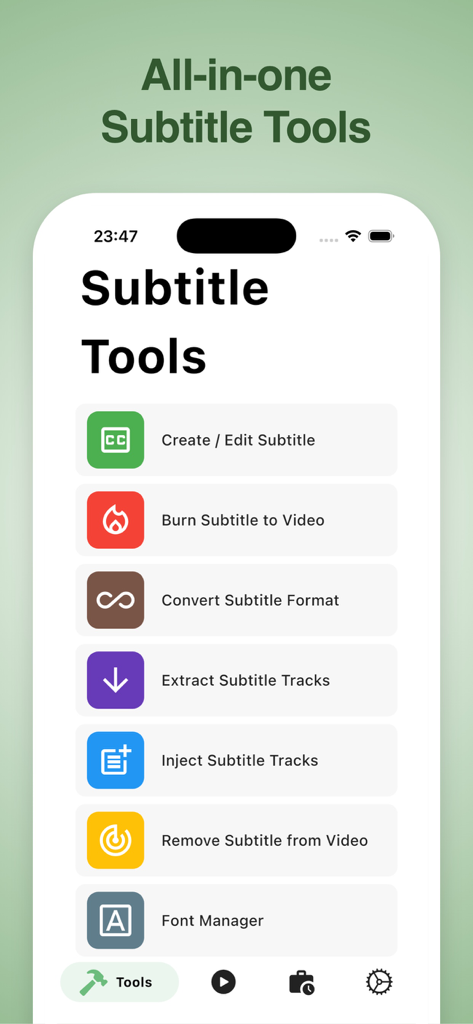
VidSubアプリのインターフェース。字幕作成、編集、焼き付け、変換などの字幕ツールが表示されています。
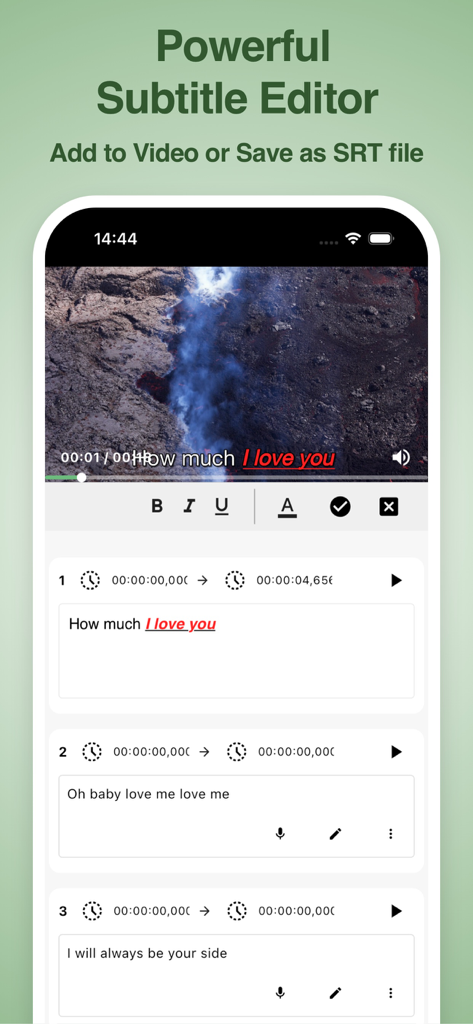
VidSubアプリのインターフェース。動画プレイヤーと、タイムスタンプやテキストスタイルで字幕を編集するツールが表示されています。
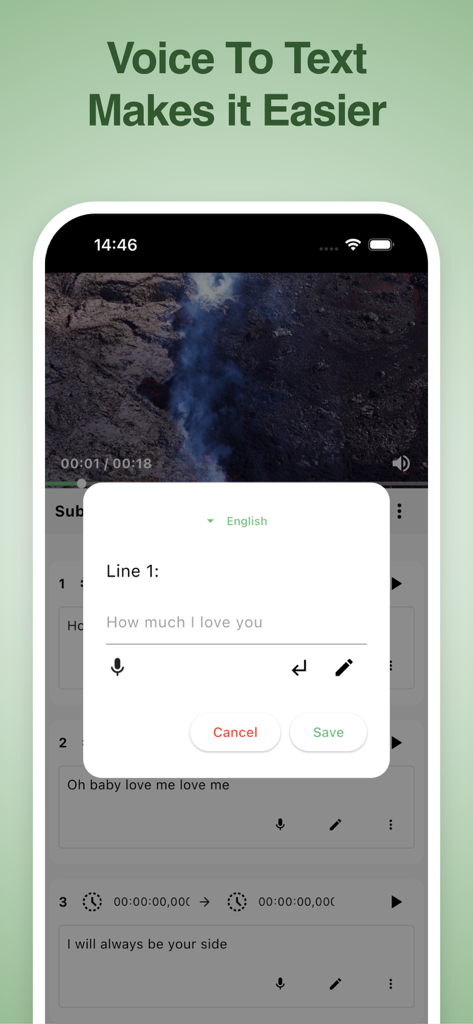
VidSubモバイルアプリのインターフェース。動画字幕作成のための音声入力機能が表示されています。
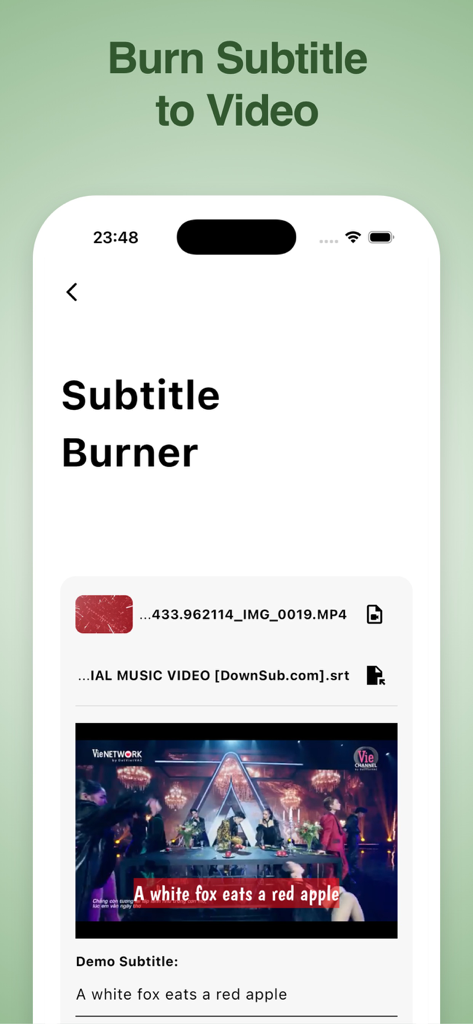
VidSubアプリのインターフェース。字幕焼き付けツールと、動画プレビュー、キャプションが表示されています。
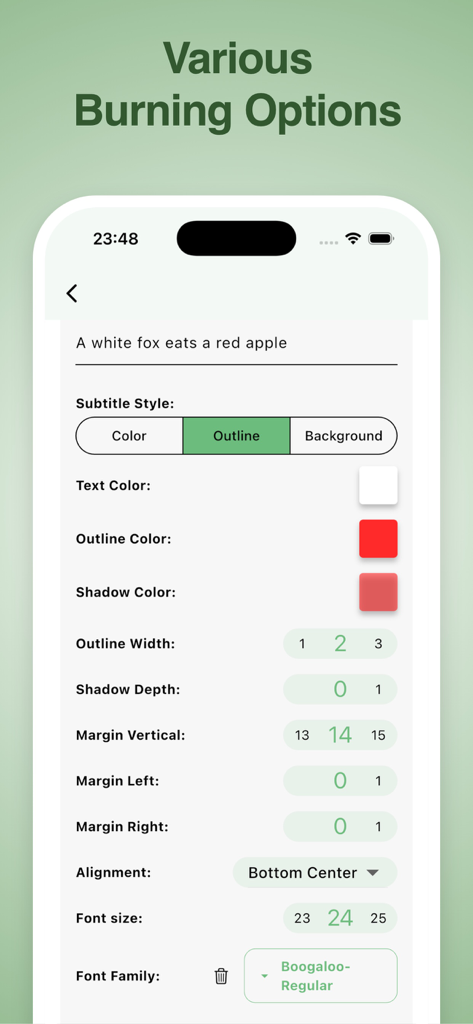
VidSubでの色、アウトライン、フォントを含む字幕スタイルのカスタマイズ用インターフェース。
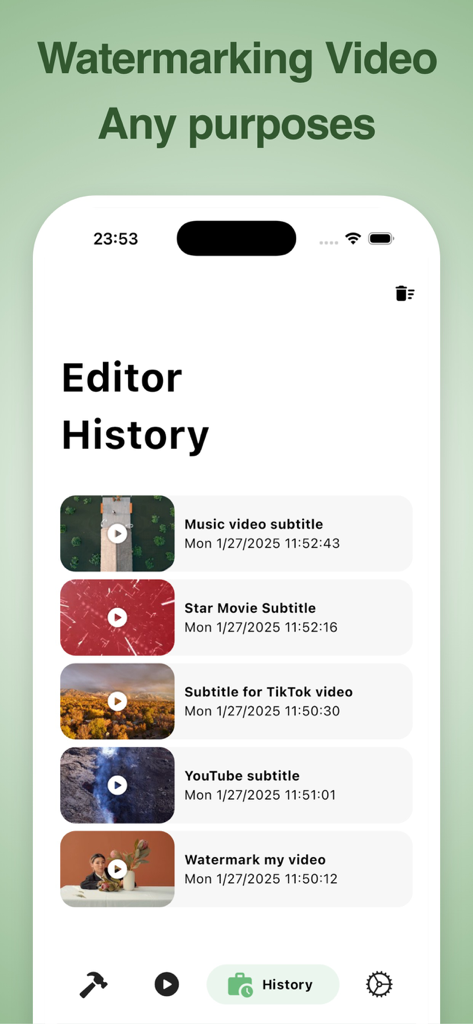
VidSubアプリのインターフェース。エディタ履歴画面に、最近の字幕と透かしプロジェクトのリストが表示されています。
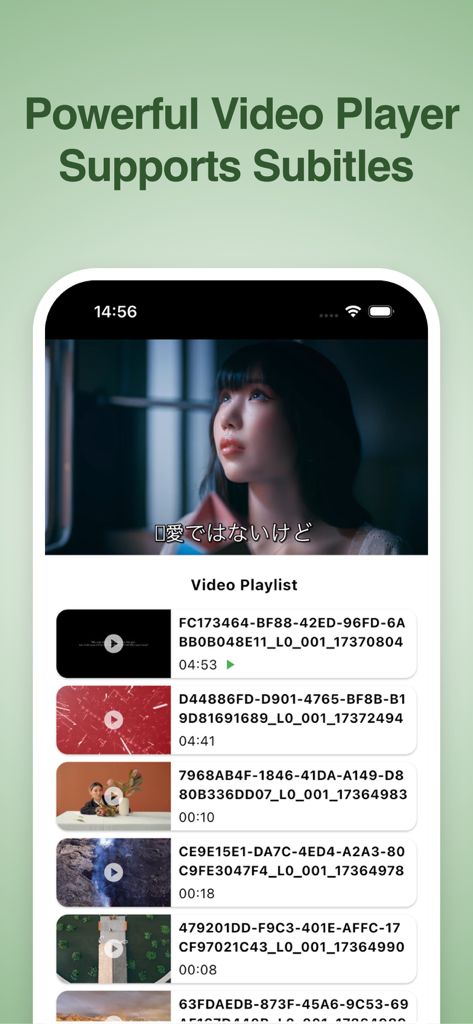
VidSubアプリのインターフェース。スマートフォン上で、字幕付きの動画プレイヤーと動画プレイリストが表示されています。
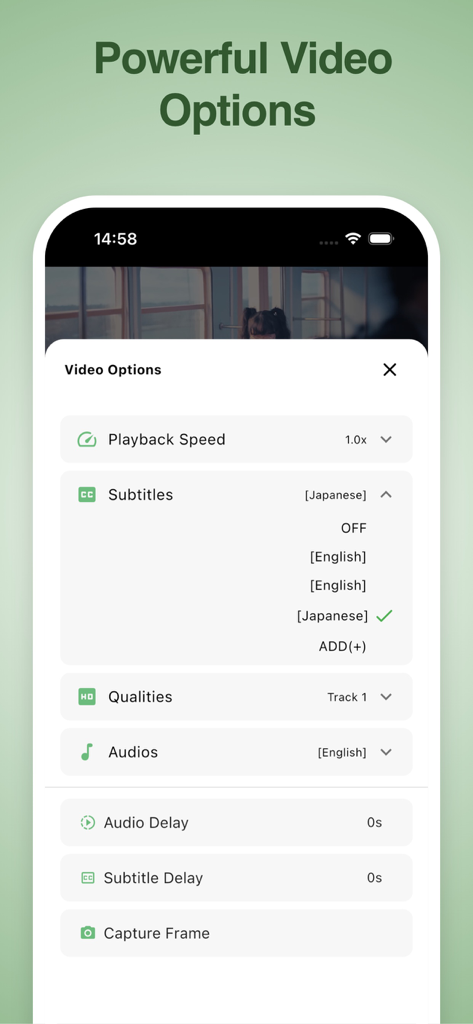
VidSubアプリのインターフェース。字幕選択、再生速度、オーディオ設定を含む動画オプションメニューが表示されています。
説明
Download
類似アプリ
同じカテゴリのトップランクアプリ

CapCut: Photo & Video Editor
BYTEDANCE PTE. LTD.

Instagram, Inc.

YouTube
Google LLC

Canva: AI Photo & Video Editor
Canva Pty Ltd

Snapchat
Snap, Inc.

快手
Beijing Kwai Technology Co., Ltd.

Edits: Video Editor
Instagram, Inc.

Meitu- AI Photo & Video Editor
Xiamen Meitu Technology Co., Ltd.

Google Photos: Backup & Edit
Google LLC
このページはアプリまたはその開発者の公式ページではなく、情報提供および論評を目的として作成された独立した編集出版物です。明示的に別段の記載がない限り、アプリおよびその開発者は、MWM、Apple、Google Play、アプリのパブリッシャー、またはアプリの開発者と提携、承認、後援、認可、またはその他の公式的な関係はなく、このページのいかなる内容も、アプリがMWMのサービスを使用して開発されたことを意味するものではありません。すべての商標、ロゴ、スクリーンショット、その他のコンテンツはそれぞれの所有者の財産です。