WhatsAgain for WhatsApp
ダウンロード: App Store

このページはアプリまたはその開発者の公式ページではなく、情報提供および論評を目的として作成された独立した編集出版物です。明示的に別段の記載がない限り、アプリおよびその開発者は、MWM、Apple、Google Play、アプリのパブリッシャー、またはアプリの開発者と提携、承認、後援、認可、またはその他の公式的な関係はなく、このページのいかなる内容も、アプリがMWMのサービスを使用して開発されたことを意味するものではありません。すべての商標、ロゴ、スクリーンショット、その他のコンテンツはそれぞれの所有者の財産です。


ロゴ: WhatsAgain for WhatsApp
ダウンロード: App Store

WhatsAgain for WhatsApp

iPhone で複数のアカウントをシームレスに同期し、iPad で不足していたフルスクリーン体験をお楽しみください。仕事と生活のギャップを埋めるための、プロフェッショナルやマルチタスカー向けの究極のツールです。

主要数値

ダウンロード

228K+

ユーザー評価

4.3/5

評価数

1K+

開発元

PGD Mobile Development, S.L.

カテゴリ

Social Networking

対応言語

1

最新バージョン

1.21

サイズ

10.9 MB

リリース日

2019年2月3日
機能

生産性を強化する

忙しいライフスタイル向けに設計されたプロフェッショナルなインターフェイスで、iPhone と iPad で複数の WhatsApp アカウントを簡単に管理できます。

デュアルアカウントの自由

2台の電話の必要性をなくします。個人用アカウントと仕事用アカウントを 1 台のデバイスで同時に実行できます。

ネイティブ iPad 体験

ブラウザタブはもう必要ありません。iPad のワークフロー専用に設計された、専用のフルスクリーン WhatsApp インターフェイスをお楽しみください。

以下のスクリーンショットと説明は、アプリの公式ストアリスティングから直接取得されたものであり、アプリ開発者の所有物です。

アプリストア

スクリーンショット
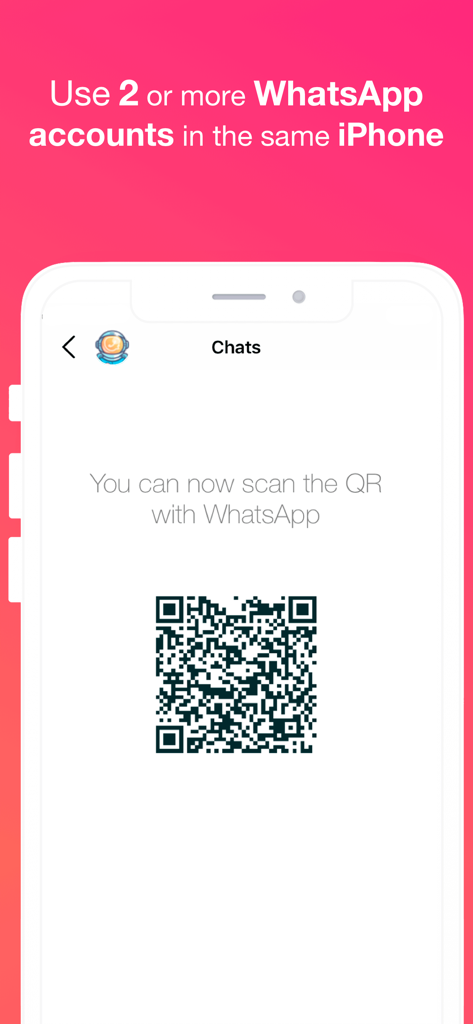
WhatsAgain for WhatsApp - WhatsAgain アプリに、iPhone の複数の WhatsApp アカウントを同期するための QR コードが表示されています。
WhatsAgain アプリに、iPhone の複数の WhatsApp アカウントを同期するための QR コードが表示されています。

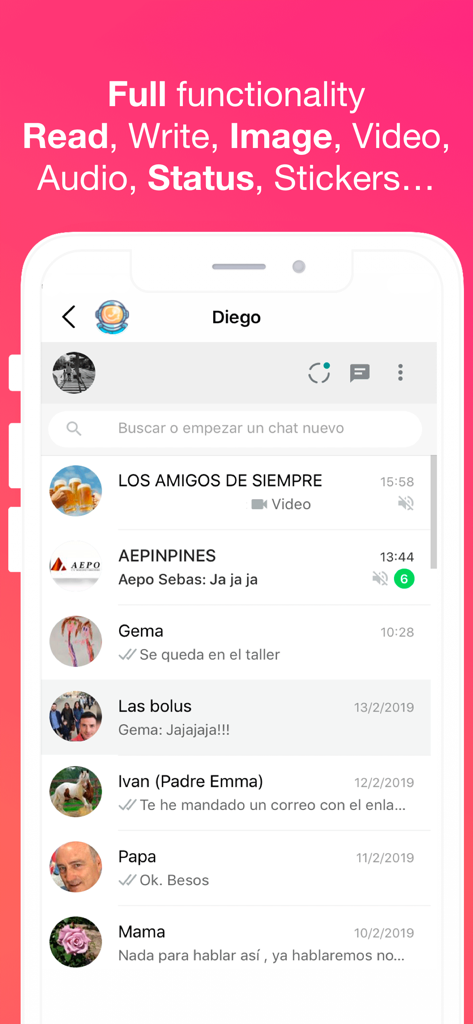
WhatsAgain for WhatsApp - WhatsAgain アプリのインターフェイスに、複数の WhatsApp チャット会話とサポートされている機能が表示されています
WhatsAgain アプリのインターフェイスに、複数の WhatsApp チャット会話とサポートされている機能が表示されています

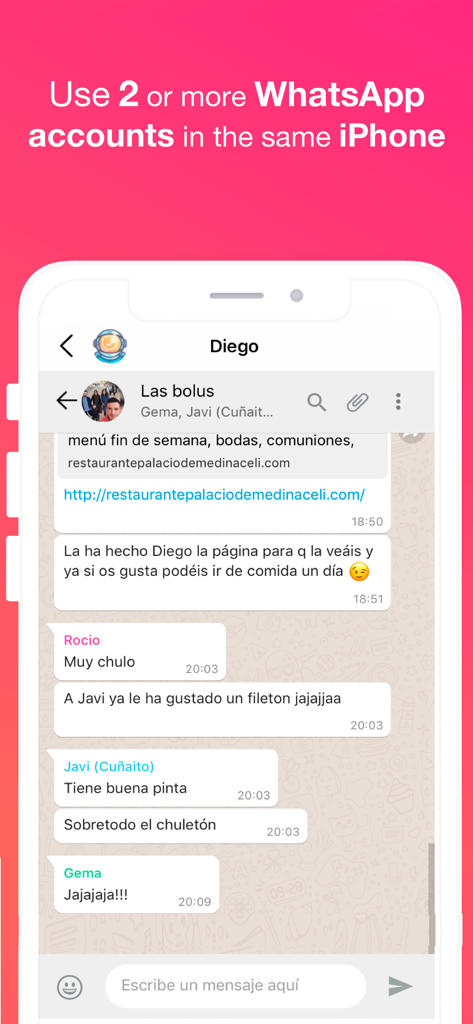
WhatsAgain for WhatsApp - WhatsAgain アプリのスクリーンショット。iPhone で WhatsApp グループ チャットが表示され、複数のアカウントの使用に関するテキストが表示されています
WhatsAgain アプリのスクリーンショット。iPhone で WhatsApp グループ チャットが表示され、複数のアカウントの使用に関するテキストが表示されています

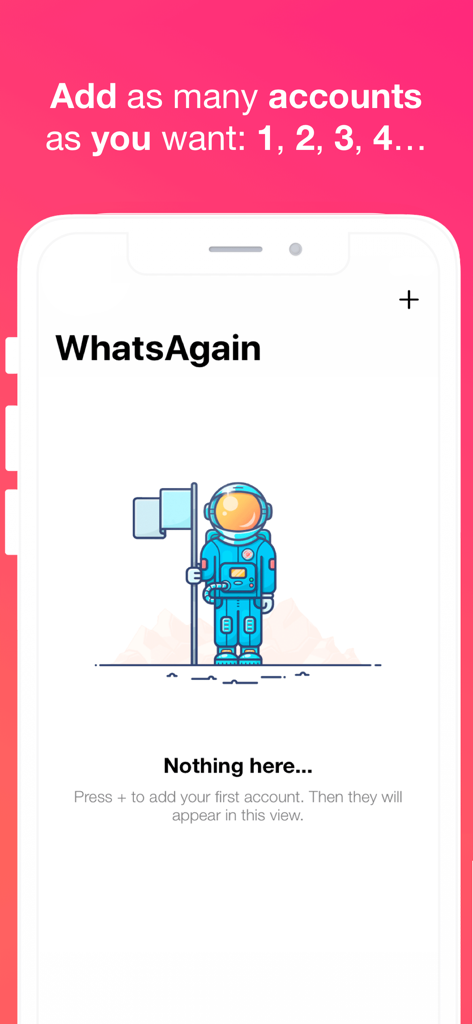
WhatsAgain for WhatsApp - WhatsAgain アプリのインターフェイスに、宇宙飛行士のイラストと複数の WhatsApp アカウントを追加するための手順が表示された空の状態が表示されています

WhatsAgain アプリのインターフェイスに、宇宙飛行士のイラストと複数の WhatsApp アカウントを追加するための手順が表示された空の状態が表示されています

説明

Welcome to WhatsAgain, the application that synchronizes your WhatsApp Web accounts. Yes, you have read well, YOUR ACCOUNTS, in plural, double accounts or multi accounts. And full screen! Read more to learn how to have more than one WhatsApp account on your iPhone, or WhatsApp on iPad, like Whatscan but working xD WhatsAgain allows you to access, through WhatsWeb, all the accounts that you have or need to manage. And also, with all the features you already have, like Whatscan but working xD And, why am I going to need something like that? Well, it's easy. We present to you several scenarios that we use now WhatsAgain. · I have two or more phones with WhatsApp: In this case, WhatsAgain, allows you to have all the WhatsApp accounts on the same device. For example, if you have a personal account, a professional account, and another technical support account. With WhatsAgain, you can access them from a single device. Great, right? How does WhatsAgain work? WhatsAgain works by pairing the official WhatsApp accounts through the WhatsWeb platform. How to match a WhatsApp account with WhatsAgain? · Open WhatsAgain and follow the steps until you see a QR code on the screen. · On the mobile with the WhatsApp account, navigate to 'Settings' -> 'WhatsApp Web / Desktop' -> 'Scan QR code'. · Scan the QR code of the mobile screen with WhatsAgain and wait for the account to load. AND READY!!! Can I stop using my official WhatsApp account on WhatsAgain? Yes of course. You simply have to close the session or the WhatsWeb sessions that you want from your WhatsApp app. SUBSCRIPTION PRICING AND TERMS You can find all related information in these links: PGDMobile / iWazowski.com Terms of Service: https://pgdmobile.com/legal/pdf/Terms_of_Service.pdf PGDMobile / iWazowski.com Privacy Policy: http://pgdmobile.com/legal/pdf/Privacy_Policy.pdf 1) About Subscription: WhatsAgain offers you the following subscription: Monthly Membership offers a monthly subscription for $0.99 after a 3-day free trial. After buying this subscription, you will unlock the following features: Send audio messages, you will be able to signin the app with your Google account, you will be able to save your WhatsApp Web session in the cloud, you will be able to open your stored sessions in other device signing in with your Google account. 2) About end of trial and subscription renewal: This price is for United States customers. Pricing in other countries may vary, and actual charges may be converted to your local currency depending on the country of residence. Your subscription will be charged to your iTunes Account at confirmation of purchase. Subscription automatically renews unless auto-renew is turned off at least 24-hours before the end of the current period. Account will be charged for renewal within 24-hours prior to the end of the current period, and identify the cost of the renewal. Subscriptions may be managed by the user and auto-renewal may be turned off by going to the user's Account Settings after purchase. Any unused portion of a free trial period, if offered, will be forfeited when the user purchases a subscription to that publication, where applicable. 3) About canceling trial or subscription: You can turn off the auto-renew for the subscription whenever you want to through iTunes. Check https://support.apple.com/HT202039. When your current trial/subscription period expires, you will be unsubscribed. The current active subscription period can not be canceled. After your subscription expires, you will no longer have access to premium features. If you have any questions or comments, feel free to contact us at support@iwazowski.com Disclaimer: WhatsAgain is a third-party app for WhatsApp. It does not have, nor does it exist, any commercial relationship, nor is it endorsed or endorsed by WhatsApp, Facebook Inc. or any of its affiliates. The application connects to your official WhatsApp Web account and complies with the terms of use of WhatsApp.

Download

ダウンロード: App Store

このページはアプリまたはその開発者の公式ページではなく、情報提供および論評を目的として作成された独立した編集出版物です。明示的に別段の記載がない限り、アプリおよびその開発者は、MWM、Apple、Google Play、アプリのパブリッシャー、またはアプリの開発者と提携、承認、後援、認可、またはその他の公式的な関係はなく、このページのいかなる内容も、アプリがMWMのサービスを使用して開発されたことを意味するものではありません。すべての商標、ロゴ、スクリーンショット、その他のコンテンツはそれぞれの所有者の財産です。