
このページはアプリまたはその開発者の公式ページではなく、情報提供および論評を目的として作成された独立した編集出版物です。明示的に別段の記載がない限り、アプリおよびその開発者は、MWM、Apple、Google Play、アプリのパブリッシャー、またはアプリの開発者と提携、承認、後援、認可、またはその他の公式的な関係はなく、このページのいかなる内容も、アプリがMWMのサービスを使用して開発されたことを意味するものではありません。すべての商標、ロゴ、スクリーンショット、その他のコンテンツはそれぞれの所有者の財産です。


ダウンロード
500k+ユーザー評価
評価数
4.8K開発元
カテゴリ
Utilities対応言語
17最新バージョン
2.1.6サイズ
132.4 MBリリース日
2024年7月16日モバイルファーストのファイル管理とPDF編集を統合したソリューション
'Zip & RAR & 7z File Extractor' アプリの機能分析
ローカル処理によるデータ保護
本アプリは、すべてのファイルの処理をデバイス上でローカルに実行するため、ユーザーのデータが外部サーバーにアップロードされることなく、高いプライバシーとセキュリティが維持されます。
高速アーカイブ抽出
ユーザーはZIP、RAR、7zip、TARファイルなどの主要な圧縮アーカイブを数秒で迅速に解凍することが可能です。
PDFへの入力と署名
ユーザーは外出先からでもPDFフォームへの入力や電子署名の追加を簡単に行うことができ、書類管理の効率化に貢献します。
幅広いファイル形式対応
本ツールはZIP、RAR、7zip、TAR、APKなど、多岐にわたる主要なアーカイブ形式をサポートしており、ユーザーは様々な圧縮ファイルを一元的に管理できます。
スマート圧縮機能
アプリはZIPまたは7zip形式でファイルを効率的に圧縮し、ストレージ容量の節約や、メールなどでの容易なファイル共有を可能にします。
ドキュメントスキャン(PDF化)
ユーザーはデバイスのカメラ機能を利用して、紙のドキュメントを即座に高品質なPDFファイルに変換することが可能です。
バッチ処理機能
複数のファイルの解凍や圧縮作業を一度に実行することで、ユーザーは作業効率を大幅に向上させることができます。
PDF変換機能
ユーザーはPDFファイルを一般的なドキュメント形式に、またはその逆で簡単に変換でき、多様なファイル形式との互換性を確保します。
よくある質問
について知っておくべきこと Zip & RAR & 7z File Extractor
What is Zip & RAR & 7z File Extractor?
Zip & RAR & 7z File Extractor is a versatile app designed to unzip, extract rar, 7z, and tar archives, and open APK packages. It also allows users to compress files into zip or 7z formats for easy sharing and storage.
What file formats does Zip & RAR & 7z File Extractor support?
Zip & RAR & 7z File Extractor supports a wide range of formats, including zip, rar, 7zip, tar, and APK files. It can both extract and compress these file types efficiently.
Can I compress files with Zip & RAR & 7z File Extractor?
Yes, Zip & RAR & 7z File Extractor allows you to compress files into zip or 7zip formats. This feature helps save space and makes files easier to share, even allowing password protection.
Does Zip & RAR & 7z File Extractor offer a file manager?
Yes, Zip & RAR & 7z File Extractor includes a Full File Manager. This allows users to edit, view, and share various file types, enhancing overall file organization and accessibility.
Is my data safe with Zip & RAR & 7z File Extractor?
Yes, your data is safe with Zip & RAR & 7z File Extractor. The app processes all files locally on your device, ensuring no personal data is collected, uploaded, or stored on external servers.
Can I integrate cloud services with Zip & RAR & 7z File Extractor?
Yes, the Premium version of Zip & RAR & 7z File Extractor offers cloud integration. It supports popular services like Google Drive and Dropbox for enhanced file management.
How much does Zip & RAR & 7z File Extractor Premium cost?
Zip & RAR & 7z File Extractor offers Premium subscriptions on a weekly or lifetime basis. Payment is charged upon confirmation through your App Store account, with auto-renewal options available.
Can Zip & RAR & 7z File Extractor protect files with a password?
Yes, Zip & RAR & 7z File Extractor allows users to protect compressed files with a password. It also includes a dedicated "File security box" for safeguarding sensitive information.
Does Zip & RAR & 7z File Extractor support batch processing?
Yes, Zip & RAR & 7z File Extractor supports batch processing. Users can unzip or compress multiple files simultaneously, which significantly improves efficiency and saves time.
以下のスクリーンショットと説明は、アプリの公式ストアリスティングから直接取得されたものであり、アプリ開発者の所有物です。
アプリストア
スクリーンショット
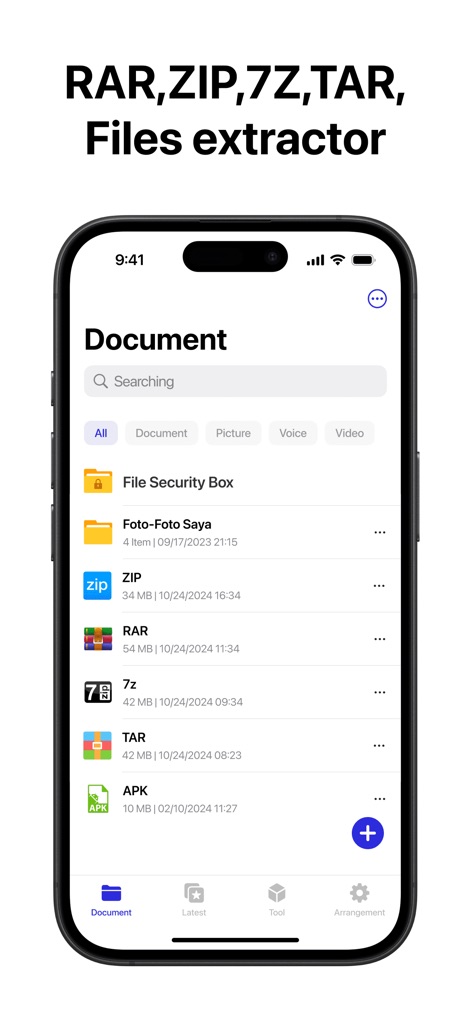
このファイルマネージャーは、ZIP、RAR、7z、TAR、APKなど、多様なアーカイブ形式をサポートしており、ユーザーは検索バーで素早くファイルを特定できます。
多彩な形式に対応
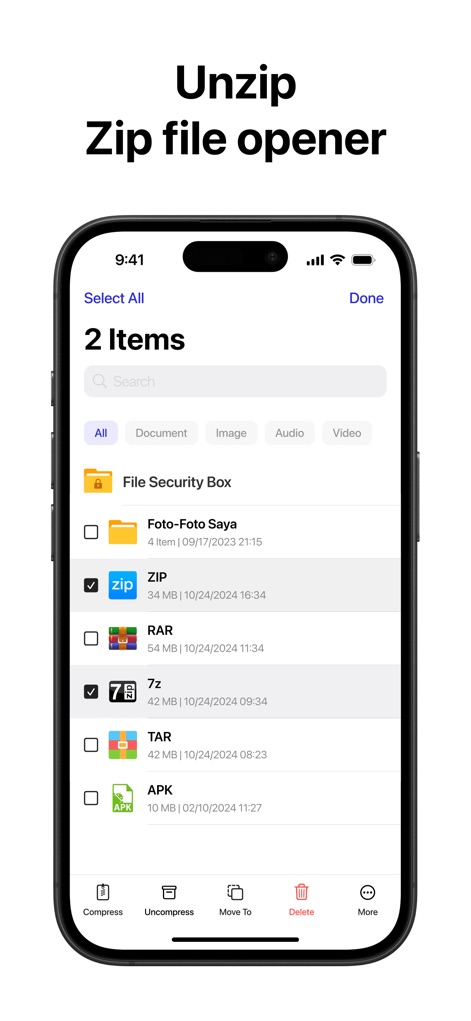
ユーザーは複数のZIPや7zファイルをチェックボックスで一括選択し、「Uncompress」(展開)ボタンで簡単に処理できます。
簡単な展開・圧縮

本アプリは、ドキュメントスキャン機能で紙の書類をデジタル化し、「Fill and sign PDFs」(PDFへの入力と署名)で契約書などを簡単に処理できます。
高機能PDFツール
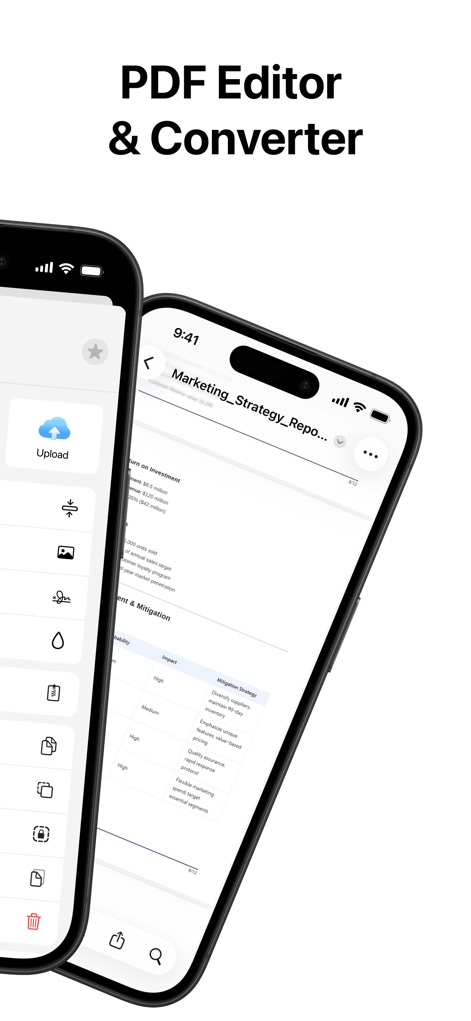
ユーザーはPDFドキュメントを閲覧・編集できるだけでなく、サイドメニューから「Compress PDF」でファイルサイズを最適化し、「PDF Converter」で形式を変換できます。
PDF編集と変換
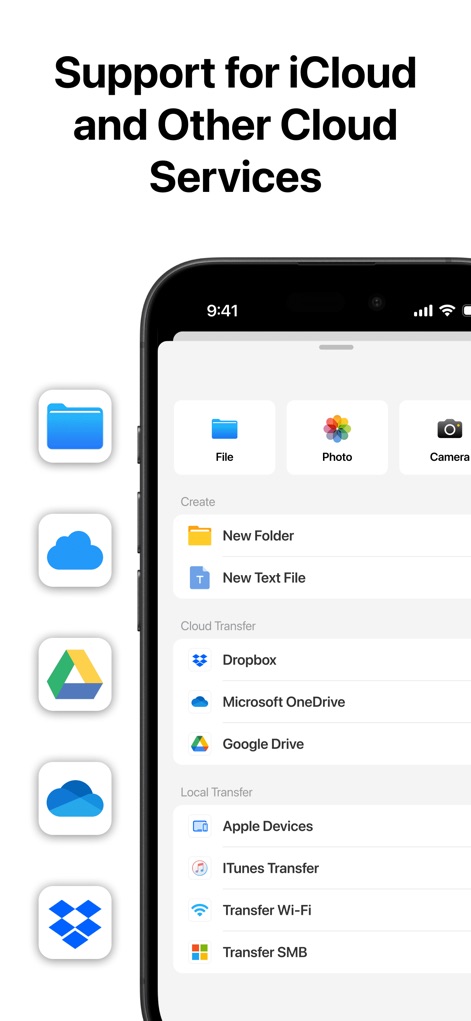
このツールは、Google DriveやDropboxなどの主要なクラウドサービスとシームレスに連携し、さらにiTunes TransferやWi-Fi Transferによるローカルファイル転送もサポートしています。
クラウド連携と転送
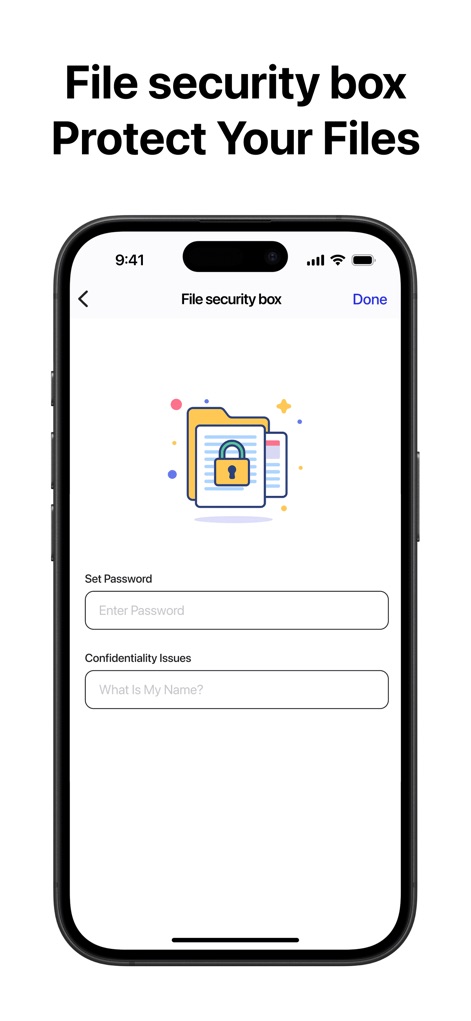
本アプリの「File security box」(ファイルセキュリティボックス)機能により、ユーザーはファイルにパスワードを設定して保護でき、また「Confidentiality Issues」でセキュリティの質問を設定できます。
ファイル保護機能

この機能は、オリジナルサイズが6.5MBの画像を1.4MBまで効率的に圧縮し、ユーザーは「Compression Level」(圧縮レベル)を調整して最適な品質とサイズを選択できます。
メディアを圧縮
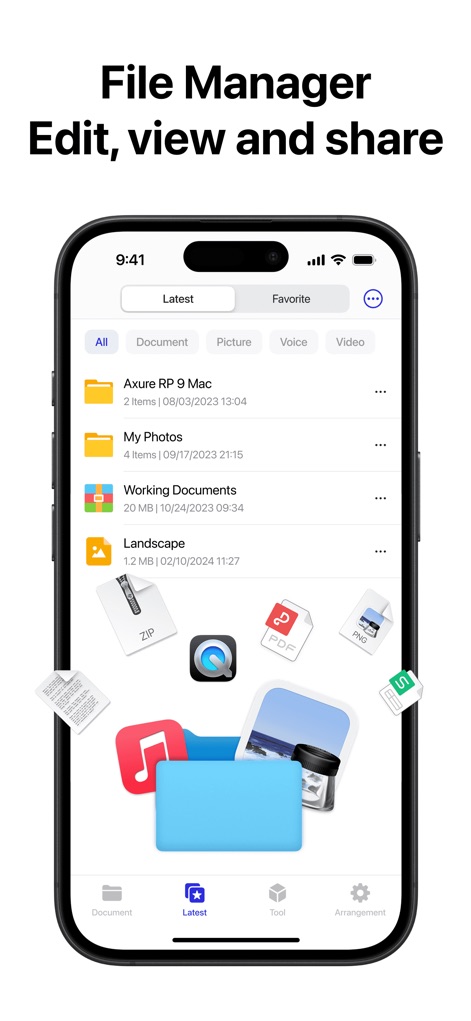
ユーザーは「Document」「Picture」「Voice」「Video」などのタブでファイルを素早く分類・閲覧でき、ZIP、PDF、PNGといった多様なファイル形式のアイコンも明確に表示されています。
統合ファイル管理

本アプリは、内蔵のメディアプレーヤーで動画コンテンツを再生し、画面中央に表示される「一時停止ボタン」で簡単に再生を制御できる機能を提供します。
メディアを視聴
説明
Download
類似アプリ
似た機能とユーザー体験を持つアプリ

Unzip – ZIP RAR 7Z Extractor
Little Sweet Technology Co., Ltd.

Unzip - zip,rar,7z file opener
书勇 贾

Zip & RAR File Extractor
PENGHUI ZHAO

iZip – Zip Unzip Unrar
ComcSoft Corporation

Zip, RAR, 7z File Extractor
FANGZHOU INTERACTIVE TECHNOLOGY CO., LIMITED

ZArchiver: UnZip, UnRar, 7Z
TIMON SOFTWARE SOLUTIONS COMPANY LIMITED

iRAR - zip,rar,7z file opener
书敏 贾

MT管理器
瑞 胡

iZip Pro -Zip Unzip Unrar Tool
ComcSoft Corporation
このページはアプリまたはその開発者の公式ページではなく、情報提供および論評を目的として作成された独立した編集出版物です。明示的に別段の記載がない限り、アプリおよびその開発者は、MWM、Apple、Google Play、アプリのパブリッシャー、またはアプリの開発者と提携、承認、後援、認可、またはその他の公式的な関係はなく、このページのいかなる内容も、アプリがMWMのサービスを使用して開発されたことを意味するものではありません。すべての商標、ロゴ、スクリーンショット、その他のコンテンツはそれぞれの所有者の財産です。