
このページはアプリまたはその開発者の公式ページではなく、情報提供および論評を目的として作成された独立した編集出版物です。明示的に別段の記載がない限り、アプリおよびその開発者は、MWM、Apple、Google Play、アプリのパブリッシャー、またはアプリの開発者と提携、承認、後援、認可、またはその他の公式的な関係はなく、このページのいかなる内容も、アプリがMWMのサービスを使用して開発されたことを意味するものではありません。すべての商標、ロゴ、スクリーンショット、その他のコンテンツはそれぞれの所有者の財産です。


ダウンロード
294K+ユーザー評価
評価数
700開発元
カテゴリ
Productivity対応言語
21最新バージョン
1.2.5サイズ
51.2 MBリリース日
2024年12月3日外出先でのファイル管理に必要なすべて
非互換フォーマットでワークフローを遅らせるのはやめましょう。ExZipは、デスクトップクラスの抽出、暗号化、ドキュメントツールをiPhoneとiPadに直接提供します。
あらゆるフォーマットを即座に開封
RAR、7ZからISO、TARまで、20以上のフォーマットをサポートしており、コンピューターなしで、すべての添付ファイルにアクセスできます。
プロレベルのプライバシーとセキュリティ
強力なパスワード暗号化で機密性の高いビジネスアーカイブを保護し、すべてのファイル処理をローカルで行うことで、最大限のデータプライバシーを実現します。
よくある質問
について知っておくべきこと Zip, RAR, 7z File Extractor
ExZipとは何で、どのような機能がありますか?
ExZipは、iOSデバイスのストレージ容量を解放し、ファイル転送を高速化し、重要なデータを安全にアーカイブすることを目的としたファイル圧縮・解凍ツールです。強力なファイル管理機能も提供します。
ExZipアプリはどのファイル形式をサポートしていますか?
ExZipは、ZIP、RAR、7Z、Lzh、ZIPX、TAR、GZIP、BZIP、TGZ、TBZ、ISO、DEB、CAB、CBZ、CBR、JAR、RPM、GZ、ACE、AES、MSIなど、幅広い形式の圧縮・解凍をサポートしています。
ExZipは自動ファイル解凍機能を提供していますか?
はい、ExZipにはスマート解凍機能が搭載されています。これにより、アプリはさまざまな圧縮ファイルを自動的に識別して解凍し、手動で形式を選択する必要なく、瞬時に元の状態に戻すことができます。
ExZipアプリを使用してファイルをパスワードで保護できますか?
はい、ExZipは機密性の高いファイルに対してパスワード保護を提供します。このコア機能はプライバシーとセキュリティを強化し、ユーザーは圧縮パッケージを暗号化してデータを保護できます。
ExZipはインターネット接続なしで動作しますか?
はい、ExZipはオフライン機能を提供します。ユーザーはインターネット接続を必要とせずに、いつでもどこでもファイルを圧縮・解凍できるため、旅行やモバイルワークに適しています。
ExZipはどのようなファイル管理機能を提供していますか?
ExZipには包括的なファイル管理ツールが含まれています。これにより、ユーザーは移動、コピー、削除、名前変更のオプションを使用でき、デバイスを整理し、効率的なファイル処理を促進するのに役立ちます。
ExZipはiPhoneの最新iOSと互換性がありますか?
ExZipはiPhoneの最新iOSバージョンと完全に互換性があります。これにより、最適なパフォーマンスと最新のAppleモバイルオペレーティングシステムとのシームレスな統合が保証されます。
ExZipサブスクリプションで利用できる限定機能は何ですか?
ExZipサブスクリプションでは、暗号化された圧縮レコード、マルチフォーマット圧縮/解凍、ゴミ箱からのファイル復元、PDFマージ、TXTドキュメント編集などの追加機能が利用可能になります。
ExZipでサブスクリプションなしで利用できる機能は何ですか?
ExZipサブスクリプションなしでも、基本的なファイル圧縮・解凍、画像からPDFへの変換、テキストからPDFへの変換機能にアクセスできます。
ExZipサブスクリプションの管理またはキャンセル方法を教えてください。
ExZipサブスクリプションはいつでも管理またはキャンセルできます。iOSデバイスで[設定] → [Apple ID] → [サブスクリプション]に移動して、サブスクリプションを管理してください。
ExZipはドキュメント変換機能に対応していますか?
はい、ExZipはさまざまなドキュメント変換に対応しています。画像からPDFへの変換、テキストからPDFへの変換、複数のPDFドキュメントのマージなどの機能を提供します。
ExZip内でマルチメディアファイルを再生できますか?
はい、ExZipはマルチメディア再生に対応しています。アプリケーションにより、ユーザーはインターフェイス内で直接さまざまなマルチメディアファイルを閲覧および再生できます。
ExZipはどのように高速な圧縮・解凍速度を実現していますか?
ExZipは、高度な圧縮アルゴリズムを利用することで、驚異的な高速処理速度を実現しています。この技術は、圧縮と解凍の両方の時間を大幅に短縮し、ユーザーの貴重な時間を節約します。
以下のスクリーンショットと説明は、アプリの公式ストアリスティングから直接取得されたものであり、アプリ開発者の所有物です。
アプリストア
スクリーンショット
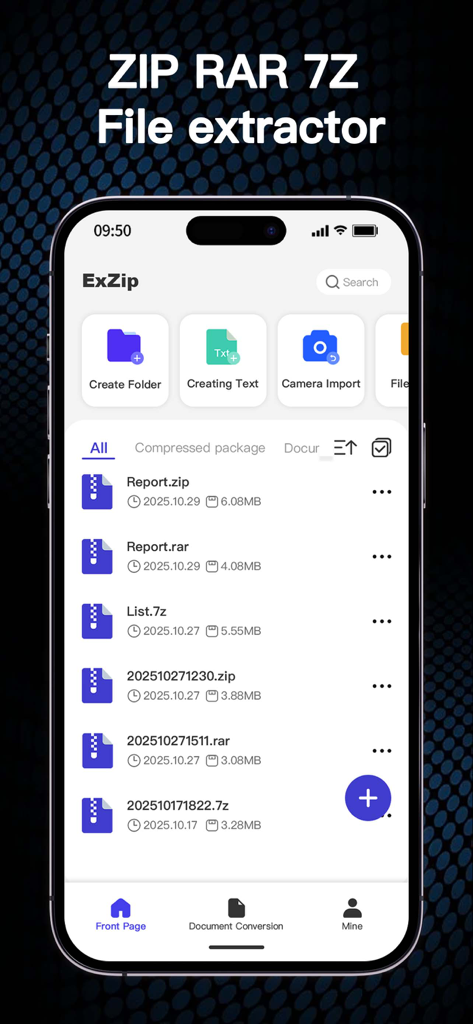
ZIP RAR 7Zファイルのリストを表示するExZipモバイルアプリのメイン画面
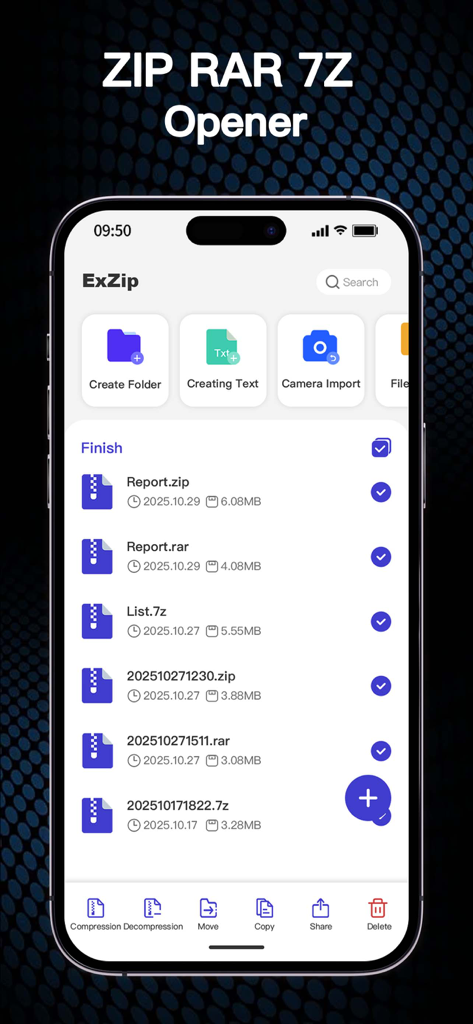
管理オプションを備えたZIP RAR 7Zファイルのリストを表示するiPhone上のExZipアプリのインターフェイス
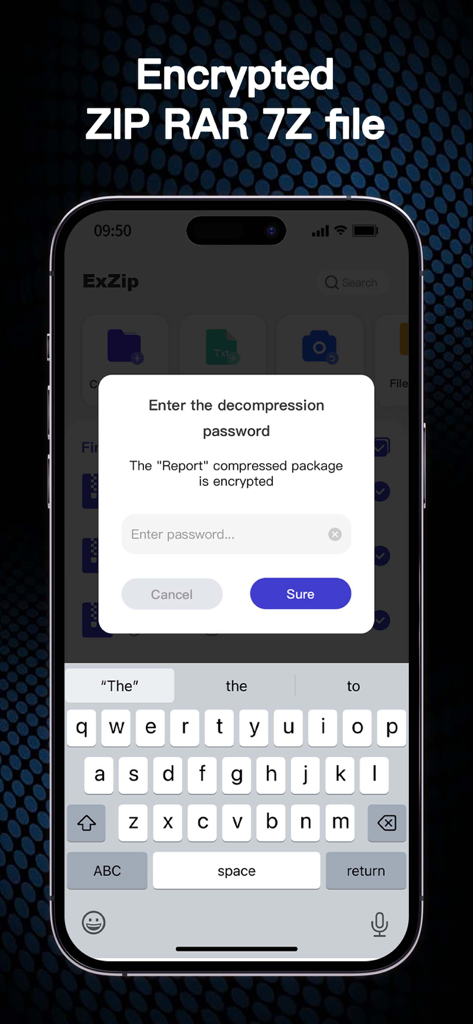
暗号化されたZIP RARまたは7Zファイルのパスワード入力プロンプトを表示するモバイルインターフェイス
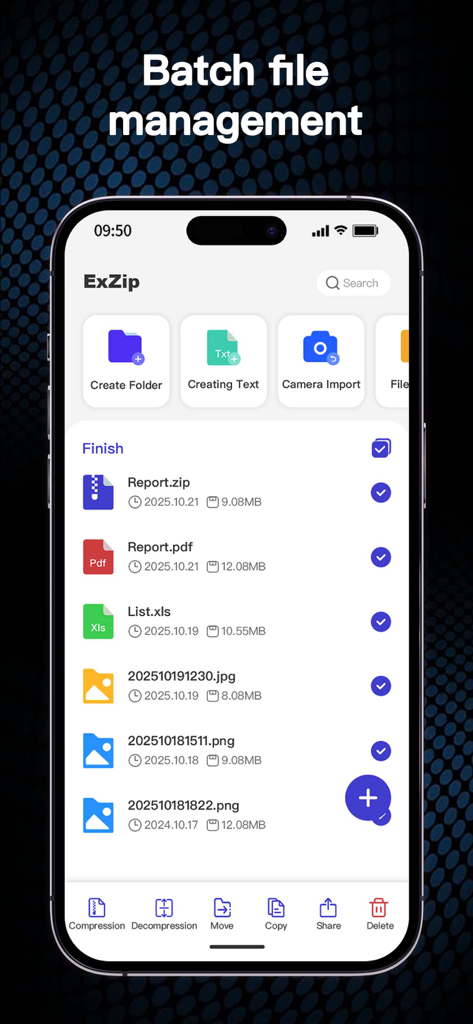
圧縮および整理ファイルのオプションを示すバッチファイル管理機能を備えたExZipアプリのスクリーンショット
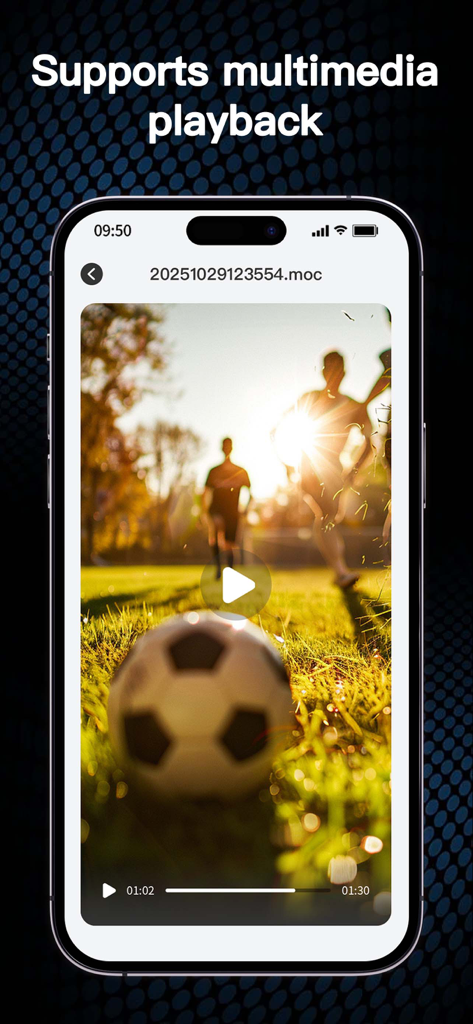
サッカーの試合を再生するExZipアプリのビデオプレーヤーを示すiPhone画面、見出しはマルチメディア再生をサポート
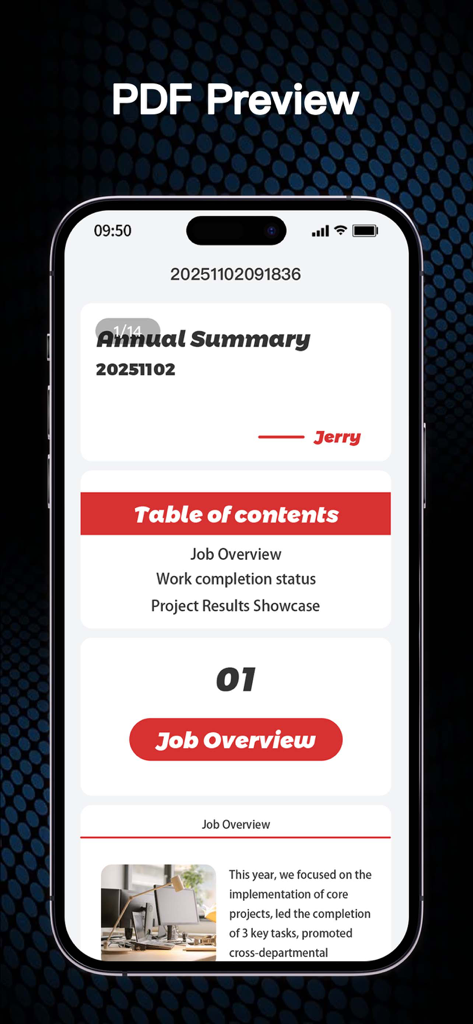
年次概要レポートのPDFプレビューを表示するExZipアプリ
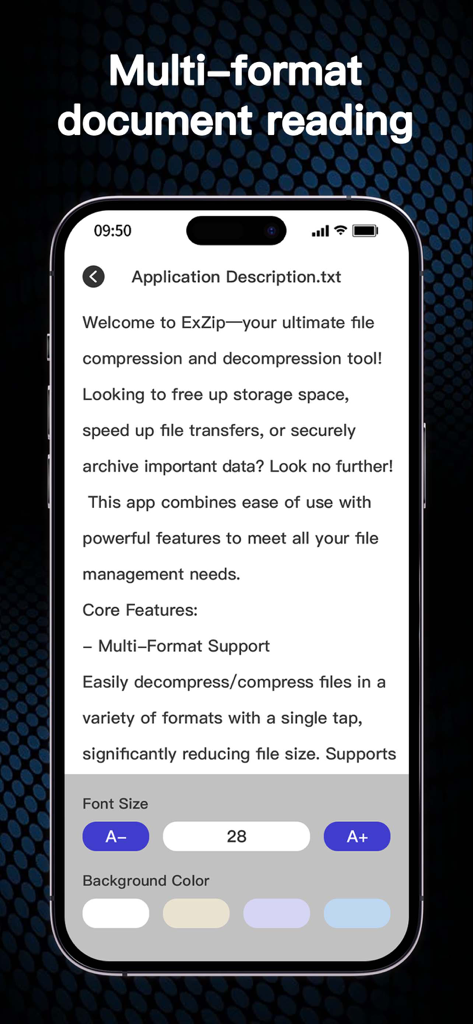
フォントサイズと背景色を調整するオプションを備えたテキストファイルビューアを示すExZipアプリのインターフェイス。
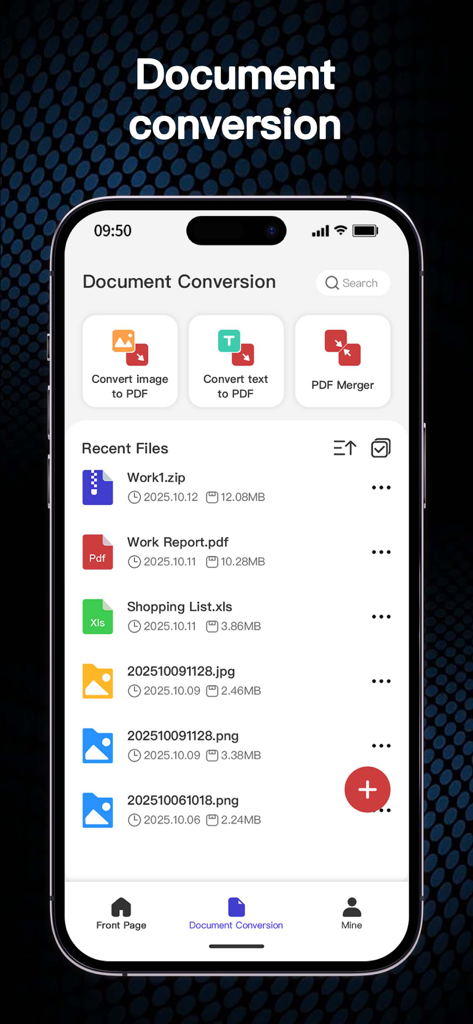
画像からPDFへの変換ツールとPDFマージーツールを示すExZipアプリのドキュメント変換画面
説明
Download
類似アプリ
似た機能とユーザー体験を持つアプリ

Unzip – ZIP RAR 7Z Extractor
Little Sweet Technology Co., Ltd.

Unzip - zip,rar,7z file opener
书勇 贾

Zip & RAR File Extractor
PENGHUI ZHAO

iZip – Zip Unzip Unrar
ComcSoft Corporation

ZArchiver: UnZip, UnRar, 7Z
TIMON SOFTWARE SOLUTIONS COMPANY LIMITED

iRAR - zip,rar,7z file opener
书敏 贾

Zip & RAR & 7z File Extractor
琳 胡

MT管理器
瑞 胡

iZip Pro -Zip Unzip Unrar Tool
ComcSoft Corporation
このページはアプリまたはその開発者の公式ページではなく、情報提供および論評を目的として作成された独立した編集出版物です。明示的に別段の記載がない限り、アプリおよびその開発者は、MWM、Apple、Google Play、アプリのパブリッシャー、またはアプリの開発者と提携、承認、後援、認可、またはその他の公式的な関係はなく、このページのいかなる内容も、アプリがMWMのサービスを使用して開発されたことを意味するものではありません。すべての商標、ロゴ、スクリーンショット、その他のコンテンツはそれぞれの所有者の財産です。