Air Navigation Pro
Air Navigation Pro
다운로드: App Store

이 페이지는 앱이나 개발자의 공식 페이지가 아니며, 정보 제공 및 논평을 목적으로 작성된 독립 편집 간행물입니다. 명시적으로 달리 언급되지 않는 한, 해당 앱이나 개발자는 MWM, Apple, Google Play, 앱 퍼블리셔 또는 앱 개발자와 제휴, 보증, 후원, 승인 또는 공식적으로 연결되어 있지 않으며, 이 페이지의 어떤 내용도 해당 앱이 MWM의 서비스를 사용하여 개발되었음을 의미하지 않습니다. 모든 상표, 로고, 스크린샷 및 기타 콘텐츠는 해당 소유자의 자산입니다.


로고: Air Navigation Pro
다운로드: App Store

Air Navigation Pro

전문 등급 항공 차트, 실시간 교통 경고 및 고급 기상 레이어로 하늘을 마스터하세요. 이륙부터 착륙까지 완벽한 상황 인식을 요구하는 안전 의식이 있는 조종사를 위해 설계되었습니다.

주요 수치

다운로드

523K+

사용자 평점

4.7/5

총 평가 수

200

개발사

Air Navigation SA

카테고리

Navigation

지원 언어

10

최신 버전

8.4.150

크기

213.4 MB

출시일

2009년 1월 6일
기능

현대 조종사를 위한 정밀 비행 도구

실시간 상황 인식 및 전 세계 항공 데이터를 갖춘 iPad를 전문 등급 전자 비행 가방으로 변환하세요.

3D 합성 비전 및 TAWS

궁극의 상황 안전을 위해 고해상도 3D 보기 및 지형 인식 경고 시스템을 사용하여 모든 지형에서 자신 있게 비행하세요.

통합 실시간 교통

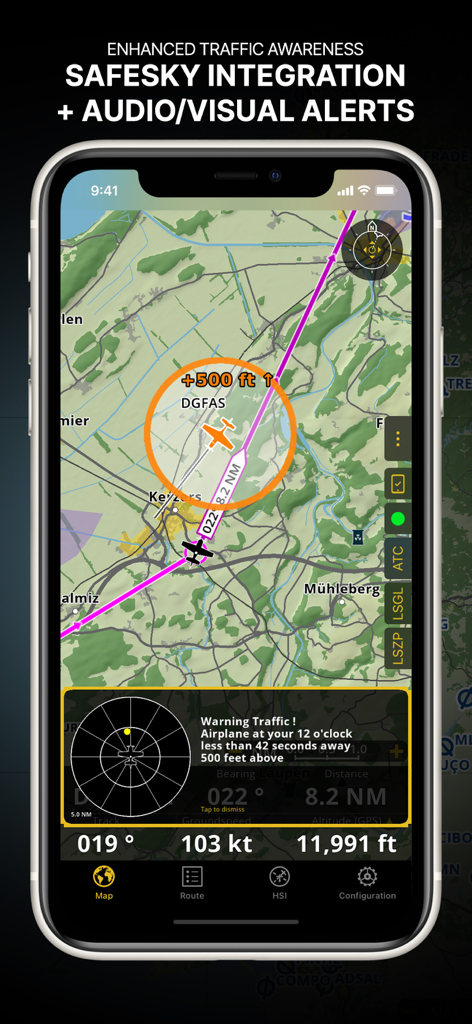
네이티브 SafeSky 통합을 통해 실시간 시각 및 청각 경고를 받아 항상 주변 항공기에 대한 인식을 유지하세요.

다음 스크린샷과 설명은 앱의 공식 스토어 목록에서 직접 가져온 것이며 앱 개발자의 자산입니다.

앱 스토어

스크린샷
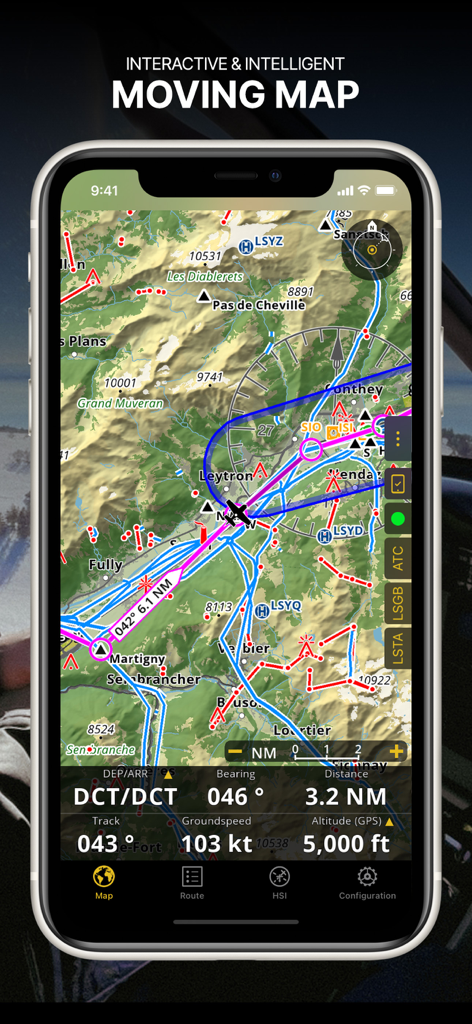
Air Navigation Pro - Air Navigation Pro 앱 스크린샷으로 항공 차트와 실시간 비행 데이터가 있는 대화형 이동 지도를 보여줍니다.
Air Navigation Pro 앱 스크린샷으로 항공 차트와 실시간 비행 데이터가 있는 대화형 이동 지도를 보여줍니다.

Air Navigation Pro - Safesky 통합 및 시각적 경고를 통해 향상된 교통 인식을 보여주는 Air Navigation Pro 인터페이스
Safesky 통합 및 시각적 경고를 통해 향상된 교통 인식을 보여주는 Air Navigation Pro 인터페이스

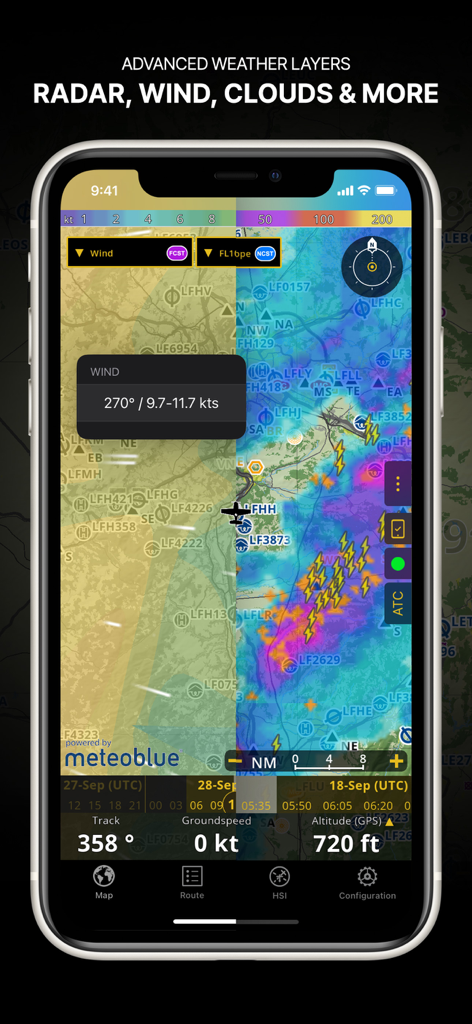
Air Navigation Pro - 항법 지도에 레이더 바람 및 구름 덮개를 포함한 고급 날씨 레이어를 보여주는 Air Navigation Pro 앱 스크린샷
항법 지도에 레이더 바람 및 구름 덮개를 포함한 고급 날씨 레이어를 보여주는 Air Navigation Pro 앱 스크린샷

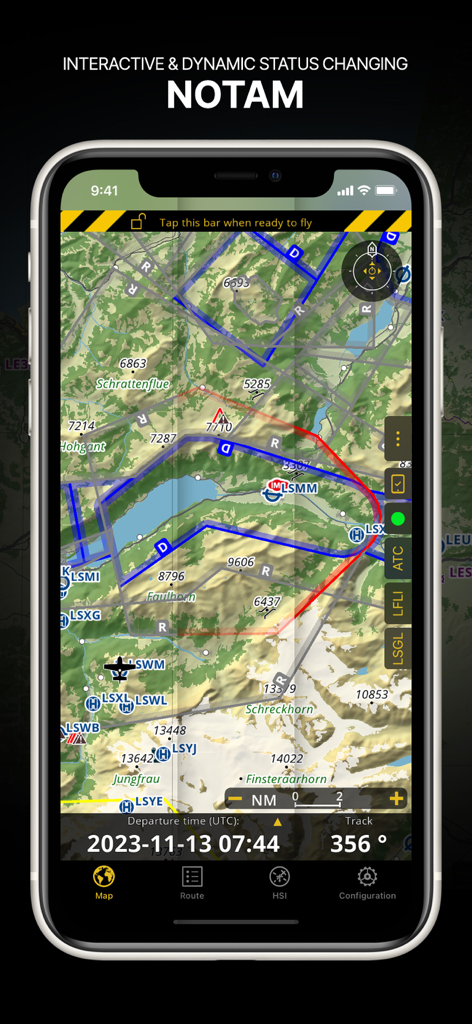
Air Navigation Pro - 지형 항공 지도에 동적 NOTAM 정보를 표시하는 Air Navigation Pro 인터페이스
지형 항공 지도에 동적 NOTAM 정보를 표시하는 Air Navigation Pro 인터페이스

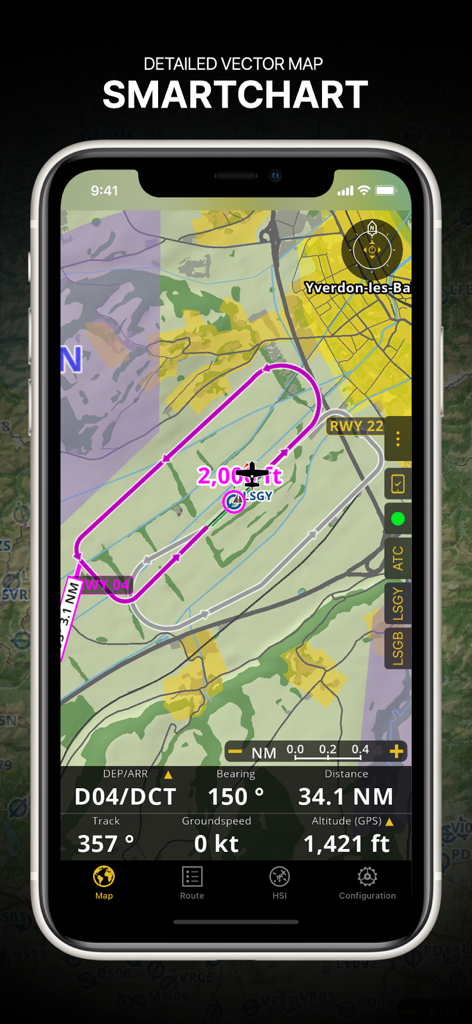
Air Navigation Pro - 비행 경로 및 실시간 항법 데이터가 있는 상세한 벡터 SmartChart를 보여주는 Air Navigation Pro 인터페이스.
비행 경로 및 실시간 항법 데이터가 있는 상세한 벡터 SmartChart를 보여주는 Air Navigation Pro 인터페이스.

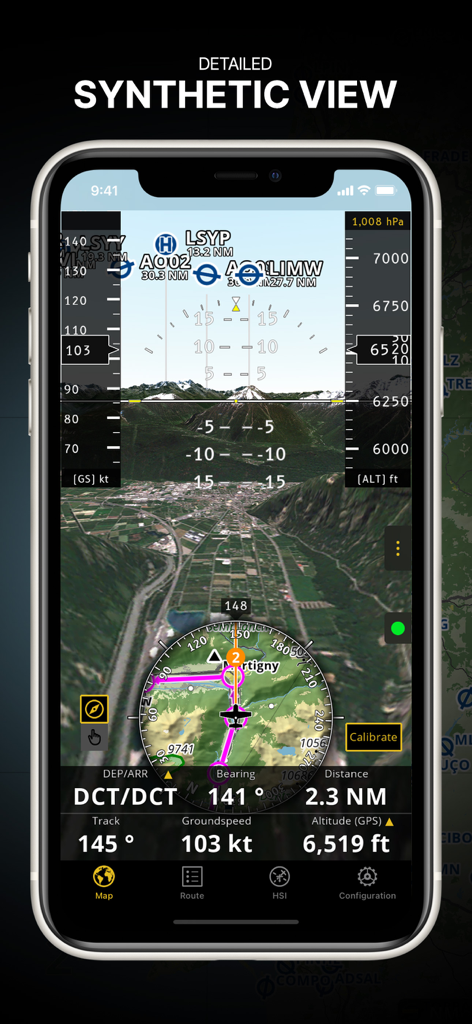
Air Navigation Pro - 3D 지형 및 통합 비행 계측기가 있는 상세한 합성 보기를 표시하는 Air Navigation Pro 앱
3D 지형 및 통합 비행 계측기가 있는 상세한 합성 보기를 표시하는 Air Navigation Pro 앱

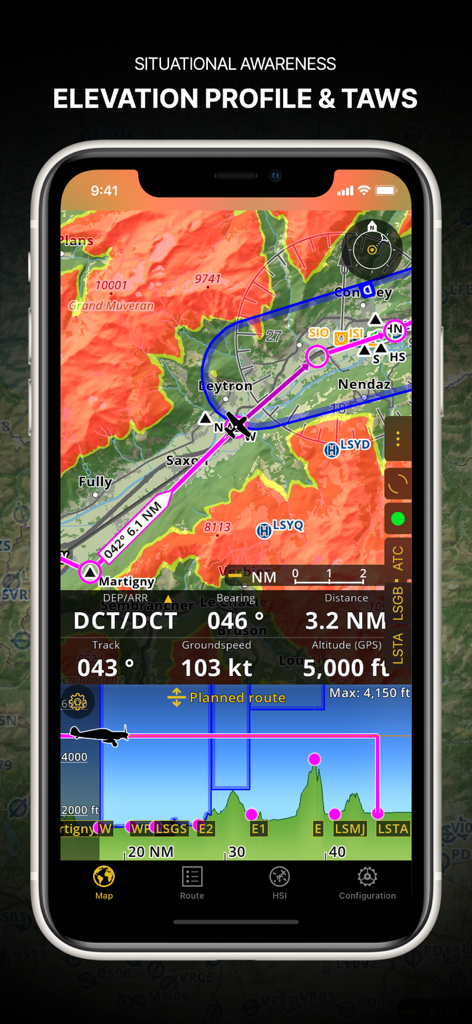
Air Navigation Pro - 고도 프로필 및 지형 인식 경고 시스템을 보여주는 Air Navigation Pro 스크린샷.
고도 프로필 및 지형 인식 경고 시스템을 보여주는 Air Navigation Pro 스크린샷.

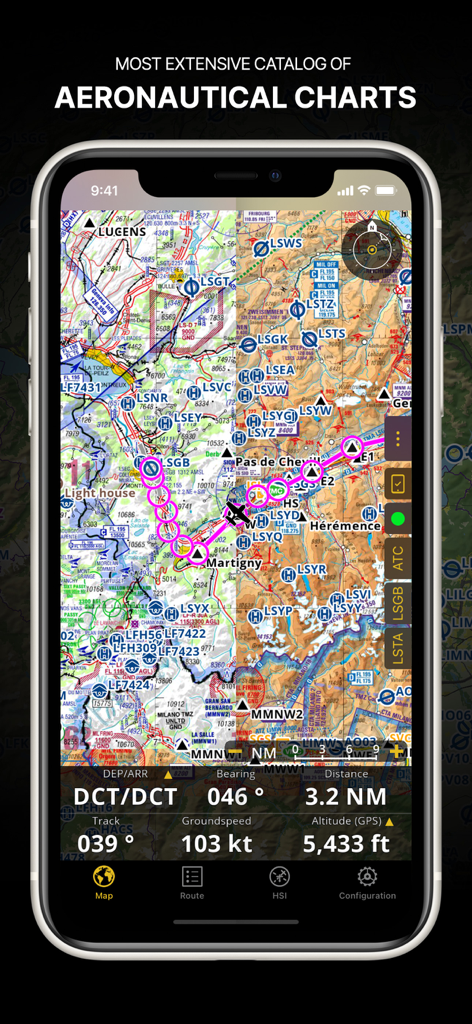
Air Navigation Pro - 스마트폰 화면에서 비행 경로 및 항법 데이터가 있는 상세한 항공 차트를 표시하는 Air Navigation Pro 앱
스마트폰 화면에서 비행 경로 및 항법 데이터가 있는 상세한 항공 차트를 표시하는 Air Navigation Pro 앱

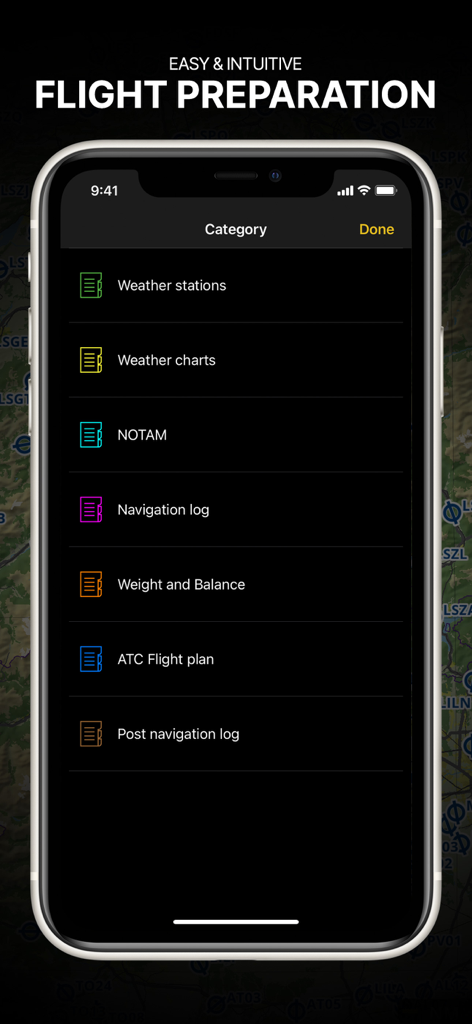
Air Navigation Pro - 조종사를 위한 브리핑 범주가 있는 비행 준비 메뉴를 보여주는 Air Navigation Pro 앱
조종사를 위한 브리핑 범주가 있는 비행 준비 메뉴를 보여주는 Air Navigation Pro 앱

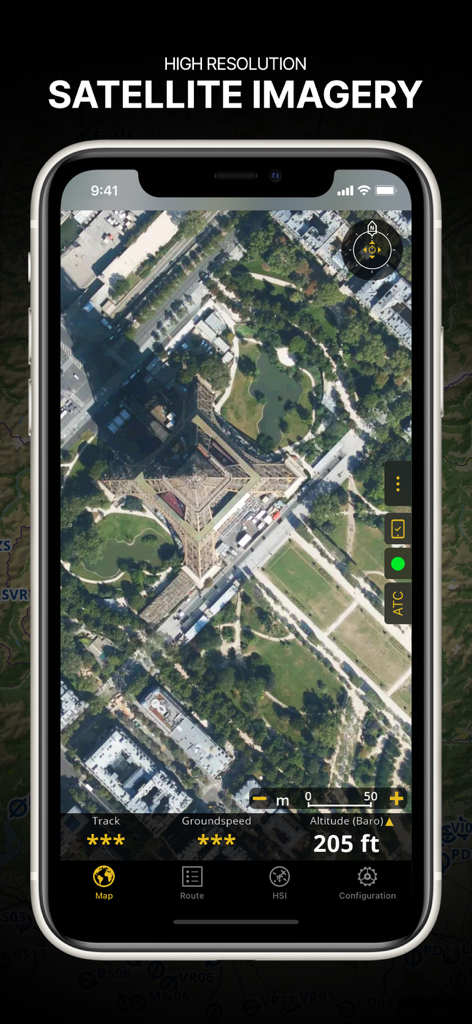
Air Navigation Pro - 비행 데이터 오버레이가 있는 에펠탑의 고해상도 위성 이미지를 표시하는 Air Navigation Pro 앱 스크린샷

비행 데이터 오버레이가 있는 에펠탑의 고해상도 위성 이미지를 표시하는 Air Navigation Pro 앱 스크린샷

설명

Discover our flight planning & real-time navigation app for free for 28 days! - Everything you need to fly around the world - Plan your flight in a few minutes - Fly relaxed with up-to-date information Air Navigation Pro is a high-quality flight assistant app for pilots worldwide. Benefit from the following main features: MOVING MAP Plan and navigate using our interactive moving map. Choose between aeronautical charts, satellite or our vector map as a background. On top of that, the moving map displays waypoints, NOTAM, obstacles and airspaces from our comprehensive, always up-to-date worldwide aeronautical database. Tap on any waypoint directly on the map to easily create a route. Personalize the values shown on the navbar to have exactly the information you need: altitude, vertical speed, bearing, distance to the next waypoint, ETA calculations, etc. Choose the airport departure and arrival procedures for your route to have them also displayed on top of the moving map. ENHANCED TRAFFIC AWARENESS Get visual and audio alerts in all languages for nearby conflicting traffic. Choose your preferred traffic icon between generic, aircraft or TCAS symbols. Your safety is important to us, which is why we partnered with SafeSky to ensure our users have live traffic data during their flight. Benefit from the native integration with SafeSky included in our new Smart Lite, Smart Classic and Smart Advanced subscriptions—a two-in-one package! ADVANCED WEATHER LAYERS In addition to the basic weather reports & forecast of winds, TAF and METAR for your flight, subscribers of the Smart Advanced plan can activate see-through weather layers on top of the moving map. Available layers include rain radar, wind, pressure, clouds and rain, visibility, gust and for Germany, Switzerland, Austria and the Balkans, we also have GAFOR. Tap on any point on the map to see the weather information for that area. Review the weather forecast for up to three days ahead. NOTAM After creating your route, set the departure time in the future to have the moving map display the NOTAM active for that specific time. NOTAM on the map change color dynamically based on their status. SMARTCHART Our cutting-edge SmartChart is a highly detailed and intelligent vector-based map that adapts to your needs, providing you with adequate information at any zoom level. The SmartChart optimizes the display of shadows to easily distinguish between valleys and mountains, and the text remains perfectly aligned, guaranteeing optimal readability. Including the latest significant improvements with forests and detailed airport information. ELEVATION PROFILE & SYNTHETIC VIEW Enable the profile view below the navbar for enhanced situational awareness of the elevation ahead of you or along your route. Choose the corridor width between 0 to 5 NM and overlay options: airspaces, NOTAM, obstacles, wind components, populated places, etc. Switch to the synthetic view for additional terrain information, plus an artificial horizon with altitude and vertical speed indicators. This function can also be used to pan around while preparing for your flight. Activate TAWS on the moving map as well as on the synthetic view. AERONAUTICAL CHARTS & APPROACH CHARTS We offer the most extensive worldwide catalog of aeronautical charts, including the ICAO charts. Have the georeferenced approach charts displayed on top of the moving map or the 3D view. BRIEFING Prepare your flight with our briefing section by creating documents with NOTAM and weather charts & stations relevant to your planned route. Optimize time by creating an aircraft profile which will be used in the Briefing section to pre-fill for you the ATC Flight Plan and calculate the W&B. AND SO MUCH MORE! Please note that WiFi-only devices do not include an internal GPS receptor, an external sensor is required. Refer to our user manual on our website: www.airnavigation.aero Terms of use: https://www.airnavigation.aero/en/terms-of-use.html

Download

다운로드: App Store

이 페이지는 앱이나 개발자의 공식 페이지가 아니며, 정보 제공 및 논평을 목적으로 작성된 독립 편집 간행물입니다. 명시적으로 달리 언급되지 않는 한, 해당 앱이나 개발자는 MWM, Apple, Google Play, 앱 퍼블리셔 또는 앱 개발자와 제휴, 보증, 후원, 승인 또는 공식적으로 연결되어 있지 않으며, 이 페이지의 어떤 내용도 해당 앱이 MWM의 서비스를 사용하여 개발되었음을 의미하지 않습니다. 모든 상표, 로고, 스크린샷 및 기타 콘텐츠는 해당 소유자의 자산입니다.