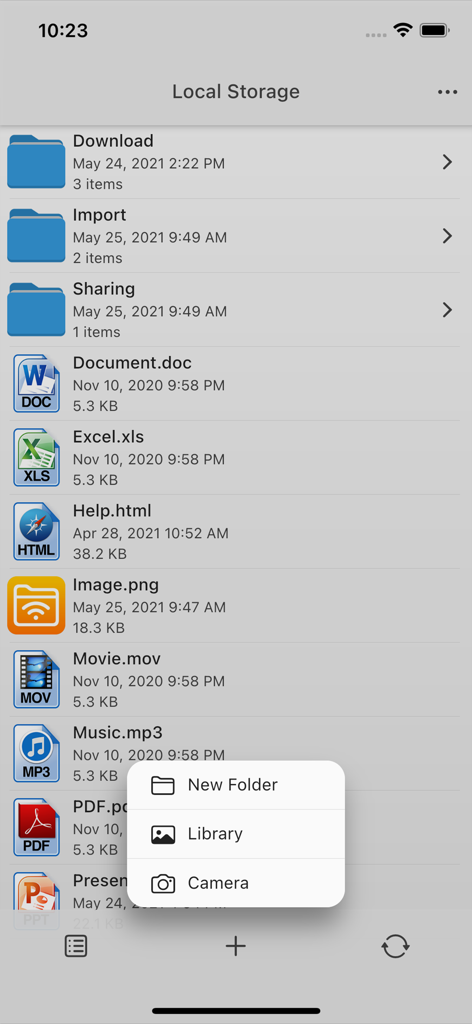
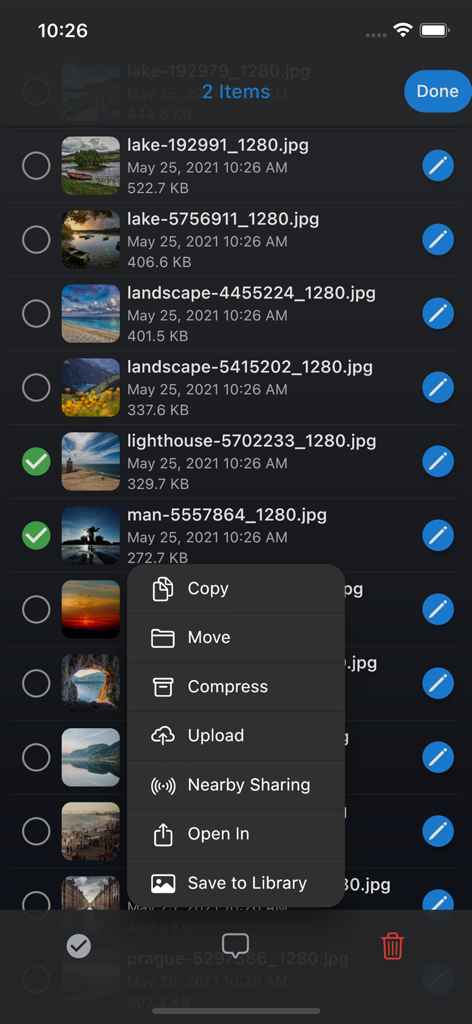
사진 목록과 복사, 이동, 압축 옵션이 있는 메뉴를 보여주는 AirDisk 파일 관리자 앱
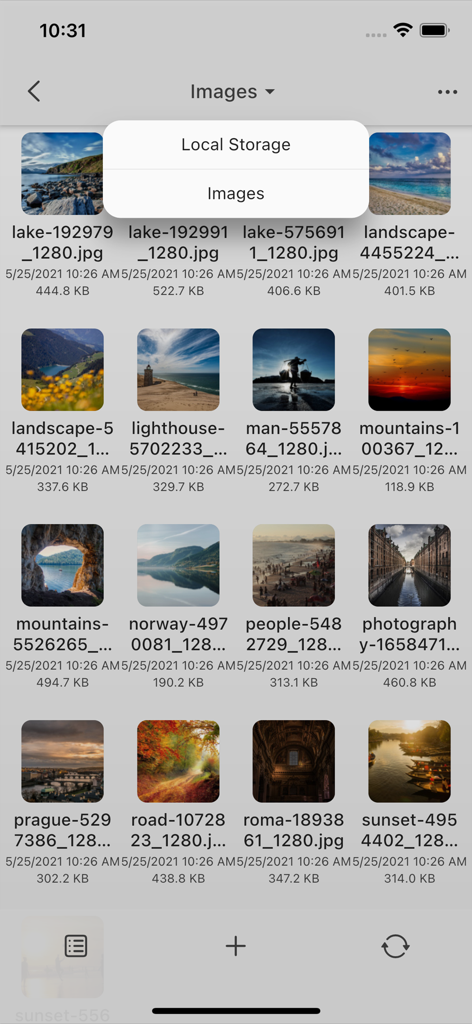
로컬 저장소에 있는 사진 그리드를 보여주는 AirDisk 파일 관리자 앱
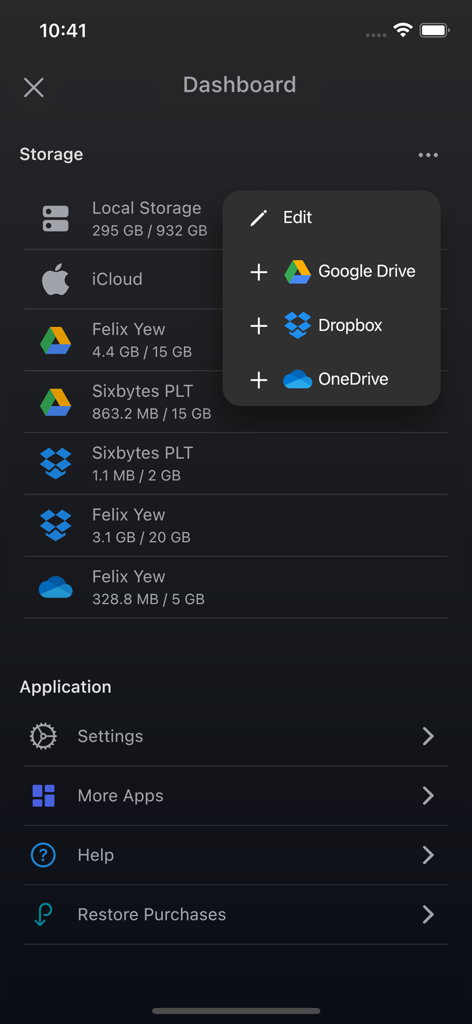
Google Drive 및 Dropbox와 같은 통합 클라우드 서비스 및 로컬 저장소 상태를 표시하는 AirDisk 앱 대시보드
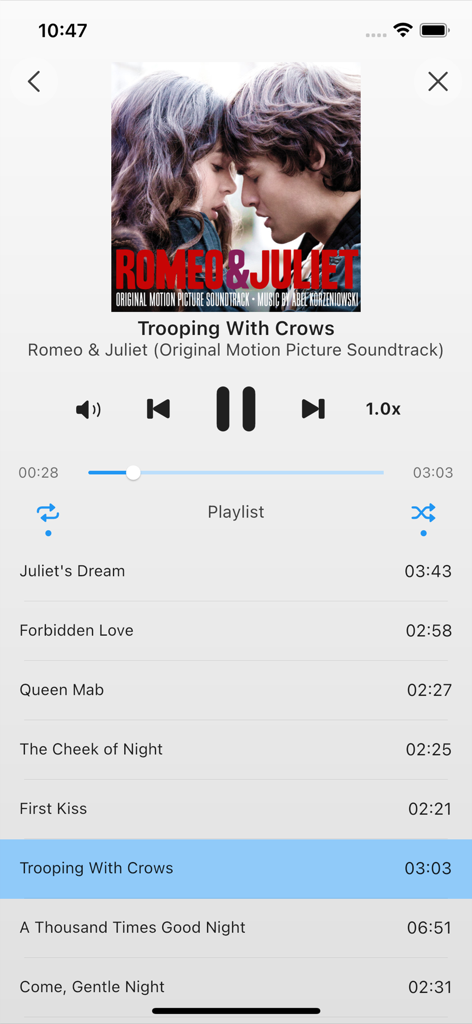
재생 컨트롤 및 재생 목록을 보여주는 AirDisk 파일 관리자 통합 음악 플레이어
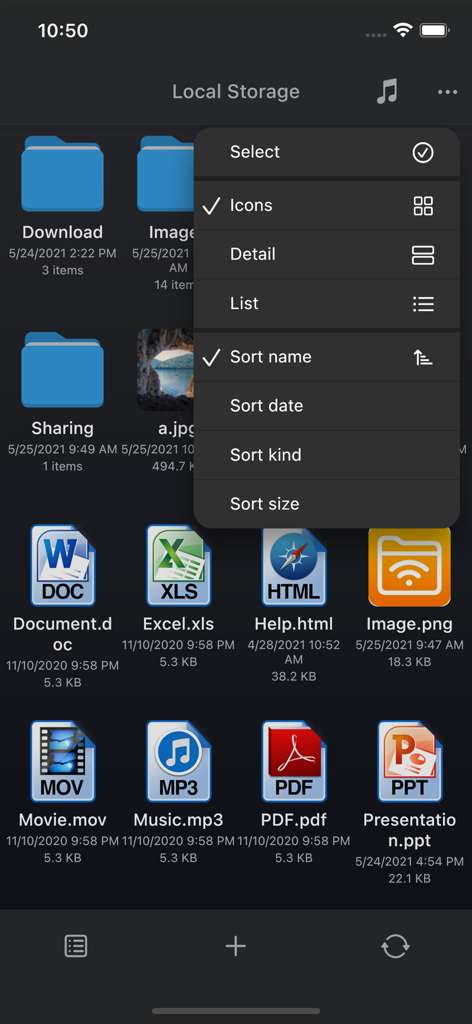
다양한 파일 아이콘과 정렬 메뉴를 표시하는 AirDisk 파일 관리자 로컬 저장소 화면
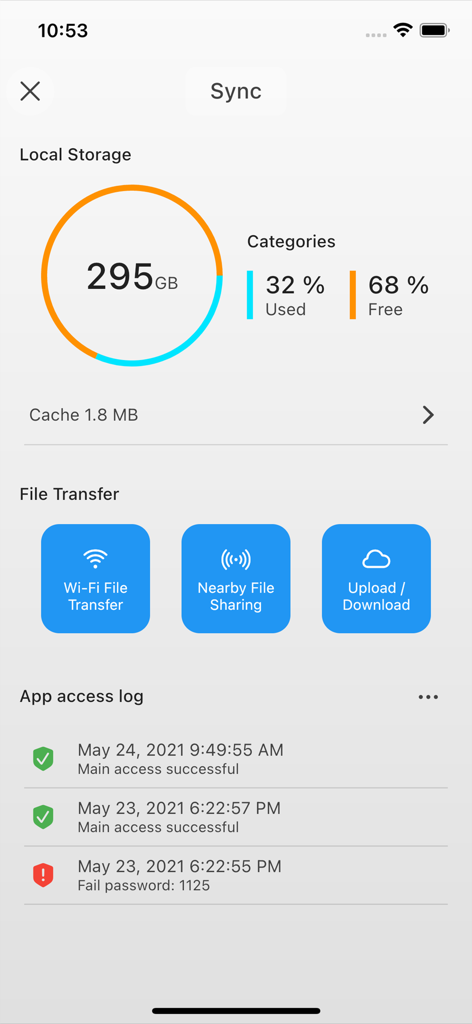
로컬 저장소 사용량, 무선 파일 전송 옵션 및 보안 액세스 로그를 표시하는 AirDisk Pro 앱 대시보드
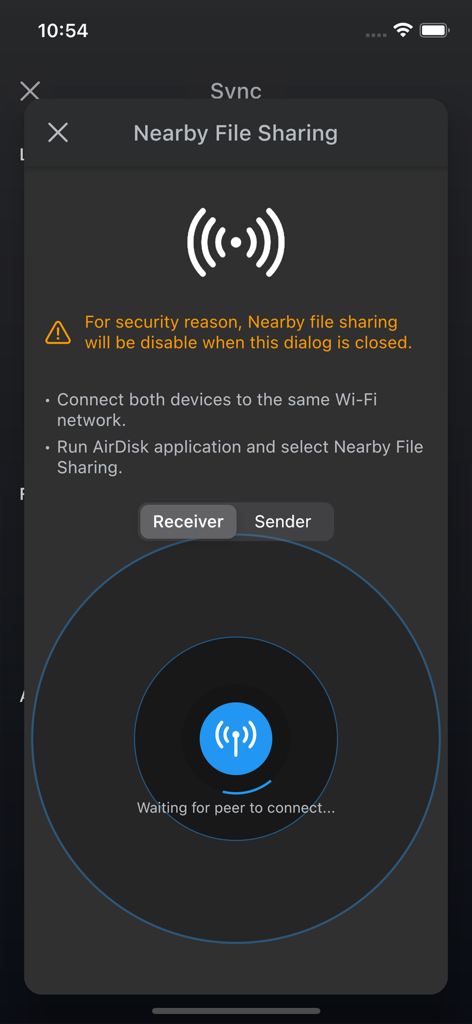
수신기 모드에서 주변 파일 공유를 위한 AirDisk 앱 인터페이스
디지털 생활을 위한 무선 자유
이 앱을 돋보이게 하는 도구, 252K+ 명의 사용자가 선택.
🚀
즉각적인 크로스 플랫폼 전송
케이블과 iTunes는 잊으세요. 웹 브라우저만 사용하여 Windows PC 또는 Mac에서 장치로 파일을 드래그 앤 드롭하세요.
🔐
개인 정보 우선 로컬 저장소
민감한 데이터는 제3자 서버에 두지 마세요. 파일을 로컬로 전송하고 Face ID, Touch ID 또는 보안 암호로 폴더를 보호하세요.
🗂️
모든 기능을 갖춘 파일 명령 센터
PDF 보기, 미디어 재생, ZIP 파일 관리를 하나의 앱에서 모두 해결하세요. iCloud, Google Drive, Dropbox와 원활하게 동기화하여 통합된 워크플로우를 경험하세요.
리뷰 분석
사용자 리뷰 인사이트.
감정 점수
29%
부정적
요약
This mobile app receives overwhelmingly negative feedback, primarily due to its misleading 'free' advertisement; users widely report that essential functionalities are locked behind a paywall. Even after purchasing, many encounter significant issues such as failed Wi-Fi transfers, recurrent errors, app crashes, and invalid URLs, making the app unusable. Some users also experienced quality degradation in transferred videos or unexpected additional payment requests despite prior 'lifetime' purchases. Conversely, a small number of users praise the app for effectively and quickly transferring large volumes of photos and videos while preserving original quality.
주요 테마
File Transfer(5)
User Experience(4)
Payment Model(1)
Media Quality(1)
App Reliability(1)
앱 소개
에 대해 알아야 할 모든 것 AirDisk: File Manager.
설명
AirDisk Pro – The Easiest Way to Transfer & Manage Files Wirelessly
AirDisk Pro transforms your iPhone or iPad into a powerful wireless flash drive, allowing you to seamlessly transfer files between your computer and iOS device using just a web browser—no cables, no complex setup. Simply connect both devices to the same Wi-Fi network, open a browser on your computer, and start transferring files effortlessly.
New Feature: Wirelessly Transfer Photos
Now, you can directly transfer photos from your iOS Photos app to your computer using the web interface—making it easier than ever to back up and organize your pictures.
Why Choose AirDisk Pro?
• Fast & Easy Wireless Transfers – Drag and drop files from your Mac Finder or Windows Explorer into the AirDisk Pro web interface for instant transfers.
• No Cables, No Hassle – Works over your local Wi-Fi network for quick file sharing between your computer and iOS device.
• All-in-One File Manager – Store, organize, and access all your documents, music, photos, and videos in one place.
• Built-In Media & Document Support – View PDFs, play music, browse images, open Office/iWork files, and more—all within the app.
Key Features:
Effortless Wireless File Transfers
• New! Transfer photos directly from the iOS Photos app to your computer via the web interface.
• New! Download files from the iOS Files app to your computer using the built-in web browser interface.
• Upload, download, and manage files through your computer’s web browser—no additional software required.
• Supports Mac & PC with drag-and-drop functionality for quick transfers.
Secure & Private
• Password protection for Wi-Fi and HTTP/FTP file transfers to keep your data safe.
• Touch ID / Face ID support for enhanced security.
Music & Media Player
• Create and play custom playlists.
• Background audio support with shuffle and repeat options.
Advanced File Management
• Move, copy, rename, delete, zip/unzip, and organize files into folders.
• Create text files, voice memos, and even capture photos/videos directly in the app.
Cloud Integration
• Seamlessly access files from iCloud Drive, Google Drive, Dropbox, and OneDrive.
Universal App
• One purchase gives you full access on both iPhone and iPad.
Supported File Formats:
Documents: PDF, Word, Excel, PowerPoint, iWork (Pages, Numbers, Keynote)
Audio: MP3, WAV, M4A, AAC, AIF, AIFF, CAF
Images: JPG, PNG, GIF, BMP, TIFF, ICO
Videos: MP4, MOV, MPV, M4V
Text & Code: RTF, TXT, HTML, Web Archives, Source Code
Discover how AirDisk Pro simplifies file management and boosts productivity.
• Learn more: https://airdisk.app
• Terms of Service: https://airdisk.app/terms-of-service
• Privacy Policy: https://airdisk.app/privacy-policy
최신 버전
7.11.30
크기
116.0 MB
출시일
2021년 8월 12일
케이블을 버리고 파일 관리를 시작하세요
250,000명 이상의 사용자와 함께 iPhone 및 iPad를 궁극의 무선 하드 드라이브로 바꿔보세요. 빠르고 안전하며 하이브리드 워크플로우에 최적화되었습니다.
FAQ
자주 묻는 질문
에 대해 알아야 할 모든 것 AirDisk: File Manager
AirDisk Pro는 무선 파일 전송을 어떻게 지원하나요?
AirDisk Pro는 iOS 기기를 무선 플래시 드라이브로 변환하여, 케이블이나 추가 소프트웨어 없이 동일한 Wi-Fi 네트워크상의 웹 브라우저를 통해 컴퓨터와 iOS 기기 간 파일 전송을 가능하게 합니다.
AirDisk Pro로 iPhone 또는 iPad에서 사진을 전송할 수 있나요?
네, AirDisk Pro를 사용하면 웹 인터페이스를 통해 iOS 사진 앱에서 컴퓨터로 사진을 무선으로 직접 전송할 수 있습니다. 또한 iOS 파일 앱에서 파일을 다운로드하는 것도 지원합니다.
AirDisk Pro는 파일 전송에 안전한가요?
네, AirDisk Pro는 Wi-Fi, HTTP 및 FTP 파일 전송을 위한 암호 보호 기능으로 데이터 안전을 보장합니다. 또한 Touch ID 및 Face ID 지원을 통해 보안을 강화합니다.
AirDisk Pro는 Mac 및 Windows 컴퓨터를 모두 지원하나요?
네, AirDisk Pro는 Mac 및 PC 컴퓨터와 모두 호환됩니다. 컴퓨터의 웹 브라우저를 사용하여 빠른 파일 전송을 위한 드래그 앤 드롭 기능을 지원합니다.
AirDisk Pro가 클라우드 저장 서비스에 연결할 수 있나요?
네, AirDisk Pro는 주요 클라우드 서비스와 원활하게 통합됩니다. 사용자는 앱 내에서 iCloud Drive, Google Drive, Dropbox 및 OneDrive의 파일에 직접 액세스할 수 있습니다.
AirDisk Pro에서 사용할 수 있는 파일 관리 기능은 무엇인가요?
AirDisk Pro는 이동, 복사, 이름 변경, 삭제, 압축/압축 해제 및 폴더로 파일 구성과 같은 고급 파일 관리를 제공합니다. 또한 텍스트 파일, 음성 메모를 만들고 미디어를 캡처할 수도 있습니다.
AirDisk Pro는 iPhone 및 iPad용 통합 앱인가요?
네, AirDisk Pro는 통합 애플리케이션입니다. 한 번의 구매로 iPhone 및 iPad 기기 모두에서 전체 액세스 및 기능을 사용할 수 있습니다.
AirDisk Pro에서 음악과 동영상을 직접 재생할 수 있나요?
네, AirDisk Pro에는 내장 미디어 플레이어가 포함되어 있습니다. 음악 재생을 위한 백그라운드 오디오, 셔플 및 반복 옵션을 사용하여 사용자 지정 재생 목록을 만들고 재생할 수 있습니다.
AirDisk Pro에서 Nearby File Sharing을 어떻게 사용하나요?
AirDisk Pro의 Nearby File Sharing은 두 장치 모두 동일한 Wi-Fi 네트워크에 연결되어 있고 앱이 실행 중이어야 합니다. 사용자는 수신자인지 발신자인지 선택하여 전송을 시작합니다.
AirDisk Pro 내에서 파일을 정렬하고 구성할 수 있나요?
네, AirDisk Pro를 사용하면 이름, 날짜, 종류 또는 크기별로 파일을 정렬할 수 있습니다. 또한 아이콘, 세부 정보 또는 목록 형식과 같은 다양한 보기 옵션을 제공합니다.
App information, icons, screenshots, and descriptions displayed on this page are sourced from the Apple App Store and are the property of their respective developers. Download estimates and rankings are based on MWM's proprietary models and may not reflect actual figures. This page is provided for informational and analytical purposes only.
Believe this page infringes your intellectual property? File a dispute