Archireport

Archireport

다운로드: App Store
로고: Archireport

Archireport: 모든 현장 검사마다 1시간 절약

건축가 및 현장 관리자를 위한 전문 모바일 관리 도구로, 현장에서 상세 보고서를 생성하고, 계획을 주석하고, 프로젝트를 즉시 동기화합니다.

다운로드: App Store

개발사

ArchiReport SAS

카테고리

Productivity

다운로드

46K+

사용자 평점

4.5/5

총 평가 수

500

지원 언어

11

현장 작업, 완벽하게

이 인터페이스를 사용하는 46K+ 명의 사용자.

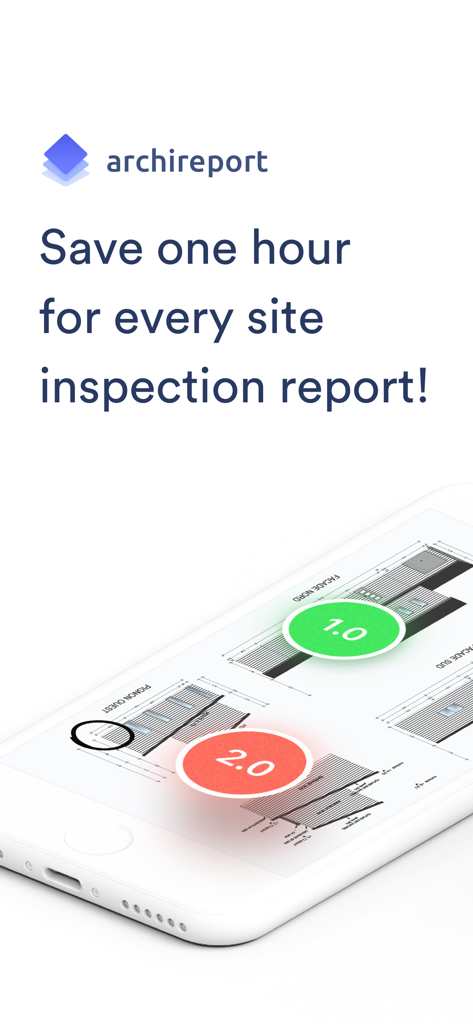
번호가 매겨진 현장 검사 표시가 있는 주석이 달린 건축 도면을 보여주는 Archireport 모바일 앱
번호가 매겨진 현장 검사 표시가 있는 주석이 달린 건축 도면을 보여주는 Archireport 모바일 앱

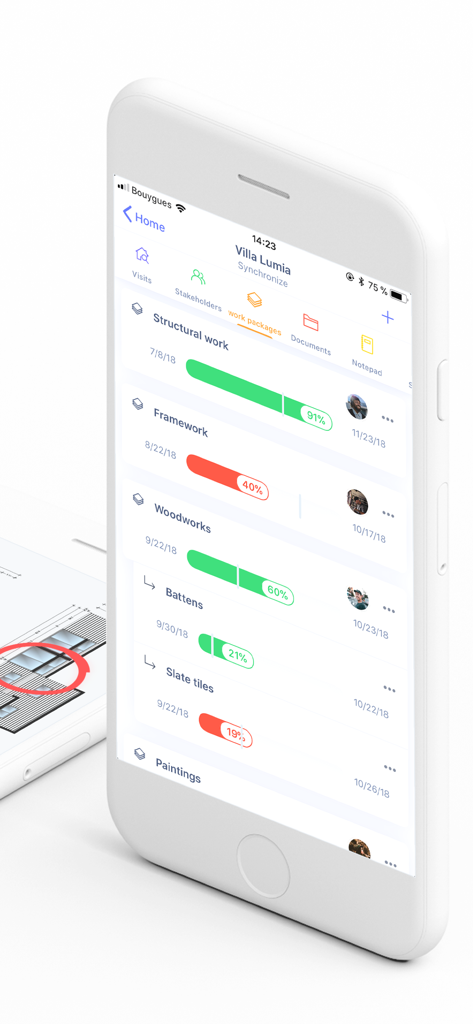
건설 프로젝트 진행률 표시줄과 작업 패키지 추적을 보여주는 Archireport 모바일 앱 인터페이스
건설 프로젝트 진행률 표시줄과 작업 패키지 추적을 보여주는 Archireport 모바일 앱 인터페이스

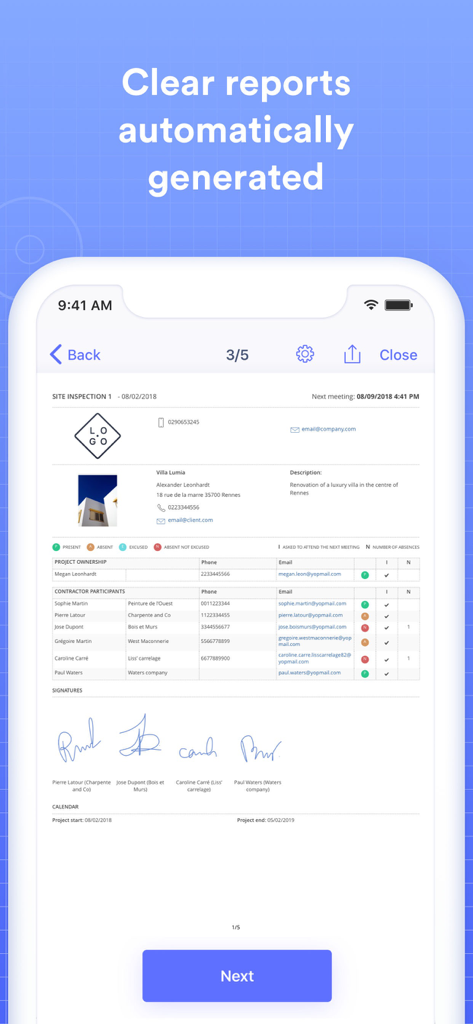
프로젝트 세부 정보 및 디지털 서명이 포함된 Archireport 앱의 디지털 현장 검사 보고서
프로젝트 세부 정보 및 디지털 서명이 포함된 Archireport 앱의 디지털 현장 검사 보고서

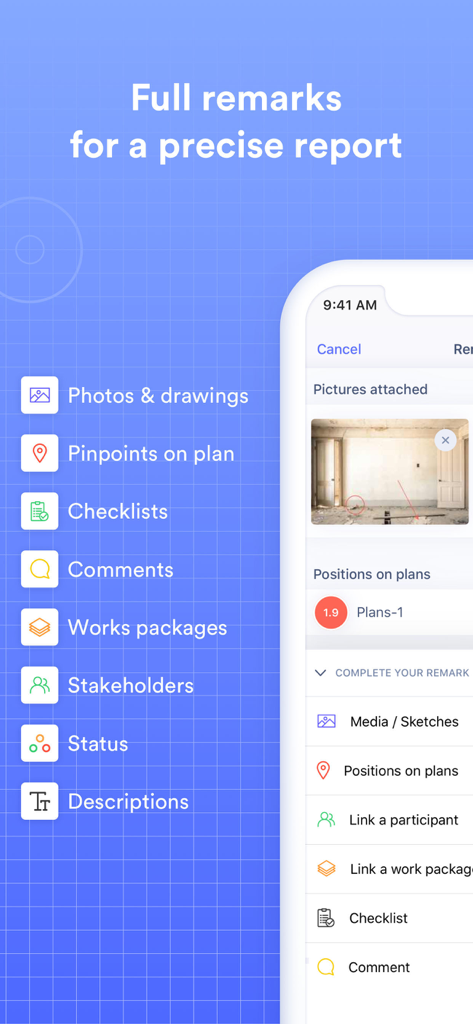
사진, 계획상의 핀포인트, 체크리스트와 같은 현장 검사 보고서 기능을 보여주는 Archireport 모바일 앱 인터페이스
사진, 계획상의 핀포인트, 체크리스트와 같은 현장 검사 보고서 기능을 보여주는 Archireport 모바일 앱 인터페이스

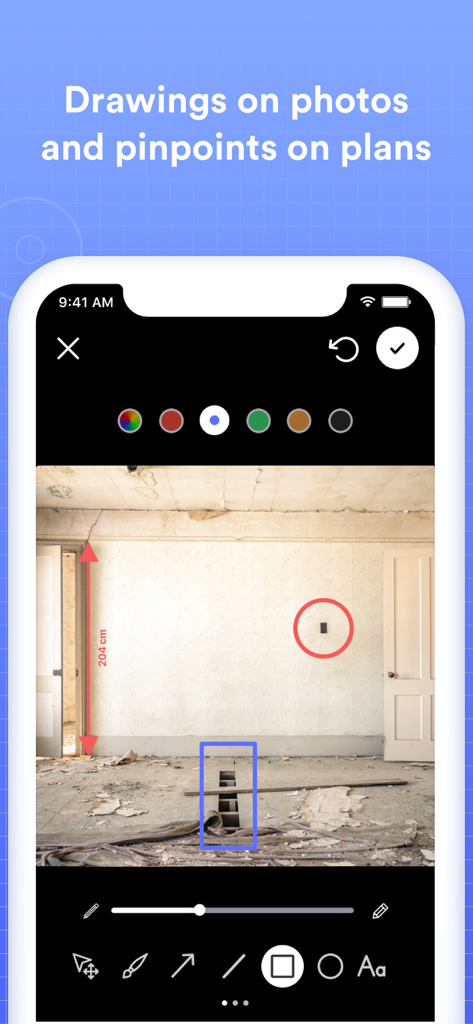
건설 현장 사진에 그림과 측정이 표시된 Archireport 앱 인터페이스.
건설 현장 사진에 그림과 측정이 표시된 Archireport 앱 인터페이스.

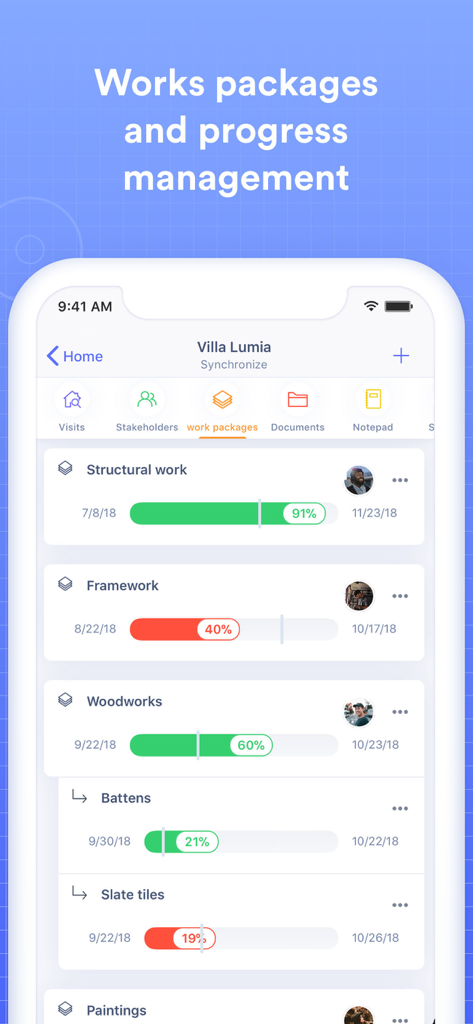
건설 작업 패키지 및 프로젝트 진행률 백분율을 표시하는 Archireport 모바일 대시보드
건설 작업 패키지 및 프로젝트 진행률 백분율을 표시하는 Archireport 모바일 대시보드

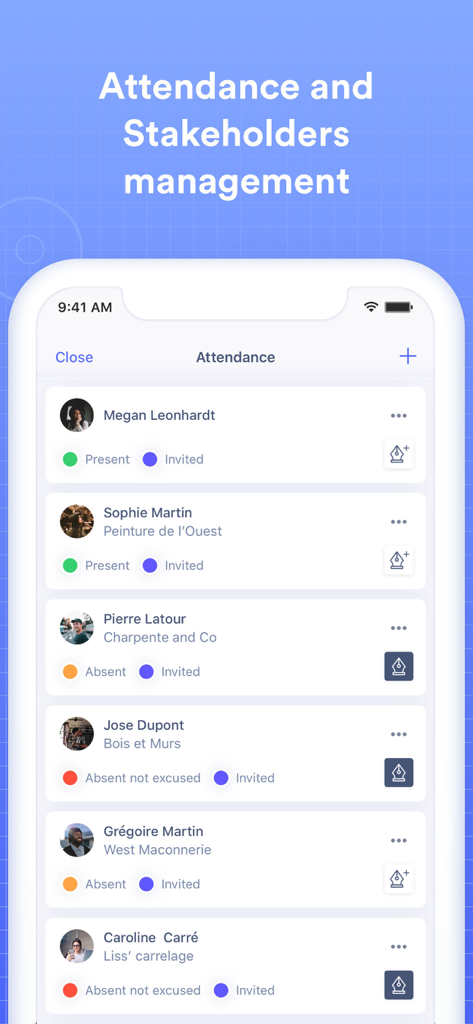
건설 현장을 위한 출석 추적 및 이해 관계자 관리를 보여주는 Archireport 앱 인터페이스
건설 현장을 위한 출석 추적 및 이해 관계자 관리를 보여주는 Archireport 앱 인터페이스

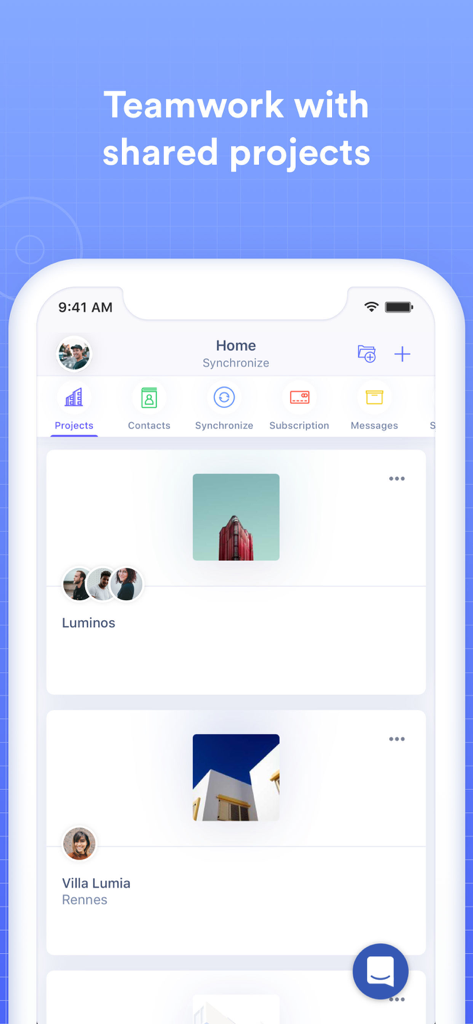
공유 건설 프로젝트 및 팀 협업 기능을 표시하는 Archireport 모바일 앱 화면

공유 건설 프로젝트 및 팀 협업 기능을 표시하는 Archireport 모바일 앱 화면

현장 검사 마스터하기

이 앱을 돋보이게 하는 도구, 46K+ 명의 사용자가 선택.

🚀

즉각적인 전문 보고

현장을 떠나기 전에 상세한 PDF 현장 보고서를 생성하여 클라이언트 및 계약자에게 보내 사무실 서류 작업을 제거하세요.

✏️

직접적인 계획 주석

청사진에 그림을 그리거나, 번호가 매겨진 표시를 추가하거나, 사진을 첨부하여 모든 작업에 대한 절대적인 명확성을 보장함으로써 특정 위치에 메모를 연결하세요.

🏗️

올인원 프로젝트 제어

현장-사무실 전체 조정을 위해 클라우드에서 동기화되는 중앙 집중식 허브에서 계약자 일정, 작업 패키지 및 청사진을 관리하세요.

앱 소개

에 대해 알아야 할 모든 것 Archireport.

설명

Save 1 hour on every site inspection report. ArchiReport is a comprehensive site management app for iPad, iPhone and Web (PC or Mac). It automatically produces detailed reports with photos, drawings, plans and notes. Save time by sending reports out to all your contractors and clients while you’re on site. That soon adds up to hours of your precious time not spent writing up reports at the office. Try ArchiReport for free for one month. PROJECT MANAGEMENT - Add people in your address book to the project - Schedule times for contractors to be on site and assign work packages to them - Upload all your plans, pictures and documents (.pdf, .png, .jpg, .doc, .pages) from your Files, iTunes, DropBox, Google Drive, OneDrive, or Box, or straight from your computer - Update your folder from an FTP server - Schedule and calendar CREATE SITE REPORTS - Add remarks by contractor, work package or plan - Link your remarks to photos, plans, annotations or documents - Write or draw on plans, photos and documents on your tablet - Create customised work packages EXPORT - Site reports are automatically generated with remarks for each work package - Schedule and progress of works are included for each work package - Numbered markers shown on plans SHARE AND SAVE PROJECTS AND REPORTS - Export reports in A4 PDF format - Save and sync your projects to ArchiReport Cloud About the subscription: The monthly subscription will activate the ArchiReport service: send a PDF report and store data on the secure ArchiReport Cloud: - It is for a one-month period and allows users to send reports in PDF format and to store data securely on ArchiReport Cloud. - Subscription costs $35.99/month. - The subscription fee will be automatically debited from your iTunes account when you confirm your subscription - The subscription will be automatically renewed every month unless you disable the option at least 24 hours before the period runs out. - Your iTunes account will be debited for renewal in the last 24 hours of the current subscription period, for the amount of the subscription renewal. - Users can manage their subscription and disable the automatic renewal process in the Preferences section of their App Store User Account, after purchasing. - Subscriptions cannot be cancelled for the period already underway. - You can read our User Terms & Conditions and our Privacy Policy here: http://www.archireport.com/mentions-legales/ - The remainder of the one-month free trial will be lost once the user subscribes to the ArchiReport service.

최신 버전

6.19

크기

95.3 MB

출시일

2015년 6월 11일

모든 현장 검사마다 1시간을 절약할 준비가 되셨나요?

사무실에서 메모를 다시 입력하는 것을 중단하세요. 현장을 떠나기 전에 전문적이고 주석이 달린 보고서를 제공하는 46,000명 이상의 건축가 및 현장 관리자 대열에 합류하세요. 지금 1개월 무료 평가판을 시작하세요.

다운로드: App Store

App information, icons, screenshots, and descriptions displayed on this page are sourced from the Apple App Store and are the property of their respective developers. Download estimates and rankings are based on MWM's proprietary models and may not reflect actual figures. This page is provided for informational and analytical purposes only.

Believe this page infringes your intellectual property? File a dispute