AudioLab Audio Editor Recorder

AudioLab Audio Editor Recorder

다운로드: App Store
로고: AudioLab Audio Editor Recorder

AudioLab 오디오 편집기 녹음기: 전문가 수준의 모바일 사운드 스튜디오

전문가처럼 녹음, 편집 및 마스터링하세요. 데스크톱의 복잡성 없이 스튜디오 수준의 결과물을 원하는 크리에이터를 위한 올인원 멀티트랙 편집기입니다.

개발사

Sanjaykumar Khunt

카테고리

Music

다운로드

152K+

사용자 평점

4.2/5

총 평가 수

200

지원 언어

1

시각화된 모바일 스튜디오

이 인터페이스를 사용하는 152K+ 명의 사용자.

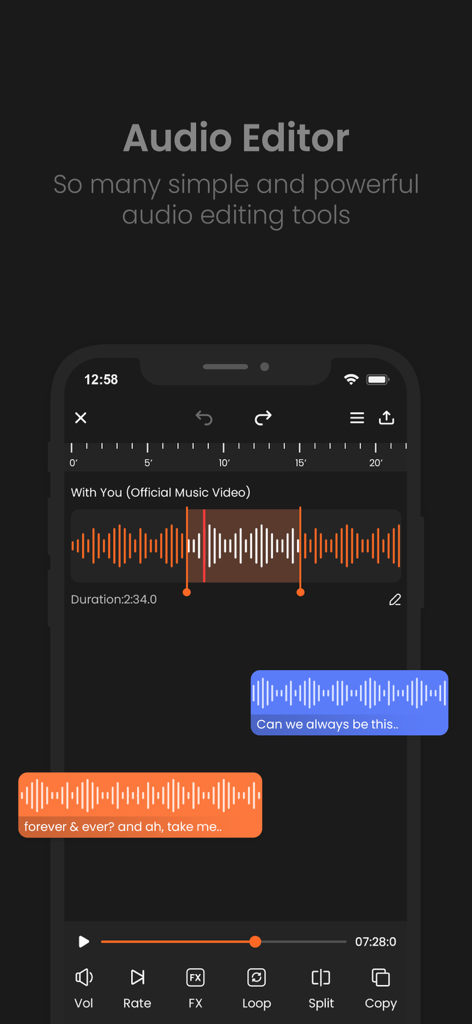
오디오 파형 편집 도구와 트랙을 보여주는 AudioLab의 모바일 인터페이스
오디오 파형 편집 도구와 트랙을 보여주는 AudioLab의 모바일 인터페이스

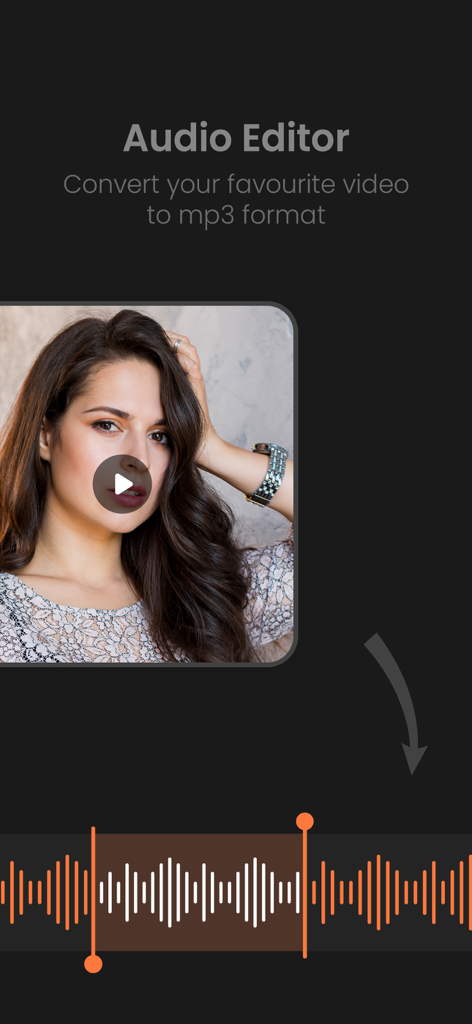
오디오 파형 편집 도구와 비디오를 MP3로 변환하는 기능을 보여주는 AudioLab 앱 인터페이스.
오디오 파형 편집 도구와 비디오를 MP3로 변환하는 기능을 보여주는 AudioLab 앱 인터페이스.

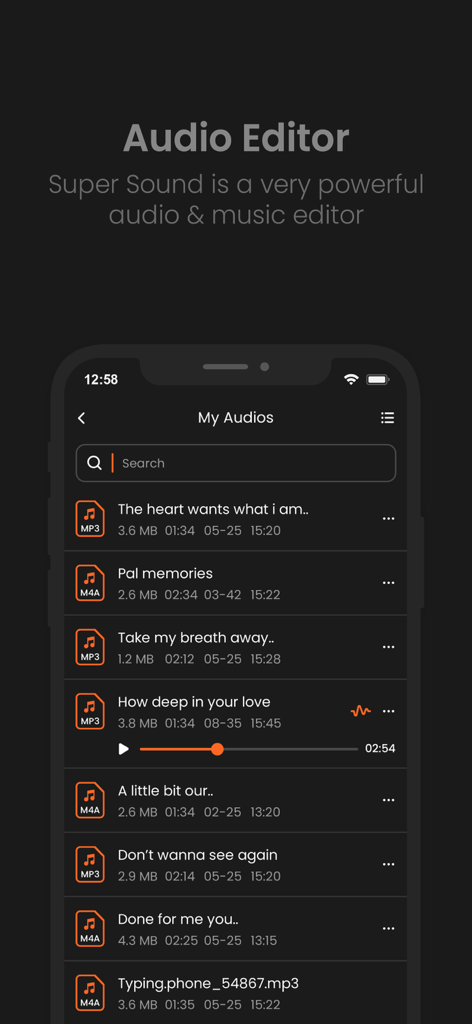
재생 컨트롤 및 파일 세부 정보와 함께 저장된 오디오 파일 목록을 보여주는 AudioLab 앱의 인터페이스
재생 컨트롤 및 파일 세부 정보와 함께 저장된 오디오 파일 목록을 보여주는 AudioLab 앱의 인터페이스

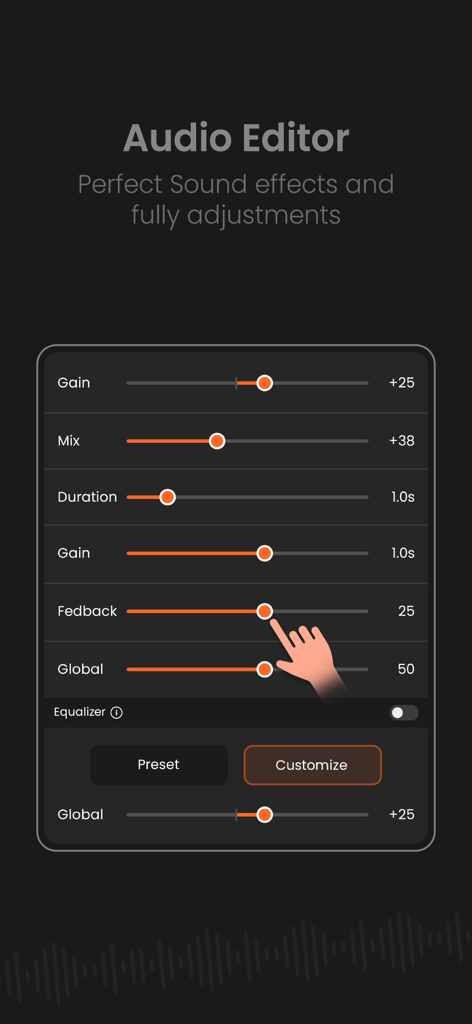
게인 및 사운드 효과에 대한 오디오 편집 슬라이더를 보여주는 모바일 화면.
게인 및 사운드 효과에 대한 오디오 편집 슬라이더를 보여주는 모바일 화면.

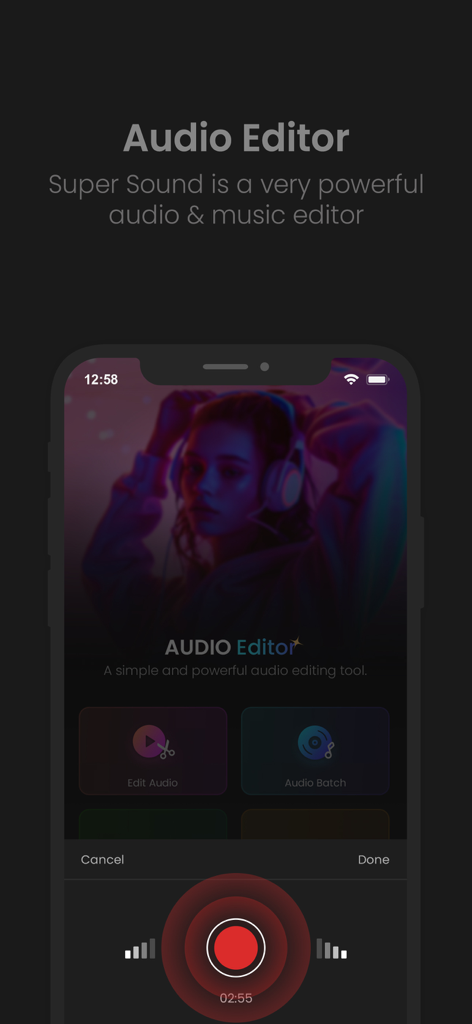
오디오 편집 기능과 전문가 수준의 녹음 인터페이스를 보여주는 AudioLab 모바일 앱 홈 화면
오디오 편집 기능과 전문가 수준의 녹음 인터페이스를 보여주는 AudioLab 모바일 앱 홈 화면

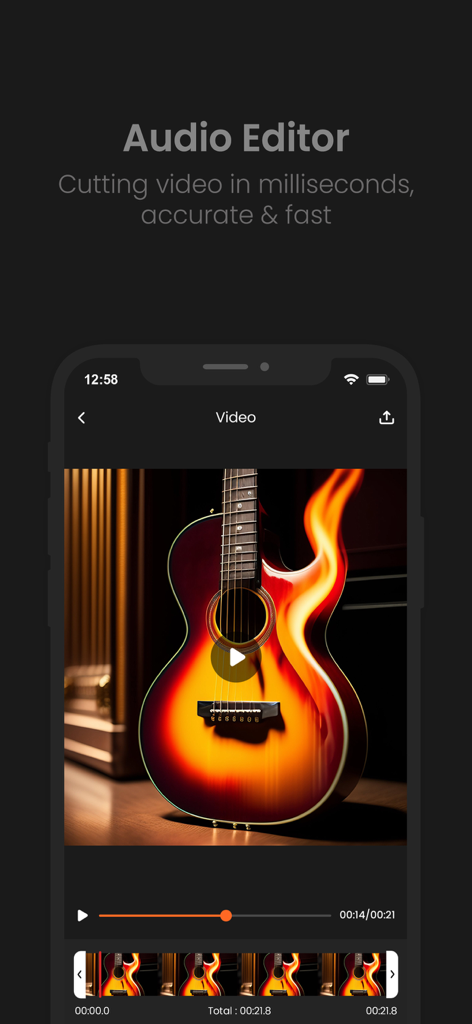
시각적 타임라인과 함께 빠르고 정확한 오디오 및 비디오 트리밍을 위한 AudioLab 모바일 앱 인터페이스.

시각적 타임라인과 함께 빠르고 정확한 오디오 및 비디오 트리밍을 위한 AudioLab 모바일 앱 인터페이스.

현대 크리에이터를 위한 스튜디오급 도구

이 앱을 돋보이게 하는 도구, 152K+ 명의 사용자가 선택.

전문가 수준의 오디오 클린업

방해가 되는 배경 노이즈와 험을 즉시 제거하세요. 이동 중 녹음 시에도 TikTok 및 Reels를 선명하게 들리도록 만드는 데 완벽합니다.

🎚️

고급 멀티트랙 믹싱

보컬, 음악 및 음향 효과를 쉽게 레이어링하세요. 볼륨을 독립적으로 조절하고 전환 효과를 적용하여 전문적으로 들리는 팟캐스트 및 트랙을 만드세요.

🎙️

선명한 녹음

기기 또는 외부 마이크를 사용하여 고음질 오디오를 캡처하세요. 피치 시프팅 및 시간 스트레칭 도구를 사용하여 내보내기 전에 성능을 미세 조정하세요.

리뷰 분석

사용자 리뷰 인사이트.

감정 점수

0%
부정적

요약

User feedback for this app is overwhelmingly negative, primarily due to an excessive number of intrusive advertisements that severely hinder usability. Many long-time users express strong disappointment with recent updates, stating that the app has become complicated, difficult to navigate, and has removed key features that were present in older versions. Several users also complain about previously free functionalities now requiring payment or being entirely absent. Additionally, there are reports of the app being less functional or having fewer features compared to its Android counterpart.

주요 테마

Excessive Ads(13)
Ease of Use(9)
Recent Updates(8)
Missing Features(7)
Performance Issues(4)
Platform Discrepancy(4)
Paid Features(3)

앱 소개

에 대해 알아야 할 모든 것 AudioLab Audio Editor Recorder.

설명

Audio Maker is an intuitive and powerful app designed for audio editing, mixing, and recording. Whether you're a podcaster, musician, content creator, or audio enthusiast, Audio Maker provides the tools you need to craft professional-quality soundtracks on the go. Its sleek interface and advanced features make it perfect for both beginners and seasoned audio editors. • Key Features 1. Audio Editing Made Easy: - Cut, trim, splice, and merge audio clips effortlessly. - Apply fades, crossfades, and transitions with precision. 2. Multi-Track Editing: - Work with multiple audio tracks for complex compositions. - Adjust track volumes, panning, and effects independently. 3. High-Quality Recording: - Record in crystal-clear quality using your device's microphone or an external input. - Support for stereo and mono recordings with real-time monitoring. 4. Professional Audio Effects: - Add reverb, echo, distortion, equalization, and more. - Use built-in presets or fine-tune effects to suit your project. 5. Sound Library Integration: - Access a royalty-free library of music, sound effects, and loops. - Import files directly from your device, iCloud, or other cloud services. 6. Export and Sharing Options: - Export your work in multiple formats (MP3, WAV, AAC, M4A, and many more). - Share directly to social media platforms, email, or cloud storage. 7. Advanced Tools for Pros: - Visual waveform editor for precise adjustments. - Pitch shifting, time-stretching, and tempo adjustments. - Noise reduction and audio clean-up tools for polished results. 8. User-Friendly Interface: - Drag-and-drop functionality for quick editing. - Customizable workspace for a personalized editing experience. • Who It’s For: Audio Maker is ideal for anyone who wants to edit or create audio on their device. Whether you're producing a podcast, creating music, editing voiceovers, or crafting soundtracks for videos, Audio Maker has everything you need in one compact app. Get unlimited Audio Editing and Audio Making Subscribe Monthly Audio Maker Pro at $1.99 and Yearly Monthly Audio Pro at $9.99 to use ads free versions of the premium app which can cancel anytime. • Privacy Policy: https://sites.google.com/view/postart-policy • Terms of Service: https://sites.google.com/view/postart-termsofuse Why Choose Audio Maker? With its powerful suite of tools, seamless integration with iOS, and a user-friendly interface, Audio Maker is your ultimate companion for all things audio. Create, edit, and share your soundtracks like a pro – anytime, anywhere.

최신 버전

1.4

크기

54.7 MB

출시일

2024년 12월 3일

언제 어디서든 전문가처럼 들릴 준비가 되셨나요?

15만 명 이상의 크리에이터와 함께 iPhone을 강력한 멀티트랙 스튜디오로 변환하세요. 연간 단 $9.99로 전문가 수준의 오디오 제작을 시작하세요.

다운로드: App Store
FAQ

자주 묻는 질문

에 대해 알아야 할 모든 것 AudioLab Audio Editor Recorder

AudioLab Audio Editor Recorder는 무엇인가요?

AudioLab Audio Editor Recorder는 오디오 편집, 믹싱 및 녹음을 위해 설계된 직관적이고 강력한 앱입니다. 전문적인 품질의 사운드트랙을 만드는 도구를 제공합니다.

누가 AudioLab Audio Editor Recorder를 사용할 수 있나요?

AudioLab Audio Editor Recorder는 팟캐스터, 음악가, 콘텐츠 제작자 및 오디오 애호가를 위한 것입니다. 누구나 자신의 기기에서 오디오를 편집하거나 만들 수 있도록 도와줍니다.

AudioLab Audio Editor Recorder로 오디오 클립을 편집할 수 있나요?

예, AudioLab Audio Editor Recorder를 사용하면 사용자가 오디오 클립을 자르고, 다듬고, 붙이고, 병합하고, 페이드, 크로스페이드 및 전환 효과를 정밀하게 적용할 수 있습니다.

AudioLab Audio Editor Recorder는 멀티트랙 편집을 지원하나요?

예, AudioLab Audio Editor Recorder는 멀티트랙 편집을 지원합니다. 사용자는 여러 오디오 트랙으로 작업하고 볼륨, 패닝 및 효과를 독립적으로 조정할 수 있습니다.

AudioLab Audio Editor Recorder로 오디오를 녹음할 수 있나요?

예, AudioLab Audio Editor Recorder는 크리스털처럼 선명한 품질로 오디오를 녹음합니다. 기기의 마이크 또는 외부 입력을 사용하며 스테레오 및 모노 녹음과 실시간 모니터링을 지원합니다.

AudioLab Audio Editor Recorder는 어떤 내보내기 형식을 지원하나요?

AudioLab Audio Editor Recorder는 MP3, WAV, AAC 및 M4A를 포함한 여러 형식으로 작업을 내보낼 수 있습니다. 사용자는 다양한 플랫폼으로 직접 공유할 수도 있습니다.

AudioLab Audio Editor Recorder Pro의 가격은 얼마인가요?

AudioLab Audio Editor Recorder Pro는 월 1.99달러의 월간 구독과 연 9.99달러의 연간 구독을 제공합니다. 이를 통해 광고 없는 프리미엄 앱 경험을 제공합니다.

AudioLab Audio Editor Recorder로 동영상을 MP3로 변환할 수 있나요?

예, AudioLab Audio Editor Recorder로 좋아하는 동영상을 MP3 형식으로 변환할 수 있습니다. 이 기능을 통해 사용자는 비디오 파일에서 오디오를 추출할 수 있습니다.

AudioLab Audio Editor Recorder로 동영상을 자를 수 있나요?

예, AudioLab Audio Editor Recorder는 동영상을 정확하고 빠르게 자를 수 있습니다. 이 기능을 통해 앱 내에서 비디오 세그먼트를 정밀하게 다듬을 수 있습니다.

AudioLab Audio Editor Recorder에는 고급 오디오 도구가 있나요?

예, AudioLab Audio Editor Recorder에는 시각적 파형 편집기, 피치 변경, 시간 확장, 템포 조정, 노이즈 감소 및 오디오 정리와 같은 고급 도구가 포함되어 있습니다.

App information, icons, screenshots, and descriptions displayed on this page are sourced from the Apple App Store and are the property of their respective developers. Download estimates and rankings are based on MWM's proprietary models and may not reflect actual figures. This page is provided for informational and analytical purposes only.

Believe this page infringes your intellectual property? File a dispute