이 페이지는 앱이나 개발자의 공식 페이지가 아니며, 정보 제공 및 논평을 목적으로 작성된 독립 편집 간행물입니다. 명시적으로 달리 언급되지 않는 한, 해당 앱이나 개발자는 MWM, Apple, Google Play, 앱 퍼블리셔 또는 앱 개발자와 제휴, 보증, 후원, 승인 또는 공식적으로 연결되어 있지 않으며, 이 페이지의 어떤 내용도 해당 앱이 MWM의 서비스를 사용하여 개발되었음을 의미하지 않습니다. 모든 상표, 로고, 스크린샷 및 기타 콘텐츠는 해당 소유자의 자산입니다.
C/C++-programming language
어디서나 C++를 컴파일하고 실행하며 마스터하세요. 로컬 실행, GitHub 연동, 학생과 전문가를 위해 설계된 스마트 편집 도구를 갖춘 강력한 올인원 개발 환경입니다.
고성능 오프라인 코딩과 원활한 프로젝트 관리를 위해 설계된 컴퓨터 공학 전공생 및 개발자를 위한 가장 강력한 모바일 IDE입니다.
오프라인 컴파일 및 로컬 실행
인터넷이 없나요? 문제없습니다. 서버 지연 없이 기기에서 로컬로 스크립트를 컴파일하고 실행하세요. 통근 시간이나 Wi-Fi가 불안정한 장소에서 코딩하기에 완벽합니다.
Git 동기화 및 iCloud 연동
GitHub나 Gitee에서 저장소를 직접 가져오고 iPhone과 iPad 간에 진행 상황을 동기화하여 데스크톱에서 모바일로 이어지는 원활한 워크플로우를 경험하세요.
다음 스크린샷과 설명은 앱의 공식 스토어 목록에서 직접 가져온 것이며 앱 개발자의 자산입니다.
앱 스토어
스크린샷
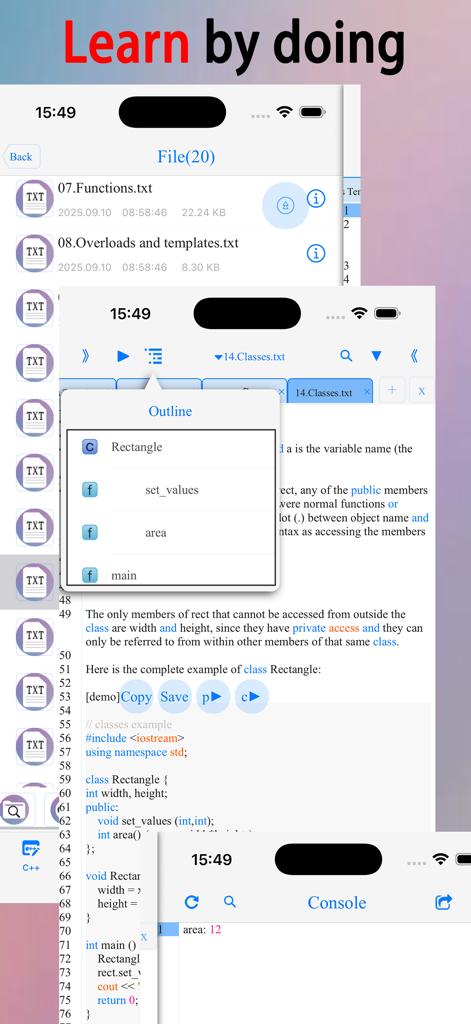
코드 편집기, 파일 관리자 및 콘솔 출력이 표시된 C 및 C++ 프로그래밍 앱의 인터페이스
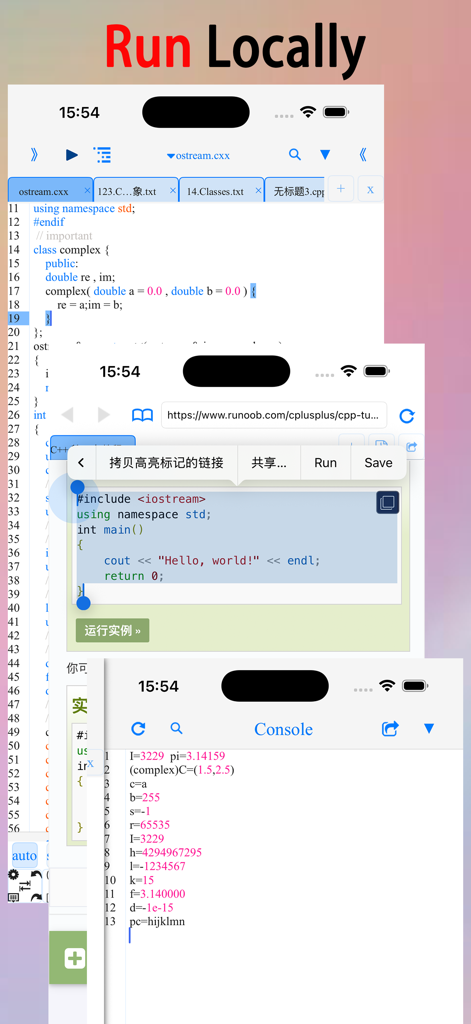
코드 편집기, 튜토리얼 브라우저 및 콘솔 출력이 표시된 C 및 C++ 프로그래밍 앱의 인터페이스
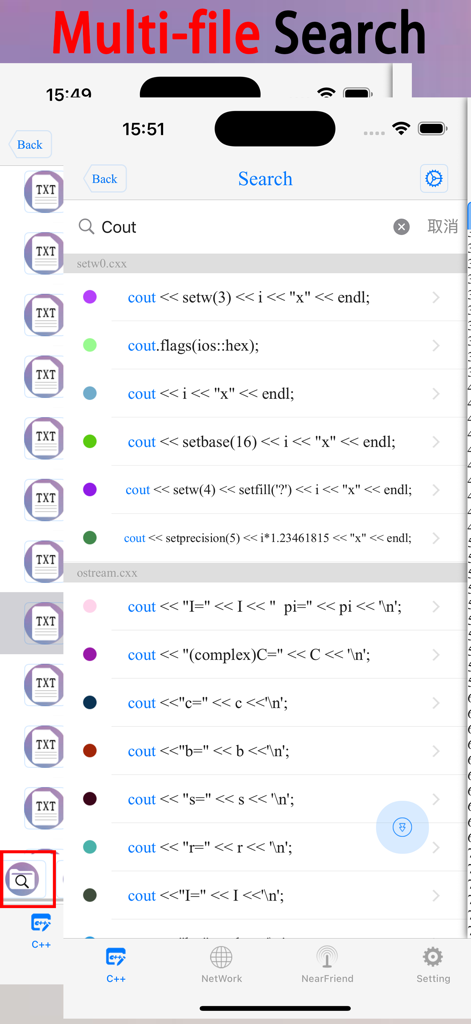
C 및 C++ 프로그래밍 앱의 키워드 'Cout'에 대한 다중 파일 검색 결과
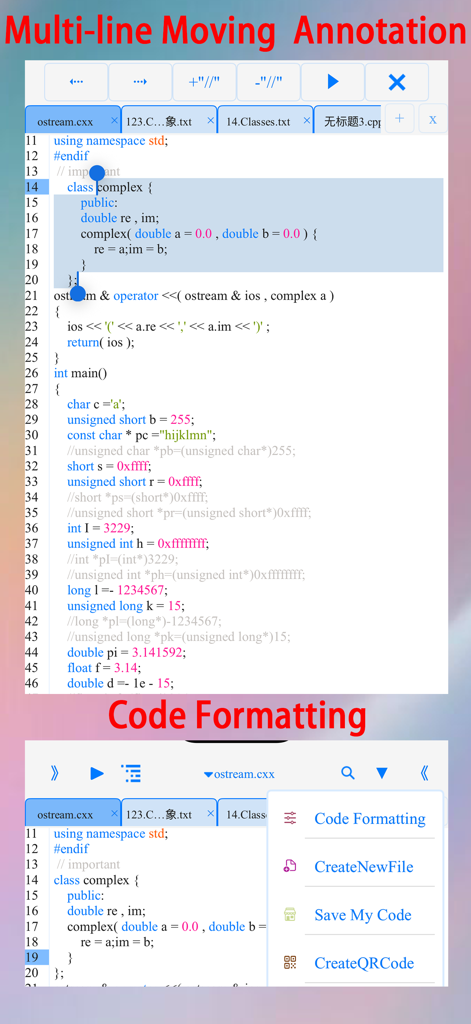
다중 행 주석 이동 기능과 코드 서식 메뉴가 표시된 C++ 프로그래밍 앱의 모바일 인터페이스
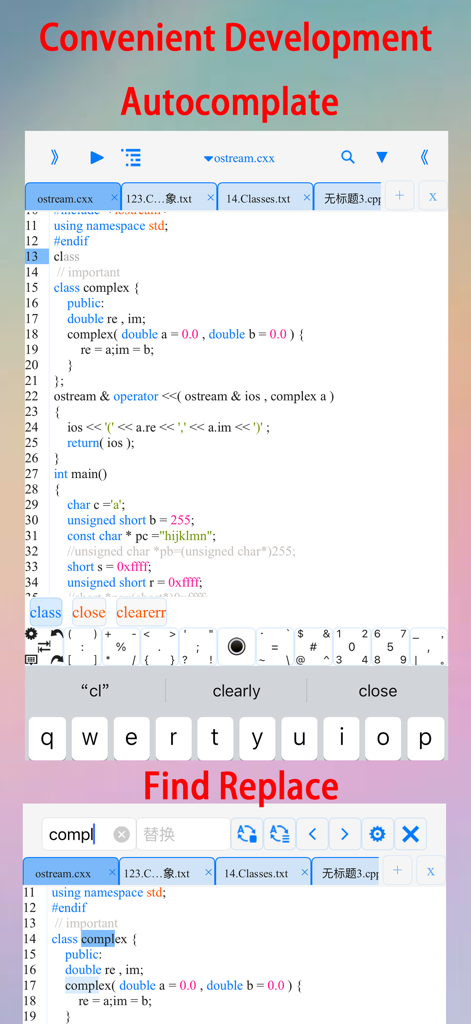
자동 완성 제안과 찾기 및 바꾸기 기능이 표시된 C 및 C++ 모바일 코드 편집기
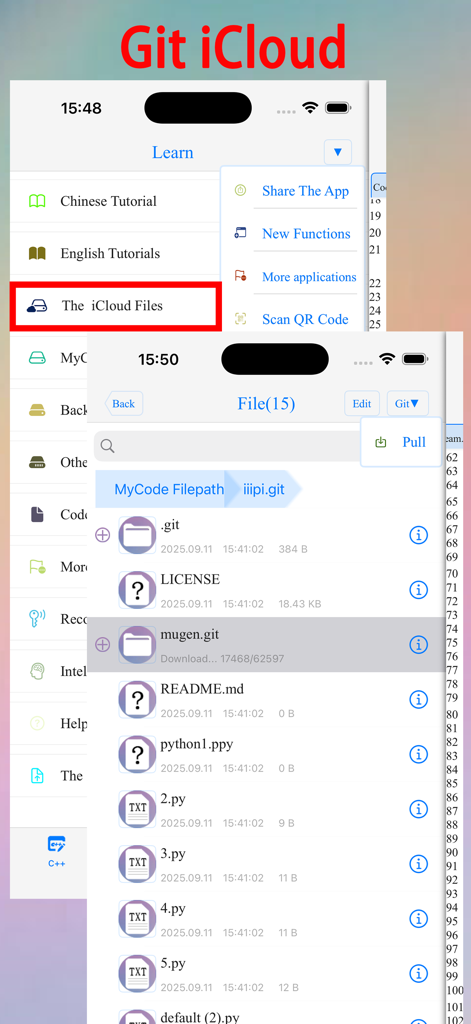
C-C++ 프로그래밍 앱의 Git 연동 및 iCloud 파일 관리 인터페이스
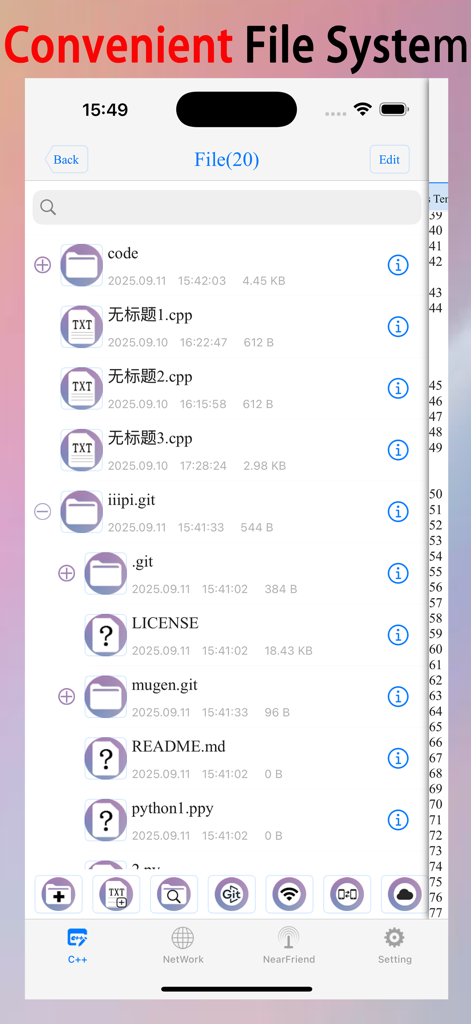
코드 파일과 폴더가 표시된 C 및 C++ 프로그래밍 앱의 파일 시스템 인터페이스
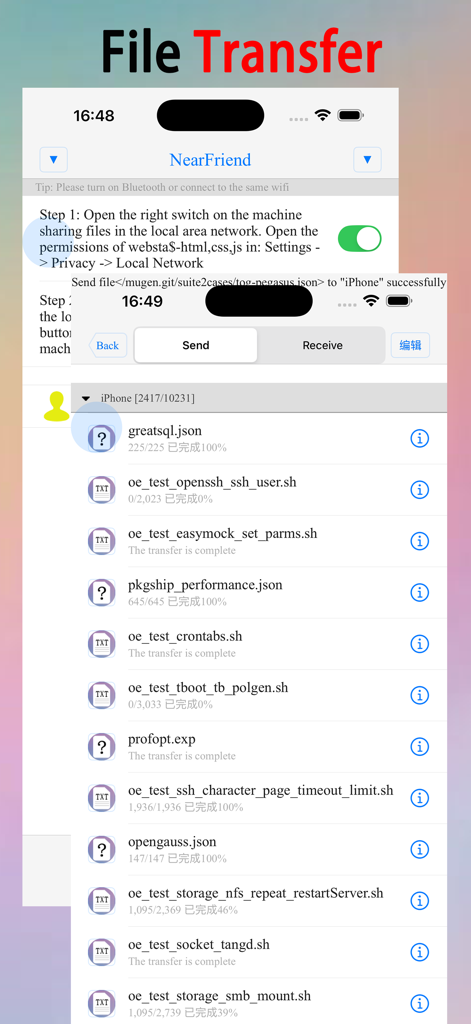
C 및 C++ 프로그래밍 앱의 파일 전송 인터페이스
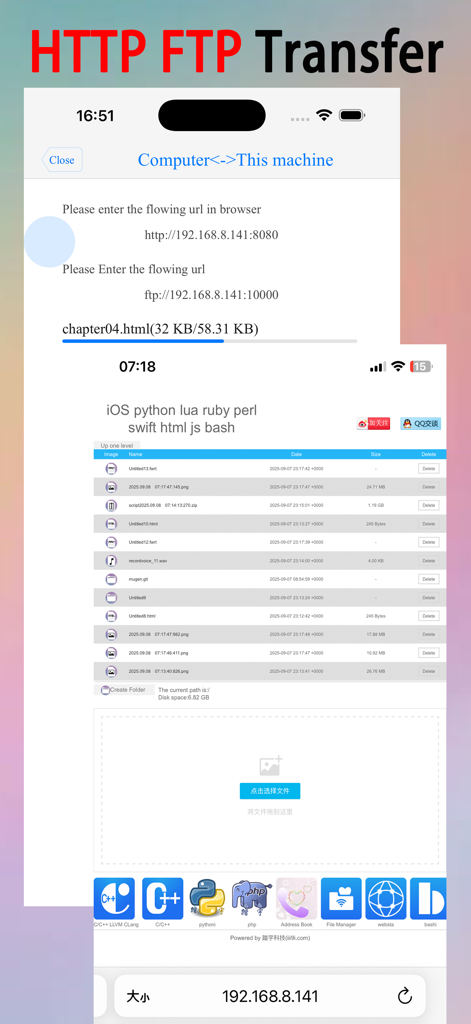
C 및 C++ 프로그래밍 앱을 위한 HTTP 및 FTP 파일 전송 인터페이스
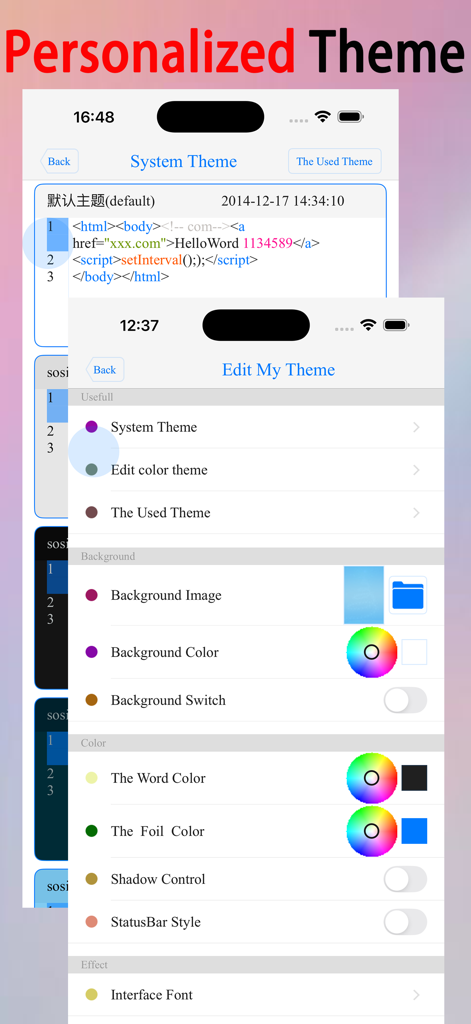
C 및 C++ 프로그래밍 앱의 개인화된 테마 및 색상 사용자 정의 설정
설명
This is a learning tool for efficient C/C++ learning, fast programming, 【offline compilation and local execution】, Git fetching, iCloud storage, and efficient transfer and sharing via LAN HTTP/FTP multi-point connections.
(^.^) It aspires to help you who want to learn, develop, or improve! ! ! (^.^)
(^.^) Enjoy colorful learning materials at your fingertips and run examples while learning, making it easy to understand and efficient.
(^.^) Enjoy code templates, autocomplate, auto-indentation, code coloring, symbol completion, a symbol keyboard, text search, multi-file search, multi-line indentation, multi-line comments, code formatting, making development more convenient.
(^.^) Enjoy easy iCloud storage and multi-device synchronization for efficient collaboration.
(^.^) Get source code projects from gitee.com and GitHub with Git.
(^.^) Connect to your LAN or Bluetooth and efficiently transfer files via HTTP/FTP multi-point connections.
(^.^) Use the built-in browser to easily search for learning materials. Simply select code in the built-in browser to run it.
(^.^) Open files in C, CPP, txt, PDF, CHM, MP3, M4V, zip, GIF, PNG, HTML, PY, doc, and other formats from the file system.
(^.^) Create folders, files, move files, import files, import photos, import videos, generate audio and video, compress files, and control file sorting from the file system.
(^.^) Use gestures like 【left and right swipe】 to switch interfaces quickly and easily.
(^.^) Adjust code color, font size, and line spacing for a more comfortable reading experience.
(^.^) Customize background images, background colors, text colors, Key colors, shadows, text fonts, text size, background animations, interface transition animations, and the number and order of tabs on the main interface to create your own personalized learning software.
(^.^) Generate QR codes for C/C++ scripts and learning materials at your leisure, and scan them to access the scripts and learning materials.
(^.^) Share C/C++ scripts and learning materials via email, Weibo, Twitter, and Facebook.
Code Templates - The contents of a new file will be copied from the code template.
For any questions or suggestions, please contact the developer: QQ: 1301367159 WeChat: 1301367159
이 페이지는 앱이나 개발자의 공식 페이지가 아니며, 정보 제공 및 논평을 목적으로 작성된 독립 편집 간행물입니다. 명시적으로 달리 언급되지 않는 한, 해당 앱이나 개발자는 MWM, Apple, Google Play, 앱 퍼블리셔 또는 앱 개발자와 제휴, 보증, 후원, 승인 또는 공식적으로 연결되어 있지 않으며, 이 페이지의 어떤 내용도 해당 앱이 MWM의 서비스를 사용하여 개발되었음을 의미하지 않습니다. 모든 상표, 로고, 스크린샷 및 기타 콘텐츠는 해당 소유자의 자산입니다.