C++ Compiler

C++ Compiler

다운로드: App Store
로고: C++ Compiler

C++ 컴파일러: 어디서든 코딩할 수 있는 궁극의 모바일 IDE

기기를 강력한 개발자 워크스테이션으로 바꾸세요. 교과서에서 즉시 코드를 스캔하고, 특수 코딩 레이아웃으로 더 빠르게 입력하고, 이동 중에 C++을 마스터하세요. 복잡한 PC 설정이 필요하지 않습니다.

다운로드: App Store

개발사

Hrishi Suthar

카테고리

Education

다운로드

147K+

사용자 평점

1.9/5

총 평가 수

0

지원 언어

1

코딩 작동 모습

이 인터페이스를 사용하는 147K+ 명의 사용자.

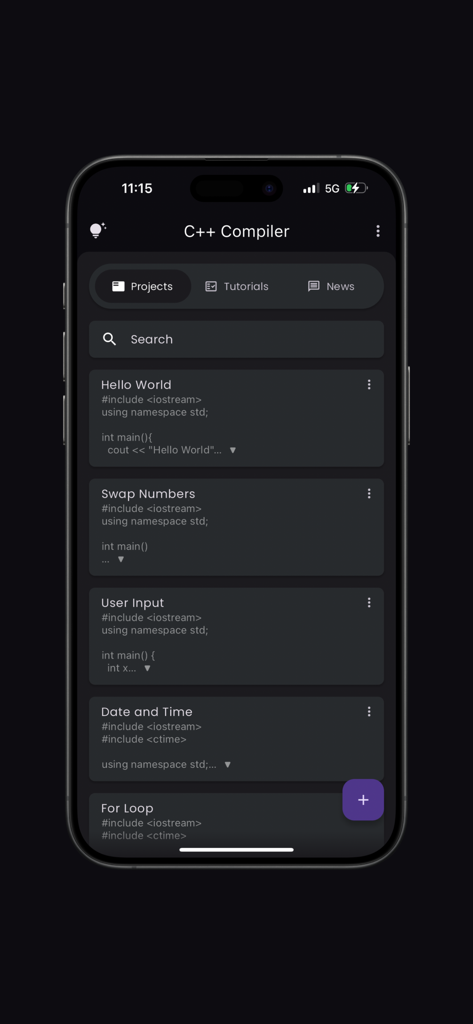
C++ 컴파일러 앱 대시보드가 모바일 화면에 다양한 코딩 프로젝트를 표시하는 모습
C++ 컴파일러 앱 대시보드가 모바일 화면에 다양한 코딩 프로젝트를 표시하는 모습

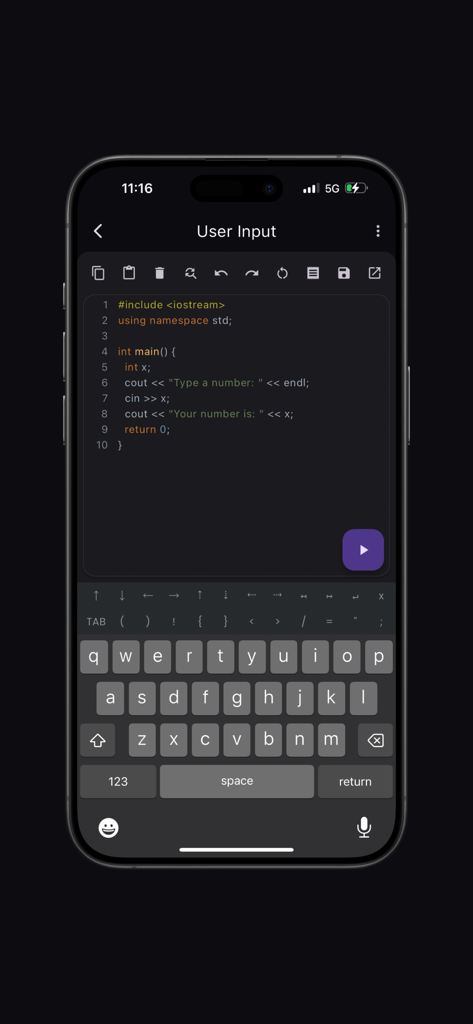
구문 강조 및 사용자 지정 코딩 키보드가 있는 모바일 C++ 코드 편집기
구문 강조 및 사용자 지정 코딩 키보드가 있는 모바일 C++ 코드 편집기

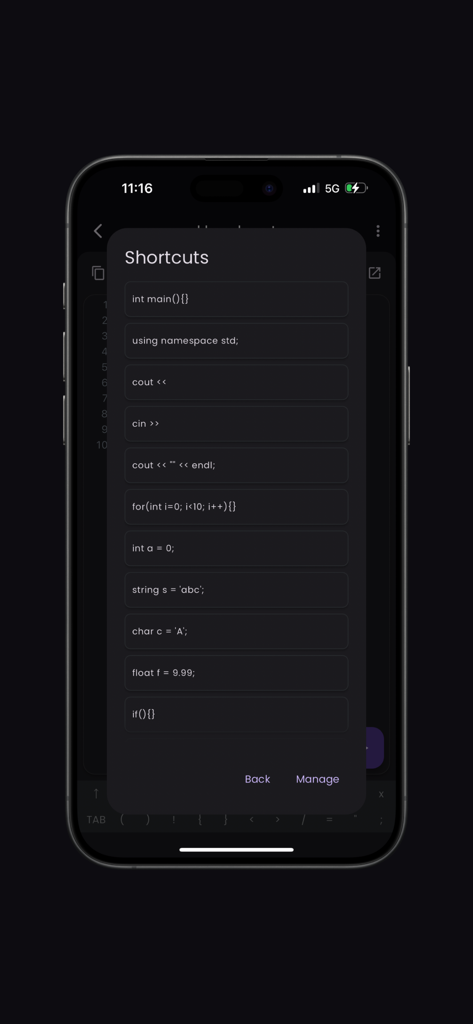
일반 코드 스니펫 바로 가기 를 표시하는 C++ 컴파일러 앱의 모바일 인터페이스
일반 코드 스니펫 바로 가기 를 표시하는 C++ 컴파일러 앱의 모바일 인터페이스

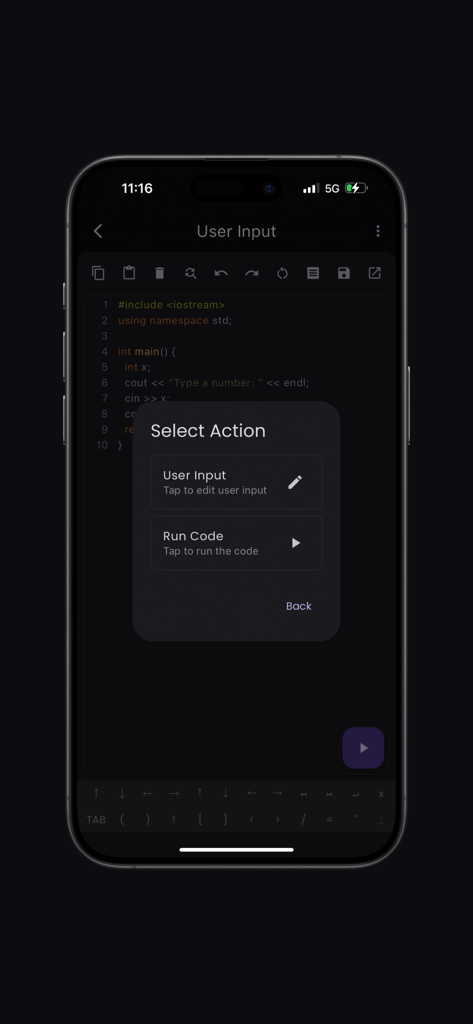
코드를 실행하거나 사용자 입력을 편집하는 선택 메뉴와 함께 코드 편집기를 보여주는 C++ 컴파일러 앱 인터페이스
코드를 실행하거나 사용자 입력을 편집하는 선택 메뉴와 함께 코드 편집기를 보여주는 C++ 컴파일러 앱 인터페이스

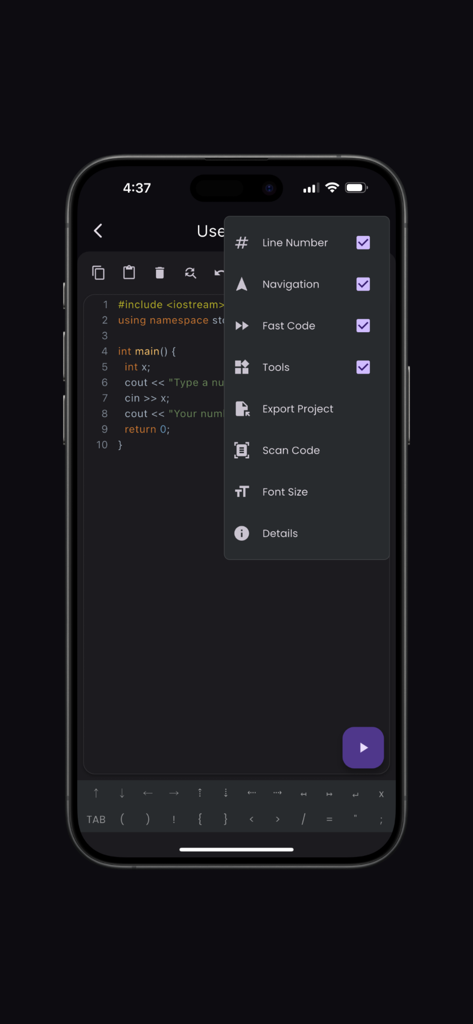
스마트폰 화면에 스캔 코드 및 빠른 코드 옵션을 포함한 설정 메뉴가 열린 C++ 코드 편집기가 표시됨
스마트폰 화면에 스캔 코드 및 빠른 코드 옵션을 포함한 설정 메뉴가 열린 C++ 코드 편집기가 표시됨

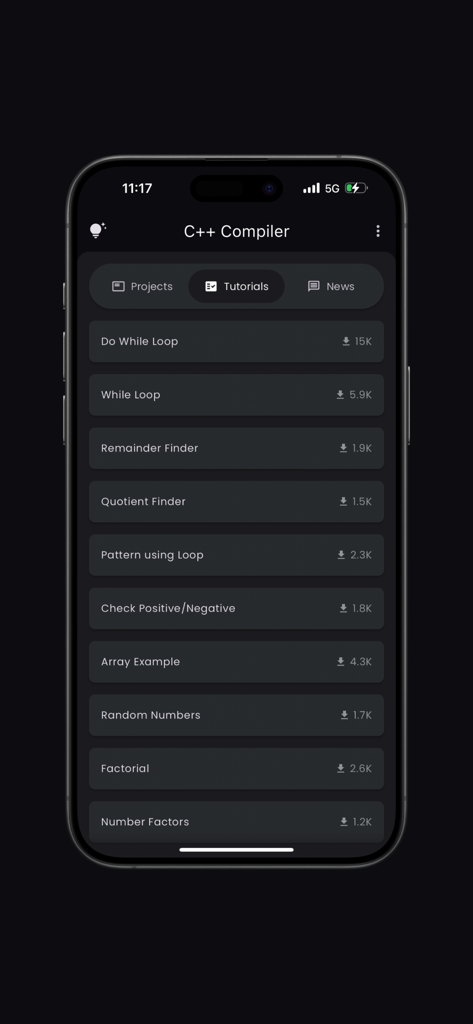
루프 및 논리 예제를 포함한 코딩 튜토리얼 목록이 있는 C++ 컴파일러 앱
루프 및 논리 예제를 포함한 코딩 튜토리얼 목록이 있는 C++ 컴파일러 앱

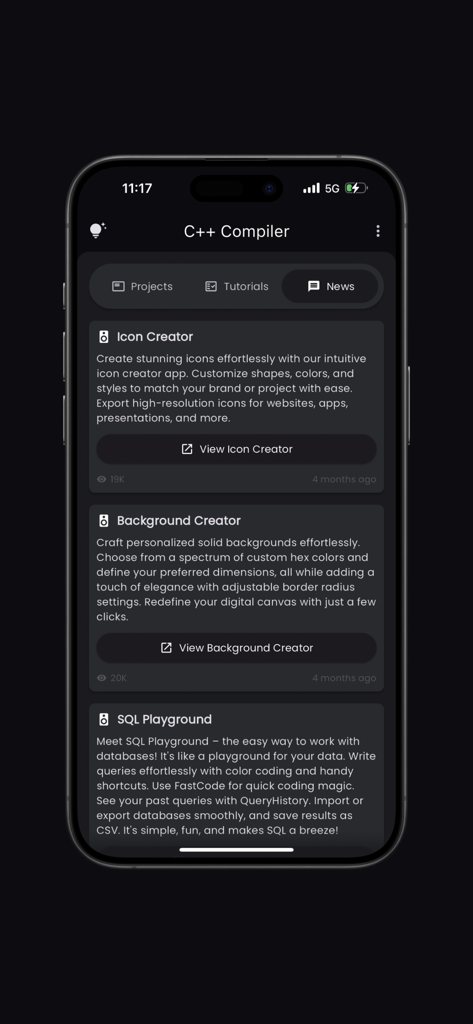
SQL Playground 및 아이콘 생성기와 같은 개발 도구를 제공하는 C++ 컴파일러 앱 뉴스 탭의 스크린샷.

SQL Playground 및 아이콘 생성기와 같은 개발 도구를 제공하는 C++ 컴파일러 앱 뉴스 탭의 스크린샷.

이동 중에도 C++ 마스터

이 앱을 돋보이게 하는 도구, 147K+ 명의 사용자가 선택.

📸

코드를 즉시 스캔

교과서나 강의 슬라이드에서 코드 사진을 찍어 즉시 실행하세요. 지루한 다시 입력은 건너뛰고 바로 실험을 시작하세요.

⌨️

맞춤형 코딩 키보드

세미콜론과 괄호를 찾는 것을 잊으세요. 빠른 레이아웃은 필수 기호와 탐색 도구를 바로 손끝에 두어 번거로운 모바일 코딩을 지원합니다.

🚀

0-구성 컴파일러

설치할 복잡한 환경이 없습니다. 단 한 번의 탭으로 논리를 컴파일하고 디버그하여 숙제 및 실습 준비에 완벽한 동반자가 됩니다.

리뷰 분석

사용자 리뷰 인사이트.

감정 점수

31%
부정적

요약

This mobile app garners largely negative reviews, primarily due to an overwhelming number of intrusive advertisements that frequently interrupt the user experience, often appearing after every code execution. Users also report significant stability issues, including frequent app crashes and incompatibility with certain devices, alongside critical bugs related to input handling (e.g., "cin", "scanf") and unreliable file saving. While some users praise its core functionality as a compiler and editor, suitable for basic code testing and offering modern C++ features, the lack of offline support and missing features like file import severely detract from its utility. Overall, the app struggles with fundamental usability and stability, leading to a generally frustrating experience.

주요 테마

Excessive Ads(23)
Core Compiler Functionality(10)
Input/Compilation Bugs(6)
App Stability(5)
Offline Availability(4)
Missing Features(4)
File Saving Issues(3)

앱 소개

에 대해 알아야 할 모든 것 C++ Compiler.

설명

Welcome to the ultimate C++ Compiler app, designed to provide an intuitive and powerful coding experience. The app is equipped with features that cater to both beginners and seasoned developers, ensuring a seamless coding journey. Key Features: Syntax Highlighting: Enjoy a vibrant and readable code editor with color-coded syntax highlighting, making it easy to distinguish between different parts of your code. Fast Code Layout: Our fast code layout includes frequently used symbols, allowing you to code more efficiently and with fewer keystrokes. Tools Layout: Access essential shortcuts such as copy, paste, undo, redo, share, and more, all from a convenient tools layout. Customize your own shortcuts to match your workflow and enhance productivity. Navigation Layout: Move your cursor effortlessly with our navigation layout, designed to make code navigation smooth and intuitive. Scan Code Feature: Quickly scan and import code snippets using your device's camera. Perfect for grabbing code from textbooks, whiteboards, or printed documents. Tutorials and News Section: Stay updated with the latest in Python development through our integrated tutorials and news section. Learn new techniques, best practices, and keep up with industry trends. Bookmarks and Project Management: Easily bookmark important code snippets and projects for quick access. Manage your projects efficiently with our built-in project organization tools. Elevate your coding experience with the C++ Compiler app, where every feature is crafted to support your development needs. Whether you're writing your first line of code or debugging complex projects, the app is your perfect coding companion. Developed by Anvaysoft Programmer- Hrishi Suthar Made with love in India

최신 버전

2.0.3

크기

68.7 MB

출시일

2023년 4월 12일

프로처럼 코딩할 준비 되셨나요?

실습 시간을 기다리지 마세요. 궁극의 C++ 컴파일러를 다운로드하고 주머니에서 바로 빌드, 스캔 및 학습을 시작하세요.

다운로드: App Store

App information, icons, screenshots, and descriptions displayed on this page are sourced from the Apple App Store and are the property of their respective developers. Download estimates and rankings are based on MWM's proprietary models and may not reflect actual figures. This page is provided for informational and analytical purposes only.

Believe this page infringes your intellectual property? File a dispute