Compress Photos & Pictures

Compress Photos & Pictures

다운로드: App Store
로고: Compress Photos & Pictures

사진 및 사진 압축: '저장 공간 꽉 찼습니다' 알림을 영원히 끝내세요

품질을 희생하지 않고 iPhone 저장 공간의 최대 90%를 확보하세요. 소중한 모든 추억을 간직하고 오늘날 추가 클라우드 저장 공간 비용 지불을 멈추세요.

개발사

New Marketing Lab, Inc

카테고리

Photo & Video

다운로드

2M+

사용자 평점

4.7/5

총 평가 수

48K+

지원 언어

1

자세히 보기

이 인터페이스를 사용하는 2M+ 명의 사용자.

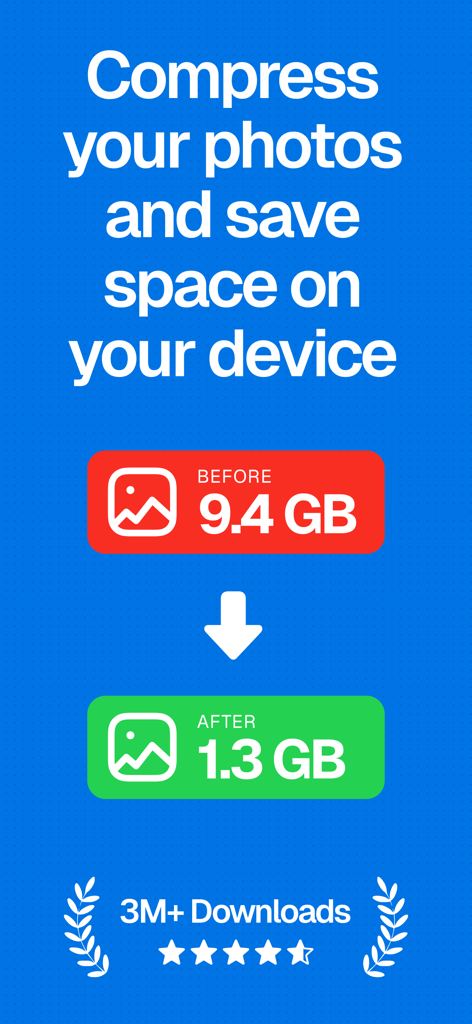
사진 저장 공간이 9.4GB에서 1.3GB로 줄어든 그래픽, 3백만 건의 다운로드와 별점 5개 획득
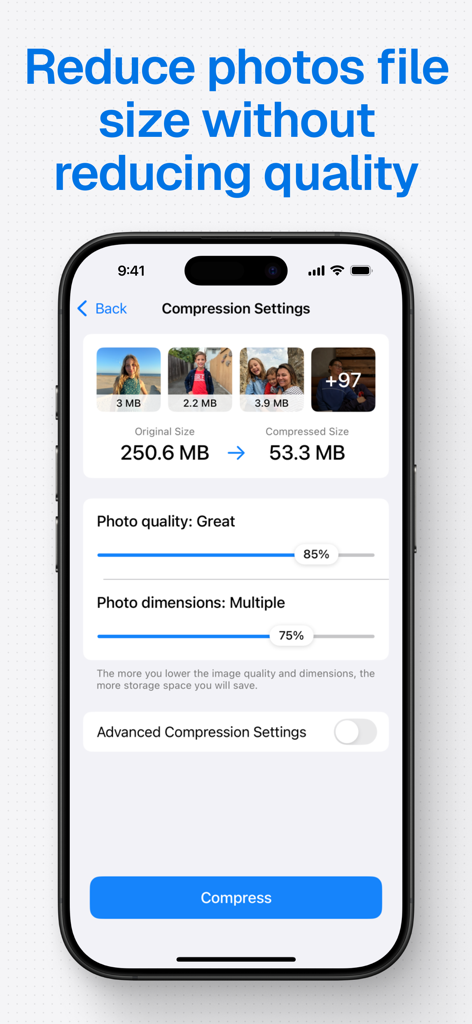
사진 저장 공간이 9.4GB에서 1.3GB로 줄어든 그래픽, 3백만 건의 다운로드와 별점 5개 획득

iPhone 저장 공간 절약을 위해 사진 파일 크기를 줄이는 앱 인터페이스
iPhone 저장 공간 절약을 위해 사진 파일 크기를 줄이는 앱 인터페이스

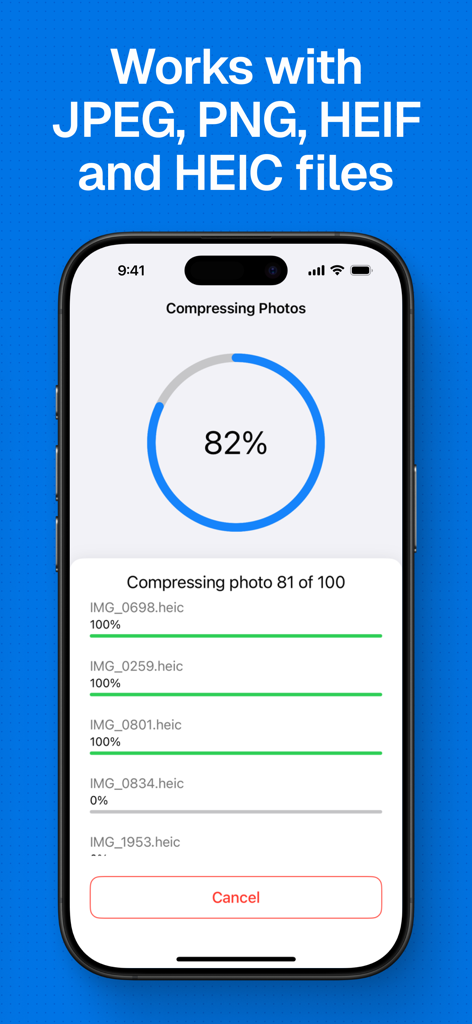
JPEG, PNG, HEIC 사진 파일 일괄 압축 진행 상황을 보여주는 스마트폰 화면
JPEG, PNG, HEIC 사진 파일 일괄 압축 진행 상황을 보여주는 스마트폰 화면

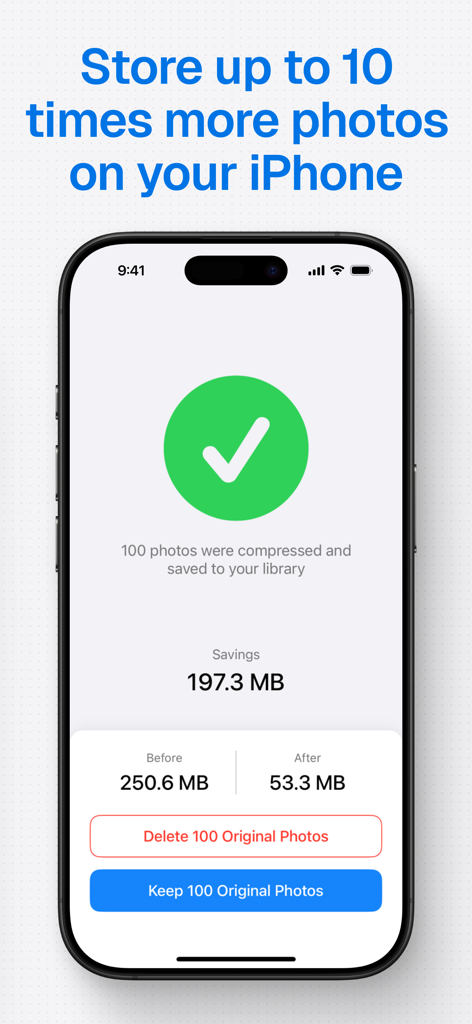
iPhone에서 사진 압축 후 절약된 저장 공간을 보여주는 스크린샷
iPhone에서 사진 압축 후 절약된 저장 공간을 보여주는 스크린샷

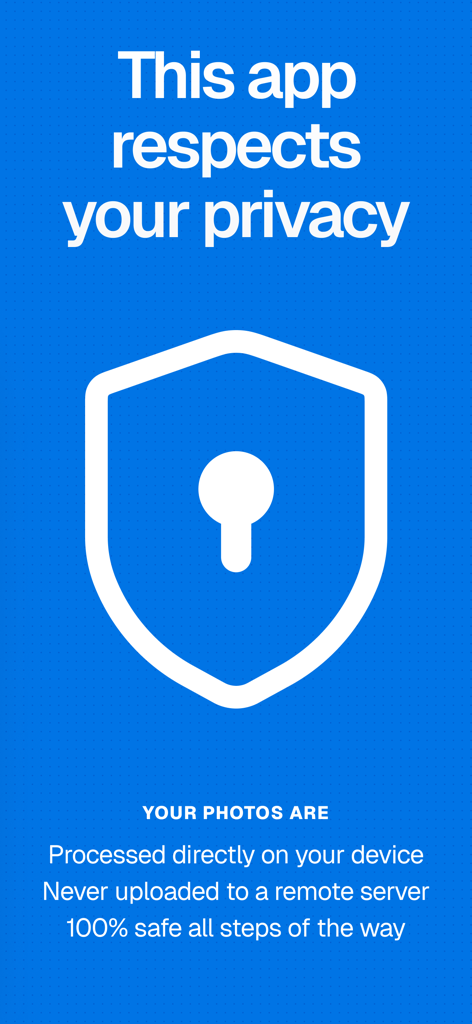
사용자 기기에서 직접 개인 사진을 처리하는 것을 강조하는 앱 인터페이스

사용자 기기에서 직접 개인 사진을 처리하는 것을 강조하는 앱 인터페이스

추억을 다시는 삭제하지 마세요

이 앱을 돋보이게 하는 도구, 2M+ 명의 사용자가 선택.

🚀

즉각적인 저장 공간 해방

몇 번의 탭만으로 사진 라이브러리 크기를 최대 90%까지 줄여 '저장 공간 거의 다 찼습니다' 알림을 멈추세요.

📸

선명한 품질

지능형 압축 엔진은 눈에 띄는 품질 손상 없이 파일 무게를 줄입니다.

간편한 일괄 정리

수백 장의 사진을 한 번에 빠르게 처리하고 전용 자동 생성된 '압축됨' 앨범에서 즉시 찾으세요.

앱 소개

에 대해 알아야 할 모든 것 Compress Photos & Pictures.

설명

Save storage space on your iPhone or iPad by compressing your photos and reducing their size without reducing their quality. 6 REASONS TO USE COMPRESS PHOTOS - Save space on your iPhone or iPad by reducing photos file size - Optimized for best image quality possible - Shrink photos to share them faster with friends and family - Quickly compress photos before posting them to social media - Very easy to use - Highly rated with an average of 4.5 stars REVIEWS FROM USERS "Thank God for this app. It is easy to use. Does what it says. And gives great results." by mazmac747 "Tested with 2 images that took up 18 Mb reduced to 0.68 Mb and clear. Works great." by Capt Jack Sparrow POTC "Absolutely brilliant Application that speedily compresses your photos for storage, sharing and export. Thanks!" by Rebsolar SAVE SPACE ON YOUR iPHONE Are you plagued by the “Storage almost full” alert on your iPhone or iPad? If so, this app can help! Use Compress Photos to shrink the file size of photos and regain storage space on your device. When applied to all your pictures, Compress Photos can help you store up to 10 times more photos on your iPhone or iPad. KEEP IMAGE QUALITY SHARP Compress Photos is easy to use but it is incredibly powerful. The intelligent compression engine allows you to reduce the file size of photos without reducing their quality. With two compression settings to choose from, Compress Photos can easily shrink photos by 90% or more without a notable difference. EASILY LOCATE COMPRESSED PHOTOS Compressed photos are saved to both your main library and a dedicated album conveniently called “Compressed Photos” on your device, allowing you to easily locate processed pictures. This new album is automatically created when you run the app and save compressed photos to your device. SUPPORTED FILE TYPES Compress Photos works with all PNG, JPEG, HEIF, and HEIC image files. BEFORE AND AFTER SAMPLES Before: 2.3MB — After: 207kb (91% smaller) Before: 4.1MB — After: 492kb (88% smaller) Before: 4.8MB — After: 384kb (92% smaller) For best results, we recommend setting both compression settings to 80%, which should significantly reduce the file size without a noticeable difference to the naked eye. ADVANCED COMPRESSION TOOLS Take full control of your photo compression with powerful advanced tools designed to provide more flexibility while keeping the app simple to use. Decide whether to keep or strip metadata and location details for better privacy and cleaner sharing. Choose your desired export format—perfect for compatibility across different platforms and use cases. And with smart file size estimation, you’ll know exactly how much space you’re saving before you even hit “Compress.” PRO VERSION Upgrade to the Pro version of Compress Photos to remove ads, access advanced compression settings, and compress more than 3 photos at once. Payment will be charged to your iTunes account at confirmation of purchase and will auto-renew at the same price every year, unless canceled in your iTunes account settings at least 24 hours before the end of the current period. Subscriptions may be managed and auto-renewal may be turned off at any time by going to your account settings after purchase. Terms of use: https://www.sixstarapps.com/terms/ Privacy policy: https://www.sixstarapps.com/privacy/

최신 버전

3.3

크기

9.5 MB

출시일

2019년 2월 16일

추억 삭제 중단 - 공간 절약 시작

iPhone 저장 공간을 확보한 2백만 명 이상의 사용자와 함께하세요. 사진 라이브러리 크기를 최대 90%까지 줄이고 '저장 공간 거의 다 찼습니다' 알림을 다시 보지 마세요.

다운로드: App Store
FAQ

자주 묻는 질문

에 대해 알아야 할 모든 것 Compress Photos & Pictures

Compress Photos & Pictures의 주요 기능은 무엇인가요?

Compress Photos & Pictures는 이미지의 파일 크기를 줄여 iPhone 또는 iPad의 저장 공간을 절약하기 위해 이미지를 압축합니다. 사진 품질을 저하시키지 않고 이를 수행합니다.

Compress Photos & Pictures는 원본 이미지 품질을 유지하나요?

예, Compress Photos & Pictures는 이미지 품질을 유지합니다. 지능형 압축 엔진은 육안으로 눈에 띄는 차이 없이 파일 크기를 90% 이상 크게 줄입니다.

Compress Photos & Pictures는 어떤 종류의 이미지 파일을 지원하나요?

Compress Photos & Pictures는 PNG, JPEG, HEIF 및 HEIC 이미지 파일을 지원합니다. 이는 Apple 기기의 일반적인 사진 형식과의 호환성을 보장합니다.

Compress Photos & Pictures는 압축을 위한 고급 설정을 제공하나요?

예, Compress Photos & Pictures는 고급 압축 도구를 제공합니다. 사용자는 메타데이터, 위치 정보, 내보내기 형식 선택을 제어하고 유연성을 위해 스마트 파일 크기 추정을 활용할 수 있습니다.

Compress Photos & Pictures를 사용할 때 사진이 서버에 업로드되나요?

아니요, Compress Photos & Pictures는 사진을 장치에서 직접 처리합니다. 이미지는 원격 서버에 절대 업로드되지 않아 모든 사용자 데이터의 개인 정보 보호 및 보안을 보장합니다.

Compress Photos & Pictures의 Pro 버전은 어떤 이점을 제공하나요?

Compress Photos & Pictures의 Pro 버전은 광고를 제거하고 고급 압축 설정을 잠금 해제하며 사용자가 한 번에 세 장 이상의 사진을 압축할 수 있도록 합니다.

Compress Photos & Pictures를 사용하여 얼마나 많은 저장 공간을 절약할 수 있나요?

Compress Photos & Pictures는 사용자가 상당한 저장 공간을 절약하는 데 도움을 줄 수 있으며, 이를 통해 iPhone 또는 iPad에 최대 10배 더 많은 사진을 저장할 수 있습니다.

App information, icons, screenshots, and descriptions displayed on this page are sourced from the Apple App Store and are the property of their respective developers. Download estimates and rankings are based on MWM's proprietary models and may not reflect actual figures. This page is provided for informational and analytical purposes only.

Believe this page infringes your intellectual property? File a dispute