
이 페이지는 앱이나 개발자의 공식 페이지가 아니며, 정보 제공 및 논평을 목적으로 작성된 독립 편집 간행물입니다. 명시적으로 달리 언급되지 않는 한, 해당 앱이나 개발자는 MWM, Apple, Google Play, 앱 퍼블리셔 또는 앱 개발자와 제휴, 보증, 후원, 승인 또는 공식적으로 연결되어 있지 않으며, 이 페이지의 어떤 내용도 해당 앱이 MWM의 서비스를 사용하여 개발되었음을 의미하지 않습니다. 모든 상표, 로고, 스크린샷 및 기타 콘텐츠는 해당 소유자의 자산입니다.


Photo & Picture Resizer
"파일이 너무 큽니다" 오류는 이제 그만. 몇 초 안에 이메일, 소셜 미디어, 웹 양식에 맞는 이미지 일괄 크기 조절, 선명한 품질은 그대로 유지하세요.
다운로드
108K+사용자 평점
총 평가 수
600개발사
카테고리
Photo & Video지원 언어
17최신 버전
1.2.9크기
27.7 MB출시일
2024년 10월 17일효율성과 정밀함의 만남
"파일이 너무 큽니다" 오류와의 싸움은 이제 그만. 몇 초 안에 이미지 크기 조절, 압축, 형식을 지정하여 중요한 일에 집중하세요.
원탭 일괄 크기 조절
사진 갤러리 전체를 한 번에 처리하세요. 이베이 또는 포쉬마크에 수십 개의 상품을 기다림 없이 업로드하는 데 완벽합니다.
스마트한 크기 축소
4MB 사진을 400KB로 줄이면서도 선명하게 유지하세요. 이메일 첨부 파일 제한은 이제 안녕.
자주 묻는 질문
에 대해 알아야 할 모든 것 Photo & Picture Resizer
Photo & Picture Resizer란 무엇인가요?
Photo & Picture Resizer는 사용자가 사진 크기를 빠르게 줄이거나 사진 해상도를 조정할 수 있는 앱입니다. 소셜 미디어, 이메일, 웹 양식 등 다양한 용도에 맞게 사진을 조정할 수 있습니다.
Photo & Picture Resizer는 사진 일괄 크기 조정을 지원하나요?
네, Photo & Picture Resizer는 일괄 크기 조정 기능을 제공하여 사용자가 여러 사진의 크기를 동시에 조정할 수 있습니다. 이렇게 하면 이미지 조정 시 시간과 노력을 절약할 수 있습니다.
Photo & Picture Resizer는 크기 조정 시 원본 사진을 수정하나요?
아니요, Photo & Picture Resizer는 원본 사진에 영향을 미치지 않습니다. 크기 조정된 이미지는 'Pictures/PhotoResizer'라는 별도의 출력 폴더에 자동으로 저장됩니다.
Photo & Picture Resizer는 이미지 품질을 어떻게 유지하나요?
Photo & Picture Resizer는 다운사이징 과정에서 원본 품질과 가로세로 비율을 유지하여 크기 조정된 사진의 품질을 좋게 유지합니다. 반복적으로 크기를 조정해도 품질이 저하되지 않습니다.
Photo & Picture Resizer는 어떤 파일 형식으로 이미지를 변환할 수 있나요?
Photo & Picture Resizer는 이미지를 JPG, PNG, PDF, WebP, HEIC 형식으로 변환할 수 있습니다. 이 기능을 통해 사용자는 원하는 출력 파일 형식을 선택할 수 있습니다.
Photo & Picture Resizer는 소셜 미디어 플랫폼용으로 이미지 크기를 조정할 수 있나요?
네, Photo & Picture Resizer는 Instagram, Facebook, Twitter, Pinterest, Reddit, Tumblr, Google+, VKontakte, KakaoTalk에 맞게 사진 크기를 줄일 수 있습니다. 소셜 미디어용 "Fit to size" 옵션도 제공합니다.
Photo & Picture Resizer는 사진 해상도와 파일 크기를 조정할 수 있나요?
네, Photo & Picture Resizer를 사용하면 해상도와 파일 크기를 모두 조정할 수 있습니다. 비율을 유지하는 옵션을 사용하여 사용자 지정 치수와 KB 또는 MB 단위의 대상 파일 크기를 지원합니다.
Photo & Picture Resizer에 비디오 크기 조정 기능이 포함되어 있나요?
네, Photo & Picture Resizer에는 비디오 파일의 크기를 조정, 압축 또는 변환하는 기능이 포함되어 있습니다. 이 기능은 메인 메뉴에서 액세스할 수 있습니다.
Photo & Picture Resizer에서 원본 이미지와 크기 조정된 이미지를 비교할 수 있나요?
네, Photo & Picture Resizer를 사용하면 원본 이미지와 축소된 버전을 비교할 수 있습니다. 이 기능을 통해 저장하기 전에 품질과 크기 차이를 확인할 수 있습니다.
Photo & Picture Resizer는 이메일 메시지 크기 제한을 극복하는 데 도움이 되나요?
네, Photo & Picture Resizer는 사용자가 이메일 메시지 크기 제한을 초과하지 않도록 도와줍니다. 이메일에 첨부하기 전에 사진 크기를 줄여 훨씬 작은 파일을 만들 수 있습니다.
다음 스크린샷과 설명은 앱의 공식 스토어 목록에서 직접 가져온 것이며 앱 개발자의 자산입니다.
앱 스토어
스크린샷
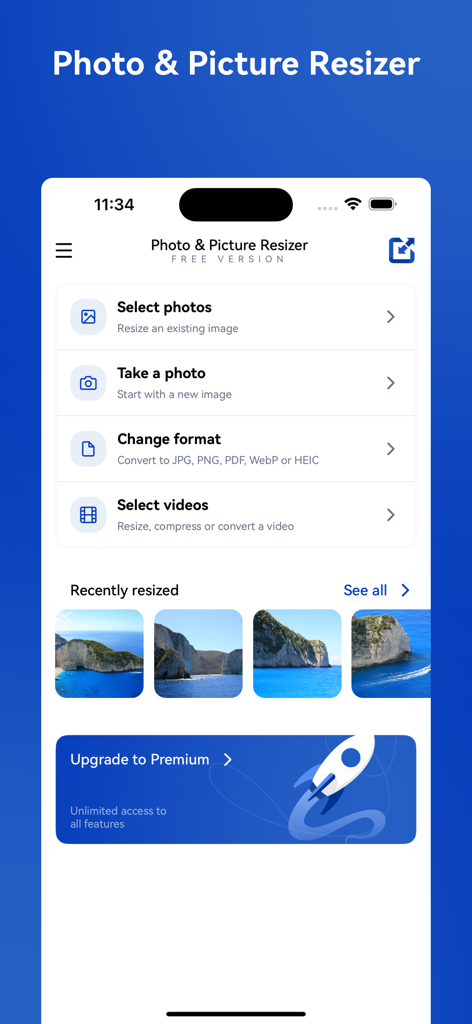
사진 선택, 형식 변경, 최근 크기 조절 이미지 등 기능이 표시된 Photo and Picture Resizer 앱 홈 화면.
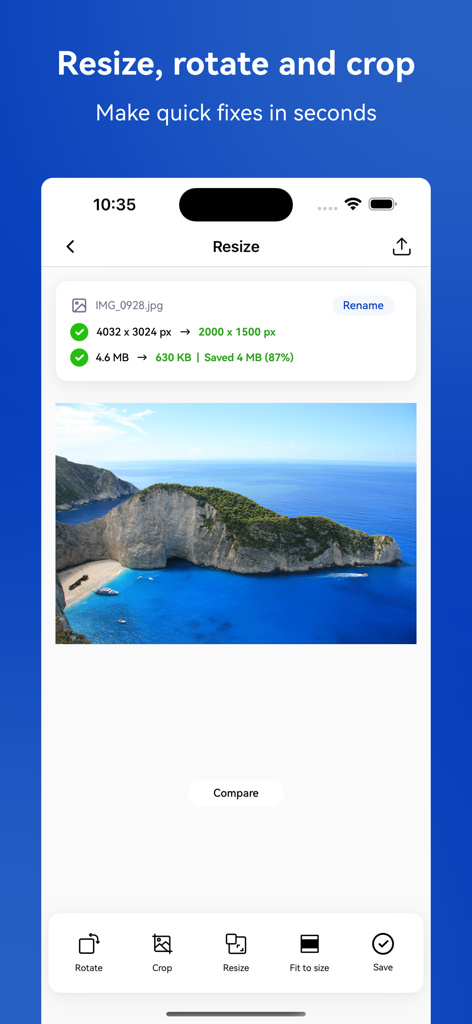
4.6MB에서 630KB로 사진 크기를 조절하고 압축하는 모바일 앱 인터페이스
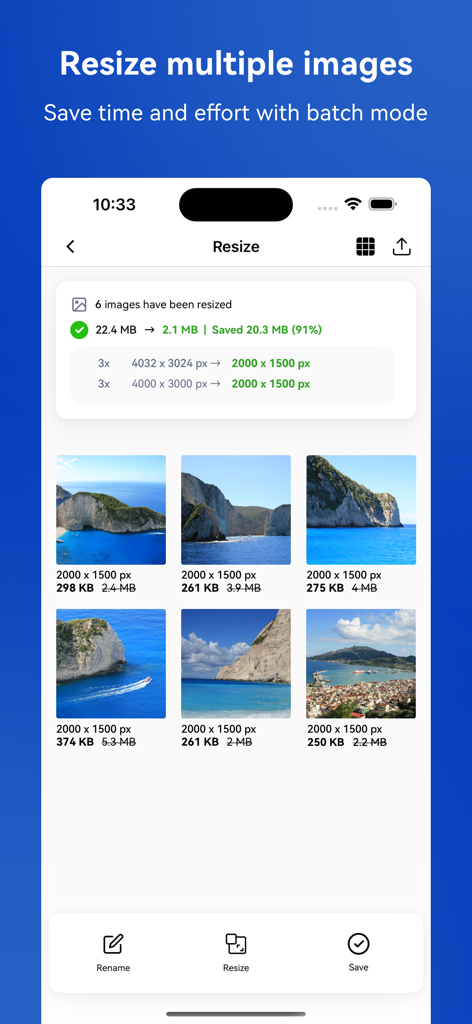
파일 크기 축소 통계와 크기 조절된 이미지 그리드가 표시된 앱의 일괄 크기 조절 기능 화면
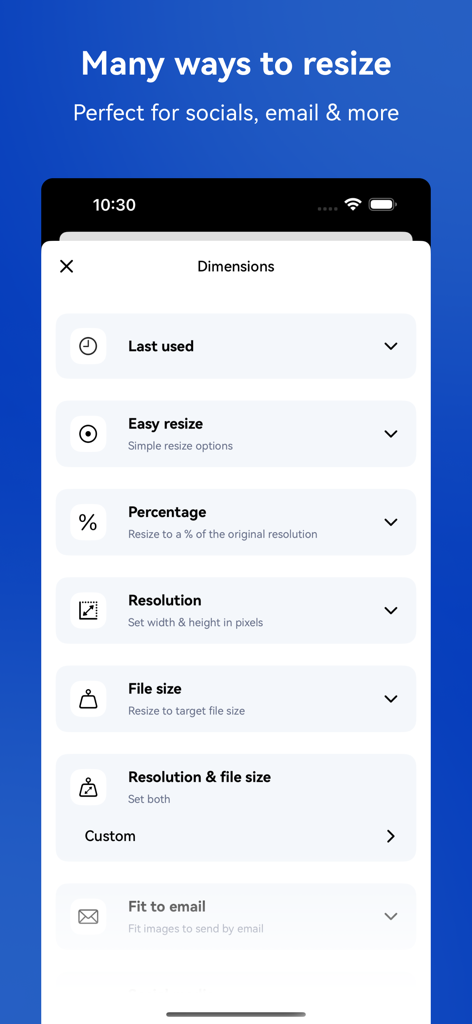
백분율 해상도 및 파일 크기 옵션을 포함한 여러 사진 크기 조절 방법을 보여주는 모바일 앱 인터페이스
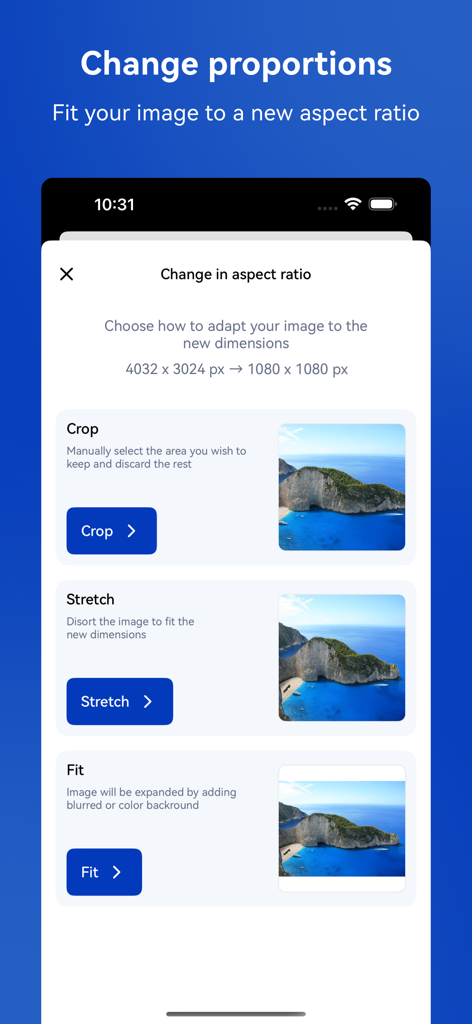
사진 종횡비를 변경하기 위한 자르기, 늘리기, 맞추기 옵션을 보여주는 모바일 앱 화면
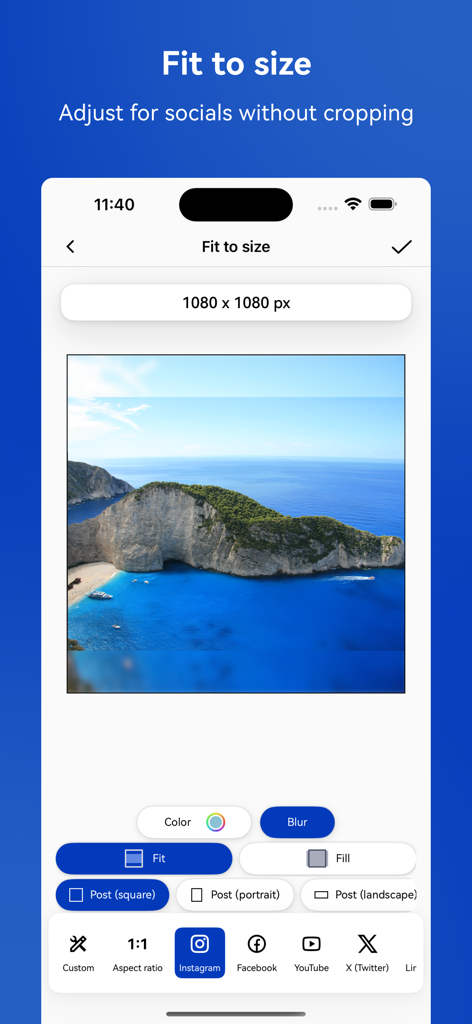
자르기 없이 소셜 미디어 플랫폼에 맞게 이미지를 조절하는 사진 리사이저 앱 인터페이스
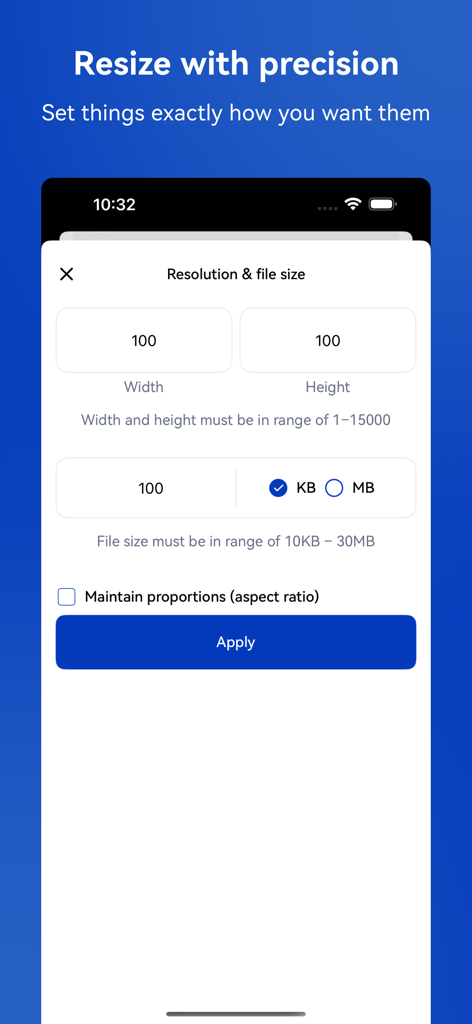
KB 또는 MB 단위로 사용자 지정 사진 해상도 및 대상 파일 크기를 설정하는 인터페이스
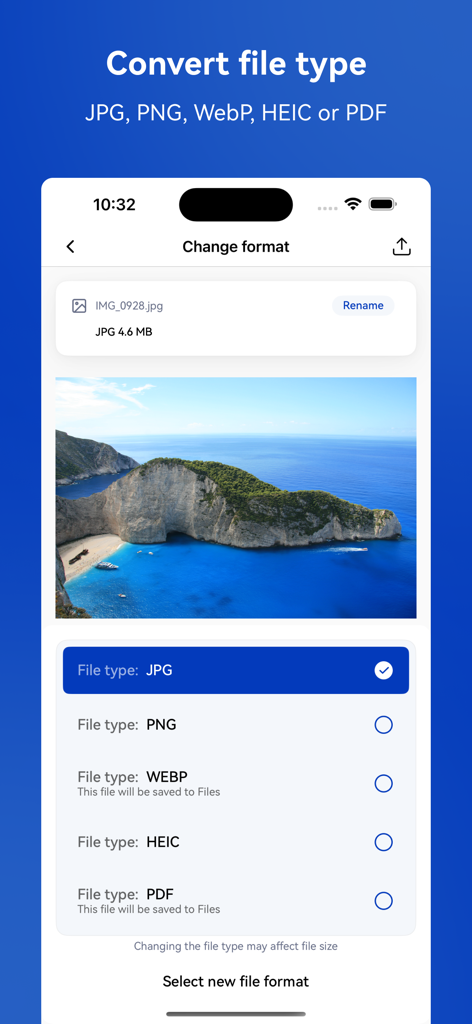
사진 파일 형식을 JPG, PNG, WEBP, HEIC 또는 PDF로 변환하는 옵션을 보여주는 앱 인터페이스
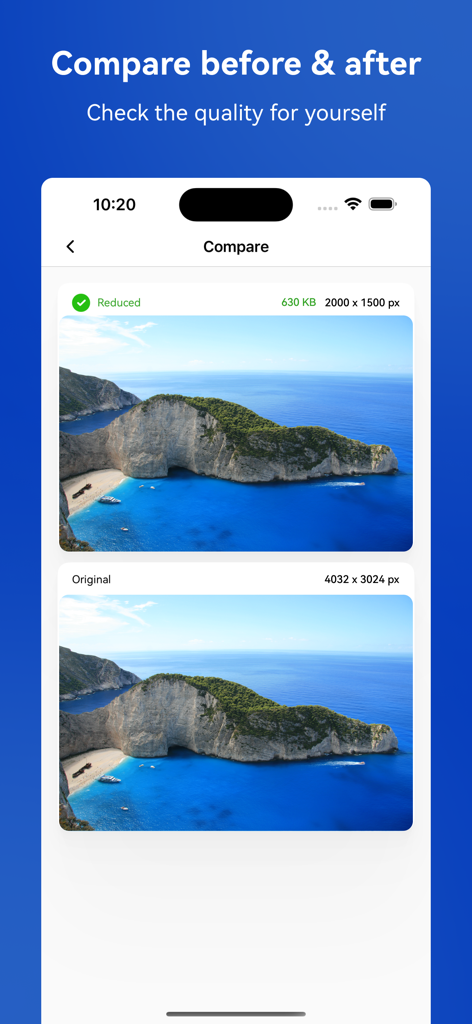
원본 및 크기 조절된 이미지를 나란히 비교하여 품질 손실이 없음을 보여줌
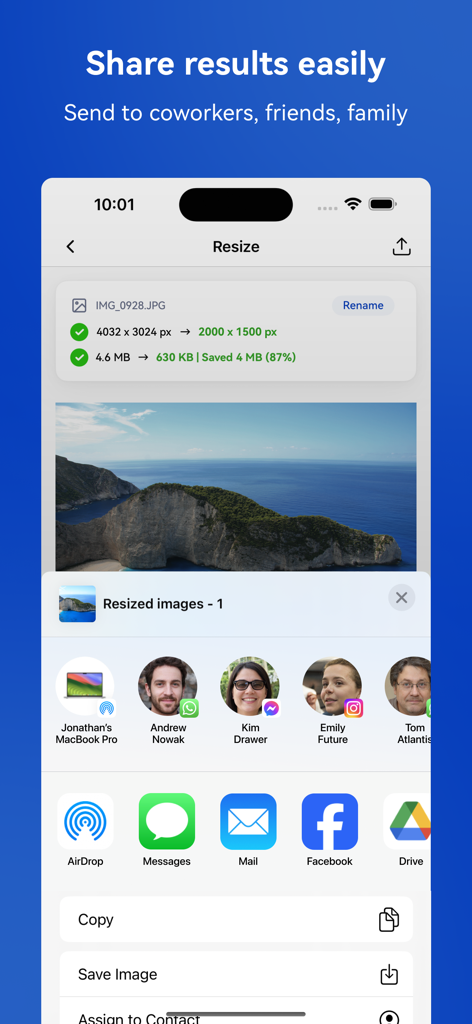
모바일 공유 메뉴를 통해 앱에서 크기 조절된 사진 공유
설명
Download
비슷한 앱
유사한 기능과 사용자 경험을 가진 앱

Square Fit Photo Video Editor
Honk Honk Punch Pty Ltd

Image Size
Vitalij Schaefer

Compress Photos & Pictures
New Marketing Lab, Inc

JPEG-PNG Image file converter
handyCloset Inc.

Compress Photos, Resize Image
SMDA GROUP SP. Z OO

Photo Resizer: resize image
Ryoichi Fukugawa

Photo Compress - Shrink Pics
Brachmann Online Marketing GmbH & Co. KG

Size Image
Abdullah Albalawi

Easy Photo Compressor
Osawa Shunsuke
이 페이지는 앱이나 개발자의 공식 페이지가 아니며, 정보 제공 및 논평을 목적으로 작성된 독립 편집 간행물입니다. 명시적으로 달리 언급되지 않는 한, 해당 앱이나 개발자는 MWM, Apple, Google Play, 앱 퍼블리셔 또는 앱 개발자와 제휴, 보증, 후원, 승인 또는 공식적으로 연결되어 있지 않으며, 이 페이지의 어떤 내용도 해당 앱이 MWM의 서비스를 사용하여 개발되었음을 의미하지 않습니다. 모든 상표, 로고, 스크린샷 및 기타 콘텐츠는 해당 소유자의 자산입니다.