
이 페이지는 앱이나 개발자의 공식 페이지가 아니며, 정보 제공 및 논평을 목적으로 작성된 독립 편집 간행물입니다. 명시적으로 달리 언급되지 않는 한, 해당 앱이나 개발자는 MWM, Apple, Google Play, 앱 퍼블리셔 또는 앱 개발자와 제휴, 보증, 후원, 승인 또는 공식적으로 연결되어 있지 않으며, 이 페이지의 어떤 내용도 해당 앱이 MWM의 서비스를 사용하여 개발되었음을 의미하지 않습니다. 모든 상표, 로고, 스크린샷 및 기타 콘텐츠는 해당 소유자의 자산입니다.


Compress Photos, Resize Image
당신의 사진은 디지털 세상의 거대한 짐이 아닙니다. 이 앱은 당신에게 압축과 크기 조절을 통해 그 짐을 던져버릴 힘을 줍니다.
다운로드
50k+사용자 평점
총 평가 수
560개발사
카테고리
Utilities지원 언어
37최신 버전
1.18크기
63.8 MB출시일
2024년 10월 12일이 도구는 모바일 사용자, 캐주얼 사진작가, 소셜 미디어 사용자 및 콘텐츠 제작자를 위해 이미지 관리 및 최적화를 간소화합니다.
Compress Photos, Resize Image 앱 분석
사진 압축
이 도구는 품질 저하 없이 이미지 파일 크기를 줄여 저장 공간을 절약하고 공유를 용이하게 합니다.
쉬운 인터페이스
이 앱은 초보자도 쉽게 사용할 수 있도록 빠르고 직관적인 사용자 인터페이스를 제공합니다.
이미지 크기 조정
이 앱은 소셜 미디어, 웹사이트 또는 기타 요구 사항에 맞춰 사진의 크기를 조절할 수 있게 해줍니다.
일괄 처리
사용자는 여러 장의 사진을 한 번에 압축하고 크기를 조정하여 시간을 절약할 수 있습니다.
미리보기 및 비교
이 앱은 사용자가 저장하기 전에 압축 또는 크기 조정 결과를 원본과 나란히 비교하여 확인할 수 있는 기능을 제공합니다.
다양한 형식 지원
이 도구는 JPEG 및 PNG와 같은 널리 사용되는 이미지 형식을 지원하여 다양한 파일 유형을 처리할 수 있습니다.
자주 묻는 질문
에 대해 알아야 할 모든 것 Compress Photos, Resize Image
How does "Compress Photos, Resize Image" reduce photo file size?
Compress Photos, Resize Image reduces file sizes by compressing images while maintaining sharpness and clarity. This helps optimize photos for web use and save storage space without quality loss.
Can I resize images with the Compress Photos, Resize Image app?
Yes, you can resize images with the "Compress Photos, Resize Image" app. It allows users to adjust photo dimensions to fit various requirements, such as social media or websites.
Does "Compress Photos, Resize Image" support batch processing?
Yes, "Compress Photos, Resize Image" supports batch processing. Users can compress and resize multiple photos simultaneously, saving significant time.
What image formats does "Compress Photos, Resize Image" support?
"Compress Photos, Resize Image" supports popular image formats. These include JPEG and PNG, providing flexibility for various image types and uses.
Can I preview the compression results before saving in "Image Compressor & Resizer"?
Yes, "Image Compressor & Resizer" allows users to preview and compare results side by side before saving. This feature ensures satisfaction with the compressed or resized output.
What is the estimated compressed size when using "Compress Photos, Resize Image"?
"Compress Photos, Resize Image" provides an estimated compressed size before processing. For example, three images totaling 7.19 MB can be estimated to compress to 0.18 MB.
How do subscriptions work for the "Compress Photos, Resize Image" app?
"Compress Photos, Resize Image" offers subscriptions that automatically renew. Payment is charged to your Apple ID upon purchase confirmation, and renewals occur 24 hours before the current period ends.
How do I cancel a subscription for "Compress Photos, Resize Image"?
You can cancel your "Compress Photos, Resize Image" subscription at any time. Manage subscriptions and turn off auto-renewal after purchase by going to your App Store account settings.
Does "Compress Photos, Resize Image" offer a free trial?
Yes, "Compress Photos, Resize Image" may offer a free trial. If a trial is provided, the subscription automatically renews after 3 days unless cancelled before the trial period concludes.
Can "Compress Photos, Resize Image" remove the background from images?
Yes, "Compress Photos, Resize Image" includes a feature to remove backgrounds from images. This functionality is accessible directly from the app's home screen.
Does "Compress Photos, Resize Image" preserve the aspect ratio when resizing?
Yes, "Compress Photos, Resize Image" offers the option to preserve the aspect ratio during resizing. A toggle button is available on the resize screen to control this feature.
다음 스크린샷과 설명은 앱의 공식 스토어 목록에서 직접 가져온 것이며 앱 개발자의 자산입니다.
앱 스토어
스크린샷

이 앱의 직관적인 메인 화면은 "COMPRESS" 및 "RESIZE" 버튼을 통해 핵심 기능을 명확하게 보여주며, 하단에는 앱의 높은 사용자 평점(4.9점)이 표시되어 신뢰감을 더합니다.
쉬운 사진 관리
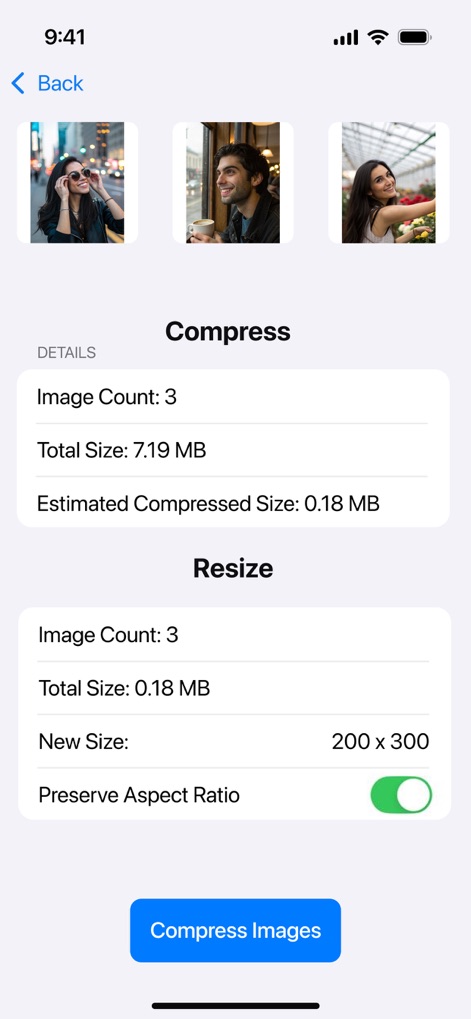
사용자는 압축 전 총 이미지 크기(7.19 MB)와 압축 후 예상 크기(0.18 MB)를 비교하여, 여러 이미지를 일괄 처리하기 전 결과를 미리 확인할 수 있습니다.
압축 및 크기 조절
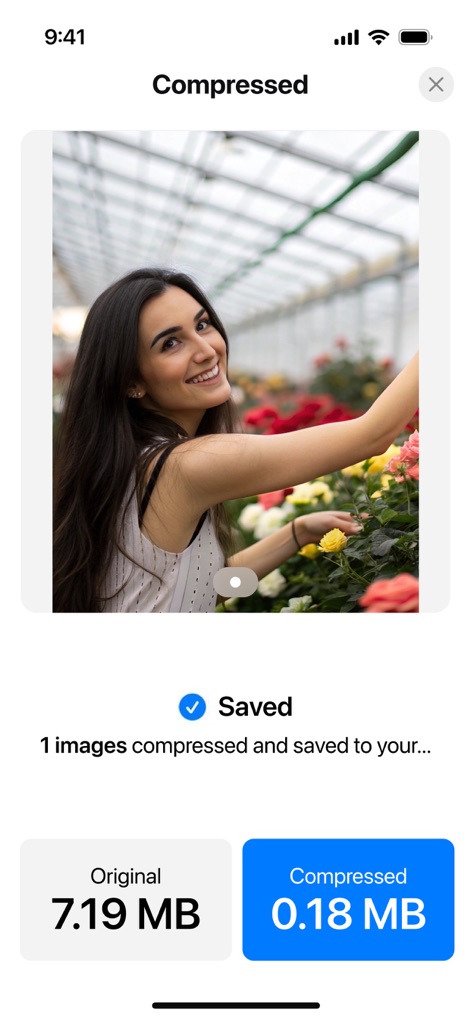
성공적으로 압축된 이미지는 원본 파일 크기(7.19 MB)와 압축 후 파일 크기(0.18 MB)를 시각적으로 대조하여 용량 절감 효과를 명확하게 보여줍니다.
한눈에 보는 절약
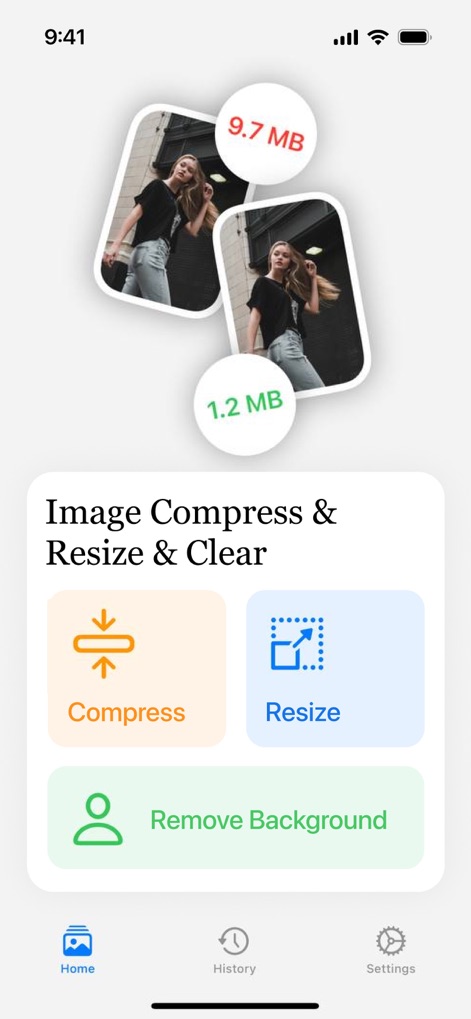
이 앱은 "Compress", "Resize", "Remove Background" 버튼을 통해 다양한 이미지 관리 기능을 제공하며, 원본 및 최적화된 이미지 파일 크기(예: 9.7 MB와 1.2 MB)를 시각적으로 비교합니다.
다재다능한 기능
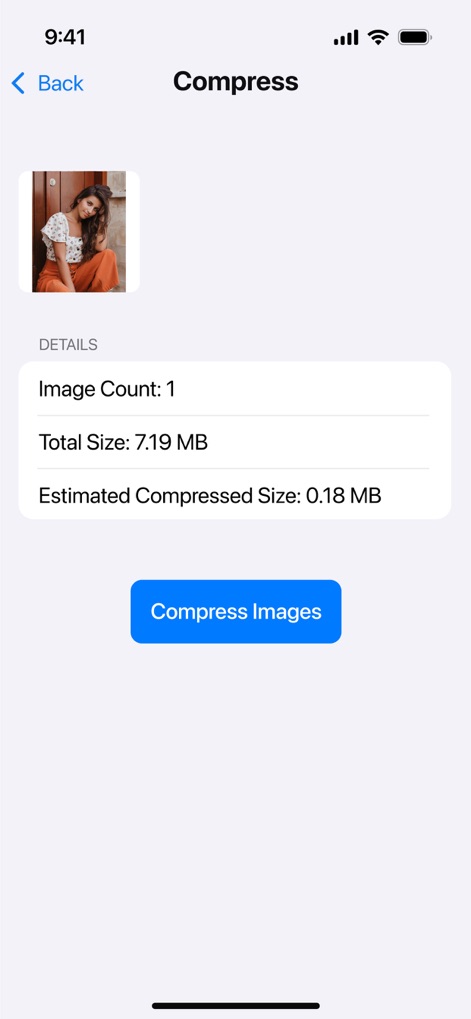
사용자는 선택한 단일 이미지의 총 크기(7.19 MB)와 예상 압축 크기(0.18 MB)를 상세히 확인하고, 최적화 과정을 시작할 수 있습니다.
개별 이미지 압축
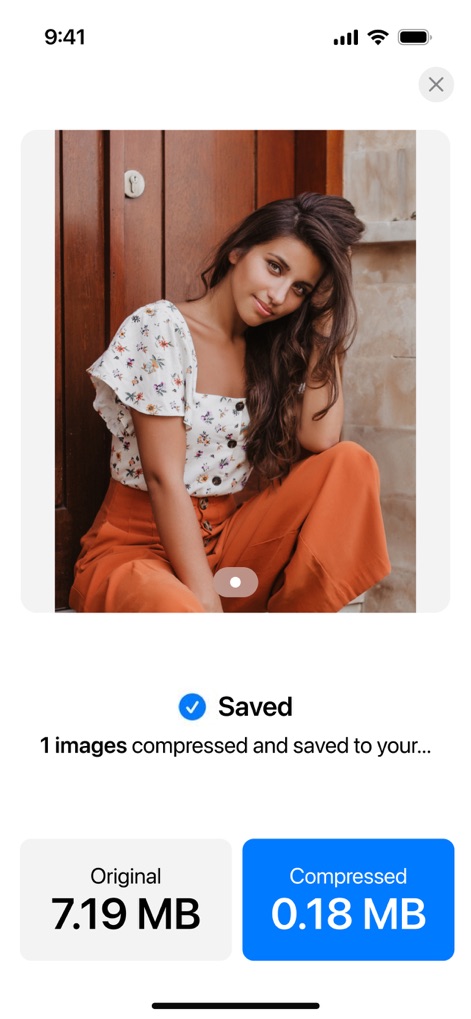
압축 후, 원본 파일 크기(7.19 MB)와 압축된 파일 크기(0.18 MB)가 명확히 비교되어, 이미지 품질 저하 없이 효과적으로 용량을 절감했음을 보여줍니다.
품질 유지, 용량 절감
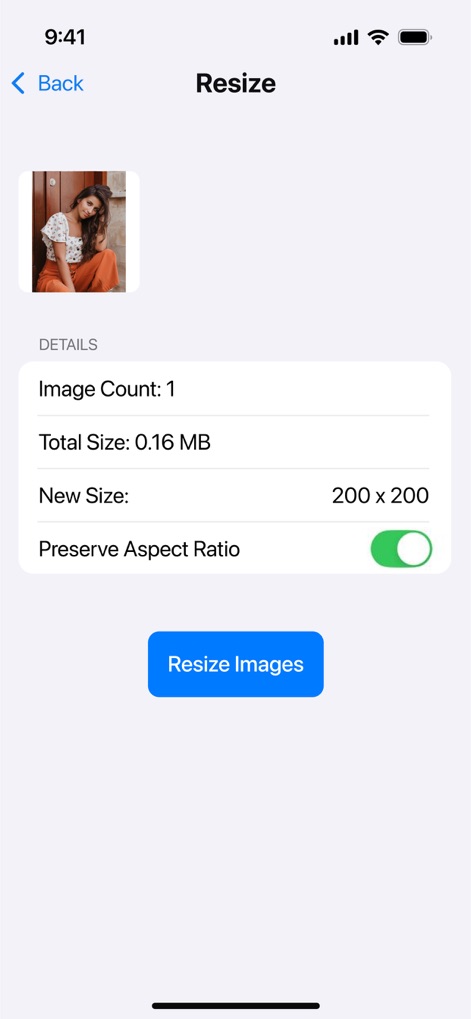
사용자는 새로운 이미지 크기(200x200)를 직접 설정하고, "Preserve Aspect Ratio" 토글을 사용하여 이미지의 비율을 유지하며 정확하게 조절할 수 있습니다.
정밀한 크기 조절
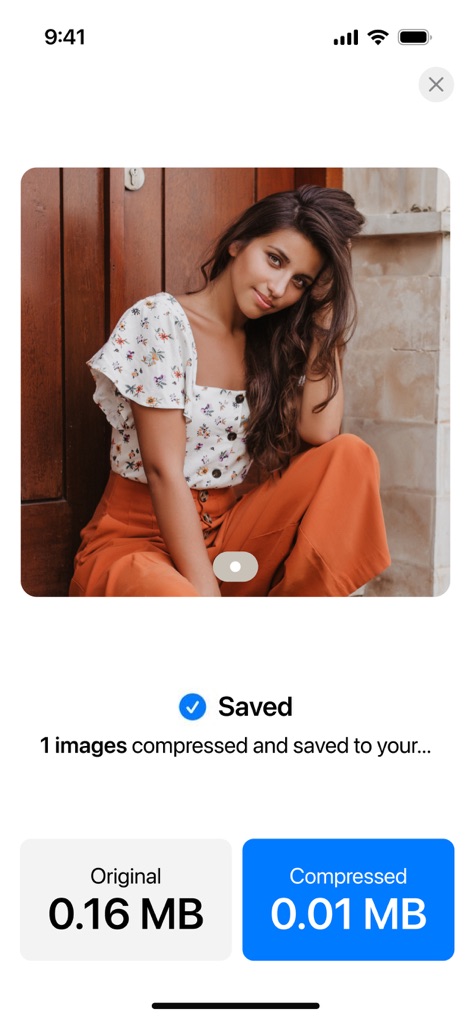
크기 조절이 완료된 이미지는 성공적으로 저장되며, 원본 크기(0.16 MB)와 최적화된 크기(0.01 MB)를 비교하여 원하는 결과물을 얻었음을 시각적으로 확인시켜 줍니다.
맞춤형 이미지 출력
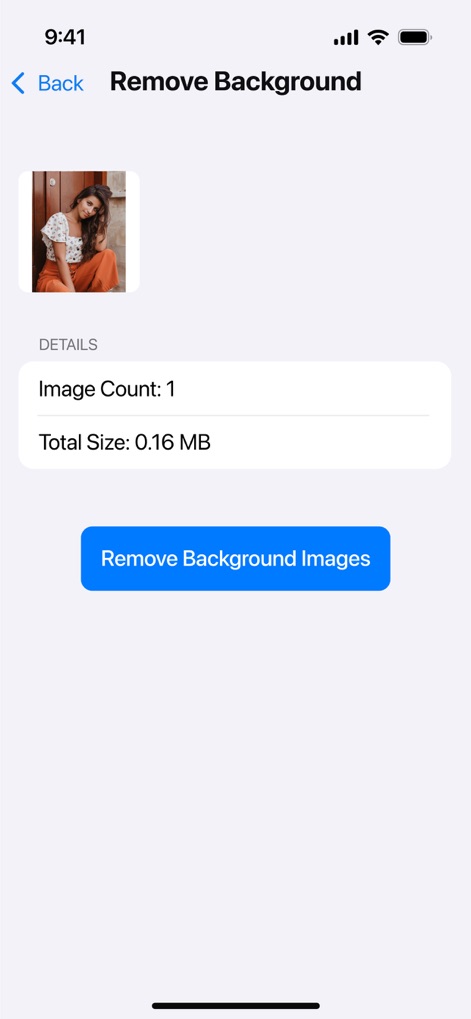
이 앱은 배경을 제거할 선택된 이미지의 총 크기(0.16 MB)를 표시하며, 사용자는 간단한 인터페이스를 통해 "Remove Background Images" 버튼으로 작업을 실행할 수 있습니다.
배경 제거 기능
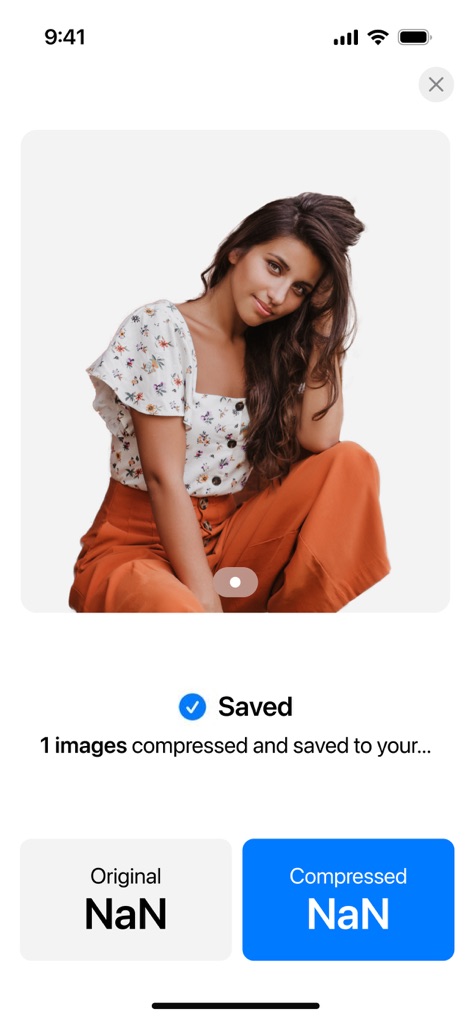
배경이 성공적으로 제거된 이미지는 단색의 배경으로 깔끔하게 처리되어 피사체에 집중하게 하며, "Saved" 체크마크로 작업 완료를 명확히 알려줍니다.
깔끔한 배경 제거
설명
Download
비슷한 앱
유사한 기능과 사용자 경험을 가진 앱

Square Fit Photo Video Editor
Honk Honk Punch Pty Ltd

Image Size
Vitalij Schaefer

Compress Photos & Pictures
New Marketing Lab, Inc

JPEG-PNG Image file converter
handyCloset Inc.

Photo Resizer: resize image
Ryoichi Fukugawa

Photo Compress - Shrink Pics
Brachmann Online Marketing GmbH & Co. KG

Size Image
Abdullah Albalawi

Photo & Picture Resizer
Farluner Apps Grzegorz Balcerzak

Easy Photo Compressor
Osawa Shunsuke
이 페이지는 앱이나 개발자의 공식 페이지가 아니며, 정보 제공 및 논평을 목적으로 작성된 독립 편집 간행물입니다. 명시적으로 달리 언급되지 않는 한, 해당 앱이나 개발자는 MWM, Apple, Google Play, 앱 퍼블리셔 또는 앱 개발자와 제휴, 보증, 후원, 승인 또는 공식적으로 연결되어 있지 않으며, 이 페이지의 어떤 내용도 해당 앱이 MWM의 서비스를 사용하여 개발되었음을 의미하지 않습니다. 모든 상표, 로고, 스크린샷 및 기타 콘텐츠는 해당 소유자의 자산입니다.