
이 페이지는 앱이나 개발자의 공식 페이지가 아니며, 정보 제공 및 논평을 목적으로 작성된 독립 편집 간행물입니다. 명시적으로 달리 언급되지 않는 한, 해당 앱이나 개발자는 MWM, Apple, Google Play, 앱 퍼블리셔 또는 앱 개발자와 제휴, 보증, 후원, 승인 또는 공식적으로 연결되어 있지 않으며, 이 페이지의 어떤 내용도 해당 앱이 MWM의 서비스를 사용하여 개발되었음을 의미하지 않습니다. 모든 상표, 로고, 스크린샷 및 기타 콘텐츠는 해당 소유자의 자산입니다.

Distance - Find My Distance
모든 거리나 면적을 정확하게 측정하세요. 농장 자재 견적부터 연료비 계산까지, 지도 데이터를 즉시 실행 가능한 통찰력으로 전환하세요.
다운로드
1M+사용자 평점
총 평가 수
6K+개발사
카테고리
Navigation지원 언어
12최신 버전
5.13.4크기
62.7 MB출시일
2011년 12월 2일모든 프로젝트를 위한 정밀 측정
거리 측정, 면적 계산, 데이터를 실행 가능한 결과로 변환하는 전문적인 도구로 단순한 매핑을 넘어서 당신의 땅, 사업 또는 피트니스에 활용하세요.
정확한 지도 그리기
돋보기 도구를 사용하여 외과 수술 수준의 정확도로 경로를 추적하여 지구 곡률을 고려하면서 모든 피트와 에이커를 계산하세요.
스마트 사용자 지정 계수
측정값을 실제 세계 가치로 변환하세요. 특정 거리나 면적을 기반으로 필요한 연료, 살충제 또는 자재의 양을 정확하게 계산하세요.
자주 묻는 질문
에 대해 알아야 할 모든 것 Distance - Find My Distance
지도에서 "Distance - Find My Distance"는 어떻게 거리를 측정하나요?
"Distance - Find My Distance" 앱은 사용자가 화면을 터치하여 지도에 경로를 그림으로써 거리를 측정합니다. 정밀한 그리기를 위한 확대경 도구를 사용하며 즉시 길이를 계산합니다.
"Distance - Find My Distance" 앱으로 면적을 측정할 수 있나요?
네, "Distance - Find My Distance" 앱에는 면적 측정 기능이 포함되어 있습니다. 사용자는 면적과 거리 계산 간에 전환하고 지도에 도형을 그려 면적을 측정할 수 있습니다.
"Distance - Find My Distance"는 정확한 측정을 위해 지구 곡률을 고려하나요?
네, "Distance - Find My Distance"는 거리 및 면적 계산 모두에 지구 곡률을 고려합니다. 이는 모든 측정에서 최대한의 정확성을 보장합니다.
"Distance - Find My Distance" 앱의 사용자 지정 계수는 무엇인가요?
"Distance - Find My Distance"의 사용자 지정 계수를 통해 사용자는 자체 단위를 설정할 수 있습니다. 이를 통해 거리에서 소모된 칼로리 또는 면적에 필요한 살충제 추정과 같은 고급 계산이 가능합니다.
"Distance - Find My Distance"에서 측정 결과를 어떻게 공유하나요?
사용자는 "공유" 버튼을 탭하여 "Distance - Find My Distance"에서 측정 결과를 공유할 수 있습니다. 이렇게 하면 트위터, 카메라 롤, 이메일과 같은 플랫폼으로 스크린샷이 내보내집니다.
"Distance - Find My Distance"의 구독 비용은 얼마인가요?
"Distance - Find My Distance"의 구독료는 미국에서 월 1.99달러, 6개월에 9.99달러, 연간 17.99달러입니다. 가격은 스토어 위치에 따라 다릅니다.
"Distance - Find My Distance" 구독을 어떻게 관리하거나 취소하나요?
사용자는 구매 후 iTunes 계정 설정을 통해 "Distance - Find My Distance" 구독을 관리합니다. 자동 갱신은 거기서 비활성화할 수 있습니다. 그러나 활성 기간 중에는 구독을 취소할 수 없습니다.
"Distance - Find My Distance"는 특정 주소나 좌표를 찾을 수 있나요?
네, "Distance - Find My Distance"에는 "검색" 버튼이 포함되어 있습니다. 사용자는 좌표, 장소 이름, 도시, 주, 국가를 입력하여 지도에서 특정 위치를 찾을 수 있습니다.
"Distance - Find My Distance"의 무료 버전에서 사용자 지정 계수를 완전히 사용할 수 있나요?
아니요, "Distance - Find My Distance"의 사용자 지정 계수는 무료 버전에서 제한이 있습니다. 무료 버전은 최대 두 개의 사용자 지정 단위만 허용하는 반면, 구독은 모든 기능을 잠금 해제합니다.
Distance - Find My Distance 앱은 어떤 고급 검색 옵션을 제공하나요?
Distance - Find My Distance 앱은 고급 위치 검색 옵션을 제공합니다. 사용자는 위치 이름으로 검색하거나, 다양한 좌표 형식(Lat Lon Auto, DD, DMS), Geohash/MGRS/QTH 또는 NACS를 입력할 수 있습니다.
다음 스크린샷과 설명은 앱의 공식 스토어 목록에서 직접 가져온 것이며 앱 개발자의 자산입니다.
앱 스토어
스크린샷
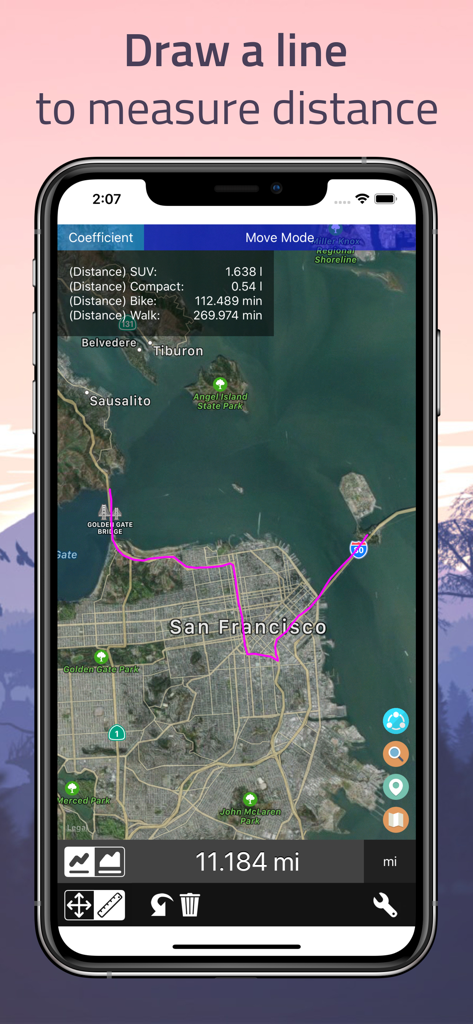
샌프란시스코 지도에 그려진 분홍색 경로를 보여주는 스마트폰 화면으로 거리를 측정합니다
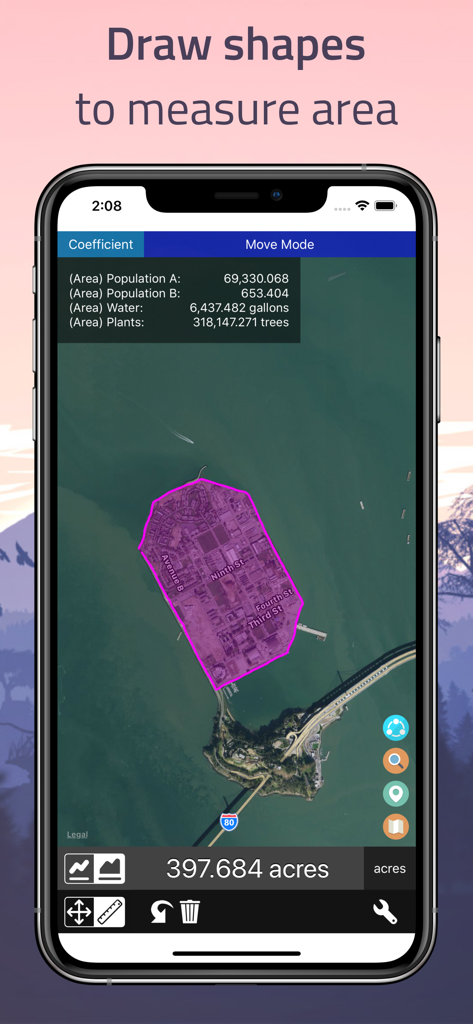
397 에이커의 면적 측정값을 보여주는 손으로 그린 지도 영역이 있는 거리 앱 스크린샷입니다.
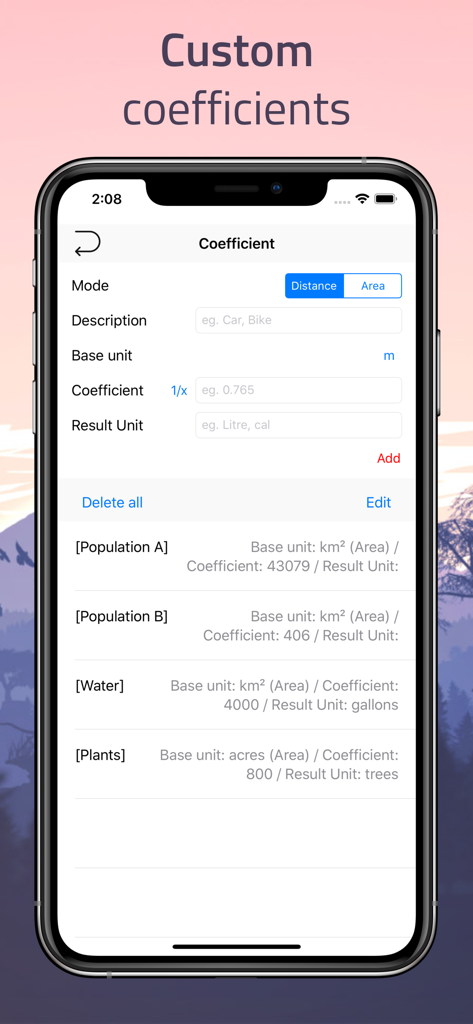
지도 측정을 통해 물 갤런 또는 식물 수와 같은 값을 계산하기 위한 사용자 지정 계수 설정 화면을 보여주는 거리 앱 스크린샷입니다.
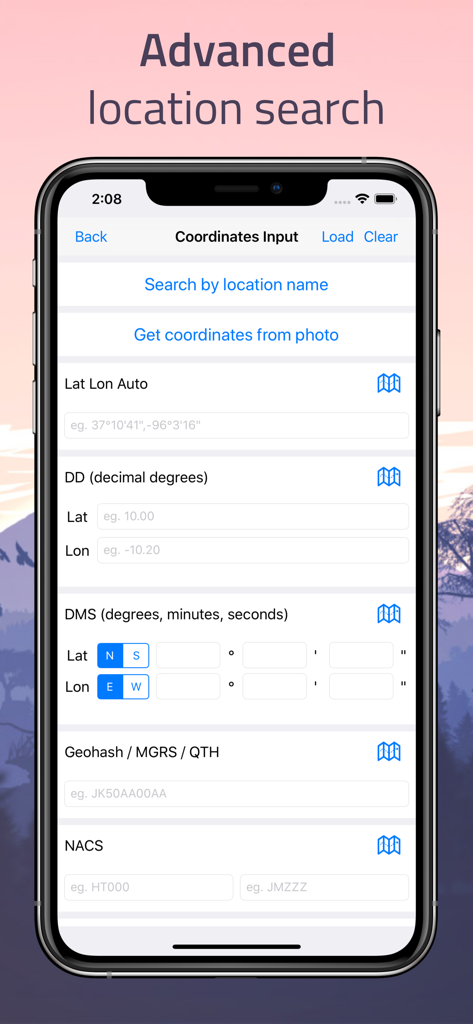
십진수 도수 및 DMS와 같은 다양한 좌표 입력 형식을 보여주는 고급 위치 검색 화면
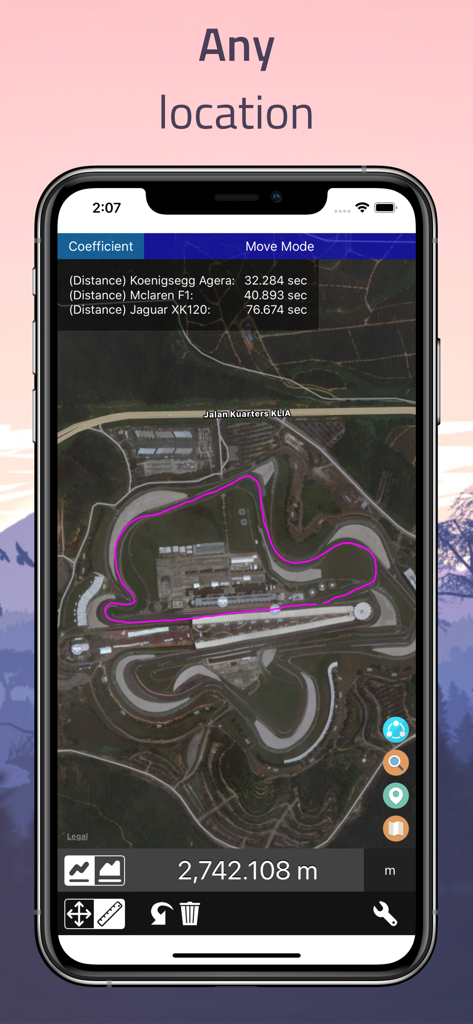
자동차 성능 계산과 함께 거리 앱에서 위성 지도에 측정된 경로를 보여주는 iPhone 스크린샷
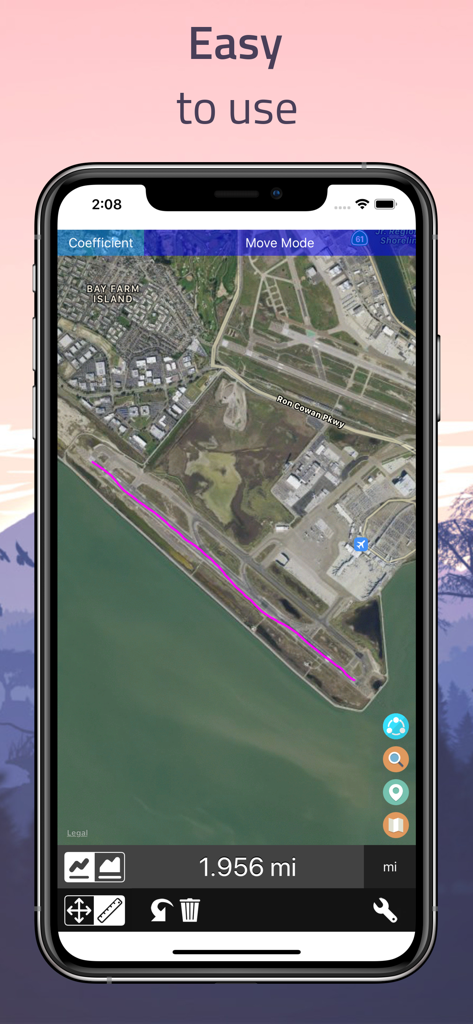
거리 찾기 앱에서 측정된 1.956마일 경로의 위성 지도 보기
설명
Download
비슷한 앱
유사한 기능과 사용자 경험을 가진 앱

Field MapS - Measure Land GPS
Aleksei Metelkin

Field Area MeasureーLand Parcel
Irina Metelkina
FieldCalc - GPS Area Measure
Pravin Gondaliya

GPS Fields Area Measure Map
Rento UAB
Geo Field Area - GPS Measure
STOMBERG s.r.o
GLand: GPS Field Area Measure
Authai Yaprasat
Area & Distance - Map Measure
Mapnitude Company Limited

Measure Map
Xuan Luong Do

Field Area Measure
Yaroslav Babenko
이 페이지는 앱이나 개발자의 공식 페이지가 아니며, 정보 제공 및 논평을 목적으로 작성된 독립 편집 간행물입니다. 명시적으로 달리 언급되지 않는 한, 해당 앱이나 개발자는 MWM, Apple, Google Play, 앱 퍼블리셔 또는 앱 개발자와 제휴, 보증, 후원, 승인 또는 공식적으로 연결되어 있지 않으며, 이 페이지의 어떤 내용도 해당 앱이 MWM의 서비스를 사용하여 개발되었음을 의미하지 않습니다. 모든 상표, 로고, 스크린샷 및 기타 콘텐츠는 해당 소유자의 자산입니다.