
이 페이지는 앱이나 개발자의 공식 페이지가 아니며, 정보 제공 및 논평을 목적으로 작성된 독립 편집 간행물입니다. 명시적으로 달리 언급되지 않는 한, 해당 앱이나 개발자는 MWM, Apple, Google Play, 앱 퍼블리셔 또는 앱 개발자와 제휴, 보증, 후원, 승인 또는 공식적으로 연결되어 있지 않으며, 이 페이지의 어떤 내용도 해당 앱이 MWM의 서비스를 사용하여 개발되었음을 의미하지 않습니다. 모든 상표, 로고, 스크린샷 및 기타 콘텐츠는 해당 소유자의 자산입니다.


Drawing Desk: Sketch Paint Art
이 앱은 당신의 내면의 예술가를 해방시키는 무기가 됩니다. 단지 그림을 그리는 것을 넘어, 상상력을 현실로 바꾸는 힘을 제공합니다.
다운로드
2.5M+사용자 평점
총 평가 수
27.8K개발사
카테고리
Graphics & Design지원 언어
14최신 버전
7.5.7크기
235.9 MB출시일
2017년 7월 26일'Drawing Desk: Sketch Paint Art' 핵심 기능 분석
테크 분석 보고서: Drawing Desk
종합 드로잉 및 페인팅 도구
이 앱은 105개 이상의 정밀한 드로잉 도구, 맞춤형 브러시 설정, 다양한 캔버스, 텍스트 추가, 회전 및 스케일링, 눈금자, 도형 등 광범위한 기능을 제공하여 사용자의 창의적인 표현을 지원합니다.
고급 레이어 지원
이 도구는 200개 이상의 브러시와 12가지 인기 브러시 카테고리를 포함한 고급 레이어 기능을 제공하여 복잡한 작품 제작과 편집을 용이하게 합니다. 레이어 변형, 브러시 조정, 3D 터치 호환성 등 전문적인 기능을 갖추고 있습니다.
색칠하기 책 모드
이 앱은 29가지 카테고리와 500개 이상의 이미지를 포함하는 방대한 색칠하기 책 기능을 통해 사용자에게 휴식과 창의적인 즐거움을 제공합니다. 다양한 색상 팔레트, 커뮤니티 영감, 고급 필터 및 편집 도구를 활용할 수 있습니다.
사진 기반 드로잉
이 기능은 사용자가 기존 이미지를 참조하거나 작품의 기초로 활용할 수 있도록 하여 정밀도를 높이고 창의적인 가능성을 확장합니다.
픽셀 아트 기능
이 기능은 복고풍 비디오 게임 및 8비트 그래픽을 연상시키는 정교한 디지털 아트를 제작할 수 있는 격자 기반 도구를 제공합니다. 사용자는 정밀한 픽셀 이미지, 스프라이트, 아이콘을 디자인할 수 있습니다.
만다라 드로잉
이 기능은 재생 옵션, 사용자 지정 가능한 색상, 채우기 도구 및 연필 브러시를 포함하여 차분한 드로잉 경험을 제공합니다. 사용자는 만다라 크기와 복잡성을 설정하여 창의적인 자유를 누릴 수 있습니다.
자주 묻는 질문
에 대해 알아야 할 모든 것 Drawing Desk: Sketch Paint Art
What features does Drawing Desk: Sketch Paint Art offer for digital art?
Drawing Desk: Sketch Paint Art offers 105 precise drawing tools, customizable brushes, photo import, text addition, 200 HD stickers, undo/redo, rulers, shapes, and automatic saving. It provides a comprehensive digital art experience for creativity.
Can I trace images using the Drawing Desk: Sketch Paint Art app?
Yes, Drawing Desk: Sketch Paint Art includes an 'Image Base Drawing' feature, allowing users to trace existing images. The AR Drawing mode also facilitates tracing any image and projecting AR art onto paper.
Does Drawing Desk: Sketch Paint Art offer drawing tutorials and lessons?
Yes, Drawing Desk: Sketch Paint Art provides over 1000 lessons and step-by-step tutorials to guide users in learning how to draw. It also includes features to track drawing progress.
How many brushes are available in Drawing Desk: Sketch Paint Art?
The Sketch Book feature in Drawing Desk: Sketch Paint Art provides over 200 brushes across 12 popular categories. Additionally, the Drawing Desk feature includes 105 precise drawing tools for versatile artwork.
What is the Smudge Art feature in Drawing Desk: Sketch Paint Art?
Smudge Art in Drawing Desk: Sketch Paint Art is a feature that allows users to blur and blend colors. This transforms digital canvases, capturing the essence of movement and emotion within artwork.
Does Drawing Desk: Sketch Paint Art include a coloring book?
Yes, Drawing Desk: Sketch Paint Art features a comprehensive Coloring Book. It offers 29 categories and over 500 images for coloring, alongside advanced filters and editing tools for creative expression.
What are the subscription prices for Drawing Desk: Sketch Paint Art?
Drawing Desk: Sketch Paint Art offers premium subscriptions: Weekly for $4.99, Monthly for $9.99, and Yearly for $39.99. Prices are for United States customers and may vary in other countries.
Does Drawing Desk: Sketch Paint Art provide a free trial?
Yes, Drawing Desk: Sketch Paint Art offers free trial periods for its premium subscriptions. Users can choose between a 1-week trial or a 3-day trial option to experience the app's full features.
How does the AR Drawing feature work in Drawing Desk: Sketch Paint Art?
The AR Drawing feature in Drawing Desk: Sketch Paint Art allows users to trace images, utilize the device camera for drawing, and project AR art onto physical paper for traditional drawing with digital guidance.
Can I create pixel art with Drawing Desk: Sketch Paint Art?
Yes, Drawing Desk: Sketch Paint Art includes a 'Pixel Art' feature. This grid-based tool allows users to craft intricate digital art, creating precise pixel images, sprites, and icons reminiscent of retro 8-bit graphics.
다음 스크린샷과 설명은 앱의 공식 스토어 목록에서 직접 가져온 것이며 앱 개발자의 자산입니다.
앱 스토어
스크린샷

사용자는 AR 드로잉 오버레이와 연필 도구를 활용하여 종이 캔버스 위에 어떤 이미지든 쉽게 따라 그릴 수 있습니다.
이미지 따라 그리기
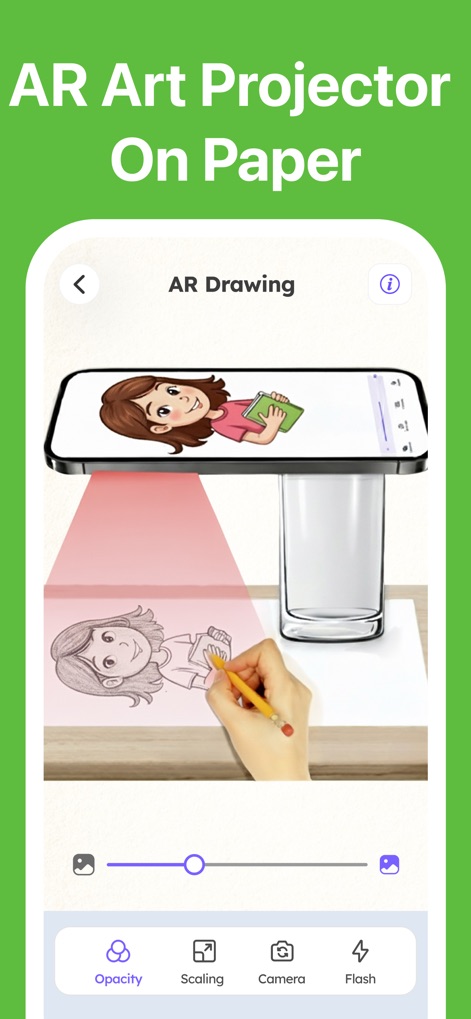
이 앱은 AR 아트 프로젝터 기능을 통해 스마트폰 화면의 이미지를 종이 위에 투사하여, 사용자가 실제 종이에서 그림을 그릴 수 있도록 돕습니다.
AR 투사로 그리기
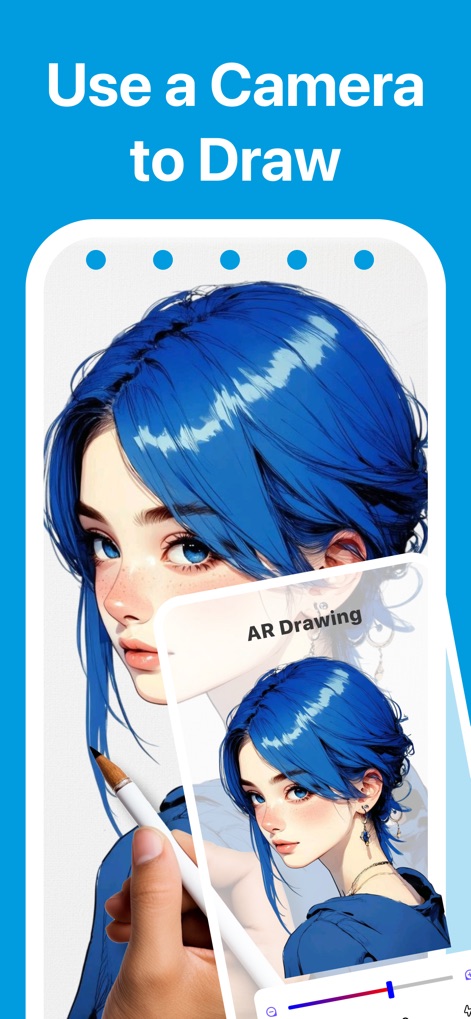
사용자는 카메라 기능을 활용하여 원하는 이미지를 참조하고, 디지털 캔버스 위에서 실제 연필 같은 도구로 정밀하게 그림을 그릴 수 있습니다.
카메라로 쉽게 그리기
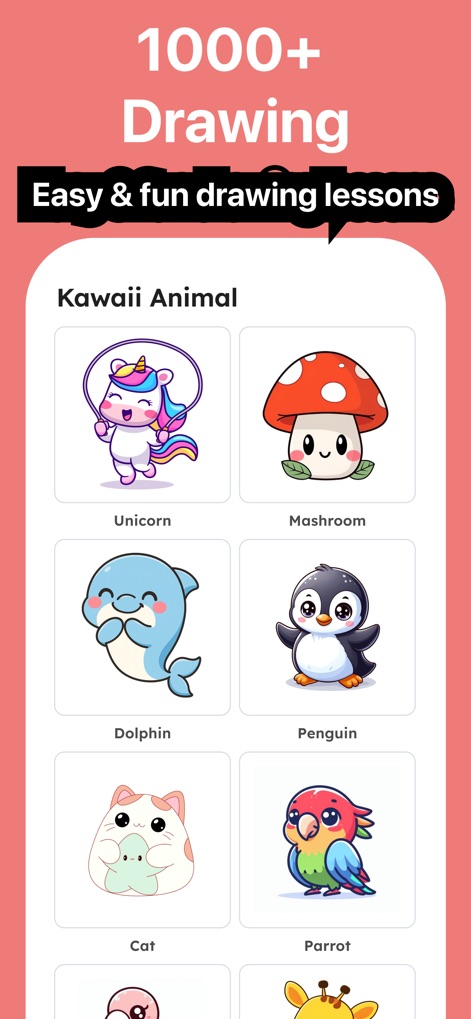
이 앱은 카와이 동물 같은 다양한 카테고리의 1000가지가 넘는 드로잉 레슨을 제공하여, 사용자가 쉽고 재미있게 그림 그리는 법을 배울 수 있습니다.
1000가지 드로잉 레슨
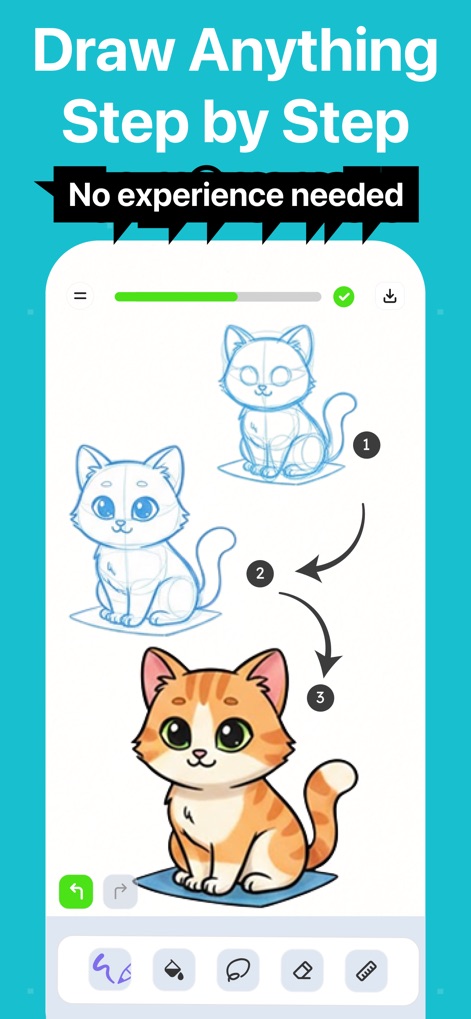
이 도구는 완전한 초보자도 귀여운 고양이를 그리는 것처럼, 각 단계가 번호로 명확히 표시된 상세한 과정을 통해 무엇이든 그릴 수 있도록 안내합니다.
단계별 드로잉 가이드
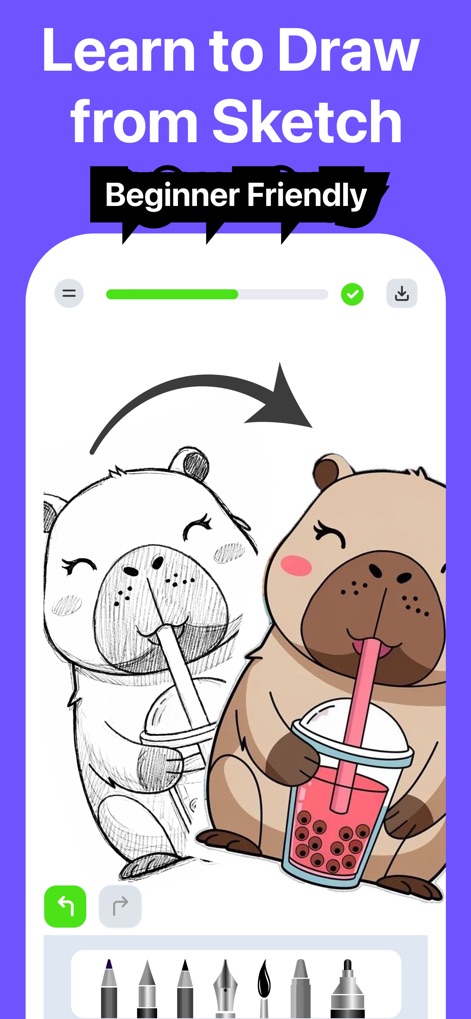
이 앱은 스케치 단계부터 채색된 완성 이미지까지, 초보자에게 친숙한 인터페이스와 다양한 드로잉 도구를 제공하여 창작 과정을 지원합니다.
스케치부터 완성까지
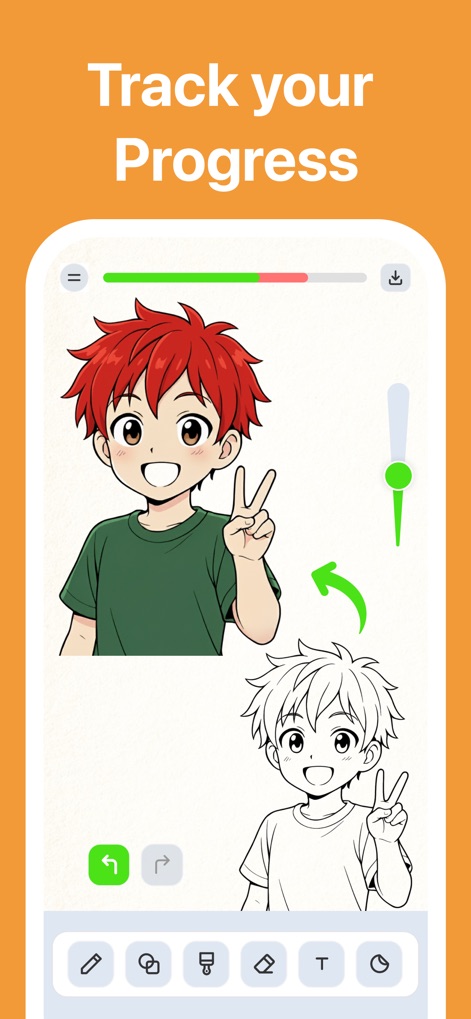
사용자는 진행 상황 표시줄과 완성된 캐릭터 이미지 및 스케치 버전을 통해 자신의 그림 실력 향상을 시각적으로 추적하고 관리할 수 있습니다.
진행 상황 추적
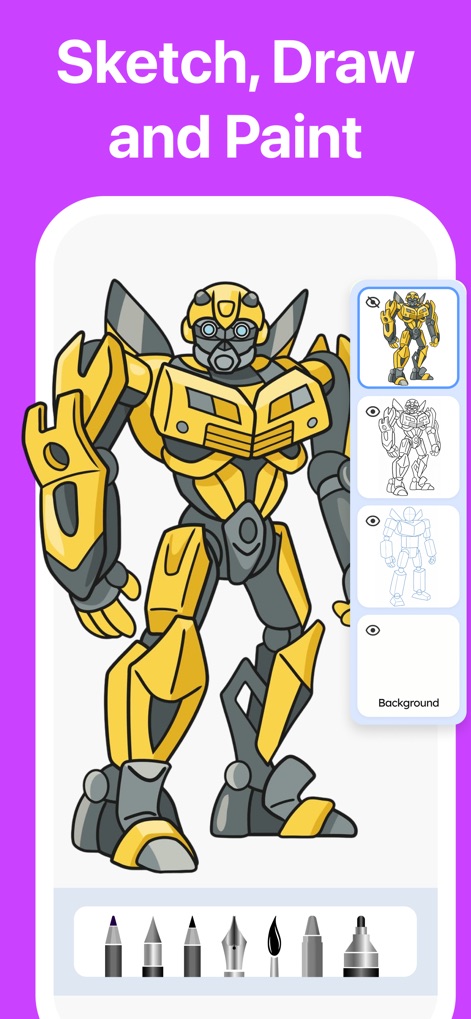
이 도구는 트랜스포머 같은 로봇의 스케치, 윤곽선, 채색 단계를 보여주는 레이어 관리 기능과 다양한 브러시 도구를 통해 복잡한 그림도 쉽게 완성할 수 있게 합니다.
스케치, 드로잉, 페인팅
설명
Download
비슷한 앱
유사한 기능과 사용자 경험을 가진 앱

Sketchbook®
Sketchbook, Inc.

Mental Canvas Draw
Mental Canvas, Inc.

ibis Paint
ibis inc.

ibis Paint X
ibis inc.

Paper: Sketch, Draw & Create
Evernote Corporation

Adobe Fresco: Draw & Paint App
Adobe Inc.

Art Set 4
Lofopi Ltd

MediBang Paint – Drawing & Art
MediBang inc.

Tayasui Sketches
SKETCHES SRL
이 페이지는 앱이나 개발자의 공식 페이지가 아니며, 정보 제공 및 논평을 목적으로 작성된 독립 편집 간행물입니다. 명시적으로 달리 언급되지 않는 한, 해당 앱이나 개발자는 MWM, Apple, Google Play, 앱 퍼블리셔 또는 앱 개발자와 제휴, 보증, 후원, 승인 또는 공식적으로 연결되어 있지 않으며, 이 페이지의 어떤 내용도 해당 앱이 MWM의 서비스를 사용하여 개발되었음을 의미하지 않습니다. 모든 상표, 로고, 스크린샷 및 기타 콘텐츠는 해당 소유자의 자산입니다.