이 페이지는 앱이나 개발자의 공식 페이지가 아니며, 정보 제공 및 논평을 목적으로 작성된 독립 편집 간행물입니다. 명시적으로 달리 언급되지 않는 한, 해당 앱이나 개발자는 MWM, Apple, Google Play, 앱 퍼블리셔 또는 앱 개발자와 제휴, 보증, 후원, 승인 또는 공식적으로 연결되어 있지 않으며, 이 페이지의 어떤 내용도 해당 앱이 MWM의 서비스를 사용하여 개발되었음을 의미하지 않습니다. 모든 상표, 로고, 스크린샷 및 기타 콘텐츠는 해당 소유자의 자산입니다.
EdrawMind: AI Mind Map, Notes
생각을 맵핑하는 더 스마트한 방법. 문서를 즉시 시각적 요약으로 변환하고, 복잡한 프로젝트를 구성하고, AI 기반 마인드맵으로 생산성을 높이세요.
엉망인 아이디어에서 몇 초 만에 전문가 수준의 마인드맵으로. EdrawMind는 고급 AI를 사용하여 생각을 정리하고, 문서를 요약하고, 창의적인 결과물을 향상시킵니다.
원클릭 AI 마인드맵
단일 프롬프트 또는 복잡한 문서를 즉시 구조화된 시각적 맵으로 변환하세요. 작가의 벽을 극복하고 수동 레이아웃 작업 없이 전체 그림을 파악하세요.
전문적인 프로젝트 레이아웃
간트 차트, 피시본 다이어그램, 타임라인을 포함한 22가지 전문 구조 간에 전환하세요. 중요한 프로젝트 조정 및 학술 연구에 적합합니다.
다음 스크린샷과 설명은 앱의 공식 스토어 목록에서 직접 가져온 것이며 앱 개발자의 자산입니다.
앱 스토어
스크린샷
EdrawMind 크로스 플랫폼 마인드맵 앱이 iPhone 및 iPad에 표시됩니다
Apple Pencil이 있는 iPad에서 DeepSeek 통합 기능이 있는 EdrawMind AI 마인드맵
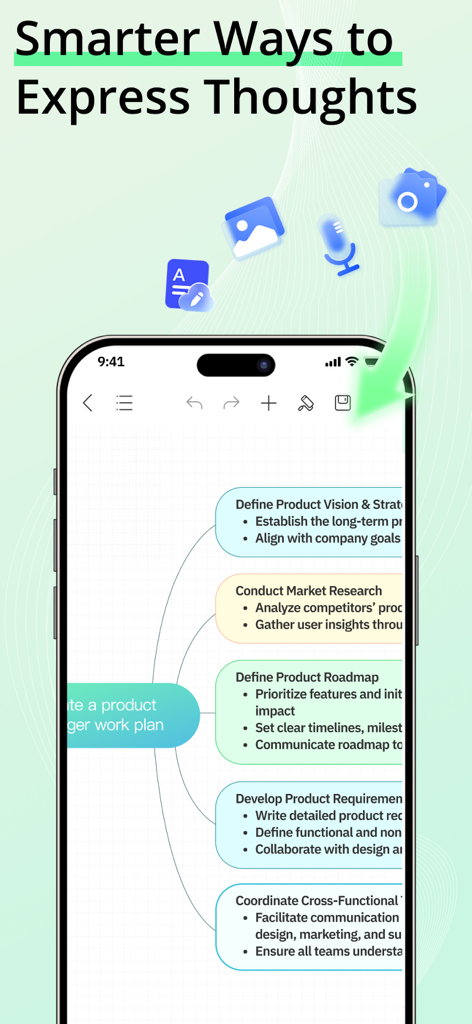
상세한 프로젝트 관리 마인드맵이 있는 EdrawMind 앱이 표시된 스마트폰 화면
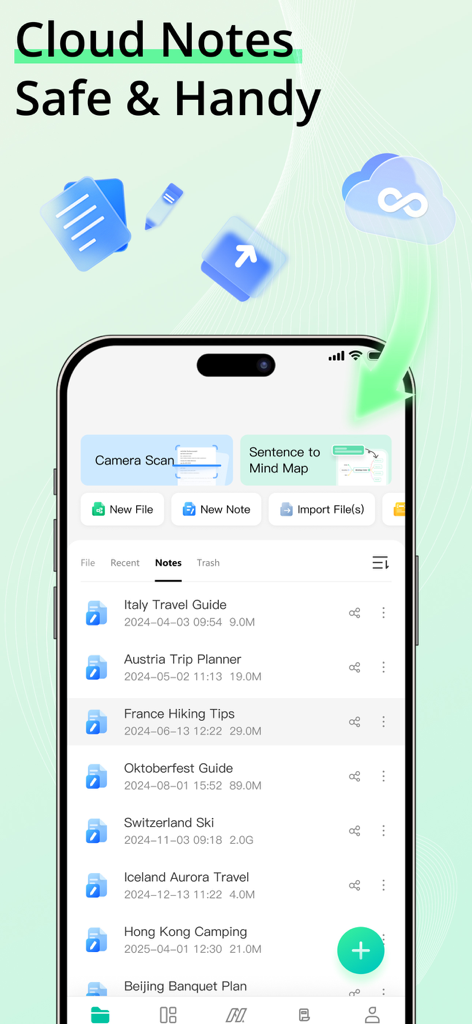
EdrawMind 모바일 앱 인터페이스에 iPhone에서 정리된 클라우드 노트 및 파일 관리 기능 목록이 표시됩니다.
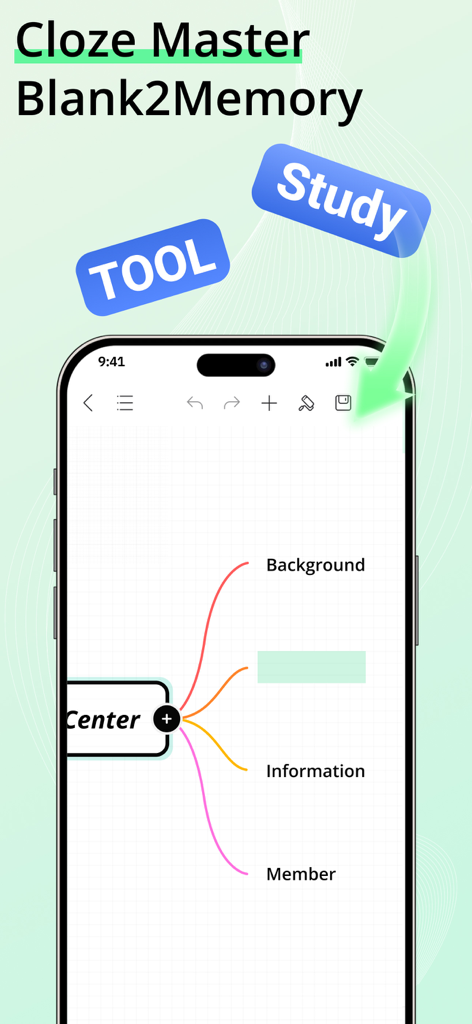
기억력 학습 기능이 있는 마인드맵을 보여주는 EdrawMind 앱 화면
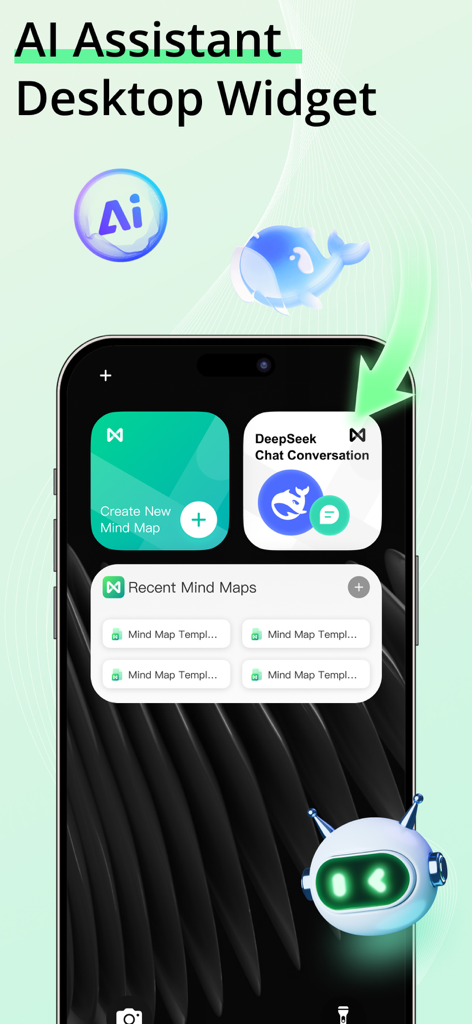
iPhone 홈 화면의 EdrawMind AI 도우미 및 마인드맵 위젯
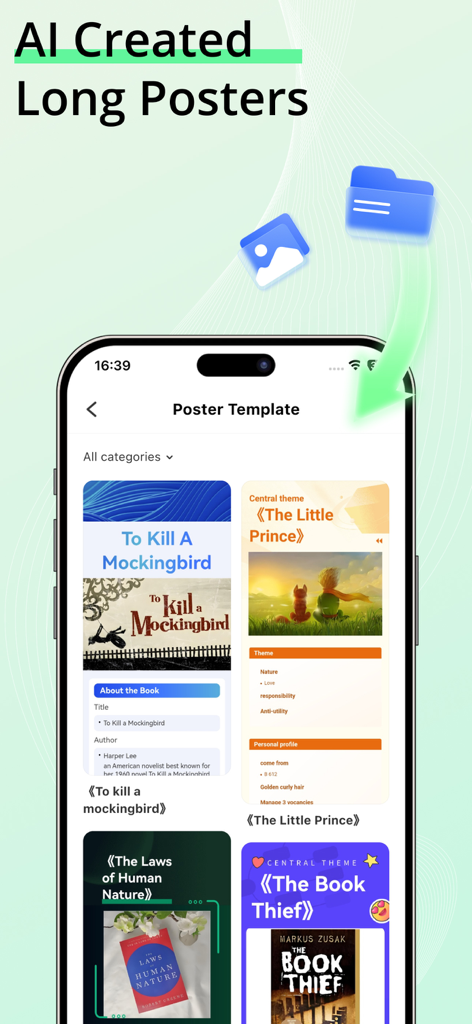
스마트폰에서 책에 대한 다양한 AI 생성 장편 포스터 템플릿을 보여주는 EdrawMind 앱 화면.
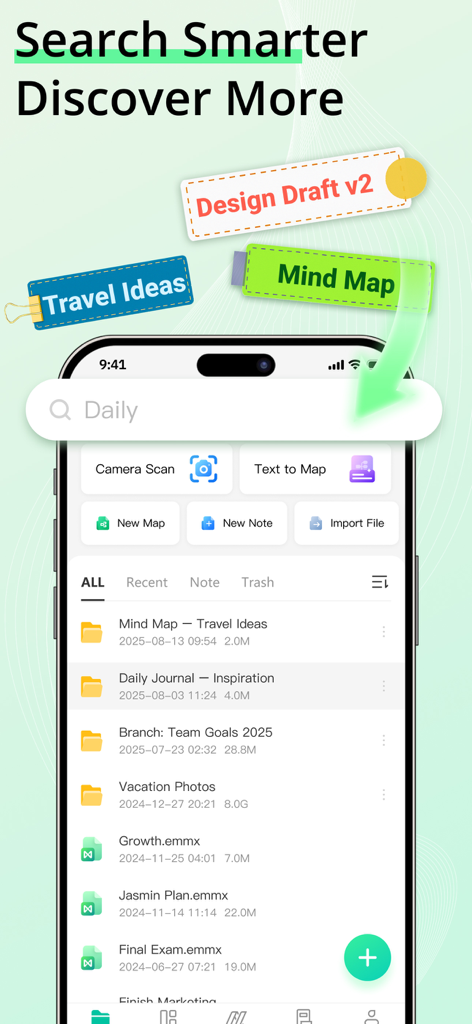
파일 검색 및 정리 기능을 보여주는 EdrawMind 모바일 인터페이스
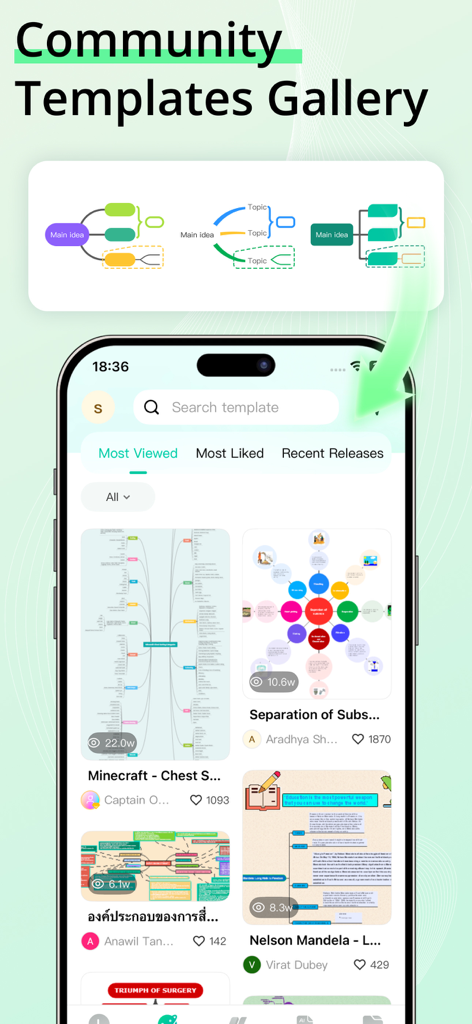
다양한 마인드맵 예시가 있는 EdrawMind 커뮤니티 템플릿 갤러리를 보여주는 휴대폰 화면.
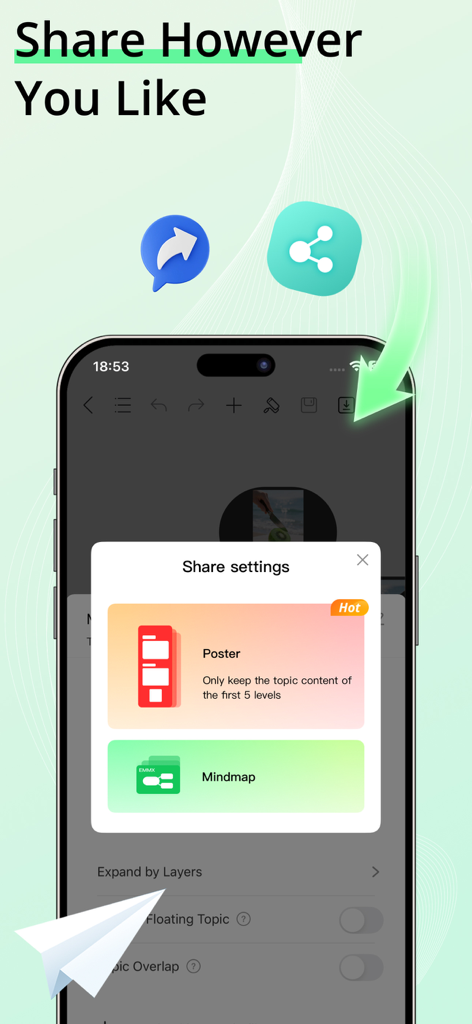
포스터 또는 마인드맵으로 공유하는 옵션을 보여주는 EdrawMind 모바일 앱 화면
설명
EdrawMind is an AI Mind Map tool that helps you generate mind maps and drawings from text, slides, or documents, and convert them into slides, audio, or video. Quickly create professional-looking mind maps with built-in templates, and share them as images or PDFs.
NEW: Cloud Notes & Smart Memory
● Cloud Notes: Securely save all your AI Mind Maps, drawings, and ideas in the cloud and access them anytime, anywhere.
● Smart Memory: Automatically track and recall key information from your AI Mind Maps to boost productivity and creative flow.
BOOST YOUR PRODUCTIVITY WITH EDRAWMIND AI
One-Click AI Mind Map
● Visualize ideas and relationships easily with AI-powered mind mapping.
● Intelligent assistant auto-organizes your AI Mind Map with one tap.
AI Summary
● Analyze, organize, and summarize content automatically, generating AI Mind Maps instantly.
● Supported file formats: PPT, WORD, PDF, HTML, TXT, Markdown.
AI Mind Map to Poster
● Transform your AI Mind Map outlines into stunning posters instantly.
● Customize poster themes effortlessly, from business to fashion, fresh to minimalistic.
AI Drawing
● Create stunning graphics with AI Drawing in seconds.
● Convert text to images or turn images into artwork using AI Drawing tools.
▶ VISUALIZE IDEAS WITH AI MIND MAPS
Templates
● Explore built-in templates and 15,000+ free user-shared templates for inspiration.
Rich Layouts & Themes
● Customize your AI Mind Map with 22 layouts, 47 themes, 750+ cliparts, and hand-drawn effects.
Structure
● 22 structures for AI Mind Maps, including mind map, concept map, bubble map, brace map, sunburst chart, timeline, tree chart, fishbone diagram, org chart, Gantt chart, spider diagram, and family tree.
Insert
● Enrich topics with images, audio notes, equations, labels, hyperlinks, topic links, drawings, etc.
Smart Formatting
● Add, delete, or move nodes, and your AI Mind Map automatically adjusts.
Outline Mode
● Edit your AI Mind Map in structured text for faster navigation.
Equation / LaTeX
● Insert mathematics and chemical equations.
Audio Note
● Record ideas instantly with Cloud Notes and never miss important thoughts.
▶ CREATE STUNNING AI MIND MAPS & AI DRAWINGS WITHOUT LIMITS
Custom Themes
● Fully customize your AI Mind Map and AI Drawing outputs.
Diversified Layouts
● Professional layouts to structure ideas and simplify complex issues.
Hand-Drawn Style
● Switch your AI Mind Map to a hand-drawn look with one click.
Colored Branches
● Stimulate creativity with rainbow-colored branches.
Stickers & Cliparts
● Over 700 cliparts, emojis, and symbols to enhance your AI Mind Map or AI Drawing.
▶ SAVE, SHARE, AND PROTECT
Import
● MindManager, FreeMind, Lighten, MindNode, Markdown, OPML, TextBundle, Word(DOCX).
Export
● PDF, PNG, Markdown, Word, Excel, PowerPoint, OPML, TextBundle.
File Sync
● Automatically sync all AI Mind Maps and Cloud Notes to iCloud.
Share
● Share your AI Mind Map or AI Drawing on social media, or download as images.
Password Protection
● Secure your AI Mind Maps, AI Drawings, and Cloud Notes with a password.
Subscription Information
Payment will be charged to your iTunes account upon confirmation of purchase. Subscriptions automatically renew unless auto-renew is turned off at least 24 hours before the end of the current period. Manage subscriptions for a seamless experience.
Privacy Policy
https://www.edrawsoft.com/mindmaster/privacy-policy.php
Terms of Service
https://www.edrawsoft.com/mindmaster/terms-of-service.php
Support:
Email: support@edrawsoft.com
X: Edraw@edrawsoft
Facebook: EdrawSoftware
이 페이지는 앱이나 개발자의 공식 페이지가 아니며, 정보 제공 및 논평을 목적으로 작성된 독립 편집 간행물입니다. 명시적으로 달리 언급되지 않는 한, 해당 앱이나 개발자는 MWM, Apple, Google Play, 앱 퍼블리셔 또는 앱 개발자와 제휴, 보증, 후원, 승인 또는 공식적으로 연결되어 있지 않으며, 이 페이지의 어떤 내용도 해당 앱이 MWM의 서비스를 사용하여 개발되었음을 의미하지 않습니다. 모든 상표, 로고, 스크린샷 및 기타 콘텐츠는 해당 소유자의 자산입니다.