OmniGraffle 3
OmniGraffle 3
다운로드: App Store

이 페이지는 앱이나 개발자의 공식 페이지가 아니며, 정보 제공 및 논평을 목적으로 작성된 독립 편집 간행물입니다. 명시적으로 달리 언급되지 않는 한, 해당 앱이나 개발자는 MWM, Apple, Google Play, 앱 퍼블리셔 또는 앱 개발자와 제휴, 보증, 후원, 승인 또는 공식적으로 연결되어 있지 않으며, 이 페이지의 어떤 내용도 해당 앱이 MWM의 서비스를 사용하여 개발되었음을 의미하지 않습니다. 모든 상표, 로고, 스크린샷 및 기타 콘텐츠는 해당 소유자의 자산입니다.

로고: OmniGraffle 3
다운로드: App Store

OmniGraffle 3

iPad와 iPhone을 강력한 워크스테이션으로 변신시키세요. 데스크톱급 도구와 완벽한 Visio 호환성을 통해 정밀한 와이어프레임, 복잡한 시스템 맵, 멋진 그래픽을 제작할 수 있습니다.

주요 수치

다운로드

467K+

사용자 평점

2.9/5

총 평가 수

400

개발사

The Omni Group

카테고리

Graphics & Design

지원 언어

11

최신 버전

3.22

크기

177.7 MB

출시일

2017년 7월 12일
기능

정밀한 도구로 복잡한 시각 정보를 마스터하세요

iPad를 와이어프레임 제작, 기술 아키텍처 및 고해상도 프로토타이핑을 위한 전문가급 워크스테이션으로 바꿔보세요.

원활한 엔터프라이즈 동기화

Visio 가져오기 및 내보내기 기능을 통해 간극을 메우고, 전문적인 다이어그램을 팀에서 즉시 사용 가능하며 플랫폼에 구애받지 않도록 보장합니다.

정밀한 캔버스 및 스텐실

Stenciltown을 통해 수천 개의 전문 에셋에 액세스하여 서버 랙부터 픽셀 단위로 완벽한 UI 목업까지 모든 것을 구축하세요.

다음 스크린샷과 설명은 앱의 공식 스토어 목록에서 직접 가져온 것이며 앱 개발자의 자산입니다.

앱 스토어

스크린샷
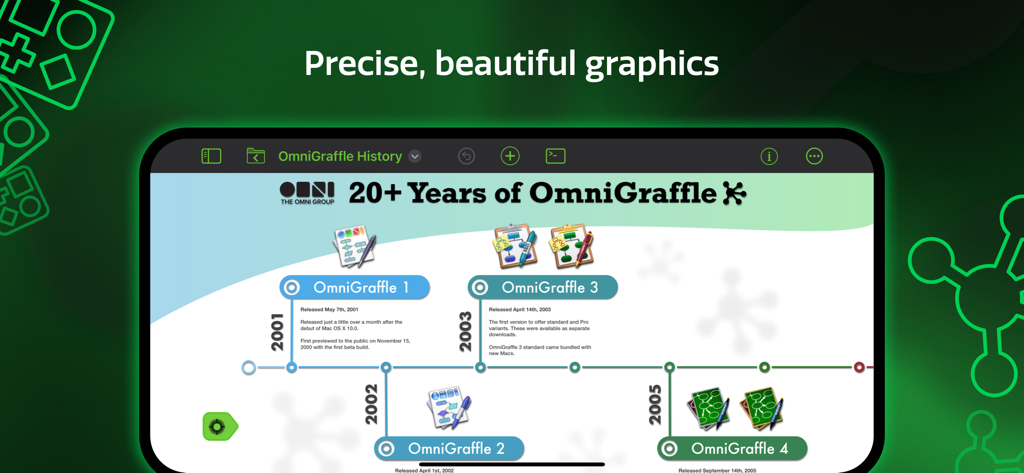
OmniGraffle 3 - OmniGraffle 3로 제작된 전문적인 타임라인 다이어그램을 보여주는 iPad 화면
OmniGraffle 3로 제작된 전문적인 타임라인 다이어그램을 보여주는 iPad 화면

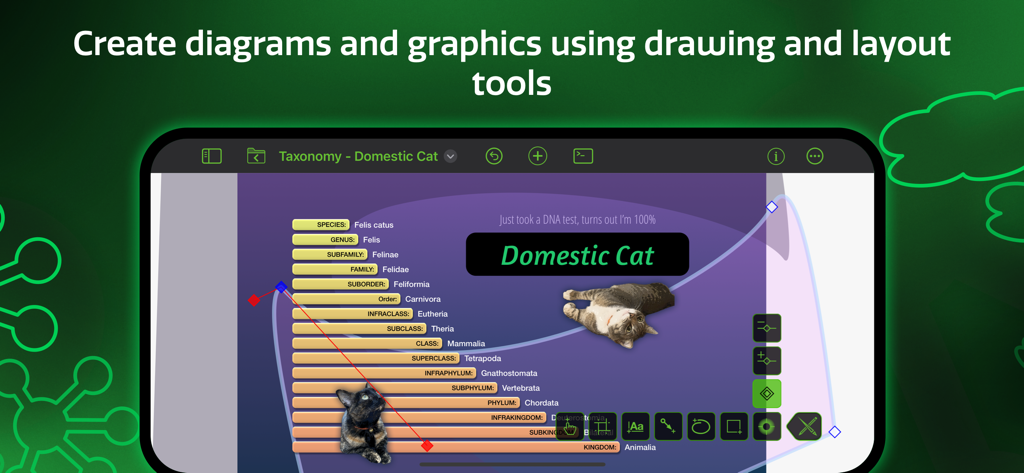
OmniGraffle 3 - 전문적인 드로잉 및 레이아웃 도구로 집고양이의 분류 다이어그램을 제작 중인 OmniGraffle 3 인터페이스
전문적인 드로잉 및 레이아웃 도구로 집고양이의 분류 다이어그램을 제작 중인 OmniGraffle 3 인터페이스

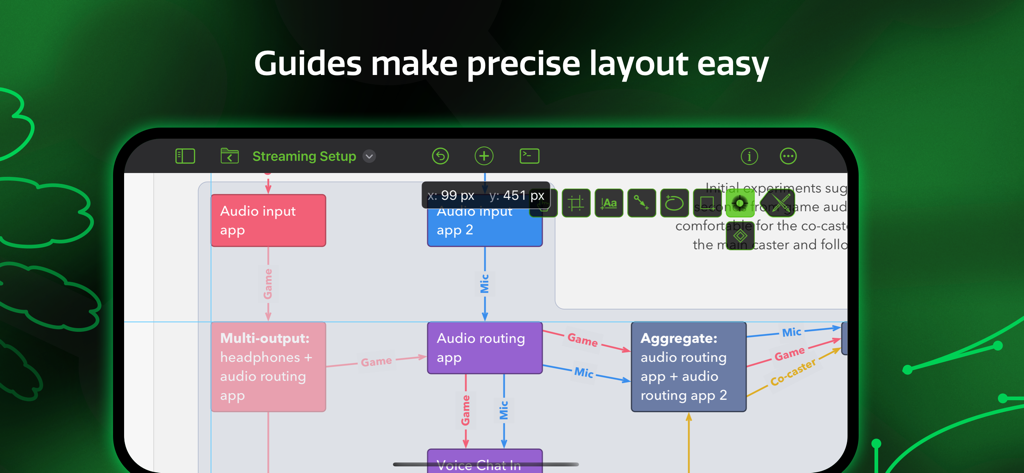
OmniGraffle 3 - 정밀한 개체 배치를 위한 스마트 가이드가 포함된 복잡한 다이어그램을 보여주는 OmniGraffle 3 모바일 앱 인터페이스
정밀한 개체 배치를 위한 스마트 가이드가 포함된 복잡한 다이어그램을 보여주는 OmniGraffle 3 모바일 앱 인터페이스

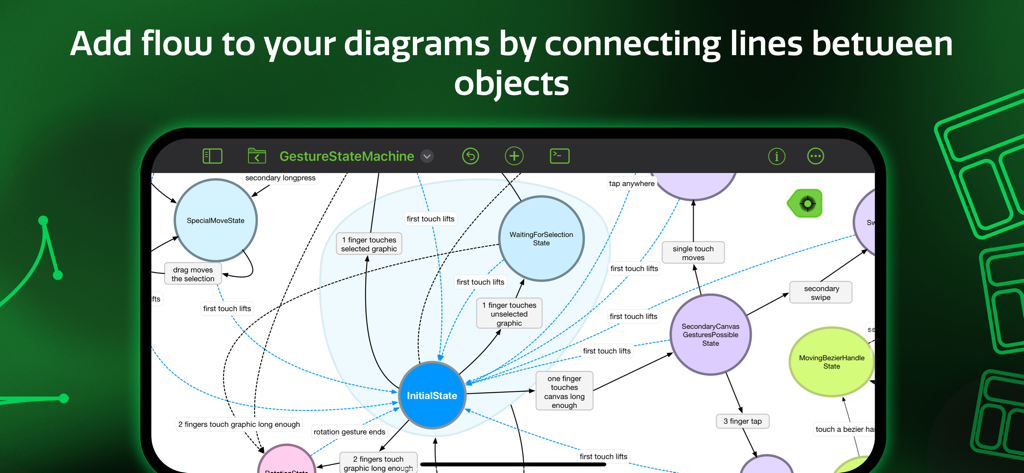
OmniGraffle 3 - OmniGraffle 3 앱 인터페이스 내 개체 간의 흐름선이 있는 상태 머신 다이어그램
OmniGraffle 3 앱 인터페이스 내 개체 간의 흐름선이 있는 상태 머신 다이어그램

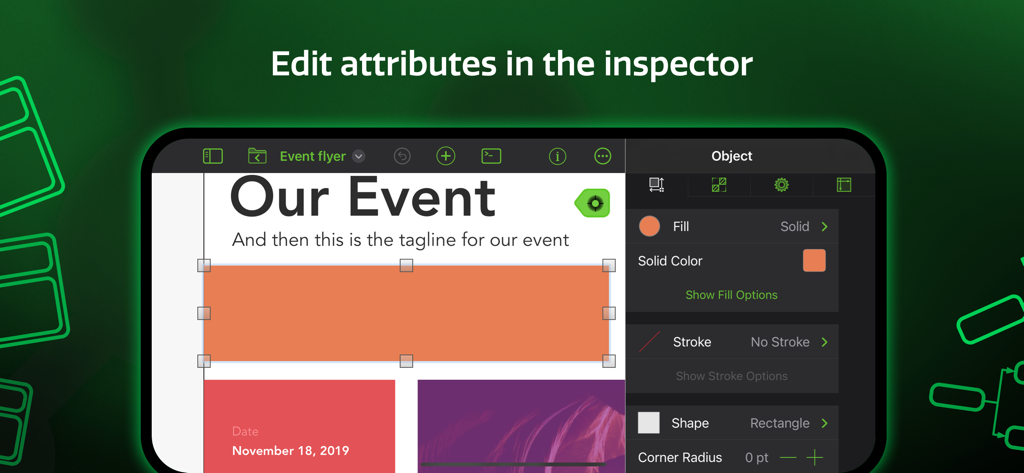
OmniGraffle 3 - 도형의 채우기 색상 및 선과 같은 속성을 편집하는 개체 검사기를 보여주는 OmniGraffle 3 앱 스크린샷
도형의 채우기 색상 및 선과 같은 속성을 편집하는 개체 검사기를 보여주는 OmniGraffle 3 앱 스크린샷

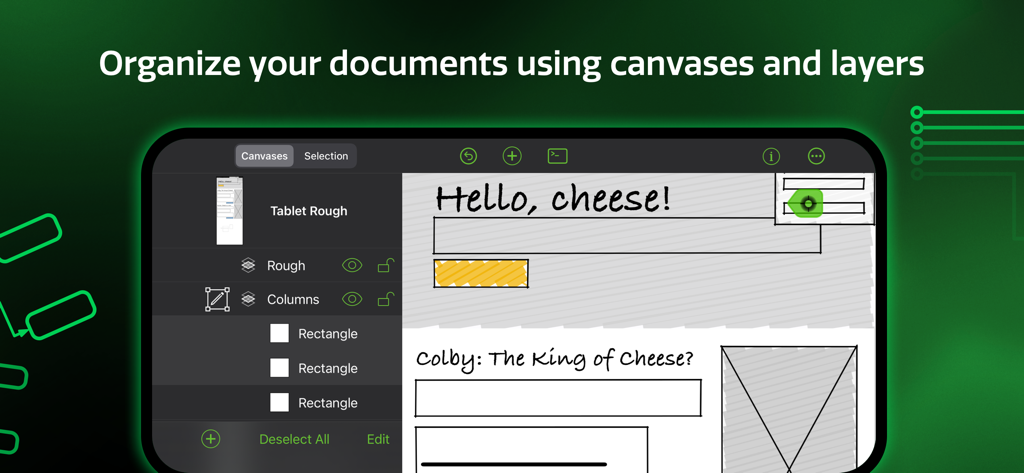
OmniGraffle 3 - 캔버스와 레이어를 사용한 문서 구성을 보여주는 OmniGraffle 3 앱 인터페이스
캔버스와 레이어를 사용한 문서 구성을 보여주는 OmniGraffle 3 앱 인터페이스

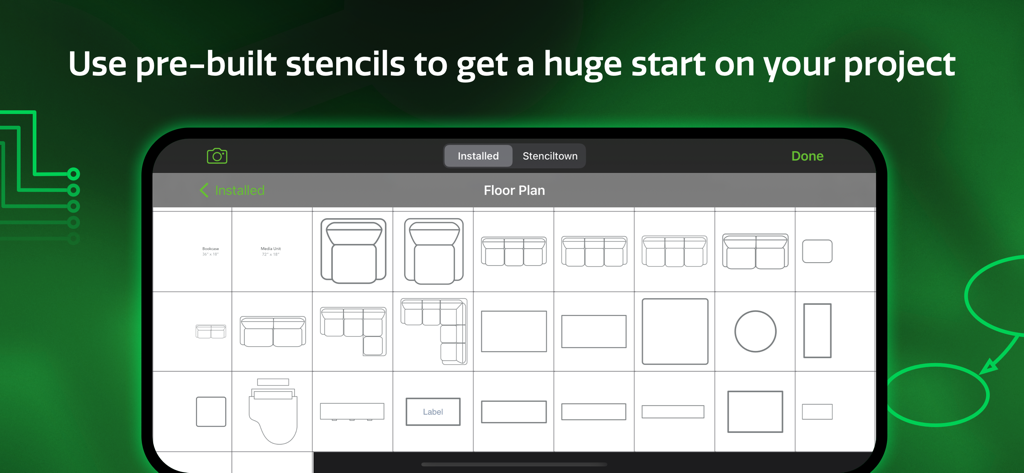
OmniGraffle 3 - OmniGraffle 3 모바일 앱의 평면도 스텐실 라이브러리

OmniGraffle 3 모바일 앱의 평면도 스텐실 라이브러리

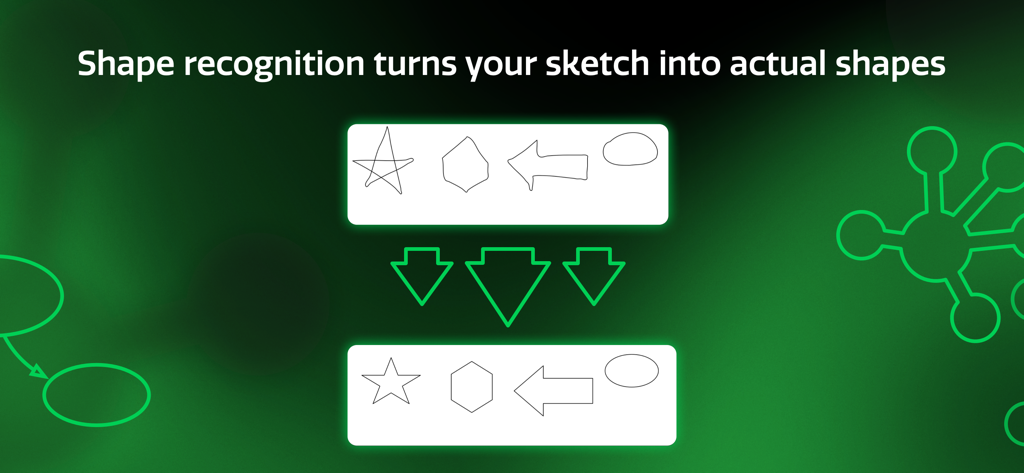
OmniGraffle 3 - 손으로 그린 스케치를 깔끔한 기하학적 도형으로 변환하는 OmniGraffle 3 도형 인식 기능
손으로 그린 스케치를 깔끔한 기하학적 도형으로 변환하는 OmniGraffle 3 도형 인식 기능

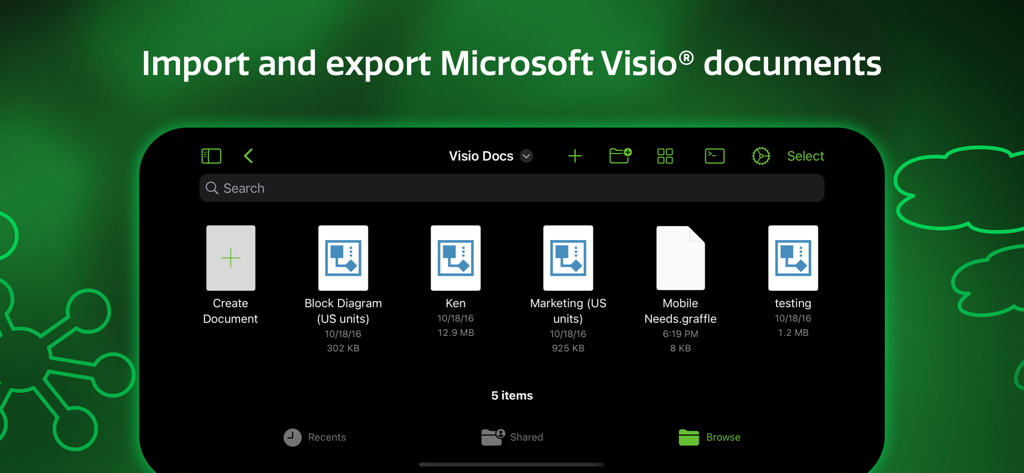
OmniGraffle 3 - Microsoft Visio 문서를 가져오고 내보낼 수 있는 기능을 보여주는 OmniGraffle 3 앱 인터페이스
Microsoft Visio 문서를 가져오고 내보낼 수 있는 기능을 보여주는 OmniGraffle 3 앱 인터페이스

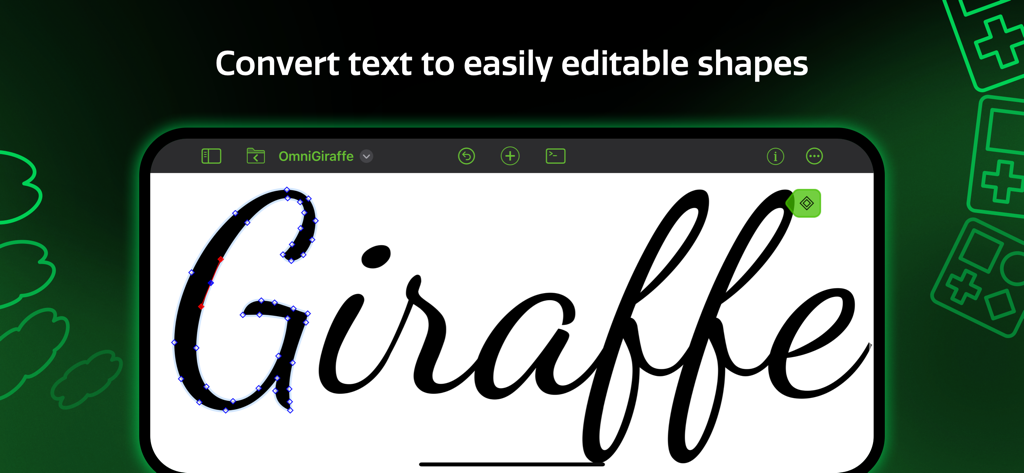
OmniGraffle 3 - iPad에서 텍스트를 편집 가능한 벡터 도형으로 변환하는 방법을 보여주는 OmniGraffle 3 앱 인터페이스

iPad에서 텍스트를 편집 가능한 벡터 도형으로 변환하는 방법을 보여주는 OmniGraffle 3 앱 인터페이스

설명

Design, create, sketch, and diagram. An incredibly powerful app for both beginners and professionals. Start the 2-week trial now. Create quick, beautiful, and portable charts, graphics, designs, mockups, and more. Use your iPad and iPhone screen as your paper, canvas, and whiteboard—all in one. It comes with thousands of searchable objects via Stenciltown, like server racks, space planning stencils, iconography, and more. OmniGraffle provides a thoughtful, professional interface for creating everything from basic wireframes to polished interface sketches, tools to construct SVG graphics for your next website, or designing the layout for your next hundred-server project. A thoughtful sketch or professional diagram communicates far better than words. When you need a clear understanding of how information needs to be presented or how processes are carried out, OmniGraffle 3 for iOS is the tool to help you organize your thoughts visually, document them beautifully, and communicate them to the world. OmniGraffle 3 has features and functionality you won’t find anywhere else, and it behaves exactly how you’d expect an iPad and iPhone app should with multitouch gestures, Share Sheet integration, and more. NEW IN 3: - Redesigned interface to make common tasks readily available. - Canvas Size Modes: choose between Fixed, Flexible, or Infinite. - Cross-Platform Automation with JavaScript - SVG Import - Unified Sidebar List of Canvases, Layers, and Objects - Group Visibility - Artboards and Artboard Layers (PRO) - App Lock - Hot Keys for Tools - Convert Text to Shape (PRO) - Zoom to Object, Scroll to Selection PRO features (in-app purchase): - Visio Import and Export - Blending Modes & Fill Effects - Artboards and Artboard Layers - Shared Layers - Shape Combinations - Shape Tables - Automation Plug-Ins and Actions STANDARD features (in-app purchase) include: - Layers - Grids - Automatic Layout - Unit Scaling - Shape Recognition - Bézier Lines & Shapes - Point Editing - Full Screen Split View - Smart Guides - Free Stencils via Stenciltown.com — search and download on the web or in the app - OmniOutliner Import & Export - Freehand Sketch - Automatic Diagram Layout - Create Multi-Page (canvas) documents - Share pages quickly with PNG, PDF Export - Wrap text within custom shapes - Quickly change a shape’s style with the Style Inspector - Save Documents to Photos Subscription Terms of Service: https://www.omnigroup.com/legal

Download

다운로드: App Store

이 페이지는 앱이나 개발자의 공식 페이지가 아니며, 정보 제공 및 논평을 목적으로 작성된 독립 편집 간행물입니다. 명시적으로 달리 언급되지 않는 한, 해당 앱이나 개발자는 MWM, Apple, Google Play, 앱 퍼블리셔 또는 앱 개발자와 제휴, 보증, 후원, 승인 또는 공식적으로 연결되어 있지 않으며, 이 페이지의 어떤 내용도 해당 앱이 MWM의 서비스를 사용하여 개발되었음을 의미하지 않습니다. 모든 상표, 로고, 스크린샷 및 기타 콘텐츠는 해당 소유자의 자산입니다.