OrgChart - Organization Chart
다운로드: App Store

이 페이지는 앱이나 개발자의 공식 페이지가 아니며, 정보 제공 및 논평을 목적으로 작성된 독립 편집 간행물입니다. 명시적으로 달리 언급되지 않는 한, 해당 앱이나 개발자는 MWM, Apple, Google Play, 앱 퍼블리셔 또는 앱 개발자와 제휴, 보증, 후원, 승인 또는 공식적으로 연결되어 있지 않으며, 이 페이지의 어떤 내용도 해당 앱이 MWM의 서비스를 사용하여 개발되었음을 의미하지 않습니다. 모든 상표, 로고, 스크린샷 및 기타 콘텐츠는 해당 소유자의 자산입니다.

로고: OrgChart - Organization Chart
다운로드: App Store

OrgChart - Organization Chart

수동 선과 도형으로 시간 낭비는 이제 그만. 직관적인 제스처와 원활한 iCloud 동기화로 iPad에서 전문적인 팀 구조를 자동으로 구축, 관리 및 내보내세요.

주요 수치

다운로드

127K+

사용자 평점

4.6/5

총 평가 수

1K+

개발사

皓 李

카테고리

Business

지원 언어

-

최신 버전

5.12

크기

89.5 MB

출시일

2014년 4월 10일
기능

성공을 시각화하세요, 손쉽게

수동 선과 정렬 문제로 고생하는 것은 잊으세요. OrgChart는 디자인 프로세스를 자동화하므로 팀을 이끄는 데 집중할 수 있습니다. 상자를 그리는 데 시간을 쏟을 필요가 없습니다.

자동 레이아웃, 그림 그리기 없음

PowerPoint 도형과의 씨름은 이제 그만. 데이터를 입력하기만 하면 저희 엔진이 완벽하게 정렬된 조직 구조를 즉시 렌더링해 드립니다.

임원 보고서 준비

차트를 몇 초 안에 전문적인 PDF, Excel 또는 이미지 파일로 변환하세요. 이사회 프레젠테이션, 부서 감사 또는 이해관계자 업데이트에 완벽합니다.

다음 스크린샷과 설명은 앱의 공식 스토어 목록에서 직접 가져온 것이며 앱 개발자의 자산입니다.

앱 스토어

스크린샷
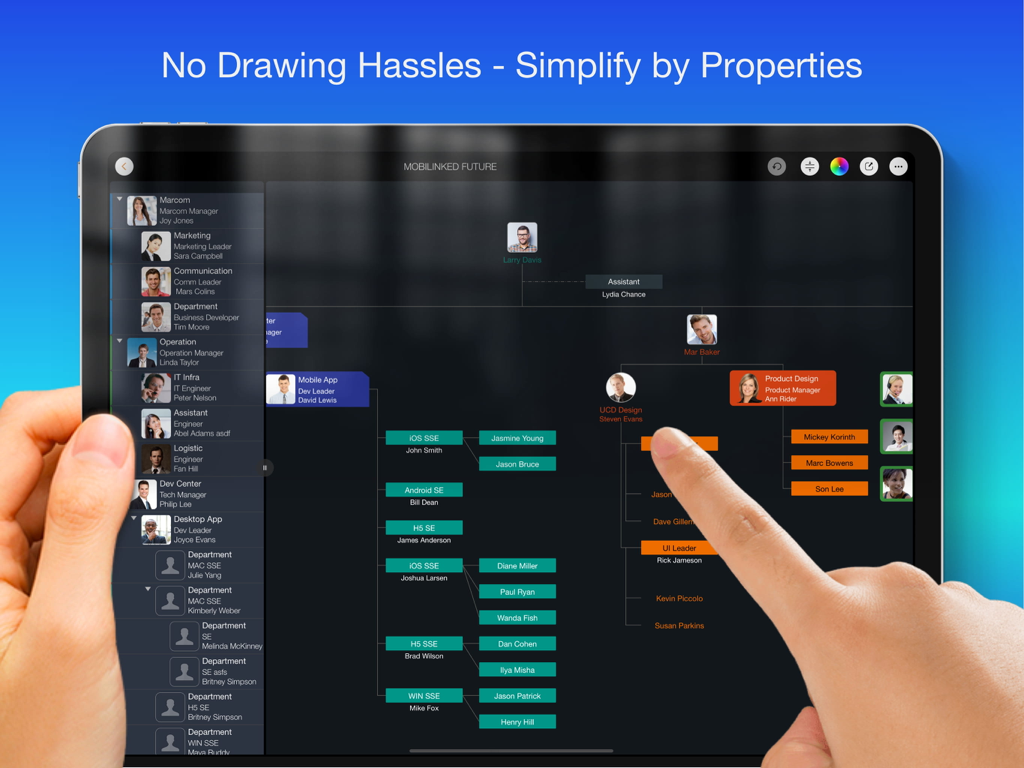
OrgChart - Organization Chart - 직원 사진과 다채로운 부서 가지가 있는 전문적인 조직도를 표시하는 iPad 화면
직원 사진과 다채로운 부서 가지가 있는 전문적인 조직도를 표시하는 iPad 화면

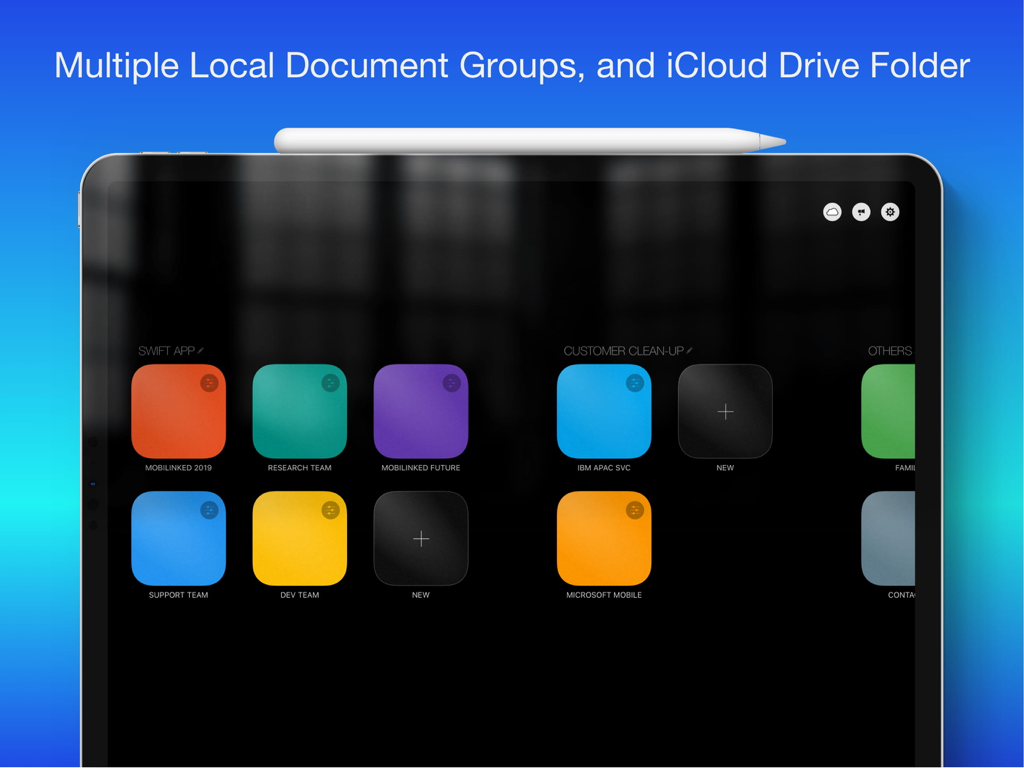
OrgChart - Organization Chart - 여러 문서 그룹과 iCloud Drive 통합을 보여주는 OrgChart iPad 앱 대시보드
여러 문서 그룹과 iCloud Drive 통합을 보여주는 OrgChart iPad 앱 대시보드

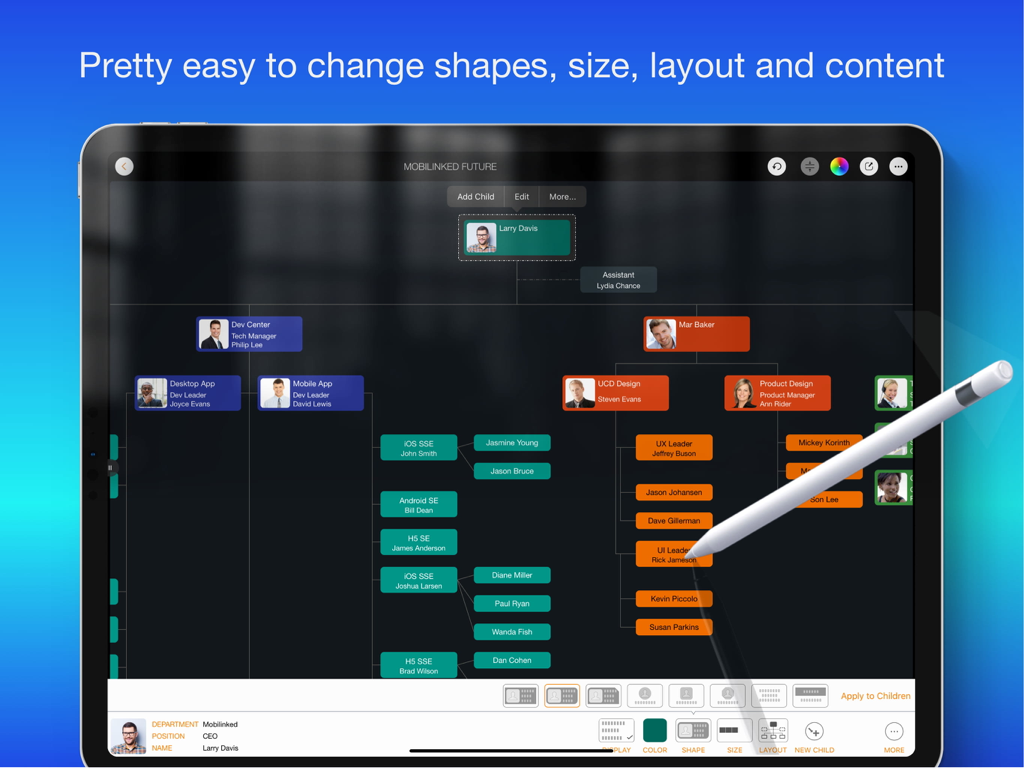
OrgChart - Organization Chart - Apple Pencil이 있는 iPad에서 편집 중인 전문적인 조직도
Apple Pencil이 있는 iPad에서 편집 중인 전문적인 조직도

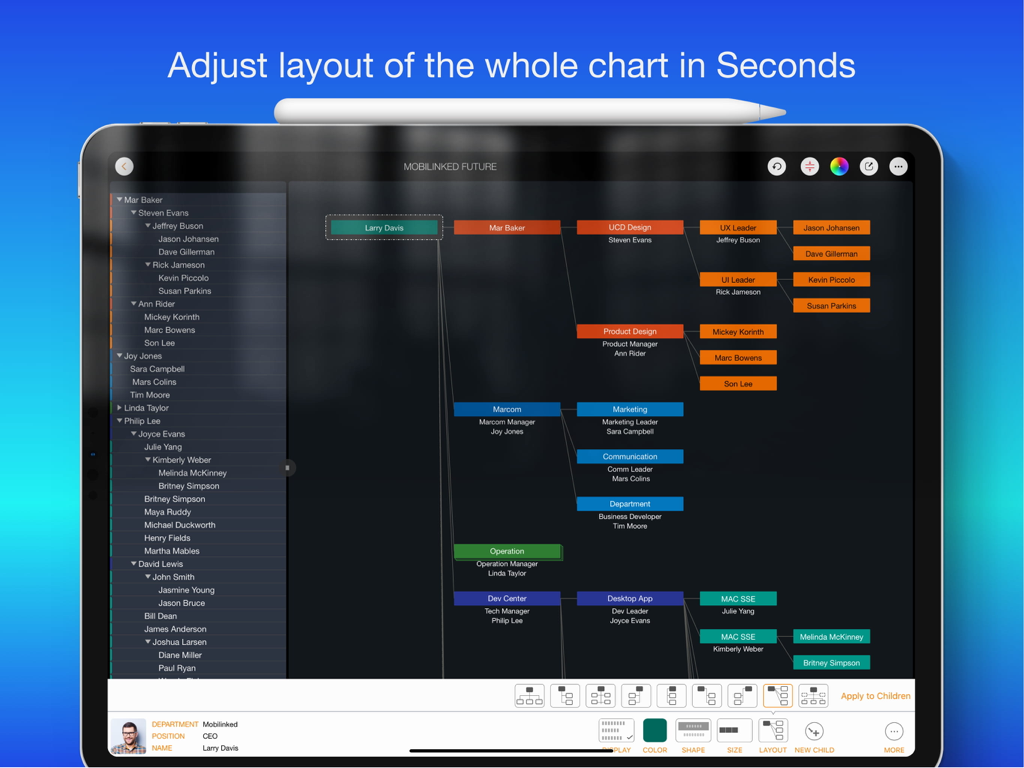
OrgChart - Organization Chart - 하단에 레이아웃 조정 메뉴가 있는 다단계 조직도와 색상으로 구분된 상자를 보여주는 OrgChart 앱 iPad 화면 스크린샷.
하단에 레이아웃 조정 메뉴가 있는 다단계 조직도와 색상으로 구분된 상자를 보여주는 OrgChart 앱 iPad 화면 스크린샷.

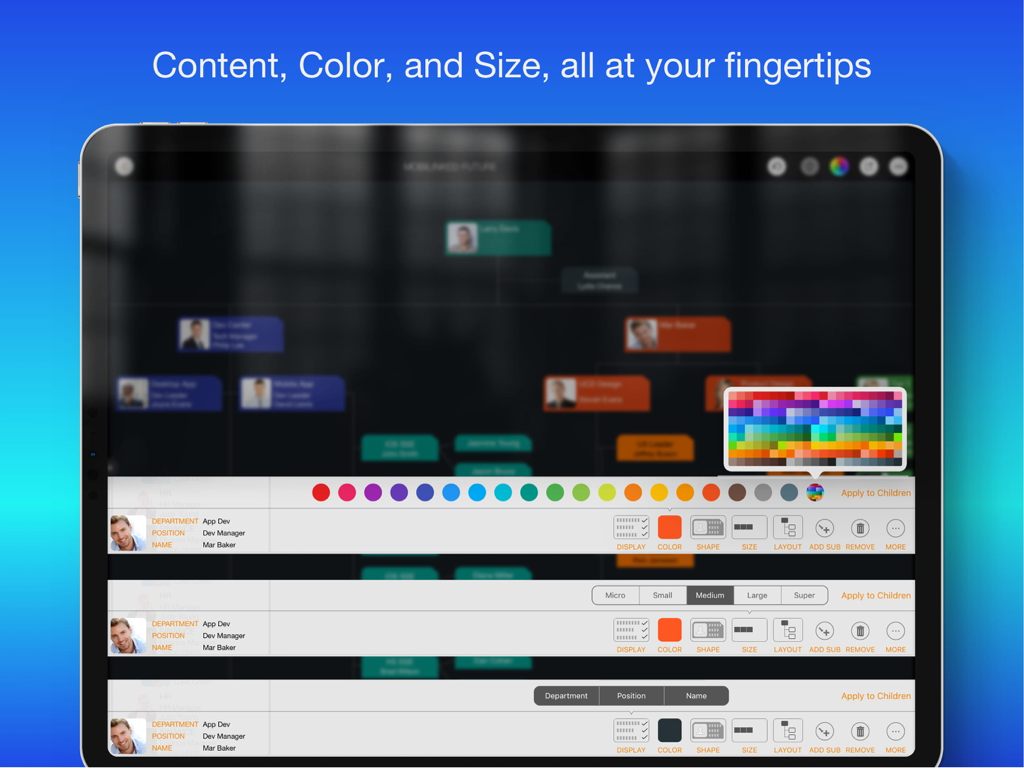
OrgChart - Organization Chart - 색상 팔레트 및 단위 크기 설정과 같은 조직도 사용자 정의 옵션을 보여주는 iPad 화면
색상 팔레트 및 단위 크기 설정과 같은 조직도 사용자 정의 옵션을 보여주는 iPad 화면

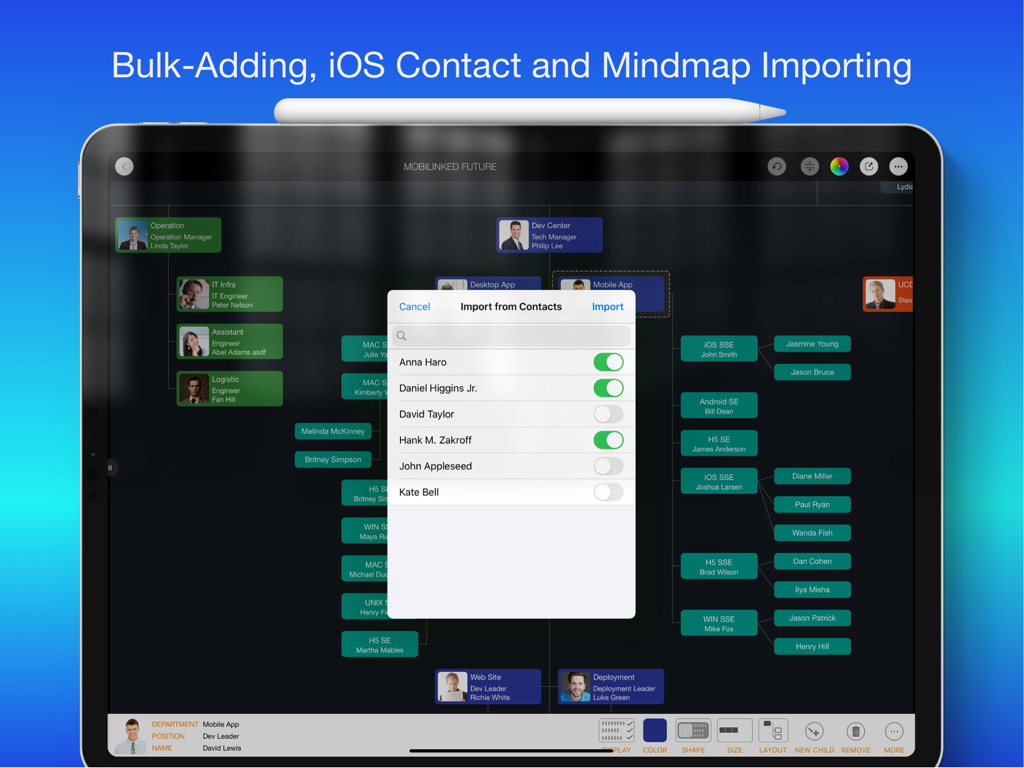
OrgChart - Organization Chart - 전문적인 조직도에 iOS 연락처에서 사람을 가져오는 팝업을 보여주는 iPad의 OrgChart 앱 인터페이스
전문적인 조직도에 iOS 연락처에서 사람을 가져오는 팝업을 보여주는 iPad의 OrgChart 앱 인터페이스

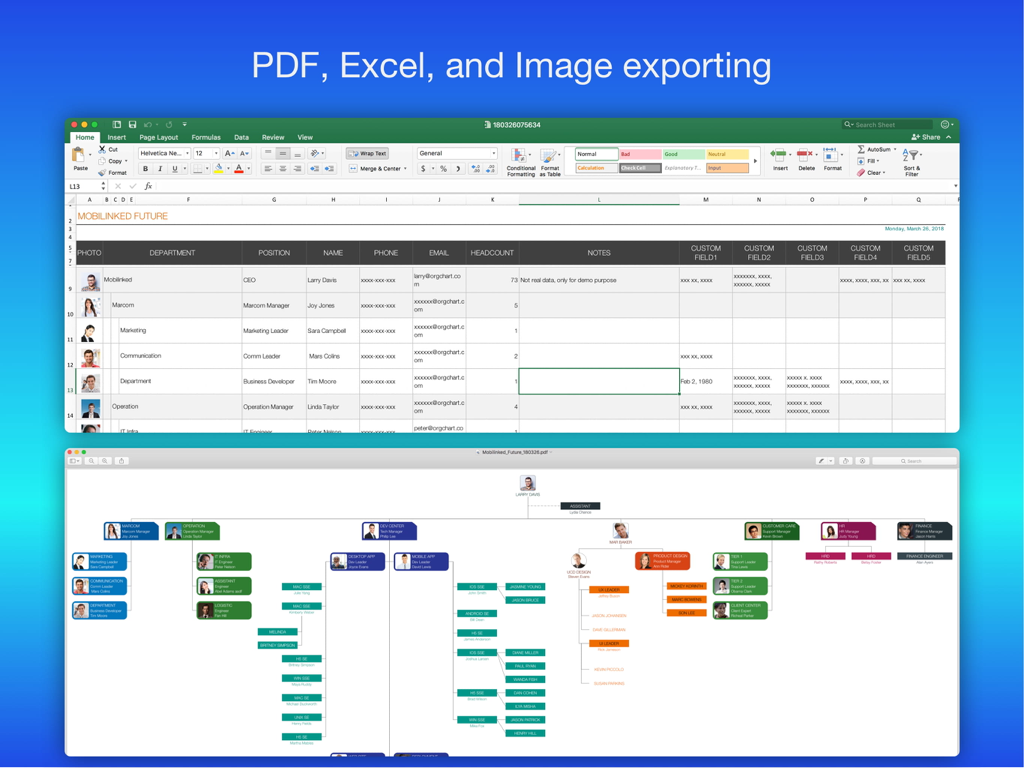
OrgChart - Organization Chart - Excel 스프레드시트 및 PDF 시각적 다이어그램으로 데이터를 내보내는 옵션을 보여주는 조직도 앱
Excel 스프레드시트 및 PDF 시각적 다이어그램으로 데이터를 내보내는 옵션을 보여주는 조직도 앱

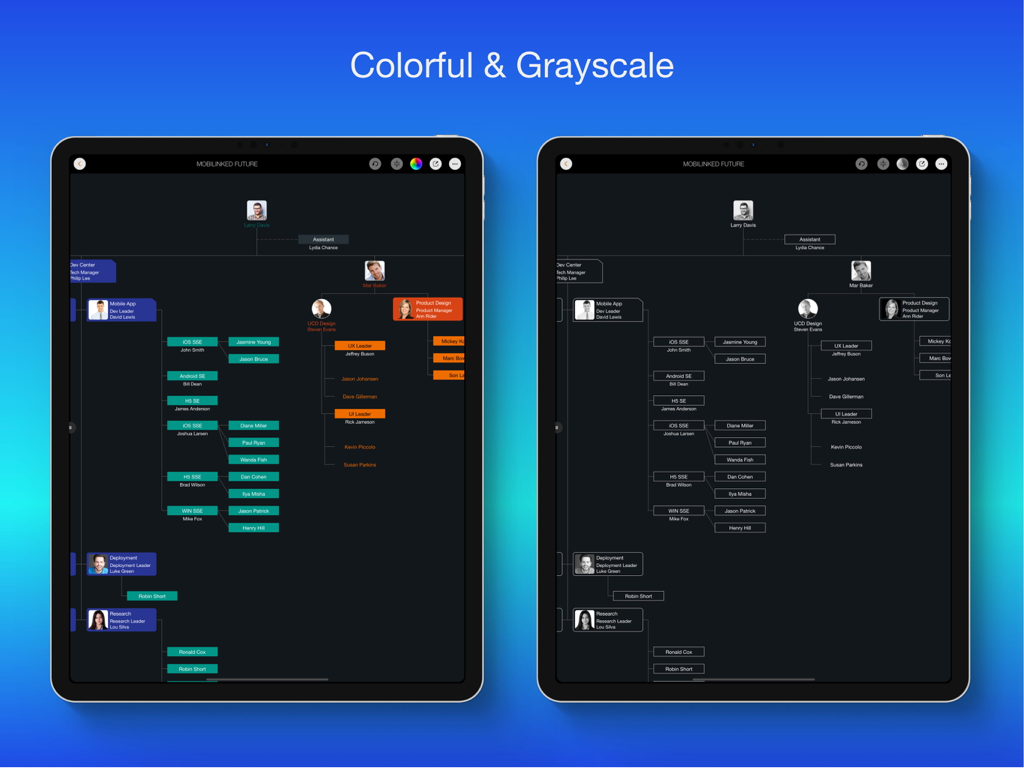
OrgChart - Organization Chart - iPad 화면에서 다채롭고 흑백의 조직도 비교

iPad 화면에서 다채롭고 흑백의 조직도 비교

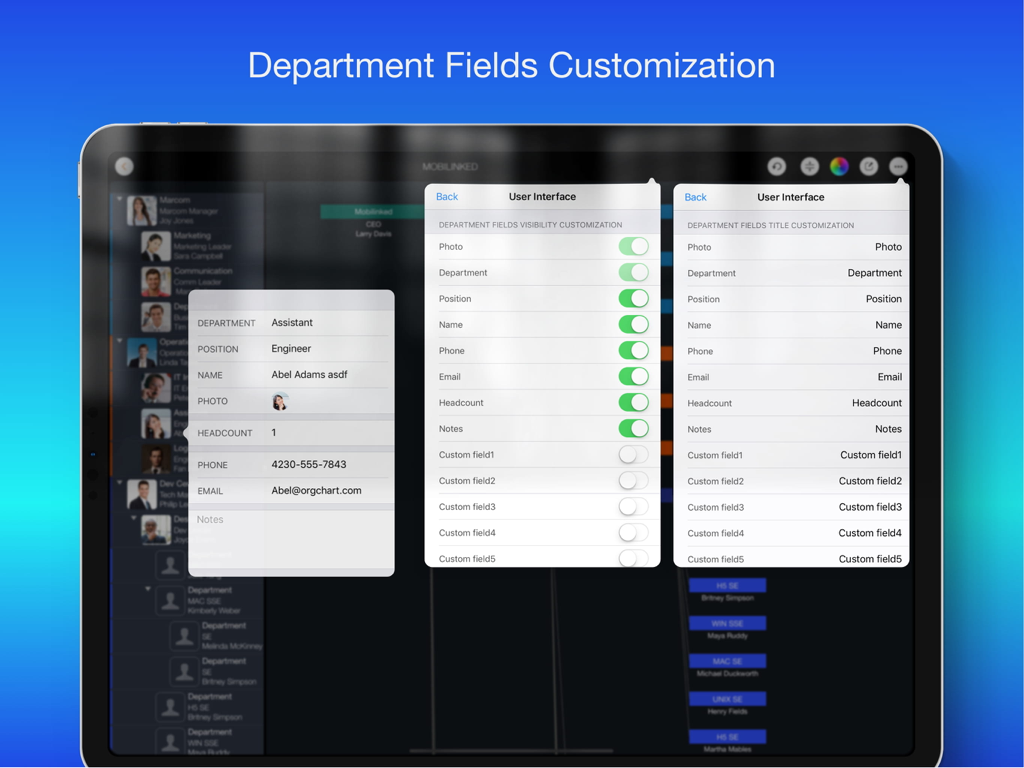
OrgChart - Organization Chart - 부서 필드 표시 및 제목 사용자 정의 설정을 보여주는 OrgChart iPad 앱 화면

부서 필드 표시 및 제목 사용자 정의 설정을 보여주는 OrgChart iPad 앱 화면

설명

Please use OrgChartX: Search OrgChartX in App Store or visit https://orgchartx.mbl.app. OrgChartX is the modern, unified upgrade for iPhone, iPad, Mac & Vision Pro. This app stays for legacy users. Painless Organization Chart Creation - Simplify the maintenance, presentation, synchronization and sharing of organizational charts without having to deal with complicated drawings - OrgChart helps you render the shapes and place them in the right place automatically. ** NO DRAWING HASSLES ** With OrgChart, you don't have to waste time drawing shapes and connecting lines. OrgChart does it for you automatically. Just enter an element and customize its color, shape, size, text, and layout. OrgChart gives you an INTUITIVE and user-friendly interface to manage your org charts. ** TREE structure ONLY ** OrgChart is THE easy-to-use organizational chart app for iPad. Visualize, maintain and simplify organizational elements in a TREE structure. ## PRIVACY FOCUSED Your projects are stored on your device or in iCloud Drive, as you prefer. ## PRODUCTIVITY FOCUSED * Image, MS Excel and PDF export with options to customize the content. * Organizational charts can be synced between iOS and macOS devices via iCloud Drive. They can be shared as standalone files to other devices. * OrgChart supports sending people data directly to QuickPlan (https://itunes.apple.com/app/id621375878) as a project member. * Import from iOS contacts AND makes entering organization items easier, faster and more efficient. OrgChart is an innovative app that turns COMPLEXITY INTO SIMPLICITY. ## EFFICIENT MAINTENANCE - You do not need to draw manually anymore - you just need to set the visual styles of the elements. - Natural gestures to arrange parts, change element hierarchy, order, zoom, collapse, expand. - Bulk adding and importing iOS contacts. - The smoothest org chart app on a clean user interface. - Apply one visual style to all children. - In a clean user interface. ## STRONG MAINTENANCE - Multiple org charts organized in tile groups. - Maintain org charts in outline and diagram view. - Duplicate and import org charts. - Import an organizational unit from an iOS contact. - Batch input of organizational units. - Update unit properties - photo, unit name, job title, leader, phone, email, notes. - View organizational charts in color or black and white. - UNDO support. - Copy/paste support. - User interface customization options. ## FLEXIBILITY - Customization of title and visibility of department fields. - Visibility of department fields. - Color of department entries. - Nine layouts (customize where to place sub-items). - Eight shapes. - Size. - Three line styles. ## INTUITIVE - Pinch to zoom - Double tap to edit unit properties. - Long press to display the function menu. - Swipe left/right to change hierarchy. - Press and hold and swipe up/down to change the order and switch between groups. - Tap with two fingers to collapse/expand all groups together. ## REPORT - Export a full or partial org chart as an image, Excel, and PDF file (with PDF export options for PDF page size and zoom). - Export in color or black and white (automatic adjustment to current display color). ## SYNCHRONIZATION - Sync org charts between iOS and Mac devices via iCloud Drive. ## SHARE - Export org charts as .org files for sharing. - Share via email, airdrop, and third-party cloud apps. OrgChart is the best and only useful org chart app for Apple devices. ## USE CASES - Create an org chart for communication and presentation. - An option to manage personal contacts in a tree structure. - Change visual styles of existing org charts IN SECONDS, for different communication purposes. - Export a portion of a large org chart for presentation purposes. - Clean up the organization charts of customers and vendors. - Create a project team / new department / team. - Keep track of basic information of people in your team.

Download

다운로드: App Store

이 페이지는 앱이나 개발자의 공식 페이지가 아니며, 정보 제공 및 논평을 목적으로 작성된 독립 편집 간행물입니다. 명시적으로 달리 언급되지 않는 한, 해당 앱이나 개발자는 MWM, Apple, Google Play, 앱 퍼블리셔 또는 앱 개발자와 제휴, 보증, 후원, 승인 또는 공식적으로 연결되어 있지 않으며, 이 페이지의 어떤 내용도 해당 앱이 MWM의 서비스를 사용하여 개발되었음을 의미하지 않습니다. 모든 상표, 로고, 스크린샷 및 기타 콘텐츠는 해당 소유자의 자산입니다.