Flowdia Diagrams
Flowdia Diagrams
다운로드: App Store

이 페이지는 앱이나 개발자의 공식 페이지가 아니며, 정보 제공 및 논평을 목적으로 작성된 독립 편집 간행물입니다. 명시적으로 달리 언급되지 않는 한, 해당 앱이나 개발자는 MWM, Apple, Google Play, 앱 퍼블리셔 또는 앱 개발자와 제휴, 보증, 후원, 승인 또는 공식적으로 연결되어 있지 않으며, 이 페이지의 어떤 내용도 해당 앱이 MWM의 서비스를 사용하여 개발되었음을 의미하지 않습니다. 모든 상표, 로고, 스크린샷 및 기타 콘텐츠는 해당 소유자의 자산입니다.


로고: Flowdia Diagrams
다운로드: App Store

Flowdia Diagrams

복잡한 시스템을 명확하고 전문적인 비주얼로 변환하세요. IT 아키텍트와 비즈니스 분석가가 몇 초 만에 Visio 호환 다이어그램을 생성, 연결 및 내보낼 수 있는 최고의 모바일 유틸리티입니다.

주요 수치

다운로드

437K+

사용자 평점

3.5/5

총 평가 수

400

개발사

Behzad Gorimar

카테고리

Productivity

지원 언어

9

최신 버전

1.15.6

크기

13.8 MB

출시일

2017년 1월 27일
기능

어디서나 복잡한 워크플로를 마스터하세요

기술 전문가와 학생이 몇 분 만에 즉시 사용 가능한 다이어그램, 순서도 및 시스템 아키텍처를 만들 수 있는 최고의 모바일 유틸리티입니다.

특화된 기술 라이브러리

AWS, Cisco, BPMN 및 UML을 위한 전문 세트로 기본 도형 이상의 기능을 활용하세요. 현장에서 네트워크 레이아웃, 서버 랙 및 소프트웨어 아키텍처를 문서화하는 데 적합합니다.

모바일 속도에 최적화

한 번의 탭으로 도형을 연결하고 지능형 자동 배치 기능을 사용하세요. 회의 중에 복잡한 아이디어를 전문적인 비주얼로 변환해야 하는 파워 iPad 사용자를 위해 설계되었습니다.

다음 스크린샷과 설명은 앱의 공식 스토어 목록에서 직접 가져온 것이며 앱 개발자의 자산입니다.

앱 스토어

스크린샷
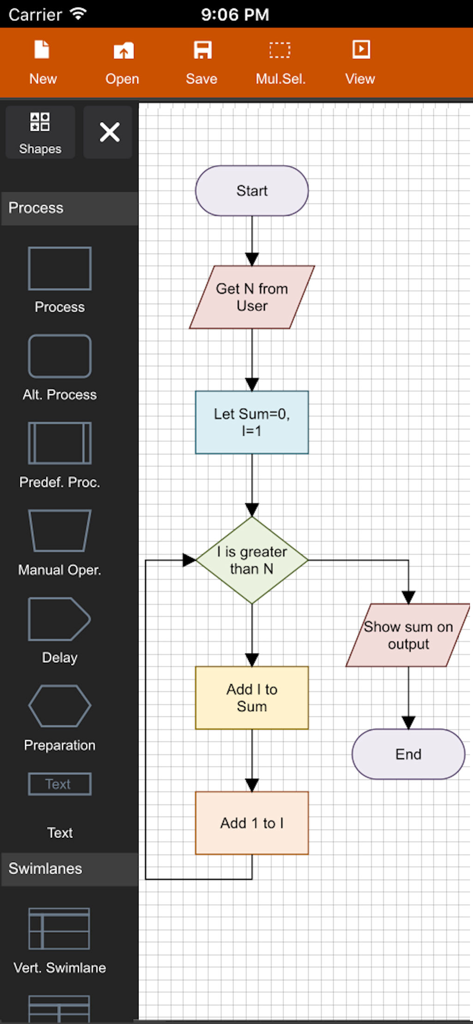
Flowdia Diagrams - 다양한 색상의 도형으로 논리 순서도를 작성하는 모습을 보여주는 Flowdia Diagrams 앱의 모바일 인터페이스
다양한 색상의 도형으로 논리 순서도를 작성하는 모습을 보여주는 Flowdia Diagrams 앱의 모바일 인터페이스

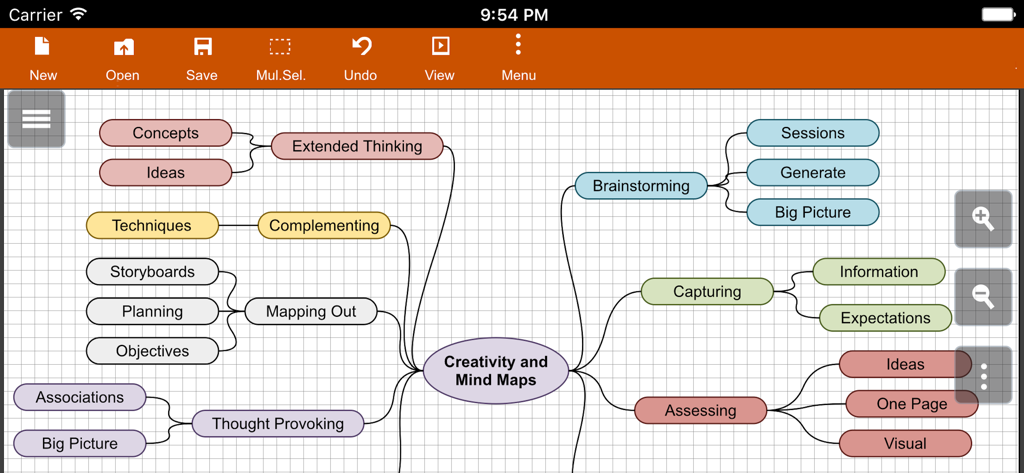
Flowdia Diagrams - Flowdia 앱에서 작성된 창의성 및 브레인스토밍에 관한 상세한 마인드 맵 다이어그램
Flowdia 앱에서 작성된 창의성 및 브레인스토밍에 관한 상세한 마인드 맵 다이어그램

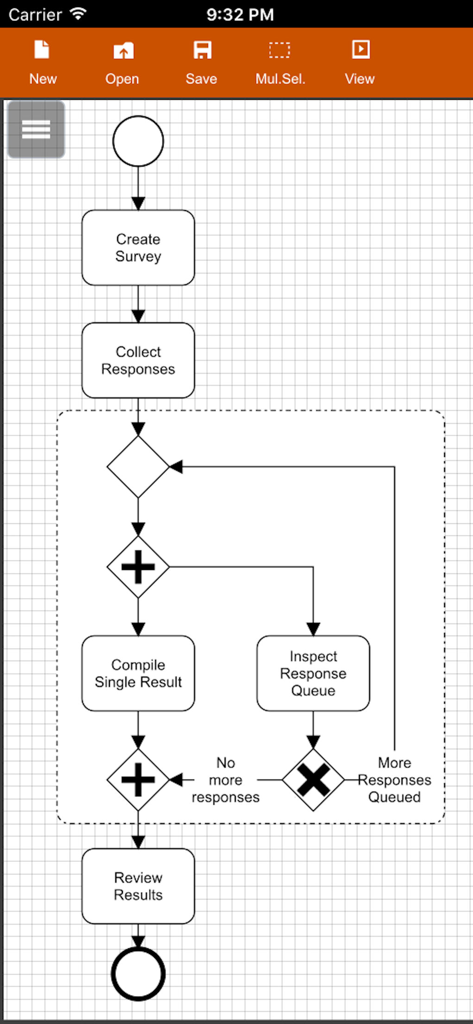
Flowdia Diagrams - Flowdia 모바일 앱 인터페이스 내에서 작성된 설문 조사 수집을 위한 BPMN 비즈니스 프로세스 다이어그램
Flowdia 모바일 앱 인터페이스 내에서 작성된 설문 조사 수집을 위한 BPMN 비즈니스 프로세스 다이어그램

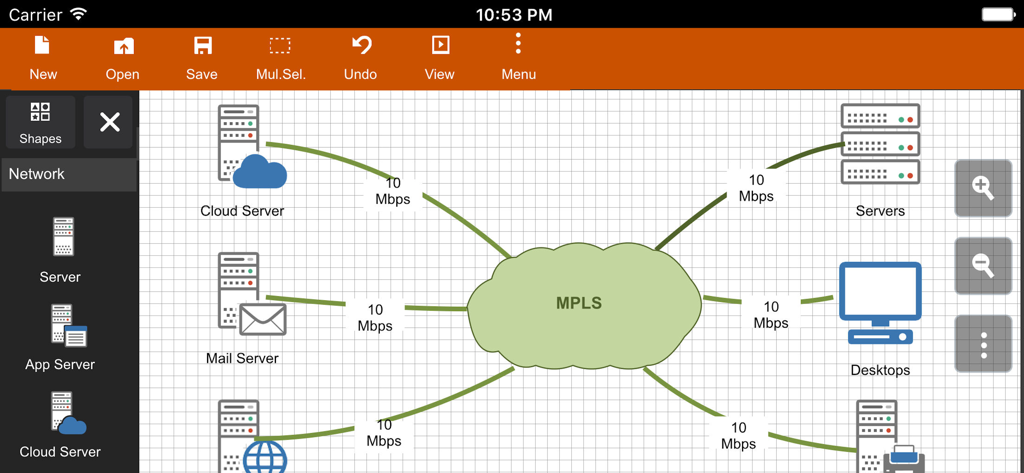
Flowdia Diagrams - 서로 연결된 서버와 MPLS 클라우드를 보여주는 Flowdia 앱의 네트워크 다이어그램 인터페이스

서로 연결된 서버와 MPLS 클라우드를 보여주는 Flowdia 앱의 네트워크 다이어그램 인터페이스

설명

Flowdia is an easy to use flow diagram tool that can be used to quickly create professional quality flowcharts, mind maps, BPMN, network and server layouts, Cisco network, Rack diagram, UML activity, business process and process flow diagrams. The app is designed with ease of use in mind. You can quickly connect flowchart shapes by simply selecting the start and end connection points and quickly add new lanes to a swimlane diagram or new sub-topics to a mind map diagram by using "+" button from the selected swimlane or mind map shape menu. The mind map sub-topics are automatically positioned on the page but can be easily moved as required. Flowdia supports export of the diagram / flowchart to PNG, JPG, PDF and SVG formats.You can view exported SVG files in Microsoft Visio. You can import custom PNG and JPG images. The following diagrams can be created using Flowdia: - Flowchart - Swimlanes - Mind Maps - BPMN - Network Diagram - AWS Architecture Diagram - Cisco Network Diagram - Server Layout Diagram - Rack Diagram - UML Class Diagram - UML Activity Diagram - UML Use Case Diagram - UML Sequence Diagram - Business Process Diagram - Process Flow - Chevron Diagram You can quickly select and change BPMN activity, event and gateway types by using the special shape selector available to all BPMN shapes. The flowchart shapes in this tool are not images can be re-sized without loosing quality. You can customize the look of the shapes by applying background color and also change the font color and size of the text. **NOTE: Free version of Flowdia is restricted to: - 4 files. - 1 page per diagram. - Cannot remove or duplicate pages. - Image and PDF exports with watermark

Download

다운로드: App Store

이 페이지는 앱이나 개발자의 공식 페이지가 아니며, 정보 제공 및 논평을 목적으로 작성된 독립 편집 간행물입니다. 명시적으로 달리 언급되지 않는 한, 해당 앱이나 개발자는 MWM, Apple, Google Play, 앱 퍼블리셔 또는 앱 개발자와 제휴, 보증, 후원, 승인 또는 공식적으로 연결되어 있지 않으며, 이 페이지의 어떤 내용도 해당 앱이 MWM의 서비스를 사용하여 개발되었음을 의미하지 않습니다. 모든 상표, 로고, 스크린샷 및 기타 콘텐츠는 해당 소유자의 자산입니다.