GPS 2 IP
GPS 2 IP
다운로드: App Store

이 페이지는 앱이나 개발자의 공식 페이지가 아니며, 정보 제공 및 논평을 목적으로 작성된 독립 편집 간행물입니다. 명시적으로 달리 언급되지 않는 한, 해당 앱이나 개발자는 MWM, Apple, Google Play, 앱 퍼블리셔 또는 앱 개발자와 제휴, 보증, 후원, 승인 또는 공식적으로 연결되어 있지 않으며, 이 페이지의 어떤 내용도 해당 앱이 MWM의 서비스를 사용하여 개발되었음을 의미하지 않습니다. 모든 상표, 로고, 스크린샷 및 기타 콘텐츠는 해당 소유자의 자산입니다.

로고: GPS 2 IP
다운로드: App Store

GPS 2 IP

iPhone을 전용 GPS 서버로 변환하세요. WiFi, Bluetooth 또는 UDP를 통해 OpenCPN, MacEnc 및 기타 전문 소프트웨어로 실시간 NMEA 및 TAIP 데이터를 스트리밍합니다.

주요 수치

다운로드

165K+

사용자 평점

3.6/5

총 평가 수

100

개발사

Angus Oliver

카테고리

Navigation

지원 언어

1

최신 버전

5.7

크기

13.0 MB

출시일

2010년 12월 16일
기능

전문 등급 GPS 데이터 스트리밍

안정적인 실시간 NMEA 데이터 전송으로 iOS 하드웨어와 전문 네비게이션 소프트웨어 간의 격차를 해소하세요.

원활한 네트워크 통합

Wi-Fi 및 Bluetooth LE를 통해 TCP 또는 UDP로 고정밀 위치 데이터를 노트북 또는 워크스테이션으로 직접 스트리밍합니다.

안정성을 위한 설계

백그라운드 작동 및 자동 재개 기능으로 장시간 사용을 위해 제작되어 항해 내내 네비게이션 피드를 라이브로 유지합니다.

다음 스크린샷과 설명은 앱의 공식 스토어 목록에서 직접 가져온 것이며 앱 개발자의 자산입니다.

앱 스토어

스크린샷
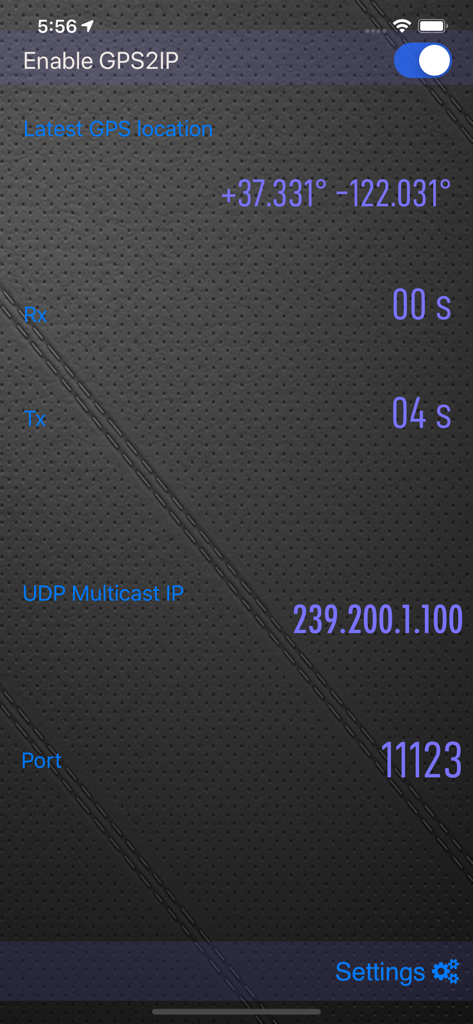
GPS 2 IP - 좌표 및 네트워크 전송 세부 정보를 보여주는 GPS 2 IP의 메인 인터페이스
좌표 및 네트워크 전송 세부 정보를 보여주는 GPS 2 IP의 메인 인터페이스

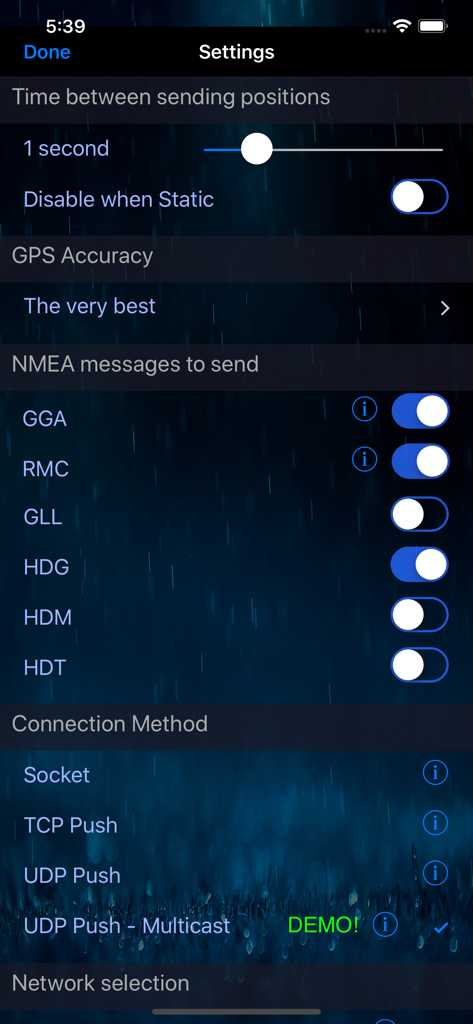
GPS 2 IP - NMEA 메시지 선택 및 연결 방법 구성을 보여주는 GPS 2 IP 앱의 설정 화면
NMEA 메시지 선택 및 연결 방법 구성을 보여주는 GPS 2 IP 앱의 설정 화면

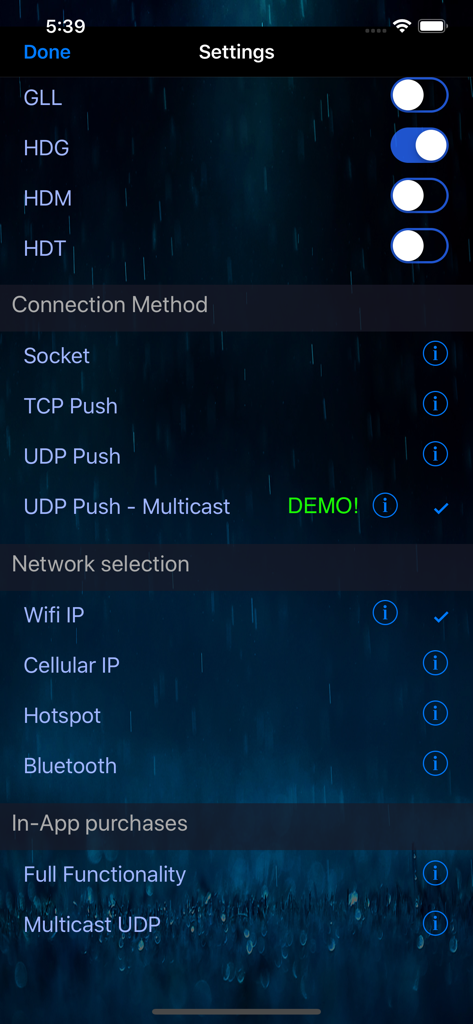
GPS 2 IP - NMEA 메시지 토글, 연결 방법 및 네트워크 선택 옵션을 보여주는 GPS 2 IP 앱의 설정 화면
NMEA 메시지 토글, 연결 방법 및 네트워크 선택 옵션을 보여주는 GPS 2 IP 앱의 설정 화면

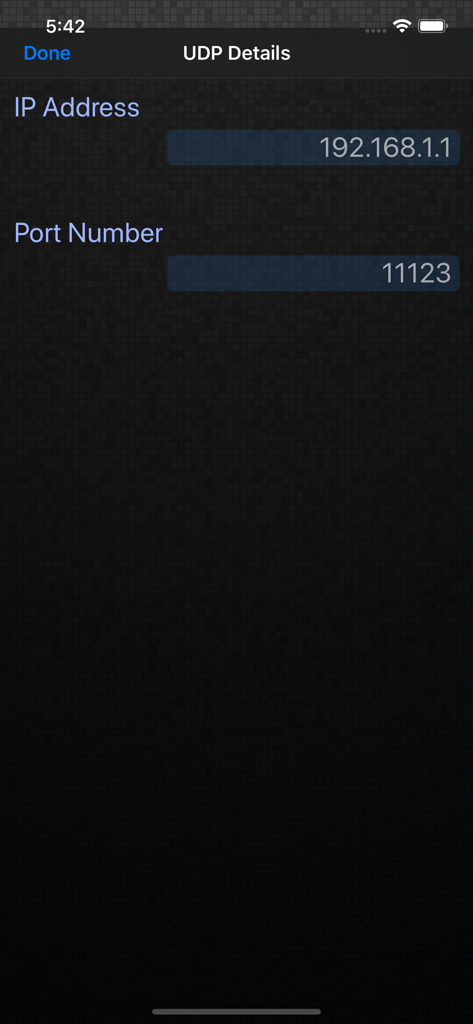
GPS 2 IP - IP 주소 및 포트 번호 필드를 보여주는 GPS 2 IP 앱의 UDP 세부 정보 구성 화면의 스크린샷
IP 주소 및 포트 번호 필드를 보여주는 GPS 2 IP 앱의 UDP 세부 정보 구성 화면의 스크린샷

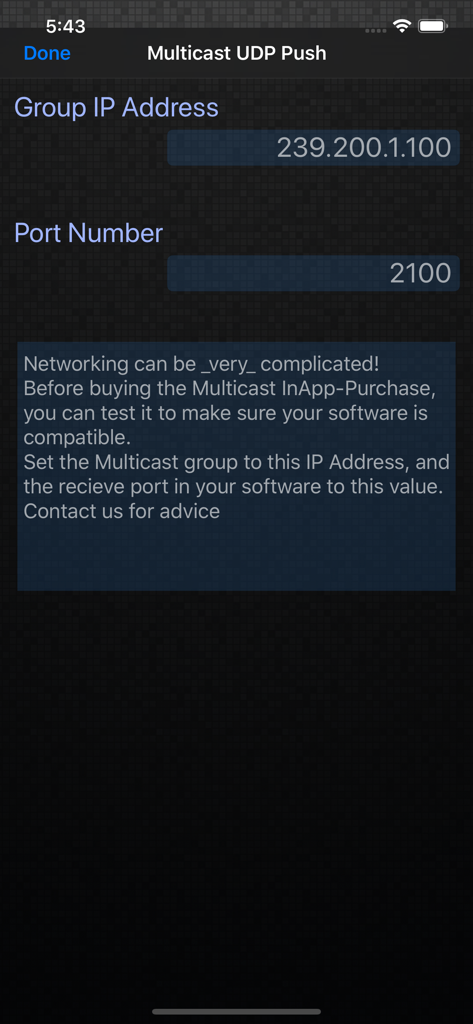
GPS 2 IP - 그룹 IP 주소 및 포트 번호 필드를 보여주는 GPS 2 IP 앱의 멀티캐스트 UDP 푸시 설정 화면.

그룹 IP 주소 및 포트 번호 필드를 보여주는 GPS 2 IP 앱의 멀티캐스트 UDP 푸시 설정 화면.

설명

Do you need GPS NMEA location data for your computer or other device - maybe to use some mapping or navigation software? Until now, you couldn't get external access to the GPS inside your iPhone or iPad, but now with GPS2IP you can stream the information in realtime to solve your requirements. BEWARE - GPS2IP is *not* able to be used for the Apple turn-by-turn navigation app, or Google Maps, or most car navigation programs. It is designed for enthusiasts, or more sophisticated navigation software that can use an external wireless GPS unit. If you aren't sure what NMEA is, please check the website before buying. This is a rather special piece of software, and must be used in the right system. PLEASE CHECK THE WEBSITE: www.capsicumdreams.com/iPhone/gps2ip/ We have a free version "GPS2IP Lite" that has most of the same features, so that you can try it out for free. Have a look on our website: http://capsicumdreams.com/gps2ip/differences.php Try it for free, and only buy this full-featured version if it does what you need! The iPhone becomes a GPS server, and to get the information, you just connect to your iPhone using either wifi or Bluetooth LE. Alternatively, you can also push the NMEA data to any online server, using either TCP or UDP and process the information however you want.The TAIP protocol is also supported. Each device running GPS2IP can send a unique identifier, so that if you have multiple devices you can determine which device is sending what messages. GPS2IP now can be configured to restart automatically after your iOS device restarts, so you'll always keep track of your position. Apart from navigation software, other methods for connection include telnet or netcat, or many terminal programs. Some navigation software such as MacEnc can read from an IP address natively. Setting up a connection between MacEnc and GPS2IP is easy. Just have a look at the capsicumDreams website! http://capsicumdreams.com/gps2ip/ Different NMEA messages can be selected for transmission according to your requirements. One non-standard message that GPS2IP transmits that is very useful for sailing is $PASHR. GPS 2 IP can run when the iPhone sleeps to support constant location reporting, but be aware that continued use of the GPS when running in the background can dramatically decrease battery life. If your device dies or you turn it off when it was running, GPS2IP now automatically resumes sending the location. Beware that this will decrease battery life - we recommend keeping it charging if possible. GPS2IP can also be configured to output data at a selectable frequency (for example once every minute). You can lock the settings, so that no unauthorised people can change the settings. Lots more information and instructions on usage can be found on our website. Enjoy!

Download

다운로드: App Store

이 페이지는 앱이나 개발자의 공식 페이지가 아니며, 정보 제공 및 논평을 목적으로 작성된 독립 편집 간행물입니다. 명시적으로 달리 언급되지 않는 한, 해당 앱이나 개발자는 MWM, Apple, Google Play, 앱 퍼블리셔 또는 앱 개발자와 제휴, 보증, 후원, 승인 또는 공식적으로 연결되어 있지 않으며, 이 페이지의 어떤 내용도 해당 앱이 MWM의 서비스를 사용하여 개발되었음을 의미하지 않습니다. 모든 상표, 로고, 스크린샷 및 기타 콘텐츠는 해당 소유자의 자산입니다.








