iComics
iComics
다운로드: App Store

이 페이지는 앱이나 개발자의 공식 페이지가 아니며, 정보 제공 및 논평을 목적으로 작성된 독립 편집 간행물입니다. 명시적으로 달리 언급되지 않는 한, 해당 앱이나 개발자는 MWM, Apple, Google Play, 앱 퍼블리셔 또는 앱 개발자와 제휴, 보증, 후원, 승인 또는 공식적으로 연결되어 있지 않으며, 이 페이지의 어떤 내용도 해당 앱이 MWM의 서비스를 사용하여 개발되었음을 의미하지 않습니다. 모든 상표, 로고, 스크린샷 및 기타 콘텐츠는 해당 소유자의 자산입니다.


로고: iComics
다운로드: App Store

iComics

매끄러운 스크롤, 고급 정리 기능, 모든 주요 형식에 대한 완벽한 지원으로 만화와 망가를 경험해 보세요. 구독은 필요 없으며, 당신의 라이브러리를 당신의 방식대로 즐기세요.

주요 수치

다운로드

422K+

사용자 평점

4.8/5

총 평가 수

3K+

개발사

XD Digital Pty Ltd

카테고리

Entertainment

지원 언어

13

최신 버전

1.8.1

크기

41.0 MB

출시일

2012년 9월 25일
기능

디지털 만화 전문가의 선택

가장 강력하고 세련되며 사용자 정의 가능한 DRM 없는 리더로 구독 피로에서 벗어나세요. 소유권과 프리미엄 독서 경험을 중요하게 생각하는 파워 유저를 위해 제작되었습니다.

모든 형식의 자유

CBZ, CBR, PDF, EPUB을 포함한 모든 파일을 읽어보세요. Dropbox, iCloud 또는 로컬 PC에서 개인 컬렉션을 손쉽게 가져올 수 있습니다.

몰입형 만화 지원

매우 부드러운 스크롤, 스마트 페이지 분할, 즐겨 찾는 일본 만화 및 그래픽 노벨을 위한 맞춤형 오른쪽에서 왼쪽 읽기 모드를 즐기세요.

다음 스크린샷과 설명은 앱의 공식 스토어 목록에서 직접 가져온 것이며 앱 개발자의 자산입니다.

앱 스토어

스크린샷

iComics - 스마트폰 화면에 Seven Seas Comics No 4의 표지를 표시하는 iComics 앱 스크린샷.
스마트폰 화면에 Seven Seas Comics No 4의 표지를 표시하는 iComics 앱 스크린샷.

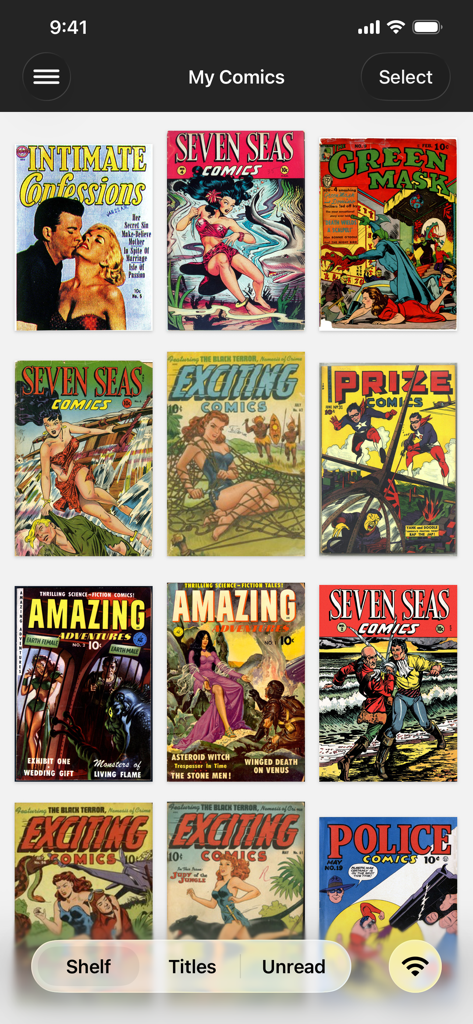
iComics - 선반에 있는 빈티지 만화 표지를 보여주는 iComics 앱의 디지털 만화책 컬렉션 그리드 보기.
선반에 있는 빈티지 만화 표지를 보여주는 iComics 앱의 디지털 만화책 컬렉션 그리드 보기.

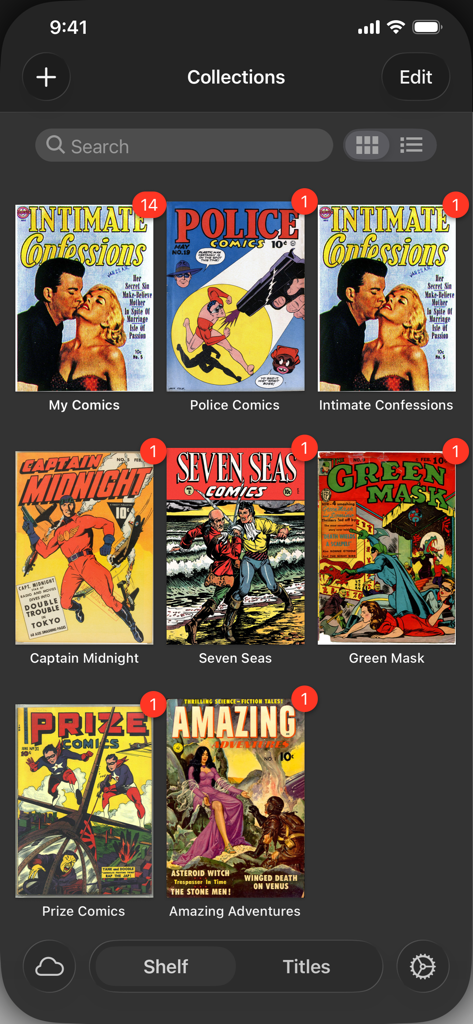
iComics - iComics 앱 라이브러리에 구성된 만화책 컬렉션의 그리드 보기

iComics 앱 라이브러리에 구성된 만화책 컬렉션의 그리드 보기

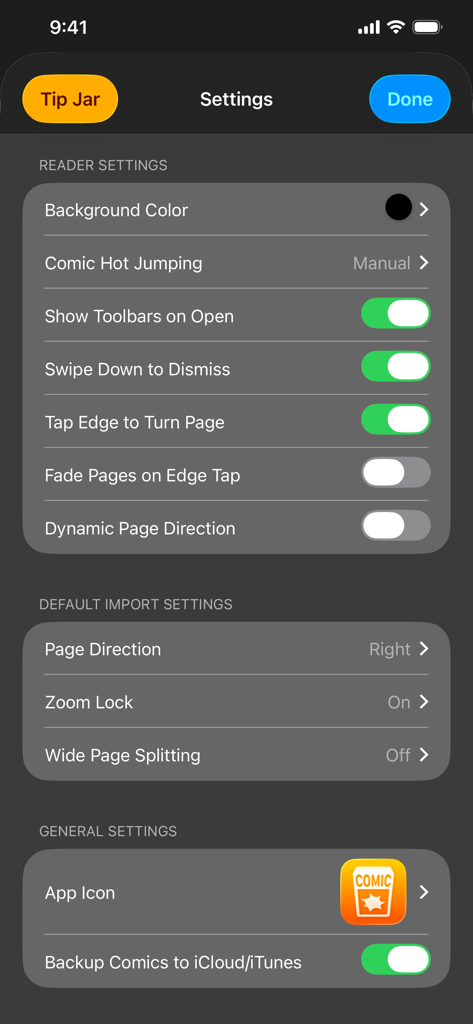
iComics - 독자 설정 및 가져오기 구성 옵션을 보여주는 iComics 앱의 설정 메뉴.

독자 설정 및 가져오기 구성 옵션을 보여주는 iComics 앱의 설정 메뉴.

설명

iComics® is a Universal app designed for iPad, iPhone and iPod touch that allows you to read DRM-free comics from your own collection, quickly and smoothly! "Highly customizable and polished" -The Best Apps for Reading Comics on Your iPad, MakeUseOf, 2015 "Attractively designed" -Best Comic File Readers, AppAdvice, 2015 Supporting all of the major comic formats, iComics makes it extremely easy to import comic files onto your iOS device and start reading them straight away! -=-=-=-=-=-=-=-=-=-=-=-=-=-=-=-=- Features * Supports all of the major comic formats (ZIP, CBZ, RAR, CBR, 7ZIP, CB7, TAR, CBT, LZH, LHA, EPUB, PDF). * Collections for organizing sets of comics. * Hot jumping directly from one comic to the next. * Super smooth scrolling when turning pages. * Comics can be imported from your PC via iTunes, or from other apps on your iOS device (Such as Dropbox, or Safari). * Comic files are never modified or destroyed (So you can get them back off your device whenever you want!) * A slider that lets you jump between comic pages quickly. * Comics can be read from left-to-right, or right-to-left (Great for Eastern comics) * Page zooming can be set to reset every time a page is turned, or locked to the same scale across all pages. * Extra wide comic pages can be split up and treated as two separate pages. * Many sharing settings including being able to email, print or locally save individual pages! -=-=-=-=-=-=-=-=-=-=-=-=-=-=-=-=- System Requirements iComics requires iOS 9.0 or higher Supported hardware includes: * iPad (2 and above) * iPhone (4 and above) * iPod touch (5th Gen) -=-=-=-=-=-=-=-=-=-=-=-=-=-=-=-=- Follow 'iComicsApp' on Twitter, Instagram or Facebook for updates!

Download

다운로드: App Store

이 페이지는 앱이나 개발자의 공식 페이지가 아니며, 정보 제공 및 논평을 목적으로 작성된 독립 편집 간행물입니다. 명시적으로 달리 언급되지 않는 한, 해당 앱이나 개발자는 MWM, Apple, Google Play, 앱 퍼블리셔 또는 앱 개발자와 제휴, 보증, 후원, 승인 또는 공식적으로 연결되어 있지 않으며, 이 페이지의 어떤 내용도 해당 앱이 MWM의 서비스를 사용하여 개발되었음을 의미하지 않습니다. 모든 상표, 로고, 스크린샷 및 기타 콘텐츠는 해당 소유자의 자산입니다.