
이 페이지는 앱이나 개발자의 공식 페이지가 아니며, 정보 제공 및 논평을 목적으로 작성된 독립 편집 간행물입니다. 명시적으로 달리 언급되지 않는 한, 해당 앱이나 개발자는 MWM, Apple, Google Play, 앱 퍼블리셔 또는 앱 개발자와 제휴, 보증, 후원, 승인 또는 공식적으로 연결되어 있지 않으며, 이 페이지의 어떤 내용도 해당 앱이 MWM의 서비스를 사용하여 개발되었음을 의미하지 않습니다. 모든 상표, 로고, 스크린샷 및 기타 콘텐츠는 해당 소유자의 자산입니다.


instax mini LiPlay
디지털과 아날로그의 간극을 좁히세요. 좋아하는 스마트폰 사진을 인터랙티브한 즉석 인화 사진으로 변환하고, QR 코드를 통해 나만의 사운드 메시지를 추가하고, 창의적인 프레임으로 모든 추억을 맞춤 설정하세요.
다운로드
924K+사용자 평점
총 평가 수
1K+개발사
카테고리
Photo & Video지원 언어
10최신 버전
7.0.4크기
375.2 MB출시일
2019년 6월 12일순간을 인화하고, 추억을 들으세요
instax mini LiPlay™ 앱은 현대적인 스토리텔러를 위한 창의적인 도구로 디지털 세계와 실물 기념품 사이의 간극을 좁혀줍니다.
말하는 추억
실물 인화 사진에 QR 코드를 삽입하여 음성 메시지나 주변 소리를 녹음하여 정적인 사진을 몰입감 있는 오디오 경험으로 바꿔보세요.
망설임 없는 인화
스마트폰 카메라 롤에서 최고의 사진만 선택하여 인화하므로 필름 낭비를 줄이고 모든 인화 사진이 걸작이 되도록 하세요.
자주 묻는 질문
에 대해 알아야 할 모든 것 instax mini LiPlay
What is the instax mini LiPlay app?
instax mini LiPlay 앱은 Fujifilm instax mini LiPlay™ 및 instax mini LiPlay+™ 하이브리드 즉석 카메라의 공식 동반 애플리케이션입니다. 블루투스를 통해 연결되어 다양한 사진 및 사운드 기능을 사용할 수 있습니다.
Which cameras are compatible with the instax mini LiPlay app?
instax mini LiPlay 앱은 Fujifilm instax mini LiPlay™ 및 instax mini LiPlay+™ 하이브리드 즉석 카메라와만 호환됩니다. 사용자는 설정 화면에서 카메라 모델을 전환할 수 있습니다.
How does the instax mini LiPlay app connect to the camera?
instax mini LiPlay 앱은 블루투스를 통해 호환되는 카메라에 연결됩니다. 이 무선 연결을 통해 사용자는 스마트폰과 즉석 카메라 간의 모든 사용 가능한 기능을 활용할 수 있습니다.
What is the instax Sound Album™ feature in the instax mini LiPlay+ app?
instax mini LiPlay+™ 전용 instax Sound Album™ 기능은 사용자가 스마트폰 이미지와 음악을 결합하여 비디오를 만들 수 있도록 합니다. 사용자는 QR 코드를 추가하고 인쇄한 다음 코드를 스캔하여 비디오를 재생합니다.
Can I add sound to my instax photos using the instax mini LiPlay app?
예, instax mini LiPlay 앱은 SOUND 기능을 제공합니다. 사용자는 카메라 또는 스마트폰으로 오디오를 녹음하고, QR 코드로 instax 사진으로 변환한 다음, QR 코드를 스캔하여 사운드와 함께 이미지를 재생할 수 있습니다.
What is instax Sound Print™ in the instax mini LiPlay+ app?
instax mini LiPlay+™용 instax Sound Print™ 기능은 사용자가 스마트폰의 이미지에 직접 사운드를 추가할 수 있도록 합니다. 이 과정은 내장된 오디오가 포함된 고유한 instax™ 사진을 생성합니다.
Does the instax mini LiPlay app allow remote shooting?
예, instax mini LiPlay 앱에는 REMOTE SHOOTING 기능이 포함되어 있습니다. 이 기능을 사용하면 사용자는 스마트폰을 사용하여 카메라를 원격으로 제어하여 멀리서 사진을 구성하고 캡처할 수 있습니다.
How do I print photos from my smartphone to an instax camera using the instax mini LiPlay app?
instax mini LiPlay 앱에는 DIRECT PRINT 기능이 있습니다. 이 기능을 사용하면 사용자는 스마트폰의 카메라 롤에서 이미지를 연결된 instax 카메라로 보내 instax™ 사진으로 인쇄할 수 있습니다.
Can I customize photo frames with the instax mini LiPlay app?
예, instax mini LiPlay 앱은 CUSTOM FRAME 기능을 제공합니다. 사용자는 앱을 사용하여 좋아하는 디자인 프레임을 선택하고 카메라에 설정하여 instax 사진을 향상시킬 수 있습니다.
What operating system does the instax mini LiPlay app support?
instax mini LiPlay 앱은 iOS 16.0 이상을 지원합니다. 사용자는 애플리케이션을 설치하고 사용하려면 이 운영 체제 버전 이상을 실행하는 장치를 가지고 있어야 합니다.
Can I view and manage printed images within the instax mini LiPlay app?
예, instax mini LiPlay 앱에는 GALLERY 기능이 있습니다. 이 섹션을 통해 사용자는 카메라에서 인쇄한 이미지와 앱 내에서 생성된 비디오를 볼 수 있으며, 데이터를 다운로드하거나 다시 인쇄할 수도 있습니다.
다음 스크린샷과 설명은 앱의 공식 스토어 목록에서 직접 가져온 것이며 앱 개발자의 자산입니다.
앱 스토어
스크린샷
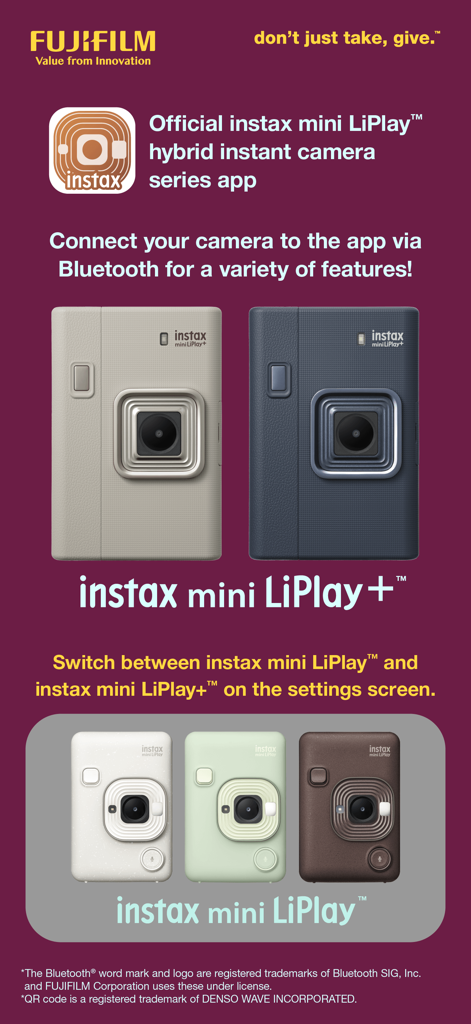
공식 instax mini LiPlay 하이브리드 즉석 카메라 시리즈 앱으로 여러 카메라 모델과 색상을 보여줍니다
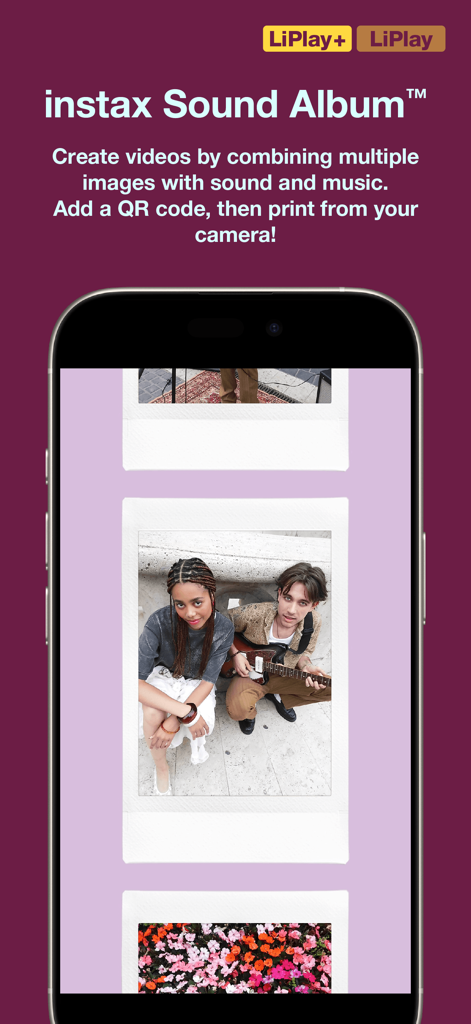
디지털 즉석 사진 갤러리가 있는 instax mini LiPlay 앱의 사운드 앨범 기능을 표시하는 스크린샷
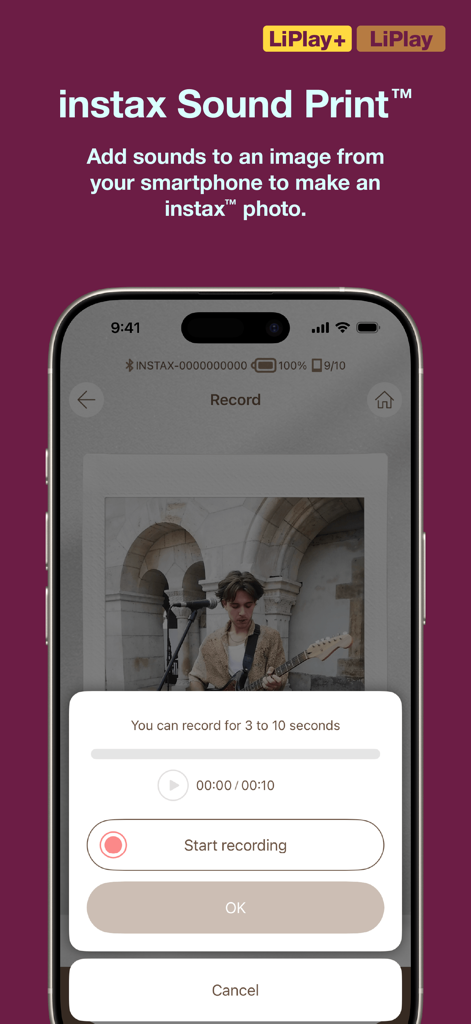
instax mini LiPlay 앱의 사운드 프린트 녹음 기능을 보여주는 스마트폰 화면
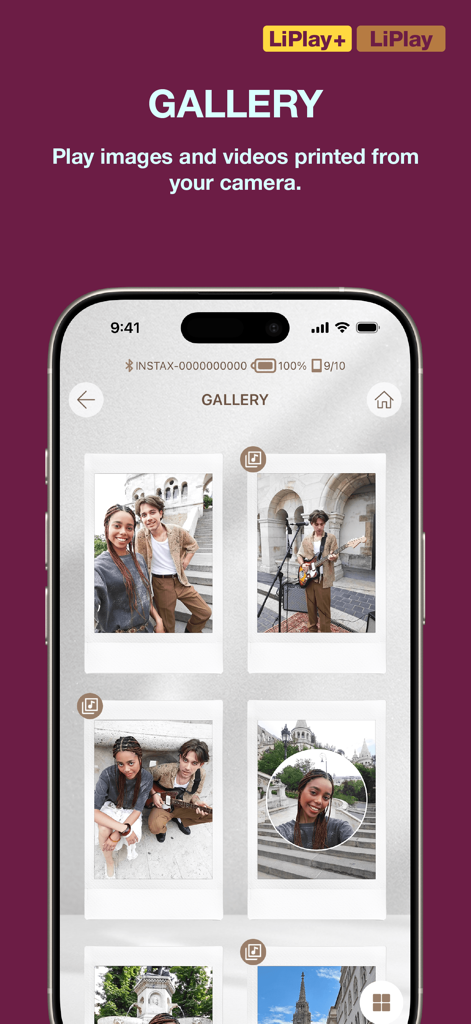
여러 즉석 필름 스타일 사진이 표시된 instax mini LiPlay 앱 갤러리의 스크린샷
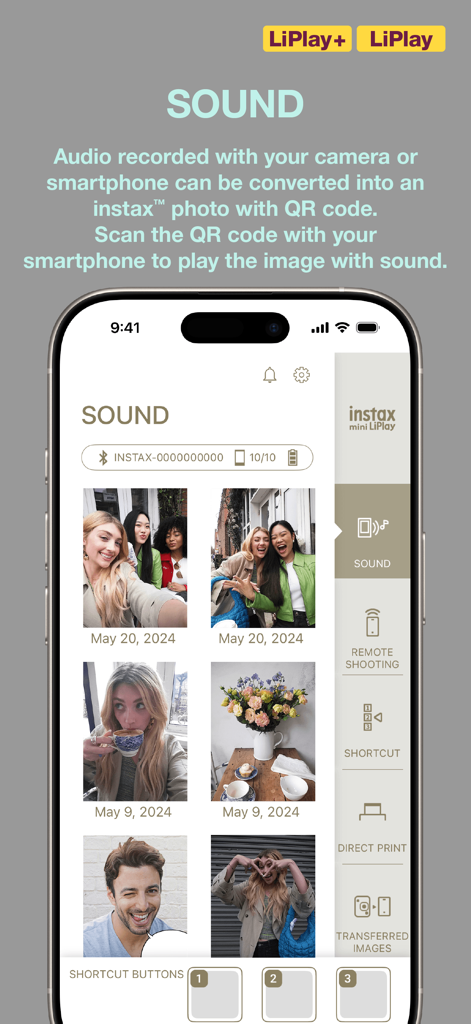
사진용 사운드 녹음 기능을 표시하는 instax mini LiPlay 앱 인터페이스
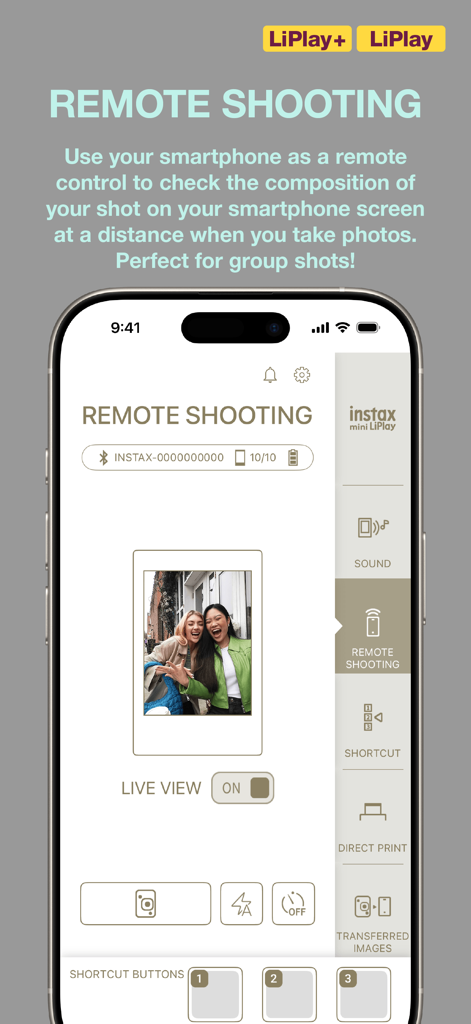
instax mini LiPlay 앱의 원격 촬영 기능을 보여주는 스마트폰 화면
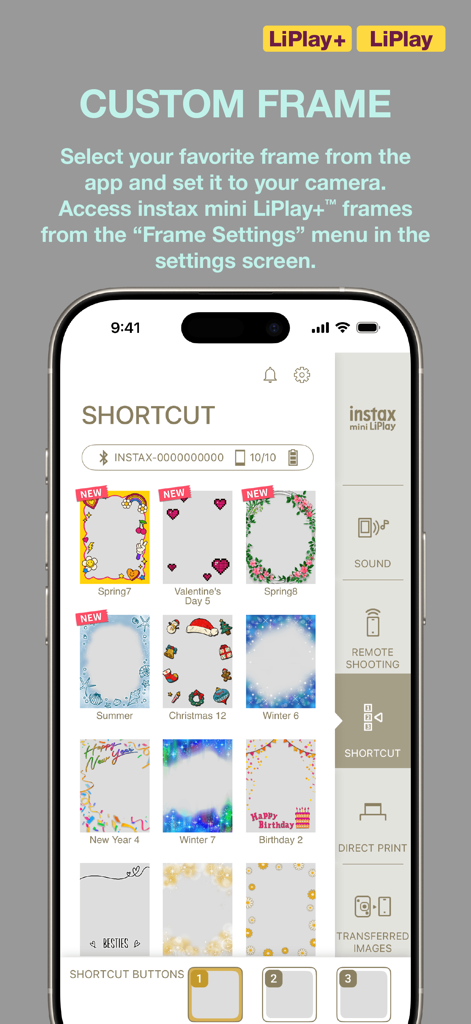
선택을 위해 다채로운 맞춤 사진 프레임 갤러리를 보여주는 instax mini LiPlay 앱 인터페이스
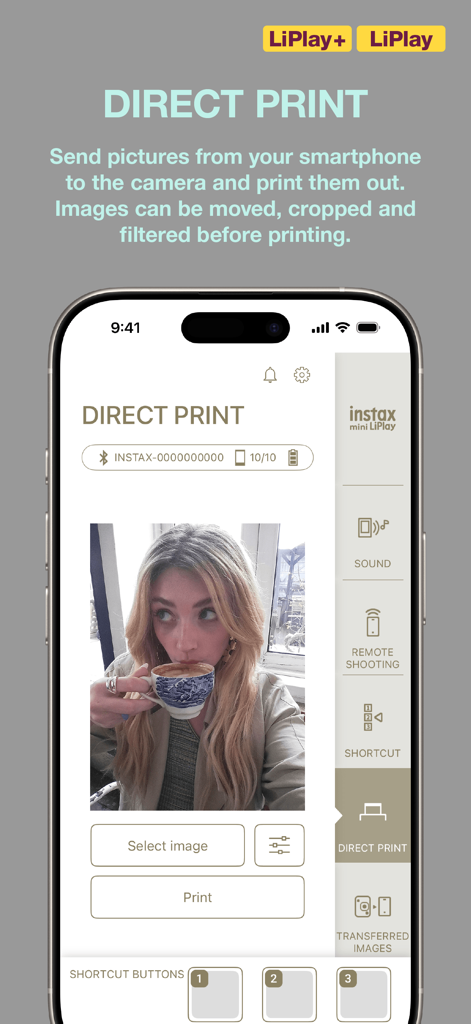
라이프스타일 사진 선택이 있는 instax mini LiPlay 앱의 Direct Print 인터페이스
설명
Download
비슷한 앱
유사한 기능과 사용자 경험을 가진 앱

instax mini Link
FUJIFILM Corporation

instax mini Evo
FUJIFILM Corporation

Canon Mini Print
Canon U.S.A., Inc.

Polaroid
Polaroid International B.V.

SELPHY Photo Layout
Canon Inc.

KODAK Photo Printer
Prinics Co., Ltd

Phomemo
PHOMEMO PTE. LTD.

Epson Creative Print
Seiko Epson Corporation

HP Sprocket
C&A Marketing Inc.
이 페이지는 앱이나 개발자의 공식 페이지가 아니며, 정보 제공 및 논평을 목적으로 작성된 독립 편집 간행물입니다. 명시적으로 달리 언급되지 않는 한, 해당 앱이나 개발자는 MWM, Apple, Google Play, 앱 퍼블리셔 또는 앱 개발자와 제휴, 보증, 후원, 승인 또는 공식적으로 연결되어 있지 않으며, 이 페이지의 어떤 내용도 해당 앱이 MWM의 서비스를 사용하여 개발되었음을 의미하지 않습니다. 모든 상표, 로고, 스크린샷 및 기타 콘텐츠는 해당 소유자의 자산입니다.