
이 페이지는 앱이나 개발자의 공식 페이지가 아니며, 정보 제공 및 논평을 목적으로 작성된 독립 편집 간행물입니다. 명시적으로 달리 언급되지 않는 한, 해당 앱이나 개발자는 MWM, Apple, Google Play, 앱 퍼블리셔 또는 앱 개발자와 제휴, 보증, 후원, 승인 또는 공식적으로 연결되어 있지 않으며, 이 페이지의 어떤 내용도 해당 앱이 MWM의 서비스를 사용하여 개발되었음을 의미하지 않습니다. 모든 상표, 로고, 스크린샷 및 기타 콘텐츠는 해당 소유자의 자산입니다.

SELPHY Photo Layout
이 앱은 당신의 스마트폰 사진을 실제 작품으로 변모시키는 힘을 부여합니다. 단순히 인쇄하는 것을 넘어, 디지털 이미지를 손끝에서 원하는 대로 조작하고 재구성합니다.
다운로드
2.5M+사용자 평점
총 평가 수
96.3K개발사
카테고리
Photo & Video지원 언어
13최신 버전
4.2.0크기
63.9 MB출시일
2018년 9월 3일캐논 SELPHY 프린터 사용자에게 최적화된 모바일 사진 인쇄 및 편집 경험
SELPHY Photo Layout 앱 주요 기능 분석
무선 연결 인쇄
이 앱은 스마트폰 또는 태블릿을 SELPHY 프린터와 무선으로 연결하여 고품질 사진 인쇄를 즐길 수 있도록 지원합니다.
콜라주 및 꾸미기
이 도구는 사용자가 인쇄하기 전에 여러 장의 사진을 자유롭게 배열하고 스탬프, 텍스트, QR 코드 등 다양한 장식 요소를 추가하여 개성 있는 콜라주를 만들 수 있게 해줍니다.
증명사진 인쇄
이 앱은 사용자가 셀카를 활용하여 여권 및 운전면허증 사진과 같은 증명사진을 간편하게 인쇄할 수 있는 기능을 제공합니다.
간편한 사진 인쇄
이 도구는 스마트폰의 '사진' 메뉴에서 원본 사진을 수정 없이 쉽게 선택하고 즉시 인쇄할 수 있도록 합니다.
셔플 레이아웃
이 앱은 최대 20장의 이미지를 선택하면 한 장의 용지에 자동으로 배열하여 인쇄할 수 있도록 해주며, 창의적이고 재미있는 방식으로 사진을 배치할 수 있습니다.
사용자 지정 크기 인쇄
이 도구는 사용자가 어떤 사진 크기로든 인쇄할 수 있는 유연성을 제공하여 다양한 목적에 맞춰 사진을 출력할 수 있게 해줍니다.
재인쇄
이 앱은 이전에 인쇄했던 사진 컬렉션에서 추가 사본을 간편하게 인쇄할 수 있는 기능을 제공하여 시간과 노력을 절약합니다.
타일 인쇄
이 앱은 하나의 사진을 여러 개의 타일로 분할하여 인쇄함으로써 더 큰 크기의 사진을 만들 수 있도록 해줍니다.
자주 묻는 질문
에 대해 알아야 할 모든 것 SELPHY Photo Layout
What is the SELPHY Photo Layout app used for?
The SELPHY Photo Layout app creates and saves image layouts for printing with SELPHY printers directly from your smartphone or tablet.
Which SELPHY printers are compatible with the SELPHY Photo Layout app?
The SELPHY Photo Layout app is compatible with SELPHY CP Series (CP1500, CP1300, CP1200, CP910, CP900) and QX Series (QX20, SQUARE QX10) printers.
What are the system requirements for installing the SELPHY Photo Layout app?
The SELPHY Photo Layout app requires iOS 17/18 or iPadOS 17/18 to operate.
What image formats does the SELPHY Photo Layout app support?
The SELPHY Photo Layout app supports JPEG, PNG, and HEIF image formats for printing.
Can I decorate photos before printing with the SELPHY Photo Layout app?
Yes, the SELPHY Photo Layout app allows you to decorate and layout photos freely using features like stamps, text, borders, backgrounds, and QR codes before printing.
Does SELPHY Photo Layout allow printing of ID photos?
Yes, the SELPHY Photo Layout app supports printing ID photos, such as passport and driver's license pictures, specifically for SELPHY CP Series printers.
How does the SELPHY Photo Layout app connect to SELPHY printers?
The SELPHY Photo Layout app connects wirelessly to SELPHY printers. For some CP models (CP1300, CP1200, CP910, CP900), the "Canon PRINT" app must be installed separately.
What collage features are available in the SELPHY Photo Layout app?
The SELPHY Photo Layout app offers a Collage menu to arrange multiple photos. Decoration features include stamps, frames, text, and embedded QR codes.
Does the SELPHY Photo Layout app have an automatic layout function?
Yes, the SELPHY Photo Layout app includes a 'Shuffle' function, available for CP Series printers, which automatically arranges up to 20 images on one sheet for printing.
Can I reprint previous photos using the SELPHY Photo Layout app?
Yes, the SELPHY Photo Layout app includes a 'Reprint' function that allows users to print additional copies from their previously printed collection for both CP and QX Series.
다음 스크린샷과 설명은 앱의 공식 스토어 목록에서 직접 가져온 것이며 앱 개발자의 자산입니다.
앱 스토어
스크린샷
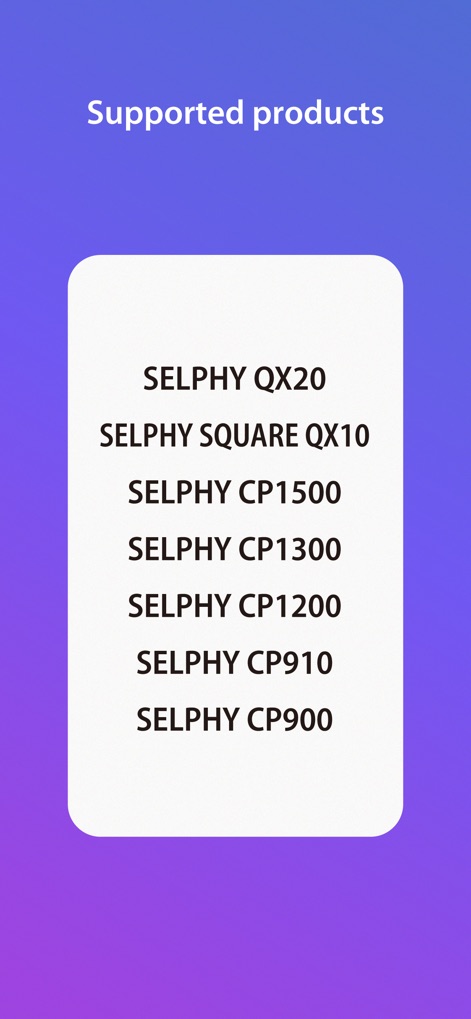
이 앱은 SELPHY QX 및 CP 시리즈를 포함한 다양한 SELPHY 프린터 모델을 지원하여, 사용자가 여러 기기에서 원활하게 인쇄할 수 있도록 합니다.
지원 제품 목록

앱의 메인 화면에서 '사진' 또는 '콜라주'와 같은 주요 인쇄 모드를 직관적으로 선택하여, 사용자는 원하는 방식으로 인쇄를 시작할 수 있습니다.
주요 기능 안내
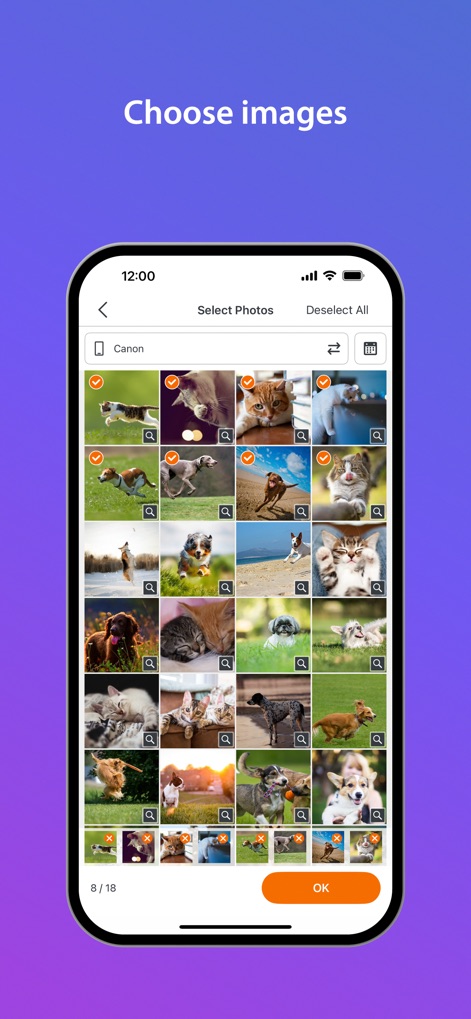
사용자는 갤러리에서 인쇄할 이미지를 편리하게 선택할 수 있으며, 각 사진의 체크 표시를 통해 선택 여부를 쉽게 확인하고 관리할 수 있습니다.
사진 간편 선택
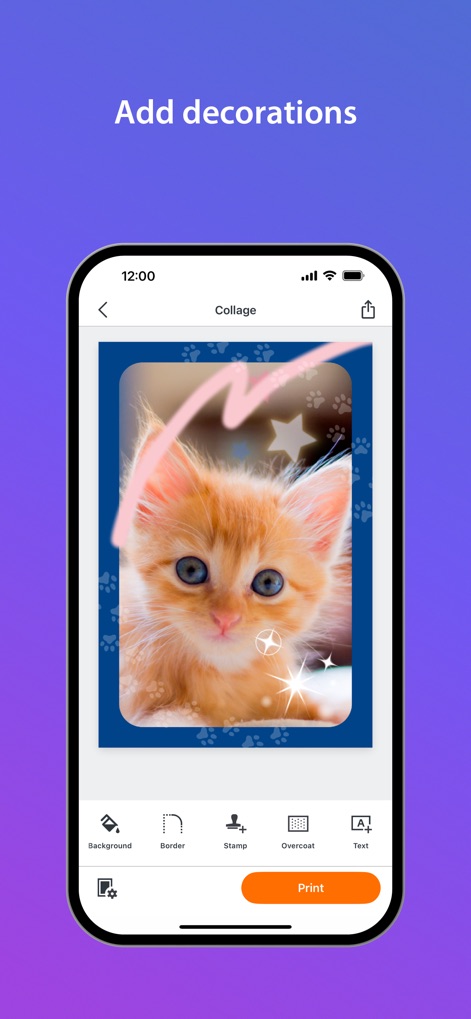
이 앱은 '스탬프'나 '텍스트'와 같은 다양한 꾸미기 도구를 제공하여, 사용자가 사진에 자신만의 개성을 더할 수 있도록 합니다.
나만의 사진 꾸미기
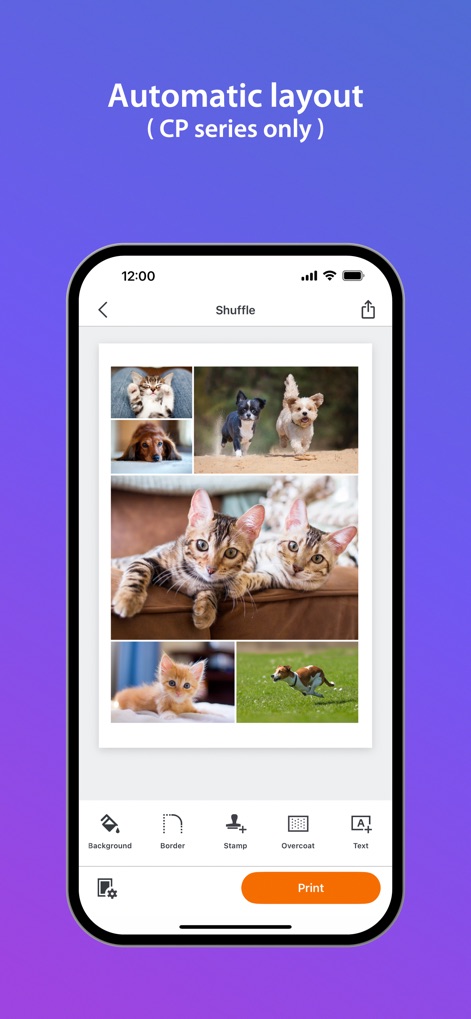
이 기능은 선택한 여러 이미지를 한 장에 자동으로 배열하여 다채로운 콜라주를 완성하며, 하단 메뉴에서 '배경' 또는 '테두리'를 추가할 수 있습니다.
자동 콜라주 배치
설명
Download
비슷한 앱
유사한 기능과 사용자 경험을 가진 앱

instax mini Link
FUJIFILM Corporation

instax mini Evo
FUJIFILM Corporation

Canon Mini Print
Canon U.S.A., Inc.

Polaroid
Polaroid International B.V.

KODAK Photo Printer
Prinics Co., Ltd

Phomemo
PHOMEMO PTE. LTD.

Epson Creative Print
Seiko Epson Corporation

HP Sprocket
C&A Marketing Inc.
NokoPrint - Mobile Printing
NokoPrint LLC
이 페이지는 앱이나 개발자의 공식 페이지가 아니며, 정보 제공 및 논평을 목적으로 작성된 독립 편집 간행물입니다. 명시적으로 달리 언급되지 않는 한, 해당 앱이나 개발자는 MWM, Apple, Google Play, 앱 퍼블리셔 또는 앱 개발자와 제휴, 보증, 후원, 승인 또는 공식적으로 연결되어 있지 않으며, 이 페이지의 어떤 내용도 해당 앱이 MWM의 서비스를 사용하여 개발되었음을 의미하지 않습니다. 모든 상표, 로고, 스크린샷 및 기타 콘텐츠는 해당 소유자의 자산입니다.