
이 페이지는 앱이나 개발자의 공식 페이지가 아니며, 정보 제공 및 논평을 목적으로 작성된 독립 편집 간행물입니다. 명시적으로 달리 언급되지 않는 한, 해당 앱이나 개발자는 MWM, Apple, Google Play, 앱 퍼블리셔 또는 앱 개발자와 제휴, 보증, 후원, 승인 또는 공식적으로 연결되어 있지 않으며, 이 페이지의 어떤 내용도 해당 앱이 MWM의 서비스를 사용하여 개발되었음을 의미하지 않습니다. 모든 상표, 로고, 스크린샷 및 기타 콘텐츠는 해당 소유자의 자산입니다.


KODAK Photo Printer
Kodak 프린터를 위한 최고의 창의적 동반자. 뷰티 필터로 편집하고, AR 마법을 추가하고, 좋아하는 스마트폰 순간을 몇 초 만에 고품질 인화로 바꾸세요.
다운로드
2M+사용자 평점
총 평가 수
97K+개발사
카테고리
Photo & Video지원 언어
17최신 버전
5.0.5크기
93.0 MB출시일
2021년 8월 6일픽셀을 소중한 추억으로
KODAK Photo Printer 앱은 디지털 세계와 물리적 공간의 격차를 해소하여 몇 번의 탭만으로 추억에 영속성을 부여합니다.
당신의 감성을 완벽하게
인쇄 전 사진에 전문가급 뷰티 필터와 AR 효과를 적용하여 모든 실물 복사가 완벽하고 전시 준비가 되도록 하세요.
파티 중이든 주말 여행 중이든, 몇 초 만에 블루투스로 스마트폰을 연결하여 갤러리 즐겨찾기 또는 실시간 캡처를 즉시 인쇄하세요.
자주 묻는 질문
에 대해 알아야 할 모든 것 KODAK Photo Printer
KODAK Photo Printer 앱이란 무엇인가요?
KODAK Photo Printer 앱을 사용하면 스마트폰의 이미지를 KODAK 즉석 포토 프린터 및 카메라로 인쇄할 수 있습니다. 앱 내에서 직접 사진 편집도 가능합니다.
KODAK Photo Printer 앱으로 사진을 어떻게 인쇄하나요?
인쇄하려면 갤러리에서 이미지를 선택하고 편집한 다음 프린터의 인쇄 버튼을 누르세요. 프린터가 충전되었고 Bluetooth로 연결되었으며 전원이 켜져 있는지 확인하세요.
KODAK Photo Printer 앱에 어떤 새로운 기능이 있나요?
KODAK Photo Printer 앱에는 AR(증강 현실) 및 뷰티 기능 등 새로운 기능이 도입되었습니다. 이전 KODAK Instant Printer 앱을 대체합니다.
KODAK Photo Printer 앱 내에서 사진을 편집할 수 있나요?
네, KODAK Photo Printer 앱을 사용하면 인쇄하기 전에 스마트폰이나 태블릿에서 사진을 찍고 편집할 수 있습니다. 편집 옵션에는 변형, 조정, 필터, 프레임 및 콜라주가 포함됩니다.
KODAK Photo Printer 앱은 어떤 KODAK 프린터 모델을 지원하나요?
KODAK Photo Printer 앱은 Kodak 2인치 프린터(P210, M200), 2 in 1 카메라(C210, MS200), 3인치 정사각형 프린터(P300, M300), 3인치 정사각형 2 in 1 카메라(C300, MS300), 4인치 정사각형 카메라(MS400), 6인치 도크 프린터(PD460, D600)와 같은 모델을 지원합니다.
KODAK Photo Printer 앱에 KODAK 프린터를 Bluetooth로 연결하려면 어떻게 해야 하나요?
프린터를 충전하고 전원을 켜세요. 휴대폰의 Bluetooth 설정으로 이동하여 프린터의 MAC 주소를 찾아 연결하세요. MAC 주소는 프린터 도어 안쪽이나 도크 프린터의 아래쪽에 있습니다.
KODAK Photo Printer 앱이 이전 앱을 대체하나요?
네, KODAK Photo Printer 앱은 이전 KODAK Instant Printer 앱을 대체합니다. 이 새로운 앱에는 AR 및 뷰티 기능과 같은 향상된 기능이 포함되어 있습니다.
KODAK Photo Printer 앱으로 사진을 인쇄하는 데 얼마나 걸리나요?
KODAK Photo Printer 앱을 사용하여 사진을 완전히 인쇄하는 데 약 1분이 걸립니다. 인쇄가 완전히 완료될 때까지 사용자는 사진을 잡아당기지 않아야 합니다.
다음 스크린샷과 설명은 앱의 공식 스토어 목록에서 직접 가져온 것이며 앱 개발자의 자산입니다.
앱 스토어
스크린샷
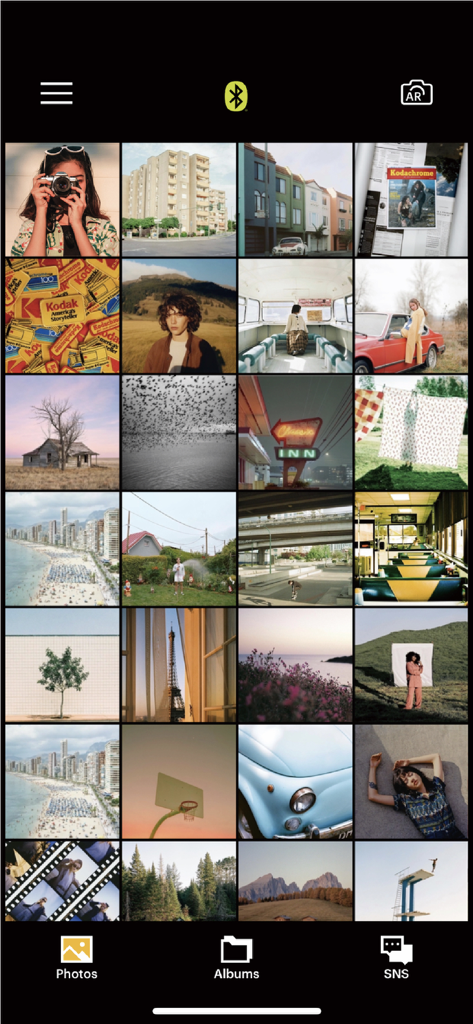
Kodak Photo Printer 앱 갤러리가 선택 및 인쇄를 위한 미적 사진 그리드를 보여줍니다.
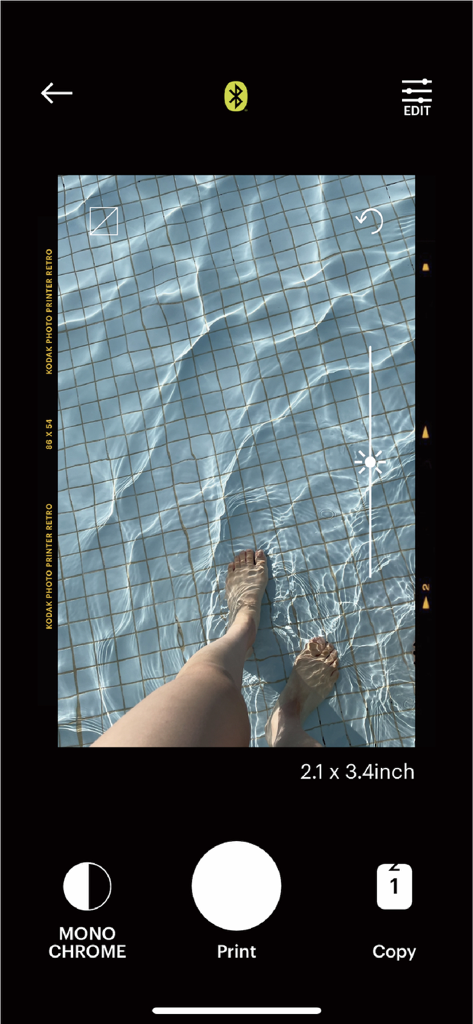
Kodak Photo Printer 앱 인터페이스가 인쇄 전 밝기 슬라이더로 편집 중인 수영장 사진을 보여줍니다.
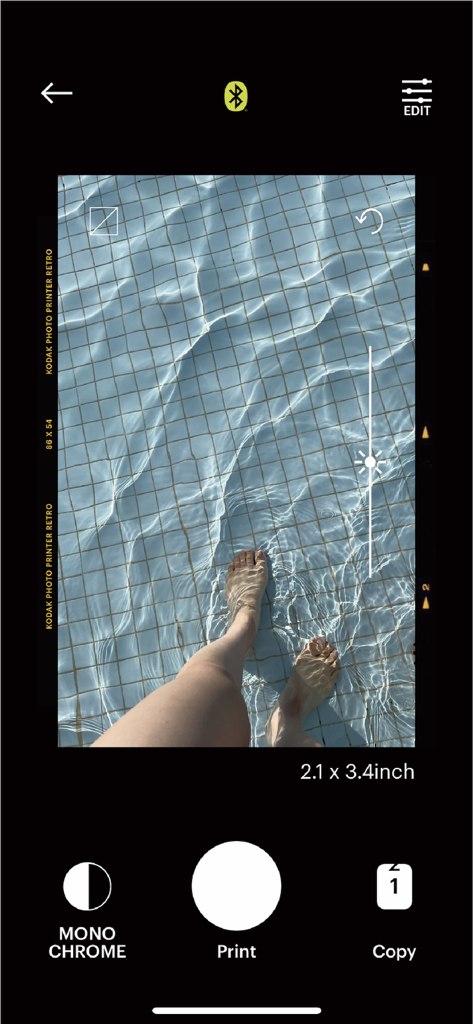
Kodak Photo Printer 앱 화면이 사진 편집 및 인쇄 옵션을 보여줍니다.
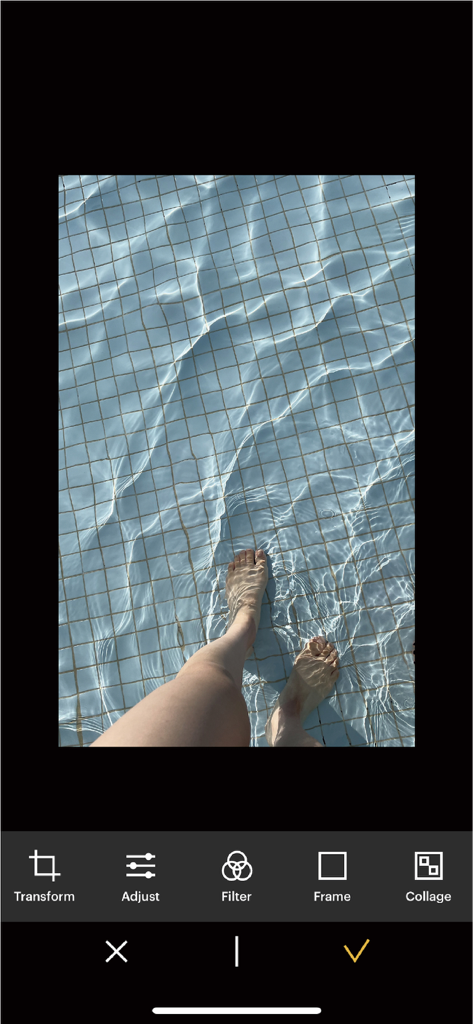
KODAK Photo Printer 앱 편집 인터페이스가 사진 조정 도구와 수영장 사진을 보여줍니다.
설명
Download
비슷한 앱
유사한 기능과 사용자 경험을 가진 앱

instax mini Link
FUJIFILM Corporation

instax mini Evo
FUJIFILM Corporation

Canon Mini Print
Canon U.S.A., Inc.

Polaroid
Polaroid International B.V.

SELPHY Photo Layout
Canon Inc.

Phomemo
PHOMEMO PTE. LTD.

Epson Creative Print
Seiko Epson Corporation

HP Sprocket
C&A Marketing Inc.
NokoPrint - Mobile Printing
NokoPrint LLC
이 페이지는 앱이나 개발자의 공식 페이지가 아니며, 정보 제공 및 논평을 목적으로 작성된 독립 편집 간행물입니다. 명시적으로 달리 언급되지 않는 한, 해당 앱이나 개발자는 MWM, Apple, Google Play, 앱 퍼블리셔 또는 앱 개발자와 제휴, 보증, 후원, 승인 또는 공식적으로 연결되어 있지 않으며, 이 페이지의 어떤 내용도 해당 앱이 MWM의 서비스를 사용하여 개발되었음을 의미하지 않습니다. 모든 상표, 로고, 스크린샷 및 기타 콘텐츠는 해당 소유자의 자산입니다.