
이 페이지는 앱이나 개발자의 공식 페이지가 아니며, 정보 제공 및 논평을 목적으로 작성된 독립 편집 간행물입니다. 명시적으로 달리 언급되지 않는 한, 해당 앱이나 개발자는 MWM, Apple, Google Play, 앱 퍼블리셔 또는 앱 개발자와 제휴, 보증, 후원, 승인 또는 공식적으로 연결되어 있지 않으며, 이 페이지의 어떤 내용도 해당 앱이 MWM의 서비스를 사용하여 개발되었음을 의미하지 않습니다. 모든 상표, 로고, 스크린샷 및 기타 콘텐츠는 해당 소유자의 자산입니다.


Kino - Pro Video Camera
전문가 수준의 색상 사전 설정과 부드러운 AutoMotion으로 iPhone에 영화 같은 느낌을 더하세요. 현대적인 크리에이터를 위해 설계된 카메라 앱으로 멋진 영상을 촬영, 보정, 공유하세요. 편집이 필요 없습니다.
다운로드
194K+사용자 평점
총 평가 수
4K+개발사
카테고리
Photo & Video지원 언어
12최신 버전
1.3.2크기
51.0 MB출시일
2024년 5월 29일시네마틱 영상미, 즉시 포착
품질, 속도, 개인 정보 보호를 중요하게 생각하는 크리에이터를 위해 설계된 전문가 수준의 비디오 도구. 즉각적인 색 보정부터 자동 모션 블러까지, Kino는 당신의 iPhone을 전문가용 시네마 카메라로 바꿔줍니다.
즉각적인 전문가 색 보정
편집 부스를 건너뛰세요. 녹화 중에 전문가가 만든 LUT를 적용하여 녹화가 끝나자마자 완벽한 영화 느낌을 얻고 소셜 미디어에 즉시 공유하세요.
손쉬운 시네마틱 모션
180도 셔터 효과를 자동으로 구현하세요. AutoMotion 기술이 복잡한 계산을 처리하여 영상이 부드럽고 시네마틱하게 유지됩니다.
자주 묻는 질문
에 대해 알아야 할 모든 것 Kino - Pro Video Camera
Kino - Pro Video Camera는 무엇인가요?
Kino - Pro Video Camera는 편집 없이 컬러 프리셋과 부드러운 모션으로 영화 같은 영상을 녹화할 수 있는 앱입니다. 모든 기술 수준에 맞게 간단하고 전문적인 도구를 제공합니다.
Kino - Pro Video Camera에는 숙련된 영화 제작자를 위한 고급 수동 제어 기능이 포함되어 있나요?
네, Kino는 셔터 속도, 각도, ISO 조절, 포커스 피킹, 컬러 웨이브폼 및 오디오 미터를 포함한 전체 수동 모드를 제공합니다. 사용자는 LUT를 가져와 Instant Grade 기능도 사용할 수 있습니다.
Kino - Pro Video Camera의 AutoMotion 기능은 어떻게 영화적인 느낌을 만드나요?
Kino의 AutoMotion은 영화적인 '스위트 스팟'인 180° 셔터 속도를 향해 노출을 편향시킵니다. 부드럽고 영화 같은 모션을 달성하기 위해 셔터 각도를 자동으로 우선시합니다.
사용자는 Kino - Pro Video Camera에 사용자 정의 LUT를 가져올 수 있나요?
네, Kino는 Pixelmator Pro 또는 Davinci Resolve와 같은 앱에서 사용자 정의 .cube LUT 파일을 가져오는 것을 지원합니다. 사용자는 탭 한 번으로 Kino에서 이 파일을 열 수 있습니다.
Kino - Pro Video Camera는 사용자 데이터나 분석 정보를 수집하나요?
아니요, Kino - Pro Video Camera는 데이터를 전혀 수집하지 않고, 정보를 수집하지 않으며, 분석 정보가 포함되어 있지 않다고 명시합니다. 이 앱은 사용자 개인 정보를 강조합니다.
Kino - Pro Video Camera의 Instant Grade 기능은 무엇인가요?
Instant Grade를 사용하면 사용자는 전문가가 만든 프리셋을 사용하여 영화처럼 영화 같은 색상의 비디오를 촬영할 수 있습니다. Kino는 캡처 후 편집이 필요 없도록 처리된 비디오를 직접 저장합니다.
Kino - Pro Video Camera는 녹화물을 Apple의 Files 앱에 저장할 수 있나요?
네, Kino는 Photos 대신 Files 앱에 녹화물을 저장할 수 있습니다. 이는 사용자에게 더 나은, 더 쉬운 촬영 관리를 제공합니다.
Kino - Pro Video Camera는 신규 사용자를 위한 학습 자료를 제공하나요?
네, Kino 팀은 앱으로 영화 제작을 배우는 데 도움이 되는 무료 교육 시리즈를 제공합니다. 사용자는 쉬운 강의를 받기 위해 강의 계획에 등록할 수 있습니다.
Kino - Pro Video Camera 앱은 누가 개발했나요?
Kino - Pro Video Camera는 Ben Sandofsky와 Sebastiaan de With가 Katie-Rose Summerfield와 Doug Broussard의 도움을 받아 개발했습니다. Halide 팀에서 제작했습니다.
다음 스크린샷과 설명은 앱의 공식 스토어 목록에서 직접 가져온 것이며 앱 개발자의 자산입니다.
앱 스토어
스크린샷
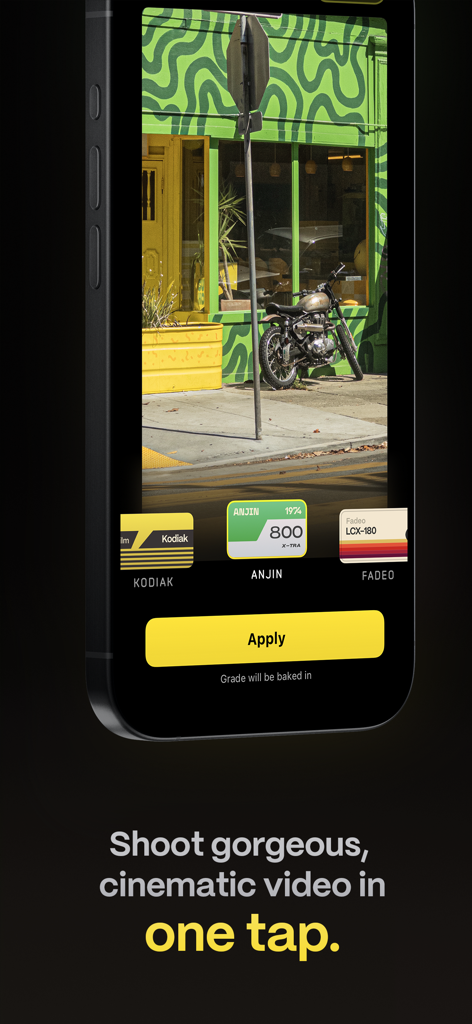
Kino 앱 인터페이스가 표시된 iPhone 화면, 시네마틱 색상 사전 설정 및 즉석 비디오 보정을 위한 노란색 적용 버튼이 있습니다.
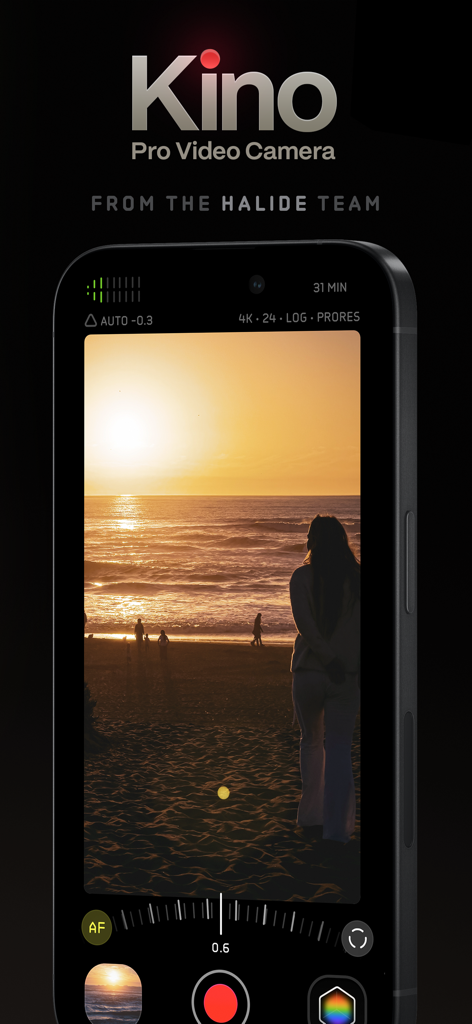
시네마틱 일몰 녹화를 특징으로 하는 iPhone의 Kino Pro Video Camera 앱 인터페이스
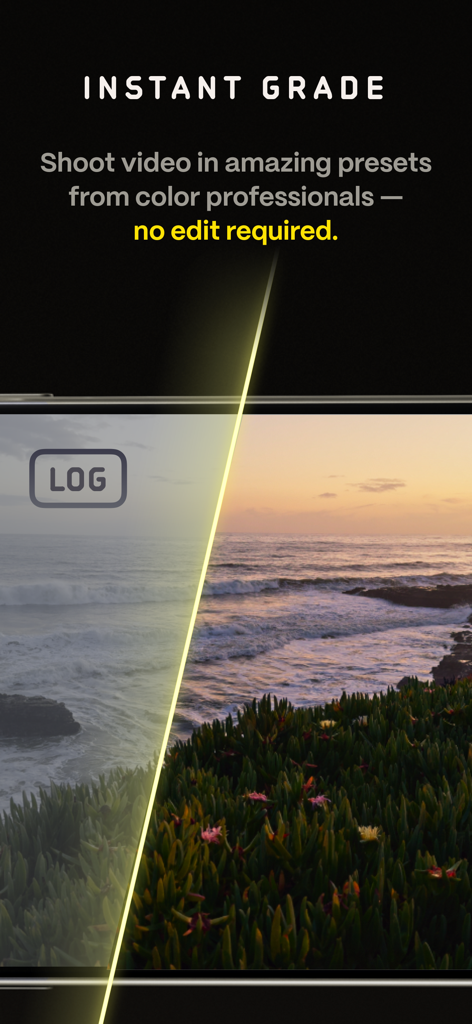
Kino 비디오 앱에서 원본 로그 푸티지와 전문가 색 보정의 분할 화면 비교
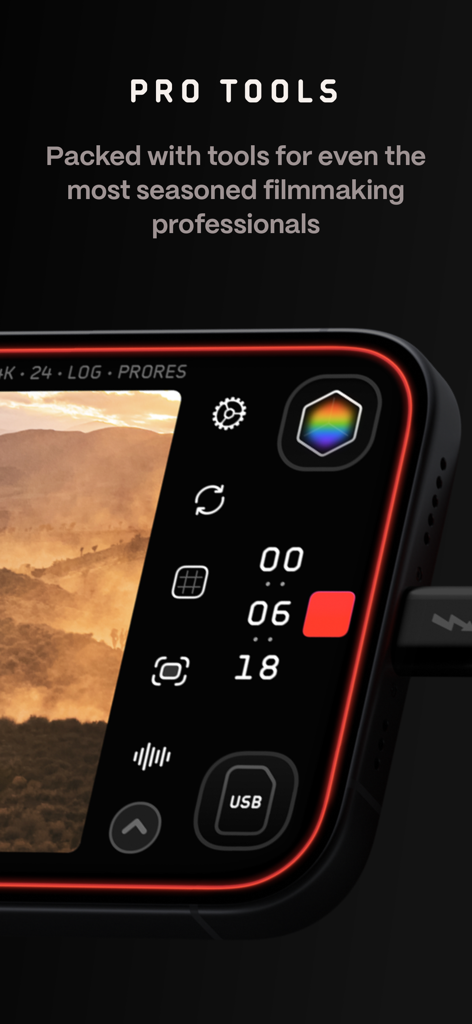
수동 제어 및 녹화 설정을 보여주는 Kino 프로 비디오 카메라 앱 인터페이스의 클로즈업
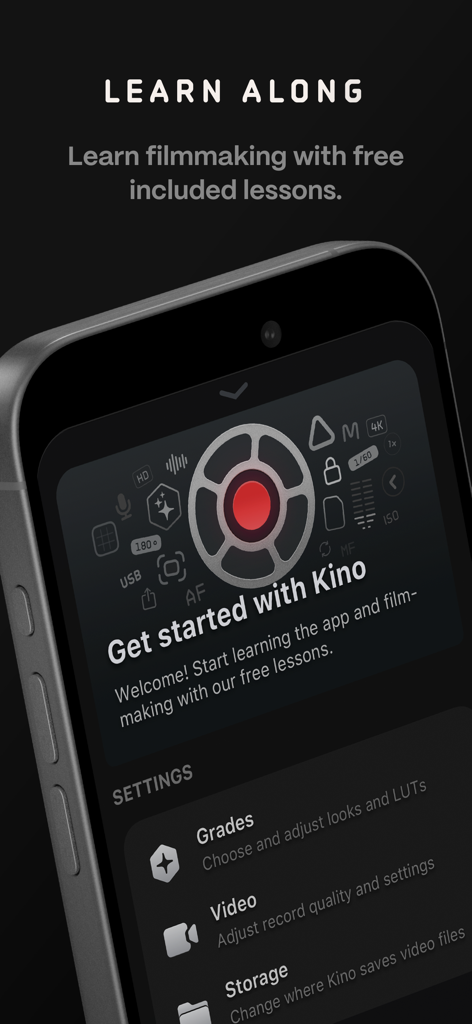
무료 영화 제작 강의 및 카메라 설정이 포함된 Kino 앱 온보딩 화면
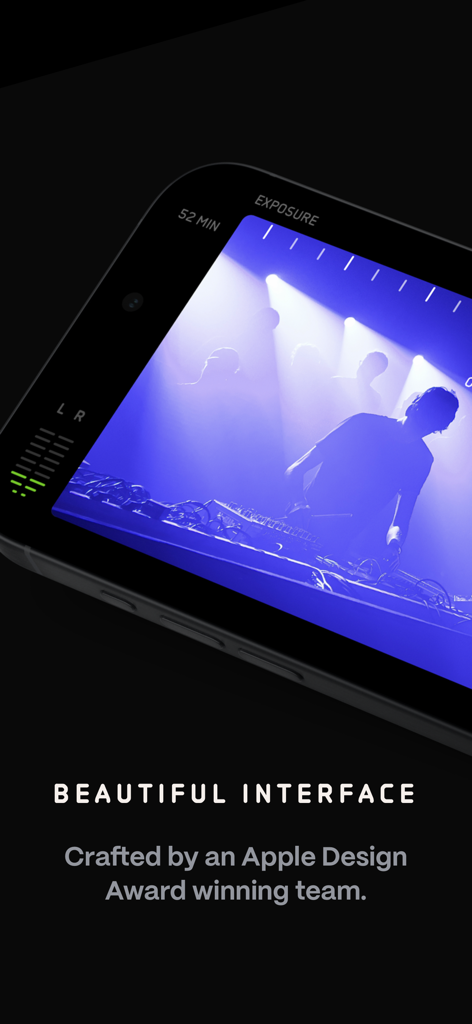
전문적인 노출 및 오디오 미터와 함께 시네마틱 녹화 세션을 보여주는 Kino 프로 비디오 카메라 앱 인터페이스의 클로즈업
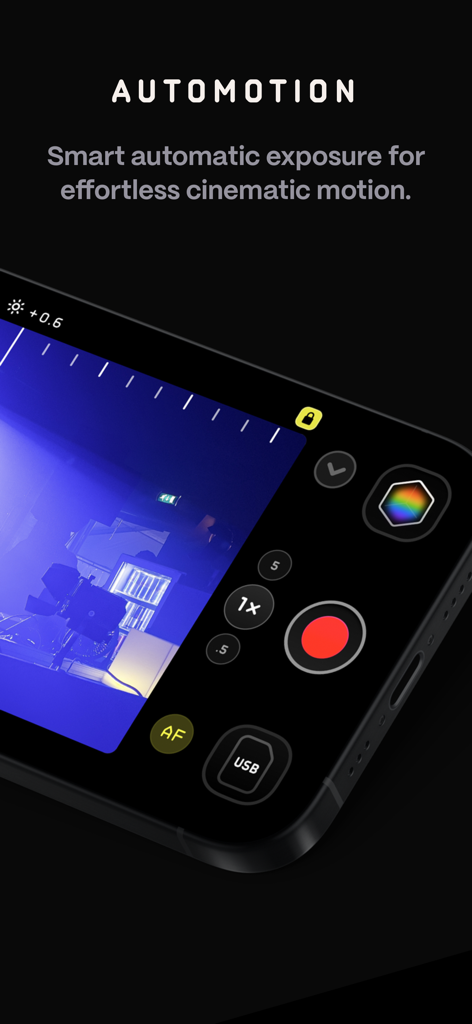
시네마틱 모션을 위한 Kino Pro Video Camera 앱의 AutoMotion 기능
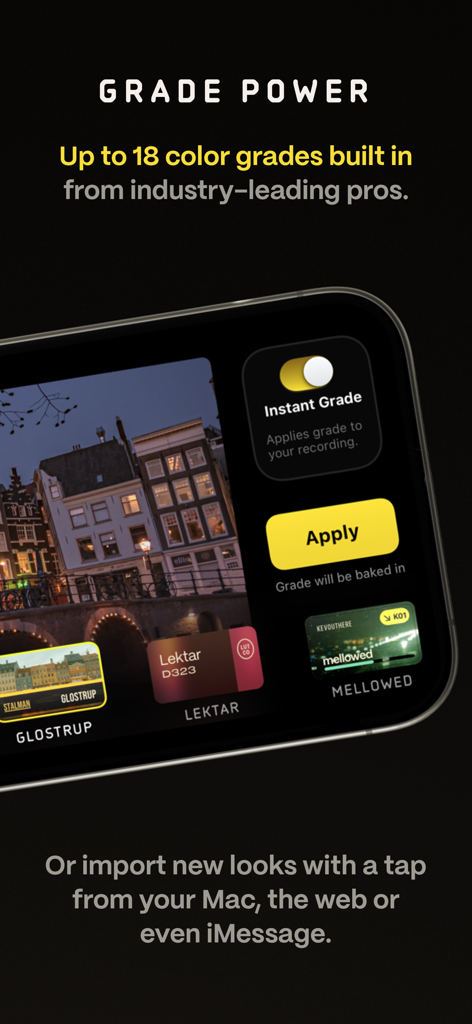
Kino 비디오 카메라 앱이 전문가 색 보정 사전 설정 및 즉석 보정 옵션을 표시하고 있습니다.
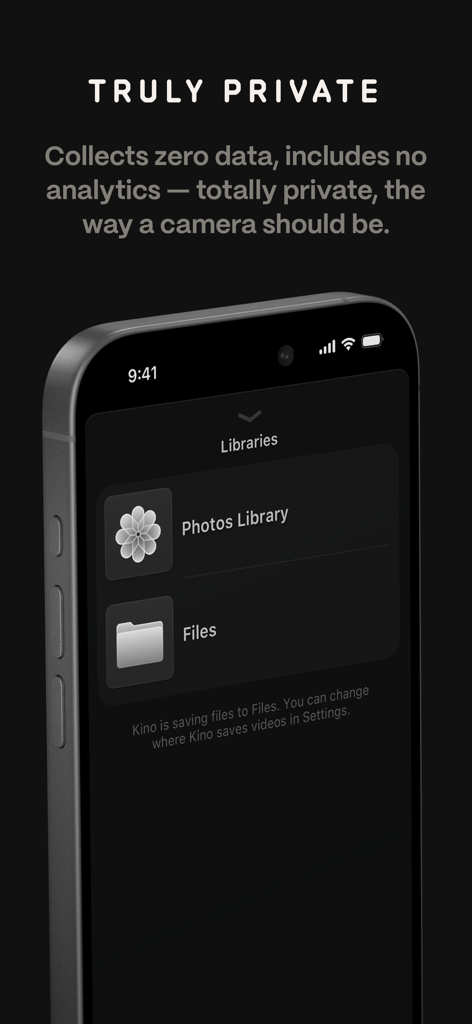
Kino 앱 화면에 개인 정보 보호 정책 및 파일 라이브러리 저장 옵션이 표시됩니다.
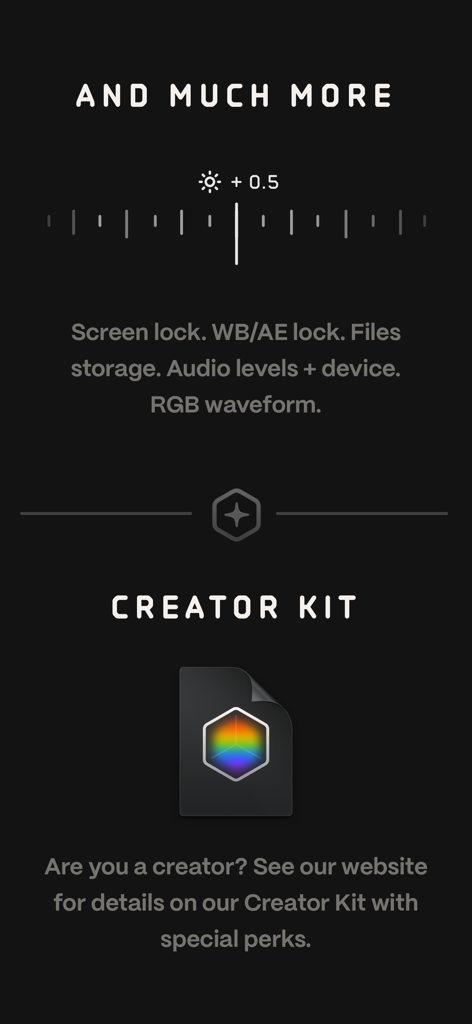
RGB 파형 및 오디오 레벨과 같은 프로 도구를 강조 표시하는 Kino 앱 인터페이스 스크린샷과 영화 제작자를 위한 크리에이터 키트에 대한 정보
설명
Download
비슷한 앱
유사한 기능과 사용자 경험을 가진 앱

Blackmagic Camera
Blackmagic Design Inc

飓风相机
Hangzhou Ostar Media Co.,Ltd.

ProMovie Recorder
Panda Apps Limited

ReLens Camera-DSLR Portrait
Pixl Concerto Technology Limited

Leica LUX - Pro Manual Camera
Leica Camera AG

FotorGear - Camera in Pocket
Shenzhen Fotorgear Technology Co., Ltd.

Unsharp
北北 宋

ProCam:Professional RAW Camera
BRAND CELLAR HOLDINGS PTE LTD

Vibe Cam - Moments Never Fade
森 林
이 페이지는 앱이나 개발자의 공식 페이지가 아니며, 정보 제공 및 논평을 목적으로 작성된 독립 편집 간행물입니다. 명시적으로 달리 언급되지 않는 한, 해당 앱이나 개발자는 MWM, Apple, Google Play, 앱 퍼블리셔 또는 앱 개발자와 제휴, 보증, 후원, 승인 또는 공식적으로 연결되어 있지 않으며, 이 페이지의 어떤 내용도 해당 앱이 MWM의 서비스를 사용하여 개발되었음을 의미하지 않습니다. 모든 상표, 로고, 스크린샷 및 기타 콘텐츠는 해당 소유자의 자산입니다.