
이 페이지는 앱이나 개발자의 공식 페이지가 아니며, 정보 제공 및 논평을 목적으로 작성된 독립 편집 간행물입니다. 명시적으로 달리 언급되지 않는 한, 해당 앱이나 개발자는 MWM, Apple, Google Play, 앱 퍼블리셔 또는 앱 개발자와 제휴, 보증, 후원, 승인 또는 공식적으로 연결되어 있지 않으며, 이 페이지의 어떤 내용도 해당 앱이 MWM의 서비스를 사용하여 개발되었음을 의미하지 않습니다. 모든 상표, 로고, 스크린샷 및 기타 콘텐츠는 해당 소유자의 자산입니다.


다운로드
25M+사용자 평점
총 평가 수
196.2K개발사
카테고리
Photo & Video지원 언어
12최신 버전
1.21크기
270.5 MB출시일
2017년 8월 31일Lightleap by Lightricks 앱의 주요 기능 분석
이 앱은 일반 사용자가 스마트폰 사진을 전문가 수준으로 보정하고 소셜 미디어에 공유할 수 있도록 돕는 강력한 편집 도구를 제공합니다.
하늘 교체
이 앱은 단 한 번의 탭으로 사진 배경의 하늘을 60개 이상의 고품질 하늘(맑은 날, 황혼, 일몰, 폭풍, 심지어 환상적인 하늘)로 교체하여 사진의 분위기를 극적으로 변화시킬 수 있게 해줍니다.
룩스
이 도구는 한 번의 탭으로 사진의 분위기를 전문적으로 변화시킬 수 있는 미리 정의된 다양한 룩스를 제공하여, 사용자가 인스타그램 피드에 개성 있는 시그니처 스타일을 만들 수 있도록 지원합니다.
힐
이 기능은 사용자에게 사진 속 원치 않는 인물, 배경 얼룩 등 방해 요소를 손쉽게 제거하고 이미지를 깔끔하게 보정할 수 있는 능력을 제공하여, 전문가처럼 사진을 완벽하게 만들 수 있도록 돕습니다.
필터
이 앱은 따뜻한, 흑백, 도시적인, 페이드 등 다양한 테마의 아름다운 필터를 제공하며, 사용자가 필터 강도를 쉽게 조절하여 원하는 시각적 효과를 빠르게 얻을 수 있게 해줍니다.
효과
이 도구는 그림자 효과, 반짝임, 렌즈 플레어 등 수많은 특수 효과를 추가하여 밋밋한 부분을 생동감 있게 만들고, 날씨 효과나 계절 테마를 변경하여 사진에 독특한 분위기를 더할 수 있도록 해줍니다.
조정
이 기능은 빛, 대비, 온도, 색조 및 색상 조절은 물론, 자르기, 선명도, 깊이, 구조, 그레인 조절과 같은 필수적인 전문가급 편집 도구를 제공하여 사용자가 사진을 세밀하게 보정할 수 있도록 돕습니다.
자주 묻는 질문
에 대해 알아야 할 모든 것 Lightleap by Lightricks
What is Lightleap by Lightricks?
Lightleap by Lightricks is a photo editor app that enables users to transform their photos quickly. It offers features like Sky replacement, healing, filters, effects, and comprehensive adjustment tools for professional-looking results.
How can I replace the sky in my photos using Lightleap?
Lightleap's Sky feature allows users to replace the background sky with one tap. It offers over 60 high-quality sky backgrounds, including options like sunny, dusk, sunset, storm, and fantasy skies, to enhance images.
Can Lightleap remove unwanted objects or people from images?
Yes, Lightleap features a Heal function designed to remove unwanted objects or people from photos. Users can select and erase items in both the foreground and background, and also smooth over mistakes.
What are 'Looks' in the Lightleap photo editor?
In the Lightleap photo editor, 'Looks' are predefined styles that change a photo's vibe with one tap. They function as filters, allowing users to create signature styles or apply specific moods like golden hour or dusk.
Does Lightleap offer various photo filters?
Yes, Lightleap provides numerous filters organized by theme, such as warm, black and white, urban, and fade. Users can easily adjust the intensity of these filters to achieve their desired photographic effects.
What kind of special effects are available in Lightleap?
Lightleap offers special effects like shadow overlays, sparkles, lens flares, and weather manipulations to enhance photos. Users can also add seasonal themes and adjust mood elements for creative outcomes.
What photo adjustment tools does Lightleap include?
Lightleap includes a comprehensive set of adjustment tools. These allow users to modify light, contrast, temperature, tint, and hue. The app also supports cropping, sharpening, depth, structure, and grain adjustments.
Is Lightleap a standalone app or part of a suite?
Lightleap is part of the Enlight Creativity Suite by Lightricks, an award-winning developer. This suite also includes other creative applications like Pixaloop, Videoleap, and Photofox, enhancing user creativity.
Who developed the Lightleap app?
Lightleap is developed by Lightricks, an award-winning app developer known for its Enlight Creativity Suite. Lightricks also developed apps such as Pixaloop, Videoleap, and Photofox.
다음 스크린샷과 설명은 앱의 공식 스토어 목록에서 직접 가져온 것이며 앱 개발자의 자산입니다.
앱 스토어
스크린샷
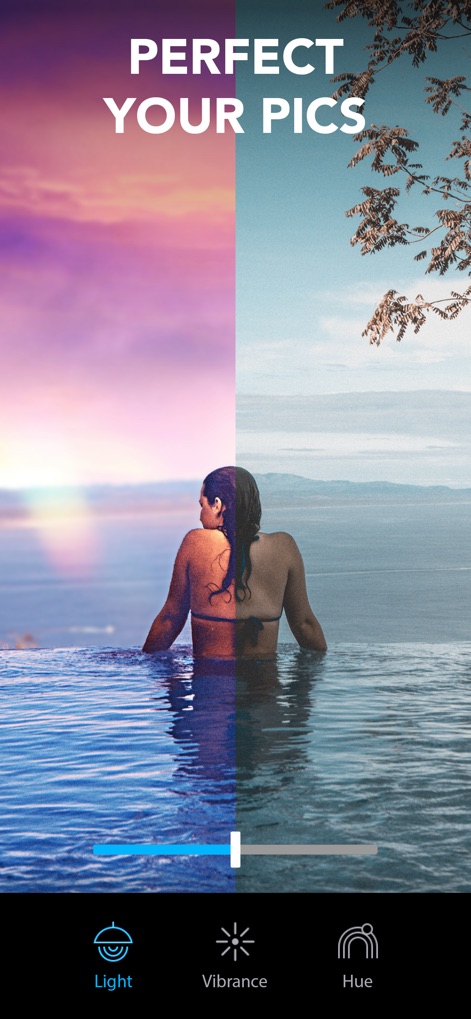
완벽한 사진 보정
사용자는 간단한 슬라이더 조절로 사진의 빛과 색감을 극적으로 변화시켜 생생한 노을빛 하늘과 반짝이는 물결을 연출할 수 있습니다.
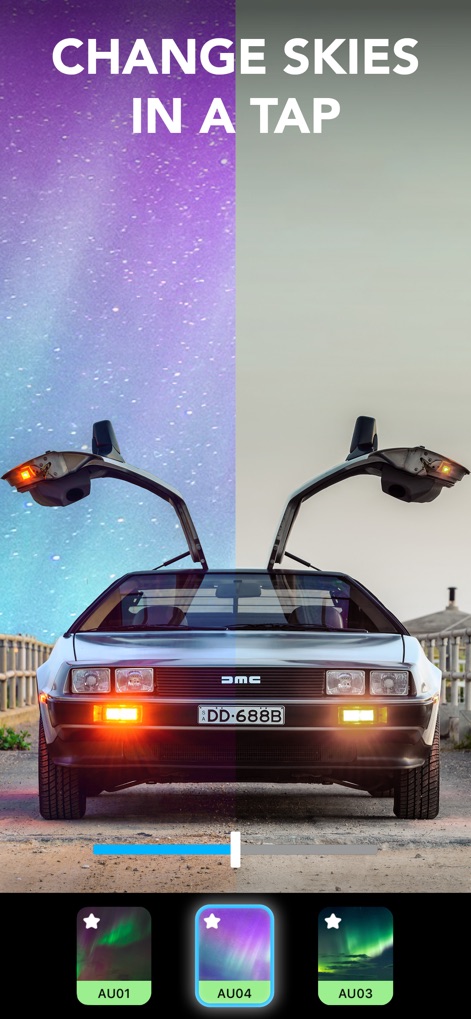
한 번의 터치로 하늘 변경
이 앱은 단 한 번의 탭으로 흐린 하늘을 화려한 별이 빛나는 밤하늘로 교체하여 자동차 사진에 환상적인 분위기를 더합니다.
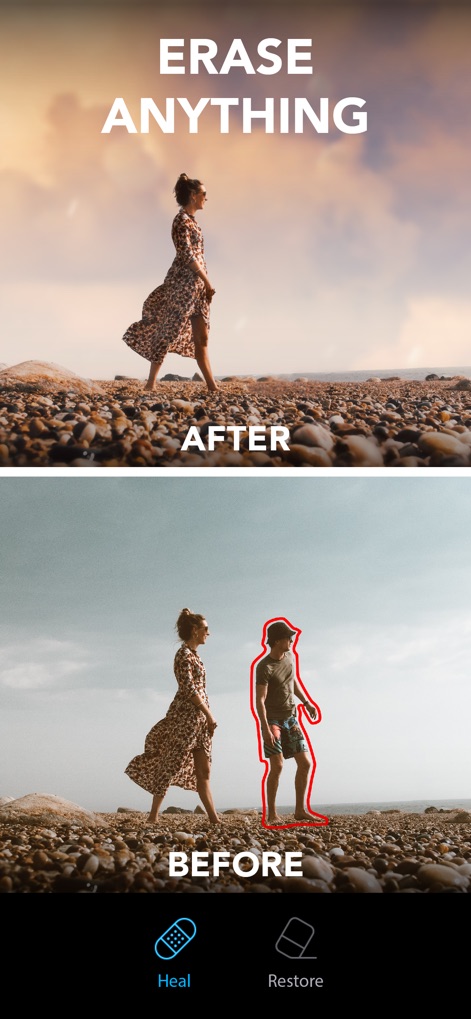
원치 않는 요소 제거
강력한 힐링 기능을 통해 사용자는 배경에 있는 인물과 같은 불필요한 요소를 깨끗하게 지워 완벽하게 정돈된 해변 사진을 얻을 수 있습니다.
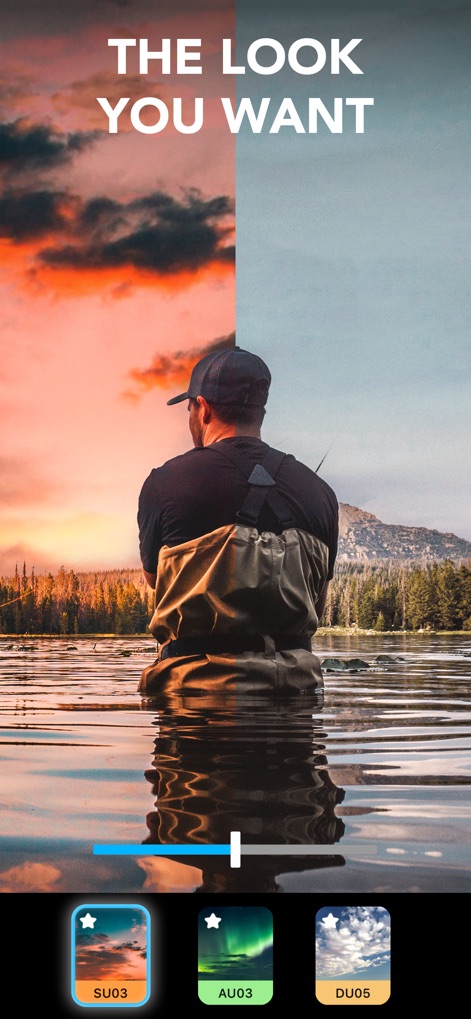
원하는 분위기 연출
사용자는 단 한 번의 탭으로 호수에서 낚시하는 장면의 하늘을 역동적인 붉은빛 노을로 변경하고, 앱에서 제공하는 다양한 분위기 설정을 적용할 수 있습니다.
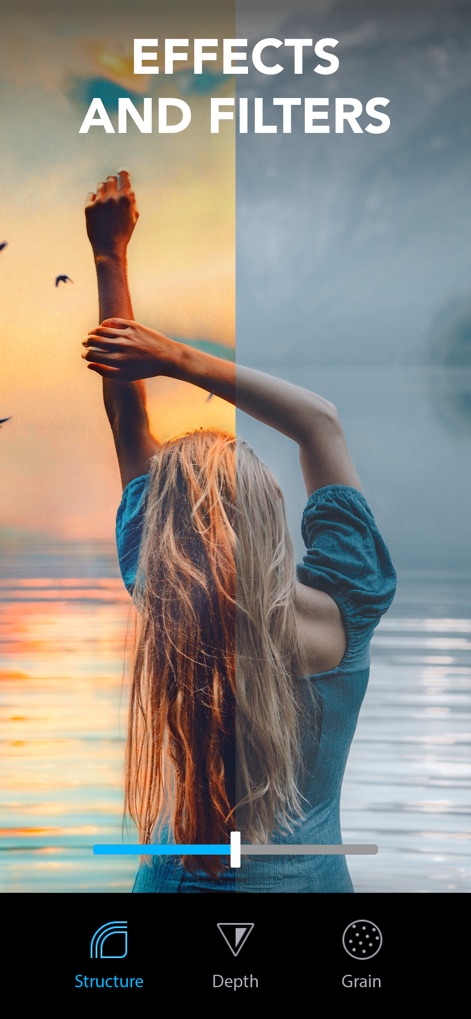
다채로운 효과와 필터
이 앱은 사진에 구조감과 깊이감을 더하는 동시에, 흐릿한 이미지를 생동감 넘치는 색상과 빛으로 채워 드라마틱한 변화를 선사합니다.
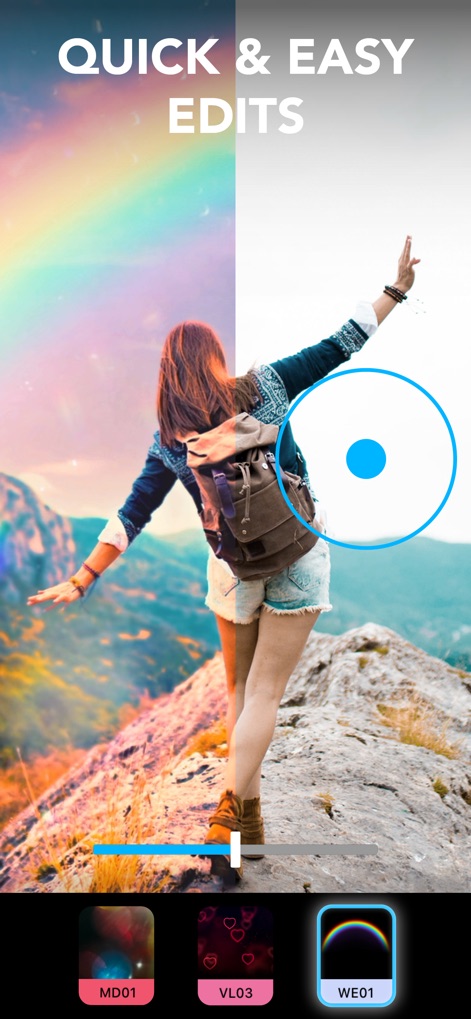
빠르고 쉬운 편집
사용자는 간단한 조절 바를 통해 평범한 하늘을 신비로운 무지개 빛깔로 바꾸고, 사진에 마법 같은 특별한 효과를 손쉽게 추가할 수 있습니다.
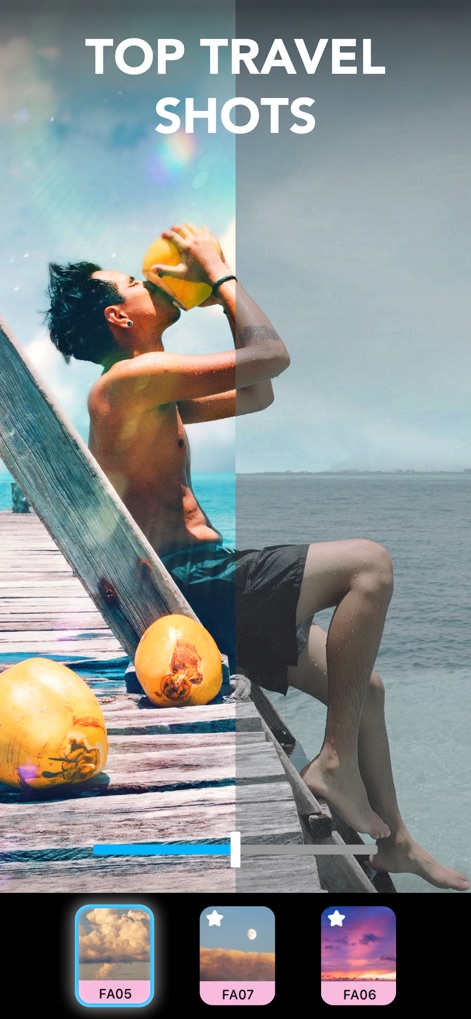
최고의 여행 사진
여행 사진에 따뜻한 햇살 효과와 반짝이는 빛을 더하여, 흐릿했던 바다와 하늘을 생기 넘치는 휴양지의 모습으로 탈바꿈시킬 수 있습니다.
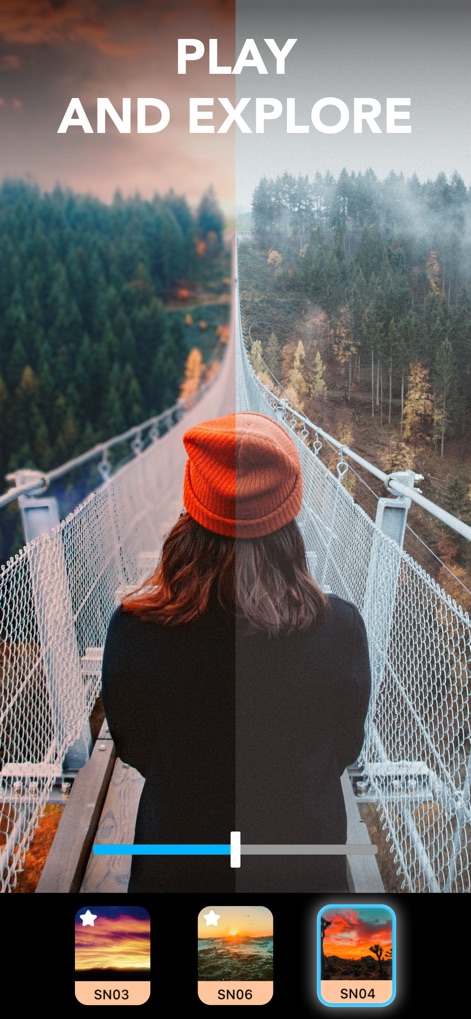
새로운 세계를 탐험
이 앱을 활용하면 안개 낀 숲 속 다리 위 풍경을 황홀한 노을빛 하늘 아래로 바꾸고, 사용자가 원하는 다양한 테마의 풍경으로 배경을 쉽게 교체할 수 있습니다.
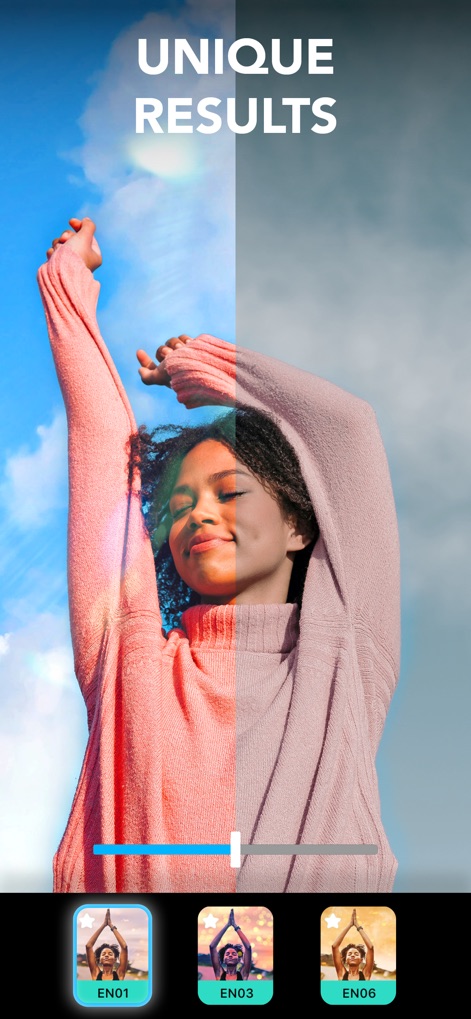
독창적인 결과물 창조
평범한 인물 사진에 다채로운 빛 효과를 추가하여 얼굴에 아름다운 광채를 부여하고, 전체적인 이미지에 독특하고 생동감 있는 분위기를 연출할 수 있습니다.

전문가처럼 보정하기
이 앱은 노출, 하이라이트, 색온도 등 전문가 수준의 조절 기능을 제공하여 사용자가 원하는 섬세한 색감과 빛의 연출로 사진을 완벽하게 다듬을 수 있도록 돕습니다.
설명
Download
비슷한 앱
유사한 기능과 사용자 경험을 가진 앱

EPIK - AI Photo & Video Editor
SNOW Corporation

Citrus: AI 1 Tap Perfect Photo
Wemagine.ai LLP

SnapEdit: Photo Editor AI
SilverAI Joint Stock Company

Background Eraser 〜 Stickers
handyCloset Inc.

PhotoScan by Google Photos
Google LLC

Magic Eraser - Remove Object
Creatix Technology Global Limited

Magic Eraser Background Editor
Honk Honk Punch Pty Ltd

ProKnockOut-Cut Paste Photos
Shenzhen Qianhai Happy Tour Network Technology Co., Ltd.

Background Eraser - Remove BG*
SHANTANU PTE. LTD.
이 페이지는 앱이나 개발자의 공식 페이지가 아니며, 정보 제공 및 논평을 목적으로 작성된 독립 편집 간행물입니다. 명시적으로 달리 언급되지 않는 한, 해당 앱이나 개발자는 MWM, Apple, Google Play, 앱 퍼블리셔 또는 앱 개발자와 제휴, 보증, 후원, 승인 또는 공식적으로 연결되어 있지 않으며, 이 페이지의 어떤 내용도 해당 앱이 MWM의 서비스를 사용하여 개발되었음을 의미하지 않습니다. 모든 상표, 로고, 스크린샷 및 기타 콘텐츠는 해당 소유자의 자산입니다.