
이 페이지는 앱이나 개발자의 공식 페이지가 아니며, 정보 제공 및 논평을 목적으로 작성된 독립 편집 간행물입니다. 명시적으로 달리 언급되지 않는 한, 해당 앱이나 개발자는 MWM, Apple, Google Play, 앱 퍼블리셔 또는 앱 개발자와 제휴, 보증, 후원, 승인 또는 공식적으로 연결되어 있지 않으며, 이 페이지의 어떤 내용도 해당 앱이 MWM의 서비스를 사용하여 개발되었음을 의미하지 않습니다. 모든 상표, 로고, 스크린샷 및 기타 콘텐츠는 해당 소유자의 자산입니다.


MotionBook - Draw & Animate
직관적인 프레임별 도구로 창의력을 발휘하세요. iPad와 Apple Pencil을 사용하여 맞춤 스티커를 디자인하고, 비디오를 로토스코핑하고, 자신만의 독특한 이야기를 세상과 공유하세요.
다운로드
688K+사용자 평점
총 평가 수
3K+개발사
카테고리
Graphics & Design지원 언어
4최신 버전
1.7.1크기
9.7 MB출시일
2018년 4월 4일당신의 작품에 생명을 불어넣으세요
iPad를 휴대용 애니메이션 스튜디오로 바꾸세요. 바이럴 TikTok 편집부터 클래식 플립북까지, 멋진 프레임별 애니메이션을 쉽게 만들 수 있습니다.
자연스러운 예술 도구
Apple Pencil에 완벽하게 반응하는 압력 감지 브러시와 연필로 스케치하여 실제와 같은 드로잉 경험을 느껴보세요.
현실 위에 애니메이션 추가
좋아하는 비디오 클립을 가져와 해부학 참고 자료로 사용하거나 바이럴 순간에 손으로 그린 효과를 추가하세요.
자주 묻는 질문
에 대해 알아야 할 모든 것 MotionBook - Draw & Animate
MotionBook - Draw & Animate란 무엇인가요?
MotionBook은 iPad 및 iPhone에서 프레임별 플립북 애니메이션을 만들도록 설계된 앱으로, 창의적인 개인을 위한 디지털 도구를 제공합니다.
MotionBook은 어떤 그리기 도구를 제공하나요?
MotionBook은 연필, 잉크 펜, 마커, 페인트 브러시, 그리고 단단하고 부드러운 지우개를 포함한 자연스러운 느낌의 펜 및 지우개 도구 세트를 제공합니다. Apple Pencil의 필압 감도를 지원합니다.
MotionBook 사용자는 색상을 사용자 정의할 수 있나요?
예, MotionBook 사용자는 자신만의 색상 팔레트를 사용자 정의하거나 애니메이션에 미리 정의된 색상 팔레트를 사용할 수 있습니다.
MotionBook은 Apple Pencil을 지원하나요?
예, MotionBook은 Apple Pencil의 필압 감도를 완벽하게 지원하여 사용자에게 자연스러운 그리기 경험을 제공합니다.
MotionBook은 애니메이션 페이지와 FPS를 어떻게 관리하나요?
MotionBook은 '타임라인' 기능을 통해 모든 애니메이션 페이지를 쉽게 관리할 수 있습니다. 사용자는 프로젝트의 초당 프레임(FPS)도 사용자 정의할 수 있습니다.
MotionBook의 '온 스킨' 기능이란 무엇인가요?
MotionBook의 '온 스킨' 옵션은 사용자가 부드러운 애니메이션 전환을 돕기 위해 참조용으로 이전 및 다음 페이지를 볼 수 있게 합니다.
MotionBook은 애니메이션을 비디오 또는 GIF로 내보낼 수 있나요?
예, MotionBook은 애니메이션을 비디오(MP4) 또는 GIF 형식으로 내보낼 수 있습니다. 그런 다음 친구와 공유하거나 자신만의 스티커를 만들 수 있습니다.
MotionBook은 iOS 파일 및 iCloud와 통합되어 동기화되나요?
예, MotionBook은 iOS 파일 시스템과 통합되어 플립북 파일을 쉽게 관리할 수 있습니다. 파일은 iCloud에 저장하여 iPhone 및 iPad 간에 동기화할 수 있습니다.
MotionBook은 비디오 클립을 그리기 배경으로 사용할 수 있나요?
예, MotionBook을 사용하면 비디오 클립을 배경으로 사용할 수 있습니다. 이는 실제 참조를 사용하여 포즈/제스처를 그리거나 비디오에 손으로 그린 요소를 추가하는 데 도움이 됩니다.
MotionBook에는 초보자를 위한 템플릿이 있나요?
예, MotionBook에는 다양한 샘플 템플릿이 포함되어 있습니다. 이러한 템플릿은 사용자가 애니메이션 세계로의 여정을 쉽게 시작하는 데 도움이 됩니다.
MotionBook에서 내보낸 비디오의 워터마크를 제거할 수 있나요?
예, 사용자는 앱의 전체 기능을 잠금 해제하여 내보낸 MotionBook 비디오의 워터마크를 제거할 수 있습니다.
MotionBook은 어떤 고급 편집 기능을 제공하나요?
MotionBook은 그리기 세부 정보를 빠르게 조정하고, 그림을 복사하고, 다른 페이지에 붙여넣고, 다른 앱에서 이미지를 붙여넣을 수 있는 고급 편집 도구를 제공합니다.
다음 스크린샷과 설명은 앱의 공식 스토어 목록에서 직접 가져온 것이며 앱 개발자의 자산입니다.
앱 스토어
스크린샷
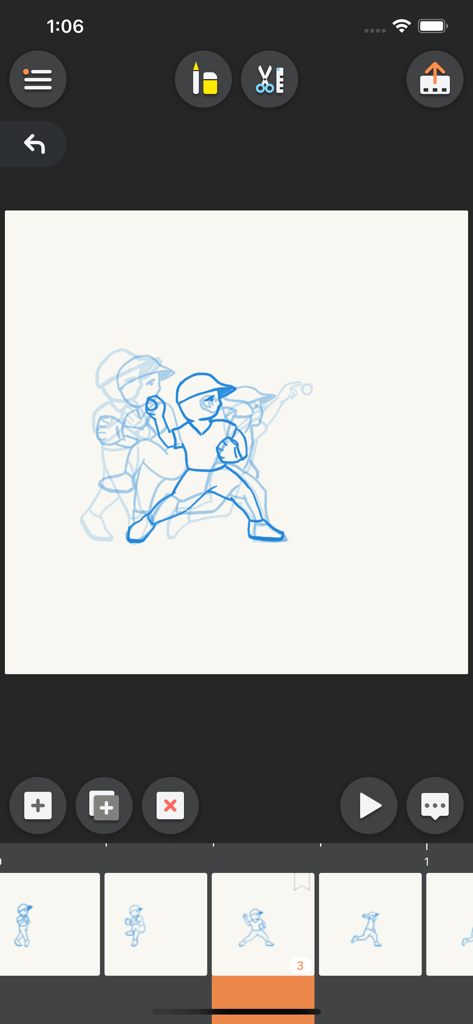
야구 애니메이션을 위한 어니언 스키닝과 타임라인을 보여주는 MotionBook 앱 인터페이스.
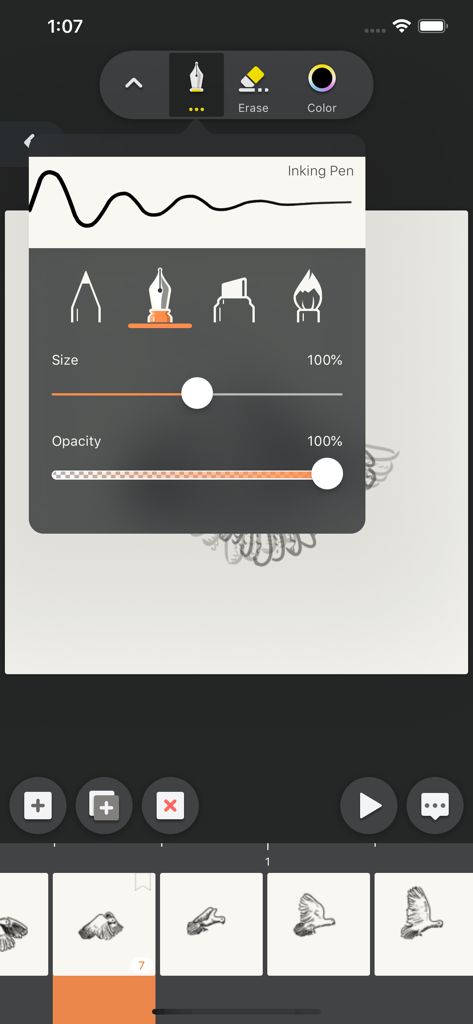
잉크 펜 설정과 애니메이션 타임라인이 있는 MotionBook 앱 드로잉 인터페이스
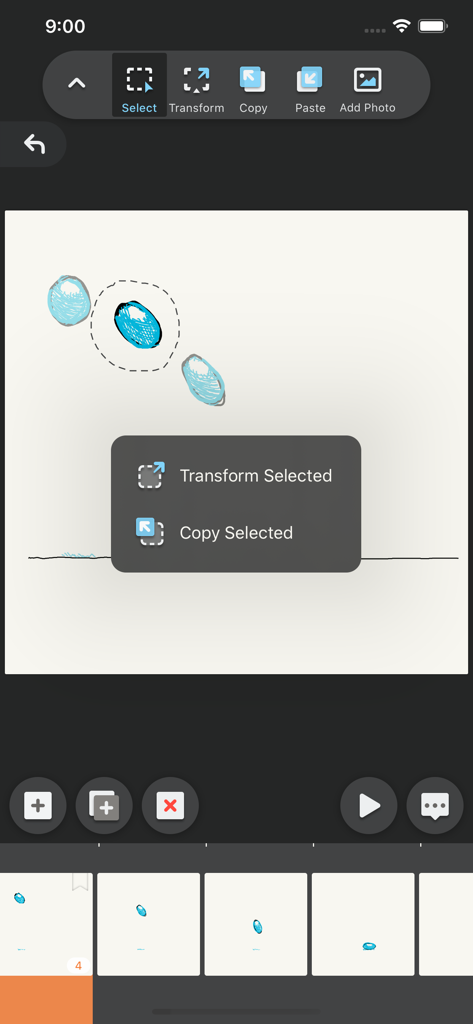
애니메이션 프레임의 선택 및 변형 도구를 보여주는 MotionBook 앱 인터페이스
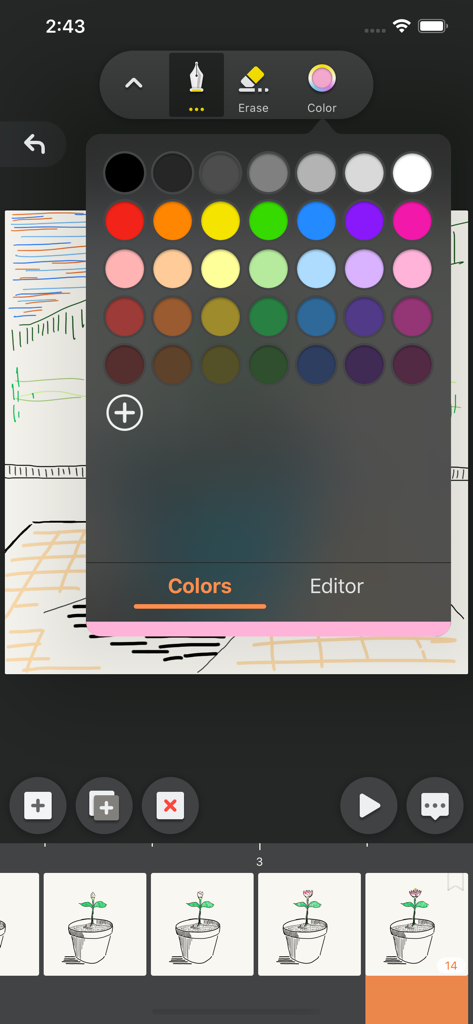
MotionBook 애니메이션 앱 인터페이스의 색상 선택 팔레트
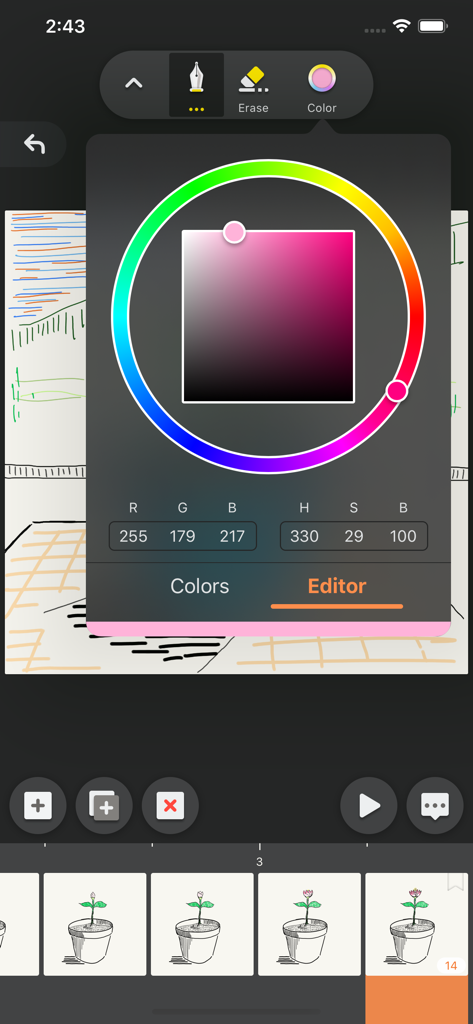
색상 피커 휠과 애니메이션 프레임 타임라인 위에 드로잉 도구를 보여주는 MotionBook 앱 인터페이스.
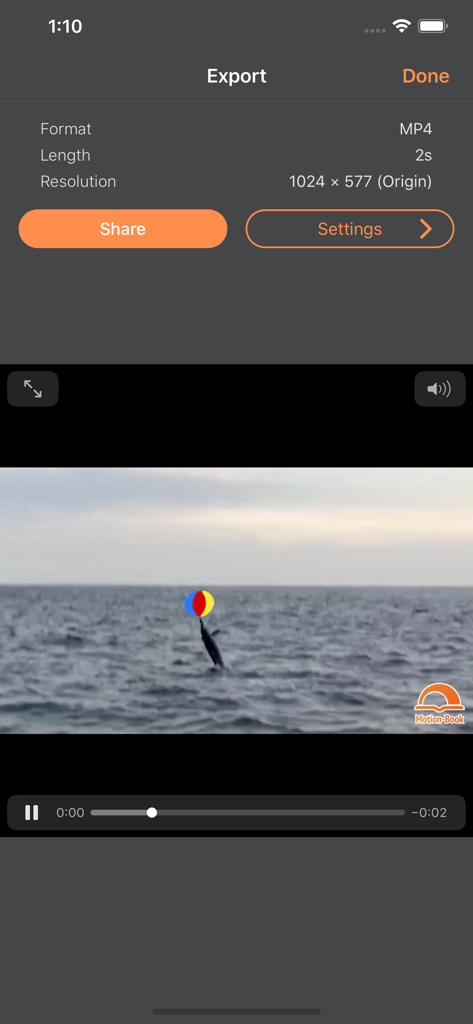
비디오 형식 설정과 돌고래 애니메이션 미리보기를 보여주는 MotionBook 앱의 내보내기 화면.
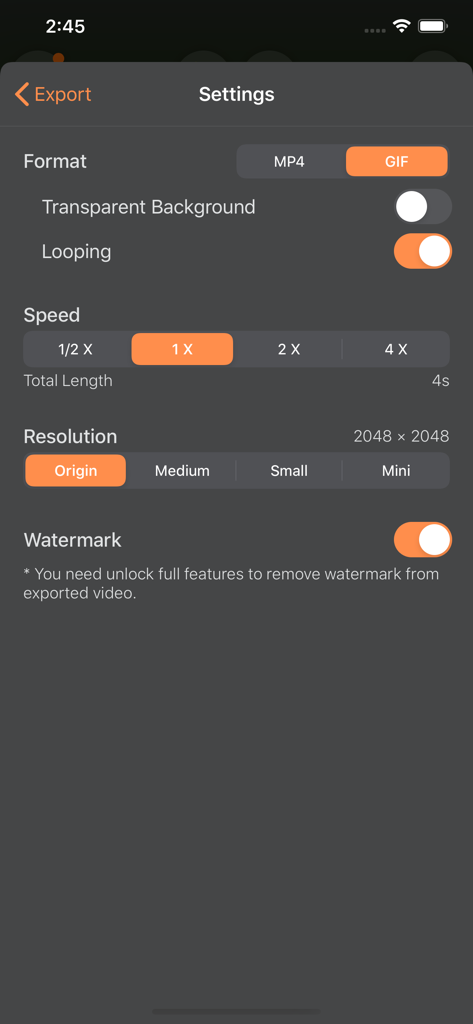
GIF 및 MP4 형식 옵션, 속도 제어 및 해상도 설정을 보여주는 MotionBook 내보내기 설정 화면
설명
Download
비슷한 앱
유사한 기능과 사용자 경험을 가진 앱
Stick Nodes Pro - Animator
ForTheLoss Games, Inc
FlipaClip: Create 2D Animation
Visual Blasters, LLC

Stop Motion Studio
CATEATER, LLC
Stick Nodes - Animator
ForTheLoss Games, Inc

Stop Motion Studio Pro
CATEATER, LLC
Animation Creator: Flipbook 2D
CEM SOFTWARE COMPANY LIMITED

2d animation creator, stickman
Trang Phi Thi

Stop Motion Factory
壮 董

FlipArtify - 2D Draw Animation
CEM SOFTWARE COMPANY LIMITED
이 페이지는 앱이나 개발자의 공식 페이지가 아니며, 정보 제공 및 논평을 목적으로 작성된 독립 편집 간행물입니다. 명시적으로 달리 언급되지 않는 한, 해당 앱이나 개발자는 MWM, Apple, Google Play, 앱 퍼블리셔 또는 앱 개발자와 제휴, 보증, 후원, 승인 또는 공식적으로 연결되어 있지 않으며, 이 페이지의 어떤 내용도 해당 앱이 MWM의 서비스를 사용하여 개발되었음을 의미하지 않습니다. 모든 상표, 로고, 스크린샷 및 기타 콘텐츠는 해당 소유자의 자산입니다.