
이 페이지는 앱이나 개발자의 공식 페이지가 아니며, 정보 제공 및 논평을 목적으로 작성된 독립 편집 간행물입니다. 명시적으로 달리 언급되지 않는 한, 해당 앱이나 개발자는 MWM, Apple, Google Play, 앱 퍼블리셔 또는 앱 개발자와 제휴, 보증, 후원, 승인 또는 공식적으로 연결되어 있지 않으며, 이 페이지의 어떤 내용도 해당 앱이 MWM의 서비스를 사용하여 개발되었음을 의미하지 않습니다. 모든 상표, 로고, 스크린샷 및 기타 콘텐츠는 해당 소유자의 자산입니다.


Stop Motion Studio Pro
강력한 수동 제어 기능으로 시네마틱 4K 영화를 제작하는 2,500만 명의 제작자들과 함께하세요. 광고, 추적, 구독 없이 오직 당신의 창의력만으로, 한 프레임씩 애니메이션을 만들어 보세요.
다운로드
729K+사용자 평점
총 평가 수
12K+개발사
카테고리
Photo & Video지원 언어
17최신 버전
25.12크기
179.6 MB출시일
2013년 7월 6일손끝에서 펼쳐지는 전문가 수준의 애니메이션 도구
iOS에서 가장 강력한 스톱 모션 메이커로 상상력을 현실로 만드세요. 구독이나 광고의 번거로움 없이 정밀함을 요구하는 진지한 크리에이터를 위해 설계되었습니다.
프레임별 정밀도
온 스크린 오버레이와 인터랙티브 타임라인으로 모든 움직임을 마스터하여 레고 또는 점토 애니메이션이 완벽하게 부드럽고 전문적으로 보이도록 하세요.
완벽한 수동 카메라 제어
수동 ISO, 초점, 화이트 밸런스 설정을 사용하여 세트를 완벽하게 제어하세요. Apple Watch를 원격 셔터로 사용하여 카메라 흔들림을 방지하세요.
자주 묻는 질문
에 대해 알아야 할 모든 것 Stop Motion Studio Pro
Stop Motion Studio Pro란 무엇인가요?
Stop Motion Studio Pro는 iPhone, iPad 및 Mac에서 스톱 모션 애니메이션을 만들기 위한 Apple 추천 앱입니다. 사용 편의성을 위해 초보자와 숙련된 애니메이터 모두를 위한 강력한 창작 도구를 제공합니다.
Stop Motion Studio Pro에는 구독 또는 광고가 포함되어 있나요?
아니요, Stop Motion Studio Pro에는 광고, 추적 또는 구독이 포함되어 있지 않습니다. 이 앱은 "광고 없음. 추적 없음. 구독 없음."이라고 명시하며 사용자 개인 정보 보호 및 창작물 소유권을 보장합니다.
Stop Motion Studio Pro에서 효과음과 음악을 추가할 수 있나요?
네, Stop Motion Studio Pro를 사용하면 사용자가 직접 녹음한 음성, 효과음, 배경 음악을 추가하거나 라이브러리에서 오디오를 가져올 수 있습니다. 이는 앱의 편집 인터페이스에 직접 통합되어 있습니다.
Stop Motion Studio Pro는 어떤 카메라 제어 기능을 제공하나요?
Stop Motion Studio Pro는 초점, 노출, ISO 및 화이트 밸런스를 포함한 모든 수동 카메라 제어를 제공합니다. 또한 자동 촬영을 위한 타임랩스 캡처 모드를 제공합니다.
Stop Motion Studio Pro에서 그린 스크린 효과를 지원하나요?
네, Stop Motion Studio Pro에는 그린 스크린 효과가 포함되어 있습니다. 이 기능을 사용하면 사용자가 앱 내에서 직접 영화 같은 결과물을 얻기 위해 캐릭터나 개체를 다른 배경에 배치할 수 있습니다.
Stop Motion Studio Pro에서 고화질로 영화를 내보낼 수 있나요?
네, Stop Motion Studio Pro는 완성된 영화를 4K 또는 1080p HD 품질로 내보냅니다. 사용자는 YouTube, TikTok과 같은 플랫폼으로 직접 공유하거나 GIF 또는 iMessage 스티커로 저장할 수도 있습니다.
Stop Motion Studio Pro에서 기기 간 호환성을 지원하나요?
네, Stop Motion Studio Pro는 기기 간 호환성을 지원합니다. 사용자는 iPhone에서 프로젝트를 시작하고 Mac에서 완료할 수 있어 기기 간 작업의 원활한 동기화를 보장합니다.
Stop Motion Studio Pro에 대한 튜토리얼이 있나요?
네, Stop Motion Studio Pro에는 단계별 튜토리얼과 창작 팁이 포함되어 있습니다. 빠른 안내와 영감을 얻을 수 있는 내장 매뉴얼도 있어 초보자와 숙련된 사용자 모두에게 도움이 됩니다.
Stop Motion Studio Pro에서 프레임을 개별적으로 편집할 수 있나요?
네, Stop Motion Studio Pro는 대화형 타임라인을 특징으로 하며 프레임별 편집을 지원합니다. 사용자는 개별 프레임을 쉽게 복사, 붙여넣기, 잘라내기 및 삽입하여 정확한 애니메이션을 만들 수 있습니다.
Stop Motion Studio Pro에서 캐릭터에 표정을 추가할 수 있나요?
네, Stop Motion Studio Pro를 사용하면 사용자가 캐릭터에 표정이나 레이어를 추가할 수 있습니다. 이는 독특한 효과를 만들기 위한 앱의 포괄적인 내장 드로잉 도구 및 편집 기능의 일부입니다.
다음 스크린샷과 설명은 앱의 공식 스토어 목록에서 직접 가져온 것이며 앱 개발자의 자산입니다.
앱 스토어
스크린샷
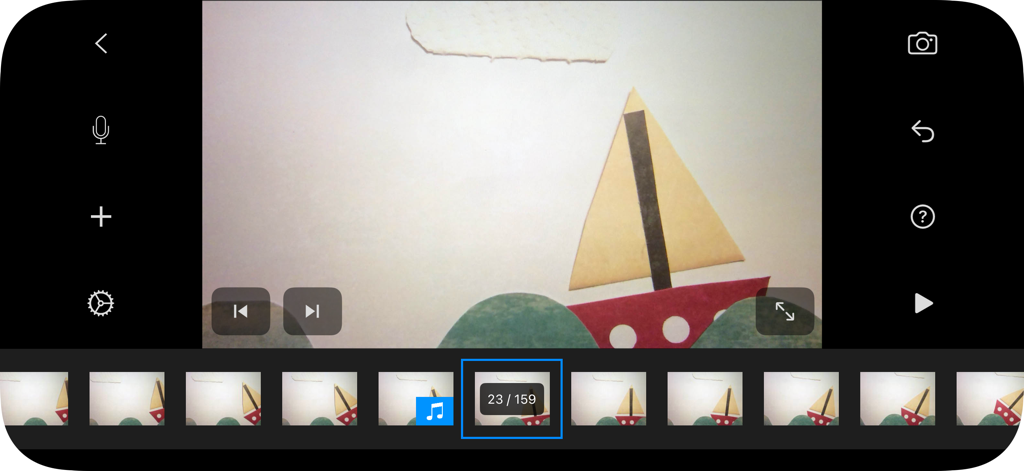
Stop Motion Studio Pro 인터페이스에 프레임 타임라인과 함께 종이 보트 애니메이션 프로젝트가 표시되고 있습니다.
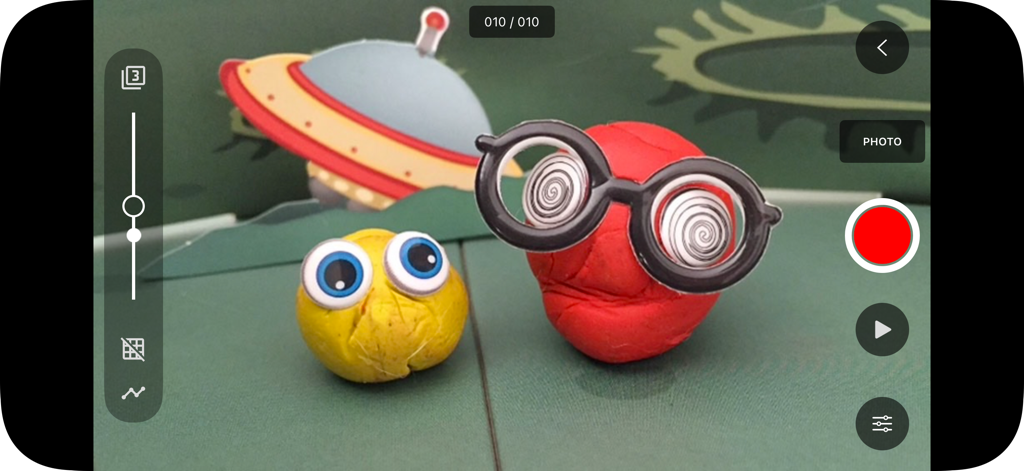
Stop Motion Studio Pro 인터페이스에 점토 캐릭터와 애니메이션 캡처 도구가 표시되고 있습니다.
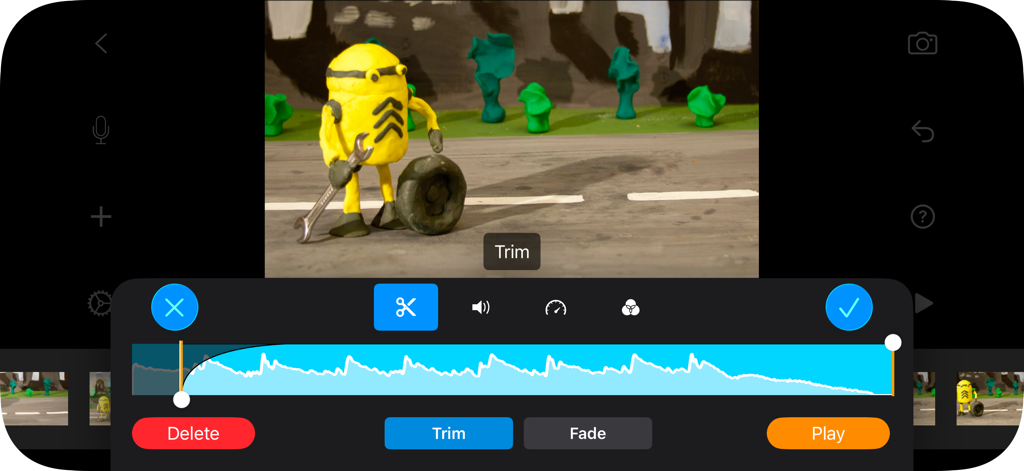
Stop Motion Studio Pro의 편집 인터페이스에 오디오 트리밍 및 점토 애니메이션 캐릭터가 표시되고 있습니다.
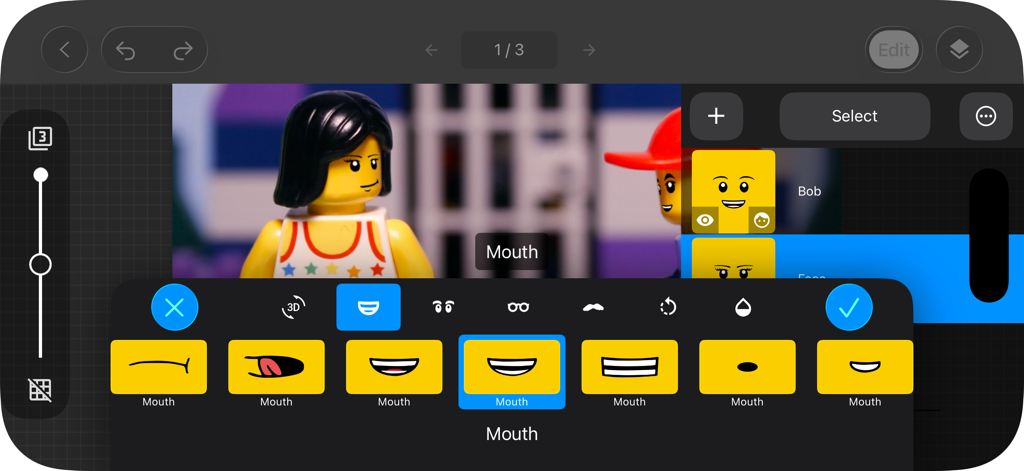
Stop Motion Studio Pro의 인터페이스에 레고 미니피겨의 얼굴 표정 편집 기능이 표시되고 있습니다.
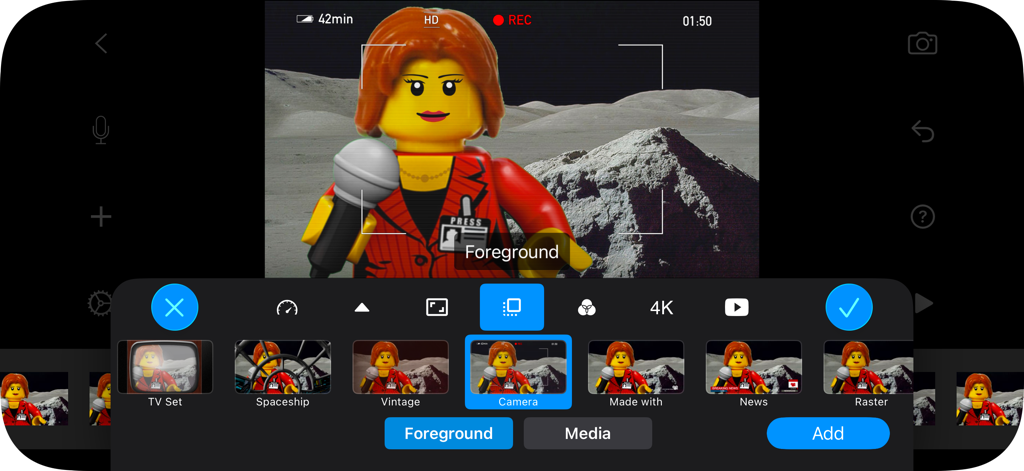
Stop Motion Studio Pro의 모바일 인터페이스에 레고 애니메이션을 위한 다양한 전경 오버레이 옵션이 표시되고 있습니다.
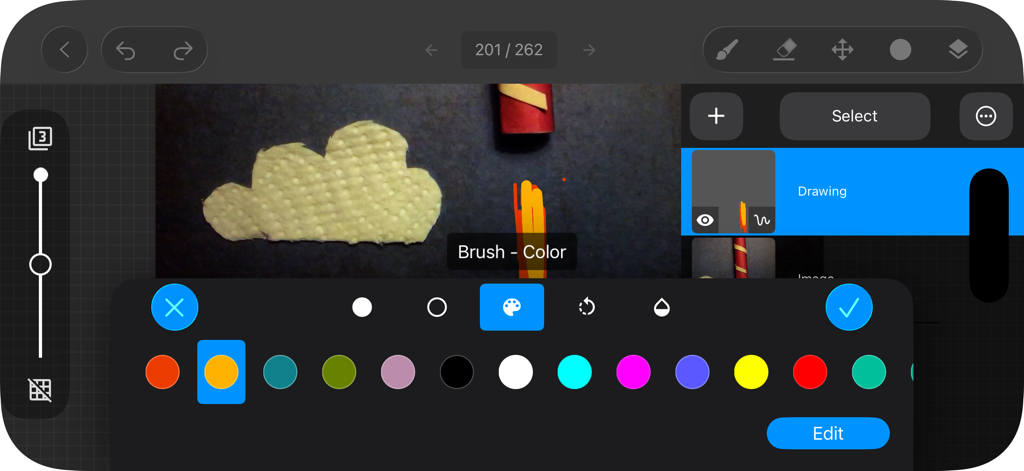
Stop Motion Studio Pro 앱의 그림 및 로토스코핑 인터페이스에 색상 선택 팔레트가 표시되고 있습니다.
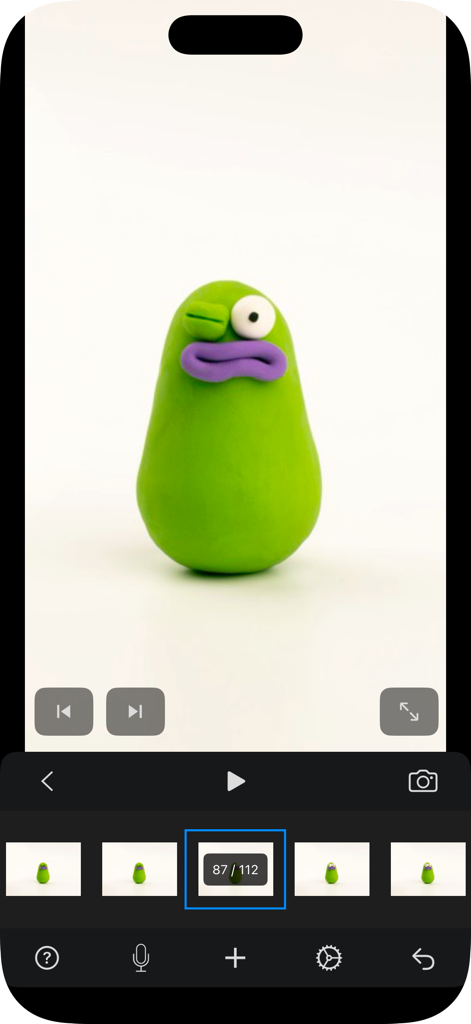
Stop Motion Studio Pro 앱 인터페이스에 점토 애니메이션 캐릭터가 표시되고 있습니다.
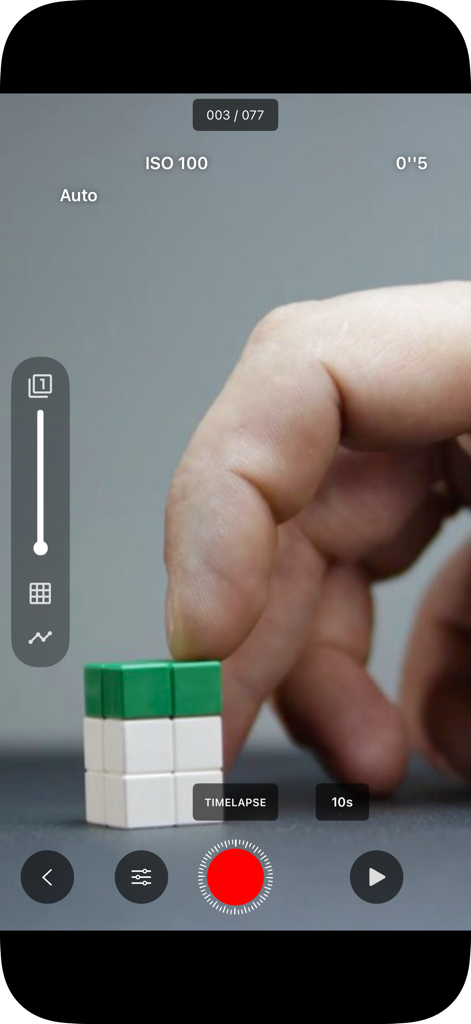
Stop Motion Studio Pro 인터페이스에 수동 ISO 컨트롤과 함께 블록을 애니메이션하는 손이 표시되고 있습니다.
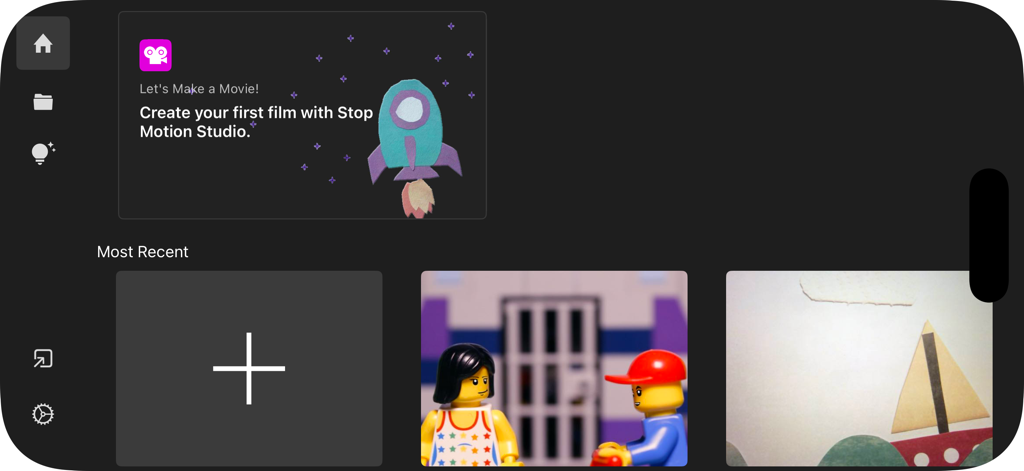
Stop Motion Studio Pro 홈 화면에 프로젝트 갤러리와 새 영화 만들기 버튼이 표시되고 있습니다.
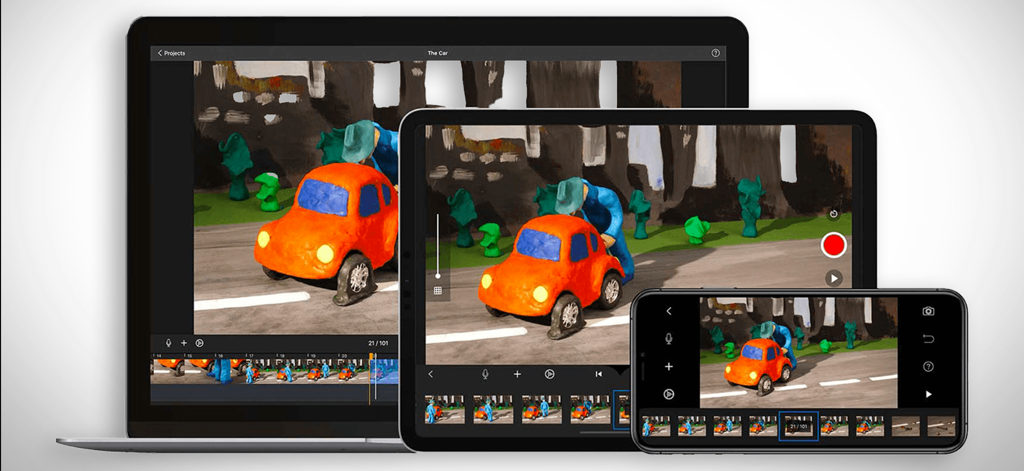
점토 애니메이션 프로젝트를 보여주는 노트북, 태블릿, 스마트폰에 표시되는 Stop Motion Studio Pro 앱 인터페이스
설명
Download
비슷한 앱
유사한 기능과 사용자 경험을 가진 앱
Stick Nodes Pro - Animator
ForTheLoss Games, Inc
FlipaClip: Create 2D Animation
Visual Blasters, LLC

Stop Motion Studio
CATEATER, LLC
Stick Nodes - Animator
ForTheLoss Games, Inc
Animation Creator: Flipbook 2D
CEM SOFTWARE COMPANY LIMITED

2d animation creator, stickman
Trang Phi Thi

Stop Motion Factory
壮 董

FlipArtify - 2D Draw Animation
CEM SOFTWARE COMPANY LIMITED

MotionBook - Draw & Animate
亮 彭
이 페이지는 앱이나 개발자의 공식 페이지가 아니며, 정보 제공 및 논평을 목적으로 작성된 독립 편집 간행물입니다. 명시적으로 달리 언급되지 않는 한, 해당 앱이나 개발자는 MWM, Apple, Google Play, 앱 퍼블리셔 또는 앱 개발자와 제휴, 보증, 후원, 승인 또는 공식적으로 연결되어 있지 않으며, 이 페이지의 어떤 내용도 해당 앱이 MWM의 서비스를 사용하여 개발되었음을 의미하지 않습니다. 모든 상표, 로고, 스크린샷 및 기타 콘텐츠는 해당 소유자의 자산입니다.